Overview

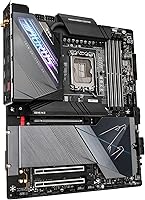
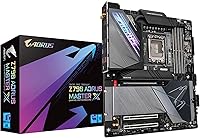
The GIGABYTE Z790 AORUS Master X Motherboard sits at the top of GIGABYTE's Intel platform lineup, built specifically for enthusiast and prosumer builders who want every advantage the Z790 chipset can offer. Based on the LGA 1700 socket, it supports 12th and 13th Gen Intel Core processors, giving builders solid platform longevity as the current Intel generation matures. One practical consideration upfront: this is an EATX form factor board, measuring just over 13.5 by 11.5 inches, so not every mid-tower will accommodate it — plan for a full-tower case. Released in late 2023, it arrived positioned as a long-term investment for those serious about squeezing the most from Intel's current generation.
Features & Benefits

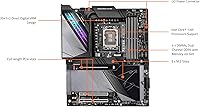
What makes the Z790 Master X stand out is how its specs translate into real build flexibility. The 20+1+2 phase VRM — backed by thermal armor fins — provides serious overclocking headroom without requiring aftermarket cooling on the power delivery hardware itself. Five M.2 slots, including one running at PCIe 5.0 x4, means you can adopt next-gen NVMe storage today and still have room to expand. Connectivity is equally strong: Wi-Fi 7 and 5GbE LAN are both present, though Wi-Fi 7 router adoption remains limited for most households. DDR5 with XMP 3.0, front-and-rear USB-C at 20Gb/s, plus HDMI and DisplayPort outputs round out a genuinely well-equipped package.

Best For

This AORUS motherboard makes the most sense for builders who are not compromising. If you are running an Intel 13th Gen chip hard — all-core workloads, heavy overclocking, sustained rendering — the thermal and power infrastructure here is built to handle it without complaint. Content creators juggling multiple NVMe drives for project storage will appreciate five slots rather than the typical two or three. Future-focused builders eyeing PCIe 5.0 GPUs and next-gen peripherals will find the platform ready ahead of the curve. That said, if your case is not full-tower sized, this board simply will not fit, and it is genuinely overkill for anyone building a standard gaming rig on a tighter budget.

User Feedback

With 116 ratings and a 4.2 out of 5 average, buyer sentiment leans positive but is not without nuance. Recurring praise centers on BIOS usability — reviewers frequently cite a clear layout and straightforward overclocking controls as highlights, alongside strong VRM thermal performance under demanding loads. On the downside, a handful of buyers flag case compatibility as a genuine planning hurdle; the EATX footprint catches some off guard during the build process. A few also mention that RGB Fusion 2.0 software can feel inconsistent. At this price tier, most buyers report the feature set aligns with expectations, though some note the cost is harder to justify for lightly loaded or non-overclocked builds.

Pros

  • The 20+1+2 phase VRM handles sustained all-core overclocking without thermal throttling under real workloads.
  • Five M.2 slots give content creators and storage-heavy users genuine room to expand without compromise.
  • Q-Flash Plus lets you update the BIOS before installing a CPU, which is a practical lifesaver during new-build setup.
  • Wi-Fi 7 and 5GbE LAN future-proof your network connectivity well beyond current average home setups.
  • DDR5 support with XMP 3.0 enables straightforward high-speed memory configuration without manual tuning.
  • Front and rear USB-C ports running at 20Gb/s cover both current and next-generation peripheral needs.
  • VRM thermal armor and M.2 thermal guards mean critical components stay cool without needing manual heatsink additions.
  • The BIOS layout draws consistent praise from buyers for being approachable without sacrificing advanced overclocking controls.
  • PCIe 5.0 on both the primary GPU slot and top M.2 slot positions the board well for upcoming hardware generations.
  • RGB Fusion 2.0 with addressable LED header support integrates cleanly into most existing lighting ecosystems.

Cons

  • EATX dimensions rule out most mid-tower cases, forcing buyers to budget for a full-tower enclosure.
  • RGB Fusion 2.0 software has drawn complaints for inconsistent behavior and occasional sync issues.
  • Wi-Fi 7 delivers little real-world benefit until compatible routers become more widely accessible and affordable.
  • PCIe 5.0 storage and GPU options remain limited in the broader market, making some headline features premature for many buyers.
  • At this price point, the investment is hard to justify unless overclocking or multi-drive workloads are genuine priorities.
  • With just over 100 ratings available, long-term reliability data is thinner than on more established board alternatives.
  • The sheer number of features and BIOS options can overwhelm first-time high-end builders without prior platform experience.
  • 5GbE LAN requires a compatible router or switch to deliver its speed advantage, adding potential infrastructure costs.
  • Weight and size make physical installation more demanding, particularly for solo builders managing a large case.

Ratings

Our AI rating engine analyzed verified global buyer reviews for the GIGABYTE Z790 AORUS Master X Motherboard, actively filtering out incentivized, bot-generated, and low-signal feedback to surface what real builders actually experienced. The scores below reflect a balanced picture — where this high-end Intel board genuinely earns its reputation and where it falls short of expectations for certain buyers.

VRM & Overclocking Performance
93%
Builders running Intel 13th Gen i9 chips at sustained all-core loads consistently report stable voltages and cool VRM temperatures even under hours-long rendering or encoding sessions. The 20+1+2 phase design gives serious overclockers meaningful headroom that cheaper boards simply cannot match.
A small number of users noted that fully extracting the VRM's potential requires pairing it with high-airflow cases and capable CPU coolers — without those, the thermal armor alone cannot compensate for a poorly ventilated build environment.
BIOS Usability
88%
Reviewers across skill levels praise the BIOS layout for being logically organized without hiding advanced controls behind obscure menus. First-time high-end builders report finding XMP configuration and fan curve adjustments far less intimidating than expected on a board at this tier.
A handful of experienced overclockers felt the easy mode strips away too much granularity for quick tuning, requiring a switch to advanced mode for anything beyond basic configuration — a minor friction point but noticeable during iterative testing sessions.
M.2 Storage Flexibility
91%
Five M.2 slots is a practical advantage for content creators who maintain separate drives for OS, active project files, and archive storage simultaneously. Having a PCIe 5.0 x4 slot available means early adopters of Gen5 NVMe drives can plug in without any adapter or workaround.
Populating all five slots at once may introduce minor bandwidth sharing from chipset lane allocation, and the board's manual requires careful reading to understand which slots share resources — something casual builders can easily overlook during initial setup.
Build Quality & Component Feel
89%
The physical construction draws frequent compliments — heatsink coverage feels substantial and purposeful rather than cosmetic, and the PCB itself shows tight tolerances with no flex reported during installation. Buyers note it looks and feels like a board built to last well beyond a single CPU generation.
At nearly 7 pounds, installation in a full-tower case solo can be awkward, particularly when aligning standoffs precisely with the EATX mounting pattern. A few buyers also noted the sheer heatsink mass makes routing certain cables around the board more fiddly than expected.
Case Compatibility
54%
46%
For builders who already own a proper full-tower enclosure, fitment is straightforward with no reported clearance issues. The EATX layout uses space efficiently, and the I/O shield alignment is consistently praised as accurate out of the box.
This is the single most common complaint across buyer reviews — the EATX form factor catches buyers off guard who assumed any large case would accommodate it. Several reviewers had to return or exchange their cases after discovering their chosen mid-tower lacked the required mounting holes, adding unexpected cost and delay to their builds.
Connectivity & I/O
87%
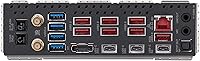
The rear I/O is genuinely well-stocked for a professional workstation setup, with front and rear USB-C ports at 20Gb/s covering external SSD transfers and modern peripheral connections without needing expansion cards. Having both HDMI and DisplayPort outputs built in is a quiet convenience most buyers appreciate during initial setup.
Some users expected more USB-A ports on the rear panel given the board's price tier, and a few flagged that the 5GbE LAN requires a compatible network switch or router to actually deliver its speed advantage — infrastructure costs that are easy to overlook.
Wireless Networking
74%
26%
Wi-Fi 7 integration means buyers are covered for the next several years of wireless standard adoption without purchasing a separate card. In environments already running Wi-Fi 7 access points, early testers report noticeably lower latency compared to Wi-Fi 6E under heavy load.
For the majority of buyers today, Wi-Fi 7 delivers no tangible benefit over Wi-Fi 6E due to the limited availability of compatible routers at accessible price points. Several reviewers noted they are effectively paying for a feature they cannot fully use yet, which tempers enthusiasm for this spec.
Thermal Management
86%
The M.2 Thermal Guard heatsinks keep NVMe drives noticeably cooler during sustained sequential writes, which matters for video editors moving large files between drives frequently. The VRM thermal armor fins do meaningful work in actively cooled cases, with buyers reporting lower VRM temperatures compared to competing boards under identical workloads.
In passively ventilated or low-airflow full-tower builds, the heatsinks alone cannot fully compensate — a few buyers in warm ambient environments reported higher-than-expected chipset temperatures under extended all-core loads without direct airflow across the board.
Memory Performance
83%
XMP 3.0 profiles load reliably at rated speeds with compatible DDR5 kits, and buyers report stable operation at 5600 MHz without manual sub-timing adjustments. Four DIMM slots give the platform meaningful upgrade headroom compared to boards limited to two slots.
DDR5 memory tuning beyond XMP still requires BIOS knowledge that not all buyers possess, and a small number of users reported needing to manually adjust secondary timings to achieve full stability with aggressive memory kits at 6000 MHz and above.
RGB & Aesthetics
67%
33%
The onboard RGB lighting looks polished in person, and the addressable LED headers give builders flexibility to integrate custom strips cleanly. Buyers building open-frame or windowed cases note the board photographs and presents well when lit.
RGB Fusion 2.0 software earns consistent criticism for occasional sync failures, particularly when mixing GIGABYTE components with third-party RGB ecosystems. A number of buyers have resorted to leaving lighting static to avoid software-related headaches entirely.
Q-Flash Plus & Setup Experience
91%
Builders who needed to update the BIOS before installing an incompatible CPU universally praise Q-Flash Plus as a stress-free process — plug in a USB drive with the firmware file, press the button, and the board handles the rest without any other components installed. It removes a significant anxiety point from the build experience.
The process requires the correct USB drive format and file naming convention, which a small number of first-time users got wrong on the first attempt. GIGABYTE's documentation is adequate but could be more prominent in the quick-start guide for new builders.
Value for Money
71%
29%
For builders who will genuinely use the overclocking capability, multiple M.2 slots, and advanced connectivity simultaneously, the feature density makes the pricing feel justified. Buyers in that target group consistently report feeling the board delivered on what they paid for.
For anyone not actively overclocking or running storage-heavy workloads, several reviewers noted that a mid-range Z790 board at half the price would have served them equally well. The value proposition is tightly conditional on fully leveraging what the board actually offers.
Fan & Thermal Control
82%
18%
Smart Fan 6 is praised for its granularity — builders can set independent fan curves per header with enough control points to dial in near-silent operation at idle while still ramping aggressively under load. The interface for fan tuning within the BIOS is considered one of the better implementations on the market.
A few users felt the default fan curves were set more aggressively than necessary out of the box, resulting in louder-than-expected behavior until manual tuning was applied — not a dealbreaker, but an extra step that budget-tier boards sometimes handle more gracefully by default.
Long-Term Platform Longevity
78%
22%
Arriving in late 2023 with PCIe 5.0, Wi-Fi 7, and DDR5 already on board, the Z790 Master X is positioned to stay relevant through at least two more hardware generations without requiring peripheral upgrades. Buyers treating this as a long-term investment platform generally express satisfaction with that decision.
Intel's platform roadmap beyond LGA 1700 remains uncertain, and some buyers acknowledge that a full platform shift to a new socket could render even this high-end board obsolete sooner than the feature list might suggest — a concern that applies to the entire Z790 category rather than this board specifically.

Suitable for:

The GIGABYTE Z790 AORUS Master X Motherboard is purpose-built for builders who are not cutting corners anywhere in their system. If you are running an Intel 13th Gen Core i9 or i7 at sustained all-core loads — whether for 3D rendering, video production, or heavy multitasking — the robust power delivery and thermal infrastructure here genuinely earn their keep. Content creators who juggle multiple NVMe storage drives for active project work will find five M.2 slots a practical advantage rather than a marketing footnote. Builders who want to stay ahead of the connectivity curve — adopting PCIe 5.0 storage today and positioning themselves for PCIe 5.0 GPUs down the line — will get real mileage from this platform. It also suits anyone who values a clean BIOS experience for overclocking and CPU upgrade flexibility, especially with Q-Flash Plus removing the usual headaches of pre-boot BIOS updates.
Not suitable for:

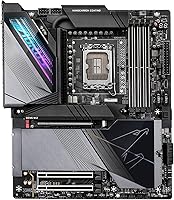
If you are building a mid-range gaming PC, a home office workstation, or anything where the goal is competent performance at a reasonable price, the Z790 Master X is genuinely more board than you need. The EATX form factor is the first practical hurdle — at over 13.5 inches wide, it physically will not fit most mid-tower cases, so buyers who have not already planned around a full-tower enclosure may face an unexpected additional cost. Casual gamers who run standard 1080p or 1440p setups with a single NVMe drive and typical internet connections have no real use for five M.2 slots, Wi-Fi 7, or 5GbE networking. Budget-conscious builders will also find that the premium price tier of this board pulls significant resources away from the GPU, which has a far greater impact on everyday gaming performance. If overclocking is not on your agenda and your workloads are light, a mid-range Z790 board would serve you just as well at a fraction of the investment.

Specifications

  • CPU Socket: Uses the LGA 1700 socket, compatible with Intel 12th and 13th Gen Core, Pentium, and Celeron processors.
  • Chipset: Built on the Intel Z790 X chipset, enabling full overclocking support and high-bandwidth peripheral connectivity.
  • Form Factor: EATX form factor measuring 13.58 x 11.57 inches, requiring a full-tower or large mid-tower case for proper fitment.
  • Memory Support: Four DDR5 DIMM slots supporting dual-channel configuration with a maximum capacity of 64GB and XMP 3.0 profiles up to 5600 MHz.
  • M.2 Storage: Five M.2 slots total, including one PCIe 5.0 x4 slot for next-generation NVMe drives and four additional PCIe 4.0 slots.
  • GPU Slot: Primary x16 slot runs at PCIe 5.0 speeds, providing maximum bandwidth headroom for current and upcoming discrete graphics cards.
  • Wired Network: Onboard 5GbE LAN controller delivers high-speed wired networking for users with compatible routers or network switches.
  • Wireless Network: Integrated Wi-Fi 7 module supports the latest wireless standard for significantly improved throughput and reduced latency over Wi-Fi 6E.
  • USB Connectivity: Includes front-panel and rear-panel USB-C ports each running at 20Gb/s, alongside a full complement of USB-A ports across both panels.
  • VRM Design: 20+1+2 phase digital direct VRM configuration provides substantial and stable power delivery headroom for sustained overclocking workloads.
  • Thermal System: VRM Thermal Armor Fins-Array and M.2 Thermal Guard heatsinks manage heat across power delivery and storage components without requiring add-on cooling.
  • Video Output: Rear I/O includes both HDMI and DisplayPort outputs for direct display connectivity using Intel integrated graphics.
  • BIOS Feature: Q-Flash Plus allows BIOS firmware updates via USB drive without needing a CPU, RAM, or GPU installed in the system.
  • RGB Lighting: GIGABYTE RGB Fusion 2.0 controls onboard lighting and supports both addressable (ARGB) and standard RGB LED strip headers.
  • Product Weight: The board weighs 6.92 pounds, which is typical for a fully armored EATX motherboard with extensive heatsink coverage.
  • Dimensions: Physical dimensions are 13.58 x 11.57 x 3.14 inches, with the height accounting for tall VRM and chipset heatsink assemblies.
  • Fan Control: Smart Fan 6 technology provides granular PWM and DC fan control across multiple headers for fine-tuned thermal management.
  • Platform: Officially supported on Windows operating systems, with BIOS and software utilities designed and tested for Windows environments.

Related Reviews
GIGABYTE Z590 AORUS Master Motherboard
88%
92%
Performance
95%
Networking Speed
88%
Build Quality
85%
Ease of Setup
91%
Power Delivery Stability
More
GIGABYTE B660 AORUS Master DDR4 Motherboard
85%
93%
Build Quality
90%
Power Delivery
88%
Networking Performance
89%
Thermal Design
91%
Compatibility with Intel 12th Gen
More
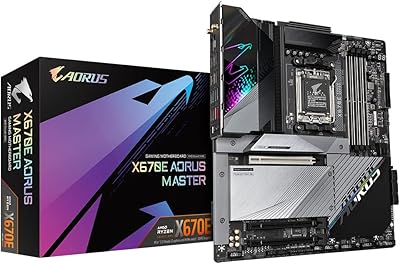
GIGABYTE X670E AORUS Master AMD AM5 ATX Motherboard
87%
94%
Performance for Gaming
92%
Overclocking Potential
89%
Build Quality and Durability
91%
Compatibility with Ryzen 7000
87%
Thermal Management
More
Gigabyte X570 AORUS Ultra Motherboard
88%
94%
Performance
88%
Thermal Management
91%
Wi-Fi & Connectivity
85%
Ease of Setup
89%
Build Quality
More
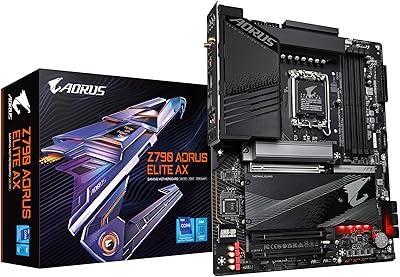
GIGABYTE Z790 AORUS Elite AX
82%
91%
VRM & Power Delivery
88%
Build Quality & PCB
89%
BIOS Experience
74%
DDR5 Memory Compatibility
86%
M.2 Storage Expansion
More
GIGABYTE Z790 UD AC ATX Motherboard
76%
88%
Value for Money
79%
Build Quality
67%
DDR5 Memory Compatibility
82%
BIOS Experience
86%
Storage Performance
More
GIGABYTE B760I AORUS PRO Motherboard
86%
92%
Performance with Intel 12th/13th Gen CPUs
88%
Value for Money
89%
Cooling Efficiency
91%
Compact Size for Small Builds
85%
Ease of BIOS Updates
More
GIGABYTE B550M AORUS Elite AX Motherboard
85%
88%
Performance
91%
Value for Money
87%
Ease of Installation
89%
Build Quality
84%
Thermals
More
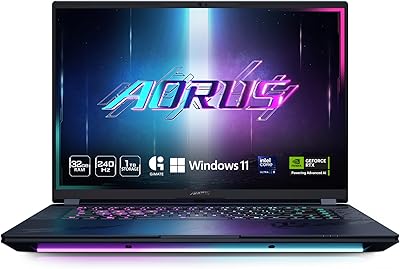
GIGABYTE AORUS Master 16 Gaming Laptop
78%
96%
Display Quality
93%
Gaming Performance
74%
Thermal Management
88%
Build Quality
91%
CPU Performance
More
Gigabyte B650 Gaming X AX ATX Motherboard
78%
83%
Value for Money
88%
BIOS Usability
86%
DDR5 Memory Compatibility
91%
Installation & Build Experience
71%
VRM Thermal Performance
More

FAQ

Most likely not. The EATX form factor is noticeably wider than a standard ATX board, and many mid-towers simply do not have the mounting holes or internal clearance to accommodate it. Before purchasing, check your case specifications carefully and confirm it explicitly lists EATX support — do not assume it fits just because the case is large.

Officially, GIGABYTE lists 12th and 13th Gen Intel Core processors as supported. Intel 14th Gen CPUs also use the LGA 1700 socket and have been reported to work on Z790 boards with appropriate BIOS updates, but you should verify compatibility directly with GIGABYTE's support documentation before relying on it for a 14th Gen build.

It depends on which CPU you are using and when the board was manufactured. The good news is that the Z790 Master X includes Q-Flash Plus, so you can update the BIOS using just a USB drive — no CPU, RAM, or GPU required. If you are installing a newer chip, it is worth checking GIGABYTE's website for the latest BIOS version before you start building.

In practice, running all five slots populated may involve some bandwidth sharing depending on the chipset lane allocation, which is standard behavior on any Z790 board. For most users with two to three drives, you will never notice any impact. If you are planning a very storage-intensive setup, check the board's manual for the lane configuration details on each slot.

Honest answer: for most home users today, Wi-Fi 7 is ahead of the current infrastructure. You need a Wi-Fi 7 router to take advantage of it, and those are still relatively expensive and uncommon. That said, having Wi-Fi 7 built in means you are covered when the ecosystem catches up, and you will not need to add a separate wireless card later.

Buyers and independent reviewers consistently point to the VRM setup as a genuine strong point — the 20+1+2 phase design with thermal armor means power delivery stays stable and cool even under aggressive all-core overclocks. The BIOS is also well-regarded for giving experienced overclockers the controls they need without being unnecessarily cryptic.

RAM is not included — this is a motherboard only. You will need to purchase DDR5 memory separately. The board supports up to 64GB across four DIMM slots, and XMP 3.0 profiles are supported, so look for DDR5 kits that are explicitly rated and validated for Z790 platforms for the smoothest experience.

This is genuinely a mixed area based on buyer feedback. Many users find it works fine for basic lighting control, but some report inconsistent syncing and occasional software glitches, particularly when integrating with third-party RGB ecosystems. If a polished, unified lighting experience is a priority for you, it is worth researching current software reviews separately before committing.

Yes, the rear I/O is well-stocked. You get front and rear USB-C ports running at 20Gb/s, plus multiple USB-A ports covering both high-speed and standard connections. For a professional workstation or content creation rig with external drives, peripherals, and capture devices, the port selection on the Z790 Master X is more than adequate for most setups.

Given the EATX platform and the VRM's support for high-TDP Intel processors under heavy overclocking, a minimum of 850W is sensible, and 1000W or above is worth considering if you plan to run a power-hungry GPU alongside a fully overclocked 13th Gen i9. Headroom in power delivery helps maintain system stability during sustained peak loads.

Where to Buy