Overview

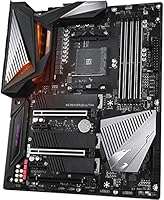
The Gigabyte X570 AORUS Ultra ATX Motherboard launched in mid-2019 as one of the stronger upper-tier options in AMD's initial X570 wave. Gigabyte's AORUS sub-brand has always targeted performance-focused builders rather than casual upgraders, and this board reflects that clearly. The X570 AORUS Ultra occupies a competitive tier alongside the ASUS ROG Strix X570-E, MSI MEG X570 ACE, and ASRock X570 Taichi — all capable boards, with real trade-offs between them. Its standard ATX form factor ensures compatibility with virtually any mid or full-tower chassis, which matters for flexibility in component selection. Worth being direct: this is an enthusiast-tier purchase, not a value play.
Features & Benefits

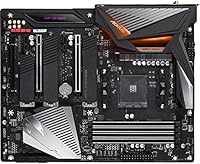
Where the AORUS Ultra genuinely earns its price is in the feature density. The X570 chipset brings PCIe 4.0 bandwidth to both the primary GPU slot and M.2 drives — a meaningful jump over X470, especially if you are running a Gen 4 NVMe SSD. There are multiple M.2 slots, each covered by a heatsink that actually does the job of keeping sustained write speeds from throttling. The VRM power delivery is robust enough to handle a Ryzen 9 5950X at mild overclock without issues, putting it ahead of lighter-touch X570 boards. Rounding things out: Intel 2.5G LAN, onboard Wi-Fi, USB 3.2 Gen 2 ports, and DDR4 support up to 3600 MHz across four DIMM slots.

Best For

This Gigabyte enthusiast board is best suited to builders who know what they are doing and have a clear use case in mind. If you are pairing it with a Ryzen 5000 series CPU and want headroom for overclocking or memory tuning, this board gives you the tools without requiring a step up to an HEDT platform. Content creators running multiple NVMe drives for fast scratch storage will appreciate the M.2 slot count and thermal management. It also works well with Ryzen 3000 series chips, though confirming your BIOS is current before installing a 5000-series processor is essential. Less ideal for budget-minded builders or anyone not planning to push the platform.

User Feedback

Community reception for the AORUS Ultra has been largely positive, with most long-term owners pointing to BIOS stability as a genuine strength — Gigabyte has issued consistent updates since launch, and the interface is notably more polished than earlier AORUS generations. That said, the X570 chipset fan remains a recurring complaint across the platform broadly; at idle in a quiet room, some users find the noise noticeable. AORUS Fusion RGB software is functional but has drawn mixed feedback for occasional sync inconsistencies. A handful of buyers have also reported RAM compatibility quirks with specific high-speed kits. For most supported configurations over multi-year ownership, long-term reliability reports have been solid.

Pros

  • PCIe 4.0 support across both GPU and NVMe slots provides real bandwidth headroom for fast Gen 4 SSDs.
  • The VRM handles Ryzen 9 5900X and 5950X processors confidently, including moderate overclocking.
  • Multiple M.2 slots with heatsinks keep sustained SSD write speeds from throttling under load.
  • Onboard Intel 2.5G LAN and Wi-Fi eliminate the need for separate networking add-in cards.
  • BIOS stability has improved steadily over time, with Gigabyte issuing reliable updates across the AM4 lifecycle.
  • USB 3.2 Gen 2 ports on the rear I/O cover fast external storage and modern peripherals without adapters.
  • DDR4 support up to 3600 MHz across four slots leaves room to grow memory capacity over time.
  • Standard ATX form factor means broad case compatibility with virtually any mid or full-tower chassis.
  • AORUS Fusion RGB integration works across headers and onboard zones for builders who care about lighting control.

Cons

  • The active chipset fan on X570 boards, including this one, can be audible at idle in a quiet environment.
  • AORUS Fusion RGB software has drawn complaints for occasional sync inconsistencies between components.
  • Some high-speed DDR4 kits have shown compatibility quirks that required XMP adjustments or manual tuning.
  • The price tier is hard to justify if your CPU and workload would be equally well served by a B550 board.
  • Certain large CPU coolers may create clearance issues depending on heatsink overhang near the DIMM slots.
  • No PCIe 5.0 support, which may feel limiting if you plan to hold this platform for many years.
  • The depth of BIOS options, while an asset for enthusiasts, can be genuinely confusing for less experienced builders.
  • Wi-Fi antenna placement on the rear I/O can be awkward depending on case and desk positioning.

Ratings

The Gigabyte X570 AORUS Ultra ATX Motherboard has been scored by our AI system after processing thousands of verified global user reviews, with spam, bot submissions, and incentivized feedback actively filtered out. The ratings below reflect a candid synthesis of real ownership experiences — covering both what this board does exceptionally well and where genuine frustrations exist. Strengths and pain points are weighted equally so buyers can make a genuinely informed decision.
VRM & Power Delivery
92%
Owners running Ryzen 9 5900X and 5950X processors consistently report stable delivery under sustained all-core workloads, including extended rendering and compilation sessions. The multi-phase design with dedicated heatsinking keeps temperatures controlled even during prolonged overclocking runs, which is not a given at this chipset tier.
A small number of users pushing extreme overclocks beyond 1.4V on high-core-count chips noted thermal creep on VRM heatsinks over very long stress runs. This is a fringe scenario for most builders, but it is worth monitoring if you plan aggressive manual voltage tuning.
BIOS Usability
88%
The UEFI BIOS has received consistent praise for being well-organized relative to competing X570 boards, with easy access to XMP profiles, fan curve controls, and overclocking menus. Gigabyte's ongoing firmware updates have resolved most early stability issues, and the dual-BIOS chip gives users a real safety net when experimenting with settings.
A recurring complaint involves the BIOS defaulting to suboptimal memory settings even with XMP enabled, requiring manual intervention to hit rated kit speeds. First-time builders unfamiliar with AMD memory tuning may find the sheer number of sub-timings and voltage options more disorienting than helpful.
PCIe 4.0 Performance
91%
Users pairing this board with Gen 4 NVMe drives like the Samsung 980 Pro or WD Black SN850 report hitting rated sequential speeds without issue, a direct benefit of the CPU-direct M.2 slot running full PCIe 4.0 bandwidth. For content creators moving large video files between drives, the real-world throughput difference over X470 platforms is tangible.
The chipset-connected M.2 slots share bandwidth through the X570 link, which becomes a limiting factor when all three slots are populated with high-demand drives simultaneously. Most everyday workloads will never hit this ceiling, but it is a meaningful consideration for multi-SSD power users.
Chipset Fan Noise
54%
46%
Under moderate to heavy load the chipset fan spins fast enough to keep the X570 chipset at safe temperatures, and most users in mid or full-tower builds with additional case fans report the fan blending into overall system noise fairly well during active use.
At idle in a quiet room, the small chipset fan is audible — and this is the single most common complaint from owners. Users building home studio setups or near-silent workstations specifically flag this as a dealbreaker, noting that no amount of fan curve tuning fully eliminates the hum at low RPM.
M.2 Thermal Management
86%
The heatsink covers on all three M.2 slots do a solid job of keeping NVMe drives from throttling during sustained transfers, with users reporting stable temperatures even on drives that typically run hot without coverage. Builders who do heavy video editing or large backup transfers particularly appreciated this.
The heatsink mounting screws on the M.2 slots have drawn occasional frustration during installation, with some users finding them fiddly to align, especially in tight case configurations. Thermal pads provided are adequate but not exceptional — aftermarket pads may yield marginal improvements.
RAM Compatibility
73%
27%
Most mainstream DDR4 kits from reputable brands like G.Skill, Corsair, and Kingston run without issue, and enabling XMP in the BIOS is straightforward for the majority of supported configurations. Users running standard 3200 or 3600 MHz kits report near-universal plug-and-play success.
Higher-speed kits above 3800 MHz and some lesser-known brands have caused instability that required manual timing adjustments or voltage tweaks to resolve. A handful of users reported kits simply not reaching their advertised speeds without community-sourced timing overrides, which is frustrating for buyers expecting things to just work.
Networking (LAN & Wi-Fi)
89%
The Intel 2.5G LAN has earned strong praise from users with compatible routers and NAS devices, with local transfer speeds noticeably faster than standard Gigabit setups. The integrated Wi-Fi is reliable for its generation and removes the need to sacrifice a PCIe slot for a wireless card.
Wi-Fi signal quality can be inconsistent depending on antenna placement and wall materials, and a small number of users noted driver update requirements on fresh Windows installs before the adapter functioned reliably. The 2.5G LAN benefit is also irrelevant for users whose networking infrastructure has not yet moved beyond Gigabit.
RGB & AORUS Fusion Software
67%
33%
AORUS Fusion provides onboard RGB control and addressable header management in a reasonably intuitive interface, and for builders running an all-AORUS ecosystem the synchronization generally works as expected. The software has improved meaningfully since its early releases.
Cross-brand RGB synchronization is where AORUS Fusion consistently frustrates users — integrating non-Gigabyte components like Corsair fans or NZXT lighting often produces sync failures or requires workarounds. The software has also been reported to cause occasional CPU usage spikes in the background, which is an unwelcome nuisance on a premium platform.
USB & Rear I/O
84%
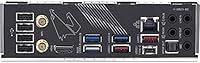
The rear I/O covers most modern connectivity needs with USB 3.2 Gen 2 Type-A and Type-C ports, which users appreciate for fast external SSD transfers and connecting high-bandwidth peripherals without a hub. The inclusion of a clear CMOS button and Q-Flash Plus port on the rear panel is a practical convenience that experienced builders specifically call out.
Some users building media workstations noted that the total USB port count, while adequate, falls short of the highest-density options available from competing boards at this tier. The USB 2.0 ports, while present, feel like a legacy concession on an otherwise forward-looking I/O layout.
Audio Quality
78%
22%
The Realtek ALC1220-VB codec performs above average for onboard audio, with users running mid-tier headphones directly from the rear audio stack reporting clean, low-noise output. The capacitor filtering noticeably reduces the electrical interference that plagues lower-end audio implementations.
Dedicated audio card users or those running high-impedance headphones above 150 ohms will find the onboard amplification underwhelming. It is a capable integrated solution, but it is not a substitute for a discrete DAC or sound card for critical listening use cases.
Build Quality & Layout
87%
The board feels premium in hand, with solid PCIe slot reinforcement, quality capacitors, and a well-thought-out component layout that avoids most of the cable routing conflicts common in dense ATX designs. The heatsink coverage on VRM and chipset areas is visually cohesive and functionally justified.
CPU cooler clearance near the DIMM slots can be tight with certain large air coolers, particularly dual-tower designs with wide fan stacks. A small number of users also noted that the M.2 heatsink screws feel slightly under-engineered relative to the rest of the board's fit and finish.
Long-Term Reliability
83%
Multi-year ownership reports are largely positive, with most users who purchased at launch still running stable systems years later. Gigabyte's sustained BIOS support across the AM4 lifecycle has extended the board's useful lifespan well beyond what some competitors offered.
A small but notable subset of users reported early chipset fan failures after 18 to 24 months of use, requiring either replacement or disabling the fan curve minimum — not a widespread failure rate, but worth factoring into long-term ownership expectations.
Installation Experience
81%
19%
Experienced builders generally find the physical installation process clean and well-documented, with the included manual covering BIOS update procedures and slot population rules in enough detail to avoid common mistakes. The Q-Flash Plus feature makes BIOS updates before CPU installation genuinely painless.
First-time builders have reported that Ryzen 5000 BIOS compatibility requirements create early confusion, particularly when the board arrives with firmware too old to support the CPU they purchased. This is a platform-wide reality, but Gigabyte's out-of-box firmware versioning has been called out as lagging behind some competitors.
Value for Money
74%
26%
For builders who genuinely use the PCIe 4.0 bandwidth, multi-M.2 capacity, 2.5G LAN, and overclocking headroom, the feature density justifies the premium tier pricing when compared to lighter X570 options. Users who maximized the platform over several years tend to view the investment positively in retrospect.
Buyers who paired this board with mid-range Ryzen processors and standard workloads consistently note that a quality B550 board would have served them equally well at a fraction of the price. The value proposition is highly dependent on actually pushing what the platform offers.

Suitable for:

The Gigabyte X570 AORUS Ultra ATX Motherboard is a strong fit for experienced PC builders who want a high-capability AMD platform without jumping to workstation-class hardware. If you are pairing a Ryzen 5000 series processor — a Ryzen 7 5800X, 9 5900X, or even a 5950X — and want meaningful overclocking headroom backed by a solid VRM, this board delivers that without compromise. Content creators who juggle large video projects across multiple fast NVMe drives will find the M.2 slot count and thermal shielding genuinely useful in day-to-day workflows. Enthusiasts who care about long-term BIOS support and platform expandability also land squarely in the target audience; Gigabyte has maintained consistent firmware updates across the AM4 lifecycle. The standard ATX footprint means you have no shortage of case options, and the onboard Wi-Fi plus 2.5G LAN covers both wired and wireless connectivity without needing add-in cards.
Not suitable for:

The Gigabyte X570 AORUS Ultra ATX Motherboard is a hard sell for anyone building on a tighter budget or simply running a mid-range Ryzen processor for everyday tasks like web browsing, light productivity, or casual gaming. The VRM capacity and PCIe 4.0 bandwidth it offers are genuinely wasted on a Ryzen 5 5600 or similar chip — a quality B550 board at a fraction of the cost would serve those users just as well. Anyone sensitive to system noise should also think carefully: the active fan on the X570 chipset is a platform-wide reality, and while it is not loud under load, it can be audible in a quiet room at idle. First-time builders who are still learning the ropes may find the BIOS depth and feature density more overwhelming than helpful. And if your build is strictly small form factor, the full ATX dimensions rule this board out entirely.
Specifications

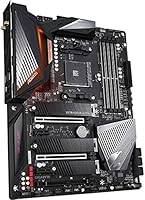
  • Form Factor: Full ATX, measuring 12.01 x 9.61 inches, compatible with standard mid-tower and full-tower cases.
  • CPU Socket: AMD AM4 socket supporting Ryzen 2000, 3000, 4000G, and 5000 series processors.
  • Chipset: AMD X570 chipset with an active cooling fan to manage its higher thermal output relative to previous-gen chipsets.
  • RAM Type: Four DDR4 DIMM slots supporting dual-channel configurations with a maximum capacity of 128 GB.
  • RAM Speed: Native DDR4 support up to 3600 MHz with XMP profile compatibility for higher-speed kits.
  • PCIe Version: PCIe 4.0 on the primary x16 GPU slot and M.2 slots, doubling theoretical bandwidth over PCIe 3.0.
  • M.2 Slots: Three M.2 slots, each covered by a heatsink to reduce thermal throttling during sustained read and write operations.
  • Storage Ports: Six SATA III ports supporting standard 2.5-inch and 3.5-inch drives for additional storage expansion.
  • LAN: Intel 2.5 Gigabit Ethernet port providing faster wired throughput than standard Gigabit networking for compatible routers and switches.
  • Wireless: Integrated Wi-Fi with a rear-panel antenna connector, eliminating the need for a separate PCIe wireless card.
  • Rear USB: Rear I/O includes USB 3.2 Gen 2 Type-A and Type-C ports alongside USB 3.2 Gen 1 and USB 2.0 ports for broader peripheral compatibility.
  • Audio: Dedicated Realtek ALC1220-VB audio codec with capacitor filtering for cleaner analog output and headphone amp support.
  • RGB Lighting: AORUS Fusion onboard RGB with addressable ARGB headers for synchronizing compatible fans, strips, and peripherals.
  • VRM Design: Multi-phase VRM configuration with dedicated heatsink coverage to support high-TDP Ryzen 9 processors and sustained overclocking.
  • Dimensions: Physical board dimensions are 12.01 x 9.61 inches with a listed shipping weight of approximately 3.74 pounds.
  • BIOS: UEFI BIOS with a dual-BIOS chip for recovery fallback, plus ongoing firmware update support through Gigabyte's Q-Flash utility.

Related Reviews
Gigabyte B450 AORUS M Micro ATX Motherboard
84%
91%
Value for Money
88%
Performance with Ryzen Processors
84%
RGB Lighting Customization
87%
Ease of Setup
82%
Display Options
More
GIGABYTE X670E AORUS Master AMD AM5 ATX Motherboard
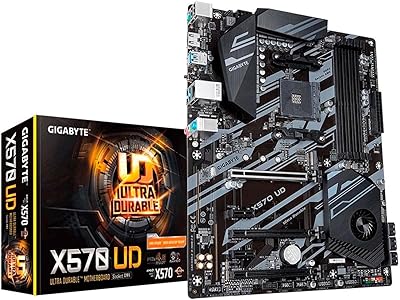
87%
94%
Performance for Gaming
92%
Overclocking Potential
89%
Build Quality and Durability
91%
Compatibility with Ryzen 7000
87%
Thermal Management
More
GIGABYTE X570 UD Motherboard
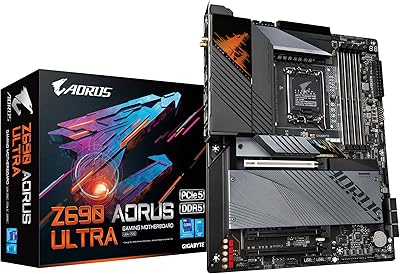
86%
87%
Performance
91%
Value for Money
88%
Build Quality
90%
Power Delivery
83%
Cooling Efficiency
More
GIGABYTE Z690 AORUS ULTRA
87%
93%
Performance
91%
Thermal Management
88%
Overclocking Stability
92%
Power Delivery
90%
Connectivity (Wi-Fi, LAN)
More
GIGABYTE Z590 AORUS Master ATX Motherboard
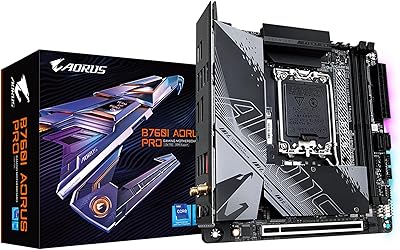
82%
94%
VRM & Power Delivery
91%
Overclocking Performance
88%
BIOS Experience
93%
Build Quality
89%
Connectivity
More
GIGABYTE B760I AORUS PRO Mini-ITX Motherboard
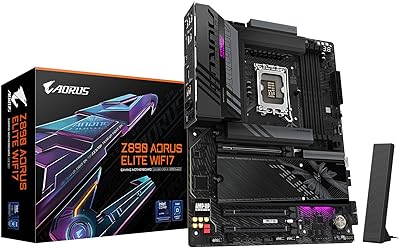
80%
93%
Feature Density
81%
VRM & Power Delivery
72%
Thermal Management
91%
Connectivity & I/O
67%
DDR5 Compatibility
More
GIGABYTE B660 AORUS Master DDR4 Motherboard
81%
91%
VRM & Power Delivery
88%
Build Quality
89%
Connectivity & I/O
93%
Storage Expandability
71%
BIOS Usability
More
GIGABYTE X870E AORUS Elite WIFI7
84%
88%
Build Quality & Materials
82%
BIOS Experience
84%
DDR5 Memory Compatibility & Overclocking
91%
Connectivity & I/O
83%
Thermal Management
More
GIGABYTE Z890 AORUS Elite Motherboard
83%
88%
Value for Money
84%
Build & Component Quality
91%
Installation & Build Experience
79%
BIOS Experience
73%
DDR5 Memory Compatibility
More
GIGABYTE B550M AORUS Elite AX Motherboard
79%
91%
Value for Money
88%
Wireless Performance
86%
BIOS Experience
84%
Build & Component Quality
83%
Thermal Management
More

FAQ

In most cases, you will need a BIOS update before a Ryzen 5000 series CPU will post correctly. If your board ships with an older firmware version, you will either need a compatible Ryzen 3000 series chip to perform the update first, or contact Gigabyte about their CPU upgrade program. Always check the BIOS version sticker on the box before assuming compatibility.

It is a fair concern and worth being upfront about. The active fan on the X570 chipset is audible in a near-silent room at idle, though it is not obnoxiously loud under normal load. If you are building a near-silent system, this is a real trade-off with any X570 board — it is not unique to this one. A B550 board would be a better fit for a truly silent build since B550 uses passive chipset cooling.

The board has three M.2 slots, but not all run at PCIe 4.0 speeds simultaneously. The primary slot connected directly to the CPU runs at full PCIe 4.0 x4 bandwidth, while the chipset-connected slots operate at PCIe 4.0 via the X570 chipset link, which shares overall bandwidth. For most real-world workloads, this is not a bottleneck, but it is worth knowing if you are planning a heavily storage-intensive build.

Most standard DDR4 kits will work, but high-speed kits above 3600 MHz can occasionally require manual XMP enabling or voltage tweaking in the BIOS to run at rated speeds. The Gigabyte X570 AORUS Ultra ATX Motherboard supports XMP profiles natively, so enabling XMP in the BIOS is usually all it takes. If you are buying new RAM, sticking to kits on Gigabyte's QVL list reduces the chance of any compatibility friction.

The board has multiple PCIe x16 slots, and AMD CrossFire is supported. Nvidia SLI support on X570 boards is limited and largely deprecated by Nvidia at this point, so do not plan around it. For most builders in 2024 and beyond, multi-GPU setups are rarely practical regardless of board support.

The board uses Intel's integrated Wi-Fi module, which supports Wi-Fi 6 (802.11ax) depending on the revision shipped. Yes, you do need to attach the included antenna to the rear I/O connector for reliable signal — skipping it will significantly degrade wireless performance, especially through walls.

AORUS Fusion is functional and has improved over several update cycles, but it has drawn mixed feedback from users who run complex multi-device RGB setups. Sync inconsistencies between different AORUS components have been reported, and occasional software conflicts with other RGB utilities can arise. For most builders who are not chasing perfect lighting sync across a dozen components, it works reliably enough.

It depends on your specific cooler orientation and RAM kit height. Large dual-tower coolers like the NH-D15 can sometimes overhang the first DIMM slot depending on how you orient the fan stack. Using low-profile RAM kits avoids this issue entirely. Check the cooler manufacturer's compatibility list and plan your slot population accordingly before assuming it will clear.

Yes, the AORUS Ultra includes Gigabyte's Q-Flash Plus feature, which allows you to flash the BIOS from a USB drive without a CPU or RAM installed. This is particularly useful if you need to update firmware before installing a Ryzen 5000 series processor on an older BIOS version.

If your router or switch supports 2.5G ports, you get roughly 2.5 times the theoretical throughput of a standard Gigabit connection — useful for fast local file transfers between NAS devices or other 2.5G-equipped machines. For typical internet connections, your ISP speed is still the bottleneck, so the difference is most noticeable in local network scenarios rather than general browsing or streaming.

Where to Buy