Overview

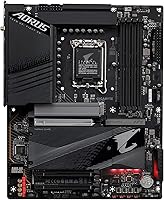
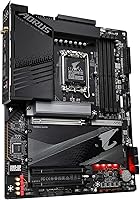
The GIGABYTE Z790 AORUS Elite AX sits comfortably in the upper-mid tier of the Z790 lineup — not as extravagant as the Master or Xtreme, but considerably more capable than entry-level Z790 boards that cut corners on power delivery and connectivity. Launched in late 2022, it has held up well as a DDR5 platform choice for builders on Intel 12th, 13th, and 14th Gen processors. With a #15 Best Seller rank in Computer Motherboards and a 4.3-star average across nearly 1,800 ratings, it has clearly earned real-world trust. The price-to-feature ratio is a genuine strength here, not just marketing language.
Features & Benefits

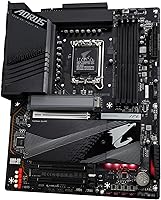
The 16+1+2 phase VRM with 70A power stages is the headline spec for good reason — it gives builders the headroom to run a Core i9 at sustained all-core loads without worrying about throttling. Four PCIe 4.0 x4 M.2 slots, each covered by Thermal Guard III heatsinks, handle serious NVMe storage builds without drive temperatures becoming a concern. The primary PCIe slot runs at Gen 5, and the EZ-Latch screwless release is a small but genuinely appreciated detail for anyone who swaps GPUs regularly. Intel WiFi 6E, Bluetooth 5, and 2.5GbE LAN come built in, so your networking stack is covered without touching the PCIe lanes.

Best For

This AORUS Elite AX board makes the most sense for builders pairing a Core i7 or i9 with a high-end GPU who want a platform that won't bottleneck either. If you run multiple NVMe drives — for OS, scratch storage, and project archives — four M.2 slots at this price point is unusually generous. It also suits anyone stepping up from an older DDR4 platform who wants WiFi 6E and 2.5GbE without buying add-in cards. Content creators juggling large file transfers and rendering workloads simultaneously will appreciate the headroom this board provides, and frequent builders will find the tool-free EZ-Latch a practical everyday convenience.

User Feedback

Build quality and BIOS stability are the two things buyers mention most often in positive reviews, with Q-Flash Plus drawing specific praise for allowing firmware updates before a CPU is even installed. VRM thermals hold up well under stress according to multiple long-term owners. That said, a fair read of the feedback includes some honest caveats: populating all four M.2 slots can cause bandwidth sharing that slightly reduces individual drive speeds, worth planning around. A minority of users have hit DDR5 XMP training issues at the highest memory frequencies — not universal, but not rare enough to ignore. The bundled WiFi antenna also feels noticeably cheap given the board's overall quality.

Pros

  • Four M.2 slots with individual heatsinks is unusually generous at this price tier.
  • The 16+1+2 phase VRM handles sustained Core i9 all-core loads without breaking a sweat.
  • Q-Flash Plus lets you update the BIOS before installing a CPU — a genuine lifesaver on a new DDR5 build.
  • Intel WiFi 6E and 2.5GbE LAN are both included, so your networking stack needs no extra cards.
  • PCIe 5.0 primary slot keeps this board relevant as next-gen GPUs arrive.
  • EZ-Latch GPU release is a small but appreciated quality-of-life feature for anyone who builds frequently.
  • BIOS stability is consistently praised by long-term owners across a wide range of hardware configurations.
  • DDR5 support up to 7600 MHz with XMP 3.0 gives memory headroom for performance-focused builds.
  • Full MOSFET heatsink coverage contributes to stable temperatures during extended workstation or gaming sessions.
  • Sits meaningfully above entry-level Z790 boards without demanding flagship-tier pricing.

Cons

  • Bundled WiFi antenna feels noticeably cheap relative to the rest of the board's build quality.
  • DDR5 XMP profiles above 7200 MHz can require manual voltage tweaks to train reliably.
  • All four M.2 slots populated means some lanes run through the chipset, slightly reducing parallel throughput.
  • GIGABYTE's RGB Fusion software has a patchy reputation and can break after Windows updates.
  • Only two USB 2.0 ports on the rear I/O, which frustrates users with older peripherals.
  • The BIOS layout has a steeper learning curve than competing boards for manual DDR5 timing adjustments.
  • Companion software suite lags behind ASUS and MSI alternatives in polish and reliability.
  • VRM heatsink area runs noticeably warm in low-airflow cases under prolonged heavy CPU loads.

Ratings

The GIGABYTE Z790 AORUS Elite AX scores here reflect AI analysis of verified global buyer reviews, with spam, bot-generated, and incentivized feedback actively filtered out before scoring. Ratings cover both the strengths enthusiast builders love and the friction points that occasionally surface in real-world use. Nothing is glossed over — the scores reflect what actual owners experience after weeks and months with this board.
VRM & Power Delivery
91%
Owners running Core i9-13900K and 13900KS builds consistently report stable all-core performance with no thermal throttling even during extended Cinebench or Blender runs. The 70A power stages give real headroom for overclocking without the board becoming a limiting factor.
A small number of users pushing extreme overclocks on delidded CPUs note the VRM heatsink gets noticeably warm under prolonged stress, though it stops short of throttling in most documented cases. Not a concern for stock or moderate OC builds.
Build Quality & PCB
88%
The 6-layer PCB and fully covered MOSFET heatsinks give this board a physical presence that matches its price tier. Builders frequently comment that it feels solid during installation, with reinforced PCIe armor and well-spaced connectors reducing cable management headaches.
A handful of buyers noticed minor inconsistencies in heatsink contact pressure out of the box, requiring slight re-seating. Nothing structurally defective, but finish quality is not quite at the level of GIGABYTE's own Master or Xtreme variants.
BIOS Experience
89%
BIOS stability is one of the most frequently praised aspects of this board across hundreds of reviews. Q-Flash Plus — which lets you update firmware from a USB drive before installing a CPU or RAM — gets specific callouts from first-time DDR5 builders who appreciate the safety net.
Some users find the BIOS menu layout less intuitive than competing boards from ASUS or MSI at this price point, particularly when dialing in manual DDR5 timings. It is functional but has a mild learning curve for builders new to the AORUS interface.
DDR5 Memory Compatibility
74%
26%
Running DDR5 at 6000–6400 MHz with XMP 3.0 works reliably for the majority of users, and four DIMM slots is a genuine advantage for builders who want to max out capacity without compromising on speed from day one.
Occasional XMP training failures at 7200 MHz and above are well-documented enough to be worth taking seriously. Some kits from major brands require manual voltage adjustments or relaxed sub-timings to POST reliably at advertised XMP speeds, which can frustrate less experienced builders.
M.2 Storage Expansion
86%
Four PCIe 4.0 x4 M.2 slots with individual Thermal Guard III heatsinks is an unusually generous configuration at this price tier. For content creators or workstation users running separate drives for OS, cache, active projects, and archive storage, this layout removes the need for add-in M.2 cards entirely.
When all four slots are populated, some lanes are shared with the chipset rather than running directly to the CPU, which can slightly reduce peak throughput on lower-priority slots. Most home users will not notice, but NVMe RAID or heavy parallel write workloads may show the limitation.
Networking — WiFi & LAN
82%
18%
Intel WiFi 6E with 2T2R and Bluetooth 5 means buyers can skip purchasing a separate wireless card entirely — a meaningful cost saving. The 2.5GbE LAN port is also a practical inclusion for anyone with a modern router or NAS who wants faster local transfers without a PCIe adapter.
The bundled WiFi antenna is the most consistently criticized accessory in user reviews, described as feeling flimsy and low-rent compared to the rest of the package. Signal performance is adequate in typical home setups, but users in larger spaces or with obstructions report needing to upgrade the antenna.
USB Connectivity
79%
21%
The USB 3.2 Gen 2x2 Type-C front-panel header running at 20Gbps is a practical feature for builders using modern cases with high-speed front ports or connecting fast external SSDs directly. Rear I/O coverage is solid for daily use across both peripherals and storage.
USB 2.0 is limited to two ports on the rear I/O, which feels dated for a board at this price. Builders with older peripherals like MIDI controllers, legacy input devices, or certain printers may find themselves needing a USB hub sooner than expected.
PCIe 5.0 Readiness
83%
Having a full PCIe 5.0 x16 primary slot means this board can accommodate next-generation GPUs and Gen 5 SSDs as they become more widely available, extending its useful lifespan beyond a single GPU generation. The EZ-Latch mechanism also makes swapping GPUs noticeably less frustrating than traditional screw-latch designs.
PCIe 5.0 M.2 support is not available on this board — the M.2 slots top out at Gen 4. For the vast majority of current NVMe drives that is a non-issue, but buyers researching Gen 5 SSD options will need to factor that in.
Thermal Management
84%
M.2 Thermal Guard III heatsinks do a solid job keeping NVMe drives below throttling thresholds during sustained read/write operations like large video exports or backup transfers. The MOSFET heatsink coverage is more comprehensive than many competing boards in the same price range.
The board runs warm around the VRM area under heavy CPU loads, and the passive heatsink design relies on adequate case airflow to stay effective. Builders using low-airflow cases or smaller chassis adaptations should plan their cooling layout carefully.
Overclocking Capability
81%
19%
The power delivery foundation is capable enough that experienced overclockers regularly achieve stable 5.5–5.8 GHz boosts on individual cores with proper cooling in place. BIOS overclocking tools are comprehensive, covering voltage, frequency, and power limit adjustments.
Compared to the AORUS Master, the Elite AX offers less granular control over certain power delivery parameters, which limits its appeal to hardcore overclockers chasing absolute records. It is better suited to practical performance tuning than competitive overclocking sessions.
Installation & Setup Experience
87%
Builders across all experience levels mention that the physical installation process is clean — standoff alignment is clear, the PCIe EZ-Latch speeds up GPU installation, and the labeled headers reduce guesswork during initial cable management. Q-Flash Plus handles the firmware side before the first POST.
The DDR5 memory installation process trips up some first-time DDR5 builders when XMP profiles do not load automatically on the first boot. It is a platform-level quirk more than a board-specific flaw, but it generates support questions and occasional negative reactions from newcomers.
Value for Money
78%
22%
For builders who will actually use four M.2 slots, onboard WiFi 6E, and 2.5GbE LAN, the effective value per feature is strong compared to competitors requiring add-in cards to match the same configuration. The VRM quality alone justifies stepping up from cheaper Z790 alternatives.
As pricing has fluctuated since its 2022 launch, the Z790 Elite AX occasionally sits in a range where competitors offer comparable specs at a lower price. Buyers should compare current street prices before committing, as the value proposition is more compelling at some price points than others.
Aesthetics & RGB
72%
28%
The board has a clean, mostly understated aesthetic with moderate RGB accents that integrate with GIGABYTE's RGB Fusion software. Builders who prefer a professional-looking system without excessive lighting find the default appearance well-suited to windowed cases.
RGB Fusion has a mixed reputation for software stability, and a notable number of users report having to reinstall or update the software after Windows updates disrupt lighting profiles. Those who do not care about RGB will not miss it, but it is not a polished experience for enthusiasts who do.
Software & Ecosystem
68%
32%
The GIGABYTE APP Center provides access to system monitoring, fan control, and BIOS update utilities in one place, which covers the basics adequately. Fan curve customization through the BIOS itself is reliable even without installing third-party software.
GIGABYTE's software suite lags behind ASUS Armoury Crate and MSI Center in terms of UI polish and reliability. Multiple users report bloatware bundling and occasional update prompts that install unwanted applications, making selective installation the recommended approach.

Suitable for:

The GIGABYTE Z790 AORUS Elite AX is a strong match for enthusiast builders who want a capable, well-rounded platform without paying flagship prices. If you are pairing a Core i7-13700K or i9-13900K with a high-end GPU and plan to push the CPU with moderate overclocking, the VRM here is more than up to the task. Content creators who run multiple NVMe drives simultaneously — think separate drives for OS, active project files, and render cache — will genuinely appreciate having four M.2 slots with thermal coverage already built in. It also makes a lot of sense for anyone upgrading from an older Intel platform who wants WiFi 6E and 2.5GbE included out of the box, since buying those as add-in cards would eat into any savings from choosing a cheaper board. Frequent builders who swap components regularly will find the PCIe EZ-Latch and Q-Flash Plus features worth more than they might expect on paper.
Not suitable for:

Buyers on a tight budget should know upfront that the GIGABYTE Z790 AORUS Elite AX competes in the upper-mid tier of the Z790 market — it is not a value pick, and cheaper Z790 options exist if you are running a Core i5 or do not plan to use more than two M.2 slots. Hardcore overclockers chasing maximum granular control over power delivery parameters may find the AORUS Master or competing flagship boards offer more tuning headroom. If DDR5 memory compatibility is a concern — particularly if you have already purchased a high-frequency kit rated at 7200 MHz or above — be aware that XMP training at the top end of the speed range can occasionally require manual BIOS intervention. Users who prioritize polished companion software or a refined RGB ecosystem may also find GIGABYTE's app suite less satisfying than what ASUS or MSI offer at comparable price points. Finally, anyone planning to build in a small form factor case should note this is a full ATX board.
Specifications

  • CPU Socket: Uses the LGA 1700 socket, supporting Intel 12th, 13th, and 14th Gen Core processors.
  • Chipset: Built on the Intel Z790 chipset, enabling PCIe 5.0 support and full overclocking capability.
  • Form Factor: Standard ATX form factor measuring 10.62 × 13.18 inches, compatible with most full-size and mid-tower cases.
  • Memory Type: Supports DDR5 only across four DIMM slots with XMP 3.0 profile compatibility.
  • Max Memory Speed: Officially supports DDR5 memory speeds up to 7600 MHz via XMP 3.0 overclocking profiles.
  • M.2 Slots: Equipped with four M.2 slots, all supporting PCIe 4.0 x4 NVMe drives, each covered by a Thermal Guard III heatsink.
  • Primary PCIe Slot: The main GPU slot operates at PCIe 5.0 x16 and features a screwless EZ-Latch quick-release mechanism.
  • VRM Design: Implements a 16+1+2 phase digital VRM solution with 70A power stages and full MOSFET heatsink coverage.
  • PCB Construction: Features a 6-layer PCB design with reinforced PCIe Ultra Durable Armor on the primary expansion slot.
  • Wired Networking: Includes an onboard 2.5GbE Intel LAN controller for high-speed wired networking without an add-in card.
  • Wireless Networking: Integrates Intel WiFi 6E (802.11ax) with a 2T2R antenna configuration for tri-band wireless connectivity.
  • Bluetooth: Includes Bluetooth 5 support alongside the WiFi 6E module via the onboard Intel wireless chip.
  • Front USB Header: Provides a USB 3.2 Gen 2x2 Type-C front-panel header delivering up to 20Gbps for compatible cases.
  • Rear USB Ports: Rear I/O includes USB 3.2 Gen 2 Type-A, USB 3.2 Gen 2 Type-C, and USB 2.0 ports for peripheral connectivity.
  • BIOS Feature: Q-Flash Plus allows BIOS firmware updates via USB drive without requiring an installed CPU or memory module.
  • Thermal Solutions: M.2 Thermal Guard III heatsinks cover all four M.2 slots, and full heatsinks cover the MOSFET and VRM areas.
  • Weight: The board weighs 4.35 pounds without accessories, consistent with a fully armored ATX motherboard.
  • Audio: Onboard audio solution with dedicated audio capacitors and PCB isolation for cleaner front and rear audio output.

Related Reviews
GIGABYTE B550M AORUS Elite AX Motherboard
85%
88%
Performance
91%
Value for Money
87%
Ease of Installation
89%
Build Quality
84%
Thermals
More
GIGABYTE B550 AORUS ELITE AX V2 Motherboard
87%
88%
Performance
91%
Build Quality
85%
Installation Ease
89%
Wi-Fi & Connectivity
92%
Thermal Management
More
GIGABYTE B650 AORUS Elite AX ICE Motherboard
89%
91%
Performance
93%
Stability & Reliability
89%
Thermal Performance
85%
Ease of Installation
90%
Design & Aesthetics
More
Gigabyte B760M Aorus Elite AX DDR5 Motherboard
87%
89%
Overall Performance
92%
Value for Money
85%
Build Quality
91%
Stability and Reliability
90%
Connectivity Options
More
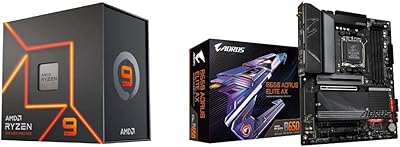
AMD Ryzen 9 7900X + GIGABYTE B650 AORUS ELITE AX Motherboard
89%
94%
Performance
91%
Overclocking Stability
88%
Compatibility with Modern Components
93%
Gaming Experience
89%
Thermal Management
More
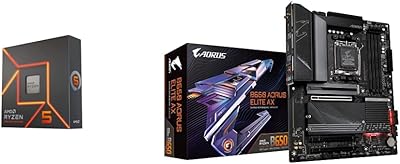
AMD Ryzen 5 7600X + GIGABYTE B650 AORUS ELITE AX Motherboard
87%
93%
Gaming Performance
89%
Overclocking Potential
88%
Setup & Installation
91%
Future-Proofing
74%
Thermals & Cooling
More
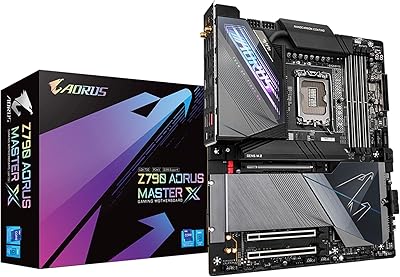
GIGABYTE Z790 AORUS Master X
87%
94%
Performance
88%
Cooling Efficiency
90%
Connectivity (Wi-Fi 7 & 10GbE LAN)
93%
Build Quality
91%
Power Delivery & VRM Design
More
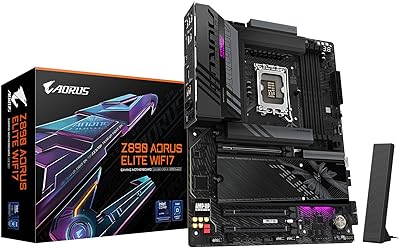
GIGABYTE Z890 AORUS Elite WIFI7 Motherboard
89%
92%
Overall Performance
89%
Power Delivery and Stability
91%
Ease of Installation
94%
Connectivity and Ports
88%
Wi-Fi and Networking
More
GIGABYTE X870E AORUS Elite WIFI7
84%
88%
Build Quality & Materials
82%
BIOS Experience
84%
DDR5 Memory Compatibility & Overclocking
91%
Connectivity & I/O
83%
Thermal Management
More
GIGABYTE B850 AORUS Elite WIFI7 ICE Motherboard
84%
89%
Performance
92%
Ease of Installation
85%
Cooling & Thermals
90%
Network Performance
65%
BIOS & Firmware
More

FAQ

You will likely need a BIOS update to run 14th Gen processors, as most boards shipped before those CPUs launched. The good news is that Q-Flash Plus lets you flash the latest BIOS from a USB drive before installing any CPU at all, so you are not stuck needing an older chip to get started.

Yes, the 16+1+2 phase VRM with 70A power stages has plenty of headroom for sustained all-core workloads on the i9-13900K. Multiple owners running Cinebench loops and extended rendering sessions report stable performance without VRM throttling, provided there is reasonable airflow in the case.

Not exactly — when all four slots are occupied, some of the M.2 lanes are routed through the Z790 chipset rather than directly to the CPU. For most everyday workloads this makes no practical difference, but if you are doing heavy parallel NVMe workloads across all four drives at once, the chipset-connected slots will have slightly lower maximum bandwidth than the CPU-direct slot.

Probably, but it may take some BIOS tinkering. A notable number of users have reported that very high-frequency XMP profiles — especially above 7000 MHz — do not always train on the first boot and occasionally require manual voltage or timing adjustments. DDR5-6000 to DDR5-6400 tends to be the sweet spot for stress-free XMP operation on this platform.

The included antenna is functional for typical home setups where the router is in the same room or one room away. However, it is one of the most consistently criticized accessories in user reviews — it feels cheap and performs modestly at range. If your router is more than two rooms away or on a different floor, budgeting for a better antenna is worth considering.

EZ-Latch replaces the traditional push-tab PCIe retention clip with a mechanism you can release by pressing a small lever without needing to reach under the GPU. If you have ever tried to release a standard PCIe latch while a large triple-fan GPU is blocking access, you will appreciate the difference immediately. It is a small thing on paper but a genuine quality-of-life improvement during builds and hardware swaps.

The board supports up to 128GB across its four DDR5 DIMM slots using 32GB modules. Running four sticks at very high XMP speeds is harder on the memory controller than running two, so some users find they need to dial back the frequency slightly — or tighten voltages — when all four slots are populated compared to a two-stick configuration.

It is a capable choice, but new builders should be aware that DDR5 in general has a steeper initial setup curve than DDR4. XMP profiles occasionally need a manual enable after the first POST, and high-frequency kits can require BIOS exploration. That said, Q-Flash Plus makes the firmware side of setup much friendlier, and the BIOS itself covers everything you need once you spend time with it.

Yes, M.2 mounting hardware is included in the accessory box. GIGABYTE typically includes standoffs and screws for all M.2 slots, along with the necessary SATA cables and WiFi antenna. Check the contents list in the manual to confirm what is in the box before your build day.

For practical overclocking — pushing a Core i7 or i9 to stable all-core frequencies for gaming or creative workloads — the Z790 Elite AX delivers results that are very close to the Master in day-to-day use. The Master offers more granular VRM control and a slightly more robust power delivery setup, but the real-world performance gap for non-competitive overclocking is small. Most builders who are not chasing leaderboard scores will be perfectly satisfied with what the Elite AX provides at its lower price point.