Overview

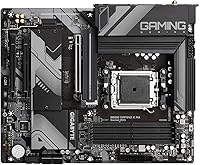
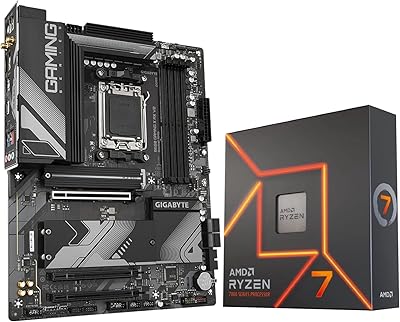
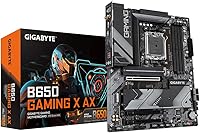
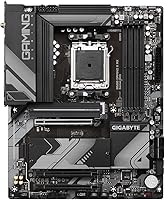
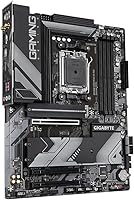
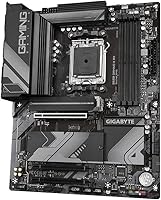
The Gigabyte B650 Gaming X AX ATX Motherboard arrived in late 2022 as one of the more accessible entry points into AMD's AM5 platform, and it has held up well since. Built around the B650 chipset, this AM5 motherboard targets builders who want a capable, standard ATX board for a first Ryzen 7000 build without paying flagship prices. The full ATX form factor means it drops into virtually any mid-tower case without compatibility headaches. What stands out at this price tier is the built-in Wi-Fi 6E — that's not a given on boards in this range. Honest assessment: solid foundation, not a feature-packed powerhouse.
Features & Benefits

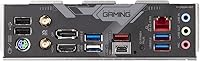
The B650 Gaming X AX runs on the AMD B650 chipset with Socket AM5 support, making it compatible with the full Ryzen 7000 series lineup. Four DDR5 DIMM slots handle memory speeds up to 8000 MHz, giving builders real headroom for performance tuning down the road. Wireless connectivity is handled natively — Wi-Fi 6E and Bluetooth are both on-board, so there's no need to budget for an add-in card. Multiple M.2 slots make it easy to run fast NVMe storage without adapters. The VRM setup handles mid-range Ryzen processors without issue, and the rear I/O includes a USB-C port alongside standard USB-A options for modern peripheral coverage.

Best For

This Gigabyte B650 board makes the most sense for builders pairing it with a Ryzen 5 or 7 CPU in a gaming-oriented build. It's a natural fit for anyone stepping up from the AM4 platform who wants to land on DDR5 without spending big on a premium board. The integrated Wi-Fi 6E is a genuine draw for those building in a spot where running an ethernet cable isn't practical. Standard ATX sizing keeps case compatibility wide open, which matters when you're working from a parts list rather than a curated kit. It's a strong pick for cost-conscious builders who still value BIOS maturity and reliable long-term firmware support.

User Feedback

Across a broad set of owner reviews, this AM5 motherboard earns its 4.3-star average fairly. First-time builders consistently praise how approachable the BIOS is, and DDR5 XMP/EXPO memory profiles tend to load and run stably without much manual tuning. Thermal management under typical gaming loads draws little complaint. Where opinions diverge is around the VRM heatsink during sustained heavy workloads — a small number of users report it runs warmer than ideal with high-TDP CPUs. Some builders also note that this board, like other non-E B650 variants, lacks PCIe Gen 5 on the primary slot, which matters if that's on your future hardware roadmap. Gigabyte's software and driver experience gets mixed marks overall.

Pros

  • Built-in Wi-Fi 6E removes the need to budget separately for a wireless adapter.
  • The BIOS is genuinely approachable for first-time DDR5 builders with no prior tuning experience.
  • DDR5 memory support up to 8000 MHz gives real performance headroom for future RAM upgrades.
  • Standard ATX sizing fits virtually any mid-tower case without compatibility concerns.
  • Multiple M.2 slots let you run fast NVMe storage without sacrificing a PCIe expansion slot.
  • XMP and EXPO memory profiles load reliably on the first boot for most DDR5 kit brands.
  • AM5 platform longevity means upcoming Ryzen CPU generations should be supportable via BIOS updates.
  • Rear I/O includes a USB-C port alongside USB-A, covering modern peripherals without adapters.
  • Gigabyte's BIOS update cadence for AM5 boards has been consistent, which matters on a maturing platform.
  • For mid-range Ryzen 5 and 7 gaming builds, VRM thermals stay well within safe ranges under typical loads.

Cons

  • No PCIe Gen 5 support on the primary slot limits long-term GPU and NVMe upgrade paths.
  • VRM heatsink temperatures rise noticeably when paired with high-TDP CPUs under sustained workloads.
  • Gigabyte's companion software for fan control and RGB is widely considered bloated and unreliable.
  • Running all four DDR5 DIMM slots at high frequency can introduce stability issues for some memory kits.
  • Rear USB port count feels lean for power users managing multiple peripherals simultaneously.
  • Not all M.2 slots operate at the same PCIe generation speed, which can catch buyers off guard.
  • The bundled Wi-Fi antenna is functional but performs poorly in high-interference wireless environments.
  • Onboard audio is adequate for casual use but falls short for high-impedance headphones or serious listening.
  • Advanced CPU power limit tuning in the BIOS is less intuitive than what rival vendors offer.
  • The board's RGB output is modest, which disappoints builders who invested in a cohesive lighting setup.

Ratings

The scores below reflect an AI-driven analysis of verified global user reviews for the Gigabyte B650 Gaming X AX ATX Motherboard, with spam, bot-generated, and incentivized feedback actively filtered out before scoring. Each category is weighted against real builder experiences — from first-time AM5 builds to seasoned upgraders switching from AM4 — so both the strengths and the friction points are represented honestly. No category has been softened to protect the brand.

Value for Money
83%
For builders trying to get onto the AM5 platform without overspending, this board delivers a convincing argument. Integrated Wi-Fi 6E alone saves the cost of an add-in card, and DDR5 support up to 8000 MHz is headroom most buyers in this tier won't find elsewhere at this price.
A handful of reviewers feel the value equation weakens when compared to competing B650 boards that offer slightly better VRM specs for a similar outlay. Those planning to push high-TDP CPUs hard may find themselves wishing they had spent a bit more.
BIOS Usability
88%
Gigabyte's BIOS on this board is widely praised for being approachable, especially for first-time AM5 builders who have never configured DDR5 XMP or EXPO profiles before. Most users report that memory profiles load on the first attempt without manual voltage adjustments.
A smaller subset of experienced builders finds the advanced tuning menus less intuitive compared to competing vendors, particularly when dialing in fine-grained CPU power limits. Fan curve configuration also draws occasional criticism for being buried in submenus.
DDR5 Memory Compatibility
86%
XMP and EXPO profile support works reliably across a wide range of DDR5 kits, and many users report running their memory at rated speeds right out of the box. Four DIMM slots give builders flexibility to start with two sticks and expand later.
A minority of users have reported stability hiccups when running all four slots populated at high frequencies, which is a known DDR5 platform challenge but still worth factoring in. Some cheaper DDR5 kits without proper EXPO support needed manual timing work to stabilize.
Installation & Build Experience
91%
The layout is thoughtfully arranged for standard ATX mid-tower cases, with connector placements that avoid the cable-routing frustrations common on cheaper boards. First-time builders consistently note that the physical installation process went smoothly with minimal guesswork.
A few users noted that the included documentation, while adequate, could be more detailed for absolute beginners unfamiliar with AM5 cooler mounting. The I/O shield being pre-attached is appreciated, but the rear port labeling on the board itself is small and hard to read in a dim case.
VRM Thermal Performance
71%
29%
Under typical gaming workloads with a Ryzen 5 or Ryzen 7 processor, the VRM heatsink keeps temperatures in a comfortable range without throttling. Builders running mid-range CPUs at stock settings have very little to complain about here.
The VRM heatsink becomes a more legitimate concern when paired with higher-TDP Ryzen 9 processors under sustained all-core loads. A segment of reviewers recorded elevated VRM temperatures in poorly ventilated cases, which is worth keeping in mind if case airflow is limited.
Wireless Connectivity
87%
Having Wi-Fi 6E built in is a genuine convenience that many boards at this price tier skip entirely. Users in apartments or rooms far from a router reported solid, stable connections without needing a dedicated adapter or PCIe Wi-Fi card taking up a slot.
The bundled antenna is functional but not exceptional — users in environments with significant wireless interference noted that connection stability improved only after repositioning or upgrading to a third-party antenna. Bluetooth performance gets less praise than the Wi-Fi side.
PCIe Slot Configuration
64%
36%
The primary PCIe x16 slot handles current-generation GPUs without issue, and for gaming builds running a single graphics card the configuration is entirely adequate. Most users pairing this board with a mid-range GPU never encounter a bottleneck.
The absence of PCIe Gen 5 support on the primary slot — a feature reserved for pricier B650E boards — is the most cited technical limitation in user feedback. Builders with long upgrade horizons who anticipate next-gen GPU or NVMe needs may feel constrained down the line.
M.2 Storage Support
84%
Multiple M.2 slots mean builders can run a fast boot drive alongside a secondary storage drive without reaching for an adapter bracket or sacrificing a PCIe slot. Users appreciate that NVMe installation is straightforward and the slots are accessible without major disassembly.
The M.2 slots do not all support the same interface speeds, and some users were caught off guard discovering that not every slot operates at PCIe Gen 4 speeds. Reading the manual before buying your NVMe drives is genuinely necessary here.
USB Port Selection
76%
24%
The rear I/O includes a USB-C port alongside multiple USB-A connections, which covers the range of peripherals most gaming PC users actually own. Builders with modern mice, headsets, and controllers found the port mix sufficient for daily use.
Power users with many simultaneous USB devices reported wishing for more rear ports overall, particularly additional USB-A slots. The total port count feels slightly lean compared to competing boards in the same chipset tier.
Software & Driver Ecosystem
67%
33%
Driver installation is straightforward and Gigabyte provides reasonably timely BIOS updates, which has mattered a lot given how frequently AMD has pushed AGESA firmware revisions for the AM5 platform. Most users found the core driver package problem-free.
Gigabyte's companion software — used for RGB control, fan tuning, and system monitoring — draws consistent criticism for feeling bloated and occasionally unstable. Several reviewers recommend skipping it entirely in favor of third-party alternatives like HWiNFO for monitoring.
Audio Output Quality
72%
28%
Casual gamers and users connecting mid-range headsets directly to the rear audio jacks found the onboard audio clean and free of noticeable interference. For everyday gaming, music, and voice chat the built-in solution holds up well.
Audiophiles and users with high-impedance headphones quickly run into the limitations of the onboard audio codec. Those with a serious audio setup will want to budget for a dedicated sound card or USB DAC rather than relying on the motherboard alone.
CPU Overclocking Headroom
69%
31%
For light overclocking and Precision Boost Overdrive tuning on Ryzen 5 and Ryzen 7 chips, the board holds steady and the BIOS provides the controls needed to push performance modestly beyond stock. Most gaming-focused users find PBO gains accessible and stable.
Enthusiast overclockers targeting maximum all-core frequencies on Ryzen 9 chips will find the VRM power delivery a ceiling rather than a floor. The board is designed for mid-range use cases, and it shows under extreme OC attempts.
Long-Term Platform Viability
78%
22%
AM5 is AMD's committed platform for the foreseeable future, meaning this board should support upcoming Ryzen CPU generations with BIOS updates. Builders who plan to upgrade their CPU in two or three years without swapping the board are making a reasonable bet here.
The lack of PCIe Gen 5 — both for GPU and M.2 — does create a ceiling for future-proofing that the more expensive B650E tier avoids. If the next GPU generation makes Gen 5 bandwidth meaningfully relevant, this board will show its age sooner.
Build Materials & Board Aesthetics
74%
26%
The board has a clean dark aesthetic with subtle RGB accents that blend into most mid-tower builds without dominating the look. Build quality feels appropriate for the price tier — nothing feels flimsy during installation.
Users who invested heavily in visible RGB setups found the lighting integration underwhelming compared to Gigabyte's higher-end lines or competing brands. The heatsink design is functional rather than visually striking, which matters in open-panel cases.

Suitable for:

The Gigabyte B650 Gaming X AX ATX Motherboard is a strong fit for builders who are making their first jump into the AMD AM5 ecosystem and want a reliable, no-nonsense foundation without committing to flagship-tier spending. If your build centers on a Ryzen 5 or Ryzen 7 processor for everyday gaming, streaming, or light creative work, this board gives you everything you actually need without paying for headroom you will never use. AM4 upgraders will find the transition straightforward — the standard ATX layout works in virtually every mid-tower case they may already own, and the BIOS is accessible enough that you don't need prior DDR5 tuning experience to get memory running at rated speeds. The built-in Wi-Fi 6E is a practical bonus for anyone building in a bedroom, dorm, or apartment where running ethernet directly to a router isn't realistic. Budget-focused builders who want a reputable brand with consistent firmware updates rather than a cheap no-name alternative will feel well-served here.
Not suitable for:

The Gigabyte B650 Gaming X AX ATX Motherboard is not the right call for builders who plan to run a high-TDP Ryzen 9 processor under sustained all-core workloads, such as 3D rendering, heavy video encoding, or serious CPU overclocking — the VRM setup simply wasn't designed for that kind of prolonged thermal stress. Enthusiasts who have PCIe Gen 5 compatibility on their checklist, whether for a next-generation GPU or a blazing-fast Gen 5 NVMe drive, will need to step up to a B650E board, as this one doesn't offer that on either front. Power users who run many USB peripherals simultaneously may find the rear port count limiting compared to what competing boards in the same chipset segment provide. If you're building a high-visibility open-panel rig where RGB lighting and premium aesthetics are central to the build, the relatively understated visual design of this AM5 motherboard may disappoint. And if you're the type who relies heavily on manufacturer companion software for fan tuning and system monitoring, Gigabyte's app ecosystem has a rough enough reputation that you'll likely end up replacing it with third-party tools anyway.
Specifications

  • Chipset: Built on the AMD B650 chipset, which supports the full Ryzen 7000 series CPU lineup on the AM5 platform.
  • CPU Socket: Uses Socket AM5 (LGA1718), compatible with AMD Ryzen 7000 series desktop processors.
  • Form Factor: Standard ATX form factor measuring 9.61 x 12.01 inches, fitting the vast majority of mid-tower and full-tower cases.
  • Memory Type: Supports DDR5 SDRAM exclusively across four DIMM slots, with no DDR4 backward compatibility.
  • Memory Speed: DDR5 memory is supported up to 8000 MHz via XMP and EXPO overclocking profiles.
  • Memory Slots: Four DIMM slots allow a maximum dual-channel DDR5 configuration, with capacity expandable as faster kits become available.
  • Wireless: Integrated Wi-Fi 6E (802.11ax) provides tri-band wireless connectivity up to 6 GHz for low-latency network performance.
  • Bluetooth: Bluetooth is included on-board, enabling wireless connection to peripherals such as controllers, headsets, and keyboards.
  • M.2 Slots: Multiple M.2 slots support NVMe SSDs, allowing fast primary and secondary storage without using PCIe expansion slots.
  • PCIe Support: The primary x16 PCIe slot supports PCIe Gen 4, with no PCIe Gen 5 availability — a distinction from the higher-tier B650E specification.
  • Rear USB: The rear I/O panel includes a mix of USB-A and USB-C ports to accommodate both legacy and modern peripheral connections.
  • Audio: Onboard audio is handled by an integrated codec suitable for everyday gaming, voice communication, and casual media consumption.
  • Power Connectors: The board uses a standard 24-pin ATX main power connector alongside an 8-pin CPU power connector for processor power delivery.
  • Display Output: Rear video output via HDMI is available for use with AMD Ryzen processors that include integrated graphics (Ryzen 7000 series with Radeon graphics).
  • Dimensions: Physical dimensions are 9.61 x 12.01 inches (width x depth), with a total package weight of 3.08 pounds including accessories.
  • OS Support: Officially supported on Windows, with Linux compatibility dependent on driver availability for specific onboard components including Wi-Fi.
  • BIOS: Ships with Gigabyte's UEFI BIOS, which supports AMD AGESA firmware updates for ongoing CPU and memory compatibility improvements.
  • Manufacturer: Designed and manufactured by Gigabyte Technology, a Taiwanese company with an established presence in the motherboard market since 1986.
  • Release Date: First made available in November 2022, coinciding with the broader launch window of AMD's B650 chipset motherboard lineup.
  • Model Number: The official model designation is B650 GAMING X AX, which distinguishes it from non-Wi-Fi variants in the same Gaming X family.

Related Reviews

INLAND AMD Ryzen 7 7700X CPU & GIGABYTE B650 Gaming X AX V2 Motherboard
88%
94%
Gaming Performance
92%
Processor Speed
89%
Motherboard Stability
85%
Ease of Setup
90%
Overclocking Potential
More
GIGABYTE B650 Eagle AX
86%
91%
Value for Money
94%
Storage Performance
88%
Thermal Management
87%
Wireless Connectivity
83%
BIOS and Software
More
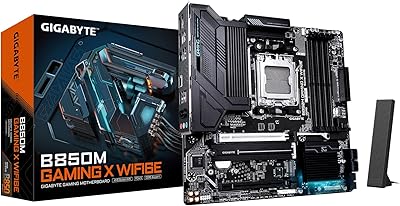
GIGABYTE B850M Gaming X WiFi 6E
81%
88%
Value for Money
91%
Installation & Build Experience
84%
BIOS Usability
67%
VRM & Thermal Performance
82%
DDR5 Compatibility
More
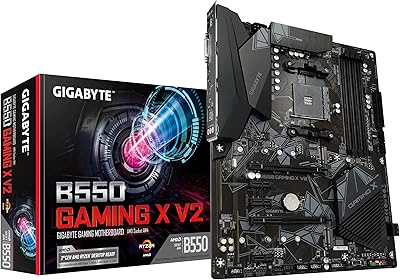
Gigabyte B550 Gaming X V2 Motherboard
82%
89%
Value for Money
88%
Performance with AMD Ryzen Processors
85%
Installation Ease
80%
Connectivity Options
84%
Build Quality
More
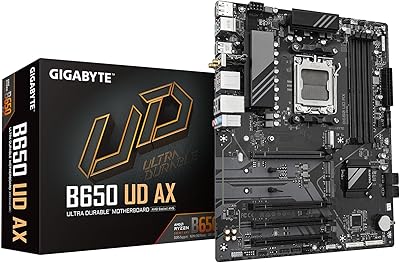
GIGABYTE B650 UD AX AM5 Motherboard
86%
88%
Performance
95%
Compatibility with Ryzen Processors
83%
Wi-Fi and Networking
86%
Build Quality
90%
Cooling and Noise Levels
More
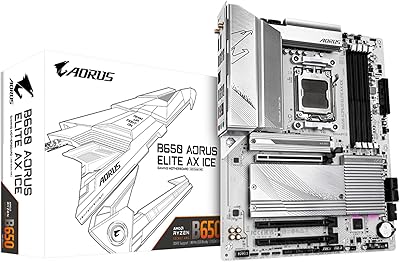
GIGABYTE B650 AORUS Elite AX ICE Motherboard
89%
91%
Performance
93%
Stability & Reliability
89%
Thermal Performance
85%
Ease of Installation
90%
Design & Aesthetics
More
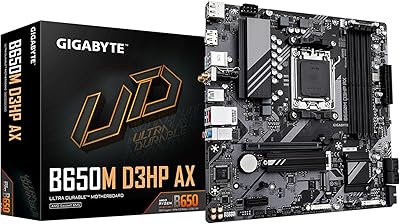
GIGABYTE B650M D3HP AX AM5 Micro ATX Motherboard
87%
91%
Performance
87%
Value for Money
90%
Build Quality
85%
Ease of Installation
88%
Power Delivery and Stability
More
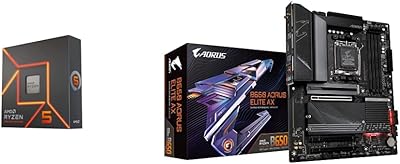
AMD Ryzen 5 7600X + GIGABYTE B650 AORUS ELITE AX Motherboard
87%
93%
Gaming Performance
89%
Overclocking Potential
88%
Setup & Installation
91%
Future-Proofing
74%
Thermals & Cooling
More
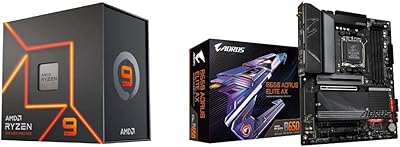
AMD Ryzen 9 7900X + GIGABYTE B650 AORUS ELITE AX Motherboard
89%
94%
Performance
91%
Overclocking Stability
88%
Compatibility with Modern Components
93%
Gaming Experience
89%
Thermal Management
More
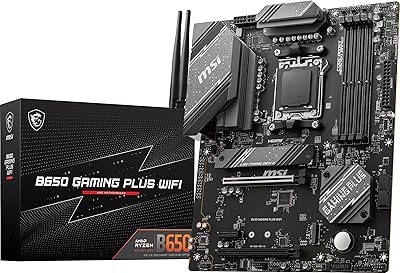
MSI B650 Gaming Plus WiFi
80%
83%
Value for Money
88%
BIOS & Software Experience
91%
Power Delivery & Stability
84%
Wireless Connectivity
79%
Memory Performance & Overclocking
More

FAQ

Yes, both CPUs are fully supported on the AM5 socket and the B650 chipset without any BIOS flashing needed beforehand. You should be able to install your processor, load your DDR5 memory's XMP or EXPO profile in the BIOS, and have a working system within minutes. These are exactly the kind of mid-range CPUs this board was designed around.

Unfortunately, no. The B650 Gaming X AX only supports DDR5 memory and the DIMM slots are physically incompatible with DDR4 sticks. If you are upgrading from an AM4 system, budgeting for a new DDR5 kit is a mandatory part of the transition — it is not optional on any AM5 platform board.

Yes, Gigabyte includes a dual-band antenna in the package that screws into the rear I/O ports. Setup is simple — you attach the antenna, install the Wi-Fi driver from Gigabyte's support page or the included media, and the adapter appears in Windows like any standard Wi-Fi card. The bundled antenna works fine for most rooms, though users in high-interference environments sometimes swap it for a better third-party option.

No, and this is one of the most important things to understand before buying. The Gigabyte B650 Gaming X AX ATX Motherboard uses PCIe Gen 4 on the primary x16 slot and on its M.2 slots. PCIe Gen 5 support — for both GPUs and next-generation NVMe drives — is exclusive to the B650E tier and above. If Gen 5 compatibility is on your checklist, you will need a different board.
Quite beginner-friendly, actually. Most DDR5 kits with XMP or EXPO profiles can be enabled in a single BIOS menu toggle, and the system typically boots stably on the first attempt. Gigabyte's UEFI interface is straightforward for basic tasks like enabling memory profiles, adjusting fan curves, and updating firmware. Advanced manual memory timing adjustments are available for experienced users but are not required for most builders.

Technically yes in terms of socket compatibility, but it is not ideal. The VRM on this AM5 motherboard is sized for mid-range CPUs running at typical power limits. Under the sustained all-core loads that Ryzen 9 chips generate during rendering or encoding sessions, the VRM heatsink can run quite warm — especially in cases with limited airflow. For high-TDP professional workloads, a board with a more robust power delivery system is the smarter choice.

This Gigabyte B650 board includes multiple M.2 slots, but not all of them operate at the same speed. The primary slot runs at PCIe Gen 4 x4, which is fast enough for virtually any current consumer NVMe drive. Secondary slots may run at lower PCIe generations or SATA, so it is worth checking the manual to match your drive to the right slot before installing.

Yes, there is an HDMI output on the rear I/O. However, it only works if your Ryzen 7000 series CPU includes integrated graphics — not all Ryzen 7000 desktop CPUs do. Models with the iGPU (such as those marketed with Radeon Graphics in the name, like the Ryzen 7700) will output video through HDMI fine. Standard Ryzen 7000 CPUs without an iGPU will not produce any output from the rear HDMI port and require a dedicated GPU.

Gigabyte provides companion apps for RGB lighting control, fan tuning, and system monitoring, but user feedback on this software is genuinely mixed. Many experienced builders skip it entirely and use third-party tools like HWiNFO64 for monitoring and Argus Monitor or Fan Control for fan curve management. The board functions perfectly without Gigabyte's software installed — it is optional, not required.

AMD has committed to the AM5 platform for the foreseeable future, and Gigabyte has been issuing BIOS updates to expand CPU compatibility as new Ryzen generations launch. That said, PCIe Gen 5 support for graphics cards and storage is not something a firmware update can add to this board — it is a hardware limitation. So while future Ryzen CPUs should work here, the platform will show some age if next-generation GPUs rely heavily on Gen 5 bandwidth.

Where to Buy