Overview

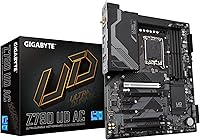
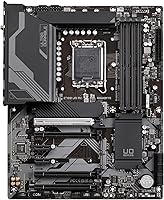
The GIGABYTE Z790 UD AC ATX Motherboard arrived in late 2022 as a practical answer for builders who wanted to step into Intel's 12th or 13th Gen platform without spending flagship money. It sits in GIGABYTE's Ultra Durable lineup, which has long represented their value-conscious tier — solid engineering without the RGB overkill or boutique pricing. One important commitment this board demands upfront: it's DDR5-only, so your memory choice is locked in from the start. That's not a dealbreaker, but it's worth knowing before you budget. The standard ATX footprint means it drops into virtually any mid-tower or full-tower case without clearance headaches.
Features & Benefits

The 16+1+1 power design with 60A DrMOS stages gives this mid-range Intel motherboard enough headroom for stable everyday operation and mild overclocking — just don't expect it to compete with high-end OC boards. Three M.2 slots, each running PCIe 4.0 x4 with thermal guards, mean you can fill a serious NVMe storage array without reaching for adapters. The primary x16 slot is PCIe 5.0-ready, which keeps future GPU options open. What genuinely stands out at this price point is getting Intel Wi-Fi 6E and 2.5GbE LAN both included — that's real money saved on add-in cards, and it keeps cable clutter down in the finished build.

Best For

This Z790 board hits a sweet spot for a fairly specific type of builder. If you're pairing a 12th or 13th Gen Intel chip with a DDR5 kit and need reliable multi-drive NVMe storage, this board handles that configuration well. Content creators and gamers who regularly move large files will appreciate the triple M.2 setup. First-time builders get a bit of a break with PCIe EZ-Latch, which simplifies GPU and M.2 installation noticeably. It's also a strong fit for anyone who wants integrated wireless and fast wired networking without padding the budget for extras. It's less suited for extreme overclocking enthusiasts who need a more robust VRM platform.

User Feedback

With over 500 ratings averaging 4.1 stars, the GIGABYTE UD AC earns its score without much controversy. Buyers regularly call out the value for the price, the included Wi-Fi, and a BIOS that's approachable even for first-time builders. The negatives are real but specific: a portion of users report DDR5 instability when pushing higher XMP speeds, which suggests sticking closer to validated memory QVL lists. A few reviewers mention the rear USB selection feels thin compared to pricier Z790 alternatives, and there's no Thunderbolt support at all. Experiences with GIGABYTE's software and customer support appear mixed, with some praising responsiveness and others finding the process frustrating.

Pros

  • Integrated Wi-Fi 6E and 2.5GbE LAN save real money and eliminate extra cards cluttering the build.
  • Triple PCIe 4.0 x4 M.2 slots let you run a full NVMe array without any bandwidth sharing penalties.
  • PCIe 5.0 primary x16 slot keeps the board relevant for next-generation GPU upgrades.
  • The BIOS is approachable for first-time builders and gets the system posting correctly out of the box.
  • PCIe EZ-Latch makes GPU removal and M.2 swaps noticeably less frustrating during assembly.
  • M.2 thermal guards actively protect NVMe drives during sustained read and write workloads.
  • The 6-layer PCB and covered MOSFET heatsinks give the board a reassuringly solid physical presence.
  • Supports both 12th and 13th Gen Intel CPUs, giving buyers flexibility when choosing a processor.
  • The power delivery handles stock and moderately tuned 13th Gen CPUs without throttling under normal use.
  • Standard ATX footprint fits virtually every mid-tower and full-tower case without compatibility concerns.

Cons

  • DDR5 instability at higher XMP profiles is a recurring complaint that can require tedious BIOS troubleshooting.
  • Rear USB port count feels thin compared to competing Z790 boards at similar or slightly higher prices.
  • No Thunderbolt 4 support, which is a hard limitation for users with high-bandwidth external peripherals.
  • VRM temperatures climb under sustained heavy all-core workloads in cases with restricted airflow.
  • GIGABYTE APP Center and EasyTune software receive mixed reviews and are avoided by many experienced builders.
  • Customer support and RMA experiences vary significantly by region, making warranty reliability unpredictable.
  • No PCIe 5.0 M.2 slot means storage upgrades will eventually hit a ceiling as Gen 5 NVMe drives become mainstream.
  • The plain visual design offers no addressable RGB for builders who care about interior aesthetics.

Ratings

The GIGABYTE Z790 UD AC ATX Motherboard earned its scores through AI-driven analysis of verified global user reviews, with spam, bot activity, and incentivized feedback actively filtered out before scoring. Across hundreds of real builder experiences — from first-time system integrators to experienced enthusiasts — both the genuine strengths and the recurring frustrations shaped every number you see below. Nothing is glossed over; the scores reflect what buyers actually encounter once the board is inside a case and running.
Value for Money
88%
Most buyers feel they got more than they paid for, particularly given the included Wi-Fi 6E and 2.5GbE LAN that comparable boards charge extra for. For a mid-range Z790 build on a real-world budget, the feature-to-cost ratio consistently draws praise from builders who priced out the competition.
A handful of users note that a few cost-cutting choices become visible over time — lighter rear I/O options and the absence of Thunderbolt remind you this is not a premium-tier purchase. Those wanting every connectivity checkbox ticked may feel the value equation tips slightly against them.
Build Quality
79%
21%
The 6-layer PCB and fully covered MOSFET heatsinks give the board a reassuringly solid feel during installation. Builders regularly comment that it does not flex during CPU socket engagement and that the heatsink contact on VRM areas feels genuinely substantial for the price bracket.
Under sustained heavy CPU loads, some users report that VRM temperatures climb higher than expected, suggesting the heatsink coverage does its job but has limited thermal headroom. The board does not feel flimsy, but it also lacks the premium finish of higher-end Z790 options that cost significantly more.
DDR5 Memory Compatibility
67%
33%
At stock JEDEC speeds and modest XMP profiles, DDR5 kits generally initialize and run without issue, which covers the majority of mainstream builders who are not chasing extreme memory overclocks. Popular DDR5 kits from reputable brands tend to work reliably when selected from the QVL list.
Pushing XMP speeds beyond around 5600 MHz introduces instability for a noticeable segment of users, and troubleshooting often requires manual BIOS tuning that beginners find frustrating. The DDR5 ecosystem was still maturing when this board launched, and some of those growing pains are still reflected in user experiences today.
BIOS Experience
82%
18%
GIGABYTE's UEFI BIOS on this board gets consistent credit for being navigable even for first-time builders, with clearly labeled menus and a reasonable default configuration that boots correctly out of the box. XMP enabling is straightforward, and fan curve controls are accessible without deep menu diving.
Advanced tuners sometimes find the overclocking sub-menus less granular than what ROG or MSI boards offer at similar price points. Occasional reports of BIOS updates introducing minor instability — particularly around memory training — suggest users should research which BIOS version to target before updating blindly.
Storage Performance
86%
Three M.2 slots all running at PCIe 4.0 x4 with thermal guards is a genuine differentiator at this price, letting builders install multiple high-speed NVMe drives without any bandwidth compromise or slot sharing penalties. Content creators moving large video files across drives notice the difference immediately.
There is no PCIe 5.0 M.2 option, which is a limitation as next-gen NVMe drives become more accessible. For most current workloads this is invisible, but buyers planning a multi-year build may want to keep that ceiling in mind.
Connectivity & I/O
71%
29%
Integrated Intel Wi-Fi 6E and 2.5GbE LAN in a single board at this price point is genuinely useful — no PCIe Wi-Fi card, no extra antenna fumbling, and the wireless signal quality is solid in real apartment and home office environments. The USB 3.2 Gen 2x2 Type-C rear port adds fast external storage flexibility.
The total rear USB port count feels thin compared to what premium Z790 boards offer, and the lack of Thunderbolt 4 is a hard limitation for users who rely on high-bandwidth peripherals or external GPU enclosures. Builders coming from higher-end platforms sometimes feel the rear panel is a step backward.
Power Delivery & Stability
78%
22%
The 16+1+1 power stage configuration with 60A DrMOS handles 13th Gen Intel CPUs including the Core i9-13900K under typical workloads without throttling under standard power limits. Daily gaming and productivity sessions run rock-solid for the vast majority of users.
Pushing past default Intel power limits with an unlocked K-series processor is where this board shows its mid-range nature — sustained all-core workloads at elevated wattage cause VRM temperatures that cautious builders will want to monitor. It is not a board for extreme manual overclocking sessions.
Installation & Build Experience
84%
PCIe EZ-Latch is a small but genuinely appreciated addition that removes the awkward GPU release fumble, and M.2 screw-free installation speeds up storage swaps considerably. First-time builders in particular call out how much easier the physical assembly felt compared to older board designs.
Some builders note the CPU power connector placement requires a fairly long EPS cable run in certain cases, which can create cable management challenges. The included documentation covers the basics but can leave intermediate builders guessing on some BIOS and front-panel header specifics.
Thermal Management
74%
26%
M.2 thermal guards do a real job keeping NVMe drives from throttling during sustained transfers, and most users running two or three drives simultaneously report stable temperatures even in moderately ventilated cases. The MOSFET heatsink coverage is genuine, not decorative.
Airflow-restricted cases can push VRM temperatures into ranges that are technically within spec but not comfortable for long-term reliability. Users building in smaller mid-towers with limited airflow report warmer thermals than they expected from the heatsink coverage on paper.
Software & Utilities
58%
42%
GIGABYTE's APP Center gives casual users a quick route to fan control and system monitoring without entering the BIOS, which some builders genuinely appreciate for post-build tuning. EasyTune handles basic overclocking presets acceptably for non-enthusiast users.
The software suite has a mixed reputation — several users describe APP Center as bloated or unreliable on fresh Windows installs, and EasyTune occasionally causes system instability when applied on top of manual BIOS settings. Most experienced builders skip the software entirely and rely on BIOS-level controls instead.
Wireless Performance
81%
19%
Intel Wi-Fi 6E delivers reliable throughput in real home network environments, with multiple users reporting consistent speeds on 5 GHz networks during gaming sessions and large file transfers. The integrated antenna connectors are straightforward to route inside standard ATX cases.
Wi-Fi 6E performance is only meaningful if your router also supports the 6 GHz band, which not all home setups do yet. A small number of users report occasional driver-related disconnects on certain Windows builds that required manual driver updates to resolve.
PCIe 5.0 Readiness
76%
24%
Having a PCIe 5.0 x16 primary slot means the board will not be a bottleneck when the next generation of graphics cards becomes mainstream, which is a meaningful long-term consideration for builders planning to keep the platform for several years. Current GPU installations run without any compatibility concerns.
Beyond the primary x16 slot, the PCIe 5.0 benefit is limited — there is no PCIe 5.0 M.2 slot, so storage upgrades will still hit a PCIe 4.0 ceiling. For today's use cases the PCIe 5.0 GPU slot is largely theoretical, but it does provide a credible upgrade path.
Customer Support & RMA
61%
39%
When GIGABYTE support works, users describe reasonably fast DOA replacement processes and helpful online BIOS update resources. The warranty coverage is standard for the category and the brand has an established service infrastructure in most major markets.
A recurring thread in critical reviews involves inconsistent support experiences — some users describe slow RMA processing and difficulty reaching knowledgeable agents for DDR5 compatibility troubleshooting. The experience appears to vary significantly by region, which makes it hard to assign a confident score here.
Aesthetics & Form Factor Fit
73%
27%
The board has a clean, understated dark aesthetic without excessive RGB that many builders actually prefer for professional-looking builds. Standard ATX dimensions mean it fits into the overwhelming majority of mid-tower and full-tower cases with no surprises.
Builders who want a visually striking board with addressable RGB headers as a centerpiece will find this Z790 option pretty plain. The heatsink design is functional but not particularly distinctive, and the overall look reads as purely utilitarian rather than enthusiast-grade.

Suitable for:

The GIGABYTE Z790 UD AC ATX Motherboard is a strong fit for builders who want to enter the Intel 12th or 13th Gen DDR5 platform without stretching their budget into flagship territory. It works especially well for gamers and content creators who need multiple fast NVMe drives running simultaneously — the triple M.2 setup handles that workload without compromise. First-time builders will appreciate the friendlier installation experience, particularly the EZ-Latch mechanism that takes the anxiety out of seating a GPU. Anyone building a clean, wireless-capable desktop will find real value in the onboard Wi-Fi 6E and 2.5GbE LAN, since those two features alone would otherwise require separate add-in cards. If your goal is a capable, modern Intel platform that covers everyday gaming, streaming, video editing, and general productivity without paying for features you will never use, this mid-range Intel motherboard delivers a well-rounded package.
Not suitable for:

The GIGABYTE Z790 UD AC ATX Motherboard is not the right choice for enthusiasts whose primary goal is pushing a 13th Gen K-series processor to its absolute thermal and frequency limits — the power delivery is capable for stock and light overclocking scenarios, but it does not have the VRM headroom that serious overclockers need for sustained all-core loads. Users who depend on Thunderbolt 4 for high-bandwidth peripherals, external storage enclosures, or daisy-chained displays will hit a hard wall here, since the board simply does not offer it at any configuration. If your DDR5 kit targets aggressive XMP speeds above 5600 MHz, be prepared for potential instability that may require manual BIOS tuning to resolve — not ideal for builders who want a plug-and-play memory experience. The rear USB port count is noticeably limited compared to higher-tier Z790 boards, which can be a genuine problem for users with many wired peripherals. Professionals who rely on consistent, well-documented vendor support for mission-critical systems may also want to look elsewhere given the mixed regional support experiences reported by users.
Specifications

  • CPU Socket: The board uses the LGA 1700 socket, supporting Intel 12th Gen (Alder Lake) and 13th Gen (Raptor Lake) Core processors.
  • Chipset: Built on the Intel Z790 chipset, enabling PCIe 5.0 support, DDR5 memory, and full CPU overclocking on compatible K-series processors.
  • Form Factor: Standard ATX format measuring 10.62 × 13.18 inches, fitting the vast majority of mid-tower and full-tower PC cases.
  • Memory Type: Supports DDR5 only across four DIMM slots in a dual-channel configuration; DDR4 is not compatible with this board.
  • Memory Speed: Base-supported DDR5 memory speed starts at 4400 MHz, with XMP profile support for higher-rated kits subject to compatibility.
  • Power Design: Features a 16+1+1 Twin Hybrid Digital power stage design using 60A DrMOS components for stable CPU power delivery.
  • M.2 Storage: Three M.2 slots are available, each supporting PCIe 4.0 x4 NVMe drives up to 2280 length, all with individual thermal guards.
  • Primary PCIe Slot: The primary x16 graphics slot operates at PCIe 5.0 speeds, accommodating current and next-generation discrete graphics cards.
  • Wireless: Intel Wi-Fi 6E is integrated onboard, supporting the 2.4 GHz, 5 GHz, and 6 GHz bands with Bluetooth also included.
  • Wired LAN: A single 2.5GbE Intel LAN port is provided on the rear I/O, delivering faster-than-Gigabit wired speeds without an add-in card.
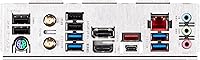
  • Rear USB: The rear I/O includes a USB 3.2 Gen 2x2 Type-C port, USB 3.2 Gen 2 Type-A ports, and two USB 2.0 ports.
  • PCB Construction: Built on a 6-layer Ultra Durable PCB with full MOSFET heatsink coverage and reinforced PCIe and memory slot armor.
  • Weight: The board weighs 2.2 pounds (approximately 1 kg), which is typical for a fully-equipped ATX motherboard of this class.
  • SATA Ports: Four SATA 6Gb/s ports are available for traditional 2.5-inch and 3.5-inch hard drives and SATA SSDs.
  • Audio: Onboard audio is handled by a Realtek HD audio codec supporting surround sound output via the multi-jack rear audio panel.
  • Display Output: A single HDMI port on the rear I/O supports integrated graphics output when using a compatible Intel CPU with integrated graphics.
  • Fan Headers: Multiple 4-pin PWM fan and pump headers are distributed across the board for chassis fans and AIO liquid cooler connections.
  • BIOS Features: The UEFI BIOS includes Q-Flash for easy firmware updates via USB drive without requiring a CPU or memory to be installed.

Related Reviews
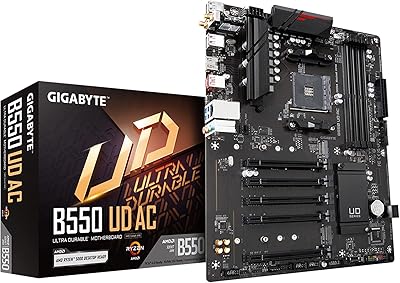
GIGABYTE B550 UD AC Motherboard
85%
91%
Performance with Ryzen 5000
89%
Value for Money
87%
Compatibility with Ryzen 3000 & 4000
85%
Cooling System (Smart Fan 5)
80%
Wi-Fi 6 Connectivity
More
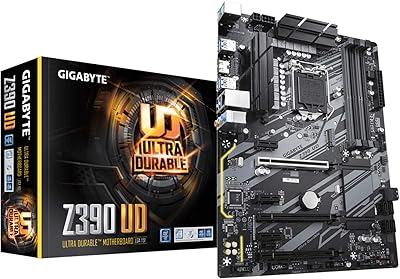
GIGABYTE Z390 UD Motherboard
85%
88%
Performance for Mining
85%
PCIe Slot Performance
90%
RAM Compatibility & Speed
92%
Value for Money
87%
Build Quality
More
GIGABYTE X570 UD Motherboard
86%
87%
Performance
91%
Value for Money
88%
Build Quality
90%
Power Delivery
83%
Cooling Efficiency
More
Gigabyte A520I AC Mini-ITX Motherboard
71%
88%
Value for Money
84%
Wireless Connectivity
79%
Build Quality
86%
BIOS Experience
77%
Thermal Performance
More
GIGABYTE B650 UD AX AM5 Motherboard
86%
88%
Performance
95%
Compatibility with Ryzen Processors
83%
Wi-Fi and Networking
86%
Build Quality
90%
Cooling and Noise Levels
More
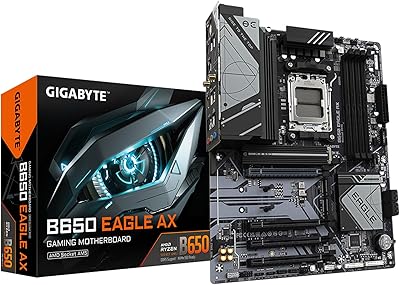
GIGABYTE B650 Eagle AX
86%
91%
Value for Money
94%
Storage Performance
88%
Thermal Management
87%
Wireless Connectivity
83%
BIOS and Software
More
Gigabyte B450 AORUS M Micro ATX Motherboard
84%
91%
Value for Money
88%
Performance with Ryzen Processors
84%
RGB Lighting Customization
87%
Ease of Setup
82%
Display Options
More
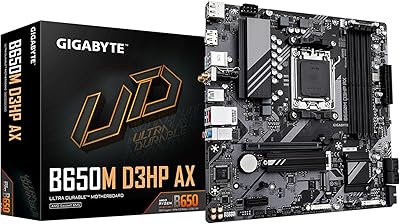
GIGABYTE B650M D3HP AX AM5 Micro ATX Motherboard
87%
91%
Performance
87%
Value for Money
90%
Build Quality
85%
Ease of Installation
88%
Power Delivery and Stability
More
GIGABYTE X670E AORUS Master AMD AM5 ATX Motherboard
87%
94%
Performance for Gaming
92%
Overclocking Potential
89%
Build Quality and Durability
91%
Compatibility with Ryzen 7000
87%
Thermal Management
More
ASUS TUF Gaming Z790-Plus WiFi
89%
93%
Build Quality
91%
VRM Thermal Performance
88%
Installation Experience
94%
BIOS User Interface
86%
Storage Expandability
More

FAQ

It is DDR5 only, full stop. There is no DDR4 compatibility on this board, so when you are budgeting your build you need to factor in DDR5 kit pricing from the start. The good news is that DDR5 prices have come down considerably since this board launched.

It will work, but with an important caveat — the Z790 UD AC is a mid-range board and its VRM is not ideally suited for running an i9-13900K at unlimited power settings. If you pair it with that CPU, consider setting a manual power limit in the BIOS to keep thermals and VRM stress in check. For i5 or i7 class processors it is a much more natural fit.

It may, but there is a realistic chance you will need to do some manual BIOS tuning to get there reliably. A notable number of users report instability at higher XMP speeds on this board, so check the QVL memory list on GIGABYTE's website before buying your kit. Kits at 5200 to 5600 MHz tend to have a smoother experience on this platform.

Both are genuinely useful depending on your setup. The 2.5GbE wired port is faster and more stable for gaming or large file transfers if your router supports it. The Wi-Fi 6E is a real bonus for clean builds where routing an ethernet cable is not practical — it performs well in real-world home environments and eliminates the need for a separate wireless adapter.

You can install up to three M.2 NVMe drives simultaneously, all running at PCIe 4.0 x4. It is worth checking the manual for the specific slot-sharing rules with SATA ports, as enabling certain M.2 slots can disable one or more SATA connectors — this is common across Z790 boards and not unique to this one.

Yes, it is a reasonable choice for a first build. The UEFI BIOS is clearly laid out, XMP enabling is a single toggle, and the PCIe EZ-Latch feature makes installing and removing a GPU much less stressful. Just make sure you download the latest BIOS before starting and reference the QVL list when picking your DDR5 kit.

Yes, GIGABYTE includes the dual Wi-Fi antennas in the retail box. They connect to the two dedicated antenna ports on the rear I/O panel and are straightforward to attach.

Both generations work fine. The LGA 1700 socket is shared across 12th and 13th Gen Intel processors, so you can start with a 12th Gen chip you already own and upgrade to 13th Gen later if you want, assuming the BIOS is up to date.

This is one area where the board shows its mid-range nature. The rear panel includes a USB 3.2 Gen 2x2 Type-C port and a modest selection of Type-A ports, plus two USB 2.0 connectors. If you have four or five USB devices to plug in directly at the back, you may find yourself reaching for a hub. It is noticeably leaner than what premium-tier Z790 boards offer in this area.

Honestly, most experienced builders skip it. The software has a reputation for being bloated and occasionally causing instability, particularly when used alongside manual BIOS overclocking settings. For fan control and monitoring, the BIOS itself gives you everything you need. If you want a Windows-based tuning tool, third-party options like HWiNFO and Argus Monitor tend to be more reliable on this platform.

Where to Buy