Overview
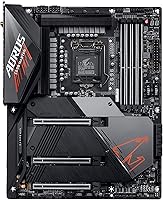
The GIGABYTE Z590 AORUS Master ATX Motherboard sits at the top of what GIGABYTE offered for the LGA 1200 platform, and it earns that position through substance rather than marketing. Where most Z590 boards make compromises to hit a price point, this AORUS Master board does not — the 18+1 phase VRM alone puts it in a different league from typical mid-range options. That said, buyers need to walk in with clear eyes: LGA 1200 is a closed chapter in Intel's roadmap, with no upgrade path beyond 11th Gen. If you're committing to this platform, you're doing so because you want the absolute best it can offer, not because you're planning to scale up later.
Features & Benefits
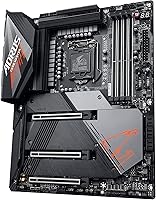
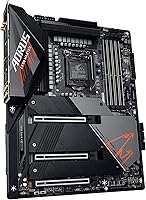
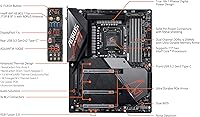
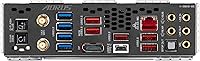
The VRM on the Z590 AORUS Master is where the engineering story really begins. A 90A smart power stage setup across 18+1 phases means the board can comfortably feed a Core i9-11900K under heavy overclocking loads without thermal throttling becoming a problem — something cheaper boards genuinely struggle with. The triple M.2 slots, each shielded with thermal armor, keep your NVMe drives cool during long rendering or transfer sessions. PCIe 4.0 support unlocks the full speed of current-gen SSDs, which makes a real difference if you're moving large files regularly. Add Intel WiFi 6E and AQUANTIA 10GbE wired LAN, and the connectivity picture is hard to argue with. The USB 3.2 Gen2x2 Type-C header rounds things out for high-speed peripheral use.
Best For
This flagship GIGABYTE motherboard makes the most sense for a specific kind of builder. If you're running an i9-11900K or i7-11700K and want to push it hard, the robust power delivery gives you the headroom to do that properly. Content creators working with large video files or running a NAS setup will genuinely benefit from the 10GbE wired LAN — it's not a feature for everyone, but for those it fits, it's hard to give up. The board also suits long-term platform builders who want a well-equipped setup and don't plan on chasing the latest socket. Skip it if you're budget-conscious or expect to swap CPUs in the near future.
User Feedback
The Z590 AORUS Master holds a 4.3-star rating across roughly 200 verified reviews, and the sentiment largely reflects what you'd expect: strong praise where the engineering shines, honest frustration where it doesn't. BIOS depth and stability come up repeatedly as highlights — users report that overclocking adjustments are intuitive and hold reliably across long sessions. Build quality gets consistent nods too, particularly the feel of the M.2 armor and overall board rigidity. On the downside, some buyers found the WiFi antenna placement awkward in certain cases, and a handful noted that initial driver setup required extra patience. A few also raised the closed-platform concern in hindsight, wishing they had weighed the LGA 1200 dead-end more carefully before committing.
Pros
- The 18+1 phase VRM handles aggressive overclocking loads on top-tier Intel CPUs without becoming a limiting factor.
- Triple M.2 slots with thermal armor keep NVMe drives running cool even during sustained, high-throughput workloads.
- PCIe 4.0 support unlocks the full bandwidth of modern SSDs, making a tangible difference for large file workflows.
- AQUANTIA 10GbE wired LAN is a genuine productivity asset for NAS users and content-focused home-studio setups.
- Intel WiFi 6E delivers fast, low-latency wireless connectivity without requiring a separate adapter card.
- The USB 3.2 Gen2x2 Type-C front header delivers up to 20Gbps — a real advantage for high-speed peripheral users.
- Tantalum polymer capacitors and premium build materials point to a board engineered for long-term daily reliability.
- The BIOS is consistently praised by verified buyers for its depth, clarity, and stability during extended overclocking sessions.
Cons
- LGA 1200 is a dead-end platform with no CPU upgrade path beyond 11th Gen Intel — plan accordingly.
- The premium price demands a high-performance use case to justify; average builds simply do not need this much board.
- At 13.58 x 11.57 inches, fitting this board into smaller ATX cases can be a genuine challenge.
- WiFi antenna placement has drawn complaints from some users, causing awkward cable routing in certain case configurations.
- Initial driver and software setup can be fiddly, with a handful of buyers reporting extra troubleshooting time out of the box.
- The 10GbE LAN is overkill for most home users — its real value only surfaces in NAS or multi-device studio environments.
- At roughly 200 reviews, the sample size is relatively modest, making it harder to draw firm conclusions on long-term durability.
Ratings
The GIGABYTE Z590 AORUS Master ATX Motherboard scores below were generated by our AI system after analyzing verified buyer reviews from global retail platforms, actively filtering out incentivized, duplicate, and bot-flagged submissions to surface only authentic feedback. Both the genuine strengths and real ownership frustrations of this flagship GIGABYTE motherboard are transparently reflected in each category, giving you a picture as honest as it is useful. Where the Z590 AORUS Master earns high marks, the reasoning is grounded in what real users reported across hundreds of real-world builds — and where it falls short, those trade-offs are called out directly.
VRM & Power Delivery
Overclocking Performance
BIOS Experience
Build Quality
Connectivity
Storage Options
Thermal Management
Wireless Performance
Value for Money
PCIe & Expansion
Memory Support
I/O & USB
Software & Drivers
Platform Longevity
Suitable for:
The GIGABYTE Z590 AORUS Master ATX Motherboard is built for a narrow but serious audience: enthusiast builders who want to extract every last drop of performance from a 10th or 11th Gen Intel Core processor. If you are pairing a Core i9-11900K or i7-11700K with an aggressive overclock, the 18+1 phase VRM with 90A smart power stages gives you a foundation that will not become the bottleneck — something genuinely cheaper boards cannot claim. Content creators who juggle fast NVMe storage and a reliable high-bandwidth network connection will find the triple M.2 setup and AQUANTIA 10GbE LAN a practical combination, especially in NAS-connected or home-studio environments. The WiFi 6E support handles wireless workloads without compromise, and the USB 3.2 Gen2x2 Type-C front header is a real convenience for anyone regularly offloading large files from cameras or audio interfaces. This board rewards builders who know exactly what they need and are planning to run their system hard for several years without chasing the next platform.
Not suitable for:
The GIGABYTE Z590 AORUS Master ATX Motherboard is a difficult choice for anyone who has not fully committed to the LGA 1200 ecosystem, because there is simply no CPU upgrade path beyond 11th Gen — this platform is closed, full stop. Budget-conscious builders will struggle to justify the premium price tag if the goal is a capable everyday PC rather than a purpose-driven high-performance rig. Casual gamers who have no intention of overclocking and have no use for 10GbE networking are paying for capabilities they will realistically never touch. The full ATX footprint also makes it a tight fit in smaller or compact mid-tower cases, so anyone building in a confined chassis should measure carefully before committing. If your build philosophy involves dropping in a newer CPU every few years to extend a system's life, this platform will leave you frustrated sooner than you might expect.
Specifications
- CPU Socket: Uses the LGA 1200 socket, compatible with Intel 10th Gen (Comet Lake) and 11th Gen (Rocket Lake) Core desktop processors.
- Chipset: Built on the Intel Z590 chipset, which enables full CPU overclocking support and PCIe 4.0 compatibility with 11th Gen processors.
- Form Factor: Standard ATX form factor, requiring a case that supports full-size ATX boards with adequate I/O and mounting clearance.
- Memory Type: Supports DDR4 RAM in a dual-channel, non-ECC unbuffered configuration across 4 DIMM slots, with a base speed of 2133MHz and XMP profile support.
- VRM Design: Implements an 18+1 phase digital VRM with 90A smart power stages, providing stable and clean power delivery for demanding and overclocked CPUs.
- M.2 Slots: Includes three M.2 slots, each fitted with thermal armor to actively dissipate heat from NVMe drives during sustained read and write workloads.
- PCIe Generation: Supports PCIe 4.0 when paired with a compatible 11th Gen Intel CPU, falling back to PCIe 3.0 speeds when used with 10th Gen processors.
- Wired LAN: Features an AQUANTIA 10GbE wired network controller, delivering up to 10 gigabits per second for high-bandwidth wired network environments.
- Wireless: Includes an Intel WiFi 6E (802.11ax) module supporting the 6GHz band for faster throughput and reduced congestion compared to standard WiFi 6 adapters.
- USB Front Header: Provides a USB 3.2 Gen2x2 Type-C front panel header capable of data transfer speeds up to 20Gbps for compatible high-speed peripherals.
- Capacitors: Uses a tantalum polymer capacitor array across the board, chosen for their thermal stability and long operational lifespan under sustained electrical loads.
- Dimensions: Physical dimensions are 13.58 x 11.57 x 3.14 inches, placing it at the larger end of standard ATX sizing.
- Weight: The board weighs 4.03 pounds, which is typical for a fully-featured flagship ATX motherboard with extensive heatsink and armor coverage.
- CPU Generations: Officially supports 10th Gen Intel Core (Comet Lake) and 11th Gen Intel Core (Rocket Lake) desktop processors, with no compatibility beyond this range.
Related Reviews
GIGABYTE X670E AORUS Master AMD AM5 ATX Motherboard
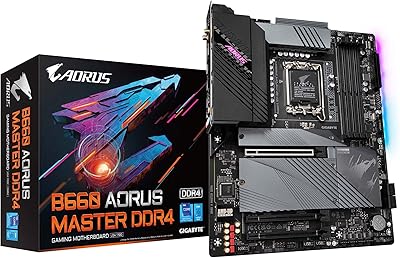
GIGABYTE B660 AORUS Master DDR4 Motherboard
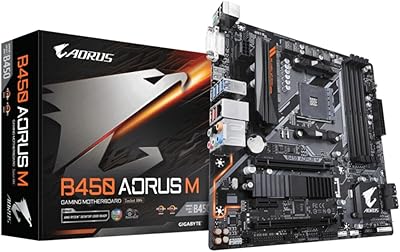
Gigabyte B450 AORUS M Micro ATX Motherboard
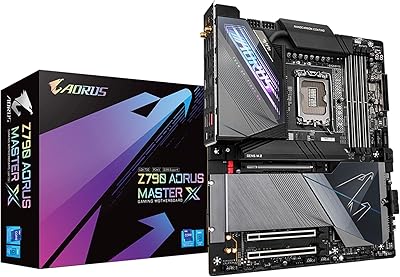
GIGABYTE Z790 AORUS Master X Motherboard
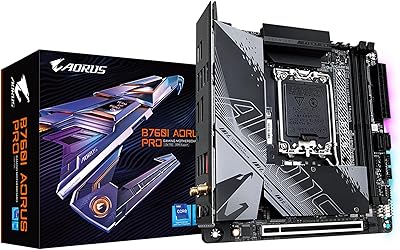
GIGABYTE B760I AORUS PRO Mini-ITX Motherboard
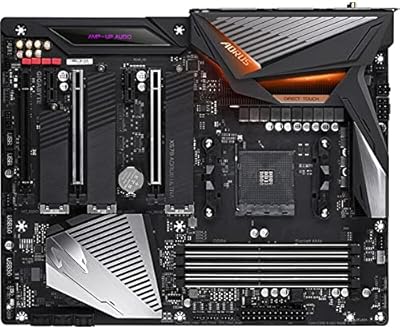
Gigabyte X570 AORUS Ultra ATX Motherboard
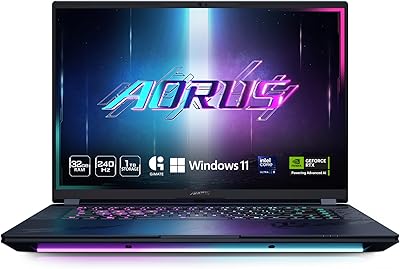
GIGABYTE AORUS Master 16 Gaming Laptop
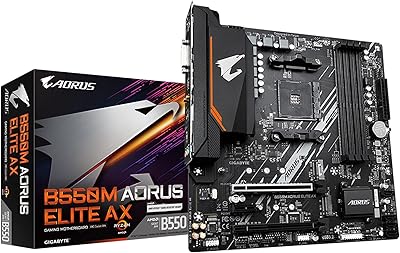
GIGABYTE B550M AORUS Elite AX Motherboard
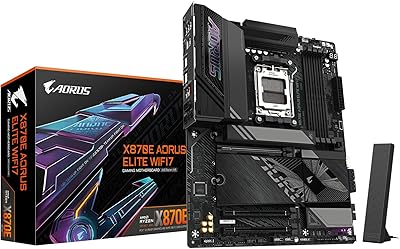
GIGABYTE X870E AORUS Elite WIFI7