










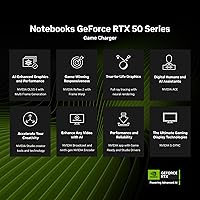
Overview

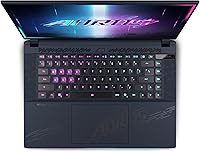
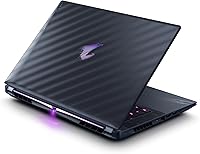
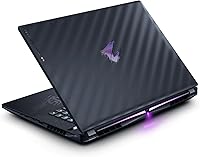
The GIGABYTE AORUS Master 16 Gaming Laptop sits at the very top of what portable gaming hardware can offer right now, pairing an Intel Core Ultra 9 275HX with an RTX 5080 Laptop GPU — a combination that was genuinely rare when this machine launched in early 2025. The 16-inch 240Hz OLED alone sets it apart from a field still largely relying on IPS technology, offering contrast and color accuracy most laptops simply cannot match. The Dark Tide chassis, finished with 12-layer Nanoimprint Lithography, carries a refined quality that goes well beyond typical gaming hardware aesthetics. This is a machine built for buyers who know exactly what they need and refuse to settle for anything less.

Features & Benefits

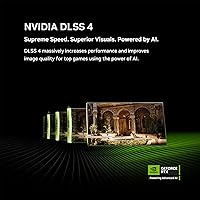
The Core Ultra 9 275HX handles heavy multitasking without breaking a sweat — its overclocking headroom and on-chip NPU make it particularly useful for AI-assisted workflows that would stall older processors. Paired with the RTX 5080 Laptop GPU, DLSS 4 frame generation pushes frame rates far beyond raw rasterization alone, and ray-traced visuals hold up impressively at the native 2560x1600 resolution. The WINDFORCE Infinity EX cooling system supports a 230-watt thermal envelope, keeping temperatures manageable during extended sessions while running completely silent at idle. The PCIe Gen5 SSD loads large game files fast, and a second M.2 slot makes future storage upgrades straightforward.

Best For

The AORUS Master 16 makes the most sense for gamers who want desktop-competitive frame rates but need to move between locations regularly. It is equally compelling for video editors and 3D artists who need a display they can trust for color-critical work — the Pantone-validated OLED, with full Dolby Vision support, handles that responsibility better than most professional laptop screens. Streamers running encoding and gameplay simultaneously will appreciate the CPU and GPU headroom. At 5.52 pounds, it is not a featherweight, but for professionals who prioritize sustained performance on the road over ultrabook portability, that trade-off is generally an easy one to accept.

User Feedback

Buyers consistently single out the OLED display quality as the strongest reason to choose this high-end gaming laptop over similarly specced competitors — the vibrancy and sharpness at 240Hz genuinely stands out. Thermal performance draws mixed responses: most users report the cooling holds up well during gaming, but fan noise becomes noticeable at full throttle, which is expected at this power level. The 0dB idle behavior gets consistent praise for quieter everyday use. Some buyers feel the 32GB RAM and 1TB SSD are well matched to the asking price, while others wish the base config offered more storage out of the box. GiMATE AI software earns cautiously positive impressions, though a few users note its interface has a learning curve.

Pros

  • The 240Hz OLED display offers contrast and color accuracy that most gaming laptops at any price point cannot match.
  • RTX 5080 Laptop GPU with DLSS 4 support delivers frame rates that genuinely rival mid-range desktop builds.
  • The Core Ultra 9 275HX handles demanding multitasking and AI workloads without throttling under pressure.
  • PCIe Gen5 NVMe storage means near-instant game and application load times out of the box.
  • WINDFORCE Infinity EX cooling runs completely silent at idle, making everyday use far less intrusive.
  • Two SO-DIMM slots and a secondary M.2 slot give this machine a clear upgrade path as needs grow.
  • The NIL surface finish and Dark Tide design stand out from generic gaming laptop aesthetics without being garish.
  • Dolby Vision, G-SYNC, and TUV Rheinland certification make the display versatile for both gaming and professional creative work.
  • The 3-zone RGB keyboard and AORUS Beacon projector add personalization without feeling like afterthoughts.

Cons

  • Fan noise at full thermal load is significant and will be noticeable in quiet environments.
  • At 5.52 pounds plus a large power adapter, daily commuter portability is a real compromise.
  • The GiMATE AI software has a learning curve that some users find more friction than convenience early on.
  • Only two USB 3.0 ports may feel limiting for users with multiple peripherals or external drives.
  • Battery runtime under any meaningful load is short, making a power outlet a near-constant requirement.
  • The 1TB base storage fills up quickly for users managing large game libraries or video project files.
  • The premium price tier means any buyer who does not fully utilize the GPU and CPU is overpaying considerably.
  • Sustained heavy gaming sessions can push chassis temperatures into ranges that require active airflow beneath the machine.

Ratings

The scores below for the GIGABYTE AORUS Master 16 Gaming Laptop were generated by our AI engine after analyzing verified purchase reviews from buyers worldwide, with spam, bot-submitted, and incentivized feedback actively filtered out before scoring. Each category reflects both the genuine enthusiasm and the honest frustrations that real owners reported across extended use. Nothing is glossed over — where the AORUS Master 16 earns its price, the scores show it; where it falls short of expectations, that shows too.

Display Quality
96%
The OLED panel is the single most praised aspect of this machine by a wide margin. Buyers who came from IPS gaming laptops consistently describe the contrast as a genuine shock — blacks are actually black, colors pop without oversaturation, and the 240Hz refresh rate makes fast-paced games feel noticeably smoother than anything they had used before.
A small number of users raised concerns about OLED burn-in risk with static game HUD elements over very long sessions. A few buyers also noted that the high brightness can make the display feel slightly aggressive in darker room environments without manual calibration.
Gaming Performance
93%
With the RTX 5080 driving frames and DLSS 4 handling reconstruction, this machine runs modern AAA titles at frame rates that feel closer to a high-end desktop than a portable device. Users gaming at the native 2560x1600 resolution reported staying well above 100fps in the most demanding titles, which is exceptional for a laptop.
A handful of users noticed that sustained peak frame rates require staying plugged into a wall — unplugged performance drops are significant, as expected for hardware at this power envelope. A few also mentioned that certain older or poorly optimized titles do not benefit from DLSS 4 frame generation.
Thermal Management
74%
26%
The WINDFORCE Infinity EX cooling system genuinely holds its own during extended gaming sessions. Users running hour-long gaming sessions reported that the system maintained consistent performance without the aggressive throttling that plagues some competing flagship laptops at similar wattage levels.
Fan noise at maximum thermal output is a recurring complaint — when the system opens up fully, it is loud enough to be distracting in quieter environments. Some users also reported that the underside and keyboard area accumulate noticeable heat during prolonged heavy workloads, which can be uncomfortable during marathon sessions.
Build Quality
88%
The NIL surface finish on the lid draws consistent praise from buyers who were expecting a typical plastic gaming chassis. The Dark Tide colorway combined with the crystalline light refraction effect gives the machine a premium, almost industrial feel that holds up well to regular handling and travel.
A few users noted that the display hinge feels slightly stiffer than expected, requiring two hands to open on a flat surface. There are also scattered reports of minor flex in the keyboard deck under heavy typing pressure, which is not severe but noticeable given the price tier.
CPU Performance
91%
The Core Ultra 9 275HX handles heavy multitasking without any perceivable slowdown — users running game captures, background encoding, and active gameplay simultaneously reported smooth, uninterrupted performance. The integrated NPU also provides a genuine speed boost for AI-assisted tools in creative software like Adobe apps.
The processor runs hot under sustained all-core loads, which means the cooling system needs to work hard to maintain peak clock speeds. A few power users who pushed overclocking past default settings found the thermal headroom tighter than the specs might suggest.
RAM & Upgradability
87%
Shipping with 32GB of DDR5 in dual-channel configuration covers the vast majority of demanding use cases out of the box. The fact that both SO-DIMM slots are physically accessible is a meaningful long-term advantage — buyers can upgrade without replacing the entire machine or voiding repairability.
Some users felt that 32GB, while ample today, could feel limiting in two to three years given how quickly VRAM and RAM requirements are climbing in modern games and creative tools. A few noted that sourcing compatible high-speed DDR5 SO-DIMMs for upgrade can be more expensive than expected.
Storage Speed
89%
The PCIe Gen5 NVMe SSD produces load times that make even large open-world games feel nearly instant — users migrating from SATA or older Gen3 drives described the difference as immediately noticeable. The secondary M.2 slot being Gen4 capable means adding a second fast drive for overflow storage is straightforward.
1TB fills up faster than expected for users with large game libraries or who work with uncompressed video files, and a few buyers wished the base configuration shipped with at least 2TB. The secondary slot requires sourcing and installing a drive separately, which adds to the total cost of ownership.
Fan Noise
61%
39%
The 0dB silent mode during light workloads is a highlight that buyers appreciate far more than they expected — casual browsing, streaming, and document work run in near-total silence, which makes the laptop genuinely pleasant to use in shared spaces when not gaming.
At full load, the dual fans generate noise levels that users consistently describe as intrusive without headphones. This is the most common pain point in buyer feedback and while understandable given the thermal requirements, it remains a real-world limitation for anyone gaming in a quiet office or shared living space.
Battery Life
48%
52%
Under genuinely light tasks — reading, writing, or streaming at reduced brightness — users report getting a few hours of untethered use, which is about what you would expect from hardware in this class. The battery is not the focus of this machine, and buyers who understood that going in were not caught off guard.
Under any meaningful workload, battery life drops sharply, and gaming unplugged is not a realistic option for most users. Multiple buyers flagged this as a disappointment, even though it is a known trade-off with 230W thermal systems — the gap between plugged and unplugged performance is stark and consistent.
Portability
58%
42%
At just over an inch thick, the chassis is relatively slim for the hardware it contains, and users who primarily move between a home setup and an office desk found it manageable. The build feels solid enough to handle regular transport without any flex or creaking concerns.
At 5.52 pounds, plus the substantial 330V power brick, daily commuters consistently flagged the total carry weight as fatiguing over time. Users expecting something close to an ultrabook experience will be disappointed — this is a desktop-replacement form factor that requires commitment.
Display Accuracy
94%
Video editors and colorists were particularly vocal in their praise — the Pantone Validated calibration and Dolby Vision support meant they could trust the display for client-facing color grading without a separate reference monitor. TUV Rheinland certification added peace of mind for users concerned about long-session eye strain.
A small subset of buyers noted that the factory calibration, while excellent, benefits from a user-level profile adjustment for specific creative software to fully align with their workflows. Out of the box accuracy is strong, but perfectionists working in demanding color environments may want to run their own calibration pass.
Software Experience
69%
31%
GiMATE provides a genuinely useful hub for managing fan curves, performance profiles, and RGB customization without needing third-party tools. Users who spent time learning the interface found it more capable than GIGABYTE's previous software generations, with the AI-driven workload suggestions landing well for non-technical users.
The learning curve on GiMATE frustrated several buyers in the first few days of ownership — the interface is not immediately intuitive, and some features require digging through menus that feel underdeveloped. A handful of users also reported occasional software crashes on first boot that required a fresh install to resolve.
Keyboard & Input
78%
22%
The 3-zone RGB backlit keyboard provides a satisfying typing experience for a gaming laptop, with enough key travel to keep extended writing sessions comfortable. The AORUS Beacon projector is a genuinely fun feature that buyers mentioned as a conversation starter and a differentiator over more utilitarian competitors.
Buyers who prefer a more tactile mechanical-feeling keyboard noted that the typing feel, while decent, does not match dedicated gaming keyboards or premium business laptop boards. The touchpad, while functional, received occasional criticism for imprecision during fine cursor movements compared to what some users expected at this price.
Value for Money
72%
28%
For buyers who actually push this machine to its limits — high-refresh competitive gaming, GPU-accelerated creative work, heavy multitasking — the hardware justifies the premium investment in a way that comparable mid-range machines simply cannot. The upgradeable RAM and storage also extend the useful lifespan meaningfully.
Buyers who use this machine primarily for web browsing, light gaming, or office productivity are paying a very significant premium for hardware they will never fully utilize. The value proposition only holds if the full capability of the RTX 5080 and Core Ultra 9 combination is a genuine daily requirement.

Suitable for:

The GIGABYTE AORUS Master 16 Gaming Laptop is built for a specific kind of buyer: someone who genuinely needs top-tier hardware and is not just chasing specs for their own sake. Competitive PC gamers who play at high refresh rates will immediately appreciate what a 240Hz OLED panel does for motion clarity compared to the IPS displays most laptops still ship with. Creative professionals — video editors, colorists, 3D artists — will find the Pantone-validated, 100% DCI-P3 display reliable enough to use for client-facing work, which is genuinely uncommon at this form factor. Streamers or power users running encode jobs, virtual machines, or AI-assisted workflows alongside a game will have the CPU and GPU headroom to do it without the system grinding to a halt. If you travel frequently but still need desktop-competitive performance waiting for you when you open the lid, this AORUS flagship is one of the most capable portable workstations available right now.

Not suitable for:

The GIGABYTE AORUS Master 16 Gaming Laptop is a poor fit for anyone who prioritizes portability above all else. At 5.52 pounds with a 330-volt power brick in tow, this is not a machine you will comfortably carry through an airport every other week without noticing the weight. Casual gamers who play lighter titles or spend most of their time in a browser have no practical use for this level of hardware and will be paying a significant premium for performance they will never touch. Battery life, as with any high-wattage gaming laptop running a 230W thermal system, is not a strong suit — buyers expecting all-day untethered use will be disappointed. Students or buyers on a tighter budget who are simply looking for a capable everyday laptop should look elsewhere, as the investment here only makes sense when the full capability of the machine is actually being used.

Specifications

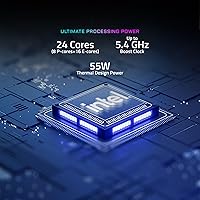
  • Processor: The Intel Core Ultra 9 275HX runs up to 5.4GHz and includes a dedicated NPU for AI-accelerated workloads alongside strong overclocking headroom.
  • Graphics: The NVIDIA GeForce RTX 5080 Laptop GPU is based on the Blackwell architecture and supports DLSS 4 with multi-frame generation for high-fidelity gaming and creative rendering.
  • Display: A 16-inch WQXGA OLED panel delivers a 2560x1600 resolution at 240Hz with 100% DCI-P3 coverage, Pantone validation, Dolby Vision, G-SYNC, and TUV Rheinland certification.
  • RAM: 32GB of DDR5 memory runs in dual-channel configuration at 5600MHz across two SO-DIMM slots, both of which are accessible for future expansion.
  • Primary Storage: A 1TB PCIe Gen5 NVMe M.2 SSD provides fast sequential read and write speeds suitable for large game libraries and professional project files.
  • Storage Expansion: A secondary M.2 slot supporting PCIe Gen4x4 is available for adding a second drive without replacing the factory-installed SSD.
  • Cooling System: The WINDFORCE Infinity EX thermal system supports up to 230W of total thermal power using a dual-fan layout with noise-cancelling design and 0dB silent mode under light loads.
  • Operating System: Windows 11 Home comes pre-installed, providing full compatibility with modern gaming titles, creative software, and the included GiMATE AI interface.
  • Dimensions: The chassis measures 14.06 x 10 x 1.18 inches, keeping a relatively slim profile despite the high-wattage internal components.
  • Weight: The laptop weighs 5.52 pounds, which is typical for a high-performance 16-inch machine but worth accounting for if portability is a priority.
  • Keyboard: A 3-zone RGB backlit keyboard allows per-zone lighting customization and is paired with AORUS Beacon, a logo projector built into the chassis.
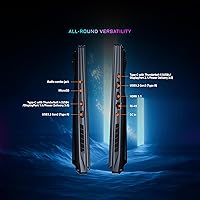
  • Connectivity: Wireless connectivity includes Bluetooth, and the laptop provides 2 USB 3.0 ports alongside additional I/O for peripherals and external displays.
  • Display Surface: The lid is finished using 12-layer Nanoimprint Lithography (NIL) optical lamination, which refracts light at varying angles to produce a distinctive crystalline appearance.
  • Color Profile: The display is factory-calibrated to 100% DCI-P3 and carries Pantone Validated status, making it reliable for professional color grading and creative work.
  • Power Supply: The laptop operates at 330 volts AC and ships with a Lithium Ion battery pack included in the box.
  • Graphics VRAM: The RTX 5080 Laptop GPU includes 16GB of dedicated graphics memory, providing ample headroom for high-resolution textures and GPU-intensive rendering tasks.
  • AI Platform: GiMATE is GIGABYTE's on-device AI assistant software, designed to optimize system settings, workload management, and user interaction through an intelligent interface layer.
  • Chassis Color: The Dark Tide colorway is the standard finish for this configuration, complementing the NIL surface treatment with a subdued, premium look.

Related Reviews
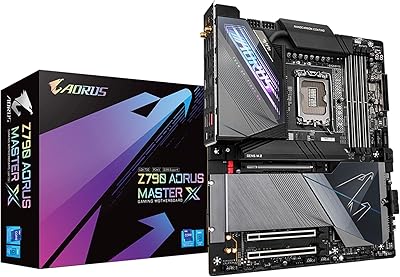
GIGABYTE Z790 AORUS Master X Motherboard
81%
93%
VRM & Overclocking Performance
88%
BIOS Usability
91%
M.2 Storage Flexibility
89%
Build Quality & Component Feel
54%
Case Compatibility
More
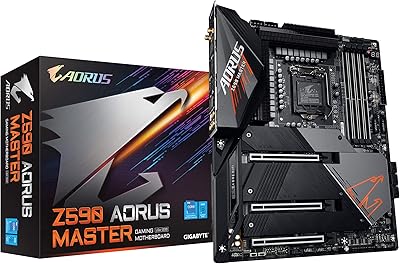
GIGABYTE Z590 AORUS Master Motherboard
88%
92%
Performance
95%
Networking Speed
88%
Build Quality
85%
Ease of Setup
91%
Power Delivery Stability
More
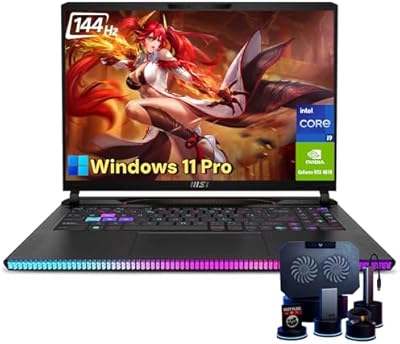
MSI Raider GE68HX 16 Gaming Laptop
85%
94%
Gaming Performance
92%
Graphics Quality
93%
Processor Power
88%
Display Quality
72%
Portability/Weight
More
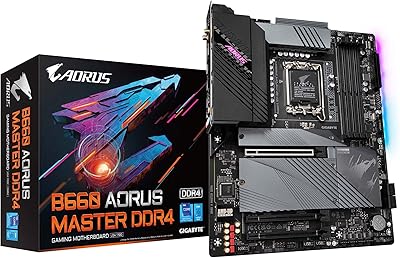
GIGABYTE B660 AORUS Master DDR4 Motherboard
85%
93%
Build Quality
90%
Power Delivery
88%
Networking Performance
89%
Thermal Design
91%
Compatibility with Intel 12th Gen
More
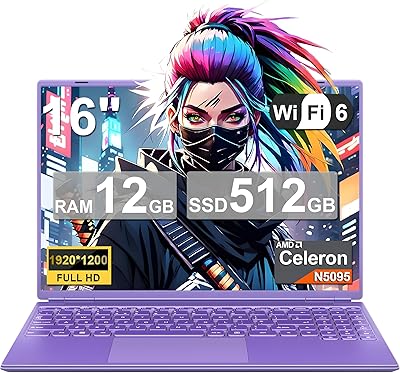
NOTODD N600 16-inch Gaming Laptop
83%
85%
Performance for Multitasking
89%
Display Quality
72%
Gaming Experience
78%
Battery Life
80%
Build Quality
More
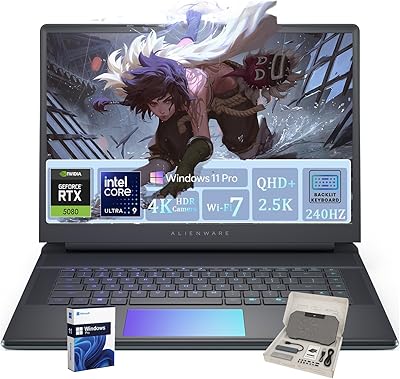
Alienware 16 Area-51 Gaming Laptop
86%
95%
Performance for Gaming
92%
Graphics Quality
89%
Cooling Efficiency
91%
Display Quality
88%
Build Quality
More
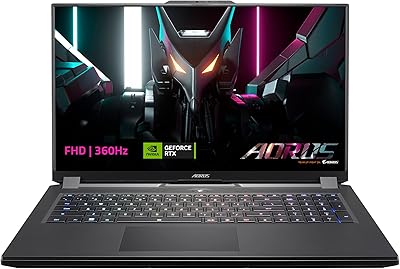
GIGABYTE AORUS 7 9KF-E3US513SH Laptop
84%
93%
Gaming Performance
90%
Display Quality
86%
Build Quality
72%
Battery Life
75%
Portability
More
GIGABYTE AORUS RTX 3070 Master Graphics Card
79%
93%
Thermal Performance
89%
Noise Levels
91%
1440p Gaming Performance
67%
4K Gaming Capability
61%
VRAM Adequacy
More
GIGABYTE AORUS GeForce RTX 3070 Ti Master 8G
87%
94%
Gaming Performance at 1440p & 4K
91%
Cooling Efficiency
88%
Value for Money
90%
Build Quality
78%
Driver Stability
More
Acer Nitro 16 AN16-41-R148 Gaming Laptop
84%
94%
Gaming Performance
88%
Cooling Efficiency
91%
Display Quality
84%
Build Quality
72%
Battery Life
More

FAQ

Good news — the AORUS Master 16 uses two physical SO-DIMM slots, so the RAM is not soldered. You can swap out or add to the existing 32GB DDR5 configuration down the line, which gives this machine a longer useful lifespan than many thin-and-light competitors.

Under heavy load, the fans are definitely audible. At full thermal output the noise is noticeable enough that most users will want headphones during intense sessions. That said, the 0dB silent mode kicks in during light use — browsing, video playback, and light productivity run completely quiet, which is a genuinely nice quality-of-life feature.

It handles both extremely well. The OLED display is Pantone Validated and covers 100% DCI-P3, which means color accuracy is actually trustworthy for professional work — not just good for a gaming laptop. Combined with the RTX 5080 for GPU-accelerated rendering and the Core Ultra 9 for encoding, this is a capable creative workstation that happens to also game exceptionally well.

Honestly, battery life is one of the weaker points here, as it is with any laptop running a 230-watt thermal system. Under gaming or heavy workloads, you will want to stay near an outlet. During lighter tasks like writing or web browsing you will get more, but this is not a machine designed for all-day untethered productivity — plan accordingly.

Yes, it does. The laptop includes display output options that allow connection to external monitors, and with NVIDIA Advanced Optimus support, the system can route display output directly through the discrete GPU for maximum external display performance.

It depends on how you use the machine. 1TB fills up faster than you might expect if you have a large game library or work with uncompressed video files. The good news is there is a second M.2 slot supporting PCIe Gen4x4, so adding a second drive later is straightforward and does not require replacing anything.

DLSS 4 introduces multi-frame generation, meaning the GPU can render fewer frames natively while AI reconstructs the rest — resulting in significantly higher frame rates than raw rasterization alone would allow. At the native 2560x1600 resolution of this display, that matters quite a bit, since higher-res panels are more GPU-demanding. In practice, it means you can run modern titles at the full 240Hz refresh rate far more consistently.

GiMATE is GIGABYTE's AI-powered interface layer that lets you manage system modes, monitor performance, and control features like fan profiles and RGB lighting. It is not mandatory — the laptop functions fine without touching it — but users who want more granular control over thermal and performance settings will find it useful once they get familiar with it. Some buyers find the initial learning curve a bit steep.

At 5.52 pounds plus a large power brick, it is manageable but you will feel it over time, especially combined with other bag contents. It is more suited to regular travel between two locations — home and office, for example — than to ultralight commuting. If you are moving it daily and weight is a concern, it is worth trying the bag setup before committing.

OLED burn-in is a real consideration with static content displayed for extended periods — things like game HUDs or taskbars sitting in the same spot for thousands of hours. GIGABYTE includes some mitigation measures, and Windows has built-in screensaver options that help. For typical mixed-use patterns — gaming, content creation, general use — the risk is low, but it is worth enabling pixel-shift features and avoiding leaving static high-brightness content on screen for very long periods.

Where to Buy