Overview

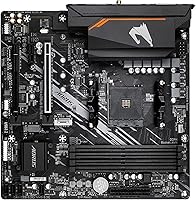
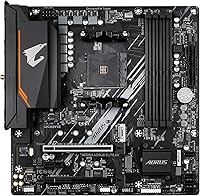
The GIGABYTE B550M AORUS Elite AX Motherboard sits in an interesting spot — a compact Micro-ATX board built on AMD's B550 chipset that offers a genuinely competitive feature set without asking you to spend flagship money. AM4 isn't the newest platform around, but Ryzen 5000 series CPUs remain capable performers, and pairing one with a solid B550 board still makes real sense for an everyday or gaming build. This AORUS Elite AX board consistently ranks among the top sellers in its category — not because of marketing, but because it reliably delivers what most builders actually need. Expectations should be fair, though: this is a focused, practical board, not a feature-loaded enthusiast flagship.

Features & Benefits

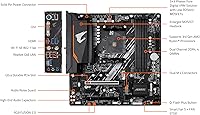
What makes the B550M AORUS Elite AX stand out at this price point is the combination of features you'd normally expect to pay more for. WiFi 6E and Bluetooth 5.3 come built in — genuinely useful in a compact build where adding a PCIe wireless card would eat a valuable expansion slot. PCIe 4.0 support means your NVMe SSD runs at full speed, and modern GPUs won't hit bandwidth bottlenecks. The 5+3 phase VRM handles clean, stable power delivery to the CPU — think of it as the board carefully regulating electricity so your processor stays reliable under load. Dual M.2 slots and DDR4 support up to 4733 MHz with AMD EXPO compatibility round out a strong overall package.

Best For

This Micro-ATX motherboard is an especially strong match for anyone building around a Ryzen 5000 series CPU — that's where the value proposition is clearest. The compact footprint works well in smaller cases, and the integrated wireless means you don't have to sacrifice connectivity to save space. If you've been eyeing X570 boards for their feature set but not their pricing, the B550M AORUS Elite AX sits in a meaningful middle ground. It's also a solid choice for first-time builders: the layout is clean and uncluttered, the I/O shield comes pre-installed, and the BIOS is approachable enough that getting to a first successful boot won't require a long troubleshooting session.

User Feedback

With over 3,100 ratings averaging 4.4 stars, the reception for this AORUS Elite AX board is clearly positive — though the picture isn't completely without friction. Buyers most commonly praise the easy BIOS setup, solid wireless performance straight out of the box, and strong build quality relative to the price. The criticisms are worth heeding: some users report that overclocking options in BIOS feel more limited compared to higher-end boards, which is honest feedback — B550 simply isn't engineered for aggressive tuning. A number of buyers also flagged RAM compatibility quirks requiring an XMP or EXPO profile tweak to resolve. The small share of negative reviews mostly traces to DOA units or user-side setup errors, not inherent design flaws.

Pros

  • WiFi 6E and Bluetooth 5.3 are built in, saving both money and a PCIe slot.
  • Dual M.2 slots offer real SSD flexibility that many boards at this price skip entirely.
  • PCIe 4.0 support means your NVMe drive and GPU are not held back by older bandwidth limits.
  • The BIOS is approachable and well-organized — even first-time builders report a smooth setup experience.
  • DDR4 support up to 4733 MHz with AMD EXPO compatibility gives meaningful memory tuning headroom.
  • Enlarged VRM heatsinks help the board run cool and stable under sustained CPU workloads.
  • Pre-installed I/O armor is a small but genuinely appreciated convenience during assembly.
  • Ryzen 3000, 4000, and 5000 series CPU compatibility makes it versatile for AM4 upgrades.
  • Consistently ranks in the top 20 of its category, reflecting broad buyer satisfaction over time.
  • The Micro-ATX form factor fits a wide range of mid-tower and compact cases without issues.

Cons

  • BIOS overclocking tools feel limited compared to X570 boards — not the right pick for serious tuners.
  • Some buyers report RAM compatibility quirks that require manually enabling XMP or EXPO profiles to resolve.
  • Only 1GbE wired networking — no 2.5GbE option, which is increasingly common at this price tier.
  • USB port selection is modest; front-panel and rear connectivity may feel tight in productivity-heavy setups.
  • A small but notable number of buyers have received DOA units, so registering the warranty promptly is wise.
  • No USB4 or Thunderbolt support, which limits connectivity options for users with high-bandwidth peripherals.
  • As an AM4 board, it has no upgrade path to AMD's Ryzen 7000 or future AM5 CPUs.
  • Fan header count may be insufficient for builders running large multi-fan cooling configurations.

Ratings

Our AI rating engine analyzed thousands of verified global reviews for the GIGABYTE B550M AORUS Elite AX Motherboard, actively filtering out incentivized, duplicate, and bot-generated submissions to surface what real builders actually experienced. The scores below reflect both the genuine strengths and the recurring frustrations buyers encountered — nothing has been glossed over. Whether this AORUS Elite AX board ends up on your shortlist or gets ruled out depends on priorities this breakdown is designed to make clear.

Value for Money
91%
Buyers consistently describe this Micro-ATX motherboard as punching above its weight — you get PCIe 4.0, dual M.2 slots, and integrated WiFi 6E at a price where most competitors still bundle WiFi as optional. For Ryzen 5000 builds on a realistic budget, this combination is genuinely hard to match.
A handful of buyers who compared it directly against slightly pricier X570 boards felt the savings came with real trade-offs in BIOS depth and USB port count — a fair observation for users who need more than the basics.
Wireless Performance
88%
WiFi 6E and Bluetooth 5.3 integration earned consistent praise from users who moved from older boards with external adapters — connection stability improved noticeably, particularly in crowded 6GHz band environments where interference from legacy WiFi 5 devices drops off.
A few users in dense apartment environments reported occasional Bluetooth co-existence hiccups when both WiFi and Bluetooth were under heavy simultaneous load, though this appears to be an edge case rather than a systemic flaw.
BIOS Experience
86%
First-time builders and experienced users alike noted that GIGABYTE's BIOS layout on the B550M AORUS Elite AX is clean, logically organized, and far less intimidating than competing boards in the category — getting to a stable first boot was a smooth experience for the vast majority.
Enthusiasts who wanted deeper manual control over CPU voltages and frequency tuning found the options notably limited compared to X570 alternatives; the BIOS feels tuned for reliability over flexibility, which will frustrate serious overclockers.
Build & Component Quality
84%
The board feels solid in hand for its price tier — the VRM heatsinks have real mass to them rather than the thin decorative fins found on cheaper boards, and the pre-installed I/O armor holds firmly without flex during installation, which builders appreciated during assembly.
Some users noticed the PCIe slot locking mechanism felt slightly loose compared to higher-end boards, and a small number reported cosmetic PCB blemishes on arrival — not functional issues, but worth noting for buyers who care about aesthetics inside a windowed case.
Thermal Management
83%
Under sustained Ryzen 5 and Ryzen 7 workloads, the enlarged VRM heatsinks did their job without complaint — users running video encoding sessions or extended gaming reported no thermal throttling events related to the VRM, which is the real test for a board at this price.
A few builders using higher-TDP Ryzen 9 chips pushed the VRM into territory where temperatures climbed higher than comfortable, suggesting this board is better matched to mid-range CPUs rather than the top of the AM4 stack.
Storage Flexibility
87%
Having two M.2 slots on a board at this price tier is a genuine differentiator — users setting up an OS drive plus a game storage drive appreciated not having to choose between NVMe performance and SATA expansion, a trade-off common on cheaper single-M.2 boards.
Populating both M.2 slots does disable certain SATA ports due to shared lane bandwidth, which surprised some users mid-build; the manual explains this clearly, but it catches builders off guard who skip the documentation.
Memory Compatibility
74%
26%
With support for DDR4 up to 4733 MHz and AMD EXPO profiles, users running quality memory kits from reputable brands had no trouble hitting rated speeds after enabling EXPO in BIOS — performance headroom for memory-sensitive workloads like gaming and content creation is solid.
RAM compatibility caused more friction than expected for some buyers — certain budget or lesser-known memory kits either required manual timing adjustments or simply failed to POST at rated speeds, indicating the board's QVL list is narrower than it could be.
Ease of Installation
89%
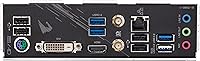
The pre-installed I/O armor was one of the most consistently praised practical details in buyer feedback — it removes one of the fiddliest steps in a Micro-ATX build and the rear panel layout is spacious enough that connecting cables in a finished case is not a frustrating experience.
A small number of users noted that the M.2 screw standoff placement was fiddly for M.2 2242 and shorter drives, and the board documentation, while adequate, could have been clearer on SATA port disabling rules when M.2 slots are in use.
Overclocking Headroom
61%
39%
For modest CPU frequency adjustments and enabling memory XMP or EXPO profiles, this AORUS Elite AX board handles the task without issues — casual overclockers who simply want their RAM running at its rated speed will find all they need in the BIOS.
Anyone pursuing meaningful manual CPU overclocking will hit a ceiling quickly — the B550 chipset and the board's BIOS options simply do not offer the granular voltage and frequency control that X570 boards provide, and buyers expecting otherwise were clearly disappointed.
USB & Port Availability
67%
33%
The rear I/O covers everyday connectivity well enough — USB 3.2 Gen 1 ports handle external drives and peripherals without bottleneck issues, and the layout is clean, making cable management behind the panel straightforward.
The absence of any USB 3.2 Gen 2 or USB-C rear port felt like a real gap for users with modern peripherals; several buyers flagged the overall port count as thin for a multi-device productivity setup, and there is no Thunderbolt support whatsoever.
Wired Networking
69%
31%
The Realtek 1GbE LAN performs reliably and without driver issues for users on standard broadband connections — for typical gaming and everyday use, Gigabit Ethernet is more than sufficient and connection stability was not a complaint in the feedback.
At a time when 2.5GbE LAN is appearing on competing boards at similar price points, the 1GbE offering feels dated — users on multi-gigabit home network setups or NAS environments will feel this limitation immediately.
Long-Term Reliability
81%
19%
The broad base of 3,100-plus ratings with a sustained 4.4-star average suggests this is not a board that degrades quickly in the field — users who have run it for a year or more in gaming and home office builds report continued stable operation with no unexpected failures.
The DOA rate, while small, is not negligible — enough buyers received non-functional units out of the box to make it worth registering the warranty immediately and testing all functions before the return window closes.
Platform Longevity
58%
42%
AM4 is a mature, well-supported platform with a rich ecosystem of CPUs at increasingly accessible prices — for buyers who are locking in a Ryzen 5000 build today without plans to upgrade the CPU in the next two to three years, the value proposition is still sound.
This board has no upgrade path to AMD's AM5 platform or Ryzen 7000 series CPUs, which is a factual dead end for buyers who think long-term; anyone who expects to chase future CPU generations should be buying into AM5, not AM4, regardless of the board's other merits.
Form Factor Versatility
82%
18%
The Micro-ATX footprint fits a wide range of case sizes from compact cube cases to standard mid-towers, making this AORUS Elite AX board a practical choice for builders who want flexibility in their chassis options without sacrificing core connectivity features.
The smaller PCB means fewer expansion slots than a full ATX board — users who want multiple PCIe cards simultaneously, such as a GPU plus a capture card or RAID controller, will find the layout limiting and should consider stepping up to a full-size platform.

Suitable for:

The GIGABYTE B550M AORUS Elite AX Motherboard is a strong fit for builders who want a capable, no-nonsense AMD Ryzen 5000 series platform without overspending on chipset features they will never use. It particularly suits anyone working within a compact Micro-ATX case who still needs modern wireless built in — eliminating the need to sacrifice a PCIe slot for a WiFi adapter. First-time PC builders will appreciate the clean layout, pre-installed I/O armor, and an accessible BIOS that doesn't bury basic settings under layers of menus. It also makes sense for anyone upgrading an older AM4 system who wants PCIe 4.0 NVMe support and current wireless standards without migrating to an entirely new platform and CPU. If your build is centered around a Ryzen 5 5600 or Ryzen 7 5700X class processor and you value value-per-feature over raw specification ceiling, this AORUS Elite AX board is genuinely hard to argue against.
Not suitable for:

The GIGABYTE B550M AORUS Elite AX Motherboard is not the right call for enthusiasts who have serious overclocking ambitions. The B550 chipset has real limits in this regard, and buyers chasing manual voltage tuning and aggressive CPU frequency curves will find the BIOS options feel constrained compared to what X570 boards offer. Anyone building around AMD's newer AM5 platform with Ryzen 7000 series processors should look elsewhere entirely — this board is strictly AM4. Power users who need extensive USB connectivity, multiple full-length PCIe slots, or 2.5GbE networking will also find this Micro-ATX board too lean for their needs. And if you're planning a large ATX tower build with lots of drives, fans, and expansion cards, the compact footprint and limited headers will start to feel like a genuine constraint rather than a reasonable trade-off.
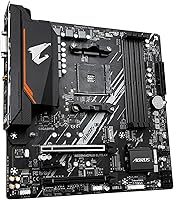
Specifications

  • Chipset: Built on the AMD B550 chipset, offering a solid mid-range feature set for AM4 platform builds.
  • CPU Socket: Uses the AM4 socket, compatible with AMD Ryzen 3000, 4000, and 5000 series processors.
  • Form Factor: Micro-ATX layout measuring 9.61 x 9.61 x 1.38 inches, suited for compact and mid-tower cases.
  • Memory Support: Four DDR4 DIMM slots supporting up to 128GB of RAM with speeds up to 4733 MHz and AMD EXPO compatibility.
  • M.2 Storage: Two M.2 slots for NVMe or SATA-based SSDs, with PCIe 4.0 bandwidth available on the primary slot.
  • SATA Ports: Multiple SATA 6Gb/s ports for connecting traditional hard drives or SATA SSDs.
  • PCIe Version: Supports PCIe 4.0 for the primary graphics card slot and primary M.2 slot, enabling full-bandwidth throughput.
  • Wireless: Integrated WiFi 6E and Bluetooth 5.3 provide fast, low-latency wireless connectivity without needing a separate adapter.
  • Wired LAN: Realtek Gigabit Ethernet (1GbE) delivers stable wired network connectivity for gaming and everyday use.
  • USB Ports: Includes USB 3.2 Gen 1 ports and four USB 2.0 ports across rear I/O and front-panel headers.
  • Power Delivery: A 5+3 phase digital VRM solution with low RDS(on) MOSFETs ensures stable, clean power delivery to the CPU.
  • Thermal Design: Enlarged VRM heatsinks dissipate heat effectively during sustained workloads, reducing thermal throttling risk.
  • I/O Shield: A pre-installed I/O armor simplifies rear panel installation and reduces assembly time for new builders.
  • Weight: The board weighs 2.64 pounds, typical for a Micro-ATX motherboard of this feature tier.
  • Dimensions: Physical dimensions are 9.61 x 9.61 x 1.38 inches, fitting standard Micro-ATX compatible cases.
  • Platform: Officially supported on Windows 11, with standard BIOS-level compatibility for Linux environments as well.
  • BIOS Battery: Requires one AAAA battery for the CMOS real-time clock, which is typically included or pre-installed.

Related Reviews
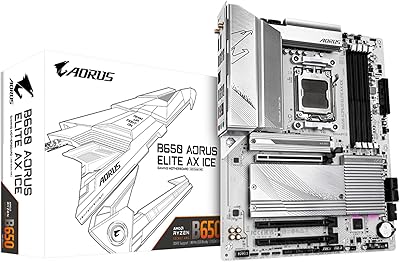
GIGABYTE B550 AORUS ELITE AX V2 Motherboard
87%
88%
Performance
91%
Build Quality
85%
Installation Ease
89%
Wi-Fi & Connectivity
92%
Thermal Management
More
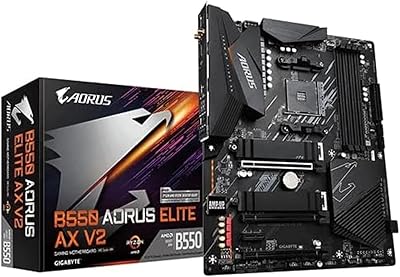
GIGABYTE B650 AORUS Elite AX ICE Motherboard
80%
88%
VRM & Power Delivery
67%
Memory Compatibility
74%
BIOS Experience
93%
Build Aesthetics
86%
Storage Flexibility
More
Gigabyte B760M Aorus Elite AX DDR5 Motherboard
87%
89%
Overall Performance
92%
Value for Money
85%
Build Quality
91%
Stability and Reliability
90%
Connectivity Options
More
AMD Ryzen 9 7900X GIGABYTE B650 Bundle
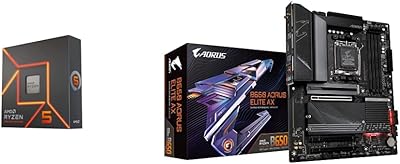
78%
93%
Multi-Core Performance
89%
Single-Core Speed
61%
Thermal Management
87%
Motherboard Build Quality
83%
Value for Money
More
AMD Ryzen 5 7600X B650 AORUS Combo
81%
93%
Gaming Performance
74%
Multi-Threaded Workloads
89%
Motherboard Build Quality
61%
Thermal Performance
88%
BIOS & Setup Experience
More
GIGABYTE Z790 AORUS Elite AX
82%
91%
VRM & Power Delivery
88%
Build Quality & PCB
89%
BIOS Experience
74%
DDR5 Memory Compatibility
86%
M.2 Storage Expansion
More
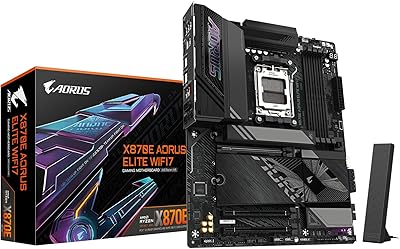
GIGABYTE X870E AORUS Elite WIFI7
84%
88%
Build Quality & Materials
82%
BIOS Experience
84%
DDR5 Memory Compatibility & Overclocking
91%
Connectivity & I/O
83%
Thermal Management
More
GIGABYTE Z890 AORUS Elite Motherboard
83%
88%
Value for Money
84%
Build & Component Quality
91%
Installation & Build Experience
79%
BIOS Experience
73%
DDR5 Memory Compatibility
More
GIGABYTE B850 AORUS Elite WIFI7 ICE Motherboard
83%
83%
Value for Money
88%
Build Quality
86%
Ease of Installation
67%
BIOS Experience
91%
Connectivity & I/O
More
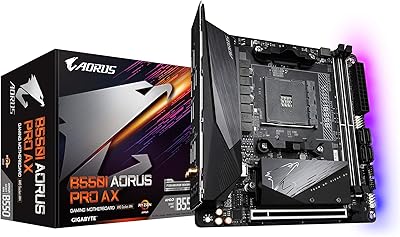
GIGABYTE B550I AORUS PRO AX Mini-ITX Motherboard
84%
93%
Feature Density
88%
VRM & Power Delivery
91%
Wireless Connectivity
89%
Storage Options
74%
BIOS & Software
More

FAQ

In most cases, yes — the B550M AORUS Elite AX ships with a BIOS version that supports Ryzen 5000 series CPUs without needing an update. That said, it's always worth checking GIGABYTE's support page for your specific board revision to confirm, since earlier production batches occasionally require a BIOS flash using an older CPU first.

Yes, GIGABYTE includes an external WiFi antenna with this Micro-ATX motherboard that connects to the rear I/O panel. It's a simple screw-on style antenna that handles both WiFi 6E and Bluetooth 5.3 signals.

Yes, this AORUS Elite AX board has two M.2 slots, so you can install two NVMe drives simultaneously. The primary slot runs at PCIe 4.0 speeds for your fastest drive, while the secondary slot operates at PCIe 3.0. Just note that using both slots may disable one or two SATA ports depending on your drive configuration — check the manual for the exact slot-sharing rules.

This is a common situation with DDR4 and not specific to this board. RAM typically defaults to 2133 MHz on first boot for stability reasons. You'll need to enter the BIOS and manually enable XMP or AMD EXPO to unlock your kit's rated speed. A handful of buyers have noted this as a surprise, but the fix is straightforward and takes under a minute.

Light to moderate overclocking is within reach — the VRM is solid enough for a modest CPU overclock on a Ryzen 5 or Ryzen 7 chip. However, if serious manual overclocking with fine-grained voltage control is your goal, this board's BIOS options are more limited than what you'd find on an X570 board. It's honest to say this board is built for reliable performance, not extreme tuning sessions.

Yes, Micro-ATX boards like this one fit in both Micro-ATX cases and full-size ATX mid-tower cases without any issue. You'll just have some unused mounting holes in a larger case, which is completely normal.

This Micro-ATX motherboard officially supports Ryzen 3000, 4000, and 5000 series AM4 processors. Just make sure your BIOS is up to date, particularly if you're using an older Ryzen 3000 chip, as some board revisions ship with a BIOS optimized primarily for Ryzen 5000.

The board includes several SATA 6Gb/s ports, but the exact number available depends on which M.2 slots are occupied, since some SATA lanes are shared with the M.2 interfaces. With both M.2 slots in use, expect a couple of SATA ports to be disabled — consult the manual's slot-sharing diagram before finalizing your storage layout.

DOA units do occur with any motherboard brand, though they represent a small fraction of sales for this board. Before assuming a defect, double-check that your CPU, RAM, and power connectors are fully seated — these are the most frequent causes of a failed first boot. If everything checks out and the board still won't POST, GIGABYTE's warranty process is the right next step; registering your board immediately after purchase makes that process much smoother.

AM4 is a mature platform, not a cutting-edge one, but that doesn't mean it's a poor choice. Ryzen 5000 CPUs are still capable performers for gaming and general productivity, and they're often available at attractive prices now that AM5 has launched. If you already own AM4 hardware or are building on a tighter budget, pairing a Ryzen 5000 chip with this AORUS Elite AX board remains a genuinely practical decision — just go in knowing it's a platform without a future upgrade path to Ryzen 7000 or beyond.

Where to Buy