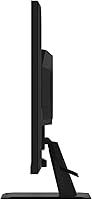
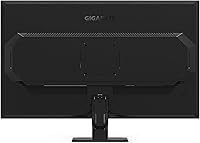
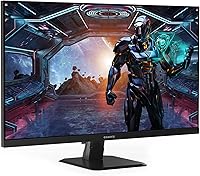
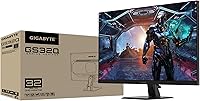
Overview

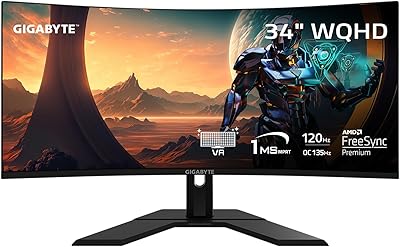
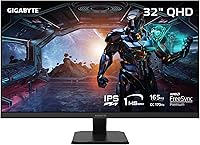
The GIGABYTE GS32Q 32″ 1440p Gaming Monitor hits a sweet spot that mid-range PC gamers have been waiting for: a large IPS panel with competitive-grade specs, without demanding a premium price. At its core is a 31.5-inch SuperSpeed IPS display, which immediately separates it from budget monitors relying on VA or TN panels — you get wider viewing angles and more accurate colors right out of the box. GIGABYTE is a trusted name in gaming hardware, and the 3-year warranty adds genuine peace of mind. AMD Radeon users will appreciate the built-in FreeSync Premium support. Just be clear-eyed: this is a capable, well-rounded screen, not a flagship OLED or Mini-LED.
Features & Benefits

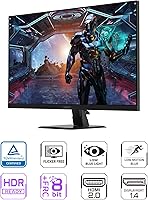
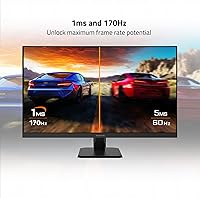
At 165Hz native — with a push to 170Hz via overclock — the GS32Q keeps motion blur minimal in fast-paced shooters and MOBAs where frame timing genuinely matters. The advertised 1ms response time is MPRT, not GtG, which is worth understanding: MPRT measures how long a pixel appears using backlight strobing, while GtG tracks actual pixel transition speed. Both matter, but GtG is the more direct ghosting measure. HDR10 support is present, though real-world impact is modest at this price tier — treat it as a bonus, not a headline. The Black Equalizer tool is genuinely useful, pulling out shadow detail in dark game environments without blowing out brighter areas.

Best For

This gaming display makes the most sense for 1080p upgraders who want the sharpness of QHD at a size where it actually looks great — 32 inches is a sweet spot for 1440p content at a normal desk distance. AMD GPU owners get the most out of FreeSync Premium running natively without compatibility concerns. Competitive players in titles like Valorant, CS2, or Apex Legends will find the 165Hz ceiling gives a tangible edge. It also works well as a dual-use work screen — the extra real estate makes side-by-side multitasking comfortable. Anyone after IPS quality at a price that usually buys a VA panel will find this 32-inch GIGABYTE monitor genuinely hard to argue with.

User Feedback

Across its 127 ratings, the GS32Q holds a solid 4.4-star average, and buyer sentiment follows consistent patterns. Most owners highlight the out-of-the-box color and panel brightness — many are genuinely surprised by the image quality relative to what they expected at this price. High refresh rate smoothness earns frequent praise from competitive players. On the critical side, the stand is a recurring frustration: height adjustment is limited, and some buyers add a VESA arm fairly early on. A portion of users report mild backlight bleed in corners, and a few found the OSD Sidekick software finicky at first. GIGABYTE warranty support, when needed, generally earns favorable marks from those who have used it.

Pros

  • The SuperSpeed IPS panel delivers noticeably better color and viewing angles than VA or TN alternatives at this price.
  • 165Hz refresh rate keeps motion sharp and responsive in competitive shooters and fast-paced multiplayer games.
  • AMD FreeSync Premium eliminates screen tearing for Radeon GPU users without requiring any manual setup.
  • QHD resolution at 32 inches hits a comfortable sharpness sweet spot for typical desk viewing distances.
  • The Black Equalizer tool genuinely improves shadow visibility in dark game scenes without washing out highlights.
  • On-screen crosshairs, a game timer, and OSD Sidekick add practical competitive utility beyond the panel itself.
  • A 3-year warranty provides real long-term coverage, and GIGABYTE support is generally well-regarded by owners who have used it.
  • Dual HDMI 2.0 ports make it easy to connect a second device like a console alongside a gaming PC.
  • Panel brightness and out-of-the-box color accuracy consistently earn praise from buyers across the rating pool.
  • The 170Hz overclock option gives a small but free performance bump for users who want every advantage.

Cons

  • The stand lacks meaningful height adjustment, which frustrates users who need precise ergonomic positioning.
  • Real-world HDR performance is underwhelming — HDR10 certification does not translate to a dramatic visual uplift on this panel.
  • Some units show mild backlight bleed in screen corners, which is more noticeable during dark scenes or low-light gaming.
  • The OSD Sidekick software has a learning curve and a few users report it behaving inconsistently during initial setup.
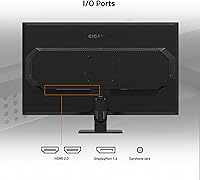
  • Only the DisplayPort 1.4 input reliably supports full 1440p at 165Hz; HDMI 2.0 has bandwidth limitations worth knowing before connecting.
  • The glossy screen surface can pick up glare and reflections in brightly lit rooms, which some users find distracting.
  • At nearly 13 pounds, the monitor is not especially light, and the base takes up a fair amount of desk footprint.
  • The 127-rating sample size is still relatively modest, making it harder to assess long-term reliability with full confidence.

Ratings

The GIGABYTE GS32Q 32″ 1440p Gaming Monitor has been scored below by our AI system after analyzing verified global buyer reviews, actively filtering out incentivized, bot-generated, and duplicate feedback to surface what real users actually experience. Scores reflect both the genuine strengths and the honest pain points that consistently surface across the rating pool, so you can make a confident, informed decision.
Panel & Image Quality
86%
The SuperSpeed IPS panel earns consistent praise for its out-of-the-box color accuracy and brightness — buyers frequently note they did not need to touch calibration settings to get a pleasing image. Viewing angles are wide enough that colors stay consistent whether you are sitting dead-center or slightly off to the side.
A glossy screen surface means reflections become a genuine distraction in sun-facing rooms or offices with overhead lighting. Users sensitive to glare report needing to reposition their setup or add a room blind, which is an annoyance that a matte coating would have avoided entirely.
Refresh Rate Performance
91%
At 165Hz, motion in fast-paced shooters like Valorant and Apex Legends feels noticeably smoother than the 144Hz monitors many buyers are upgrading from. The optional 170Hz overclock works reliably for most users without introducing instability, giving a small but free performance bump.
The practical difference between 165Hz and 170Hz is negligible in real gameplay, so the overclock is more of a spec novelty than a tangible upgrade. A handful of users report that the overclock caused minor flickering on certain GPU and cable combinations, requiring them to drop back to 165Hz.
Response Time & Motion Clarity
74%
26%
For a mid-range IPS panel, motion clarity is solid in the context of everyday competitive gaming — fast lateral movement in FPS titles and scrolling through desktop content both look clean. Buyers upgrading from slower panels are generally satisfied with the improvement.
The 1ms MPRT rating uses backlight strobing to achieve its number, not direct pixel transition speed, and IPS panels inherently carry a higher GtG response than that figure implies. A small number of perceptive users notice faint trailing or ghosting in very high-contrast motion scenes, which is typical of IPS at this tier rather than a defect specific to this display.
HDR Performance
52%
48%
HDR10 certification means the monitor does activate HDR mode for compatible content, and some users report slightly richer reds and highlights in supported games compared to SDR mode. For buyers who have never used HDR before, the toggle can feel like a modest visual treat.
Buyers with prior HDR monitor experience are consistently underwhelmed — the panel lacks local dimming and the peak brightness ceiling limits how dramatic the contrast impact can be. Several reviewers explicitly advise disabling HDR and using the monitor in SDR, which tells its own story about real-world usefulness of this certification at this price tier.
FreeSync & Sync Technology
88%
AMD FreeSync Premium works exactly as advertised for Radeon GPU owners — screen tearing disappears at variable frame rates and the gaming experience feels noticeably cleaner, especially in GPU-heavy titles where frame rates fluctuate. Setup requires no manual configuration beyond enabling it in the AMD driver panel.
NVIDIA GPU users are in a less certain position since NVIDIA Adaptive Sync compatibility is not guaranteed and varies by card generation and driver version. Users with older NVIDIA cards occasionally report that adaptive sync does not engage reliably, leaving them without tear-free performance unless they cap their frame rates manually.
Stand & Ergonomics
48%
52%
The stand is sturdy enough that the monitor does not wobble or shift during desk use, and the physical footprint is predictable for a 32-inch display. For users whose existing desk height naturally aligns with the fixed stand position, setup is painless and the monitor simply sits where needed.
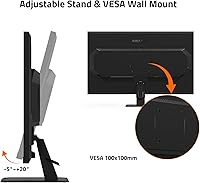
Height adjustment is severely limited, which is a recurring and pointed frustration across negative reviews — users who need to raise or lower the panel significantly are effectively forced to buy a VESA arm or stack books under the stand. Tilt range is also narrower than competing stands at this price, making ergonomic fine-tuning difficult for taller users or those with non-standard desk setups.
Build Quality & Design
73%
27%
The overall aesthetic is clean and understated — no aggressive RGB strips or gamer-centric styling that would look out of place in a professional or hybrid work-gaming setup. The bezel is slim on three sides, which helps the display feel modern and makes multi-monitor arrangements viable.
The plastic chassis feels functional rather than premium to the touch, and a subset of buyers note minor flex in the back panel when applying pressure during cable management. It does not feel flimsy, but anyone handling higher-end monitors regularly will notice the materials reflect the accessible price point.
Black Equalizer & Game Assist
82%
18%
Black Equalizer is one of the more genuinely useful tactical features available on a monitor at this price — pulling out shadow detail in dark game environments gives a practical visibility advantage in titles like Hunt: Showdown or PUBG without creating an unnatural washed-out look at moderate settings. The on-screen crosshair overlay is a simple but appreciated tool for games with no native crosshair option.
At higher Black Equalizer settings the image can start to look artificially brightened in a way that disrupts the intended atmosphere of darker cinematic games. The OSD Sidekick software that controls these features has a rough setup experience for some users, with occasional unresponsiveness on first launch.
Connectivity & Port Selection
77%
23%
Two HDMI 2.0 ports and a DisplayPort 1.4 cover the needs of most desktop setups — having dual HDMI inputs makes it straightforward to keep a console and a PC connected simultaneously without swapping cables. DisplayPort 1.4 comfortably handles the full 1440p 165Hz bandwidth without compromise.
The absence of USB-C input is a notable gap for users with modern laptops who want a single-cable connection. HDMI 2.0 bandwidth also cannot fully support 1440p at 165Hz, so buyers who connect via HDMI and wonder why they are capped at a lower refresh rate will need to read the fine print before assuming a cable swap will fix the issue.
Value for Money
89%
The combination of a 32-inch IPS panel, 165Hz refresh rate, FreeSync Premium, and a 3-year warranty at this price tier is genuinely difficult to match in the current market. Buyers consistently express that this display delivers more than expected given what they paid, particularly those coming from older or smaller 1080p screens.
The value calculus changes slightly if you factor in the near-certain VESA arm purchase needed for proper ergonomics, which adds real cost to the total setup. Users who specifically need strong HDR or a matte panel will also find the value proposition weaker since those requirements push them toward pricier alternatives.
Backlight Uniformity
63%
37%
For everyday gaming and productivity use, most buyers do not notice uniformity issues during normal content — games, videos, and brightly lit productivity software tend to mask minor panel variance effectively. The majority of the 127-rating pool does not flag this as a meaningful concern.
A consistent minority of reviewers report visible backlight bleed in screen corners, most apparent during dark loading screens, black cutscenes, or when using a black desktop background in a dimly lit room. IPS glow is also present to a moderate degree, which is typical for the panel technology but worth knowing for users who work in dark environments frequently.
Setup & Out-of-Box Experience
81%
19%
Physical assembly is straightforward — the stand clicks into the monitor without tools, and the included cable selection covers basic connection needs to get started immediately. Color and brightness settings out of the box are pleasant enough that many buyers game for weeks without touching the OSD.
The OSD Sidekick software, while optional, has a notably inconsistent first-run experience and some users report it failing to detect the monitor properly until after a system restart or USB re-plug. The physical OSD buttons on the monitor itself are functional but feel slightly imprecise, which makes manual menu navigation less intuitive than it should be.
Warranty & Brand Support
84%
A 3-year warranty is a meaningful differentiator in this price range where many competitors offer only one year, and buyers who have engaged GIGABYTE support generally describe the process as competent and resolution-focused. The brand's established presence in PC hardware gives additional confidence in parts and service availability over the ownership period.
Response times from GIGABYTE support can be slower during peak periods, and a small number of users report needing to follow up multiple times to advance an RMA claim. The warranty terms cover manufacturing defects but do not extend to physical damage, so buyers should handle delivery boxes carefully given the monitor's size.

Suitable for:

The GIGABYTE GS32Q 32″ 1440p Gaming Monitor is a strong pick for PC gamers who are stepping up from a 1080p screen and want a meaningful resolution boost without committing to the GPU demands of 4K. At 31.5 inches, the QHD image has enough pixel density to look genuinely sharp at typical desk distances, while the 165Hz refresh rate keeps things competitive in fast-paced titles. AMD Radeon users are particularly well-served here, since FreeSync Premium works natively without any compatibility workarounds. It also suits people running dual-purpose desktops — the screen real estate is comfortable for spreadsheets and browser work during the day, then handles gaming at night without compromise. Anyone who has been priced out of IPS panels and settled for VA will find the color accuracy and wide viewing angles a genuine step up.
Not suitable for:

Buyers chasing the absolute best image quality — OLED blacks, Mini-LED local dimming, or wide color gamut coverage for creative work — will find the GS32Q falls short of those benchmarks, as it was not designed for that segment. The HDR10 certification is real, but the practical HDR experience on an IPS panel at this price tier is modest; if HDR performance is a priority, a higher-spec display is worth the investment. NVIDIA GPU owners running G-Sync exclusively may want to verify compatibility, since FreeSync Premium is the native sync technology here. The stand offers limited ergonomic flexibility, so users with specific height or tilt requirements may need to budget for a VESA arm separately. Anyone needing factory-calibrated color accuracy for photo editing or video production should look at displays purpose-built for that workflow rather than this gaming-focused screen.

Specifications

  • Panel Type: The display uses a SuperSpeed IPS panel, offering wider viewing angles and more accurate color reproduction than VA or TN alternatives.
  • Screen Size: The active display area measures 31.5 inches diagonally, marketed as a 32-inch class monitor.
  • Resolution: Native resolution is 2560x1440 (QHD), delivering roughly 1.77 times the pixel count of a standard 1080p display.
  • Refresh Rate: The panel runs natively at 165Hz and can be overclocked to 170Hz through the monitor's on-screen display settings.
  • Response Time: Rated at 1ms using the MPRT (Moving Picture Response Time) measurement method, which differs from the GtG pixel transition metric.
  • HDR Support: The monitor carries HDR10 certification, supporting high dynamic range content with a peak brightness suited to entry-level HDR viewing.
  • Sync Technology: AMD FreeSync Premium is supported natively, reducing screen tearing and stuttering when paired with compatible AMD Radeon graphics cards.
  • Connectivity: Inputs include one DisplayPort 1.4 and two HDMI 2.0 ports; full 1440p at 165Hz is reliably achieved via DisplayPort 1.4.
  • Aspect Ratio: The panel uses a standard 16:9 widescreen aspect ratio, compatible with virtually all gaming and productivity content.
  • Screen Surface: The display surface is glossy, which enhances color vibrancy but can introduce reflections in brightly lit environments.
  • Dimensions: With the stand attached, the monitor measures approximately 28.1 x 19.71 x 9.37 inches (width x height x depth).
  • Weight: The monitor with stand weighs 12.9 pounds, which is typical for a 32-inch display in this category.
  • VESA Mounting: The panel supports standard VESA mounting, allowing users to replace the included stand with a third-party monitor arm.
  • Game Assist: Built-in Game Assist tools include an on-screen crosshair overlay, a game timer, Black Equalizer for shadow detail, and OSD Sidekick software control.
  • Warranty: GIGABYTE provides a 3-year manufacturer warranty covering defects in materials and workmanship from the date of purchase.
  • Color: The monitor is available in black with a minimalist aesthetic designed to suit most gaming desk setups.
  • Power Input: The unit is rated for 240V power input and ships with the appropriate power adapter for the target market.
  • Brand: Manufactured by GIGABYTE, a company with an established track record in gaming monitors, motherboards, and graphics cards.

Related Reviews
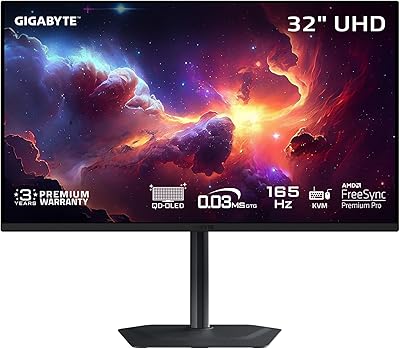
GIGABYTE MO32U 32″ QD-OLED Gaming Monitor
81%
94%
Image Quality
91%
Gaming Performance
88%
HDR Performance
86%
Color Accuracy
93%
Motion Clarity
More
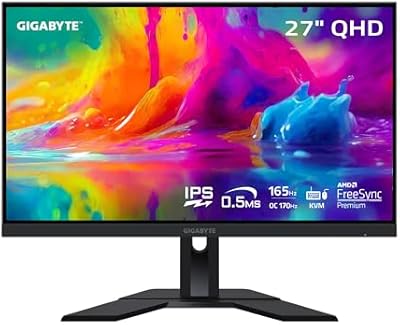
GIGABYTE M27Q 27″ 1440p Gaming Monitor
75%
88%
Color Accuracy
86%
Gaming Performance
68%
Panel Uniformity
91%
Value for Money
83%
KVM Functionality
More
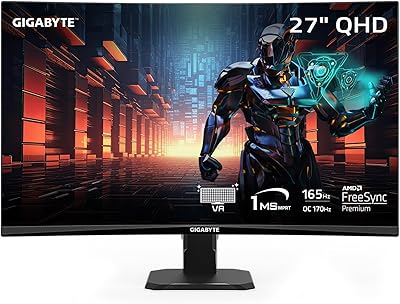
GIGABYTE GS27QC 27″ 165Hz 1440P Curved Gaming Monitor
84%
88%
Display Quality
91%
Gaming Performance
83%
Build Quality
85%
Color Accuracy
86%
Value for Money
More
ASUS TUF Gaming VG32VQ1B 32″ Gaming Monitor
79%
88%
Image Clarity & Sharpness
91%
Refresh Rate & Smoothness
83%
Response Time & Motion Clarity
86%
Curved Panel Immersion
89%
Adaptive Sync & Tear-Free Performance
More
GIGABYTE AORUS FO32U2 32-inch Gaming Monitor
80%
96%
Panel Image Quality
93%
Motion & Response Performance
91%
HDR Performance
92%
Color Accuracy
67%
Burn-in & Longevity Risk
More
ASUS ROG Strix XG32WCS 32″ Gaming Monitor
79%
88%
Image Quality
91%
Motion Performance
76%
Color Accuracy
93%
Refresh Rate & Responsiveness
58%
Stand & Ergonomics
More
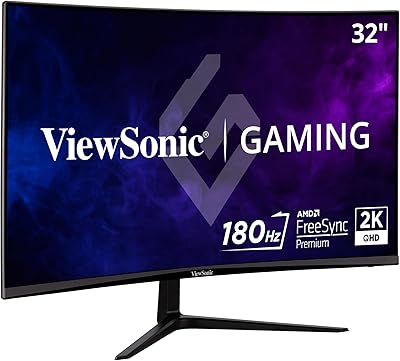
ViewSonic VX3218C-2K 32-inch Curved Gaming Monitor
77%
88%
Value for Money
91%
Gaming Performance
78%
Image Quality
71%
Build Quality
54%
Ergonomics
More
ZZA Z32D 32″ Curved Gaming Monitor
68%
88%
Gaming Performance
84%
Value for Money
81%
Picture Contrast & Blacks
79%
Motion Clarity
72%
Build Quality
More
GIGABYTE GS27FC 27″ Gaming Monitor
86%
91%
Display Quality
96%
Refresh Rate Performance
95%
Response Time
88%
Color Accuracy
85%
HDR Performance
More
GIGABYTE GS34WQC 34″ Curved Gaming Monitor
83%
89%
Gaming Performance
91%
Color Accuracy
88%
Immersive Curved Design
84%
Build Quality
86%
Connectivity Options
More

FAQ

You will need to use the DisplayPort 1.4 connection to reliably hit 165Hz at 1440p. HDMI 2.0 has bandwidth limitations that can prevent it from driving the full resolution and refresh rate simultaneously, so if your GPU has a DisplayPort output, that should always be your first choice.

FreeSync Premium works natively and without any fuss on AMD Radeon cards. If you have an NVIDIA GPU, many modern cards support FreeSync displays through NVIDIA's Adaptive Sync compatibility, though the experience can vary by card and driver version. It is worth checking NVIDIA's compatibility list for your specific GPU before assuming full G-Sync functionality.

Honest answer: it is closer to a checkbox at this price tier. HDR10 certification is real, and content flagged as HDR will trigger the mode, but the panel's peak brightness and lack of local dimming mean the HDR impact is subtle compared to what you would see on a dedicated HDR display. It is a nice-to-have rather than a reason to buy.

Not exactly. The 1ms figure here refers to MPRT, which measures how long a pixel appears on screen using backlight strobing rather than how fast the pixel physically transitions between colors. GtG (gray-to-gray) is the more direct measure of pixel transition speed and is typically a few milliseconds higher on IPS panels. Neither metric tells the full story on its own, but both indicate this is a fast panel for its class.

The included stand has limited ergonomic adjustability — height adjustment in particular is quite restricted, which is one of the more common frustrations buyers mention. If you have specific positioning needs, a VESA-compatible monitor arm is a practical upgrade since the panel does support standard VESA mounting.

It holds up well as a dual-purpose screen. The 32-inch QHD panel gives you plenty of room for side-by-side windows, spreadsheets, or browser tabs, and the IPS color accuracy is pleasant for day-to-day use. The glossy surface can be a minor annoyance in sun-facing rooms, but for most desk setups it is a comfortable all-day display.

A portion of buyers in the rating pool do report mild backlight bleed, usually showing up as slight glow in the corners during dark scenes or when using a black desktop background. This is not uncommon in IPS panels at this price point and tends to be more visible in completely dark rooms. It is not universal, but it is worth keeping in mind if you are sensitive to it.

Black Equalizer is a gamma-adjustment tool that brightens dark areas of the image selectively, making it easier to spot enemies hiding in shadows in games like Warzone or Hunt: Showdown. It works without completely washing out the brighter parts of the screen. Most competitive players who try it end up leaving it on, though for cinematic single-player games it can feel a bit artificial at higher settings.

OSD Sidekick is GIGABYTE's software that lets you control the monitor's on-screen display settings from your PC rather than using the physical buttons on the monitor. It is convenient once set up, but a few users find the initial installation a bit clunky. You do not need it — all settings are accessible through the monitor's hardware buttons — but it makes fine-tuning much less of a hassle.

The 3-year warranty is a genuine differentiator for a monitor in this segment, and buyers who have interacted with GIGABYTE's support team generally report a reasonable experience. Long-term reliability data is still building given the product's release date, but GIGABYTE's reputation in the monitor space is solid. Registering your purchase with GIGABYTE shortly after buying is always a smart move to make any potential warranty claim smoother.