Overview

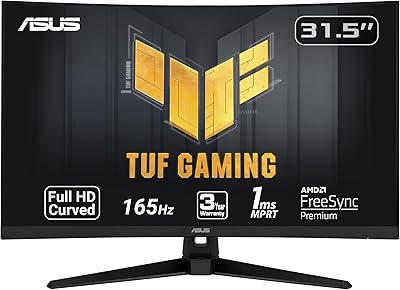
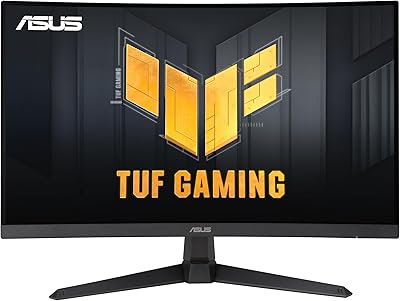
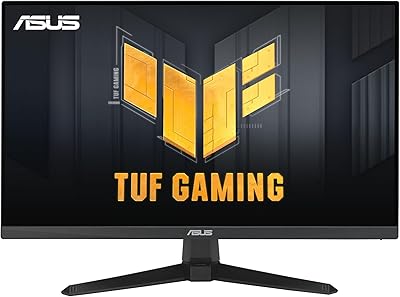
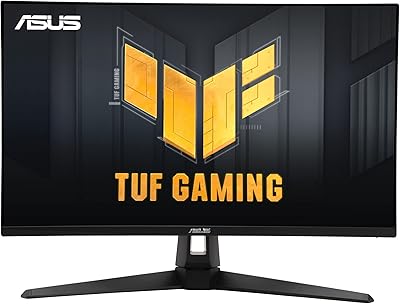
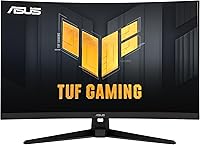
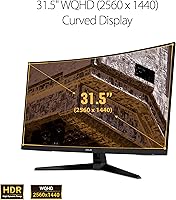
The ASUS TUF Gaming VG32VQ1B 32″ Gaming Monitor is a mid-range curved display that hits a sweet spot most PC gamers genuinely care about: sharp visuals, a fast refresh rate, and a screen large enough to feel immersive without dominating a desk. Built around a 31.5-inch 1500R curved VA panel, it wraps your field of view just enough to pull you in without feeling excessive. ASUS built the TUF line around durability and consistent performance, and that philosophy comes through in the overall design. Going in with realistic expectations matters here — it is a capable all-around gaming monitor, not a professional color workstation or a stripped-down esports speed machine.
Features & Benefits

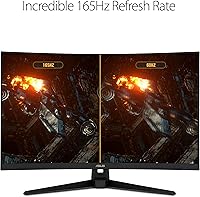
Jumping from 1080p to QHD resolution on a 31.5-inch screen is immediately noticeable — textures sharpen up, in-game UI becomes easier to read, and open environments carry genuine visual depth. The 165Hz refresh rate keeps motion fluid through fast combat and racing sequences, while ELMB technology works in tandem with adaptive sync to suppress ghosting during high-speed action. FreeSync Premium running through both DisplayPort and HDMI is a practical win for anyone switching between PC and console setups. Shadow Boost lifts detail in darker game areas without burning out highlights. HDR10 is on board, but it delivers a modest contrast boost rather than the dramatic brightness range you would get from a premium full-array panel.

Best For

This curved gaming monitor makes the most sense for PC gamers stepping up from a 1080p setup who want a real visual improvement without reaching into flagship pricing. If you split time between a gaming PC and a console, the HDMI FreeSync Premium support is a practical convenience that many monitors at this level handle less cleanly. Players who move across genres — competitive shooters one night, atmospheric RPGs the next — will find the panel handles both well. Home office users who game in the evenings will appreciate the curved ergonomics during long sessions. Dedicated esports players chasing the absolute lowest latency, or creative professionals needing accurate color reproduction, will likely want to look at more specialized options.

User Feedback

Buyers regularly call out out-of-box image quality as a highlight, with many noting the curve delivers more immersion than they anticipated at this screen size. The stand earns consistent praise for feeling genuinely solid — not a given in this price range. HDR performance draws the most predictable criticism; owners with premium display experience find it underwhelming, which is an honest reflection of what edge-lit HDR10 can deliver. VA glow and backlight bleed come up periodically, especially from users gaming in completely dark rooms. Long-term owners keep returning to value-for-money as the central takeaway in their reviews. The built-in speakers function adequately in a pinch, but they are not a reason anyone is choosing this monitor.

Pros

  • QHD resolution on a 31.5-inch panel delivers a sharp, detailed image that makes 1080p feel immediately outdated.
  • The 165Hz refresh rate keeps fast gameplay fluid and responsive across both competitive and cinematic game genres.
  • FreeSync Premium over HDMI is a practical advantage for anyone running both a PC and a modern console through the same screen.
  • Deep blacks and strong native contrast make dark atmospheric games look genuinely impressive in a moderately lit room.
  • The TUF build quality stands out — the stand is solid, the chassis feels dense, and the overall construction inspires confidence.
  • Shadow Boost improves dark scene visibility in a way that feels useful rather than artificially processed.
  • VESA compatibility gives users the flexibility to ditch the stock stand and free up meaningful desk space with an arm mount.
  • Long-term owners consistently rate the value-for-money as one of the best arguments for this display in its class.
  • Matte anti-glare coating handles ambient room light well, reducing reflections without dulling color vibrancy noticeably.

Cons

  • HDR10 support is present but delivers only modest real-world benefit — do not buy this expecting a dramatic HDR experience.
  • VA glow is a known limitation; buyers who game in completely dark rooms may find corner haze distracting on dark backgrounds.
  • ELMB and FreeSync cannot run at the same time, forcing users to pick one or the other depending on their priority.
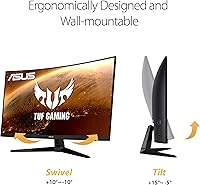
  • Stand adjustability is limited to tilt, which can be frustrating for users who need height or pivot control without buying an arm.
  • Nvidia GPU owners may experience inconsistent adaptive sync behavior since G-Sync certification is absent.
  • Only two video inputs means anyone with more than two source devices will need an external switch or hub.
  • Color accuracy and viewing angles fall short of IPS panels, which becomes noticeable in wide side-by-side seating arrangements.
  • The built-in speakers are an afterthought — thin audio with no real bass or stereo presence worth relying on.
  • Some users report needing to manually confirm the full refresh rate in display settings after initial installation, which catches first-timers off guard.

Ratings

The ASUS TUF Gaming VG32VQ1B 32″ Gaming Monitor has been scored by our AI system after analyzing thousands of verified global user reviews, with spam, bot-generated, and incentivized submissions actively filtered out. The scores below reflect a genuine cross-section of real buyer experiences — the recurring strengths and the honest frustrations alike. Whether this curved display earns a place on your desk depends heavily on what you need from it, and these ratings are designed to help you figure that out quickly.
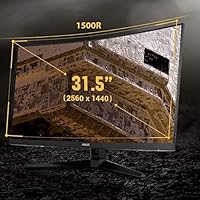
Image Clarity & Sharpness
88%
Users upgrading from 1080p panels consistently describe the jump in sharpness as immediately obvious — game environments feel more textured, UI elements become easier to parse, and fine in-game detail holds up even at close viewing distances. The 31.5-inch size and QHD resolution pair well enough that pixel density feels comfortable rather than sparse.
A small subset of buyers coming from high-end IPS monitors note that the VA panel renders fine gradients slightly less cleanly, particularly in sky scenes and cinematic cutscenes. It is a minor trade-off for most gamers, but noticeable to anyone with a calibrated reference display nearby.
Refresh Rate & Smoothness
91%
Running at 165Hz, fast-paced gameplay feels noticeably fluid — character movement in shooters, panning shots in racing games, and high-speed combat all benefit from the reduced judder. Many users report that once they set it up correctly, going back to anything lower feels immediately uncomfortable.
A handful of users note that achieving the full 165Hz requires confirming the setting manually in display properties, as some systems default to 60Hz post-installation. Those pairing it with mid-range GPUs may also see the upper refresh ceiling less often than expected during demanding titles.
Response Time & Motion Clarity
83%
ELMB technology does a credible job suppressing ghosting during high-action sequences, and users playing fast-twitch titles report that trailing artifacts are minimal under normal gaming conditions. The combination of adaptive sync and low motion blur handling feels well-balanced for a VA panel at this tier.
Purists testing with motion blur test tools can still detect some residual smearing on very fast lateral movements — a known characteristic of VA technology rather than a flaw unique to this model. ELMB and FreeSync cannot run simultaneously, so users must choose one depending on their priority.
Curved Panel Immersion
86%
The 1500R curvature earns consistent praise from solo gaming setups, particularly in open-world and simulation genres where peripheral content fills the curved edges naturally. Many buyers mention it took only a few sessions to fully adjust, after which flat panels started feeling noticeably less engaging.
At a desk shared with a secondary flat monitor, the curve creates a mild visual mismatch that some users find distracting. A small number of buyers also feel the curvature adds limited benefit during productivity tasks or when seated farther back from the screen.
Adaptive Sync & Tear-Free Performance
89%
FreeSync Premium working across both DisplayPort and HDMI is a genuine advantage for mixed setups, and console users with compatible hardware report noticeably smoother gameplay without additional configuration. The tear-free experience holds well across the supported variable refresh range during most gaming scenarios.
G-Sync compatibility is not officially certified, so Nvidia users may encounter inconsistent results depending on driver versions and GPU generation. A minority of users report needing to toggle settings after driver updates to maintain consistent adaptive sync behavior.
HDR Performance
58%
42%
HDR10 support does add a modest layer of contrast depth in compatible titles — darker scenes show slightly more shadow gradation, and bright highlights have a bit more pop than SDR mode alone. For buyers with no prior HDR reference point, the difference registers as a welcome improvement.
Users with experience on FALD or OLED displays find the HDR implementation underwhelming, with peak brightness limited enough that the mode offers marginal real-world benefit. Several reviewers recommend leaving HDR disabled and relying on manual calibration in SDR for more consistently pleasing results.
Black Levels & Contrast
84%
Deep blacks are where VA panels outshine IPS alternatives, and this monitor delivers on that strength — dark game environments, night scenes, and moody cinematics in story-driven titles carry genuine depth that makes a visible difference during extended sessions in a dim room.
VA glow is a recurring complaint from users who game in completely dark rooms, with a characteristic haze appearing in corners when rendering dark backgrounds. Backlight bleed is occasionally reported at the panel edges, though severity appears to vary between individual units.
Shadow Boost & Dark Scene Visibility
79%
21%
Shadow Boost is one of the more practically useful features on this display — users playing darker horror or stealth titles mention being able to spot enemies and environmental details that were previously lost in murky shadows, without the image looking artificially brightened.
Some users note that Shadow Boost can slightly reduce the perceived color richness in mid-tone areas when pushed to higher intensity settings. It is best treated as a subtle assist rather than a dramatic visibility overhaul, and heavier adjustments can introduce a washed-out quality.
Build Quality & Stand Durability
87%
The TUF branding translates into tangible construction quality here — the stand holds firm without wobble even on slightly uneven surfaces, and the overall chassis feels dense and well-assembled out of the box. Long-term owners frequently mention that the physical build holds up well after years of daily use.
Stand adjustability is limited compared to premium workstation monitors, with tilt being the primary physical adjustment available without purchasing a separate VESA arm. The aesthetic is functional rather than refined, which may not appeal to setups with a more curated desk appearance.
VESA Mount Compatibility
82%
18%
VESA compatibility gives users the option to remove the stock stand entirely and mount the display on an arm, which many buyers take advantage of to reclaim desk space and achieve more precise positioning. The mounting process is straightforward and well-documented in the setup guide.
The monitor's weight at nearly 16 pounds means that budget VESA arms can struggle to hold the position firmly over time. Buyers should factor arm weight ratings carefully — a few users report slow panel drift with lighter-duty arm mounts after extended use.
Port Selection & Connectivity
74%
26%
Having FreeSync Premium available over both DisplayPort and HDMI simultaneously is a practical design choice that suits mixed PC and console setups without requiring additional adapters. Input switching is responsive and does not introduce notable delays when alternating between sources.
The port count is lean — buyers running multiple devices beyond two sources will need an external switch or hub. There is no USB hub built into the monitor, which limits convenience for users accustomed to plugging peripherals directly into their display.
Color Accuracy & Vibrancy
72%
28%
Out of the box, colors read as punchy and saturated enough for gaming use, and most users are satisfied with the default color profile without needing to calibrate. Everyday gaming and media consumption look rich and engaging under normal room lighting conditions.
The VA panel shows visible color shift when viewed from wider angles, which becomes apparent in co-op setups or when someone is watching from the side. Creative professionals needing accurate color reproduction across the full panel will find this display falls short of IPS or professional-grade alternatives.
Ease of Setup & OSD Navigation
76%
24%
Initial assembly is quick and tool-free, with most users reporting a desk-ready setup in under fifteen minutes. The OSD menu covers the key settings — refresh rate confirmation, Shadow Boost adjustment, and FreeSync toggle — without requiring deep menu navigation for the most common configurations.
The OSD joystick control can feel slightly stiff, and a few users mention the menu layout is not the most intuitive for first-time ASUS monitor owners. Confirming the full 165Hz output in Windows display settings is a step that some buyers miss entirely on first setup.
Built-in Speakers
47%
53%
The speakers are present and functional — adequate for system alerts or brief video calls when dedicated audio is unavailable. For buyers who primarily use headsets or external speakers, their presence is a minor convenience without any real downside.
Audio quality is thin and lacks meaningful bass or stereo separation, making them unsuitable for any immersive gaming or media experience. Nearly every user who comments on them reaches the same conclusion: treat them as a backup option only, and invest in proper audio separately.
Value for Money
91%
Long-term owners consistently circle back to value as the defining argument for this display — the combination of QHD resolution, high refresh rate, adaptive sync, and a quality curved panel at this price tier is difficult to replicate with competing options. Buyers upgrading from budget 1080p monitors frequently describe the purchase as one of their better peripheral decisions.
As the broader market shifts and comparable panels occasionally surface at similar prices, the value proposition requires checking against current alternatives before purchasing. Some buyers feel that minor component cost-cutting — particularly in port selection and stand flexibility — slightly undercuts what could otherwise be a near-perfect value story.

Suitable for:

The ASUS TUF Gaming VG32VQ1B 32″ Gaming Monitor is a strong fit for PC gamers who are ready to leave 1080p behind and want a meaningful visual upgrade without spending flagship money. If your library spans both competitive multiplayer games and slower-paced open-world or story-driven titles, the combination of high refresh rate and QHD sharpness handles both comfortably without forcing a compromise. Dual-setup households — where the same screen switches between a gaming PC and a console — will appreciate that FreeSync Premium works over HDMI, not just DisplayPort, which keeps the adaptive sync experience intact regardless of source. Home office workers who game in the evenings will find the 1500R curve genuinely comfortable over long sitting sessions, reducing the eye fatigue that flat wide-format panels can introduce at close range. Budget-conscious buyers who want a solidly built display that will last several years without feeling outdated are likely to walk away satisfied, particularly given how well the TUF construction holds up over time.
Not suitable for:

Buyers who need accurate, calibrated color reproduction for photo editing, video grading, or any professional creative work should look elsewhere — the VA panel on this display prioritizes contrast and gaming performance over the color precision that IPS or professional-grade panels deliver. Dedicated esports competitors who play at the highest level and want every millisecond of latency advantage may find more purpose-built options with faster pixel response and higher ceiling refresh rates better suited to their needs. Anyone who games exclusively in a pitch-dark room should go in aware that VA glow and occasional backlight bleed are real characteristics of this panel type, and some units show it more than others. If you are an Nvidia GPU user expecting full certified G-Sync compatibility, the VG32VQ1B does not offer that — results over FreeSync on Nvidia hardware can be inconsistent depending on your driver version. Finally, buyers who need a rich port selection to connect three or more devices simultaneously, or who rely on a built-in USB hub for peripherals, will find the connectivity options on this TUF Gaming display lean enough to require workarounds.

Specifications

  • Panel Type: The display uses a VA (Vertical Alignment) panel, which delivers deep blacks and high native contrast compared to IPS alternatives.
  • Screen Size: The viewable screen area measures 31.5 inches diagonally, providing a wide and immersive desktop footprint.
  • Resolution: Native resolution is 2560x1440 (QHD), offering noticeably sharper detail than 1080p at this screen size.
  • Refresh Rate: The panel supports a maximum refresh rate of 165Hz and is also compatible with 144Hz output for broader GPU support.
  • Response Time: Response time is rated at 1ms MPRT (Moving Picture Response Time) when Extreme Low Motion Blur (ELMB) technology is active.
  • Panel Curvature: The screen features a 1500R curvature radius, designed to match the natural focal arc of human vision for reduced eye strain during extended sessions.
  • Aspect Ratio: The display uses a standard 16:9 widescreen aspect ratio, compatible with virtually all modern gaming and desktop content.
  • HDR Support: HDR10 is supported, enabling expanded contrast range in compatible content, though peak brightness is limited compared to full-array local dimming displays.
  • Adaptive Sync: FreeSync Premium adaptive sync technology is supported over both DisplayPort and HDMI connections for variable refresh rate operation.
  • Video Inputs: Connectivity includes one DisplayPort and one HDMI port, supporting two simultaneous source connections.
  • Surface Finish: The screen uses a matte anti-glare coating that reduces ambient light reflections under normal room lighting conditions.
  • ELMB Technology: ASUS Extreme Low Motion Blur (ELMB) reduces ghosting and motion smear during fast-paced gameplay when enabled via the OSD menu.
  • Shadow Boost: Shadow Boost is a built-in image enhancement feature that brightens dark areas in games to improve scene visibility without overexposing lit regions.
  • Built-in Audio: The monitor includes integrated speakers for basic audio output, though no wattage specification is officially published for this model.
  • VESA Compatibility: The rear panel supports VESA wall and arm mounting, allowing users to remove the stock stand and use third-party mounting solutions.
  • Monitor Weight: The monitor weighs approximately 15.98 pounds including the stand assembly, which should be accounted for when selecting a VESA arm or mount.
  • Physical Dimensions: With the stand attached, the monitor measures approximately 27.94 inches wide and 19.97 inches tall, with a depth that varies by tilt position.
  • Power Input: The monitor is rated for 240-volt input, and ships with region-appropriate power adapter configuration.
  • Color Depth: The VA panel supports 8-bit color depth with FRC (Frame Rate Control) dithering, suitable for gaming and general consumer media use.
  • Warranty: ASUS typically covers TUF Gaming monitors with a three-year limited warranty; buyers should confirm current terms through the official ASUS support portal at time of purchase.

Related Reviews

ASUS TUF Gaming VG32UQA1A 32-inch Gaming Monitor
74%
88%
Image Clarity
83%
Refresh Rate Performance
91%
Console Compatibility
54%
HDR Quality
84%
Motion Handling
More
ASUS TUF Gaming VG328H1B 32-inch Curved Monitor
75%
91%
Refresh Rate Performance
86%
Motion Clarity
61%
Image Sharpness
83%
Curvature & Immersion
88%
Sync & Compatibility
More
ASUS TUF Gaming VG259QM 24.5″ Monitor
87%
93%
Gaming Performance
88%
Display Quality
90%
Response Time
85%
Ergonomics/Comfort
81%
Color Accuracy
More
ASUS VG247Q1A 24-Inch Gaming Monitor
76%
91%
Gaming Performance
93%
Refresh Rate & Smoothness
88%
Response Time & Motion Clarity
89%
Adaptive-Sync & Compatibility
71%
Image Quality & Color
More
ASUS VG249QE5A 24-inch Gaming Monitor
76%
88%
Image Quality
91%
Refresh Rate Performance
86%
Motion Clarity
93%
Value for Money
47%
Ergonomics & Stand
More
ASUS TUF Gaming 27” 4K HDR Monitor VG27UQ1A
88%
94%
Gaming Performance
92%
Color Accuracy
89%
Build Quality
85%
Ease of Use
93%
Display Quality
More
ASUS TUF VG34VQL1B 34-inch Curved Gaming Monitor
78%
83%
Image Quality
89%
Refresh Rate & Smoothness
78%
Response Time & Motion Clarity
81%
Adaptive Sync Performance
54%
HDR Performance
More
ASUS TUF Gaming VG28UQL1A 28-inch Gaming Monitor
78%
91%
Image Clarity
88%
Motion Performance
93%
Console Compatibility
83%
Color Accuracy
58%
HDR Performance
More
ASUS TUF Gaming VG279Q3R 27-inch 1080p Monitor
84%
91%
Gaming Performance
88%
Visual Quality
83%
Ergonomics & Comfort
87%
Color Accuracy
82%
Build Quality
More
ASUS VG27AQ3A 27-inch QHD Gaming Monitor
76%
91%
Image Sharpness & Clarity
88%
Refresh Rate Performance
86%
Motion Clarity & ELMB Sync
83%
Color Accuracy & Coverage
54%
HDR Performance
More

FAQ

Yes, it connects via HDMI and FreeSync Premium is active over that connection, so compatible consoles can take advantage of variable refresh rate support. Just confirm the console output resolution and refresh rate match what the panel accepts for the best experience.

Yes, and this trips up a surprising number of buyers. Windows often defaults to 60Hz on a new display regardless of what the panel supports. Head into Display Settings, then Advanced Display Settings, and manually set the refresh rate to 165Hz from the dropdown. It takes about thirty seconds once you know where to look.

You can, but the ASUS TUF Gaming VG32VQ1B 32″ Gaming Monitor does not carry official G-Sync certification. Some Nvidia cards work fine with FreeSync over DisplayPort through the G-Sync Compatible mode, but results can vary by GPU generation and driver version. It is worth testing, but AMD GPU owners will have a more predictable experience.

Honestly, for most users the answer is no — or at least not as a permanent setting. The HDR10 implementation adds a modest contrast improvement but lacks the peak brightness and local dimming hardware needed to make HDR feel dramatic. Many owners get better results calibrating the display in SDR mode and leaving HDR off.

It depends on the unit and how dark your room is. VA glow typically shows as a faint haze or bloom in the corners of the screen when displaying large dark areas, and it is more visible at extreme angles. In a moderately lit room most people will never notice it, but if you game with all the lights off and a very dark game on screen, it can be distracting.

No — these two features are mutually exclusive on this display. ELMB uses backlight strobing to reduce motion blur, which conflicts technically with the variable refresh rate operation that FreeSync requires. You toggle between them in the OSD depending on whether you prioritize tear-free output or sharpest motion clarity.

The included stand only offers tilt adjustment, which is limiting if you need height, swivel, or portrait pivot. A lot of users end up picking up a VESA arm anyway, which works well since the mounting pattern is supported. Just make sure the arm is rated for at least 16 to 17 pounds given the monitor weight.

It handles everyday tasks like browsing, documents, and video calls without issue. The curve is subtle enough that reading long documents does not feel distorted. Where it shows a limitation is color-sensitive work — the VA panel shifts color at wider viewing angles, so graphic design or photo editing on this screen is not ideal.

They are functional enough for system sounds or a quick video call when you have nothing else available, but that is about the ceiling. Audio is thin, lacks bass, and has no real stereo width. If sound quality matters to you at all, a budget headset or desktop speaker will make a night-and-day difference.

The VG32VQ1B wins on contrast depth and black levels — VA panels genuinely look richer in dark scenes than IPS at this price. The trade-off is viewing angle performance and color consistency, where IPS panels hold the advantage. For solo gaming setups where you sit centered in front of the screen, most buyers prefer the VA contrast; for shared viewing or creative use, IPS is the more practical choice.

Where to Buy