Overview

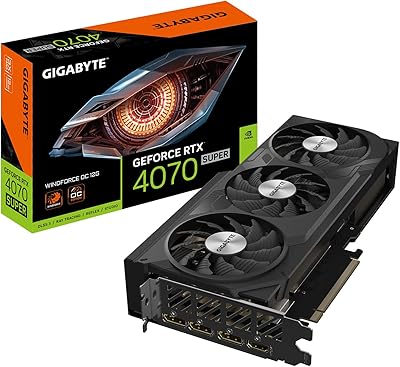
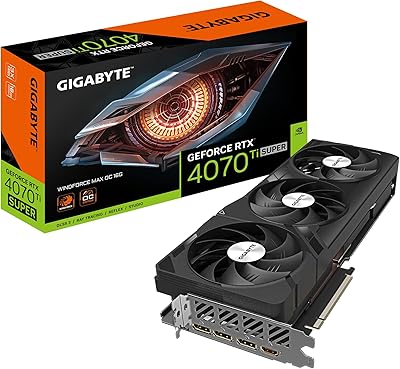
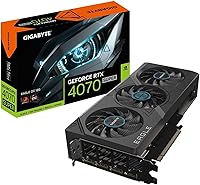
The Gigabyte RTX 4070 Super Eagle OC Graphics Card sits in an interesting spot: it's Gigabyte's factory-overclocked take on NVIDIA's Ada Lovelace mid-range flagship, distinguished from reference designs by a custom cooler, bumped clock speeds, and a more aggressive thermal solution. Ada Lovelace brought real generational efficiency gains — fourth-gen Tensor Cores and upgraded RT Cores among them — that translate into tangible headroom for gaming and creative work alike. This card occupies a competitive mid-range tier, and while it isn't the cheapest RTX 4070 Super available, the Eagle OC makes a reasonable case for its premium if thermals and out-of-box headroom matter to you. Expect strong 1440p results, capable ray tracing, and solid DLSS 3.5 support — not a budget card, but not an overcomplicated one either.
Features & Benefits

Gigabyte's mid-range contender runs cool and quiet thanks to the WINDFORCE triple-fan setup — under sustained gaming loads, temperatures typically stay manageable and fan noise rarely becomes intrusive. The factory boost clock of 2535MHz sits modestly above the stock RTX 4070 Super reference, which translates to small but real gains in GPU-intensive titles. The 12GB of GDDR6X operates at 21,000MHz, giving the card strong bandwidth for 1440p workloads, though the 192-bit memory bus is narrower than some rivals at this price point, so ultra-high-texture 4K scenarios can occasionally feel constrained. DLSS 3.5 with Frame Generation can dramatically push frame rates in supported titles, though it introduces slight latency and isn't universally available. The dual BIOS switch lets users toggle between a quieter silent profile and a more aggressive performance mode — a small but genuinely useful addition.

Best For

This Gigabyte RTX 4070 Super is most at home driving a 1440p high-refresh monitor, where Ada Lovelace efficiency and DLSS 3.5 combine to push smooth, high-frame-rate gameplay in demanding modern titles. Content creators handling video editing or light 3D rendering will appreciate the strong CUDA core count and capable tensor performance. If you're upgrading from a GTX 1000-series or RTX 2000-series card, the performance delta is substantial — this is the kind of generational jump you actually feel in everyday use. Ray tracing enthusiasts get a card that handles it without falling apart, unlike older NVIDIA hardware. The compact dual-slot form factor also makes it a sensible choice for mid-tower builds where physical clearance or airflow are genuine considerations.

User Feedback

With around 540 ratings and a 4.6-star average, the Eagle OC has built a reasonably solid reputation — not a massive sample, but consistent enough to draw useful conclusions. Buyers repeatedly highlight quiet fan operation and stable temperatures as standout positives, particularly in gaming rigs where thermal headroom matters. Out-of-box performance without additional tuning also draws consistent praise. On the critical side, a handful of users have flagged occasional driver hiccups and minor software complaints around Gigabyte's RGB utility — nothing catastrophic, but worth noting before purchase. Opinions on value at this tier are the most divided, with some buyers feeling fully satisfied and others questioning whether a step-down model would have covered their needs just as well.

Pros

  • WINDFORCE cooling keeps temperatures well in check during extended gaming sessions without becoming loud.
  • The factory overclock delivers a small but genuine performance edge over stock RTX 4070 Super designs.
  • DLSS 3.5 with Frame Generation meaningfully boosts frame rates in supported titles at 1440p.
  • Dual BIOS lets you choose between a quieter fan profile and a more aggressive performance mode.
  • 12GB of GDDR6X handles most modern gaming and creative workloads at 1440p without memory pressure.
  • Third-gen RT Cores make ray tracing in supported games far more playable than previous NVIDIA generations.
  • The compact dual-slot build fits comfortably in mid-tower cases without sacrificing power.
  • Four display outputs, including HDMI 2.1a, cover multi-monitor setups and high-refresh-rate displays with ease.
  • A solid metal backplate adds structural rigidity and a cleaner aesthetic inside the case.
  • Out-of-box performance is strong without requiring any manual overclocking or tuning from the user.

Cons

  • The 192-bit memory bus is narrower than some rivals at this price tier, which can limit peak 4K throughput.
  • Frame Generation only works in select supported titles, so the benefit is inconsistent across your game library.
  • Gigabyte's RGB Fusion software has drawn complaints about instability and a clunky user interface.
  • The Eagle OC sits at a premium over baseline RTX 4070 Super models, with modest real-world performance gains to justify the gap.
  • Frame Generation adds latency that may bother competitive gamers or those with fast-response monitors.
  • At native 4K ultra settings without DLSS, performance can fall short of what demanding users expect.
  • Some buyers reported minor driver-related issues shortly after initial installation, requiring a clean reinstall.
  • The 12GB VRAM ceiling could feel limiting sooner than expected as upcoming titles push higher texture budgets.

Ratings

Our AI rating engine processed verified buyer reviews for the Gigabyte RTX 4070 Super Eagle OC Graphics Card from global marketplaces, actively filtering out incentivized, duplicate, and bot-generated submissions to surface what real users consistently experience. Scores below reflect an honest synthesis of both praise and frustration, weighted by frequency and reviewer credibility. Where genuine disagreement exists among buyers, that tension is captured in the category breakdowns rather than smoothed over.

Gaming Performance
88%
At 1440p, the Eagle OC handles demanding modern titles with strong, consistent frame rates that most users describe as exceeding their expectations for the price tier. Games like Cyberpunk 2077 and Hogwarts Legacy run smoothly at high settings, and the factory overclock contributes a noticeable edge over stock RTX 4070 Super cards in back-to-back comparisons.
At native 4K with maximum settings and ray tracing enabled simultaneously, frame rates can dip into uncomfortable territory without DLSS assistance. Users pushing the card beyond its intended 1440p sweet spot sometimes feel they hit a ceiling faster than the card's positioning suggests.
Thermal Management
91%
The WINDFORCE triple-fan system earns consistent praise from users who run extended gaming sessions — GPU temperatures under sustained load rarely push into worry territory, and the card recovers quickly during lighter workloads. Builders in mid-tower cases with decent airflow report impressively stable thermals even during summer months.
A small number of users in poorly ventilated cases or compact enclosures noted that temperatures climbed higher than expected, suggesting the card benefits more from good case airflow than some competing cooler designs. The WINDFORCE setup is solid but not exceptional enough to compensate for a genuinely restrictive thermal environment.
Noise Levels
89%
Fan noise under normal gaming loads is one of the Eagle OC's quiet strengths — most users report it blends into general case noise without becoming a distraction. Switching to the silent BIOS profile makes it noticeably calmer still, which home theater PC builders and open-desk setups especially appreciate.
Under prolonged, high-intensity workloads like extended rendering jobs or stress tests, the fans do spin up audibly and become more noticeable in an otherwise quiet room. Users on the performance BIOS profile specifically flagged this, making the silent mode the practical default for most buyers.
Value for Money
74%
26%
For buyers coming from a GTX 1000 or RTX 2000-series card, the performance jump is dramatic enough that the price feels fair in context — this is a genuine multi-generational upgrade. The inclusion of features like dual BIOS, a metal backplate, and DLSS 3.5 support adds tangible utility beyond raw GPU power.
Against baseline RTX 4070 Super models from other manufacturers, the Eagle OC commands a premium that the factory overclock alone doesn't fully justify for most users. Buyers who prioritize strict price-per-frame efficiency tend to land on competing models, and the 192-bit memory bus draws comparisons to wider alternatives available at overlapping price points.
DLSS & AI Features
83%
In titles that fully support DLSS 3.5 and Frame Generation, the frame rate uplift can be dramatic — users frequently describe jumping from borderline playable to genuinely smooth performance in ray-traced scenes without a visible quality penalty at 1440p.
Frame Generation's dependency on a growing but still incomplete list of supported games means many buyers can't tap into the headline feature across their full library. Some competitive players also noted subtle input latency artifacts under Frame Generation that proved bothersome during fast-paced multiplayer sessions.
Ray Tracing
79%
21%
Third-generation RT Cores deliver a meaningful ray tracing experience that previous NVIDIA generations couldn't match at this performance tier — games with path tracing or full RT enabled remain playable in a way that RTX 20 and 30-series cards often failed to achieve.
Enabling ray tracing at 4K without DLSS still results in significant frame rate drops in the most demanding titles, which can frustrate users who expected native 4K RT performance at this price point. The improvement over the RTX 3070 Ti is real, but purists chasing native 4K ray tracing will still need to look higher up the stack.
Build Quality
87%
The metal backplate and solid fan shroud construction give the Eagle OC a premium feel that buyers notice immediately during installation — it doesn't flex or creak like cheaper card designs. The physical dual BIOS switch is a small but appreciated hardware detail that speaks to thoughtful engineering.
A handful of users noted that the fan shroud finish showed minor scuff marks after handling during installation, suggesting the surface coating is slightly less durable than it looks. Nothing structurally problematic, but noticeable for buyers who care about aesthetics inside a windowed case.
4K Capability
66%
34%
With DLSS Quality mode enabled, the Eagle OC can deliver a convincing 4K experience in a broad range of titles that most users find visually indistinguishable from native, while sustaining comfortable frame rates that purely rasterized 4K couldn't match.
Native 4K without upscaling at maximum settings is genuinely problematic on this card — the 192-bit bus constrains bandwidth in ways that show up as inconsistent frame pacing in texture-heavy scenes. Buyers who specifically want brute-force 4K performance regularly conclude the Eagle OC falls short of their expectations at this resolution.
Driver Stability
71%
29%
The majority of buyers report clean, uneventful driver installation and stable daily operation over extended periods — for most users upgrading from older hardware, the out-of-box experience is genuinely trouble-free after a standard driver install.
A recurring thread across reviews involves driver-related issues on fresh builds, typically requiring a clean DDU-assisted reinstall to resolve instability or display artifacts. This isn't unique to Gigabyte's card, but it appears frequently enough in feedback that first-time GPU upgraders should be aware and prepared.
Software & RGB
58%
42%
RGB Fusion does offer genuine per-zone lighting customization and syncs reasonably well with other Gigabyte components when the software cooperates, which users with full Gigabyte builds find convenient for a cohesive setup.
Gigabyte's RGB Fusion utility draws consistent criticism for its interface — users describe it as slow, buggy on certain Windows configurations, and prone to needing reinstalls after driver updates. For buyers who don't care about RGB, this is irrelevant, but it's a notable weak point for those who do.
Ease of Installation
84%
The dual-slot form factor and relatively compact 10.28-inch length make physical installation straightforward in most standard mid-tower and full-tower cases, with clearance rarely being a concern. The card's weight is manageable and doesn't stress the PCIe slot unusually.
The 16-pin power adapter included requires careful seating — a few users reported initial boot failures traced to an incompletely connected power connector, which is a known sensitivity with 12VHPWR implementations across the industry rather than a Gigabyte-specific flaw.
Multi-Monitor Support
86%
Four simultaneous display outputs — three DisplayPort 1.4 and one HDMI 2.1a — cover virtually every multi-monitor scenario a gamer or productivity user could need, including driving a 4K 144Hz display alongside secondary monitors without compromise.
Users running three or more high-resolution displays simultaneously noted that VRAM allocation across multiple screens can eat into the 12GB pool faster than expected, particularly when combined with heavy gaming on the primary display.
Creator Workload
77%
23%
For video editing in DaVinci Resolve or Premiere Pro, the Eagle OC's CUDA core count and fast GDDR6X memory make timeline scrubbing and export times noticeably faster than what RTX 20-series users are accustomed to, with hardware encoding quality that holds up well.
For more demanding creative tasks like large-scene 3D rendering or AI model inference workflows, 12GB of VRAM starts feeling tight sooner than professionals would prefer — workstation users with heavier demands consistently suggest stepping up to a card with a larger VRAM buffer.
Out-of-Box Performance
85%
Buyers repeatedly highlight that the Eagle OC performs strongly right after installation without any manual overclocking or BIOS tweaking required — the factory OC does its job and the card hits the ground running for gaming and everyday use from day one.
Those expecting meaningful additional headroom for manual overclocking on top of the factory settings report limited gains, suggesting Gigabyte has already pushed the chip close to its practical ceiling on the Eagle OC's cooling and power delivery setup.

Suitable for:

The Gigabyte RTX 4070 Super Eagle OC Graphics Card is a strong fit for PC gamers who have landed on 1440p as their primary resolution and want consistently high frame rates without constantly fighting thermal throttling or fan noise. If you play demanding titles like Cyberpunk 2077, Alan Wake 2, or Microsoft Flight Simulator and rely on DLSS to push frame rates further, this card delivers real, noticeable results. Content creators doing video editing, motion graphics, or moderate 3D rendering work will also find the Ada Lovelace architecture punches above what older-generation cards offered at this tier. Builders upgrading from a GTX 1070, 1080, or any RTX 20-series card will feel a substantial generational leap in both rasterization performance and ray tracing capability. The compact dual-slot form factor and manageable physical footprint make it a practical choice for mid-tower builds where space or airflow constraints are a real consideration.

Not suitable for:

Buyers who primarily game at native 4K with maximum texture settings and no upscaling may find the Gigabyte RTX 4070 Super Eagle OC Graphics Card occasionally runs into bandwidth constraints, largely due to its 192-bit memory bus — a real limitation compared to wider-bus competitors at a similar price point. If your workload involves heavy AI inference, large-model fine-tuning, or professional GPU compute tasks that demand more VRAM headroom, 12GB can feel tight faster than expected. Hardcore 4K enthusiasts who refuse to use DLSS or Frame Generation and expect brute-force native performance at ultra settings will likely be better served by stepping up to an RTX 4080 or equivalent. Frame Generation, while impressive in supported games, introduces subtle latency artifacts that competitive players or those sensitive to input lag may find unacceptable. Finally, buyers expecting polished, trouble-free RGB software should know that Gigabyte's utility has drawn occasional frustration from users who prefer a simpler out-of-box experience.

Specifications

  • GPU Chip: Built on the NVIDIA GeForce RTX 4070 SUPER using the Ada Lovelace architecture for improved efficiency and performance over the previous generation.
  • Boost Clock: The factory overclock pushes the boost clock to 2535MHz, sitting modestly above the reference RTX 4070 SUPER specification.
  • VRAM: Equipped with 12GB of GDDR6X memory running at 21,000MHz, suited to high-texture gaming and moderate creative workloads at 1440p.
  • Memory Bus: Uses a 192-bit memory bus, which delivers strong bandwidth for 1440p use but is narrower than some competing cards at a similar price point.
  • PCIe Interface: Connects via PCI-E 4.0, ensuring full compatibility with current-generation motherboards and backward compatibility with PCIe 3.0 slots at reduced bandwidth.
  • Display Outputs: Offers three DisplayPort 1.4 outputs and one HDMI 2.1a port, supporting up to four simultaneous displays including 4K and high-refresh-rate monitors.
  • Max Resolution: Officially supports output up to 7680x4320 (8K) resolution across compatible display connections.
  • Cooling System: Uses Gigabyte's WINDFORCE triple-fan cooling solution, designed to maintain manageable operating temperatures under sustained load while keeping noise levels low.
  • Dual BIOS: Includes a physical switch to toggle between a quieter silent BIOS profile and a performance-oriented BIOS profile without software tools.
  • RT Cores: Features third-generation RT Cores, delivering up to twice the ray tracing throughput compared to the previous RTX 30-series hardware.
  • Tensor Cores: Incorporates fourth-generation Tensor Cores that underpin DLSS 3.5 performance, including AI-driven Frame Generation in supported titles.
  • DLSS Support: Supports DLSS 3.5 including Frame Generation, which can substantially increase frame rates in compatible games by using AI to generate intermediate frames.
  • Form Factor: A dual-slot card measuring 10.28 x 4.96 inches, making it physically compact enough for most mid-tower and full-tower PC cases.
  • Weight: The card weighs approximately 2.16 pounds, which is manageable for standard PCIe slots though a support bracket is always advisable in larger builds.
  • Backplate: Includes a full metal backplate for structural reinforcement and a cleaner aesthetic inside the case.
  • RGB Lighting: Supports Gigabyte's RGB Fusion ecosystem, allowing lighting customization through the accompanying software utility.
  • Model Number: The official model identifier is GV-N407SEAGLE OC-12GD, useful for verifying compatibility, warranty registration, and driver support.

Related Reviews
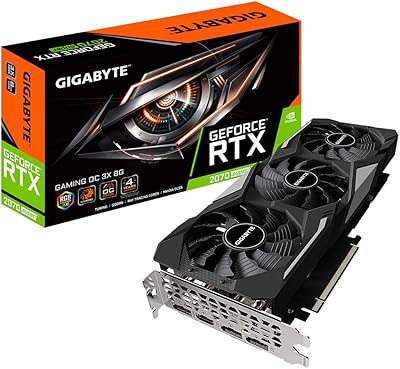
Gigabyte RTX 2070 Super Gaming OC Graphics Card
81%
91%
1440p Gaming Performance
93%
Thermal Management
88%
Noise Level
67%
Value for Money
62%
Ray Tracing Capability
More
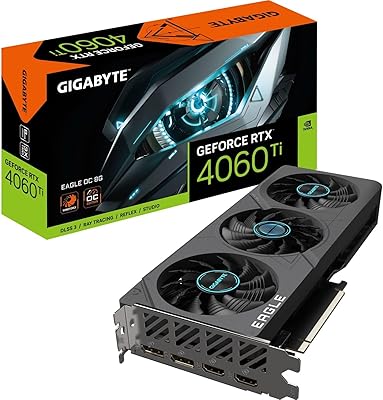
Gigabyte RTX 4060 Ti Eagle OC GPU
82%
83%
Gaming Performance
88%
Thermal Management
84%
Noise Level
86%
DLSS 3 & Frame Generation
61%
VRAM & Memory
More
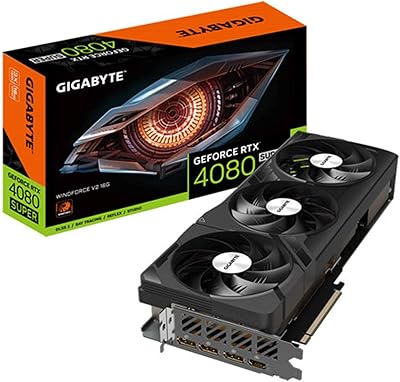
GIGABYTE RTX 4070 Super WINDFORCE OC GPU
80%
93%
1440p Gaming Performance
91%
Thermal Management
78%
Noise Levels
71%
4K Gaming Performance
88%
Build Quality
More
GIGABYTE GeForce RTX 3050 Gaming OC 8GB Graphics Card
84%
91%
Value for Money
88%
Gaming Performance (1080p)
89%
Cooling Efficiency
84%
Build Quality
86%
Noise Level
More
GIGABYTE RTX 5070 Gaming OC 12GB GPU
83%
93%
Gaming Performance at 1440p
76%
4K Gaming Capability
91%
Thermal Performance
94%
DLSS 4 and Multi Frame Generation
89%
Build Quality and Construction
More
GIGABYTE GeForce RTX 5080 WINDFORCE OC SFF 16G
78%
93%
Gaming Performance
91%
DLSS 4 & AI Features
89%
SFF Compatibility & Fit
86%
Thermal Performance
84%
Noise Levels
More
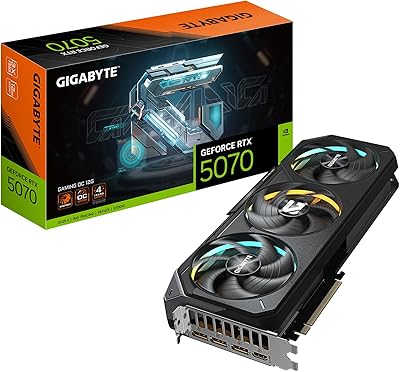
Gigabyte GeForce RTX 4080 SUPER WINDFORCE V2 Graphics Card
88%
94%
Overall Performance
93%
Gaming Performance (4K/8K)
90%
Cooling and Thermals
91%
DLSS 3 Technology
88%
Build Quality
More
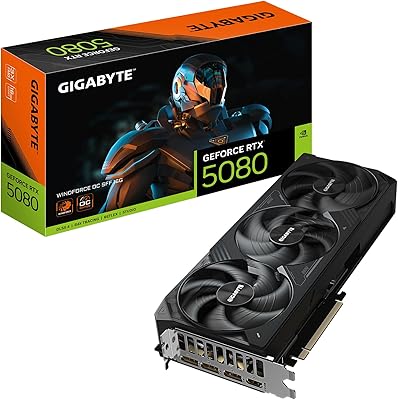
GIGABYTE RTX 4080 Gaming OC 16GB GPU
81%
93%
Gaming Performance
89%
Thermal Management
91%
Build Quality
74%
Cooling Noise Level
86%
DLSS 3 & Frame Generation
More
GIGABYTE GeForce GTX 1650 Super Graphics Card
75%
78%
Gaming Performance
86%
Thermal Management
88%
Noise Level
51%
VRAM Capacity
67%
Value for Money
More
GIGABYTE GeForce RTX 4060 Ti Gaming OC 8GB Graphics Card
86%
92%
Performance
88%
Cooling Efficiency
89%
Value for Money
85%
Build Quality
91%
Ease of Setup
More

FAQ

It's genuinely well-matched for 1440p, not overkill. At that resolution, the Eagle OC consistently delivers high frame rates in demanding titles, especially when DLSS is enabled. It's arguably the sweet spot this GPU was designed around — you get smooth performance without needing to pay for an RTX 4080.

It can run games at 4K, but native 4K without upscaling at maximum settings is where the 192-bit memory bus and 12GB VRAM start to show their limits. In less demanding titles you'll be fine, but in texture-heavy games at max settings you may see frame rates dip more than expected. Using DLSS Quality mode at 4K is a much better experience on this card.

Generally pretty quiet. The WINDFORCE triple-fan setup is one of the more acoustically reserved coolers in this class — most users describe it as barely noticeable over case airflow during normal gaming sessions. Switching to the silent BIOS profile via the physical switch on the card keeps it even calmer, with a minor thermal trade-off.

NVIDIA recommends at least a 650W PSU for the RTX 4070 SUPER platform, but in a full gaming PC with a modern CPU, a 750W or 850W unit gives you comfortable headroom. Make sure your PSU has the required PCIe power connectors — the Eagle OC uses the standard 16-pin (12VHPWR) adapter configuration.

Yes, it's well-suited for mid-tower builds. At just over 10 inches long and a dual-slot design, it clears most mid-tower case GPU length limits comfortably. Just double-check your specific case's maximum GPU length spec before purchasing, as a small number of compact mid-towers have tighter restrictions.

Frame Generation can deliver a genuinely impressive boost to frame rates in supported titles — sometimes pushing numbers well beyond what raw GPU power alone achieves. The honest caveat is that it introduces a small amount of latency compared to native rendering, which most players won't notice but competitive gamers or those very sensitive to input feel might find bothersome. It also only works in titles that explicitly support it, so coverage is still growing.

The dual BIOS switch on the card toggles between two firmware profiles — one prioritizing quieter fan operation and one allowing more aggressive fan curves for slightly lower temperatures. For most users doing everyday gaming, the silent mode is perfectly adequate and noticeably calmer. The performance BIOS is more useful if you're pushing the card hard for extended periods, like long rendering jobs or summer months when ambient temps are higher.

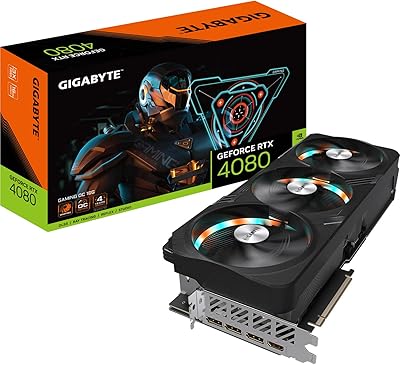
The RTX 4080 is meaningfully faster, particularly at 4K and in scenarios involving heavy ray tracing or large VRAM usage. In typical 1440p gaming the gap narrows considerably, and for many buyers the price difference isn't justified by the performance delta alone. If your primary resolution is 1440p and you're not doing intensive professional GPU workloads, the step up to a 4080 is hard to justify on performance grounds.

NVIDIA graphics cards are fully platform-agnostic — this card works just as well on AMD Ryzen systems with AMD or Intel chipset motherboards as it does on Intel platforms. The PCI-E 4.0 interface is universally supported across both ecosystems on modern hardware.

A small number of buyers have mentioned occasional driver installation hiccups requiring a clean install using DDU (Display Driver Uninstaller) to resolve, which is fairly common with GPU upgrades in general rather than specific to this card. Gigabyte's RGB Fusion software has also drawn some criticism for being clunky — if RGB control matters to you, it's worth noting. On the whole, the review pattern is positive and serious hardware defects don't appear as a recurring theme.

Where to Buy