Overview

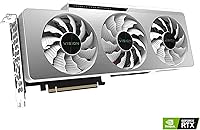
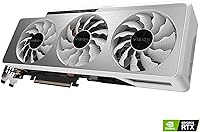
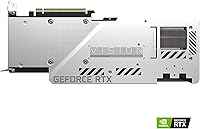
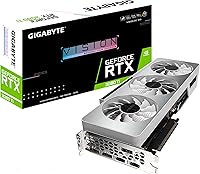
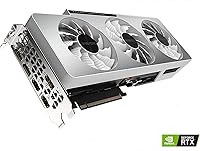
The GIGABYTE RTX 3080 Ti Vision OC GPU occupies a specific niche in the high-end graphics card market — it's GIGABYTE's white-shrouded, factory-overclocked take on NVIDIA's Ampere flagship, competing directly with cards from ASUS, MSI, and EVGA at the same tier. The Vision OC branding signals three things upfront: a distinctive all-white aesthetic, the WINDFORCE 3X cooling system, and a modest out-of-box clock bump over reference spec. Backing all of that is 12GB of GDDR6X memory on a 384-bit bus — specs that define how far this card can push demanding workloads. Launched in mid-2021, buyers today should factor in newer architectures when weighing long-term value. This is a power-hungry, premium card built for serious enthusiasts.
Features & Benefits

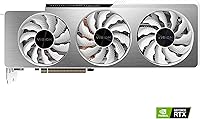
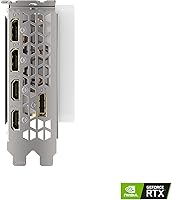
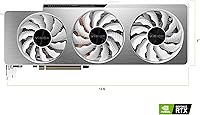
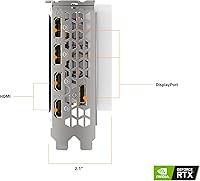
The WINDFORCE 3X cooling setup uses three 80mm fans with an alternate-spin configuration that cuts turbulence and keeps thermals in check even during sustained loads. GIGABYTE ships this card with a factory overclock applied, so there's no need to fiddle with tuning software straight out of the box. The 12GB of GDDR6X running at 19 Gbps handles 4K texture packs, ray tracing frame buffers, and large rendering scenes without issue. The second-gen RT Cores and third-gen Tensor Cores translate to noticeably smoother ray tracing in supported titles and sharper DLSS upscaling compared to the previous generation. For display connectivity, you get HDMI and three DisplayPort outputs, covering everything from standard 4K monitors to demanding multi-display rigs.

Best For

The RTX 3080 Ti Vision OC is a strong match for 4K gaming enthusiasts who want high frame rates with ray tracing switched on without forcing constant compromises on settings. Content creators doing 3D rendering, GPU-accelerated video encoding, or working with AI-assisted tools in software like DaVinci Resolve or Blender will also get real value from its VRAM headroom and compute throughput. The white shroud makes GIGABYTE's white flagship GPU a natural pick for anyone building a light-themed system who doesn't want to trade aesthetics for performance. The factory overclock means plug-and-play power without the stress of manual tuning. Multi-monitor setups are well-served by the versatile output options — just ensure your case has the clearance and your PSU meets the 750W minimum recommendation.

User Feedback

Across 134 ratings, this Vision OC card holds a 4.1 out of 5 — a solid score that reflects genuine satisfaction tempered by some reasonable frustrations. Buyers consistently highlight the quiet cooling performance under load and the eye-catching white shroud as standout positives. On the other side, the card's physical size draws regular complaints — at over 12 inches long and weighing more than four pounds, it's a tight fit in mid-tower cases. High power draw is another recurring theme, with several buyers noting they needed a PSU upgrade before installation. Some early reviews carry frustration tied to launch-era availability rather than the hardware itself, so reading more recent feedback gives a clearer picture of real-world reliability.

Pros

  • The WINDFORCE 3X triple-fan cooling keeps temperatures low and fan noise surprisingly restrained under sustained load.
  • 12GB of GDDR6X memory with a 384-bit bus handles 4K textures and ray tracing buffers without running out of headroom.
  • Factory overclock delivers a real performance advantage straight out of the box — no tweaking required.
  • The white shroud is genuinely rare at this performance tier, making it a standout choice for themed builds.
  • Second-gen RT Cores produce noticeably smoother ray tracing in supported titles compared to the previous generation.
  • Third-gen Tensor Cores improve DLSS image quality, which helps recover frame rates in demanding scenes.
  • HDMI and three DisplayPort outputs cover multi-monitor and high-resolution display needs without adapters.
  • The RTX 3080 Ti Vision OC holds a solid 4.1 out of 5 rating across over 130 verified buyer reviews.
  • GPU-accelerated creative workloads in Blender, Resolve, and similar software benefit meaningfully from the VRAM and compute throughput.

Cons

  • At over 12 inches long, this card is a tight fit in many mid-tower cases and requires careful planning before purchase.
  • Power draw is substantial — a 750W PSU is the realistic floor, and many buyers will need to upgrade their existing unit.
  • The card was launched in 2021, so newer GPU architectures now offer competing or superior performance per watt.
  • Premium pricing makes the value proposition harder to justify for buyers who primarily game at 1080p or 1440p without ray tracing.
  • Weighing over four pounds, improper case support can stress the PCIe slot over time without a GPU brace.
  • Some buyers reported challenges fitting the PCIe power connectors cleanly depending on cable routing in their specific cases.
  • Early reviews mixed in launch-era availability frustrations, which can make it harder to assess long-term reliability from the rating pool.
  • No significant headroom for future-proofing compared to cards built on more recent architectures entering the same price bracket.

Ratings

The scores below reflect an AI-driven analysis of verified buyer reviews for the GIGABYTE RTX 3080 Ti Vision OC GPU, sourced globally and filtered to remove spam, bot activity, and incentivized feedback. Every category is scored to honestly reflect both what this card does well and where real users ran into friction. Strengths are credited fairly; recurring pain points are not glossed over.

Thermal Performance
91%
The WINDFORCE 3X cooling system earns consistent praise from buyers running the card through extended gaming sessions and overnight rendering jobs. The alternate-spin fan design keeps hot air from recycling between blades, and temperatures under sustained load sit comfortably below thermal throttle thresholds for most users.
In very compact cases with poor airflow, a small number of users noted that ambient heat buildup offset some of the cooler's effectiveness. The card's size also means it sits close to other components, which can slightly raise overall system temperatures in tighter builds.
Noise Level
88%
Buyers regularly describe the fan noise as one of the card's more pleasant surprises — fans stop completely during low-load desktop use, making the system virtually silent for web browsing or video playback. Under gaming loads, the noise stays at a level most users call noticeable but non-intrusive.
At full compute load — such as overnight Blender renders or GPU stress tests — a portion of users found the fan ramp-up more audible than expected. Those in quiet home office environments occasionally mentioned having to adjust fan curves manually through GIGABYTE's software.
4K Gaming Performance
86%
For 4K gaming in titles like Cyberpunk 2077, Horizon Forbidden West, or Microsoft Flight Simulator, the RTX 3080 Ti Vision OC delivers frame rates that make high-refresh 4K monitors feel genuinely useful. The 12GB GDDR6X buffer handles high-resolution texture packs without the stuttering that smaller VRAM cards show.
The card is now a few years into its lifecycle, and in the most technically demanding titles released recently, hitting 60fps at 4K with maximum ray tracing enabled can require DLSS assistance. Buyers expecting native 4K with every setting maxed in all titles may occasionally need to dial back one or two settings.
Ray Tracing Capability
83%
Second-generation RT Cores produce genuinely better lighting and shadow fidelity in supported titles compared to first-gen implementations — in games like Control or Metro Exodus Enhanced Edition, the difference in global illumination quality is visible and meaningful. Most buyers who specifically tested ray tracing came away satisfied with the results at 1440p.
At 4K with ray tracing fully enabled and no DLSS, frame rates in heavily ray-traced scenes can dip below comfortable thresholds in the most demanding titles. Ray tracing performance has also been surpassed by newer architecture cards, which is worth factoring in for buyers planning a multi-year ownership window.
DLSS Quality
84%
Third-gen Tensor Cores handle DLSS upscaling well, and buyers gaming at 1440p or 4K report that Quality mode produces output that is difficult to distinguish from native resolution during normal gameplay. For content creators, the Tensor Cores also accelerate AI-based denoising tools in applications like DaVinci Resolve.
DLSS is a software-dependent feature and some older or poorly optimized game integrations still show artifacts around fast-moving objects or fine details like hair and foliage. The benefit is also less dramatic at native 4K where the upscaling headroom is smaller.
Build Quality
89%
The physical construction of the card feels premium — the white shroud is solid rather than hollow-feeling, the backplate adds rigidity, and the overall assembly reflects the kind of fit and finish buyers expect at this tier. Long-term owners report no issues with fan bearing noise or shroud warping even after extended use.
The card's considerable weight means that without a support bracket, PCIe slot sag becomes a real concern after extended use — something GIGABYTE does not include in the box. A small number of buyers also found minor cosmetic inconsistencies in the white finish near the fan housing edges.
Aesthetic Design
93%
Among high-end GPUs, an all-white triple-fan shroud at this performance tier is genuinely uncommon, and buyers building white or silver-themed systems consistently describe this as the primary reason they chose this card over comparable options. The clean lines and absence of aggressive styling make it versatile across different build aesthetics.
The RGB lighting on this model is more restrained than some buyers expected — those wanting vibrant lighting effects may find the implementation understated compared to GIGABYTE's Gaming OC variant. White plastic also shows dust accumulation more visibly than dark shrouds, requiring more frequent cleaning.
Content Creation Performance
87%
Users running DaVinci Resolve, Blender, or Adobe Premiere Pro report that GPU-accelerated workflows feel substantially faster than on previous-generation cards. The 12GB VRAM handles large project files, 4K timelines, and multi-layer compositing without forcing proxy workflows that slower VRAM cards require.
For pure compute workloads like machine learning training or scientific simulation, newer architecture cards with improved compute-per-watt ratios have started to offer better value per dollar spent. Professional users with very large dataset requirements may also find 12GB limiting in edge-case scenarios.
Power Efficiency
58%
42%
At stock settings, the factory overclock delivers a meaningful performance-per-watt ratio compared to manually overclocked reference cards, since GIGABYTE has dialed in a relatively stable operating point. Users who run the card at moderate loads — such as 1440p gaming — find power draw manageable within a well-spec'd system.
Under full 4K or compute loads, the card draws enough power to require a 750W PSU at minimum, and real-world sustained power consumption surprises buyers upgrading from mid-range cards. Several reviewers specifically noted unexpected electricity bill increases, and at least one buyer needed to upgrade their PSU before the card was usable.
Physical Size & Fit
61%
39%
For buyers in full-tower or large mid-tower cases, the 12.6-inch length and triple-slot footprint are not a problem, and the card installs cleanly with room for airflow. Builders who planned ahead for a large GPU report a smooth installation experience overall.
This is one of the most consistently flagged issues across buyer reviews — the card is simply too large for a meaningful number of commonly purchased mid-tower cases. Several buyers reported discovering the clearance issue only after purchase, and at least a portion had to either return the card or replace their case.
Installation Experience
71%
29%
For experienced builders, the installation process is standard — PCIe slot, power connectors, driver install — and most complete it without issues. The factory overclock means there's no post-install tuning required, which new builders in particular appreciated.
A recurring complaint involves PCIe power connector routing in cases with limited cable management space, where the connectors on this card sit at angles that make tight routing difficult. A small number of users also reported initial driver installation issues that required a clean install to resolve.
Multi-Monitor Support
86%
With one HDMI and three DisplayPort outputs, the card comfortably drives a three-monitor productivity setup alongside a primary gaming display without adapters or compromises. Buyers running mixed-resolution multi-monitor configurations report stable output across all screens.
Running four high-resolution displays simultaneously places additional demand on VRAM, and a handful of users with demanding multi-monitor setups noticed slight frame rate reductions in games that weren't optimized for such configurations. HDMI 2.1 would have been preferable for TV-connected gaming rigs specifically.
Value for Money
64%
36%
At discounted pricing relative to its 2021 launch cost, the RTX 3080 Ti Vision OC can represent reasonable value for a buyer who specifically wants this level of 4K performance and the white aesthetic — a combination that remains rare in the GPU market.
At or near original pricing, the value proposition becomes genuinely difficult to defend against newer architecture alternatives that offer comparable or better performance with meaningfully lower power requirements. Several reviewers explicitly stated they would reconsider their purchase if they had waited for current-generation options.
Long-Term Relevance
69%
31%
The 12GB GDDR6X and wide 384-bit memory bus provide a buffer of future-proofing that purely compute-bound metrics don't fully capture — VRAM demands in games are rising, and this card is less likely to hit memory walls than 8GB or 10GB alternatives from the same era.
Launching in 2021 means this card is now competing against a full generational successor from NVIDIA, and the performance-per-watt gap has widened considerably. Buyers planning to hold a card for four or more years would be prudent to weigh the generational difference carefully before committing.

Suitable for:

The GIGABYTE RTX 3080 Ti Vision OC GPU is built for a fairly specific type of buyer: someone who wants flagship-tier gaming performance at 4K or high-refresh 1440p and isn't willing to compromise on visual settings like ray tracing. It's also a genuine workhorse for content creators who regularly push GPU-accelerated tasks — think Blender renders, DaVinci Resolve exports, or AI-assisted workflows that benefit from large VRAM headroom and fast memory bandwidth. Builders putting together a white or light-themed system will find the Vision OC's aesthetic a rare find at this performance tier, since most high-end cards default to black shrouds. Enthusiasts who dislike manual overclocking will appreciate that the factory boost clock delivers meaningful out-of-box performance without requiring any software tuning. Multi-monitor users also benefit from the flexible display output options, which support demanding setups without needing an adapter.
Not suitable for:

If your case is on the smaller side or you're working with a mid-tower with limited GPU clearance, this Vision OC card is going to cause real installation headaches — at over 12 inches long and weighing more than four pounds, it's a physically demanding card that needs room to breathe. Buyers running a PSU below 750W should budget for an upgrade before purchasing, since underpowering this card under sustained load is a genuine risk. Budget-conscious shoppers or casual gamers who play at 1080p will find the RTX 3080 Ti Vision OC difficult to justify — there are far more cost-efficient options that handle lighter workloads without the associated power and size overhead. Buyers who are already eyeing newer GPU architectures should also think carefully, since this is a 2021 release and the generational gap is only widening. If longevity and future-proofing are top priorities, waiting for or spending toward a newer generation card may be the smarter financial decision.

Specifications

  • GPU Chip: Powered by the NVIDIA GeForce RTX 3080 Ti, built on the Ampere architecture with second-gen RT Cores and third-gen Tensor Cores.
  • VRAM: Equipped with 12GB of GDDR6X memory running at 19 Gbps for high-bandwidth 4K and ray tracing workloads.
  • Memory Bus: Uses a 384-bit memory interface, providing substantial bandwidth headroom for texture-heavy and compute-intensive tasks.
  • Cooling System: The WINDFORCE 3X system uses three 80mm fans in an alternate-spin configuration to reduce turbulence and improve thermal efficiency.
  • Form Factor: Standard ATX form factor requiring a full-size case with adequate internal clearance for a triple-slot, triple-fan cooler.
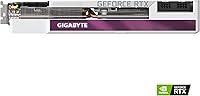
  • Dimensions: Measures 12.6 x 4.96 x 2.17 inches, making case clearance a mandatory pre-purchase consideration.
  • Weight: The card weighs 4.24 pounds, which places meaningful stress on the PCIe slot and may benefit from a GPU support bracket.
  • Display Outputs: Offers one HDMI and three DisplayPort connectors, supporting up to four simultaneous displays or a single 8K output.
  • Max Resolution: Capable of driving displays up to 7680x4320 (8K) resolution via compatible cables and monitors.
  • RT Cores: Second-generation RT Cores accelerate ray tracing calculations, delivering improved lighting and shadow fidelity in supported games.
  • Tensor Cores: Third-generation Tensor Cores power DLSS upscaling, helping recover frame rates in demanding scenes without major visual quality loss.
  • Clock Speed: Ships with a factory overclock applied above NVIDIA reference spec, providing a modest but real performance advantage out of the box.
  • Model Number: Identified by the model code GV-N308TVISION OC-12GD, which can be used to verify exact compatibility and locate official GIGABYTE documentation.
  • Manufacturer: Designed and manufactured by GIGABYTE, a Taiwanese hardware company with a long track record in GPU and motherboard production.
  • PSU Requirement: A minimum 750W power supply is recommended to ensure stable operation under full gaming and compute loads.
  • API Support: Supports DirectX 12 Ultimate, OpenGL 4.6, and Vulkan, covering the full range of modern gaming and professional application APIs.
  • PCIe Interface: Connects via PCIe 4.0 x16, and is also backward compatible with PCIe 3.0 x16 slots for use with older platform builds.
  • Availability Date: First made available in June 2021 as part of NVIDIA's Ampere generation GPU lineup.

Related Reviews
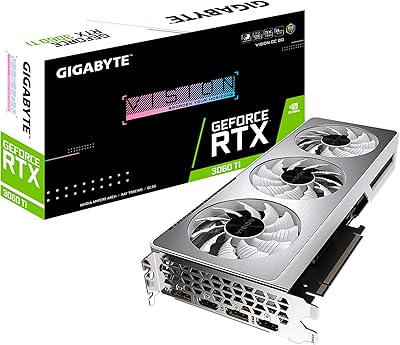
GIGABYTE RTX 3060 Ti Vision OC GPU
78%
86%
Gaming Performance
83%
Thermal Management
77%
Noise Level
89%
Build Quality
93%
Aesthetic Design
More
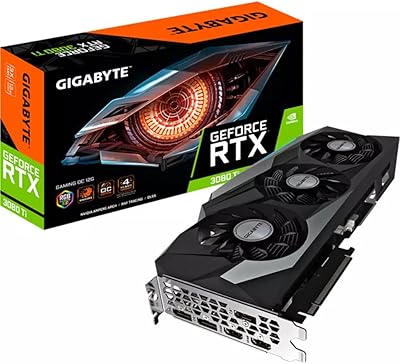
Gigabyte RTX 3080 Ti Gaming OC Graphics Card
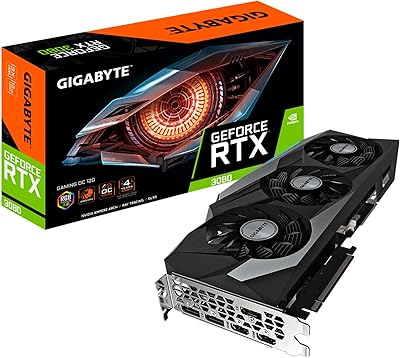
78%
93%
4K Gaming Performance
88%
Thermal Management
84%
Ray Tracing Capability
91%
DLSS & AI Upscaling
79%
Cooling Noise Level
More
GIGABYTE RTX 3080 Gaming OC 12G GPU
79%
91%
Gaming Performance
93%
Thermal Management
88%
VRAM Adequacy
86%
Noise Level
89%
Build Quality
More
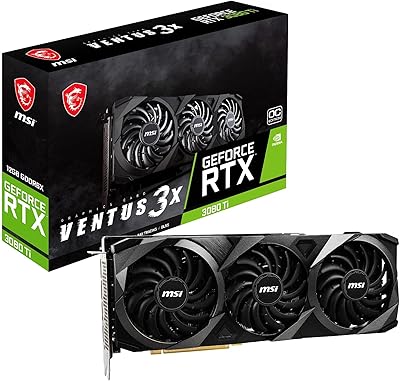
MSI RTX 3080 Ti Ventus 3X GPU
79%
92%
Gaming Performance
89%
Thermal Management
86%
Noise Levels
88%
Build Quality
87%
Cooling Efficiency
More
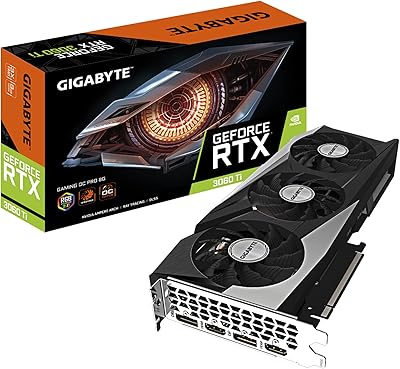
GIGABYTE RTX 3060 Ti Gaming OC GPU
78%
88%
Gaming Performance
91%
Thermal Performance
86%
Noise Level
67%
Ray Tracing Capability
72%
VRAM Adequacy
More
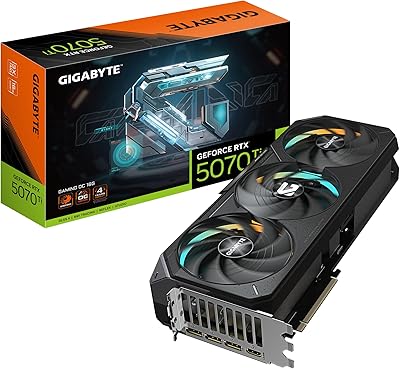
GIGABYTE GeForce RTX 5070 Ti Gaming OC 16G
86%
91%
4K Gaming Performance
89%
Ray Tracing & DLSS 4
93%
Cooling Efficiency
94%
VRAM & Memory Speed
87%
Acoustic Performance
More
GIGABYTE GeForce RTX 4060 Ti Gaming OC 8GB Graphics Card
86%
92%
Performance
88%
Cooling Efficiency
89%
Value for Money
85%
Build Quality
91%
Ease of Setup
More
GIGABYTE RTX 5060 Ti 8GB Graphics Card
84%
88%
1440p Gaming Performance
91%
DLSS 4 & AI Upscaling
66%
VRAM Capacity & Adequacy
93%
Thermal Performance & Cooling
86%
Noise Level
More
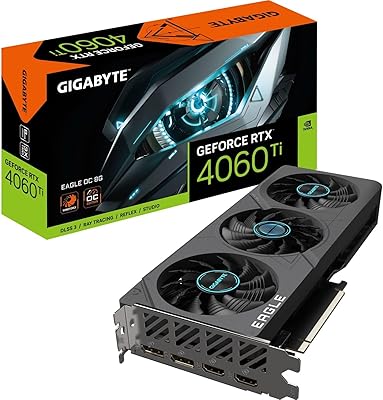
Gigabyte RTX 4060 Ti Eagle OC GPU
82%
83%
Gaming Performance
88%
Thermal Management
84%
Noise Level
86%
DLSS 3 & Frame Generation
61%
VRAM & Memory
More
GIGABYTE GeForce RTX 4070 Ti Super WINDFORCE MAX OC 16GB
88%
94%
Gaming Performance
91%
Cooling Efficiency
92%
Ray Tracing & DLSS 3
93%
4K Gaming Capability
88%
Build Quality & Durability
More

FAQ

Realistically, no. A 650W PSU is below what this card needs for stable long-term operation. GIGABYTE recommends at least 750W, and if your system has a high-core-count CPU or multiple storage drives, pushing toward 850W gives you a more comfortable margin. Running a demanding GPU on an underpowered PSU can cause instability, unexpected shutdowns, or even hardware damage over time.

It depends on your specific case. The card measures 12.6 inches in length, which clears most full-size mid-towers, but tighter cases or those with drive cages positioned near the GPU slot may have clearance issues. Always check your case manufacturer's maximum GPU length spec before purchasing. The card also occupies 2.5 to 3 slots in width, so spacing from adjacent PCIe slots matters too.

It's genuinely a good idea. Over time, a heavy card without support can cause PCIe slot sag, which in extreme cases bends the slot or causes intermittent connection issues. Many cases include a built-in bracket, and aftermarket GPU braces are inexpensive. If you're building a new system with this card, factor it into your case selection.

Most buyers report that the cooling is one of the card's stronger points. The alternate-spin fan design reduces the turbulent airflow that plagues some triple-fan coolers, and the fans don't spin at all under light desktop loads. Under sustained gaming load, the noise stays at a level most users describe as noticeable but not distracting — well below the threshold of older single or dual-fan high-end cards.

It depends on your priorities. The hardware itself remains capable for 4K gaming and GPU-accelerated creative work — 12GB of GDDR6X on a 384-bit bus doesn't age quickly. The honest concern is efficiency: newer architecture cards have closed the performance gap while drawing less power. If current pricing reflects a significant discount from launch, it can still make sense. At full original price, you'd want to compare carefully against what's available in the current market.

Yes, the card supports up to four simultaneous displays using its one HDMI and three DisplayPort outputs. All outputs support high resolutions and high refresh rates, so running a primary gaming monitor alongside productivity screens is straightforward. Just keep in mind that running multiple high-resolution displays simultaneously will draw on VRAM, though 12GB gives you considerable buffer.

The shroud color has no meaningful impact on thermal performance — what matters is the heatsink, heat pipes, and fan design underneath it. The Vision OC's WINDFORCE 3X system is the same thermal engineering used across GIGABYTE's other top-tier models, just dressed in a white housing. Buyers choosing this card for its aesthetics aren't giving up any cooling effectiveness compared to the darker variants.

A small number of buyers have noted that routing the PCIe power cables neatly can be tricky depending on case layout and cable type. If your PSU uses modular cables, make sure you're using the correct GPU cables (not daisy-chained ones from a single cable run) and that they're fully seated. It's a standard installation process, but tight cable management spaces can make the physical connection awkward in some builds.

The RTX 3080 Ti Vision OC handles ray tracing at 4K in most current titles, though the experience varies by game. In well-optimized titles with DLSS enabled, you can run ray tracing at 4K with playable frame rates. In games with heavier or less-optimized ray tracing implementations, you may need to drop one or two settings to maintain smooth performance. DLSS is worth enabling — at Quality mode, the visual difference from native is minimal while the frame rate benefit is real.

The card connects via PCIe 4.0 x16, but it's fully backward compatible with PCIe 3.0 x16 slots. In practice, the bandwidth difference between PCIe 3.0 and 4.0 has minimal real-world impact on GPU gaming performance, so running it on an older platform won't meaningfully bottleneck the card. It's the CPU and system RAM that are more likely to be the limiting factor in older builds.

Where to Buy