Overview

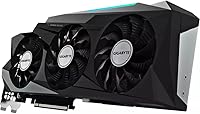
The Gigabyte RTX 3080 Ti Gaming OC Graphics Card sits firmly at the top of the consumer GPU stack, aimed squarely at builders who refuse to compromise. Gigabyte's Gaming OC line has earned a solid reputation among enthusiasts for pushing clock speeds slightly beyond reference while keeping thermals in check. This card belongs to NVIDIA's Ampere generation — a meaningful step forward in raw throughput and energy efficiency compared to the previous Turing architecture. With 12GB of GDDR6X memory running at 19,000 MHz, it handles 4K textures, large frame buffers, and memory-hungry creative workloads without breaking a sweat. Just be clear-eyed going in: premium performance comes with premium power demands and a price tag to match.
Features & Benefits

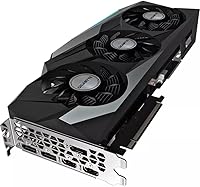
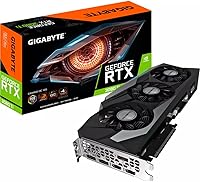
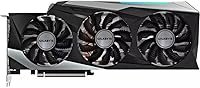
The Windforce 3X cooling system is one of the more tangible differentiators Gigabyte brings to this chip. Three fans, a large heatsink, and alternate-spinning blades work together to keep temperatures manageable even under extended load — and they do it without becoming obnoxiously loud. On the architectural side, the Ampere SM processors deliver roughly double the FP32 throughput of the previous generation, which translates to real, measurable frame rate gains. The card's 2nd-gen RT Cores handle ray tracing more efficiently, letting you actually use the feature without crippling your frame rate. DLSS, powered by 3rd-gen Tensor Cores, further offsets that cost. PCI-E 4.0 support and 8K-capable outputs round out a technically complete package.

Best For

This high-end GPU is built for people who game at 4K and genuinely want high refresh rates — not just playable frame rates, but smooth, competitive-level performance in demanding titles. Content creators will also find it useful: GPU-accelerated rendering in tools like Blender or DaVinci Resolve benefits directly from the Ampere architecture and large VRAM pool. Enthusiasts chasing ray tracing with DLSS enabled will appreciate the balance the card strikes between visual fidelity and performance. It also suits multi-monitor setups or anyone running a high-resolution display that requires real pixel-pushing headroom. If thermal headroom and quiet operation under sustained load matter to you, the Windforce cooling system earns its place in that conversation.

User Feedback

With 230 ratings and a 3.8 out of 5 score, the reception for the Gaming OC card is positive overall, but not unanimous. Buyers consistently praise its strong 4K performance and effective cooling — two areas where Gigabyte clearly put in the work. The build quality also draws frequent compliments. On the other side, the card's physical size (over 12 inches long) creates compatibility headaches in tighter cases, and its power draw demands a high-wattage PSU. Some buyers raised concerns around driver stability, and a handful flagged shipping or retailer-related issues rather than anything inherent to the card itself. At this price point, skepticism is fair — and the review spread reflects buyers who did their homework before spending.

Pros

  • Exceptional 4K gaming performance that handles maxed-out settings in demanding titles without stuttering.
  • The Windforce 3X cooling system keeps temperatures low and fan noise surprisingly manageable under load.
  • 12GB of GDDR6X VRAM provides meaningful headroom for large textures, creative workloads, and future titles.
  • DLSS support lets you recover frame rates lost to ray tracing without a visible drop in image quality.
  • PCI-E 4.0 interface ensures the card remains compatible and relevant as platforms evolve.
  • Solid build quality that feels durable and well-engineered out of the box.
  • 8K output capability via DisplayPort and HDMI covers virtually any current or near-future display setup.
  • The Ampere architecture brings genuine efficiency gains over the previous generation, not just a spec bump.
  • 2nd-gen RT Cores make ray tracing a practical option rather than a performance-killing checkbox.
  • GPU-accelerated workflows in rendering and video editing see real, measurable speed improvements.

Cons

  • At over 12 inches long, this high-end GPU simply will not fit in many mid-tower or compact cases.
  • Power draw is substantial — a weak or aging PSU is a real compatibility risk that adds to total cost.
  • The price-to-value equation is hard to justify for anyone gaming at resolutions below 4K.
  • A sample size of 230 reviews is relatively modest, making it harder to assess long-term reliability confidently.
  • Some buyers reported driver stability issues, which can be frustrating on a card at this price tier.
  • The 2.5-slot width can create clearance problems with nearby PCIe slots or dense motherboard layouts.
  • Shipping and retailer quality control concerns appear in a portion of negative reviews, adding purchase risk.
  • Thermal management requires good case airflow — passive or poorly ventilated builds will struggle.
  • Late-generation Ampere hardware means newer architectures have since launched, affecting long-term positioning.
  • The weight of over 3 pounds puts stress on the PCIe slot; a GPU support bracket is practically mandatory.

Ratings

The Gigabyte RTX 3080 Ti Gaming OC Graphics Card has been scored by our AI system after analyzing verified buyer reviews from global markets, with spam, bot-generated, and incentivized submissions actively filtered out. Ratings span real-world performance, build quality, thermal behavior, and value — capturing both what this high-end GPU does exceptionally well and where it genuinely falls short. The scores below reflect the honest, unfiltered consensus of informed buyers, not a curated highlight reel.
4K Gaming Performance
93%
Buyers running 4K displays consistently report the Gaming OC card handles demanding AAA titles with headroom to spare, maintaining high frame rates even with settings pushed to maximum. It is the category where this high-end GPU earns its price tag most convincingly, with virtually no complaints from users in the right resolution bracket.
A small number of users note that in the most demanding ray-traced titles at native 4K without DLSS, performance can dip more than expected, requiring careful settings management. At this tier, buyers expect to max everything without compromise, and that is not always realistic.
Thermal Management
88%
The Windforce 3X cooling system draws consistent praise from users who run extended gaming or rendering sessions, with reported temperatures staying comfortably within safe operating range even in warm ambient environments. Reviewers in hot climates specifically appreciated that the card did not throttle under sustained load.
A handful of users in poorly ventilated or compact cases found the cooling less effective than expected, as the triple-fan design exhausts heat into the case rather than out the back like a blower. If your airflow setup is not solid, the card will still run warm even with capable fans.
Ray Tracing Capability
84%
Users who game in ray-traced titles note a clear generational improvement over first-gen RT hardware — reflections, shadows, and global illumination run noticeably smoother without DLSS even needing to carry all the weight. Ampere's 2nd-gen RT Cores make ray tracing feel like a practical feature rather than a benchmark curiosity.
In titles with poorly optimized RT implementations, even this card struggles to maintain smooth frame rates at 4K without leaning heavily on DLSS. Buyers expecting RT to be universally fluid across all supported games will run into occasional disappointment.
DLSS & AI Upscaling
91%
Reviewers who regularly use DLSS in Quality or Balanced mode describe the image quality as essentially indistinguishable from native at a typical viewing distance, while recovering meaningful frame rate headroom. It is one of the features that makes the card's ray tracing usability significantly more practical day-to-day.
DLSS quality depends entirely on per-game implementation, and users note that poorly integrated versions can introduce ghosting or shimmering in fast-moving scenes. The feature also requires developers to actively support it, leaving some titles without access to its benefits.
Cooling Noise Level
79%
21%
During moderate gaming loads, most users report the card runs quietly enough that it fades into the background noise of a typical gaming setup. The alternate-spin fan design helps reduce turbulence, which keeps acoustic output lower than similarly specced blower-cooled alternatives.
Under sustained heavy workloads — long rendering jobs or GPU stress tests — the fans spin up to an audible level that several reviewers described as noticeable in a quiet room. It is not objectionably loud, but buyers expecting near-silent operation under all conditions should temper expectations.
Build Quality
86%
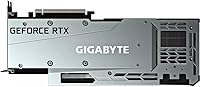
The physical construction of the Gaming OC card earns consistent praise: the backplate feels solid, the shroud has minimal flex, and the overall fit and finish read as appropriately premium for the price bracket. Users handling it for the first time frequently comment that it feels substantial and well-assembled.
At over 3 pounds, the weight that contributes to its sturdy feel is also the reason so many users flag GPU sag as a practical concern. Without a support bracket, the card visibly droops in the slot, and some buyers worried about long-term stress on the PCIe connector.
Value for Money
61%
39%
For buyers who specifically need 4K gaming headroom or GPU-accelerated creative workflows, the performance delivered relative to cost holds up reasonably well compared to alternatives at similar specifications. Content creators in particular tend to rate value more favorably because the 12GB VRAM pool and Ampere acceleration serve them across both gaming and professional tasks.
Among buyers who game primarily at 1080p or 1440p, the value perception drops sharply — the card simply delivers more than those resolutions demand, and the price gap versus more appropriately sized alternatives is hard to rationalize. The 3.8-star average partly reflects this disconnect between asking price and practical return for a portion of buyers.
Physical Compatibility
58%
42%
Buyers who planned ahead and verified case clearances report a smooth installation experience, with the card slotting in without issue in full-tower and larger mid-tower builds. Those with well-spaced motherboard layouts also note the 2.5-slot footprint did not interfere with adjacent components.
The 12.6-inch length created genuine fitment problems for a notable portion of reviewers, particularly those with mid-tower cases, cable routing obstructions, or storage drives mounted near the GPU slot. Several users had to rearrange their builds or abandon the purchase after discovering the card would not fit.
Power Efficiency
63%
37%
Relative to the raw performance output, the Ampere architecture delivers better performance-per-watt than the previous Turing generation, which users upgrading from older RTX 20-series cards notice in their benchmarks and workload testing. The efficiency gains are real, even if the card still draws substantial peak power.
In absolute terms, power draw at peak load is high enough that buyers with 650W or 750W power supplies have reported instability and crashes under sustained load. Several reviewers had to upgrade their PSU alongside the card, adding an unexpected cost that factored into their overall value assessment.
Content Creation Performance
87%
Users who use GPU-accelerated tools for 3D rendering, video encoding, or motion design report meaningful speedups compared to previous-generation hardware, with the large VRAM buffer handling complex scene files without the memory overflow errors they experienced on 8GB cards. Blender and DaVinci Resolve users were among the most positive reviewers.
For workloads that are heavily CPU-bound rather than GPU-bound, buyers reported the card did not deliver the across-the-board acceleration they anticipated. The benefits are real but targeted — users expecting a universal performance uplift in all creative software sometimes felt let down.
Driver Stability
71%
29%
The majority of users report day-to-day driver stability as unproblematic, with the card running reliably over weeks and months of regular use once drivers are properly installed. Most positive reviewers do not even mention drivers — a good sign that issues are not widespread.
A recurring thread in negative reviews involves driver-related crashes or instability, particularly after NVIDIA driver updates or when running specific titles. While these reports are not dominant, they appear consistently enough across the 230-review pool to warrant mention, especially given the price tier.
Multi-Monitor Support
83%
Buyers running two or three-monitor setups — including mixed-resolution configurations — report that the Gaming OC card handles them without issue, with no complaints about signal dropouts or resolution negotiation problems across the DisplayPort and HDMI outputs. The output flexibility is practical for both gaming and productivity arrangements.
Users attempting to drive more than three displays simultaneously encountered limitations, and the HDMI port's version constraints mean some higher-refresh-rate setups require DisplayPort to achieve the desired output. Those with niche multi-monitor requirements should verify output compatibility before purchasing.
Packaging & Unboxing
67%
33%
Most buyers describe the retail packaging as protective and appropriately presented for a premium product, with the card arriving securely cushioned and the included documentation covering the basics. First impressions on unboxing are generally positive among buyers who received the card in good condition.
A disproportionate share of negative reviews cite shipping damage or inadequate outer packaging protection during transit, suggesting the inner box alone is not always sufficient when handled roughly by carriers. This is partly a retailer and logistics issue, but it appears frequently enough to be a practical concern worth flagging.
Future-Proofing
74%
26%
The PCIe 4.0 interface, 8K output capability, and 12GB VRAM buffer give this high-end GPU a longer viable lifespan than more modestly specced alternatives from the same generation. Buyers who plan to hold a card for four or five years before upgrading tend to view the headroom as a reasonable investment.
With newer GPU architectures now available on the market, the Ampere generation is no longer cutting-edge, which affects long-term positioning and resale value. Buyers evaluating this card today are purchasing previous-generation hardware, and that reality needs to factor into any future-proofing argument.

Suitable for:

The Gigabyte RTX 3080 Ti Gaming OC Graphics Card is purpose-built for PC enthusiasts who game at 4K and expect consistently high frame rates in demanding AAA titles — not just playable performance, but genuinely smooth, high-fidelity gameplay. Serious content creators will find it equally compelling: the 12GB GDDR6X frame buffer and Ampere architecture accelerate GPU-heavy workflows like 3D rendering, video encoding, and motion graphics in ways that translate to real time savings on complex projects. Builders who care deeply about thermal management will appreciate the Windforce 3X cooling system, which keeps the card running quietly even under sustained load. Those chasing ray tracing with DLSS enabled — wanting realistic lighting without sacrificing frame rates — are also squarely in the target audience. If your setup includes a high-resolution or multi-monitor display arrangement that genuinely stresses lesser cards, this high-end GPU has the headroom to handle it without compromise.

Not suitable for:

The Gigabyte RTX 3080 Ti Gaming OC Graphics Card is a poor fit for budget-conscious builders or anyone primarily gaming at 1080p, where far less expensive cards deliver nearly identical results in most titles. Its physical size — over 12 inches long and occupying a 2.5-slot footprint — rules it out for compact or mini-ITX builds without careful, pre-planned case selection. Power consumption is a genuine barrier: this card demands a high-wattage power supply and a well-ventilated case, and anyone running an older or modest PSU will need to factor in that additional cost before buying. Casual users who game occasionally or run light workloads will find the performance ceiling completely unnecessary for their needs. With a 3.8 out of 5 rating across 230 reviews, it is also worth noting that the polarized feedback suggests buyers with specific compatibility expectations or tighter system constraints have run into friction — making it a less reliable pick for anyone who cannot thoroughly vet their build beforehand.
Specifications

  • GPU Chip: Built on the NVIDIA GeForce RTX 3080 Ti using the Ampere architecture, delivering significantly improved compute throughput over the previous Turing generation.
  • VRAM: Equipped with 12GB of GDDR6X memory, providing ample buffer for 4K textures, multi-monitor rendering, and GPU-accelerated creative workloads.
  • Memory Speed: The GDDR6X memory operates at 19,000 MHz, enabling high-bandwidth data throughput essential for fast frame delivery at extreme resolutions.
  • Boost Clock: In OC mode, the card reaches a boost clock of up to 1,710 MHz, reflecting Gigabyte's factory overclock applied above NVIDIA's reference specification.
  • PCIe Interface: Uses a PCI-E 4.0 x16 interface, fully backward compatible with PCIe 3.0 slots while offering double the bandwidth ceiling on compatible motherboards.
  • Cooling System: The Windforce 3X system uses three axial fans with alternate-spin technology and a large multi-heat-pipe heatsink to manage thermals under sustained load.
  • Slot Width: Occupies a 2.5-slot footprint on the motherboard, which may block adjacent expansion slots depending on case and motherboard layout.
  • Card Length: Measures 12.6 inches (approximately 320mm) in length, requiring careful clearance verification in mid-tower and smaller cases before purchase.
  • Card Weight: Weighs 3.08 pounds (approximately 1.4kg), making a GPU support bracket or anti-sag bracket a practical necessity to protect the PCIe slot.
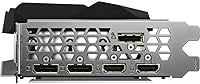
  • Display Outputs: Provides multiple display outputs including DisplayPort and HDMI, supporting simultaneous multi-monitor configurations and resolutions up to 8K (7680x4320).
  • Max Resolution: Capable of driving displays at up to 7680x4320 pixels (8K), well ahead of what most current monitors require, offering strong forward compatibility.
  • RT Cores: Includes 2nd-generation RT Cores that process ray tracing calculations more efficiently than the previous generation, enabling higher frame rates in RT-enabled titles.
  • Tensor Cores: Features 3rd-generation Tensor Cores that power NVIDIA DLSS, using AI-based upscaling to recover performance headroom lost to demanding graphical settings.
  • DLSS Support: Fully supports NVIDIA DLSS, allowing the card to render at a lower internal resolution and upscale intelligently to maintain visual quality at higher output resolutions.
  • Ray Tracing: Supports DirectX Raytracing (DXR) for real-time ray-traced lighting, shadows, and reflections in games and applications that implement the feature.
  • Model Number: The official model identifier is GV-N308TGAMING OC-12GD, used for warranty registration, driver support, and compatibility verification.
  • Power Connector: Requires high-wattage power connectors typical of flagship GPUs; NVIDIA recommends a minimum 750W power supply for systems using this tier of card.
  • Card Description: Classified as a dedicated discrete graphics card, meaning it has its own independent VRAM and processing unit entirely separate from any CPU-integrated graphics.

Related Reviews
GIGABYTE GeForce RTX 4060 Ti Gaming OC 8GB Graphics Card
86%
92%
Performance
88%
Cooling Efficiency
89%
Value for Money
85%
Build Quality
91%
Ease of Setup
More
GIGABYTE GeForce RTX 5070 Ti Gaming OC 16G

86%
91%
4K Gaming Performance
89%
Ray Tracing & DLSS 4
93%
Cooling Efficiency
94%
VRAM & Memory Speed
87%
Acoustic Performance
More
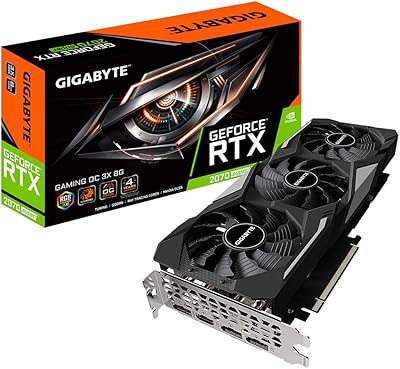
Gigabyte GV-N207SGAMING OC-8GD GeForce RTX 2070 Super Gaming OC 8GB Graphics Card
86%
91%
Gaming Performance
94%
Cooling Efficiency
87%
Ray Tracing Capabilities
89%
Build Quality
92%
Value for Money
More
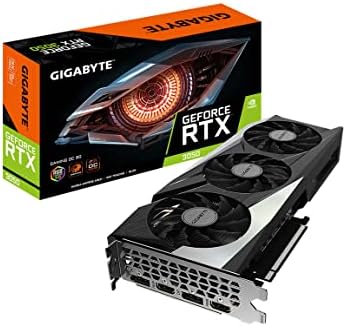
GIGABYTE GeForce RTX 3050 Gaming OC 8GB Graphics Card
84%
91%
Value for Money
88%
Gaming Performance (1080p)
89%
Cooling Efficiency
84%
Build Quality
86%
Noise Level
More
GIGABYTE RTX 5070 Gaming OC 12GB GPU
83%
93%
Gaming Performance at 1440p
76%
4K Gaming Capability
91%
Thermal Performance
94%
DLSS 4 and Multi Frame Generation
89%
Build Quality and Construction
More
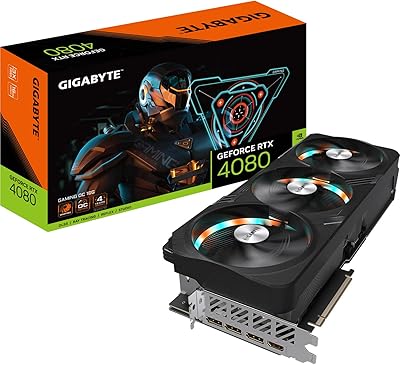
GIGABYTE GeForce RTX 4080 Gaming OC 16GB Graphics Card
87%
94%
Performance for 4K Gaming
91%
Cooling Efficiency
84%
Ease of Installation
78%
Value for Money
88%
Build Quality and Durability
More
Gigabyte AORUS GeForce RTX 3080 Ti Master 12GB Graphics Card
88%
93%
Overall Performance
96%
4K Gaming Experience
91%
Ray Tracing Capabilities
88%
Cooling Efficiency
89%
Build Quality
More
Gigabyte RTX 4060 Ti Eagle OC GPU
82%
83%
Gaming Performance
88%
Thermal Management
84%
Noise Level
86%
DLSS 3 & Frame Generation
61%
VRAM & Memory
More
GIGABYTE RTX 5060 Ti 8GB Graphics Card
84%
88%
1440p Gaming Performance
91%
DLSS 4 & AI Upscaling
66%
VRAM Capacity & Adequacy
93%
Thermal Performance & Cooling
86%
Noise Level
More
Gigabyte NVIDIA GeForce RTX 4060 Ti WINDFORCE OC 8GB Graphics Card
86%
90%
Gaming Performance
92%
Value for Money
89%
Ray Tracing & DLSS
88%
Cooling & Noise
85%
Installation & Setup
More

FAQ

NVIDIA recommends at least a 750W power supply for RTX 3080 Ti builds, but most experienced builders suggest running 850W or more if you have a higher-end CPU or plan to overclock. Headroom matters — a PSU running near its limit under peak load will throttle performance and can shorten its lifespan. Make sure your PSU also has the correct power connectors for this card.

At 12.6 inches long and 2.5 slots wide, the Gaming OC card is large by any standard. You need to measure your case's maximum GPU clearance before buying — most mid-towers support cards up to around 12 to 13 inches, but some are tighter. Also check whether the 2.5-slot width blocks any M.2 slots or adjacent PCIe slots on your specific motherboard.

It is genuinely capable in both areas. The 12GB GDDR6X buffer and Ampere architecture accelerate GPU-heavy tasks like 3D rendering in Blender, video exports in DaVinci Resolve, and real-time playback in editing timelines. If you split your time between gaming and creative work, this high-end GPU earns its cost more convincingly than it would for gaming alone.

Yes, it fully supports NVIDIA DLSS. The practical impact is real: in ray-traced titles, DLSS can recover a significant portion of the frame rate you lose from enabling RT effects, with minimal visible image quality degradation at Quality or Balanced modes. It is one of the more useful features on the card, not just a checkbox.

Under moderate gaming load, the card runs quietly enough that you will not notice it over typical case noise. Under heavy, sustained workloads — long rendering sessions or extended gaming at high settings — the fans spin up audibly but not aggressively. Compared to blower-style coolers, the Windforce setup is considerably more pleasant to live with.

For gaming, the real-world performance difference between PCIe 3.0 and 4.0 on current titles is negligible — benchmarks typically show a gap of 1 to 2 percent. PCIe 4.0 is more relevant for professional workloads with heavy data streaming. If your motherboard only supports PCIe 3.0, the card will still work without meaningful gaming performance loss.

The 3.8 rating across 230 reviews reflects a mix of factors. Many lower-rated reviews cite shipping damage, retailer-related issues, or compatibility problems specific to the buyer's system rather than a defect in the card itself. The performance-focused reviews tend to be positive. It is worth reading a cross-section before drawing conclusions — the sample size is modest enough that a handful of bad shipping experiences can visibly drag the average down.

It will absolutely run games at 1080p — exceptionally well, in fact. But you would be massively underutilizing what you paid for. At 1080p, far less expensive cards deliver similar or identical frame rates in most titles. The Gaming OC card makes the most economic and practical sense when paired with a 4K monitor or a high-refresh-rate 1440p display.

At over 3 pounds, a support bracket is strongly advisable rather than optional. That weight, cantilevered from the PCIe slot over time, can cause visible sag and in extreme cases stress or crack the slot on the motherboard. Most builders who use cards in this weight class add a cheap aftermarket support bracket as a standard precaution.

The 2nd-gen RT Cores are a meaningful improvement over the first generation — ray tracing is genuinely usable here rather than a performance-destroying curiosity. In titles optimized for Ampere, you can run RT effects at 4K with DLSS enabled and maintain smooth frame rates. In poorly optimized RT implementations, no card from any generation will save you, but the Gaming OC card handles the well-implemented ones capably.

Where to Buy