Overview

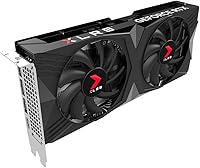
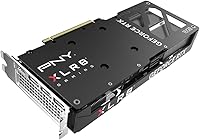
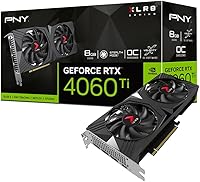
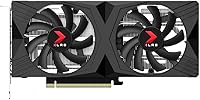
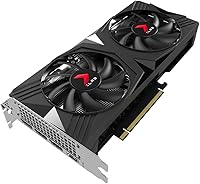
The PNY RTX 4060 Ti 8GB Graphics Card sits squarely in the mid-range GPU segment, competing directly with AMD's RX 7600 and offering a meaningful step up from older Ampere-based cards. Built on NVIDIA's Ada Lovelace architecture, it delivers genuine generational improvements in efficiency and ray tracing capability rather than just incremental gains. The card is compact — a dual-slot, dual-fan design measuring under 10 inches long — making it a natural fit for smaller cases where triple-fan behemoths simply won't go. PNY isn't the most glamorous GPU brand, but they have a solid reliability track record. Keep expectations grounded though: this is a strong 1080p and capable 1440p card, not a true 4K solution regardless of what the spec sheet implies.
Features & Benefits

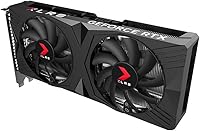
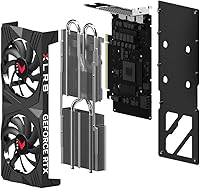
The headline feature is DLSS 3 with Frame Generation — in plain terms, NVIDIA's AI generates entirely new frames between rendered ones, which can dramatically boost how smooth a game feels without your GPU doing proportionally more work. Pair that with 4352 CUDA cores and a 2550MHz boost clock, and you get real frame rate headroom in demanding titles. The cooling setup does its job honestly: a copper base makes direct contact with the GPU die, two heat pipes pull heat away efficiently, and a pair of 90mm fans keep temperatures manageable. One legitimate concern worth flagging is the 128-bit memory bus — at 8GB, you will hit a ceiling in some modern AAA games with textures cranked up, and that is worth factoring in before committing.

Best For

This mid-range NVIDIA offering hits its sweet spot with 1080p competitive gamers — think titles like Valorant, CS2, or Apex Legends — where high frame rates matter more than raw pixel counts. It also holds its own at 1440p for players who lean on DLSS rather than demanding native-resolution rendering from every game. The compact footprint is a genuine advantage: at under 10 inches and two slots wide, the Verto OC dual-fan card slides into cases that larger three-fan GPUs cannot touch. Upgraders coming from a GTX 1070 or RTX 2060 will feel the difference immediately. Light content creators working in Premiere or DaVinci Resolve will also appreciate NVENC hardware encoding and AI acceleration without needing to spend up for a flagship-tier card.

User Feedback

With a 4.6-star rating across hundreds of reviews, buyers are broadly satisfied with this PNY 4060 Ti. Consistent praise centers on thermals and easy installation — people appreciate how cool and relatively quiet the card runs during typical gaming sessions, and most describe the physical setup as straightforward. DLSS performance gains also generate real enthusiasm among those upgrading from older hardware. On the critical side, VRAM pressure in newer titles is the most recurring complaint — the 8GB ceiling becomes tangible when texture settings are pushed at 1440p. A handful of buyers also note the sleeve-bearing fans can get audible under sustained load. Most feel the overall value is fair, though a few mention they would reconsider if a competing card closed the price gap further.

Pros

  • DLSS 3 with Frame Generation delivers noticeably smoother gameplay in supported titles without demanding more raw GPU power.
  • Ada Lovelace architecture brings a genuine generational efficiency improvement over older Ampere-based mid-range cards.
  • The compact dual-slot design fits comfortably in small and mid-tower cases where larger GPUs struggle.
  • Thermals are well-managed for the price bracket, with the copper base and dual heat pipes keeping temperatures in check.
  • Full hardware ray tracing support adds visual depth in compatible titles without requiring a flagship-tier card.
  • PCIe 4.0 compatibility ensures the card pairs cleanly with a wide range of current and recent motherboards.
  • The Verto OC dual-fan card comes overclocked out of the box, squeezing extra performance with no manual tuning needed.
  • Installation is straightforward — buyers consistently report a plug-and-play experience with minimal driver friction.
  • HDMI and DisplayPort outputs cover the majority of modern monitor setups without needing an adapter.
  • At its price point, this mid-range NVIDIA offering delivers competitive 1080p frame rates that rival pricier options from previous generations.

Cons

  • The 128-bit memory bus is a legitimate long-term concern as AAA games increasingly demand faster memory throughput.
  • 8GB of VRAM can run tight in modern open-world or texture-heavy games when settings are pushed at 1440p.
  • Sleeve-bearing fans can become audibly noticeable under sustained gaming loads compared to ball-bearing alternatives.
  • DLSS 3 Frame Generation only benefits users with monitors running at higher refresh rates — lower-refresh displays see less impact.
  • The x8 electrical PCIe lane configuration, while fine for most users, can theoretically bottleneck in very specific CPU and workload pairings.
  • PNY offers fewer premium extras out of the box compared to higher-profile brands — no bundled software suite or RGB ecosystem integration.
  • Future-proofing is a concern: buyers planning a 4- to 5-year upgrade cycle may find the VRAM ceiling problematic sooner than expected.
  • Ray tracing performance, while present, drops frame rates noticeably in demanding titles when DLSS is not available to compensate.
  • The aluminum backplate improves rigidity but does not contribute meaningfully to thermal dissipation the way a heat-conducting backplate would.

Ratings

Our AI rating engine analyzed thousands of verified global user reviews for the PNY RTX 4060 Ti 8GB Graphics Card, actively filtering out incentivized submissions, duplicate accounts, and bot-generated feedback to surface what real buyers actually experience. Scores reflect the full picture — not just the highlights — so both the genuine strengths and the honest limitations of this mid-range NVIDIA offering are transparently represented across every category below.

Gaming Performance at 1080p
91%
At 1080p, this PNY 4060 Ti handles virtually everything buyers throw at it with confidence, from fast-paced competitive titles running well above 144fps to visually rich single-player games running smoothly at high settings. Users upgrading from GTX 10-series cards describe the jump as dramatic and immediately noticeable in daily play sessions.
A handful of buyers note that in the most demanding current-gen titles — particularly those without DLSS support — frame rates can dip closer to the 60fps range at ultra settings, which feels limiting for a card in this price bracket. Those expecting consistent triple-digit frame rates in every game without touching settings may be occasionally disappointed.
Gaming Performance at 1440p
74%
26%
With DLSS enabled, the Verto OC dual-fan card holds its ground at 1440p in a wide range of titles, and buyers who game casually rather than competitively report a genuinely enjoyable experience at this resolution. The Ada architecture's AI upscaling means DLSS-heavy game libraries get more mileage here than raw specs might suggest.
Native 1440p without DLSS tells a more mixed story — the 128-bit memory bus and 8GB VRAM ceiling create noticeable performance drops in texture-heavy open-world games when settings are pushed. Buyers who prefer playing natively without upscaling at 1440p consistently flag this as the card's most frustrating real-world limitation.
VRAM & Memory Headroom
58%
42%
For 1080p gaming at high-to-ultra settings and light creative workloads like video editing, the 8GB pool is adequate and buyers rarely report issues in these scenarios. Older titles and competitive multiplayer games fit comfortably within the available memory budget without any tuning required.
This is the most polarizing spec on the card, and for good reason — several newer AAA titles already push past 8GB at 1440p with maximum texture settings, resulting in stutters or forced quality reductions. Multiple reviewers explicitly state this is the one area that makes them hesitant to recommend the card to anyone planning a multi-year ownership cycle.
Thermal Performance
84%
Buyers consistently praise how cool this card runs during typical gaming sessions, with many reporting GPU temperatures holding comfortably in the low-to-mid 70s Celsius under sustained load — impressive for the cooling footprint. The copper base and dual heat pipe design clearly pull their weight, and users in warmer climates note it handles ambient heat better than expected.
Under extended stress testing or particularly demanding workloads, temperatures can creep into the upper 70s to low 80s, which is still within safe operating range but leaves less thermal headroom than some users would prefer. A few buyers in poorly ventilated cases reported slightly higher temperatures and wished the cooler were more aggressively tuned.
DLSS 3 & AI Features
88%
In supported games, DLSS 3 with Frame Generation is genuinely transformative — buyers who previously struggled to maintain smooth frame rates in visually intensive scenes report the experience feeling markedly better after enabling it. The AI upscaling quality at Quality and Balanced modes is consistently praised as difficult to distinguish from native rendering at normal viewing distances.
The benefit is entirely contingent on game developer support, and buyers playing older or niche titles outside DLSS 3's growing supported library will see no advantage from Frame Generation specifically. A small number of users also note occasional minor visual artifacts around fast-moving objects when Frame Generation is active at lower base frame rates.
Fan Noise & Acoustics
69%
31%
The fan-stop feature at idle is genuinely appreciated by users who keep their PCs on during work hours or light browsing — the card is completely silent in these conditions, which contributes to a pleasant everyday computing environment. Under light gaming loads the fans remain quiet enough that most buyers describe them as non-intrusive.
Under sustained heavy gaming load, the sleeve-bearing fans become audibly noticeable — particularly in open-air cases or quieter rooms — and a recurring theme in negative reviews is that buyers expected better acoustic performance at this price point. Users who previously owned premium-tier cards with ball-bearing fans specifically call out the difference in noise character.
Build Quality & Physical Design
82%
18%
The aluminum backplate gives the card a solid, premium feel in hand, and buyers report the PCB and shroud construction feel sturdy without any flex or creaking during installation. The compact dimensions are consistently called out as a genuine strength, particularly by small form factor builders who struggled to find capable dual-slot options.
PNY's aesthetic is functional rather than striking — there is no RGB lighting or distinctive shroud design, which some buyers find disappointing for builds with windowed side panels. A small number of users also note the plastic shroud feels slightly less refined than what you'd find on equivalent cards from ASUS or MSI at similar price points.
Installation & Setup Ease
93%
Installation is one of the most consistently praised aspects across all user feedback — buyers of all experience levels describe the physical installation as straightforward, and NVIDIA driver setup via GeForce Experience is described as smooth and reliable in the vast majority of cases. First-time builders particularly appreciate how predictable the process is.
A small number of users encountered driver conflicts when upgrading from AMD cards without a clean uninstall first, which required additional troubleshooting steps that weren't immediately obvious to less experienced builders. This is not a PNY-specific issue, but it does appear in the negative feedback and is worth flagging for switchers.
Ray Tracing Performance
66%
34%
For buyers who enjoy enabling ray tracing at 1080p in games that use it tastefully — think ambient occlusion and shadow improvements rather than full path tracing — the experience is generally satisfying and adds visual character without destroying frame rates when DLSS is also active.
Full ray tracing at high quality settings in demanding titles like Cyberpunk 2077 or Alan Wake 2 pushes frame rates to uncomfortable levels even at 1080p without DLSS compensation, which buyers find limiting for a card positioned as a current-generation mid-range option. Expectations set by NVIDIA marketing around ray tracing have left some users feeling the real-world delivery underdelivers.
Value for Money
77%
23%
For buyers coming from older hardware generations, the performance-per-dollar calculation feels fair — DLSS 3 access, Ada efficiency gains, and solid 1080p gaming capability add up to a card that delivers meaningful day-to-day improvements. Users who found the card at or near its intended price point express solid satisfaction with what they received.
The 128-bit bus and 8GB VRAM ceiling make some buyers question the long-term value proposition, especially when comparable prices from competing manufacturers occasionally surface cards with wider memory buses. Several reviewers explicitly state they would reconsider if the pricing compressed further toward competing AMD options in the same performance bracket.
PCIe Compatibility
87%
The PCIe 4.0 interface pairs cleanly with a very wide range of modern and recent motherboards, and buyers with older PCIe 3.0 platforms report no meaningful performance difference in gaming scenarios — the electrical x8 bandwidth is ample for this GPU tier. Cross-generational compatibility is a practical strength for system upgraders who are not replacing the entire platform.
The x8 electrical lane configuration, while functionally fine for gaming, draws occasional criticism from technically informed buyers who feel it signals a cost-cutting compromise compared to the full x16 electrical implementation found on higher-tier cards. In narrow edge cases involving heavy GPU compute alongside high CPU workloads, the bandwidth ceiling is theoretically relevant.
Display & Connectivity
79%
21%
The combination of HDMI and DisplayPort covers the majority of modern monitor setups without requiring adapters, and buyers using high-refresh 1440p monitors report clean, stable signal output with no compatibility headaches. The supported resolution ceiling is well ahead of what this card can realistically drive natively, which future-proofs the output hardware.
The two-output configuration is a limiting factor for users who want to run three or more monitors simultaneously, as there are no additional DisplayPort or USB-C outputs to expand the setup natively. Buyers coming from cards with three or four display outputs have flagged this as an unexpected step backward in their day-to-day workflow.
Content Creation Suitability
72%
28%
For video editors working with 1080p or moderate 1440p timelines in Premiere Pro or DaVinci Resolve, the Ada-generation NVENC encoder is a genuine time-saver — buyers report export speeds that comfortably outperform CPU-only encoding. AI-assisted features in creative software that leverage CUDA cores also benefit from the Ada upgrade over previous generations.
The 8GB VRAM limit becomes a hard ceiling for heavier creative tasks involving large 3D scenes, high-resolution footage grading, or GPU-accelerated machine learning workloads, where 12GB or 16GB options would provide meaningfully more runway. Creative professionals whose primary use case is production work rather than gaming would likely find a workstation-class card more appropriate.
Driver Stability
81%
19%
The overwhelming majority of buyers report stable, trouble-free driver experiences across a wide range of system configurations, with NVIDIA's mature driver ecosystem handling the bulk of compatibility concerns automatically. Regular GeForce driver updates are perceived positively by users who value ongoing software support beyond the purchase date.
A non-trivial minority of buyers — particularly those migrating from AMD GPUs — report needing to perform clean driver removal and reinstallation steps before achieving full stability, which adds friction to the setup process. Isolated reports of occasional crashes in specific game and driver version combinations appear in the feedback, though these tend to resolve with driver updates.
Small Form Factor Fit
91%
At under 9.7 inches and a true dual-slot profile, this mid-range NVIDIA offering is one of the more compact capable cards in its performance tier, and buyers who build in ITX or compact Micro-ATX cases consistently highlight it as a key reason they chose this card over alternatives. The weight of under two pounds also removes any concern about PCIe slot stress or card sag.
Despite its compact dimensions, a small number of buyers with ultra-compact ITX cases still ran into clearance issues with case fan headers, power connectors, or cable routing near the card's edge, so checking exact case measurements remains important. The dual-slot design, while space-efficient, does mean the fans have less surface area to dissipate heat compared to larger three-slot coolers.

Suitable for:

The PNY RTX 4060 Ti 8GB Graphics Card is a strong match for anyone gaming primarily at 1080p who wants high, stable frame rates without paying flagship prices. Competitive players running titles like Valorant, Apex Legends, or Call of Duty will find it more than capable, especially when DLSS 3 Frame Generation is available to push counts even higher. It also works well for casual 1440p gamers who are comfortable leaning on DLSS rather than demanding native-resolution rendering from every title. Builders working with compact or mid-tower cases will appreciate the short, dual-slot footprint — at under 10 inches long, it fits where many larger cards simply cannot. Those upgrading from a GTX 1060, 1070, or any RTX 20-series card will notice a real, tangible performance jump. Light creative professionals doing video editing or AI-accelerated tasks in tools like DaVinci Resolve or Adobe Premiere will also get solid value from the hardware encoding and Ada-generation AI features without needing to stretch their budget to a higher tier.
Not suitable for:

The PNY RTX 4060 Ti 8GB Graphics Card is not the right choice for buyers who want a capable native 4K experience — the 128-bit memory bus and 8GB VRAM ceiling are real constraints that become apparent when pushing high-resolution textures in modern AAA titles. Serious 4K gamers would be better served looking at the RTX 4070 or above, where the memory bus is wider and VRAM headroom is meaningfully larger. This card also isn't ideal for users planning to hold onto their GPU for five or more years; as game engines grow more texture-hungry, 8GB may feel tight sooner than expected. Creators working with heavy 3D rendering, large video projects, or GPU-intensive machine learning workloads will likely hit memory limitations quickly and should consider a workstation-class card or at least a higher-VRAM alternative. Finally, buyers who prioritize near-silent operation under sustained load may find the sleeve-bearing fans on the Verto OC dual-fan card slightly noisier than premium alternatives from other manufacturers.
Specifications

  • GPU Chip: Powered by the NVIDIA GeForce RTX 4060 Ti, built on the Ada Lovelace architecture for improved efficiency and performance over the previous Ampere generation.
  • CUDA Cores: Features 4352 CUDA cores, which handle the parallel processing workload behind rendering, ray tracing, and AI-based upscaling tasks.
  • Boost Clock: Reaches a boost clock speed of 2550MHz under load, with a base clock of 2310MHz for consistent performance headroom.
  • VRAM: Equipped with 8GB of GDDR6 on-board memory operating over a 128-bit memory bus, delivering up to 288 GB/s of memory bandwidth.
  • Memory Bus: Uses a 128-bit memory interface, which is narrower than higher-tier cards and represents a practical ceiling for texture-heavy workloads at higher resolutions.
  • DLSS Support: Fully supports NVIDIA DLSS 3, including Frame Generation, which uses AI to create additional frames and improve perceived smoothness in compatible games.
  • Ray Tracing: Includes full hardware-accelerated ray tracing support via dedicated RT cores, enabling realistic lighting, shadow, and reflection effects in supported titles.
  • PCIe Interface: Uses a PCI Express 4.0 x16 slot, though it operates electrically at x8 bandwidth, which is sufficient for this GPU class without any meaningful performance loss.
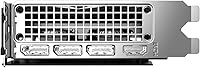
  • Display Outputs: Provides one HDMI port and one DisplayPort output, supporting a maximum digital resolution of 7680 x 4320 at 120Hz.
  • Cooling System: Cooled by two 90mm sleeve-bearing fans, a copper base that makes direct contact with the GPU die, and dual heat pipes that draw heat away from the core.
  • Backplate: An aluminum backplate covers the rear of the PCB, improving structural rigidity and contributing to overall airflow management.
  • Card Dimensions: Measures 9.65 x 4.43 x 1.57 inches, making it a relatively compact card suited to smaller cases where longer triple-fan designs would not fit.
  • Slot Width: Occupies exactly two expansion slots, leaving adjacent slots free in most standard ATX and Micro-ATX motherboard layouts.
  • Card Weight: Weighs 1.94 pounds, which is light enough that most standard PCIe slots will support it comfortably without a sag bracket in typical builds.
  • Power Connector: Requires an external PCIe power connector from the PSU; a 550W or higher power supply is recommended for stable operation in a full system build.
  • Fan Stop Feature: The fans are configured to stop spinning entirely at low temperatures, keeping the card passive and silent during idle or light desktop use.
  • Model Number: Sold under the model designation VCG4060T8DFXPB1-O, which corresponds specifically to the Verto OC Dual Fan overclocked variant from PNY.
  • Availability: First made available in November 2023, placing it within the initial RTX 40-series mid-range rollout period from NVIDIA and its board partners.

Related Reviews
GIGABYTE GeForce RTX 4060 Ti Gaming OC 8GB Graphics Card
86%
92%
Performance
88%
Cooling Efficiency
89%
Value for Money
85%
Build Quality
91%
Ease of Setup
More
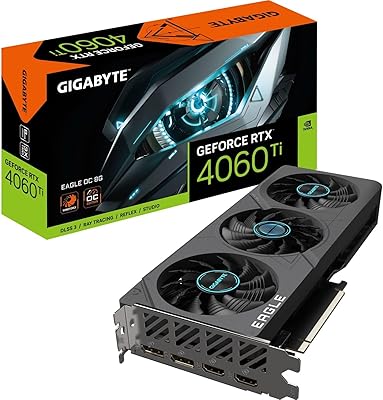
Gigabyte RTX 4060 Ti Eagle OC GPU
82%
83%
Gaming Performance
88%
Thermal Management
84%
Noise Level
86%
DLSS 3 & Frame Generation
61%
VRAM & Memory
More
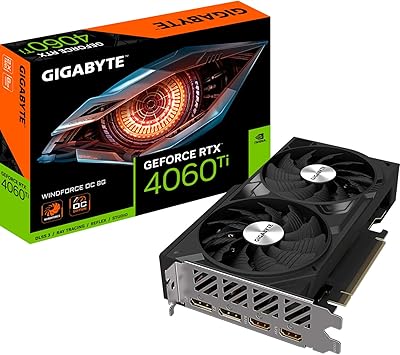
Gigabyte NVIDIA GeForce RTX 4060 Ti WINDFORCE OC 8GB Graphics Card
86%
90%
Gaming Performance
92%
Value for Money
89%
Ray Tracing & DLSS
88%
Cooling & Noise
85%
Installation & Setup
More
PNY GeForce RTX 3070 8GB Graphics Card
79%
91%
1440p Gaming Performance
88%
Thermal Management
86%
Noise Levels
63%
VRAM Adequacy
78%
Ray Tracing Performance
More
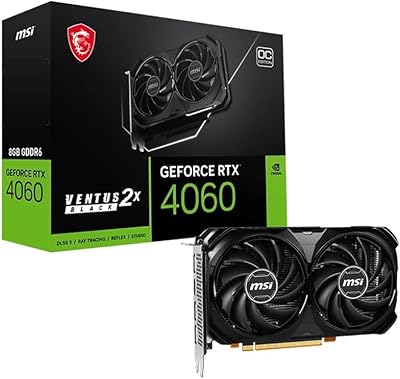
GIGABYTE RTX 5060 Ti 8GB Graphics Card
84%
88%
1440p Gaming Performance
91%
DLSS 4 & AI Upscaling
66%
VRAM Capacity & Adequacy
93%
Thermal Performance & Cooling
86%
Noise Level
More
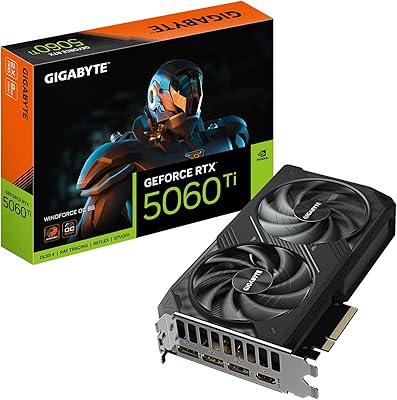
MSI RTX 4060 Ventus 2X Graphics Card
82%
88%
1080p Gaming Performance
83%
Thermal Management
91%
Noise Level
71%
1440p Gaming Performance
63%
VRAM Adequacy
More
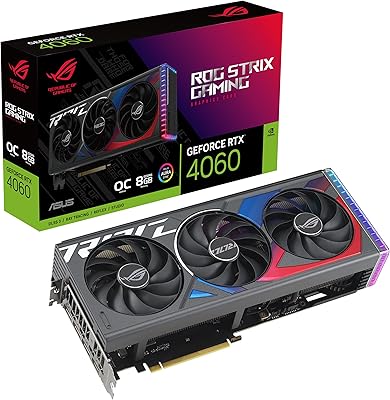
ASUS ROG Strix GeForce RTX 4060 OC Edition 8GB Graphics Card
87%
91%
Gaming Performance
88%
Cooling & Noise Levels
94%
Ray Tracing & DLSS Support
90%
Visuals & Display Quality
85%
Setup & Installation
More
ZOTAC GeForce RTX 3070 Ti AMP Holo Graphics Card
81%
88%
Gaming Performance
91%
Cooling Efficiency
86%
Noise Levels
93%
Build Quality
84%
Thermal Management
More
ASUS TUF Gaming NVIDIA GeForce RTX 3070 Ti OC Edition Graphics Card 8GB GDDR6X
87%
92%
Performance
88%
Cooling Efficiency
94%
Build Quality & Durability
90%
Value for Money
76%
Thermals (Under Load)
More
PNY RTX 5060 Ti 8GB Graphics Card
80%
83%
Gaming Performance
58%
VRAM Adequacy
89%
Cooling & Thermals
62%
Value for Money
91%
DLSS 4 & AI Features
More

FAQ

It handles 1440p well in most games, but with an asterisk. In less demanding or older titles you will have no issues at all. In newer, texture-heavy AAA games with settings maxed out, the 8GB VRAM and 128-bit bus can create some bottlenecks. The practical workaround most users rely on is DLSS — rendering at a lower internal resolution and letting the AI upscale gives you sharp visuals at solid frame rates without hammering the memory subsystem.

DLSS 3 Frame Generation uses AI to create entirely new frames between the ones your GPU actually renders, which can effectively double your perceived frame rate in supported games without proportionally increasing GPU load. You do benefit more from a higher-refresh monitor — if you are gaming at 60Hz, the gains are less noticeable than on a 144Hz or 165Hz panel. That said, even on a 60Hz screen you may notice smoother motion in scenes that previously felt choppy.

Almost certainly yes. At just under 9.7 inches long and occupying two slots, this card fits in the vast majority of standard mid-tower and even many compact ATX cases. Just double-check your case's listed GPU length clearance to be safe — anything rated for 240mm or more of GPU length will accommodate it comfortably.

At idle and during light tasks the fans stop completely, so you will hear nothing. Under sustained gaming load the fans do spin up, and being sleeve-bearing rather than ball-bearing types, they can be a bit more audible than premium coolers from brands like ASUS or MSI. Most users describe it as acceptable rather than disruptive, but if near-silence under load is a hard requirement for you, it is worth keeping in mind.

No, not necessarily. The card runs electrically at x8 bandwidth even in a full PCIe 4.0 x16 slot, and in practice this causes no measurable gaming performance loss. If you have an older PCIe 3.0 board, you will still get very close to the same real-world gaming performance — the bandwidth difference at this GPU class is minimal.

It is a legitimate concern worth thinking about honestly. Right now, 8GB is fine for 1080p gaming at high settings in almost every title. At 1440p with textures pushed to ultra, some games — particularly recent open-world titles — can exceed 8GB and result in stutters or forced texture quality drops. If you plan to keep this card for four or five years, that ceiling may become more restrictive over time as game engines keep pushing memory requirements upward.

NVIDIA recommends a 550W PSU as the minimum for a full system build using this card. That said, if your CPU is power-hungry — like a high-end Ryzen 9 or Core i9 — padding up to a 650W unit gives you comfortable headroom and a cleaner power delivery environment.

PNY is a quieter brand that doesn't invest heavily in marketing or flashy aesthetics, but their build quality and reliability record are genuinely solid. You are not getting RGB lighting or a premium triple-fan cooler, but the components and warranty backing are comparable to the bigger names. For buyers who just want a dependable card without paying a brand premium, PNY represents fair value.

Yes, it handles light to moderate creative workloads well. NVENC hardware encoding on Ada Lovelace is notably efficient, making export times in Premiere or DaVinci Resolve significantly faster than CPU-only encoding. For 3D rendering or heavy GPU compute tasks the 8GB VRAM cap will eventually be a limiting factor, but for editing 1080p or 1440p timelines it is a practical and cost-effective choice.

The Verto OC dual-fan card has one HDMI output and one DisplayPort output, so it natively supports up to two monitors. If you need three or more displays, you would need to use an adapter or a dock that chains from DisplayPort, though multi-monitor gaming beyond two screens is not a primary use case this card is optimized for.

Where to Buy