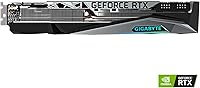
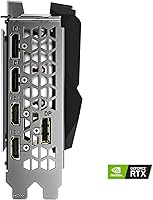
Overview

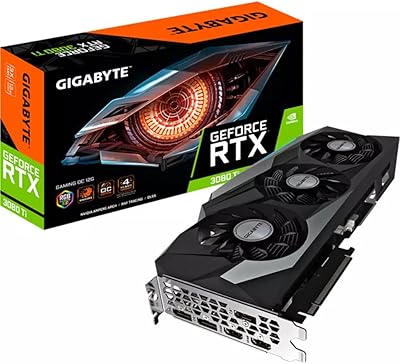
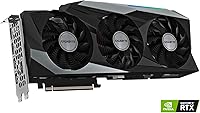
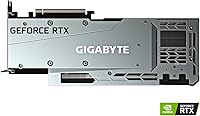
The GIGABYTE RTX 3080 Gaming OC 12G GPU arrived in early 2022 as a meaningful step up from the original 10GB RTX 3080 — the extra VRAM and wider 384-bit memory bus matter more than the spec sheet suggests. GIGABYTE's Gaming OC line sits comfortably in the upper-mid tier of their range: a notch above a stock card, short of their flagship AORUS models. Build quality is exactly what you'd expect at this level — dense, substantial, with a triple-slot cooler that announces itself inside any case. For buyers chasing serious 1440p or 4K performance without jumping to the absolute latest generation, this card was and remains a credible option.

Features & Benefits

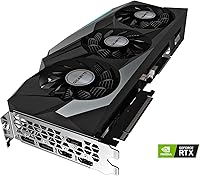
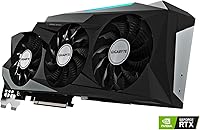
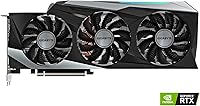
The 12GB GDDR6X running across a 384-bit bus gives this card noticeably more bandwidth than narrower alternatives, which shows up in demanding textures and high-resolution workloads rather than just benchmark numbers. GIGABYTE's WINDFORCE 3X system — three fans with alternating rotation directions — is genuinely effective at keeping temperatures and noise in check under sustained gaming. NVIDIA's Ampere architecture brings second-generation RT Cores and third-generation Tensor Cores, meaning ray tracing and DLSS are real performance tools here, not afterthoughts. The factory overclock edges past reference clock speeds in sustained loads, and dual BIOS adds a safety net for anyone looking to push further. Three DisplayPort outputs and one HDMI round out a practical connectivity setup.

Best For

This Ampere-generation GPU is most at home driving a high-refresh 1440p setup — consistently hitting 100fps and above in demanding titles where older cards fall short. At 4K, it handles 60fps-plus comfortably in well-optimized games, and DLSS brings that target within reach in heavier ones. Creators working in DaVinci Resolve, Premiere, or AI-accelerated pipelines will appreciate the 12GB VRAM headroom, which matters when large assets are in play. One honest caveat: this card is 12.6 inches long and over 4 pounds, so it requires a spacious case with solid airflow to breathe properly. Upgraders coming from a GTX 1080 Ti or RTX 2080 will notice a meaningful performance jump.

User Feedback

Sitting at 4.5 stars across nearly 200 ratings, the RTX 3080 12GB variant earns consistent praise for one thing above most others: cooling efficiency. Owners repeatedly note how quiet and cool the card runs, even through extended gaming sessions. The 12GB VRAM buffer also gets regular credit as the smarter long-term buy compared to the 10GB model. Where buyers push back, two themes come up most — physical size and power draw. At 12.6 inches and over 4 pounds, it does not fit every enclosure, and a quality 750W PSU is the honest minimum. A few users flag RGB software quirks with GIGABYTE's Fusion app, though hardware reliability holds up well in long-term ownership reports.

Pros

  • The 12GB GDDR6X buffer handles texture-heavy games and creative workloads without the memory pressure the 10GB version runs into.
  • WINDFORCE 3X cooling keeps temperatures genuinely low during extended gaming sessions, not just in short benchmarks.
  • The 384-bit memory bus delivers strong bandwidth that translates to smoother performance in high-resolution scenarios.
  • Factory overclock edges above reference clock speeds and holds those gains consistently under sustained load.
  • DLSS and second-generation ray tracing are practical tools here, not performance penalties.
  • Dual BIOS gives experienced builders a safety net when experimenting with additional tuning.
  • Three DisplayPort outputs and one HDMI port cover multi-monitor setups and high-refresh displays without adapters.
  • Build quality feels dense and premium — this Ampere-generation GPU does not rattle or flex inside a case.
  • Verified owners report strong long-term reliability with no widespread failure patterns after extended use.
  • Upgraders from Pascal or Turing cards will notice a clear, tangible performance improvement in modern titles.

Cons

  • At 12.6 inches long, the RTX 3080 12GB variant simply will not fit smaller cases without serious clearance issues.
  • Power draw is substantial — a quality 750W PSU is the realistic minimum, and 850W gives more comfortable headroom.
  • Newer GPU generations have arrived since launch, which affects the value proposition at full retail pricing.
  • The card weighs over 4 pounds, which can stress PCIe slots over time without a support bracket in place.
  • GIGABYTE RGB Fusion software has drawn repeated complaints about stability and usability from a meaningful portion of owners.
  • Triple-slot thickness means sacrificing the adjacent PCIe slot in most motherboard layouts.
  • At 4K in unoptimized or extremely demanding titles, performance without DLSS can fall short of smooth.
  • The high-end price point means any value calculation depends heavily on where current market pricing sits relative to newer options.

Ratings

The scores below reflect an AI-driven analysis of verified global buyer reviews for the GIGABYTE RTX 3080 Gaming OC 12G GPU, with spam, bot-submitted, and incentivized feedback actively filtered out to surface what real owners actually experienced. Strengths like cooling performance and VRAM headroom score exceptionally well, while friction points around physical size, power demands, and software quality are reflected honestly rather than glossed over.

Gaming Performance
91%
Owners gaming at 1440p consistently describe the experience as having performance headroom to spare — high frame rates in demanding open-world titles without needing to compromise settings. At 4K, DLSS brings smooth performance within reach in ways that older Turing cards simply could not match.
In the most demanding unoptimized 4K titles without DLSS enabled, the card can fall short of a locked 60fps, which is a reminder that brute-force 4K without upscaling still pushes the limits of this generation. Buyers expecting native 4K dominance across every title may occasionally be disappointed.
Thermal Management
93%
Cooling is the most consistently praised aspect across owner reviews — users report GPU temperatures staying comfortably controlled even during hours-long gaming sessions in warm rooms. The alternate-spin fan configuration genuinely reduces turbulence compared to same-direction triple-fan designs, and owners notice it.
Results do depend on case airflow; buyers who installed the card in poorly ventilated mid-towers noted higher temperatures than those in spacious full towers. The cooling system is doing serious work on a high-TDP chip, so the enclosure environment matters more than it does with lower-power cards.
VRAM Adequacy
88%
The 12GB buffer earns repeated praise from owners who previously felt constrained by tighter VRAM limits, particularly in texture-heavy games and content creation workflows. Video editors and 3D artists specifically call out the difference it makes when working with large project files or high-resolution assets.
Some buyers who primarily game at 1440p in less demanding titles feel the extra VRAM over the 10GB version was not meaningfully tested in their day-to-day use. The benefit is real but front-loaded toward specific use cases rather than universally felt across all workloads.
Noise Level
86%
Under typical gaming loads, most owners describe fan noise as a low, steady background hum that does not intrude into the gaming or working experience. The alternate fan rotation design keeps acoustic output noticeably lower than competing AIB cards at similar load levels, according to side-by-side comparisons shared by users.
Under synthetic stress tests or sustained compute workloads, fans do ramp up to audible levels that some users found distracting in quieter environments. A small number of owners also reported a faint coil whine under specific load conditions, which is not universal but comes up often enough to be worth noting.
Build Quality
89%
The physical construction earns consistent praise for feeling premium and solid — owners describe it as a card with no flex, no rattling shroud panels, and a backplate that adds rigidity without unnecessary weight. The overall fit and finish clearly belongs in the upper tier of AIB partner cards rather than budget territory.
The weight, while a sign of solid construction, is also a practical concern — at over 4 pounds, it puts real stress on the PCIe slot without a support bracket. A handful of long-term owners flagged visible sag after extended use, which points to the bracket being more of a necessity than an optional accessory.
Case Compatibility
62%
38%
Buyers who did their homework on clearance requirements report zero installation headaches, and those with full towers or larger mid-towers found it dropped in without drama. The triple-slot width is standard for this class of card, so motherboard slot conflicts are not a common complaint.
At 12.6 inches long, this is one of the more frequently flagged pain points in owner reviews — multiple buyers discovered too late that their case could not accommodate the length. The three-slot thickness also eliminates the adjacent PCIe slot on most boards, which matters for builders using add-in cards like capture cards or NVMe adapters.
Power Efficiency
61%
39%
For buyers who budgeted appropriately for power delivery, the card performs its job without complaint, and a quality 850W PSU keeps everything running stably even in demanding multi-hour sessions.
Power draw is one of the most common sources of buyer frustration, particularly for those who underestimated the requirement. Multiple owners report having to purchase a new PSU shortly after installation, and the Ampere architecture is notably less efficient per watt compared to the Ada Lovelace generation that followed it.
Ray Tracing Quality
79%
21%
Second-generation RT Cores make ray tracing genuinely playable in supported titles when paired with DLSS, and owners who use both features together describe the visual uplift as meaningful in games like Cyberpunk 2077 and Control. It is a tangible step forward from the first-generation implementation on Turing cards.
Native ray tracing without DLSS still carries a heavy frame rate cost in the most demanding RT implementations, which forces a quality-versus-performance trade-off that not all buyers anticipated. Enthusiasts expecting to run maximum RT settings at 4K natively may find themselves disappointed by the performance ceiling.
DLSS Effectiveness
87%
Owners who lean on DLSS Quality mode at 4K consistently report it as one of the most valuable features of the card, recovering substantial frame rate with image quality that holds up well at normal viewing distances. The maturity of DLSS 2.x means the artifact issues that plagued earlier versions are largely absent in supported titles.
DLSS is only as useful as the game's implementation, and poorly integrated versions in some titles can introduce ghosting or shimmering that is distracting enough to push users back to native rendering. The feature also requires developer support, which is not universal across every game in a typical library.
Software & RGB
58%
42%
The dual BIOS toggle is a genuinely appreciated hardware-level feature that requires no software at all, and owners who use it for profile switching find it reliable and straightforward. RGB lighting itself is vibrant and the sync with GIGABYTE motherboards works well when the software cooperates.
RGB Fusion 2.0 is a recurring frustration in owner reviews — complaints about crashes, lighting profiles resetting after system reboots, and general software instability are common enough to be a pattern rather than isolated incidents. For buyers who care about RGB integration, this software weakness is a real quality-of-life downgrade.
Value for Money
74%
26%
At a meaningfully reduced price compared to launch, this Ampere-generation GPU represents solid value for buyers who want high-end Ampere performance without paying for the latest generation. Owners who purchased at a discount consistently rate satisfaction highly and feel the performance delivered justifies the spend.
At or near original retail pricing, the value calculation becomes harder to defend given that newer, more efficient GPU generations are now available at competitive price points. The card remains capable, but the premium pricing relative to what newer alternatives offer makes it a contextual rather than universal recommendation.
Overclocking Headroom
76%
24%
The factory overclock already pushes past reference clock speeds, giving buyers a performance advantage out of the box without any manual tuning. Experienced builders report additional headroom for modest manual overclocks, and the dual BIOS provides a recovery option that makes experimentation less risky.
The thermal and power headroom available for manual overclocking is constrained by how hard GIGABYTE has already pushed the factory boost clock, meaning experienced overclockers will find diminishing returns relatively quickly. Significant manual OC gains require very careful power limit and voltage adjustments that casual users are unlikely to pursue.
Display Connectivity
83%
Three DisplayPort 1.4a outputs and one HDMI 2.1 port give multi-monitor users and high-refresh display owners a practical and flexible output arrangement without needing adapters for standard setups. HDMI 2.1 support is particularly appreciated by owners connecting to large 4K televisions for couch gaming.
Four total outputs is standard but not exceptional at this tier, and buyers running more than three displays simultaneously will find themselves at the limit. There is no USB-C or VirtualLink port, which was already being phased out by this generation but is occasionally missed by users with specific monitor connections.
Long-term Reliability
84%
Long-term ownership reports are largely positive, with verified buyers who have run this card for a year or more reporting stable operation with no hardware degradation. The build quality translates to durability in practice, and widespread hardware failure reports are notably absent from the owner community.
A small subset of owners has reported unit failures within the first year, though the rate does not appear unusually high for a card in this class. Warranty service experiences with GIGABYTE vary by region, and a handful of international buyers noted slower resolution times than they expected at this price point.

Suitable for:

The GIGABYTE RTX 3080 Gaming OC 12G GPU is a strong fit for PC builders and gamers who want to run demanding titles at high-refresh 1440p or a solid 60fps-plus at 4K without constantly hitting VRAM ceilings. The 12GB memory buffer makes a real difference for anyone playing texture-heavy open-world games or working in creative applications like video editing, 3D rendering, or AI-assisted workflows where a 10GB card would start to show its limits. Builders upgrading from a GTX 1080 Ti, RTX 2080, or anything older will notice a substantial jump in both raw performance and feature support — particularly ray tracing and DLSS, which are genuinely usable here rather than frame-rate killers. It also suits anyone who values quiet, thermally stable operation during long sessions, as the WINDFORCE 3X cooler consistently keeps things under control. If you have a spacious case, a quality power supply, and a high-resolution monitor to feed, this card has the hardware to match.

Not suitable for:

Buyers working with compact or mid-tower cases should measure carefully before committing — at 12.6 inches long and over 4 pounds, the GIGABYTE RTX 3080 Gaming OC 12G GPU is a physically demanding card that will not fit every build without planning. Anyone running a power supply below 750W should budget for an upgrade too, since this card draws heavily under load and pairing it with a marginal PSU is asking for instability. Budget-conscious shoppers should also be aware that newer GPU generations have since arrived, meaning the raw price-to-performance equation has shifted; if finding this card at a heavily discounted price, the math can still work, but paying full retail when newer alternatives exist deserves a hard look. Casual gamers playing at 1080p on older monitors have no practical need for what this card offers — the performance headroom goes largely unused at that resolution. Finally, anyone dependent on GIGABYTE's RGB Fusion software for lighting control should know that the app has frustrated a portion of users and is not a highlight of the ownership experience.

Specifications

  • GPU Chip: Built on the NVIDIA GeForce RTX 3080 using the Ampere GA102 architecture, designed for high-resolution gaming and compute workloads.
  • VRAM: Equipped with 12GB of GDDR6X memory, offering substantially more headroom than the original 10GB RTX 3080 for texture-heavy and creative workloads.
  • Memory Bus: Uses a 384-bit memory interface, delivering higher memory bandwidth than narrower 256-bit or 320-bit designs at the same clock speed.
  • Memory Speed: GDDR6X modules run at an effective speed of 19000 MHz, contributing to strong throughput in demanding rendering and gaming scenarios.
  • RT Cores: Includes 2nd-generation RT Cores that accelerate ray tracing calculations directly in hardware, enabling practical ray tracing without severe frame rate penalties.
  • Tensor Cores: Features 3rd-generation Tensor Cores that power DLSS (Deep Learning Super Sampling), allowing upscaled image quality with meaningfully higher frame rates.
  • Cooling System: The WINDFORCE 3X system uses three 80mm fans with alternating rotational directions to reduce air turbulence and lower both temperatures and operating noise.
  • Card Dimensions: Measures 12.6 x 5.08 x 2.17 inches, occupying three expansion slots and requiring a case with at least 13 inches of GPU clearance for safe installation.
  • Card Weight: Weighs approximately 4.27 pounds, which is substantial enough that a GPU support bracket is advisable to prevent long-term PCIe slot stress.
  • Display Outputs: Provides three DisplayPort 1.4a connectors and one HDMI 2.1 port, supporting up to four simultaneous displays at resolutions up to 7680x4320 (8K).
  • Form Factor: Standard ATX form factor with a triple-slot cooler profile, compatible with most full-tower and mid-tower cases that support full-length graphics cards.
  • BIOS: Includes a dual-BIOS switch on the card, letting users toggle between performance and quiet profiles or fall back to a safe BIOS after a failed flash.
  • RGB Lighting: Onboard RGB lighting is configurable through GIGABYTE's RGB Fusion 2.0 software, with support for sync across compatible GIGABYTE motherboards and peripherals.
  • Power Connectors: Requires two 8-pin PCIe power connectors; GIGABYTE recommends a minimum 750W power supply unit to ensure stable operation under sustained load.
  • Recommended PSU: A quality 750W 80+ Gold rated PSU is the practical minimum, with 850W recommended for systems that also include high-core-count CPUs or multiple storage drives.
  • Model Number: Sold under model designation GV-N3080GAMING OC-12GD, which identifies the 12GB Gaming OC variant within GIGABYTE's RTX 3080 product family.
  • Release Date: First made available on January 11, 2022, launching as the Ampere generation was in full production and before next-generation Ada Lovelace cards were announced.
  • User Rating: Carries a 4.5 out of 5 star average rating based on 198 customer ratings on Amazon at time of publication.

Related Reviews
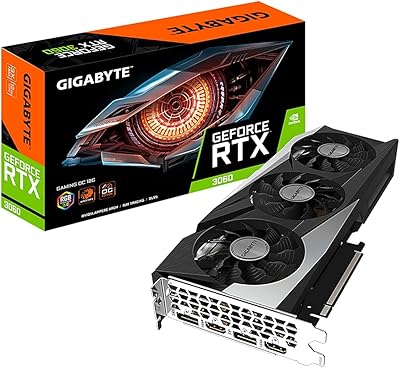
GIGABYTE GeForce RTX 3060 Gaming OC 12G
80%
88%
Gaming Performance at 1080p
71%
Gaming Performance at 1440p
86%
Thermal Management
83%
Noise Levels
91%
VRAM Capacity
More
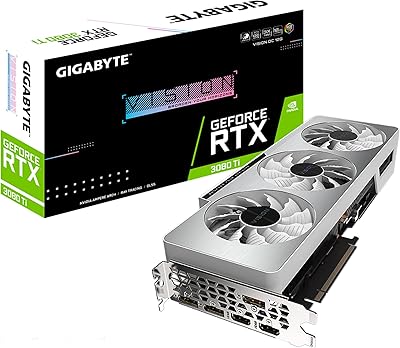
GIGABYTE GeForce RTX 3080 Ti Vision OC 12G
87%
94%
4K Gaming Performance
89%
Cooling Efficiency
90%
Build Quality
84%
Noise Levels
91%
Value for Money
More
Gigabyte RTX 3080 Ti Gaming OC Graphics Card
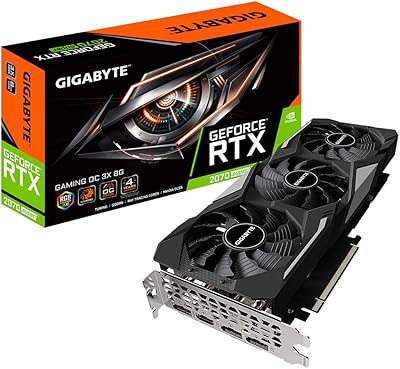
78%
93%
4K Gaming Performance
88%
Thermal Management
84%
Ray Tracing Capability
91%
DLSS & AI Upscaling
79%
Cooling Noise Level
More
Gigabyte GV-N207SGAMING OC-8GD GeForce RTX 2070 Super Gaming OC 8GB Graphics Card
86%
91%
Gaming Performance
94%
Cooling Efficiency
87%
Ray Tracing Capabilities
89%
Build Quality
92%
Value for Money
More
Gigabyte GeForce RTX 3090 GAMING OC 24G
87%
95%
4K Gaming Performance
93%
Cooling Efficiency
92%
Ray Tracing Performance
89%
Build Quality
94%
Memory Capacity (24GB)
More
Gigabyte GeForce RTX 4090 Gaming OC 24GB
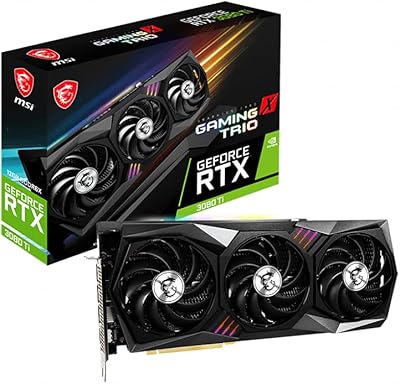
85%
95%
Gaming Performance
90%
Cooling Efficiency
92%
Visuals & Resolution
91%
Build Quality
65%
Installation & Size Compatibility
More
GIGABYTE RTX 3070 Gaming OC 8GB GPU
77%
91%
1440p Gaming Performance
89%
Thermal Performance
83%
Noise Level
88%
Build Quality
78%
DLSS & Ray Tracing
More
GIGABYTE RTX 3060 Ti Gaming OC GPU
78%
88%
Gaming Performance
91%
Thermal Performance
86%
Noise Level
67%
Ray Tracing Capability
72%
VRAM Adequacy
More
GIGABYTE RTX 5070 Gaming OC 12GB GPU
83%
93%
Gaming Performance at 1440p
76%
4K Gaming Capability
91%
Thermal Performance
94%
DLSS 4 and Multi Frame Generation
89%
Build Quality and Construction
More
GIGABYTE GeForce RTX 3050 Gaming OC 8GB Graphics Card
84%
91%
Value for Money
88%
Gaming Performance (1080p)
89%
Cooling Efficiency
84%
Build Quality
86%
Noise Level
More

FAQ

It depends on your specific case. The card is 12.6 inches long, so you need to check your case manufacturer's listed maximum GPU length and leave a little extra margin for cable clearance near the end of the card. Most full towers handle it without issue, but some popular mid-towers have tighter limits — it is worth measuring before you order.

GIGABYTE specifies a 750W minimum, but that is genuinely the floor, not the comfortable target. If your build also includes a high-end CPU like a Ryzen 9 or Core i9, stepping up to an 850W unit gives you proper headroom and protects system stability during peak load spikes. Stick with a reputable 80+ Gold or better unit — cheap PSUs and power-hungry cards are a bad combination.

In most games today the difference is modest, but the 12GB variant has a wider 384-bit memory bus versus 320-bit on the 10GB model, which translates to measurably higher memory bandwidth. Where it matters more is in texture-heavy games at 4K, content creation workloads, and future titles that push VRAM usage beyond 10GB. If you are holding this card for several years, the 12GB version is the more defensible choice.

Owners consistently report that the WINDFORCE 3X system runs noticeably quieter than many competing triple-fan designs. The alternate fan rotation reduces the turbulence between adjacent fans, which helps with both noise and airflow efficiency. Under a full gaming load it is audible, but most users describe it as a background hum rather than anything intrusive.

The GIGABYTE RTX 3080 Gaming OC 12G GPU works well for creative workloads. The 12GB VRAM is genuinely useful in DaVinci Resolve, Premiere Pro, and Blender, where large project files and high-resolution timelines can exhaust smaller VRAM buffers. CUDA acceleration and the Tensor Cores also benefit AI-powered features in Adobe and DaVinci tools. It is a gaming card first, but a capable one for content creation.

It serves two practical purposes. First, you can toggle between a higher-performance mode and a quieter fan profile without software. Second, if you flash a custom BIOS and something goes wrong, you can flip the switch to recover from the backup BIOS without bricking the card. Most users will never need it, but it is a genuinely useful safety net for anyone who wants to experiment.

It depends heavily on what price you find it at. At a significant discount compared to newer alternatives, the RTX 3080 12GB variant still delivers strong 1440p and capable 4K performance that holds up in current titles. At or near original retail pricing, the newer generation cards offer better efficiency and performance per dollar. Do the math on current market pricing before deciding.

At over 4 pounds, a support bracket is a smart addition rather than optional. Over time, the weight of the card can cause the PCIe slot to develop a slight downward sag, which rarely causes immediate failure but is not ideal for long-term hardware health. Many cases now include basic GPU brackets, and third-party adjustable ones are inexpensive. It is a minor investment worth making.

DLSS works very well on this Ampere-generation GPU — the 3rd-generation Tensor Cores handle the upscaling efficiently, and DLSS 2.x support is mature and widely implemented. In supported titles at 4K, enabling DLSS Quality mode can recover 40 to 60 percent of frame rate with minimal visible image quality loss. The list of supported games now runs into the hundreds and includes most major AAA releases from the past few years.

Long-term ownership reports from verified buyers have been largely positive with no widespread failure pattern. The main practical concern is ensuring adequate airflow in your case — this card produces real heat and needs room to exhaust it properly. A handful of users have noted frustrations with the RGB Fusion software stability, but that is a software annoyance rather than a hardware concern. The card itself appears to be a durable, well-built unit.

Where to Buy