Overview

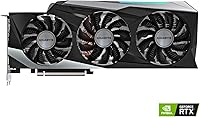
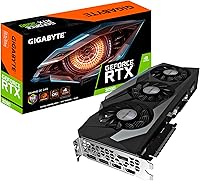
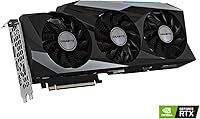
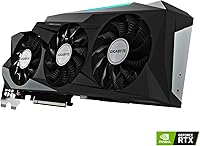
The Gigabyte GeForce RTX 3090 Gaming OC 24GB Graphics Card arrived in late 2020 as one of the most capable consumer GPUs NVIDIA had ever released, sitting at the very top of the Ampere generation lineup. What separates it from virtually everything else in its class is the 24GB GDDR6X framebuffer — a genuinely unusual amount of VRAM for a consumer card. Gigabyte pairs that with their triple-fan WINDFORCE cooling system, which keeps thermals in check on a chip that runs hot under load. Fair warning, though: this is a physically large, power-hungry card. If your case is tight or your PSU is modest, plan accordingly before committing.
Features & Benefits

The 936 GB/s memory bandwidth delivered by a 384-bit bus means this RTX 3090 card can handle texture-heavy workloads and large scene renders without choking — something narrower-bus cards genuinely struggle with at high resolutions. The 10,496 CUDA cores built on Ampere provide real muscle for both rasterization and ray tracing, and the second-generation RT Cores make ray-traced lighting noticeably more viable in supported titles. DLSS support, powered by third-generation Tensor Cores, helps recover frames when ray tracing gets expensive. The factory overclock delivers a small but real edge over reference cards, and 8K output support via DisplayPort rounds out an impressively complete feature set.

Best For

The Gigabyte Gaming OC 3090 is, honestly, overkill for most PC gamers — and that is not a criticism. It is a card built for people pushing hard at 4K ultra settings who cannot afford to lose headroom. Video editors and 3D artists working in Blender or DaVinci Resolve will find the large VRAM pool genuinely useful for complex scenes and timeline scrubbing. Machine learning researchers also benefit from that memory capacity. Just make sure you have a 750W or better PSU, a full-ATX case with room for a 12.6-inch card, and an honest understanding that if pure gaming value is your priority, an RTX 3080 will likely serve you just as well for less.

User Feedback

With around 65 ratings and a 4.1-out-of-5 average, the sample size here is modest — treat the overall sentiment as directional rather than definitive. That said, several users praised the thermal performance specifically, noting the WINDFORCE fans keep temperatures well-controlled even during extended workloads. Build quality also received consistent positive mentions. On the flip side, some buyers flagged the card's sheer physical size as a surprise, since a 12.6-inch GPU demands careful case planning. A handful questioned whether the premium asking price is justified for gaming alone, which is a fair concern. A few noted occasional driver hiccups, though those tend to be platform-level NVIDIA issues rather than unique to this card.

Pros

  • The 24GB GDDR6X memory pool handles large textures, complex renders, and high-resolution video editing without breaking a sweat.
  • Factory overclock provides a tangible performance edge over reference Ampere cards right out of the box.
  • WINDFORCE 3X cooling keeps temperatures well-controlled even under sustained, heavy workloads.
  • Second-gen RT Cores make real-time ray tracing in supported titles practical rather than a slideshow.
  • DLSS support helps recover strong framerates when ray tracing or 4K rendering gets demanding.
  • Solid build quality; several users noted the card feels substantial and well-constructed.
  • 8K output support future-proofs the card for displays that are still becoming mainstream.
  • The 384-bit memory bus delivers 936 GB/s bandwidth, which meaningfully benefits GPU-accelerated creative applications.
  • Alternate-spinning fan design reduces turbulence compared to traditional multi-fan layouts, improving airflow efficiency.

Cons

  • At 12.6 inches long, this card will not fit in many compact or mid-tower cases without careful measurement first.
  • A 750W PSU is the minimum — realistically, a full high-end build around this card will push that requirement higher.
  • Pure gamers can get very close performance from the RTX 3080 at a significantly lower price point.
  • The card is heavy at 2.64 pounds, which can stress motherboard PCIe slots without a GPU support bracket.
  • With only around 65 ratings, there is limited long-term reliability data compared to more widely reviewed cards.
  • Some users reported occasional driver-related hiccups, though these tend to be platform-wide NVIDIA issues.
  • The premium price tier is difficult to rationalize for anyone whose workloads do not tax VRAM heavily.
  • High power draw translates to real electricity costs over time, especially for users running long creative or compute sessions.

Ratings

The Gigabyte GeForce RTX 3090 Gaming OC 24GB Graphics Card has been evaluated by our AI rating system after analyzing verified buyer reviews from global markets, with spam, bot-generated, and incentivized feedback actively filtered out. Scores reflect the honest distribution of real user experiences — strengths and frustrations weighted equally — so what you see below mirrors what actual owners encountered, not a curated highlight reel. Both the card's genuine strengths and its real-world pain points are transparently represented across each category.
Raw Gaming Performance
88%
Users running demanding titles at 4K ultra settings consistently reported smooth, high-framerate gameplay with headroom to spare. The Ampere architecture holds up well across a wide range of titles, and several users noted they rarely felt GPU-limited even in the most visually intensive scenes.
At 1080p and 1440p, the performance advantage over cheaper cards narrows significantly, making the premium harder to justify for anyone not gaming at 4K or above. A few users pointed out that the RTX 3080 delivered nearly identical gaming results for most titles at a lower cost.
VRAM Capacity
94%
The 24GB framebuffer is the single most praised aspect among creative professionals and demanding gamers alike. Video editors working with large 4K or 8K timelines in DaVinci Resolve reported noticeably fewer memory-related bottlenecks, and 3D artists handling heavy scene geometry in Blender found the extra headroom genuinely liberating.
For pure gaming, most current titles do not come close to exhausting even 12GB of VRAM, so the capacity advantage over mid-range cards is largely theoretical for that use case. Several pragmatic users acknowledged they were paying a steep premium for memory they would not fully utilize until game engines catch up.
Thermal Performance
91%
The WINDFORCE 3X cooling system drew consistent praise, with several users noting the card maintains controlled temperatures even during extended render jobs or marathon gaming sessions. The alternate-spin fan design does a meaningful job of reducing hot air recirculation compared to conventional triple-fan configurations.
Under full load the card is audible — not aggressively loud, but noticeable in quieter environments. A small number of users in poorly ventilated cases reported higher-than-expected temperatures, reinforcing that good case airflow is a prerequisite rather than an optional extra with a card this powerful.
Build Quality
89%
The physical construction of the Gigabyte Gaming OC 3090 drew frequent compliments, with buyers describing it as solid and premium-feeling compared to reference designs. The shroud finish and overall fit of components held up well over months of use for most reviewers who commented on longevity.
At 2.64 pounds, the card is heavy enough to cause visible PCIe slot sag over time without a support bracket, which Gigabyte does not include in the box. A handful of users flagged this as a minor but avoidable oversight for a card at this price point.
Ray Tracing Capability
83%
Second-generation RT Cores make ray-traced lighting and shadows in titles like Cyberpunk 2077 and Control genuinely playable at 4K when paired with DLSS, which this card handles well. Users who specifically bought this card for ray tracing reported satisfying results that felt like a meaningful visual upgrade over rasterization alone.
Ray tracing at native 4K without DLSS still taxes even this card heavily in the most demanding titles, requiring quality or performance DLSS modes to stay above 60fps. Buyers expecting maxed-out ray tracing at native resolution without any compromises may find the experience more nuanced than marketing imagery suggests.
Value for Money
58%
42%
For creative professionals and ML researchers who actively leverage the 24GB VRAM pool, the cost-per-performance equation is more defensible — the memory capacity alone can justify the premium when compared to workstation alternatives. Buyers who view it as a long-term investment rather than a current-generation gaming purchase tend to rate value more favorably.
Pure gamers consistently flagged value as the weakest point, noting that the RTX 3080 delivers comparable in-game performance for significantly less money in most real-world scenarios. The pricing tier places it in a difficult spot where it costs far more than gaming-optimized cards but lacks the certified professional support of true workstation GPUs.
DLSS & AI Upscaling
86%
Third-generation Tensor Cores handle DLSS upscaling efficiently, and users praised the quality improvement in DLSS 2.x and later titles where the upscaled image is difficult to distinguish from native resolution at normal viewing distances. Several users called DLSS the feature that made 4K ray tracing actually practical on this card.
DLSS effectiveness is entirely dependent on developer implementation, and in poorly optimized titles the results can look noticeably softer. Users who primarily play older titles or games without DLSS support get no benefit from this hardware capability whatsoever.
Noise Level
72%
28%
At idle and low-to-medium loads the card is quiet, and the semi-passive fan stop feature means fans do not spin at all during light desktop use or casual browsing. This made the card a non-issue acoustically for users who only push it hard occasionally.
Under sustained full load — rendering, training models, or playing demanding titles for hours — the fans become clearly audible. Users in open-frame rigs or with side panels removed found the noise more intrusive, and a few noted it was louder than expected for a card with an alternate-spin fan design.
Compatibility & Fit
63%
37%
In properly sized full-ATX cases with good GPU clearance, installation is straightforward and the card slots in without issues. Users with spacious tower cases reported no fitment problems and appreciated the standard PCIe connection without proprietary brackets or adapters.
The 12.6-inch length is a genuine compatibility barrier that caught several buyers off guard — a notable number of reviews mentioned discovering their case was too small only after purchase. The three-slot width also means losing adjacent expansion slots, which matters for users who need multiple PCIe devices installed simultaneously.
Power Efficiency
54%
46%
For users already running high-wattage systems with quality PSUs, the power draw is expected and manageable. Those who planned their builds around a 850W or 1000W unit reported stable operation without throttling or shutdowns.
The card's power consumption is a recurring frustration for buyers who underestimated real-world draw under load, with electricity costs becoming a tangible concern for users who run long rendering or compute sessions. Several users noted their existing 750W PSUs felt uncomfortably close to their limits when paired with a powerful CPU.
Driver Stability
74%
26%
The majority of users reported stable day-to-day operation without significant driver-related problems once they settled on a reliable driver version. Long-term owners who kept their drivers updated through official NVIDIA channels generally had positive experiences.
A small but consistent thread of complaints about occasional crashes or display driver timeouts appeared across reviews, though these were rarely isolated to this specific card model. Buyers performing clean driver installs during upgrades reported fewer issues, suggesting residual driver conflicts are a common culprit.
Content Creation Performance
92%
For GPU-accelerated creative work — export rendering in DaVinci Resolve, cloth and fluid simulations in Blender, or heavy effects processing in After Effects — this high-end Gigabyte GPU performs at a level that meaningfully reduces professional turnaround times. Users doing this work full-time described it as one of the most impactful hardware upgrades they had made.
The performance advantage over a well-configured RTX 3080 narrows in applications that do not saturate VRAM, meaning users with lighter creative workloads may not recoup the cost premium through productivity gains alone. Benchmarks and real-world results can diverge depending heavily on the specific software and project complexity involved.
Future-Proofing
81%
19%
The 24GB memory buffer positions this card well against future game and software requirements, and users who think in multi-year ownership cycles rated it highly for longevity. Several noted that buying a card with this much VRAM headroom reduces the urgency of upgrading as asset sizes grow in next-generation titles.
Newer GPU architectures from both NVIDIA and AMD have since launched with improved performance-per-watt and more advanced feature sets, which dampens the future-proofing argument somewhat. Buyers purchasing today need to weigh the card's aging node technology against its still-relevant memory advantage.

Suitable for:

The Gigabyte GeForce RTX 3090 Gaming OC 24GB Graphics Card is purpose-built for a specific kind of buyer: someone who genuinely needs top-tier GPU performance and has the system to support it. Creative professionals — video editors working with high-resolution timelines in DaVinci Resolve, 3D artists rendering complex scenes in Blender, or machine learning practitioners training models locally — will find the 24GB GDDR6X memory pool a real advantage over cards with tighter VRAM budgets. Serious 4K gamers who want to run demanding titles at ultra settings without compromise will also appreciate the raw headroom this card provides. PC builders assembling flagship rigs with full-ATX cases and 750W-plus power supplies will find it fits naturally into a no-compromises build philosophy. If longevity matters to you — buying a card you expect to push hard for several years — the memory capacity and architecture here offer a meaningful buffer against future demands.
Not suitable for:

The Gigabyte GeForce RTX 3090 Gaming OC 24GB Graphics Card is a poor match for anyone building a compact or mid-range system. At 12.6 inches long and requiring a minimum 750W power supply, it imposes hard physical and electrical constraints that smaller cases and budget PSUs simply cannot meet. Buyers who primarily game at 1080p or 1440p should look elsewhere — the RTX 3080 delivers comparable gaming performance at those resolutions for considerably less money, and the extra VRAM goes largely unused in most titles. Casual users who do light gaming or general computing tasks will find this card wildly oversized for their needs, both in cost and power consumption. If your workload does not actively benefit from a large VRAM pool — whether in content creation, rendering, or research — the premium you pay here is genuinely hard to justify.
Specifications

  • GPU Chip: Powered by the NVIDIA GeForce RTX 3090 processor built on the Ampere architecture, which underpins both its rasterization and ray tracing capabilities.
  • CUDA Cores: Features 10,496 CUDA cores, providing substantial parallel processing throughput for gaming, rendering, and compute workloads.
  • VRAM: Equipped with 24GB of GDDR6X memory, the largest framebuffer available on a consumer-grade Ampere GPU.
  • Memory Bus: Uses a 384-bit memory interface, which contributes directly to the card's high bandwidth and large-scene handling capacity.
  • Memory Bandwidth: Delivers 936 GB/s of memory bandwidth, enabling fast asset transfers essential for high-resolution textures and complex renders.
  • Memory Speed: GDDR6X modules operate at 19,500 MHz effective clock speed, among the highest of any consumer GPU at launch.
  • RT Cores: Includes second-generation RT Cores that accelerate real-time ray tracing calculations directly in hardware rather than relying on shader cores.
  • Tensor Cores: Third-generation Tensor Cores power DLSS (Deep Learning Super Sampling), allowing AI-based upscaling to recover performance in supported titles and applications.
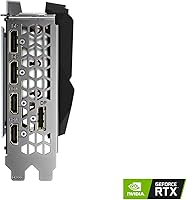
  • Display Output: Supports output via DisplayPort and HDMI, with a maximum resolution of 7680x4320 (8K) for compatible displays.
  • Cooling System: Uses Gigabyte's WINDFORCE 3X system with three fans configured to alternate spin direction, reducing airflow turbulence and improving heat dissipation.
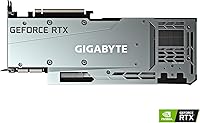
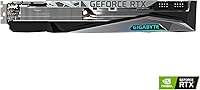
  • Card Dimensions: Measures 12.6 x 5.08 x 2.17 inches, occupying a triple-slot footprint and requiring a full-ATX case with adequate clearance.
  • Card Weight: Weighs 2.64 pounds, which is substantial enough to warrant a GPU support bracket to prevent long-term PCIe slot stress.
  • Power Requirement: Requires a minimum 750W power supply unit; real-world system builds with high-end CPUs and storage will benefit from 850W or more.
  • Form Factor: ATX form factor card measuring 12.6 inches in length, incompatible with mini-ITX or many micro-ATX cases without modification.
  • Manufacturer: Designed and manufactured by GIGABYTE Technology, a Taiwanese hardware company with an established track record in graphics card production.
  • Model Number: Official model identifier is GV-N3090GAMING OC-24GD, useful for verifying compatibility, finding drivers, and checking warranty documentation.
  • Factory Overclock: Ships with boost clocks set above NVIDIA's reference specification, giving a modest out-of-box performance advantage without requiring manual tuning.
  • API Support: Fully supports DirectX 12 Ultimate, OpenGL 4.6, and Vulkan, covering all major graphics APIs used by current games and professional software.

Related Reviews
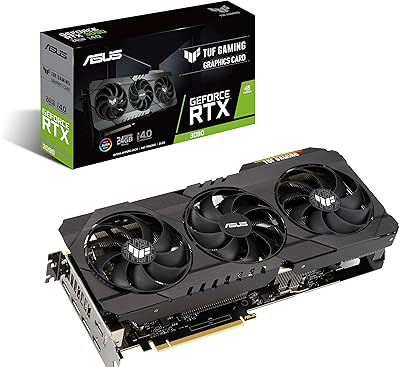
ASUS TUF RTX 3090 OC Graphics Card
80%
91%
Raw Gaming Performance
88%
Thermal Management
93%
Build Quality
94%
VRAM Capacity & Usefulness
83%
Noise Levels
More
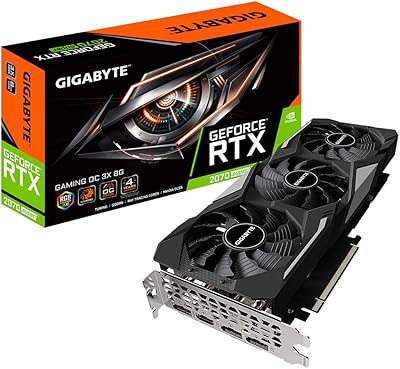
Gigabyte RTX 2070 Super Gaming OC Graphics Card
81%
91%
1440p Gaming Performance
93%
Thermal Management
88%
Noise Level
67%
Value for Money
62%
Ray Tracing Capability
More
GIGABYTE GeForce RTX 3050 Gaming OC 8GB Graphics Card
84%
91%
Value for Money
88%
Gaming Performance (1080p)
89%
Cooling Efficiency
84%
Build Quality
86%
Noise Level
More
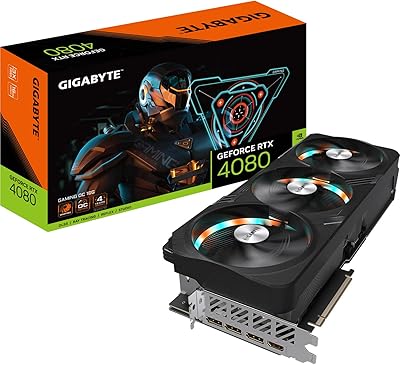
GIGABYTE RTX 5070 Gaming OC 12GB GPU
83%
93%
Gaming Performance at 1440p
76%
4K Gaming Capability
91%
Thermal Performance
94%
DLSS 4 and Multi Frame Generation
89%
Build Quality and Construction
More
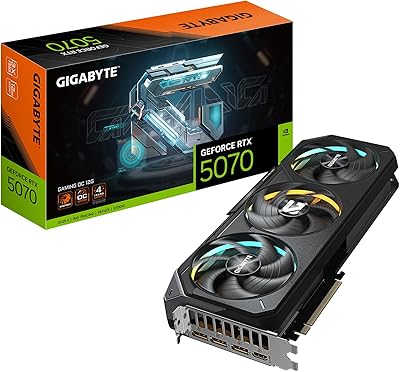
GIGABYTE RTX 4080 Gaming OC 16GB GPU
81%
93%
Gaming Performance
89%
Thermal Management
91%
Build Quality
74%
Cooling Noise Level
86%
DLSS 3 & Frame Generation
More
GIGABYTE GeForce RTX 5070 Ti Gaming OC 16G

86%
91%
4K Gaming Performance
89%
Ray Tracing & DLSS 4
93%
Cooling Efficiency
94%
VRAM & Memory Speed
87%
Acoustic Performance
More
GIGABYTE GeForce RTX 4060 Ti Gaming OC 8GB Graphics Card
86%
92%
Performance
88%
Cooling Efficiency
89%
Value for Money
85%
Build Quality
91%
Ease of Setup
More
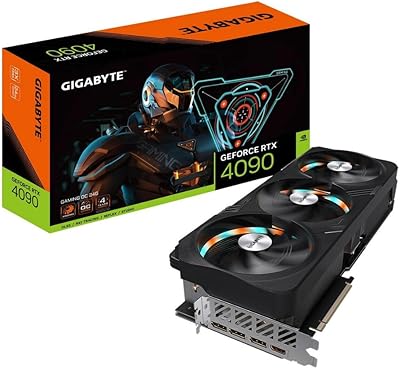
Gigabyte GeForce RTX 4090 Gaming OC 24GB
85%
95%
Gaming Performance
90%
Cooling Efficiency
92%
Visuals & Resolution
91%
Build Quality
65%
Installation & Size Compatibility
More
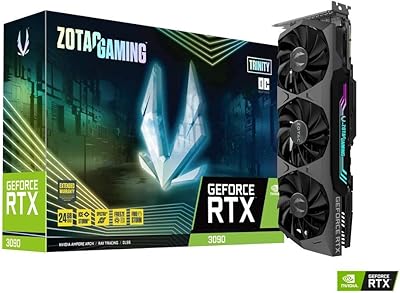
ZOTAC GeForce RTX 3090 Trinity OC 24GB Graphics Card
78%
88%
Thermal Performance
93%
VRAM Capacity & Utility
84%
Noise Levels
91%
Build Quality
58%
Value for Money
More
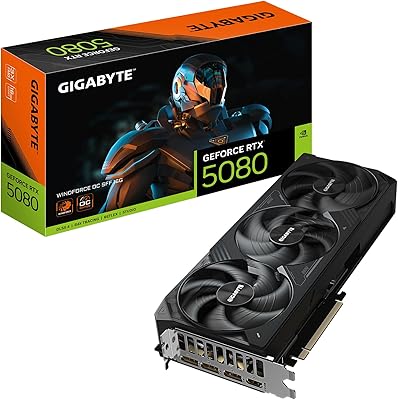
GIGABYTE GeForce RTX 5080 WINDFORCE OC SFF 16G
78%
93%
Gaming Performance
91%
DLSS 4 & AI Features
89%
SFF Compatibility & Fit
86%
Thermal Performance
84%
Noise Levels
More

FAQ

NVIDIA and Gigabyte both list 750W as the minimum, but that assumes a relatively modest system elsewhere. If you are pairing this RTX 3090 card with a high-end CPU, multiple NVMe drives, and lots of RAM, budgeting for an 850W or 1000W unit gives you cleaner headroom and protects against transient power spikes under load.

That depends entirely on your case. The card is 12.6 inches long and takes up three expansion slots, so you need to measure your case's maximum GPU clearance carefully before buying. Many mid-towers support it, but compact ATX cases and anything smaller almost certainly will not without modification.

It is genuinely well-suited for it. Applications like DaVinci Resolve and Premiere Pro can leverage the GPU for real-time effects, color grading, and export acceleration, and the 24GB VRAM means large 4K or 8K timelines are far less likely to bottleneck on memory than they would on a card with 8GB or 10GB.

Based on user reports and the design itself, it performs well. The alternate-spin fan configuration reduces the turbulence you get when all fans push air in the same direction, and several users specifically noted that temperatures stay controlled even during long gaming or rendering sessions. It is not a silent card under full load, but it is not unreasonably loud either.

That depends on your use case and budget. For creative professionals who need a large VRAM pool at a lower price than current-gen alternatives, it can still make sense on the used or discounted new market. For pure gaming, newer architectures offer better performance-per-watt and often better ray tracing efficiency, so it is worth comparing current pricing carefully before committing.

Yes, and the 24GB VRAM is actually a meaningful advantage here. Many ML training tasks — especially those involving larger models or batch sizes — hit memory walls on 8GB or 12GB cards. This high-end Gigabyte GPU gives you more room to work with locally without needing to scale to cloud compute for moderate workloads.

It does. The card has multiple display outputs including DisplayPort and HDMI, so running two or three monitors simultaneously is straightforward. Just confirm your monitor cable types match the available outputs, and note that maximum resolution support may vary by output type.

It weighs 2.64 pounds, which is heavy by consumer GPU standards. Over time, that weight can stress the PCIe x16 slot on your motherboard and cause a visible sag. A GPU support bracket or brace is a sensible addition — many cases include one, and aftermarket options are inexpensive.

In practice, the gap between the factory OC boost clock and NVIDIA's reference spec is relatively small — typically a few percent. You will not see a dramatic jump in frame rates, but it means you get a marginal edge without having to manually tune anything yourself, which is convenient for buyers who prefer a set-and-forget setup.

A small number of users across various RTX 3090 cards have reported occasional driver-related issues, but these are generally platform-level NVIDIA matters rather than specific to this Gigabyte model. Keeping your drivers updated through NVIDIA's official channels and doing a clean install when upgrading driver versions resolves most reported issues.

Where to Buy