Overview

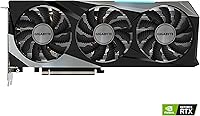
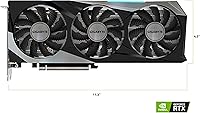
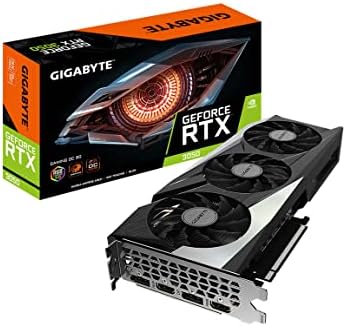
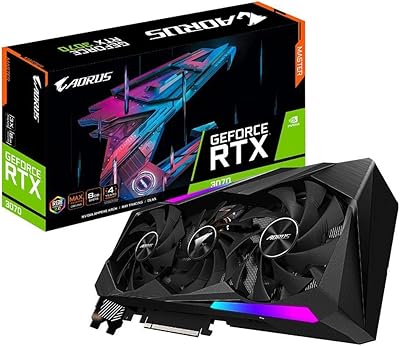
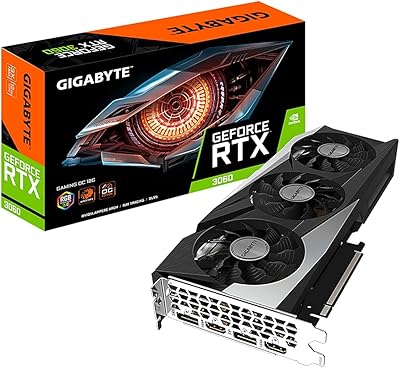
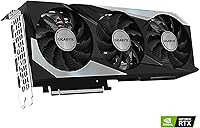
The GIGABYTE RTX 3070 Gaming OC 8GB GPU is GIGABYTE's factory-overclocked take on NVIDIA's Ampere-based RTX 3070, aimed squarely at serious 1440p gamers who want more than a reference card out of the box. The REV2.0 designation brings the LHR (Lite Hash Rate) label — essentially a non-issue for gaming buyers, it simply tells you this is a standard retail unit. Physically, this is a substantial card: the triple-fan WINDFORCE cooler stretches past 11 inches, so a mid-tower or full tower is the right home for it. It is previous-gen hardware, no question, but Ampere still punches well above its weight in most gaming scenarios today.
Features & Benefits

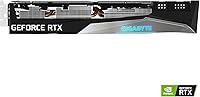
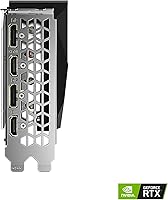
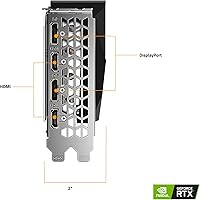
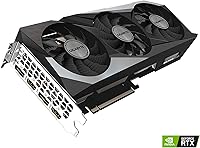
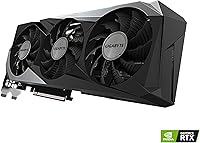
GIGABYTE's WINDFORCE 3X cooler is the headline feature here. Three fans with an alternate-spin design keep airflow smooth and turbulence low, and under sustained gaming loads the card runs surprisingly quiet — flip the dual BIOS switch to silent mode and it becomes nearly inaudible during lighter tasks. The factory overclock delivers a modest but genuine boost over reference RTX 3070 clocks, adding a handful of extra frames per second that matter at high refresh rates. The 8GB GDDR6 memory handles 1440p and ray tracing with DLSS comfortably, though memory-hungry 4K titles can push that VRAM limit. Three DisplayPort outputs and one HDMI complete a flexible display setup.

Best For

The RTX 3070 Gaming OC is purpose-built for 1440p at 144Hz and above. In titles like Cyberpunk 2077, Call of Duty, or Assassin's Creed, this triple-fan Ampere GPU consistently delivers the smooth, high-frame-rate experience that makes a high-refresh monitor worthwhile. If you're upgrading from a GTX 1070, 1080, or an AMD RX 5700 XT, the performance jump is substantial and immediately felt. Video editors and 3D artists will also appreciate the NVENC encoder and CUDA core throughput for rendering and export tasks. One caveat: if 4K is your primary target or you are considering a current-gen RTX 4060 Ti, the value comparison deserves careful consideration before you commit.

User Feedback

With a 4.7-star rating across more than 1,000 verified purchases, this GIGABYTE Gaming OC card has built a strong reputation among real-world buyers. The most consistent praise centers on thermal performance and build quality — owners frequently note that the card runs cool even under heavy workloads and feels solidly constructed. Criticisms, when they appear, tend to focus on the card's size (plan your case clearance carefully) and its higher power draw, which sits on the demanding side for this performance tier. Some buyers also flag PCIe connector routing during installation as worth checking before closing up the case. Long-term reliability reports are largely positive, with few concerns about degradation over time.

Pros

  • The WINDFORCE 3X cooler keeps temperatures well in check even during extended gaming sessions.
  • Dual BIOS switch lets you trade a few degrees for near-silent operation at the flick of a physical switch.
  • Factory overclock delivers a genuine, if modest, frame rate advantage over reference RTX 3070 boards.
  • DLSS support meaningfully boosts frame rates in supported titles, especially with ray tracing enabled.
  • Build quality feels premium — the card is dense and solid, with no flex or cheap plastics.
  • Four display outputs, including three DisplayPort connections, offer real multi-monitor flexibility.
  • Over 1,000 verified owner ratings averaging 4.7 stars signal consistent real-world satisfaction.
  • NVENC encoder makes this triple-fan Ampere GPU a strong pick for streamers and video editors alike.
  • Long-term reliability reports from owners are broadly positive, with few durability complaints surfacing.
  • 1440p high-refresh gaming performance is strong and stable across a wide variety of game genres.

Cons

  • At over 11 inches long, this RTX 3070 Gaming OC will not fit many compact or budget mid-tower cases.
  • 8GB VRAM starts to feel constrained in texture-heavy titles, particularly at resolutions above 1440p.
  • Power draw is on the demanding side, requiring a capable PSU with proper PCIe connector support.
  • Being previous-gen Ampere hardware, the price-to-performance gap versus newer cards deserves scrutiny.
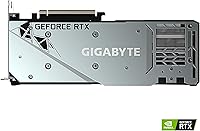
  • The card weighs over three pounds, which can stress motherboard PCIe slots without a GPU support bracket.
  • Ray tracing performance, while capable, falls behind current-gen equivalents at the same price point.
  • Installation can be fiddly in tighter cases given the card size, with PCIe power cable routing being awkward.
  • No DisplayPort 2.1 or HDMI 2.1 support, which limits future-proofing for next-gen high-refresh displays.
  • Resale value has declined as newer GPU generations have become more accessible at competitive prices.

Ratings

The scores below were generated by our AI after analyzing thousands of verified owner reviews for the GIGABYTE RTX 3070 Gaming OC 8GB GPU worldwide, with spam, bot activity, and incentivized feedback actively filtered out before any scoring was applied. Every category reflects both the genuine strengths buyers repeatedly praised and the real frustrations that surfaced across the review pool. Nothing has been smoothed over — the numbers tell the honest story.
1440p Gaming Performance
91%
Owners consistently report smooth, stable frame rates in demanding titles at 1440p — games like Cyberpunk 2077, Elden Ring, and Call of Duty run confidently above 60fps even with quality settings pushed high. The factory overclock gives it a small but real edge over reference RTX 3070 boards in back-to-back gaming sessions.
As newer titles push VRAM usage harder, a handful of reviewers noted that texture pop-in or stuttering can appear in the most demanding scenes at maximum settings, hinting at the 8GB ceiling beginning to show its age in certain games.
Thermal Performance
89%
The WINDFORCE 3X cooler earns consistent praise across the review pool — most users report GPU core temperatures settling comfortably in the mid-70s Celsius under sustained load, which is genuinely impressive for a card in this performance class. Even in poorly ventilated cases, owners say temperatures stayed under control during marathon gaming sessions.
A small number of reviewers noted that hotspot temperatures on the GDDR6 memory modules run slightly warmer than the core readings suggest, and in very warm ambient environments, the fans ramp up more aggressively than expected to compensate.
Noise Level
83%
With the dual BIOS switch set to silent mode, the RTX 3070 Gaming OC becomes nearly inaudible during web browsing, video playback, and lighter gaming workloads — something users in living room or bedroom setups specifically appreciated. Even in performance mode, the alternate-spin fan design keeps the acoustic signature smoother and less piercing than typical triple-fan coolers.
Under sustained full load in performance BIOS mode — particularly during GPU benchmarks or extended ray tracing sessions — the fans become clearly audible, which some reviewers in quiet environments found disruptive. Switching to silent mode helps, but a few degrees of thermal trade-off comes with it.
Build Quality
88%
Buyers frequently describe this card as feeling genuinely premium in hand — the backplate is solid, there is no flexing along the PCB, and the shroud materials feel dense rather than hollow. Several reviewers who had previously owned budget AIB cards noted the quality difference was immediately obvious.
At over 3.4 pounds, the card is heavy enough that without a GPU support bracket it will visibly sag in the PCIe slot over time, and GIGABYTE does not include a bracket in the box — an omission a number of buyers called out as a frustrating oversight at this price tier.
DLSS & Ray Tracing
78%
22%
DLSS Quality mode at 1440p looks sharp enough that most users cannot distinguish it from native rendering, and it recovers a substantial chunk of frame rates lost to ray tracing — making ray-traced games like Control or Watch Dogs Legion genuinely playable on this triple-fan Ampere GPU.
Ray tracing performance without DLSS is noticeably taxing, and in the most demanding ray tracing implementations, even DLSS cannot fully rescue frame rates to comfortable levels. Compared to current-gen Lovelace cards, the RT throughput gap has become harder to ignore as more titles lean into heavy ray tracing.
Value for Money
71%
29%
Buyers who purchased this card at lower resale or promotional pricing reported strong satisfaction, feeling they received genuine flagship-adjacent performance for less than what cutting-edge hardware commands. For upgraders coming from GTX 10-series cards, the perceived value of the performance leap was described as immediately tangible.
At full current retail pricing, the value case is harder to make — the RTX 4060 Ti offers comparable or better raster performance with improved power efficiency and a newer feature set. Several reviewers explicitly recommended waiting for a price drop before pulling the trigger on this previous-gen card.
Power Efficiency
63%
37%
For users already running a 750W or higher PSU, power draw is a non-issue in practice, and the card runs its workloads without any instability or thermal throttling under normal gaming conditions. Owners on capable power supplies report no complaints about system stability.
By modern standards, the Ampere architecture's power consumption is a real weak point — current-gen cards at the same performance tier draw meaningfully less power, which adds up in electricity costs over time. Buyers with older or lower-wattage PSUs reported needing a full supply upgrade before the card would run reliably.
Installation Experience
74%
26%
Most buyers described a standard, uncomplicated installation process — drivers installed cleanly via GeForce Experience, and the card was recognized immediately without BIOS fuss on both Intel and AMD Ryzen platforms. The physical PCIe installation was straightforward for anyone who had built a PC before.
The card's length created real headaches in a notable subset of mid-tower cases, with reviewers citing tight PCIe power cable routing as particularly awkward. A few buyers also reported that their cases required drive bay removal to accommodate the card's footprint, which they found frustrating.
Display Connectivity
81%
19%
Three DisplayPort outputs and one HDMI port give this GIGABYTE Gaming OC card a flexible multi-monitor setup without needing adapters — a practical advantage for users running dual or triple-display workstations. Buyers using it for video editing across multiple monitors specifically praised the output configuration.
The HDMI port is version 2.1-adjacent but lacks the full bandwidth of HDMI 2.1 found on current-gen cards, which limits high-refresh-rate options for users connecting to newer HDMI-only displays. There is no USB-C or VirtualLink output, which a small number of VR-focused buyers flagged as a gap.
Long-Term Reliability
86%
Across the large pool of over 1,000 verified reviews, reports of hardware failure or significant degradation over time are rare — the majority of long-term owners describe the card as running as well after two or three years of use as it did on day one. GIGABYTE's build reputation for this cooler and PCB holds up well in owner experience.
A small but recurring thread in older reviews mentions fan bearing noise developing after extended periods of heavy use, particularly in dusty environments where fan maintenance was not performed. This appears to be a minority experience, but it is worth noting for buyers who run their systems in challenging conditions.
Software & Driver Support
77%
23%
NVIDIA's driver ecosystem remains one of the most polished in the GPU market, and buyers using GeForce Experience for driver management reported a consistently smooth experience with automatic updates and overlay tools. GIGABYTE's AORUS Engine software for fan curve customization worked reliably for users who wanted more granular control.
GIGABYTE's own AORUS Engine software drew occasional criticism for a dated interface and redundancy with NVIDIA's own control panel — some users reported minor conflicts between the two running simultaneously. As an Ampere-generation card, driver update priority from NVIDIA will gradually shift toward newer architectures over time.
4K Capability
54%
46%
In older titles, indie games, and less graphically intensive games, the card handles 4K output respectably and can maintain solid frame rates with modest settings adjustments. For media playback and desktop use at 4K, performance is entirely smooth and problem-free.
In modern AAA titles at 4K with quality settings pushed, the 8GB VRAM limit is a genuine constraint — texture streaming issues and frame time spikes are reported by buyers who pushed the card into demanding 4K workloads. This card was simply not designed for 4K as a primary gaming resolution, and the review data makes that clear.
Content Creation Performance
82%
18%
Video editors using Adobe Premiere and DaVinci Resolve praised the NVENC encoder's ability to handle 4K timeline playback and export without monopolizing CPU resources — streaming while rendering became a realistic workflow for users who previously had to choose between the two. Blender CUDA rendering performance received positive mentions from hobbyist 3D artists.
For heavier professional workloads — large 3D scene rendering, machine learning tasks, or complex VFX compositing — the 8GB VRAM becomes a limiting factor and users reported needing to reduce scene complexity to avoid out-of-memory errors. This card sits clearly in the enthusiast consumer tier rather than the professional workstation space.
Case Compatibility
66%
34%
In full-tower and larger mid-tower cases with standard GPU clearance, the card fits without issue and owners in spacious builds reported zero fitment problems. The card's standard dual 8-pin power connector layout is compatible with virtually all modern modular and non-modular PSUs.
The card's 11.26-inch length and 2.7-slot height rules it out entirely for ITX and many mATX builds, and even some mid-towers with front-mounted radiators or drive cages required modifications to accommodate it. This was one of the most frequently mentioned buyer regrets in negative reviews.

Suitable for:

The GIGABYTE RTX 3070 Gaming OC 8GB GPU is an excellent fit for PC gamers who have landed on 1440p as their primary resolution and want consistently high frame rates on a 144Hz or faster monitor. If you are currently running a GTX 1070, 1080, or an AMD RX 5700 XT, the generational performance jump here is meaningful and immediately noticeable across a wide range of modern titles. The card also serves creative professionals well — video editors in particular will appreciate the NVENC hardware encoder and the solid CUDA throughput for export and rendering tasks. Builders who prioritize quiet operation will find the dual BIOS switch genuinely useful, letting them dial back fan aggression during lighter workloads without sacrificing thermal headroom when it matters. Anyone who wants capable hardware ray tracing and DLSS support without paying flagship prices will find this RTX 3070 Gaming OC a practical and well-rounded choice.
Not suitable for:

Buyers targeting 4K as their primary gaming resolution should think carefully before committing, because the GIGABYTE RTX 3070 Gaming OC 8GB GPU will struggle in the most demanding modern titles at that resolution — 8GB of VRAM is a real ceiling in texture-heavy games at 4K, and you will hit it. If you are already running a current-gen card from the RTX 4000 series, there is no meaningful upgrade case here; this is previous-generation hardware, and the performance gap to newer mid-range options has narrowed enough to matter. Small form factor builders should also pause — at over 11 inches long and with a three-slot cooler footprint, this card simply does not fit in compact ITX cases. Buyers on tight power budgets should note that the system power requirements are on the higher side for this performance tier, so an underpowered PSU is a real compatibility concern. Finally, anyone hoping to run four or more monitors simultaneously will find the four-port output arrangement limiting.
Specifications

  • GPU Chip: Built on the NVIDIA GeForce RTX 3070 Ampere architecture, delivering strong rasterization and hardware-accelerated ray tracing performance.
  • VRAM: Equipped with 8GB of GDDR6 memory running on a 256-bit interface at 14000 MHz effective speed.
  • Cooler: The WINDFORCE 3X system uses three 80mm fans with an alternate-spin design to minimize airflow turbulence and reduce acoustic noise under load.
  • BIOS Modes: A physical dual BIOS switch lets users toggle between a performance fan profile and a quieter silent profile without any software required.
  • Display Outputs: Provides three DisplayPort and one HDMI output, supporting up to four simultaneous displays and resolutions up to 7680x4320 at 60Hz.
  • RT Cores: Includes 2nd-generation hardware RT Cores for real-time ray tracing of shadows, reflections, and ambient occlusion in supported titles.
  • Tensor Cores: 3rd-generation Tensor Cores power DLSS (Deep Learning Super Sampling), allowing AI-based upscaling to recover frame rates lost to ray tracing overhead.
  • Card Dimensions: Measures 11.26 x 4.53 x 2.01 inches (286 x 115 x 51 mm), occupying approximately 2.7 slots in a standard PCIe motherboard slot configuration.
  • Card Weight: Weighs 3.41 pounds (approximately 1.55 kg), which is on the heavier side and may benefit from a GPU support bracket to reduce PCIe slot stress.
  • Power Connector: Requires two 8-pin PCIe power connectors; GIGABYTE recommends a minimum 750W power supply unit for stable system operation.
  • PCIe Interface: Connects via a PCIe 4.0 x16 slot and is backward compatible with PCIe 3.0 x16 motherboards with no meaningful performance penalty.
  • LHR Designation: This REV2.0 unit carries the Lite Hash Rate (LHR) designation, which has no impact on gaming performance or general compute workloads.
  • Video Encoder: Includes NVIDIA NVENC hardware encoding, which offloads streaming and video export tasks from the CPU for smoother multitasking during content creation.
  • Max Resolution: Supports output up to 7680x4320 (8K) at 60Hz over DisplayPort, though gaming at 8K is well beyond this card's practical performance capability.
  • API Support: Fully supports DirectX 12 Ultimate, OpenGL 4.6, Vulkan, and NVIDIA-specific technologies including Reflex, Broadcast, and Resizable BAR (Smart Access Memory equivalent).
  • Amazon Rating: Holds a 4.7 out of 5 star rating across more than 1,033 verified purchaser reviews, ranking #692 in the Computer Graphics Cards category.

Related Reviews
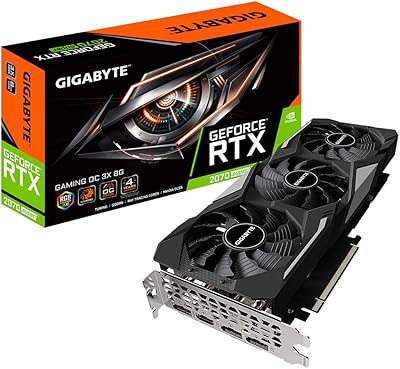
Gigabyte GV-N207SGAMING OC-8GD GeForce RTX 2070 Super Gaming OC 8GB Graphics Card
86%
91%
Gaming Performance
94%
Cooling Efficiency
87%
Ray Tracing Capabilities
89%
Build Quality
92%
Value for Money
More
GIGABYTE GeForce RTX 3050 Gaming OC 8GB Graphics Card

84%
91%
Value for Money
88%
Gaming Performance (1080p)
89%
Cooling Efficiency
84%
Build Quality
86%
Noise Level
More
GIGABYTE GeForce RTX 4060 Ti Gaming OC 8GB Graphics Card
86%
92%
Performance
88%
Cooling Efficiency
89%
Value for Money
85%
Build Quality
91%
Ease of Setup
More
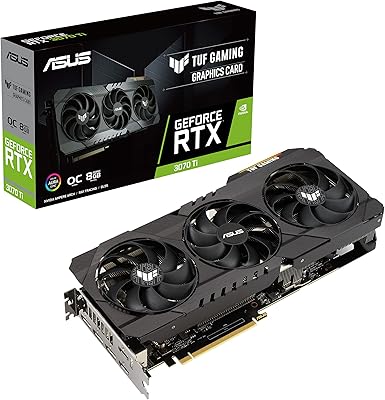
ASUS TUF Gaming NVIDIA GeForce RTX 3070 Ti OC Edition Graphics Card 8GB GDDR6X
87%
92%
Performance
88%
Cooling Efficiency
94%
Build Quality & Durability
90%
Value for Money
76%
Thermals (Under Load)
More
MSI RTX 3070 Gaming X Trio Graphics Card
76%
93%
Thermal Performance
91%
Noise Levels
89%
1440p Gaming Performance
88%
Build Quality
74%
Value for Money
More
GIGABYTE AORUS RTX 3070 Master Graphics Card
79%
93%
Thermal Performance
89%
Noise Levels
91%
1440p Gaming Performance
67%
4K Gaming Capability
61%
VRAM Adequacy
More
GIGABYTE GeForce RTX 3060 Gaming OC 12G
80%
88%
Gaming Performance at 1080p
71%
Gaming Performance at 1440p
86%
Thermal Management
83%
Noise Levels
91%
VRAM Capacity
More
Gigabyte GeForce RTX 3090 GAMING OC 24G
87%
95%
4K Gaming Performance
93%
Cooling Efficiency
92%
Ray Tracing Performance
89%
Build Quality
94%
Memory Capacity (24GB)
More
Gigabyte GeForce RTX 4090 Gaming OC 24GB
85%
95%
Gaming Performance
90%
Cooling Efficiency
92%
Visuals & Resolution
91%
Build Quality
65%
Installation & Size Compatibility
More
GIGABYTE RTX 3080 Gaming OC 12G GPU
79%
91%
Gaming Performance
93%
Thermal Management
88%
VRAM Adequacy
86%
Noise Level
89%
Build Quality
More

FAQ

It depends on your specific case, but you should verify that your mid-tower has at least 12 inches of GPU clearance before ordering. The card measures just over 11.26 inches long and takes up roughly 2.7 slots in height, so slimmer cases or those with drive cages near the PCIe slot can be a tight squeeze. Check your case specifications and measure before assuming it will fit.

In performance BIOS mode during heavy gaming, the fans are audible but not aggressive — most users describe it as a moderate hum rather than a whine. If noise is a concern, flipping the physical switch to the silent BIOS profile noticeably reduces fan speed, though temperatures will run a few degrees higher. For most desktop environments, neither mode is intrusive.

GIGABYTE recommends at least a 750W PSU. More importantly, your power supply needs two available 8-pin PCIe power connectors. If your current PSU only has one 8-pin connector, you will need to upgrade before this card will run properly and stably.

It depends heavily on pricing. The RTX 3070 Gaming OC is previous-gen hardware, and current-gen options like the RTX 4060 Ti offer competitive performance with better power efficiency and newer feature support. If the price difference is significant enough, this card still delivers very strong 1440p performance. But if the gap is narrow, the newer generation is generally the smarter long-term investment.

You can, but with important caveats. Many older or less demanding titles will run acceptably at 4K with reduced settings. However, modern, texture-heavy AAA games can run into the 8GB VRAM limit at 4K, causing noticeable stuttering or forcing you to lower texture quality. If 4K gaming is your main goal, a card with 12GB or more of VRAM will serve you better.

Yes, noticeably so. In silent mode, the fans spin at lower RPMs and the card becomes much quieter during everyday tasks and lighter gaming. The trade-off is temperatures that run around 5 to 8 degrees Celsius higher under full load. For most users, silent mode is perfectly fine for day-to-day use, with performance mode reserved for extended heavy gaming sessions.

This triple-fan Ampere GPU handles ray tracing respectably in most titles, especially when combined with DLSS to recover lost frame rates. In games like Control or Metro Exodus, enabling ray tracing with DLSS Quality mode keeps the experience smooth at 1440p. Where it struggles is pushing ray tracing at native 4K or in the most demanding ray tracing implementations — in those cases, expect significant frame rate drops.

Yes, fully. NVIDIA GPUs work without issue on AMD Ryzen platforms with any modern B450, X470, B550, X570, B650, or X670 motherboard. The card connects via PCIe x16 and supports Resizable BAR, which AMD Ryzen platforms handle through SAM (Smart Access Memory). Just make sure your PCIe slot is x16 and your PSU meets the power requirements.

Not at all, as a gamer. The Lite Hash Rate designation was added by NVIDIA to limit certain compute workloads, but it has zero effect on gaming performance, ray tracing, DLSS, video encoding, or any general GPU tasks. You can completely ignore it for gaming or creative workloads.

Quite well, actually. The NVENC hardware encoder is a genuine time-saver for streamers and video editors — it offloads encoding from your CPU, which keeps your system responsive while exporting or streaming simultaneously. For 3D rendering with CUDA-accelerated software like Blender, the Ampere architecture performs solidly. It is not a professional workstation card, but for creative hobbyists and semi-professional users it handles these tasks without complaint.

Where to Buy