Overview

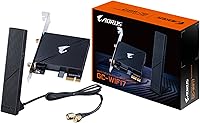
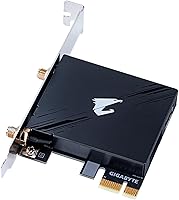
The GIGABYTE GC-WIFI7 WiFi 7 PCIe Card is one of the more practical ways to bring a legacy desktop into the modern wireless era without replacing your motherboard. It slots into a PCIe x1 lane — something virtually every desktop board has spare — making installation straightforward for anyone comfortable opening a case. Unlike older Wi-Fi 6 or 6E cards, this GIGABYTE adapter covers all three bands: 2.4GHz, 5GHz, and 6GHz, which matters if you plan to take advantage of the less congested 6GHz spectrum. GIGABYTE has been making PC components for decades, and this card sits confidently in the mid-range — not a budget throwaway, but not overkill for a home setup either.

Features & Benefits

Wi-Fi 7 (802.11be) pushes the theoretical ceiling to 5800Mbps, but real-world performance in a typical home will land well below that — still, the improvement over Wi-Fi 6E cards is tangible, especially on the 6GHz band with its 320MHz channel width. What actually makes a difference day-to-day is Multi-Link Operation, which lets the card connect across two bands simultaneously, reducing the dropout and latency spikes that single-band connections are prone to. The 4K-QAM modulation packs more data into each signal burst than previous generations could manage, and OFDMA support helps keep things stable where a dozen devices are competing for airspace. Bluetooth 5.3 is onboard too, so you can pair a headset or controller without a separate dongle.

Best For

This Wi-Fi 7 PCIe card makes the most sense for desktop users whose motherboards were built before onboard wireless was standard — or before Wi-Fi 7 existed at all. If you are running a mid-tower with an open PCIe slot and your router supports Wi-Fi 7 or at minimum Wi-Fi 6E, you will get real, noticeable gains. Gamers and streamers who need reliable throughput without running cable through walls will find it a solid option. It is also a practical pick for home office builds where a long Ethernet run just is not happening. And if you have been relying on a separate USB Bluetooth adapter, the built-in Bluetooth 5.3 on this GIGABYTE adapter lets you consolidate to one card.

User Feedback

Among the roughly 86 ratings it has collected, the GC-WIFI7 sits at 4.3 stars — a score that reflects genuine satisfaction rather than hype. Most buyers highlight easy installation and a driver experience that largely works straight out of the box. Signal strength and connection stability earn consistent praise, particularly from users upgrading from Wi-Fi 5 or older cards. Where opinions cool slightly is around 6GHz performance expectations — several buyers discovered that unlocking those upper speeds requires a Wi-Fi 7-capable router, which not everyone had ready. A handful of users in compact or mini-ITX builds also flagged potential clearance issues with antenna placement. Nothing catastrophic, but worth knowing before you commit.

Pros

  • Slots into a PCIe x1 lane, meaning it fits almost any modern desktop without compatibility headaches.
  • Tri-band coverage across 2.4GHz, 5GHz, and 6GHz gives you flexibility that older two-band cards cannot match.
  • Multi-Link Operation reduces the dropout and latency spikes that single-band wireless connections are prone to.
  • The 6GHz band with 320MHz channels delivers noticeably faster throughput in environments where that spectrum is clear.
  • Bluetooth 5.3 is included, so you can ditch a USB Bluetooth dongle and free up a port.
  • Driver installation is widely reported as straightforward, with most users up and running quickly.
  • Signal strength and connection stability earn consistent praise, especially as an upgrade from Wi-Fi 5 cards.
  • OFDMA support helps manage interference in busy wireless environments like apartment buildings.
  • Ranked among the top PCIe networking cards on Amazon, reflecting a solid track record with real buyers.
  • GIGABYTE is an established PC hardware brand, which means firmware support and documentation are generally reliable.

Cons

  • Full Wi-Fi 7 speeds require a Wi-Fi 7 router — without one, you are paying for capability you cannot yet use.
  • Theoretical speeds of 5800Mbps are far removed from what you will actually see in a typical home environment.
  • Antenna placement can be tricky inside compact or mini-ITX cases, with some users reporting clearance issues.
  • No included PCIe riser or extension cable, which can be a minor inconvenience if slot positioning is awkward.
  • The 6GHz band has shorter range than 5GHz, so users far from their router may not benefit as much as expected.
  • Bluetooth 5.3, while useful, is not the latest standard available on competing cards in 2024 and beyond.
  • Some users report that Windows driver updates can occasionally require a manual reinstall to maintain stability.
  • The card does not come with a low-profile bracket, limiting options for slim or HTPC-style desktop enclosures.

Ratings

The GIGABYTE GC-WIFI7 WiFi 7 PCIe Card scores below are generated by AI after analyzing verified buyer reviews from global markets, with spam, bot activity, and incentivized feedback actively filtered out. The result is an honest, balanced breakdown that reflects both the genuine strengths and the real frustrations reported by everyday users. Where this card earns high marks, it earns them; where it falls short, that is reflected too.

Wireless Performance
83%
Users upgrading from Wi-Fi 5 or Wi-Fi 6 cards report a clearly noticeable jump in throughput, especially on the 6GHz band in low-interference environments. Streaming 4K content and large file transfers over the network feel significantly smoother compared to older hardware.
Buyers expecting to see 5800Mbps in practice will be disappointed — real-world speeds are a fraction of that theoretical ceiling. Performance on the 5GHz band in dense apartment buildings is more variable than the spec sheet suggests, and distance from the router matters more than marketing implies.
Installation Ease
88%
The physical installation process takes most users under ten minutes — slot the card in, screw down the bracket, attach the antennas, and boot. Windows driver detection works reliably for the majority of users, making this genuinely approachable for PC builders who are not networking specialists.
A small portion of users encounter driver hiccups that require a manual download from GIGABYTE's support page rather than the automatic Windows Update route. The antenna cable routing inside a cluttered case can be fiddly, particularly if the PCIe slot sits low on the motherboard.
Router Compatibility
71%
29%
The GC-WIFI7 is backward compatible with Wi-Fi 6E, Wi-Fi 6, and older routers, so it will function in virtually any home network. Users with a Wi-Fi 7 router who upgraded both ends simultaneously report the smoothest and most rewarding experience.
This is the card's most commonly misunderstood limitation: buyers who assumed it would push Wi-Fi 7 speeds through their existing Wi-Fi 5 or Wi-Fi 6 router were left underwhelmed. The 6GHz band is completely inaccessible unless your router supports it, which cuts off a major selling point for a significant share of buyers.
Connection Stability
86%
Multi-Link Operation delivers on its core promise for users with compatible routers — the card maintains a noticeably more consistent connection during bandwidth-heavy tasks like video calls and online gaming. Several users specifically called out the reduction in random disconnects compared to their previous cards.
A handful of users report occasional drops after Windows power management settings put the card into a low-power state, requiring a manual driver setting adjustment to fix. Stability on the 2.4GHz band alone is solid, but some users in thick-walled homes find the 6GHz signal too weak to stay connected across rooms.
Case Compatibility
67%
33%
In standard mid-tower and full-tower cases, the card fits without issue and the antennas mount cleanly to the rear bracket. The full-height bracket is well-made and the SMA antenna connections feel secure once tightened.
There is no low-profile bracket included, which immediately rules out slim desktop and HTPC builds. Mini-ITX users frequently flag that the dual antenna connectors on the rear bracket are cramped, and the antennas themselves can be difficult to position usefully when a tower sits inside a desk enclosure.
Bluetooth Performance
78%
22%
Bluetooth 5.3 works reliably for everyday pairing tasks — connecting a gaming headset, a wireless keyboard, or a controller is hassle-free, and the range is adequate for a typical desk setup. Users who were previously burning a USB port on a dongle appreciate the consolidation.
Bluetooth 5.3 is not the newest standard available on competing 2024 cards, and audiophiles looking for top-tier wireless audio codec support may want to verify compatibility with their specific headset. A few users note that Bluetooth and the 2.4GHz Wi-Fi band can occasionally interfere when both are under heavy load simultaneously.
Driver & Software Support
73%
27%
Initial driver installation is smooth for the large majority of users, and Windows 11 handles the card well out of the box. GIGABYTE's support page provides updated drivers for those who need them, and the documentation covers the basics clearly.
Long-term driver stability receives more mixed feedback, with some users reporting that a Windows update occasionally disrupts the card and requires a reinstall. Linux support is not officially provided, which is a real limitation for users running non-Windows desktop environments.
6GHz Band Effectiveness
74%
26%
In the right conditions — a Wi-Fi 7 router, close proximity, and minimal competing devices on the 6GHz band — the throughput improvement over the 5GHz band is tangible and appreciated by users doing large local network transfers or cloud backups. The 320MHz channel width is a genuine advantage in open-spectrum environments.
The 6GHz band has physically shorter range than 5GHz due to its higher frequency, so users whose desktops are two or more rooms away from their router often cannot maintain a stable 6GHz connection. In environments without a Wi-Fi 7 or Wi-Fi 6E router, the 6GHz radio is entirely unused.
Value for Money
81%
19%
For a card that brings tri-band Wi-Fi 7 and Bluetooth 5.3 to an older desktop build, the price sits in a reasonable mid-range position. Users who pair it with a Wi-Fi 7 router and have the right setup to take advantage of it consistently rate the purchase as worthwhile.
Buyers who do not yet have a Wi-Fi 7 router effectively get Wi-Fi 6E-level results at a Wi-Fi 7 price, which makes the value proposition shakier for that group. There are cheaper Wi-Fi 6E PCIe cards that will perform comparably for users not ready to upgrade their router.
Latency Reduction
79%
21%
Gamers report measurable ping improvements when switching from single-band Wi-Fi 6 cards to this GIGABYTE adapter, particularly during peak evening hours when network congestion tends to spike. MLO's ability to maintain two simultaneous band connections is the main driver of this improvement.
The latency benefits are most visible in specific scenarios — competitive online gaming and real-time video calls — and less noticeable for general browsing or casual streaming. Users on routers that do not support MLO will not experience this benefit at all.
Antenna Quality
69%
31%
The included antennas are adjustable and provide a reasonable signal boost compared to integrated antenna solutions on some competing cards. Positioning them vertically or angling them toward the router makes a real difference in received signal strength.
The antennas feel adequate rather than premium, and users with particularly long runs to their router sometimes wish for higher-gain options. The SMA connectors work fine but feel slightly loose on some units, which a few users found worrying during initial setup.
Interference Handling
76%
24%
OFDMA and MRU support give this card a meaningful edge in apartment buildings or dense environments where dozens of networks compete for the same spectrum. Users in urban settings specifically credit it with maintaining usable speeds at times when their previous cards struggled.
The interference mitigation is only as good as the router's ability to coordinate OFDMA scheduling, so users on older routers do not benefit. In extremely dense environments, even Wi-Fi 7 improvements have limits, and some urban users still report variable performance during peak hours.
Build Quality
82%
18%
The card itself feels solid in hand — the PCIe connector is clean, the bracket is properly finished, and the overall construction inspires confidence during installation. GIGABYTE's manufacturing standards are consistent with their reputation in the motherboard and component space.
There is nothing premium about the physical presentation — the card is functional rather than aesthetically notable, which is appropriate for an internal component but may matter to open-case builders. The included antennas are the weakest-feeling part of the package.

Suitable for:

The GIGABYTE GC-WIFI7 WiFi 7 PCIe Card is a strong fit for desktop users who built or bought their PC before onboard Wi-Fi 7 was a thing — which covers a lot of people. If your motherboard has a spare PCIe x1 slot and your router already supports Wi-Fi 7 or Wi-Fi 6E, this card gives you a genuine, future-ready wireless upgrade without touching anything else in your build. Gamers and streamers who need consistent, low-latency throughput and cannot run a cable through their walls will get real value from the Multi-Link Operation and 6GHz band support. Home office users in apartments or dense living situations will also appreciate the interference-handling improvements that Wi-Fi 7 brings over older standards. The built-in Bluetooth 5.3 is a quiet but useful bonus — if you are currently burning a USB port on a separate dongle for your headset or controller, this card consolidates that in one slot.

Not suitable for:

There are a few situations where the GIGABYTE GC-WIFI7 WiFi 7 PCIe Card is simply not the right tool. If your router is still running Wi-Fi 5 or Wi-Fi 6, you will not unlock the headline speeds or Multi-Link Operation this card is built around — the bottleneck moves to your router, and you are effectively paying a premium for headroom you cannot use yet. Laptop users are out entirely; this is strictly a desktop PCIe add-in card. Small form factor or mini-ITX builders should double-check internal clearance before buying, as the antenna connectors can be awkward in tight enclosures. If you already have a Wi-Fi 6E card and a non-Wi-Fi-7 router, the real-world performance gap you would actually notice is narrower than the spec sheet implies. And if a wired Ethernet run is physically possible in your space, a gigabit connection will still beat wireless Wi-Fi 7 for raw consistency and latency.

Specifications

  • Wi-Fi Standard: The card uses the 802.11be (Wi-Fi 7) standard, which is the latest generation of wireless networking available for consumer hardware.
  • Frequency Bands: Tri-band operation covers 2.4GHz, 5GHz, and 6GHz simultaneously, giving the card access to the full range of modern wireless spectrum.
  • Max Speed: Theoretical maximum throughput is rated at 5800Mbps, though real-world speeds in a home environment will be considerably lower depending on router and distance.
  • Channel Width: Supports up to 320MHz channel bandwidth on the 6GHz band, which is double the maximum available on Wi-Fi 6E hardware.
  • Modulation: 4K-QAM modulation encodes more data per transmission cycle than the 1024-QAM used by Wi-Fi 6E, improving efficiency at close to medium range.
  • Multi-Link Op.: MLO (Multi-Link Operation) allows the card to maintain active connections on two bands at the same time, reducing latency and improving resilience against band-specific interference.
  • OFDMA & MRU: MRU (Multiple Resource Unit) and OFDMA support are included, helping the card handle congested wireless environments with more devices competing for airtime.
  • Bluetooth: Bluetooth 5.3 is integrated into the card, supporting standard pairing with peripherals such as headsets, controllers, and keyboards without requiring a separate adapter.
  • Interface: The card uses a PCIe x1 interface, which is compatible with PCIe x1, x4, x8, and x16 slots found on virtually all modern desktop motherboards.
  • Compatible Devices: Designed exclusively for desktop PCs; it is not compatible with laptops, all-in-ones, or any device without an accessible PCIe expansion slot.
  • Model Number: The official model designation is GC-WIFI7, as assigned by GIGABYTE for this specific card.
  • Manufacturer: Made by GIGABYTE, a Taiwanese company with decades of experience producing motherboards, graphics cards, and other PC components.
  • Item Weight: The card weighs 8.4 oz (approximately 238g), which is typical for a full-bracket PCIe add-in card with antennas included.
  • Package Size: The retail package measures 8.27 x 5.91 x 2.36 inches, compact enough to ship easily but large enough to include the antennas and mounting hardware.
  • Antenna Type: External antennas are included and attach via standard SMA connectors on the card's rear bracket, allowing for repositioning to optimize signal reception.
  • OS Compatibility: The GC-WIFI7 is designed for use with Windows operating systems; Linux support may vary depending on kernel version and driver availability at time of installation.
  • First Available: This card was first listed for sale in May 2024, placing it among the early wave of retail Wi-Fi 7 PCIe add-in cards to reach the consumer market.
  • Market Rank: It holds a top-60 ranking in the Internal Computer Networking Cards category on Amazon, reflecting strong sustained sales relative to competing cards.

Related Reviews
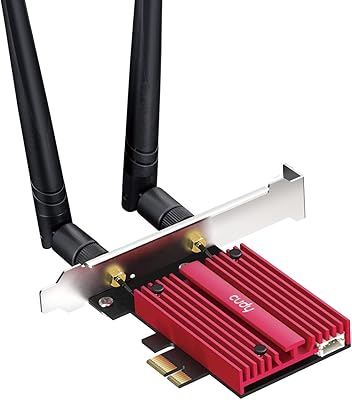
Cudy WiFi 7 BE9300 WE9300 PCIe WiFi Card
85%
88%
Wi-Fi Performance
91%
Installation & Setup
84%
Stability & Connectivity
92%
Compatibility with Intel Systems
87%
Bluetooth 5.4 Performance
More
GLOTRENDS WiFi 7 PCIe Card with Extension Antenna
85%
93%
Performance & Speed
89%
Signal Coverage
87%
Installation Ease
91%
Compatibility with Windows 11
92%
WiFi 7 Compatibility
More
TP-Link Archer TBE550E
77%
91%
Wireless Performance
43%
OS Compatibility
84%
Installation Ease
88%
Latency & Gaming
78%
Bluetooth Performance
More
OKN AX210 WiFi 6E PCIe Card
78%
91%
Value for Money
83%
Wireless Performance
74%
Installation Ease
61%
6GHz Band Access
71%
Bluetooth Performance
More
Cudy WE4000 WiFi 6E PCIe Card
81%
91%
Value for Money
83%
WiFi Performance
88%
Installation Ease
62%
Bluetooth Functionality
84%
Driver Stability
More
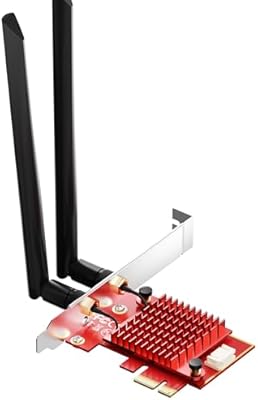
TEROW ROW076 WiFi 6 PCIe Network Card
85%
87%
Performance
90%
Installation Ease
89%
WiFi Speed & Reliability
85%
Bluetooth Connectivity
91%
Gaming Experience
More
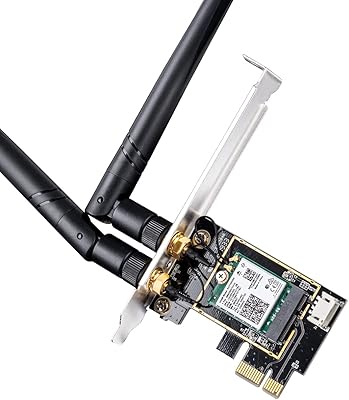
WAVLINK WL-WN675X3 WiFi 6E PCIe Network Card
78%
83%
WiFi Performance
67%
6GHz Band Usability
74%
Installation Ease
78%
Bluetooth 5.3 Performance
86%
Antenna Design & Placement
More
Cudy WE3000 WiFi 6 PCIe Card
80%
83%
WiFi Performance
88%
Installation Ease
81%
Signal Range
74%
Bluetooth Quality
69%
Driver Stability
More
BZIZU WiFi 6E Intel AX210 PCIe Card
87%
94%
Performance for Gaming
91%
Performance for Streaming
89%
Ease of Setup
85%
Bluetooth 5.3 Connectivity
92%
WiFi Speed (5400Mbps)
More
TP-Link Archer TX20E WiFi 6 PCIe Card
79%
91%
Value for Money
83%
Installation Ease
86%
WiFi Signal Stability
84%
Gaming Performance
77%
Bluetooth Performance
More

FAQ

Yes, and this is probably the most important thing to check before buying. The GIGABYTE GC-WIFI7 WiFi 7 PCIe Card will work with older routers running Wi-Fi 6E, Wi-Fi 6, or even Wi-Fi 5, but you will not get Wi-Fi 7 speeds or features like Multi-Link Operation unless your router also supports Wi-Fi 7. If your router is older, the card will still function — you just will not unlock what you are paying for.

Almost certainly yes, if you have a standard mid-tower or full-tower case with a free PCIe slot. The card uses a PCIe x1 interface, which is the smallest and most common expansion slot type, and it will also fit in larger x4, x8, or x16 slots. The one caveat is for small form factor or mini-ITX builds — check your case clearance before buying, as the rear antenna connectors can be tight in compact enclosures.

Not particularly. You power down your PC, open the side panel, slide the card into an open PCIe slot, secure the bracket screw, attach the antennas to the rear connectors, and boot up. Windows typically detects the card and installs drivers automatically, though downloading the latest driver from GIGABYTE's support page is worth doing for the best stability.

The 5800Mbps figure is a theoretical ceiling that assumes perfect conditions — close range, zero interference, a Wi-Fi 7 router, and 6GHz band use. In practice, most home users upgrading from Wi-Fi 5 or Wi-Fi 6 will see a meaningful improvement, but do not expect the card to saturate a gigabit internet connection on its own. Distance, walls, and router capability all affect what you actually get.

It supports all three bands: 2.4GHz, 5GHz, and 6GHz. You can connect to whichever band your router provides, and with a Wi-Fi 7 router, MLO can actively use two of those bands at the same time. The 2.4GHz band remains useful for longer range or smart home device compatibility.

Yes. The Bluetooth 5.3 radio operates independently of the Wi-Fi radio, so you can be connected to your network and paired to a Bluetooth headset or controller simultaneously. This is standard behavior for combo Wi-Fi and Bluetooth cards and works the same way here.

GIGABYTE officially supports Windows, and that is where you will have the smoothest experience. Linux compatibility depends on your kernel version and whether the underlying chipset has open-source driver support at the time you install it. If Linux support is critical for your build, it is worth checking current community reports for the specific chipset used in the GC-WIFI7 before purchasing.

MLO lets this Wi-Fi 7 PCIe card maintain active connections on two wireless bands simultaneously rather than picking one and sticking with it. The practical benefit is that if one band gets congested or drops briefly, the other band keeps things running — which reduces the micro-stutters and brief disconnects that single-band cards can suffer. For gaming and video calls, it is a genuine improvement rather than just a spec sheet item.

Antennas are included in the box. They attach to SMA connectors on the rear bracket of the card. The antennas can be repositioned or angled, which is worth doing if your tower sits under a desk — pointing them upward or toward your router can make a real difference in signal quality.

No, a low-profile bracket is not included in the standard retail package. The card ships with a full-height bracket only, which means it will not fit in slim desktop cases or HTPCs designed for low-profile PCIe cards. If your build requires a low-profile card, this one is not compatible without a separately sourced bracket that may not be officially available.

Where to Buy