Overview

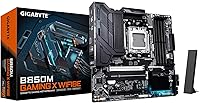
The GIGABYTE B850M Gaming X WiFi 6E landed in January 2025 as one of the more thoughtfully spec'd mATX boards in the mid-range AMD AM5 space. The B850 chipset sits comfortably between the budget B650 and the pricier X870 platform — you get meaningful feature upgrades without paying for overhead most builders will never use. It currently holds a top-25 bestseller rank in motherboards, which reflects genuine buyer demand rather than a flash sale spike. Backing it all up is a 5-year warranty, which is rare at this price tier and says something about GIGABYTE's confidence in the hardware.
Features & Benefits

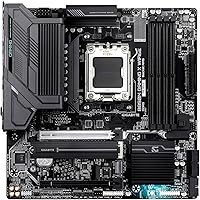
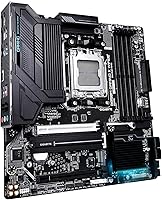
The 10+2+2 power delivery setup with fully covered MOSFET heatsinks handles mainstream Ryzen CPUs cleanly — just don't expect it to sustain a heavily overclocked Ryzen 9 under prolonged load without hitting thermal limits. PCIe 5.0 support means your next GPU or NVMe drive won't be bottlenecked by the board. Two M.2 slots let you run a fast boot drive alongside a secondary storage SSD simultaneously. WiFi 6E adds tri-band wireless that holds up well for online gaming without a separate network card. The EZ-Latch system is a small but genuinely useful touch — swapping M.2 drives or reseating a GPU no longer requires hunting for a screwdriver.

Best For

This AM5 motherboard makes the most sense for builders pairing it with a Ryzen 7000 or 9000 series CPU in a compact mid-tower or small form factor case. If you're going wireless-first, the built-in WiFi 6E removes one more component from your shopping list. First-time builders will appreciate the EZ-Latch installation, which genuinely reduces assembly friction. It also suits anyone who wants to buy once and leave room for a PCIe 5.0 GPU or NVMe upgrade down the road without replacing the board. It's less ideal for enthusiasts chasing aggressive overclocking headroom or those needing more than two M.2 slots.

User Feedback

Across over 900 ratings, the B850M Gaming X averages 4.4 stars — strong for a board launched just a few months ago. Buyers frequently praise BIOS usability and straightforward installation, with several first-time builders noting they were up and running faster than expected. DDR5 XMP and EXPO profiles generally load without issue at standard speeds. The recurring criticism worth noting is VRM heat under sustained all-core workloads; a few users running hotter Ryzen 9 chips reported throttling without added airflow. Wireless performance earns mostly positive marks, though some users still prefer falling back to the 2.5GbE LAN for competitive gaming stability.

Pros

  • 5-year warranty provides rare long-term peace of mind at this price tier.
  • PCIe 5.0 support keeps your GPU and NVMe options open for the next hardware generation.
  • WiFi 6E is built in, saving you the cost and slot of a separate wireless card.
  • EZ-Latch makes M.2 and GPU installation genuinely tool-free and faster.
  • BIOS is accessible for beginners yet detailed enough for experienced tuners.
  • DDR5 XMP and EXPO profiles load reliably without manual intervention in most configurations.
  • The B850M Gaming X holds a top-25 bestseller rank, reflecting real-world buyer confidence.
  • 2.5GbE LAN delivers noticeably faster local network throughput than standard gigabit ports.
  • mATX form factor fits compact cases without sacrificing the primary expansion slots you actually need.
  • Fully covered MOSFET heatsinks manage VRM temps adequately under typical gaming and productivity loads.

Cons

  • VRM thermals become a concern under sustained all-core loads with high-TDP Ryzen 9 chips.
  • Only two M.2 slots limits storage expandability for power users or small NAS-style builds.
  • RGB Fusion software is widely criticized for instability and poor cross-brand sync reliability.
  • The second M.2 slot runs at PCIe 4.0, not Gen5 speeds — relevant if you plan dual high-end NVMe drives.
  • WiFi 6E advantage is completely wasted if your router does not support the 6 GHz band.
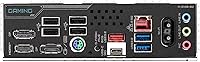
  • USB port count on the rear I/O feels modest for users with multiple peripherals, often requiring a hub.
  • DDR5 kits above 6400 MHz can require manual sub-timing work to stabilize — the board is not forgiving here.
  • BIOS updates have been reported to occasionally reset custom fan curve and memory settings.
  • Dark brown PCB stands out in windowed cases where black or white builds are the aesthetic goal.
  • Regional warranty service coverage can be inconsistent for international buyers outside major markets.

Ratings

The GIGABYTE B850M Gaming X WiFi 6E earns a strong overall reception across verified buyer pools worldwide, and the scores below reflect what real builders actually experienced — not marketing claims. Our AI analyzed hundreds of confirmed purchase reviews, actively filtering out incentivized, bot-generated, and duplicate submissions to surface honest signal. Both the genuine strengths and the friction points are reflected transparently in each category score.
Value for Money
88%
Buyers consistently feel the B850M Gaming X punches above its price bracket, especially given the inclusion of WiFi 6E, PCIe 5.0, and a 5-year warranty — features that typically cost more on competing boards. For first or second-time builders trying to future-proof without overspending, this board hits a rare balance.
A handful of experienced builders feel the VRM configuration limits the board's long-term ceiling, making the value argument weaker if you plan to eventually push a high-core-count Ryzen 9 chip. A few competitors in the same price band offer slightly more M.2 slots or better heatsink coverage.
Installation & Build Experience
91%
The EZ-Latch system genuinely earns its praise — builders report installing M.2 drives and reseating GPUs without needing a single tool, which makes a real difference during late-night assembly sessions. BIOS detection of components on first boot was consistently reliable across hundreds of user reports.
A small number of users noted that the manual could be clearer around DDR5 slot population rules, leading to initial boot failures that were solved only after checking online forums. The board's dark brown PCB color, while subtle in a finished build, surprised a few buyers expecting standard black.
BIOS Usability
84%
The GIGABYTE UEFI interface is well-regarded here — most users found XMP and EXPO memory profiles loading reliably without manual intervention, and the layout is accessible enough for builders who have never touched BIOS settings before. Advanced tweakers also appreciate the granular fan curve controls.
Some users reported that BIOS updates, while generally straightforward via Q-Flash, occasionally reset custom settings — a minor but frustrating issue during an active tuning session. A small subset of Ryzen 9000 early adopters encountered compatibility hiccups that required a BIOS update before the CPU was even recognized.
VRM & Thermal Performance
67%
33%
For mainstream Ryzen 7 and Ryzen 5 builds running stock or light all-core workloads, the 10+2+2 power delivery holds steady without causing thermal concerns. The fully covered MOSFET heatsinks do their job under typical gaming and productivity loads without needing additional airflow pointed at the board.
This is the board's most frequently cited limitation — users running Ryzen 9 chips at sustained all-core loads report VRM temperatures climbing into uncomfortable territory in cases with poor airflow. It is not designed for heavy overclocking, and ignoring that boundary can lead to throttling during extended rendering or compilation tasks.
DDR5 Compatibility
82%
18%
The four DIMM slots handled a wide range of DDR5 kits well, with most users successfully enabling EXPO profiles at rated speeds on the first attempt. Buyers running dual-channel 32GB configurations at 6000 MHz reported stable daily operation across gaming and content creation workloads.
A portion of users pushing DDR5 kits above 6400 MHz experienced instability that required manual sub-timing adjustments to resolve — the board is not particularly forgiving at the extreme end of DDR5 headroom. Kit compatibility can also vary, and not all third-party DDR5 modules behave predictably with EXPO enabled.
Wireless Performance (WiFi 6E)
79%
21%
In real-world testing environments, the onboard WiFi 6E performed reliably for both competitive online gaming and 4K streaming, with several users noting it replaced a dedicated PCIe wireless card without any noticeable degradation. Latency on a 6 GHz band connection stayed consistently low during extended gaming sessions.
A recurring observation is that performance depends heavily on router compatibility — users without a WiFi 6E router see no advantage over standard WiFi 6. A small group of users reported occasional driver hiccups on fresh Windows 11 installs that required a manual driver update to stabilize the connection.
PCIe 5.0 & Expansion
86%
Having a full PCIe 5.0 x16 slot means this board is ready for current and next-generation discrete GPUs without any bandwidth compromise. Builders investing in PCIe 5.0 NVMe drives also benefit directly, knowing the slot won't become a limiting factor for at least the next two to three hardware generations.
The board offers only one PCIe 5.0 M.2 slot, with the second M.2 operating at PCIe 4.0 speeds — a distinction that matters if you plan to run two high-performance Gen5 NVMe drives simultaneously. For most users this is a non-issue, but it is worth knowing before speccing a dual-Gen5-SSD configuration.
M.2 Storage Configuration
78%
22%
Two M.2 slots cover the needs of the vast majority of home and gaming builds, letting you run a fast OS drive alongside a secondary game or media library SSD without touching SATA ports. The EZ-Latch on the M.2 slots made swapping drives mid-build noticeably faster for users who reported doing test configurations.
Two slots will feel limiting for users coming from higher-end boards or those building workstations that need three or more NVMe drives. Unlike some competing B850 options, there is no third M.2 slot to grow into, which means a storage-heavy user may outgrow this board faster than expected.
Wired Connectivity (2.5GbE LAN)
87%
The 2.5GbE LAN port was widely appreciated by users who prefer wired connections for competitive gaming or large local network transfers, delivering noticeably faster throughput than legacy gigabit ports when connected to a compatible switch or router. Setup was plug-and-play for most users on Windows 11.
A small number of users noted the 2.5GbE driver occasionally needed a manual install on fresh OS builds, adding a minor friction step. For home users with only gigabit internet, the 2.5GbE advantage is limited to local network transfers — a nuance worth knowing before treating it as a selling point.
Rear I/O & USB Coverage
73%
27%
The inclusion of a USB-C port on the rear I/O panel is a practical addition that reflects current peripheral trends, and several users specifically mentioned using it for external SSDs and modern headsets. Overall port density is solid for a board in this form factor and price range.
Power users with multiple USB-A peripherals noted the total port count feels modest compared to some competing mATX boards, requiring a USB hub in more accessory-heavy setups. There is no Thunderbolt support, which is expected at this price but worth flagging for creative professionals considering the board for media work.
Software & RGB Ecosystem
61%
39%
GIGABYTE's RGB Fusion software allows basic lighting control and synchronization with compatible peripherals, which casual builders found adequate for setting a static color scheme or a simple effect without much hassle. The software footprint is lighter than some competitors.
RGB Fusion has a long-standing reputation for being clunky, and user feedback here echoes that — crashes, inconsistent sync with third-party components, and a dated UI are recurring complaints. Builders with mixed-brand RGB setups often end up abandoning the software entirely in favor of manual header control.
Form Factor & Board Layout
83%
The mATX footprint makes it a natural fit for compact mid-tower cases without sacrificing the primary expansion slots most builders actually need. Component clearance around the CPU socket and DIMM slots was noted as comfortable even with larger air coolers installed.
The dark brown PCB is a minor aesthetic divisor — it works fine inside a closed case but stands out in windowed builds where most surrounding components are black or white. A handful of users also noted the 24-pin ATX connector position made cable routing slightly awkward in certain case layouts.
Warranty & Long-Term Confidence
93%
A 5-year warranty is genuinely unusual in this price bracket, and a meaningful number of buyers specifically cited it as the tipping point in their purchasing decision over otherwise comparable B850 alternatives. GIGABYTE's RMA process received mostly positive feedback from the small number of users who needed it.
A few users noted that warranty claims required more documentation than expected, including proof of purchase and original packaging in some cases. International buyers outside major markets flagged potential complications with regional warranty service coverage that are worth verifying before purchasing.

Suitable for:

The GIGABYTE B850M Gaming X WiFi 6E is a strong match for builders who want a capable, modern AMD AM5 platform without stepping into premium-tier pricing. If you are pairing a Ryzen 7 or Ryzen 5 chip with a mid-range GPU for gaming, general productivity, or a home workstation, this board covers all the practical bases without forcing you to pay for features you will never touch. First-time builders in particular will appreciate the EZ-Latch installation system and a BIOS that does not require a manual to navigate, making the initial build experience noticeably less stressful. It is also a smart pick for anyone building in a compact mid-tower who wants wireless connectivity baked in — the onboard WiFi 6E removes the need for a separate adapter and keeps the build clean. Buyers who want some hardware longevity from their platform will find real reassurance in the PCIe 5.0 slot and the 5-year warranty, both of which are uncommon at this price point.
Not suitable for:

The GIGABYTE B850M Gaming X WiFi 6E is the wrong board if your build revolves around pushing a high-core-count Ryzen 9 processor to its limits — the 10+2+2 power delivery is honest enough for mainstream workloads, but it is not engineered for sustained all-core overclocking, and the VRM thermals will reflect that under prolonged stress. Enthusiasts who run three or more NVMe drives simultaneously will also run into a hard ceiling here, since the board provides only two M.2 slots with just one operating at PCIe 5.0 speeds. Content creators and workstation users who rely on Thunderbolt for high-bandwidth peripherals or external GPU setups will need to look elsewhere, as there is no Thunderbolt support on this platform. Builders with heavy RGB ecosystems spanning multiple brands may also find GIGABYTE's RGB Fusion software more trouble than it is worth, particularly if cross-brand sync is a priority. Finally, if you are buying specifically for aggressive DDR5 overclocking above 6400 MHz, this AM5 motherboard offers limited headroom and less tolerance for edge-case memory configurations than pricier alternatives.
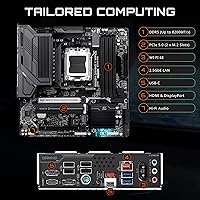
Specifications

  • Chipset: This board uses the AMD B850 chipset, positioned between the entry-level B650 and the enthusiast-grade X870 in AMD's current platform lineup.
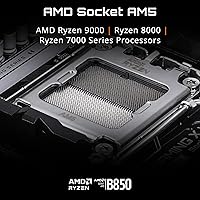
  • CPU Socket: Socket AM5 (LGA 1718) supports AMD Ryzen 7000, 8000, and 9000 series processors out of the box.
  • Form Factor: The board follows the mATX standard at 9.6 x 9.6 inches, making it compatible with the vast majority of mid-tower and compact ATX cases.
  • Memory Support: Four DDR5 DIMM slots support dual-channel configurations with a base rated speed of 5200 MHz and higher speeds available via XMP and EXPO profiles.
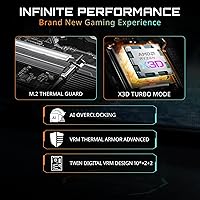
  • Power Design: A 10+2+2 phase power delivery system with fully covered MOSFET heatsinks manages CPU and SoC power under mainstream workloads.
  • M.2 Storage: Two M.2 slots are included — one operating at PCIe 5.0 speeds for next-gen NVMe drives, and one at PCIe 4.0 for standard high-speed SSDs.
  • PCIe Expansion: One full-length PCIe 5.0 x16 slot supports current and upcoming discrete GPUs without bandwidth limitations.
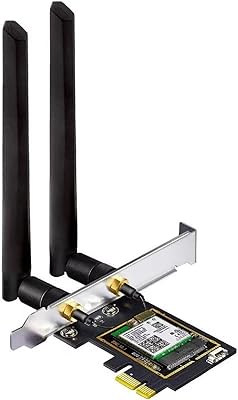
  • Wireless: Onboard WiFi 6E provides tri-band wireless connectivity including the 6 GHz band for lower-latency gaming and streaming when paired with a compatible router.
  • Wired LAN: A 2.5GbE Realtek LAN port delivers up to 2.5 Gbps wired throughput, which is 2.5 times faster than standard gigabit connections for local network transfers.
  • Rear USB-C: One USB-C port on the rear I/O panel supports modern peripherals including external SSDs, audio interfaces, and recent smartphone connectivity.
  • EZ-Latch: GIGABYTE's EZ-Latch mechanism allows tool-free installation and removal of M.2 drives and discrete graphics cards, simplifying assembly and future upgrades.
  • Heatsinks: Fully covered MOSFET heatsinks sit directly over the VRM array, providing passive thermal management adequate for mid-range CPU workloads.
  • Weight: The board weighs 3.34 pounds, which is typical for a feature-loaded mATX platform with integrated heatsinks and rear I/O shielding.
  • Warranty: GIGABYTE backs this board with a 5-year limited warranty, which is notably longer than the standard 3-year coverage offered by most competing boards at this price point.
  • Launch Date: The board became commercially available in January 2025, making it fully current for Ryzen 9000 series compatibility without requiring a BIOS update in most cases.
  • Platform: The board is certified for Windows 11 and is compatible with standard AMD Ryzen ecosystem tools including AMD Software and Ryzen Master for basic tuning.
  • RGB Software: RGB lighting headers and onboard LEDs are managed through GIGABYTE's RGB Fusion software, which supports basic synchronization with compatible peripherals.
  • Board Color: The PCB features a dark brown finish, which is functional in closed cases but may stand out aesthetically in windowed builds with predominantly black or white components.

Related Reviews

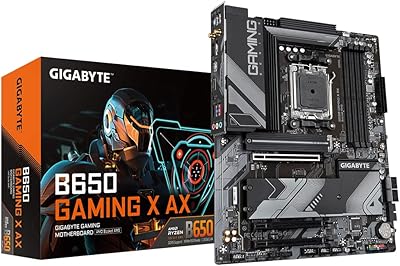
Gigabyte B650 Gaming X AX Motherboard
88%
89%
Performance
92%
Build Quality
86%
Ease of Installation
91%
Compatibility with Gaming Setups
90%
Wi-Fi Connectivity
More
Gigabyte B550 Gaming X V2 Motherboard
82%
89%
Value for Money
88%
Performance with AMD Ryzen Processors
85%
Installation Ease
80%
Connectivity Options
84%
Build Quality
More
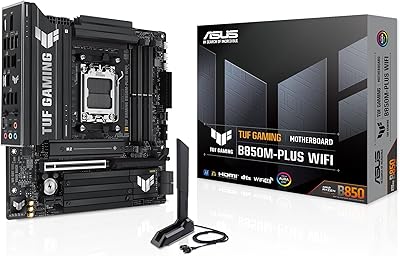
ASUS TUF Gaming B850M-PLUS WiFi Motherboard
85%
91%
Performance
94%
Power Delivery
89%
Connectivity
85%
Storage Options
90%
Ease of Installation
More
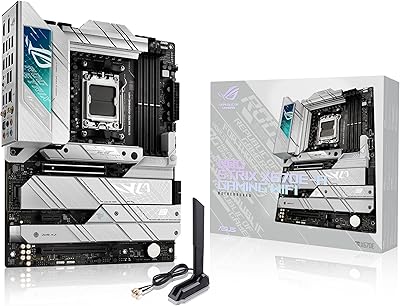
ASUS ROG Strix X670E-A Gaming WiFi 6E Motherboard
88%
94%
Performance
91%
Cooling Efficiency
88%
Overclocking Capability
93%
Build Quality
90%
WiFi & Networking Speed
More
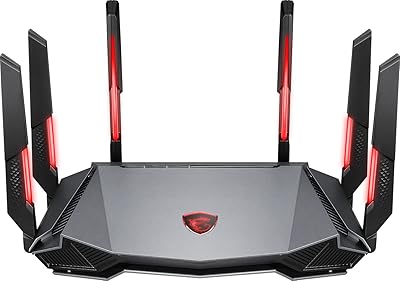
MSI Radix AXE6600 WiFi 6E Tri-Band Gaming Router
88%
94%
WiFi Performance
92%
Gaming Experience
88%
Setup & Installation
90%
Build Quality
91%
Multi-Device Support
More
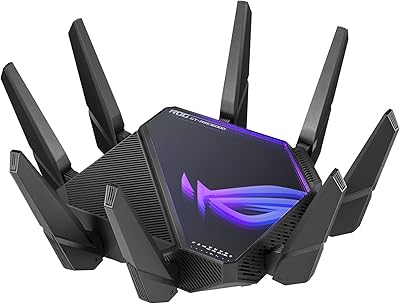
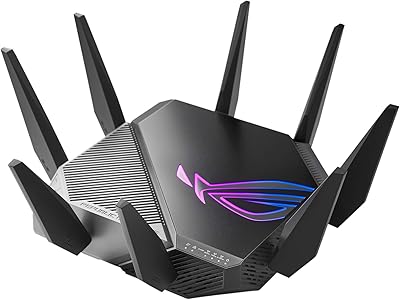
ASUS ROG Rapture GT-AXE11000 WiFi 6E Gaming Router
81%
91%
Gaming Performance
89%
WiFi Speed & Coverage
87%
Network Stability
85%
Setup & Installation
64%
Compatibility with Older Devices
More
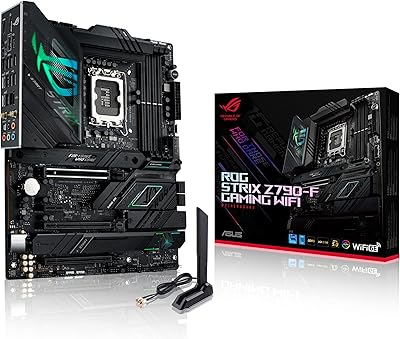
ASUS ROG Strix Z790-F Gaming WiFi 6E Motherboard
87%
94%
Performance
91%
Connectivity & Features
90%
Build Quality
78%
Setup & Installation
92%
Overclocking Support
More
ASUS ROG Rapture GT-AXE16000 WiFi 6E Gaming Router
86%
91%
Performance for Gaming
89%
WiFi Speed & Stability
65%
Ease of Setup
92%
Build Quality
87%
Software & Firmware Features
More
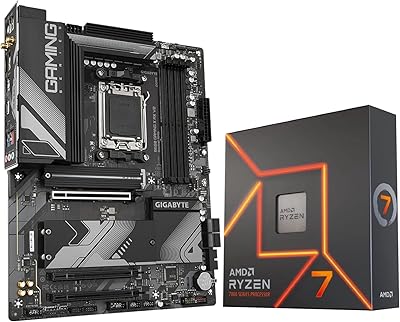
INLAND AMD Ryzen 7 7700X CPU & GIGABYTE B650 Gaming X AX V2 Motherboard
88%
94%
Gaming Performance
92%
Processor Speed
89%
Motherboard Stability
85%
Ease of Setup
90%
Overclocking Potential
More
MSI B650 Gaming Plus WiFi
80%
83%
Value for Money
88%
BIOS & Software Experience
91%
Power Delivery & Stability
84%
Wireless Connectivity
79%
Memory Performance & Overclocking
More

FAQ

In most cases, the GIGABYTE B850M Gaming X WiFi 6E ships with a BIOS version that already supports Ryzen 9000 series processors, so you should be able to install and boot without a prior update. That said, it is always worth checking the GIGABYTE website for the latest BIOS before your build if you want to be safe, especially for early production units.

Yes — dual-channel 32GB configurations with XMP or EXPO profiles enabled are well-supported and work reliably for most users at speeds up to around 6000 to 6200 MHz. Pushing beyond 6400 MHz can require manual sub-timing adjustments depending on your specific kit, so check your RAM vendor's compatibility list before buying ultra-high-speed modules.

Honestly, it is not the best choice for that use case. The 10+2+2 power delivery is solid for Ryzen 5 and Ryzen 7 chips at stock or light overclocks, but sustained all-core loads on a Ryzen 9 processor can push VRM temperatures into uncomfortable territory — especially in cases with limited airflow. If overclocking a high-core-count chip is part of your plan, a board with a more robust VRM is worth the extra investment.

If you have a WiFi 6E router and can place it reasonably close to your PC, the onboard wireless performs well enough for online gaming with low and consistent latency. That said, if you are playing competitively or your router only supports WiFi 5 or 6, the 2.5GbE ethernet port will give you a more stable and faster connection. WiFi 6E's real advantage only shows up when the full 6 GHz band is available.

The B850 chipset gives you PCIe 5.0 on the primary expansion slot and typically better USB and bandwidth allocation compared to B650, which makes this AM5 motherboard a better long-term platform if you plan on upgrading your GPU or storage in the next few years. If you are building a basic system with no upgrade plans, a B650 board might save you some money with minimal real-world difference today. For most builders trying to future-proof on a reasonable budget, the B850M Gaming X is the smarter starting point.

It is genuinely useful, particularly for M.2 installation. Traditional M.2 screws are notoriously fiddly, and the tool-free latch makes a real difference when you are installing a drive inside a tight case or swapping storage during an upgrade. The GPU latch variant is less dramatic but still more convenient than digging around behind a graphics card with a screwdriver to release the PCIe retention clip.

The mATX footprint fits comfortably in any case that supports standard ATX or mATX boards, which covers the vast majority of mid-towers on the market. CPU socket clearance is fine for large tower coolers — builders using popular 120mm and 160mm single-tower coolers have not reported DIMM slot interference issues, though you should always double-check your specific cooler's dimensions against the board layout.

The rear I/O is functional but not particularly generous by modern standards. If you are running a keyboard, mouse, headset, and one or two other peripherals, you may find yourself reaching for a USB hub depending on the port mix. The USB-C port is a practical addition, but users with a lot of USB-A devices should factor in hub costs when budgeting the overall build.

GIGABYTE's warranty process is generally straightforward for buyers in major markets — you will need your proof of purchase and the board's serial number, and in some cases the original packaging. International buyers outside North America and Europe have occasionally reported slower service turnaround, so it is worth confirming regional warranty terms with GIGABYTE's local support before purchasing if you are outside a primary market.

Syncing across brands is where GIGABYTE's RGB Fusion software tends to frustrate users — it has a long-standing reputation for inconsistent cross-brand compatibility and occasional instability. If your build mixes Corsair, ASUS, or Razer RGB components, expect to spend some time troubleshooting or simply abandon unified sync in favor of setting each component independently. For single-brand builds or minimal RGB setups, it works adequately.