Overview

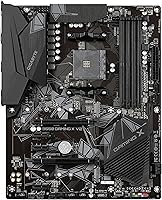
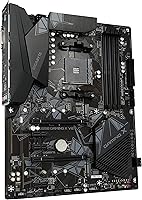
The Gigabyte B550 Gaming X V2 Motherboard sits squarely in the mid-range AMD ecosystem, built around the B550 chipset and the AM4 socket — a combination that gives builders genuine flexibility when pairing with Ryzen 3000 or 5000 series CPUs. Released in late 2020, it entered a crowded field of budget-friendly boards and carved out a respectable niche by offering a solid feature set without the price premium of X570. The standard ATX form factor fits cleanly into most mid-tower cases, making it a natural choice for first builds. That said, don't expect premium VRM cooling or onboard Wi-Fi — this board plays it straight.

Features & Benefits

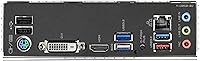
Storage and bandwidth are where the Gaming X V2 genuinely impresses for its price tier. The primary PCIe 4.0 x16 slot keeps up with modern GPUs, and the first M.2 slot runs at PCIe 4.0 x4, meaning a fast NVMe drive won't be bottlenecked by the board itself. A second M.2 slot at PCIe 3.0 x4, plus six SATA3 ports, leaves plenty of room to grow your storage over time. The rear I/O includes a USB 3.2 Type-C port alongside five more USB 3.2 Gen 1 ports — respectable for this tier. Memory can be pushed to 4733 MHz with compatible kits. Audio is handled by the Realtek ALC887, which covers the basics for gaming but won't satisfy anyone with serious listening needs. Wired Ethernet is solid at 1Gb; Wi-Fi simply isn't available.

Best For

This Gigabyte mid-range motherboard is a strong fit for builders who want a capable AMD platform without overspending on features they won't use. Pairing a Ryzen 5000 or 3000 series CPU with a mid-range GPU is where it hits its stride — it handles that combination without compromise. It's also a smart pick for anyone upgrading from an older AM4 system who wants PCIe 4.0 NVMe support without stepping up to a pricier chipset. One honest caveat: if wireless connectivity matters to you, look elsewhere — there's no Wi-Fi or Bluetooth here. For wired desktop builds and home or office setups where straightforward HDMI or DVI-D output is enough, this B550 board checks the right boxes.

User Feedback

Across nearly 1,900 ratings, the B550 board earns its strong reputation primarily through consistency rather than excitement. Builders frequently highlight how painless the BIOS setup is — even for first-timers — and note that POST behavior is reliable from the first boot. Build quality gets consistent praise given the price point. On the less favorable side, a segment of users working with power-hungry CPUs have flagged that the VRM runs warm under sustained heavy workloads, which is a legitimate concern if you're pushing a high-TDP processor without solid case airflow. The Realtek audio codec divides opinion: enough for most gamers, underwhelming for anyone coming from a dedicated sound card. BIOS update compatibility with newer Ryzen CPUs is also a recurring theme worth noting.

Pros

  • PCIe 4.0 support on both the primary x16 slot and the first M.2 slot keeps GPU and NVMe bandwidth competitive.
  • Six SATA3 ports plus two M.2 slots give builders unusually flexible storage options for this price range.
  • The BIOS is consistently praised by first-time builders for being approachable and easy to navigate.
  • Reliable POST behavior means fewer headaches getting the system up and running for the first time.
  • The rear I/O includes a USB 3.2 Gen 1 Type-C port, which is a welcome addition at this price tier.
  • ATX form factor fits standard mid-tower cases without any compatibility concerns.
  • DDR4 support up to 4733 MHz leaves room to run enthusiast memory kits without hitting a wall.
  • Solid build quality relative to price — the board feels well-constructed and does not cut obvious corners.
  • 1Gb Ethernet provides dependable wired network performance for gaming and daily use.
  • AM4 socket compatibility with both Ryzen 3000 and 5000 series CPUs gives buyers solid CPU selection flexibility.

Cons

  • No onboard Wi-Fi or Bluetooth — a dealbreaker for anyone without a wired Ethernet drop nearby.
  • VRM cooling is basic and can run hot under sustained all-core loads with higher-TDP processors.
  • The Realtek ALC887 audio codec is functional but unremarkable; dedicated DAC users will find it underwhelming.
  • No heatsink on the second M.2 slot, which can be an issue with sustained NVMe drive temperatures.
  • BIOS updates are occasionally needed before newer Ryzen CPUs will POST, which can be frustrating without a spare CPU on hand.
  • Limited RGB and aesthetic customization options compared to similarly priced competing boards.
  • Only two USB 2.0 ports on the rear I/O, which may feel tight if you rely on multiple legacy peripherals.
  • No USB 3.2 Gen 2 ports anywhere on the board, so peak USB transfer speeds are capped below what higher-end boards offer.

Ratings

The scores below for the Gigabyte B550 Gaming X V2 Motherboard were generated by our AI engine after analyzing thousands of verified global user reviews, with spam, bot activity, and incentivized feedback actively filtered out. Every category reflects the honest distribution of buyer sentiment — the genuine strengths and the real frustrations — so you can make an informed decision without wading through noise.

Value for Money
91%
Buyers consistently feel they got more than their money's worth, particularly when comparing the PCIe 4.0 feature set against competing boards in the same price bracket. For builders on a strict budget who still want a capable AMD foundation, the price-to-feature ratio lands in a sweet spot that is hard to argue with.
A small but vocal group of buyers feel the value calculus shifts if you end up needing to buy a PCIe Wi-Fi card separately, which adds cost that erodes the savings. Those comparing it against occasional sales pricing on slightly higher-tier boards also question whether the premium is worth holding out for.
Build Quality
83%
The board feels solid and well-assembled for its tier — users regularly mention that it does not feel cheap to handle during installation, with connectors that seat firmly and a PCB that does not flex excessively. For first-time builders, that physical confidence matters more than it might seem.
The VRM heatsink is minimal and clearly designed to a cost target, which shows up as a weak point for builders running higher-TDP Ryzen processors under sustained loads. A few users also noted that the second M.2 slot lacks any heatsink coverage, which can cause thermal throttling on faster drives during prolonged transfers.
BIOS Experience
88%
The UEFI BIOS is one of the most praised aspects of this board, with first-time builders frequently calling out how intuitive the layout is compared to other brands they researched. XMP memory profile activation is straightforward, and fan tuning controls are accessible without digging through nested menus.
The main friction point buyers encounter is CPU compatibility on first boot — some Ryzen 5000 series CPUs require a BIOS update that can only be performed with an older Ryzen processor, which catches new builders off guard. Gigabyte's Q-Flash tool helps, but the initial setup hurdle is a recurring complaint across reviews.
Storage Flexibility
89%
Having six SATA3 ports alongside two M.2 slots gives this board an unusually generous storage layout for its price class, and builders appreciate being able to repurpose old HDDs alongside a new NVMe drive without compromise. The PCIe 4.0 speed on the primary M.2 slot means fast storage stays fast.
The secondary M.2 slot running at PCIe 3.0 x4 is not a dealbreaker, but users who expected both slots to deliver Gen 4 performance were occasionally disappointed after purchase. There is also no thermal pad or heatsink on either M.2 slot out of the box, which some builders had to address with aftermarket solutions.
CPU Compatibility
78%
22%
Broad support for the entire Ryzen 3000 and 5000 AM4 lineup is a genuine strength, and most builders who arrive with a compatible CPU and an updated BIOS report a smooth experience from first boot onward. The AM4 socket's longevity means there is a wide selection of CPU options at various price points.
The BIOS version dependency for Ryzen 5000 compatibility is the single biggest source of frustration in user reviews, with some buyers receiving units that simply would not POST with their CPU until a BIOS flash was performed. Without a spare older Ryzen CPU available, this can bring a build to a halt on day one.
USB Connectivity
81%
19%
The rear I/O USB lineup is competitive for the price, with a USB 3.2 Gen 1 Type-C port being a particularly appreciated addition that many rival boards omit at this tier. Having five additional USB 3.2 Gen 1 Type-A ports means most desktop peripherals are well catered for without needing a hub.
The absence of USB 3.2 Gen 2 ports means peak transfer speeds top out at 5 Gbps across all ports, which becomes noticeable when moving large files to and from fast external SSDs. The six USB 2.0 ports feel dated for anyone running modern peripherals and are only useful for keyboards, mice, or legacy devices.
Onboard Audio
62%
38%
For casual gaming sessions and standard headset use, the Realtek ALC887 does its job without producing any obvious distortion or channel imbalance that would disrupt gameplay. Most everyday users will not notice its limitations during a competitive gaming session or while watching content.
Users with any interest in music production, high-quality headphones, or studio monitoring quickly run into the codec's ceiling — the signal-to-noise ratio and dynamic range simply cannot compete with even an entry-level USB DAC. The audio quality is the most polarizing aspect of this board among reviewers who care about sound.
Network Performance
77%
23%
The 1Gb Ethernet controller delivers consistent, low-latency wired connectivity that handles online gaming, video streaming, and large file transfers without issues in typical home network environments. Builders who run on wired connections reported no complaints about stability or throughput.
The complete absence of Wi-Fi and Bluetooth is the board's most discussed omission, and for anyone in a room without an Ethernet drop, it effectively adds cost and complexity to the build. Users who switched from boards with integrated wireless reported missing the convenience more than they anticipated.
VRM & Power Delivery
61%
39%
For Ryzen 5 and mid-range Ryzen 7 processors running at stock settings, the power delivery is adequate and stable, with no reported instability or crashes under typical gaming and productivity workloads. The majority of the board's target audience — casual builders, not overclockers — will never push it to its limits.
Sustained all-core loads with higher-TDP Ryzen 9 processors expose the VRM's limitations, with thermal readings climbing higher than builders comfortable with long rendering or encoding sessions would prefer. The minimal VRM heatsink design is the clearest sign that this board was not engineered with heavy workloads in mind.
Installation Experience
86%
The ATX layout is well-organized, with connectors placed in sensible positions that make cable management reasonably painless even in tighter cases. First-time builders in particular commented that the manual is detailed enough to get through the build without supplementary guides.
A handful of users noted that the CPU power connector routing can be awkward depending on case design, as the 8-pin header sits close to the edge without much clearance in some mid-towers. The front panel header grouping is also on the smaller side, making it fiddly for builders with larger hands.
Overclocking Headroom
68%
32%
XMP memory profiles activate reliably and the board handles 3600 MHz DDR4 kits without fuss, which is all most Ryzen builders need to hit the memory sweet spot for their platform. BIOS controls for memory tuning are accessible and functional for anyone who wants to manually tweak timings.
CPU overclocking ambitions are curtailed by the VRM and its thermal constraints — serious overclockers will hit a ceiling that more capable boards do not impose. The B550 chipset itself is not the bottleneck here, but the board's power delivery design keeps sustained overclocks out of reach for demanding processors.
Expansion Options
74%
26%
Three PCIe x1 slots give builders room to add a Wi-Fi card, capture card, or sound card without sacrificing the primary GPU or secondary M.2 slot, which is a practical advantage over boards with fewer expansion options at this price. The secondary PCIe x4 slot covers multi-purpose expansion needs adequately.
The secondary x4 slot sharing bandwidth with other components can create conflicts depending on the configuration, and the three x1 slots being PCIe 3.0 rather than 4.0 will matter to anyone installing high-bandwidth add-in cards. Multi-GPU setups are simply not viable on this platform regardless of slot count.
Long-Term Reliability
82%
18%
Boards that have been in use for two or more years in the field show a strong track record for stability, with a low reported rate of component failure or electrical issues among verified long-term owners. Gigabyte's build reputation in the mid-range AMD segment holds up well across the review pool.
The main long-term concern raised by experienced builders is the VRM longevity under sustained thermal stress — components run hotter over time, and the minimal cooling solution does not offer much thermal headroom as the board ages. Some users in warmer climates or poorly ventilated cases flagged this explicitly.

Suitable for:

The Gigabyte B550 Gaming X V2 Motherboard is a genuinely good fit for first-time and budget-conscious PC builders who want a reliable AMD platform without paying for features they will never touch. If you are pairing a Ryzen 5000 or 3000 series processor with a mid-range GPU and a fast NVMe drive, this board handles that workload without asking you to compromise on the things that actually matter. The dual M.2 slots — with the primary running at PCIe 4.0 speeds — mean you are not leaving storage performance on the table, which is a real differentiator at this price tier. Builders upgrading from an older AM4 system will also find the transition straightforward, with a familiar socket and a BIOS that most users describe as intuitive even on a first build. Anyone running a wired desktop setup in a home office or gaming room where Ethernet is already available will feel no friction with this board's connectivity options.

Not suitable for:

The Gigabyte B550 Gaming X V2 Motherboard is not the right call for builders whose setup depends on wireless connectivity — there is no Wi-Fi or Bluetooth on board, full stop, and adding a PCIe adapter eats into your expansion slots. If you plan to run a high-TDP processor like a Ryzen 9 under sustained workloads — think long rendering sessions or heavy all-core loads — the VRM design and its limited cooling headroom are a real concern worth taking seriously. Overclockers chasing maximum CPU performance will also find the power delivery uninspiring compared to boards with beefier phase counts. Anyone expecting premium audio output from onboard components will be disappointed; the Realtek ALC887 codec is competent for casual gaming but falls short for music production or critical listening. Finally, builders who want a future-proof path to AM5 or DDR5 memory should look elsewhere — this is an AM4 DDR4 platform, and its upgrade ceiling is defined by that generation.

Specifications

  • CPU Socket: Uses the AMD AM4 socket, compatible with Ryzen 3000 and 5000 series processors.
  • Chipset: Powered by the AMD B550 chipset, offering PCIe 4.0 support at a mid-range price point.
  • Form Factor: Standard ATX form factor measuring 12.01 x 9.61 x 1.57 inches, fitting most mid-tower and full-tower cases.
  • Memory Slots: Four DDR4 DIMM slots supporting dual-channel memory configurations with XMP overclocking up to 4733 MHz.
  • Primary PCIe: One PCIe 4.0 x16 slot for the primary graphics card, delivering full-bandwidth GPU support.
  • Expansion Slots: Additional expansion includes one PCIe 3.0 x4 slot and three PCIe 3.0 x1 slots for peripherals and add-in cards.
  • M.2 Storage: Two M.2 slots are provided: the first runs at PCIe 4.0 x4 and the second at PCIe 3.0 x4, both supporting NVMe drives.
  • SATA Ports: Six SATA3 ports allow connection of traditional HDDs, SSDs, and optical drives simultaneously.
  • Rear USB: Rear I/O includes one USB 3.2 Gen 1 Type-C, five USB 3.2 Gen 1 Type-A, and six USB 2.0 ports.
  • Video Output: Onboard display output is provided via one HDMI port and one DVI-D port for use with integrated graphics.
  • Audio: Onboard audio is handled by a Realtek ALC887 codec delivering 7.1-channel HD sound.
  • Network: A 1Gb Ethernet controller is included for wired networking; there is no onboard Wi-Fi or Bluetooth module.
  • Weight: The board weighs 2.47 pounds, consistent with a standard full-size ATX motherboard.
  • Power Connectors: Requires a standard 24-pin ATX power connector and an 8-pin CPU power connector from the PSU.
  • Fan Headers: Multiple 4-pin PWM fan headers are distributed across the board for CPU cooler and chassis fan connections.
  • BIOS: Ships with Gigabyte's UEFI BIOS interface, supporting XMP memory profiles, fan tuning, and CPU compatibility updates via Q-Flash.

Related Reviews
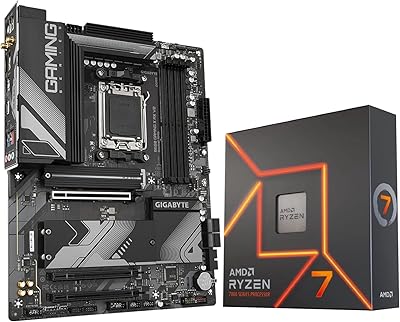
INLAND AMD Ryzen 7 7700X CPU & GIGABYTE B650 Gaming X AX V2 Motherboard
88%
94%
Gaming Performance
92%
Processor Speed
89%
Motherboard Stability
85%
Ease of Setup
90%
Overclocking Potential
More
Gigabyte B650 Gaming X AX ATX Motherboard
78%
83%
Value for Money
88%
BIOS Usability
86%
DDR5 Memory Compatibility
91%
Installation & Build Experience
71%
VRM Thermal Performance
More
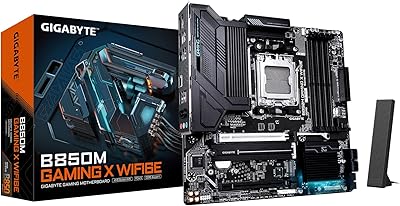
GIGABYTE B850M Gaming X WiFi 6E
81%
88%
Value for Money
91%
Installation & Build Experience
84%
BIOS Usability
67%
VRM & Thermal Performance
82%
DDR5 Compatibility
More
GIGABYTE B550 AORUS ELITE AX V2 Motherboard
87%
88%
Performance
91%
Build Quality
85%
Installation Ease
89%
Wi-Fi & Connectivity
92%
Thermal Management
More
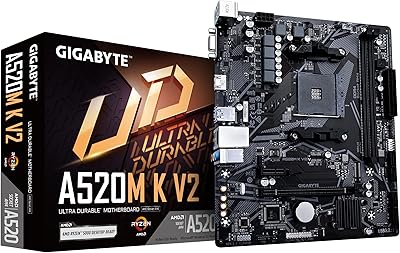
GIGABYTE A520M K V2 Motherboard
73%
91%
Value for Money
86%
CPU Compatibility
88%
Ease of Installation
79%
BIOS Experience
84%
Stability & Reliability
More
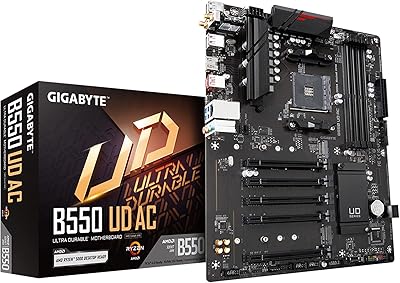
GIGABYTE B550 UD AC ATX Motherboard
77%
88%
Value for Money
86%
BIOS Experience
74%
VRM & Power Delivery
91%
Installation & Setup
87%
Long-term Reliability
More
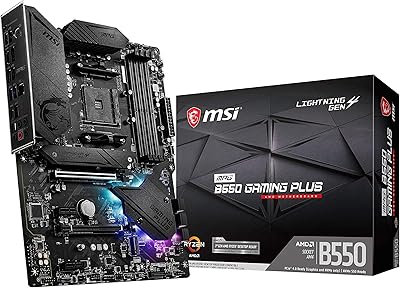
MSI MPG B550 Gaming Plus ATX Motherboard
77%
88%
Value for Money
81%
Build Quality
83%
BIOS & Software Experience
76%
CPU Compatibility
61%
Overclocking Headroom
More
Razer BlackShark V2 X
76%
88%
Microphone Quality
76%
Sound Quality
79%
Comfort & Fit
67%
Build Quality
54%
Surround Sound Performance
More
GIGABYTE H610M S2H V2 DDR4 Motherboard
68%
83%
Value for Money
71%
Build Quality
88%
BIOS Experience
86%
CPU Compatibility
47%
Memory Expandability
More
MSI MPG B550 Gaming Carbon WiFi Motherboard
87%
93%
Gaming Performance
89%
Wi-Fi Performance
91%
Connectivity Options
88%
Build Quality
85%
Overclocking Stability
More

FAQ

It depends on which BIOS version is pre-installed on the unit you receive. Some early production runs shipped with a BIOS that requires a BIOS update before Ryzen 5000 series CPUs will POST. If you do not have an older Ryzen CPU to perform the update first, contact Gigabyte — they offer a BIOS update service in some regions, or you can ask the retailer to confirm the board ships with a compatible BIOS version.

Only the first M.2 slot runs at PCIe 4.0 x4 speeds, so that is where you want to install your fastest NVMe drive. The second M.2 slot is limited to PCIe 3.0 x4, which is still plenty fast for a secondary drive or older NVMe SSDs — just do not expect Gen 4 performance from it.

Yes, you can add Wi-Fi by installing a PCIe Wi-Fi adapter card into one of the available PCIe x1 slots, or by using a USB Wi-Fi dongle. Just keep in mind that a PCIe adapter will use up one of the smaller expansion slots, so plan your build accordingly if you have multiple add-in cards.

The B550 chipset officially supports both Ryzen 3000 and Ryzen 5000 series processors on the AM4 socket. Older Ryzen 1000 and 2000 series CPUs are not officially supported on B550, so stick to 3rd Gen or 5th Gen Ryzen for guaranteed compatibility.

The board includes multiple 4-pin PWM fan headers, covering a CPU fan header, a CPU optional header, and several system fan headers distributed across the board. For most standard builds with three to four fans, you will have enough headers without needing a fan hub.

It is one of the more approachable options in its price range. The BIOS is laid out clearly, the ATX size means the connectors are easy to access during assembly, and there is no shortage of storage and USB options to grow into. The main thing to watch is confirming your CPU is compatible with the installed BIOS version before you start.

No — the B550 chipset does not support AMD CrossFire or NVIDIA SLI multi-GPU configurations in any practical sense. The second PCIe slot runs at x4 bandwidth, which is not sufficient for a second discrete GPU. Treat this as a single-GPU board.

The four DDR4 slots support up to 128GB of memory in a dual-channel configuration using four 32GB modules. For most gaming and productivity builds, 16GB or 32GB total is more than enough, but the headroom is there if you ever need it.

For gaming headsets and casual speaker setups, the Realtek ALC887 codec gets the job done without issue. If you are into music production, streaming with high audio standards, or you use studio-grade headphones, the onboard audio will feel limiting — in that case, a USB audio interface or a dedicated DAC would be a worthwhile addition.

The Gaming X V2 has minimal onboard RGB — it is not a board designed around lighting aesthetics. There are RGB headers on the board that let you connect compatible LED strips or fans and control them through Gigabyte's RGB Fusion software, but if a well-lit build is a priority, you may find this board underwhelming compared to higher-tier options from the same brand.

Where to Buy