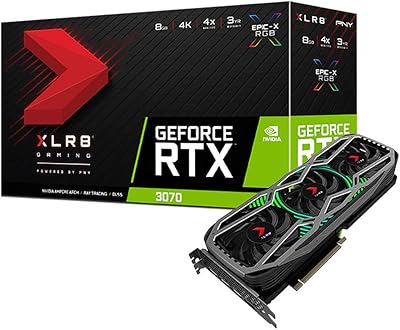
GIGABYTE AORUS RTX 3070 Ti 8GB Graphics Card





Overview
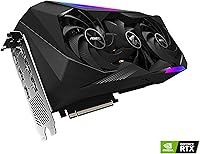
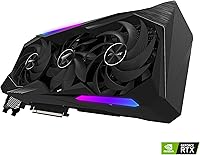
The GIGABYTE AORUS RTX 3070 Ti 8GB Graphics Card is GIGABYTE's most ambitious take on NVIDIA's upper-mid Ampere lineup, and it shows in every dimension — literally. At nearly 13 inches long and occupying three slots, the AORUS Master is not a card you drop into just any build; it demands space and a capable power setup in return for serious performance headroom. Compared to reference designs and lighter AIB options, the build quality here feels a tier above — thick backplate, solid bracket, premium fan shroud. If you are building a high-end 1440p or 4K rig and want a card that runs cool without constant babysitting, this RTX 3070 Ti is worth a hard look.
Features & Benefits
What sets the AORUS Master apart from most RTX 3070 Ti options is its cooling solution. GIGABYTE's MAX-Covered heatsink extends across the entire PCB, and the three large fans keep temperatures in check even during extended gaming sessions — you rarely hear them ramp up under normal workloads. The 8GB of GDDR6X memory running at 19,000 MHz handles high-resolution textures without the stutters you might see on slower VRAM configurations. Ampere's second-generation RT Cores make ray tracing noticeably more playable in supported titles, and DLSS cushions the performance cost further. Factory boost clocks are already tuned above reference, so most users will never need to touch overclocking software at all.
Best For
The AORUS Master earns its place in builds where thermal headroom and sustained output matter most. It is the card for 1440p gamers pushing 144Hz or higher who do not want to throttle through long sessions. Content creators will appreciate the NVENC encoder for GPU-accelerated video exports, cutting render times considerably versus CPU-only pipelines. That said, the card's sheer size — over 12 inches long, triple-slot — makes compact cases a non-starter; mid-tower or full-tower enclosures are essentially required. Buyers eyeing an RTX 3080 should weigh whether marginal 4K gains justify the step-up cost, because for most 1440p workloads this RTX 3070 Ti lands in a very comfortable spot.
User Feedback
Across nearly 250 ratings, the GIGABYTE flagship card holds a 4.0-star average — a score that reflects real satisfaction alongside a few consistent gripes. Owners frequently praise the cooling performance, noting the card stays quiet at idle and well within thermal limits under load. Stable boost behavior and solid construction also draw regular compliments. On the downside, the power connector placement frustrates buyers managing cables in tighter cases, and the card's bulk makes installation awkward in smaller builds. Several users compare it favorably to ASUS and MSI alternatives on fan noise specifically. Long-term reliability feedback is mostly positive, though the rating pool is not yet large enough to draw firm conclusions on multi-year durability.
Pros
- The triple-fan cooler keeps GPU temperatures well under control even during extended, demanding gaming sessions.
- Idle noise is virtually nonexistent — the fans stop entirely at low load on supported configurations.
- Factory boost clocks arrive tuned above reference spec, so out-of-the-box performance needs no manual adjustment.
- Build quality is noticeably premium: thick metal backplate, reinforced PCIe bracket, and a solid overall feel.
- GDDR6X memory running at 19,000 MHz delivers strong bandwidth that handles high-resolution texture packs without stuttering.
- DLSS 2.0 support makes ray tracing genuinely usable in supported titles rather than a framerate killer.
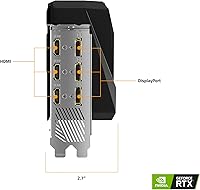
- Five display outputs — two HDMI and three DisplayPort — give multi-monitor setups real flexibility.
- NVENC hardware encoder accelerates video exports significantly, making this RTX 3070 Ti a practical content creation tool.
- Users comparing it against ASUS and MSI alternatives frequently note better fan acoustics on the AORUS Master.
- Structural rigidity is strong for a card this size — sag and flex are not common complaints among owners.
Cons
- At nearly 13 inches long, the card simply will not fit in a large number of mid-size and compact cases.
- Power connector placement draws consistent criticism — cable management becomes noticeably awkward in tighter builds.
- The premium AIB pricing puts it well above reference RTX 3070 Ti cards for gains that are mostly thermal, not performance.
- Weighing over 5.7 pounds, the card puts real stress on the PCIe slot without a dedicated GPU support bracket.
- The 8GB VRAM ceiling is starting to show strain in some modern titles at 4K with maximum texture settings.
- Buyers in compact or ITX builds will need to shop elsewhere — this is strictly a mid-tower or full-tower card.
- The rating pool of 247 reviews is not large enough yet to give confident long-term reliability data.
- Running at full load, power draw is substantial and will stress lower-wattage PSUs — a 750W unit is a practical minimum.
Ratings
Our AI rating system analyzed verified global reviews for the GIGABYTE AORUS RTX 3070 Ti 8GB Graphics Card, actively filtering out incentivized submissions and bot-generated feedback to surface what real buyers actually experienced. The scores below reflect a balanced synthesis of both enthusiastic praise and genuine frustration points drawn from the 247-rating pool. Where the AORUS Master earns high marks, it earns them honestly — and where it falls short, that is reflected too.
Thermal Performance
Noise Levels
Gaming Performance
Build Quality
Value for Money
Installation Experience
Ray Tracing Capability
VRAM Adequacy
Display Connectivity
Content Creation Performance
Driver Stability
Longevity & Durability
Overclocking Headroom
Suitable for:
The GIGABYTE AORUS RTX 3070 Ti 8GB Graphics Card is the right call for builders who want a serious 1440p gaming setup without crossing into RTX 3080 territory. If you are chasing high refresh rates — 144Hz and above — at 1440p in demanding titles, the AORUS Master has the thermal headroom and memory bandwidth to hold those frame rates consistently across long sessions. Content creators who rely on GPU-accelerated workflows, whether that is video encoding through NVENC or compute-heavy rendering tasks, will find the Ampere architecture genuinely useful beyond gaming. Ray tracing enthusiasts will appreciate that DLSS 2.0 support makes technically demanding scenes actually playable rather than a slideshow. This card is also a strong fit for anyone who values a quiet, stable system — real-world users consistently note that the triple-fan cooler keeps temperatures low without the fans becoming intrusive during normal use.
Not suitable for:
The GIGABYTE AORUS RTX 3070 Ti 8GB Graphics Card is a poor fit for anyone working with a compact or mid-size ATX case with limited GPU clearance — at nearly 13 inches long and occupying three full slots, it physically will not fit in many popular smaller builds. Budget-conscious buyers should also pause here: this is a premium AIB variant priced above standard RTX 3070 Ti cards, and if your use case is primarily 1080p gaming, the performance advantage over much cheaper options is difficult to justify. Buyers who frequently upgrade or who move their rigs often will find the card's 5.72-pound weight and bulk a recurring inconvenience. If your primary goal is maximum 4K performance and you can stretch the budget further, an RTX 3080 with its wider memory bus and larger VRAM headroom is a more future-proof choice for that resolution tier. Anyone already owning a previous-generation high-end card, such as an RTX 2080 Ti, should also temper expectations — the generational jump at this tier is meaningful but not dramatic.
Specifications
- GPU Model: The card is built on the NVIDIA GeForce RTX 3070 Ti, using the Ampere GA104 graphics processor.
- VRAM: 8GB of GDDR6X memory provides high-bandwidth frame buffer capacity suited for 1440p and entry-level 4K workloads.
- Memory Interface: The 256-bit memory bus width supports substantial memory throughput, helping maintain smooth performance with high-resolution texture assets.
- Memory Speed: GDDR6X modules operate at 19,000 MHz effective clock speed, delivering strong bandwidth relative to standard GDDR6 configurations.
- RT Cores: Second-generation RT Cores accelerate real-time ray tracing calculations directly in hardware, reducing the CPU and shader load during ray-traced rendering.
- Tensor Cores: Third-generation Tensor Cores power DLSS 2.0 AI upscaling, allowing the GPU to render at lower resolutions and reconstruct sharper output frames.
- Cooling System: GIGABYTE's MAX-Covered triple-fan heatsink extends across the full PCB length to maximize heat dissipation surface area during sustained load.
- Card Dimensions: The card measures 12.76 inches in length, 5.59 inches in height, and 2.76 inches in depth, occupying three expansion slots.
- Card Weight: The AORUS Master weighs 5.72 pounds, which is substantial and warrants the use of a GPU support bracket in most builds.
- Display Outputs: Five video outputs are provided: two HDMI ports and three DisplayPort connectors, supporting simultaneous multi-monitor configurations.
- Max Resolution: The card supports a maximum digital output resolution of 7680x4320, commonly referred to as 8K, over compatible DisplayPort connections.
- Form Factor: The card follows the ATX add-in board form factor and requires a full-size PCIe x16 slot with adequate surrounding clearance for three slots.
- Power Connectors: The AORUS Master requires external PCIe power connectors; GIGABYTE specifies a minimum 750W power supply unit for stable operation.
- PCIe Generation: The card uses a PCIe 4.0 x16 interface and is backward compatible with PCIe 3.0 motherboard slots.
- Backplate: A full-cover metal backplate is included, adding structural rigidity and protecting rear PCB components from physical stress and dust accumulation.
- Model Number: The official GIGABYTE model identifier is GV-N307TAORUS M-8GD, which should be used when checking compatibility or sourcing replacement parts.
- NVENC Encoder: The card includes NVIDIA's seventh-generation NVENC hardware encoder, enabling accelerated H.264 and HEVC video encoding for streaming and export workflows.
- API Support: Full support is provided for DirectX 12 Ultimate, OpenGL 4.6, OpenCL, and Vulkan, covering the full range of modern gaming and compute APIs.
Related Reviews
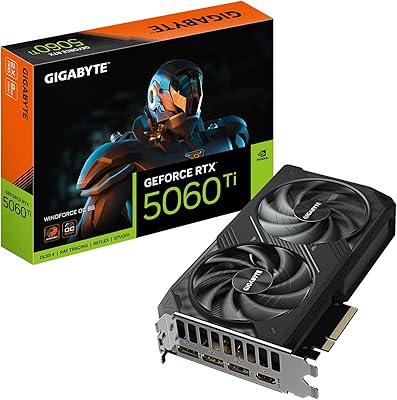
GIGABYTE RTX 5060 Ti 8GB Graphics Card
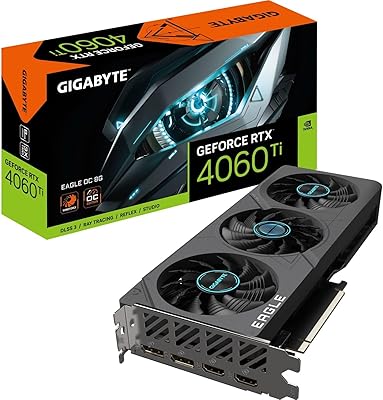
Gigabyte RTX 4060 Ti Eagle OC GPU

GIGABYTE GeForce RTX 4060 Ti Gaming OC 8GB Graphics Card
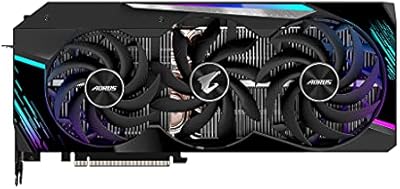
Gigabyte AORUS RTX 3080 Ti Graphics Card
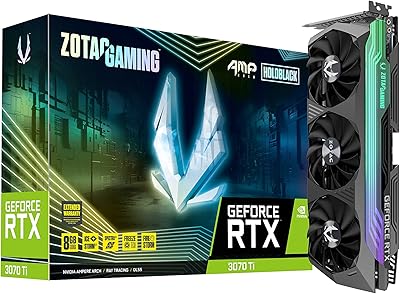
ZOTAC GeForce RTX 3070 Ti AMP Holo Graphics Card
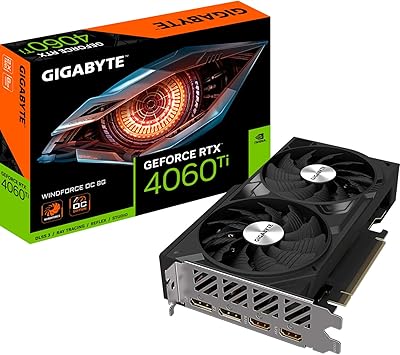
Gigabyte RTX 4060 Ti 8GB Graphics Card
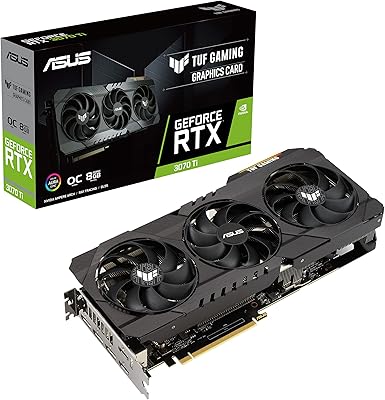
ASUS TUF RTX 3070 Ti Graphics Card
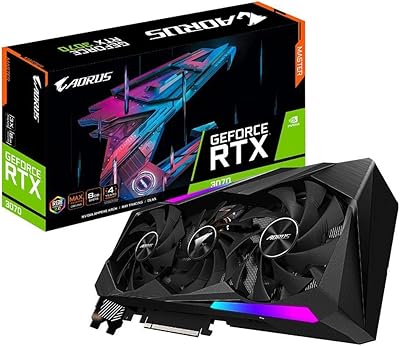
GIGABYTE AORUS RTX 3070 Master Graphics Card
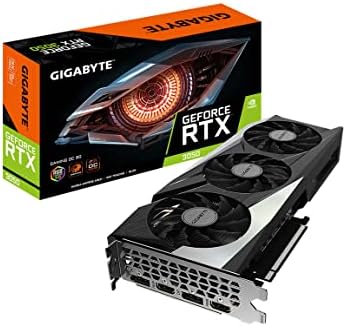
GIGABYTE GeForce RTX 3050 Gaming OC 8GB Graphics Card