Overview

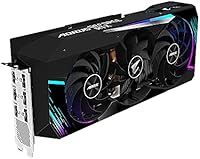
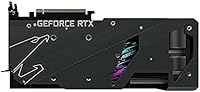
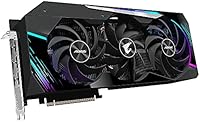
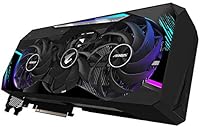
The Gigabyte AORUS RTX 3080 Ti Graphics Card sits at the top of Gigabyte's AIB lineup, representing their most premium AORUS Master tier — a step above the Eagle and Gaming variants in both cooling ambition and build quality. Built on NVIDIA's Ampere architecture, this flagship Gigabyte card launched into a competitive high-end GPU market where every AIB partner was fighting for enthusiast attention. The 12GB GDDR6X VRAM is what separates it from the standard 3080, making it genuinely capable for 4K gaming and memory-heavy creative workloads. One thing to note upfront: this is a triple-slot behemoth, measuring over 12.5 inches long, so case compatibility deserves serious thought before buying.

Features & Benefits

The WINDFORCE STACK cooling system is arguably the headline feature here — a stacked fin array paired with three large fans that keeps thermals genuinely in check even during extended gaming sessions. The 1770 MHz factory clock is modest but stable, and the card's thermal headroom makes manual overclocking accessible for those who want more. Feeding 12GB of GDDR6X across a 384-bit bus at 19 Gbps means texture-heavy scenes at 4K or ultra-wide resolutions rarely cause visible bottlenecks. The LCD Edge View display on the card's side panel shows live readouts of temps and clocks — niche, yes, but surprisingly useful in an open-case build. DLSS and hardware ray tracing support round out a feature set that holds up well in demanding modern titles.

Best For

The AORUS Master 3080 Ti makes the most sense for enthusiast 4K gamers who want to push AAA titles at maximum settings without worrying about VRAM headroom or thermal throttling. It's equally well-suited for content creators running GPU-accelerated workflows — think DaVinci Resolve rendering, Blender GPU compute, or AI inference tasks that lean heavily on VRAM and tensor performance. The built-in LCD display and aggressive aesthetic also make it a natural pick for builders focused on open-frame or showcase rigs. Where it's less appropriate: compact ITX or mATX builds, given the three-slot footprint and length. If you're running a large mid-tower or full-tower case and want a card that won't throttle under sustained load, this Gigabyte card fits well.

User Feedback

With 88 ratings averaging 4.2 stars, the feedback picture is broadly positive but too small a sample to draw firm conclusions. Cooling performance and low noise under load are the most consistently praised elements — buyers note the card runs notably quiet given its thermal workload. On the downside, installation complexity comes up with some regularity: the card's length and weight can stress motherboard slots, and routing multiple PCIe power connectors in tighter cases takes planning. A few reviewers question whether the price premium over competing 3080 Ti AIB cards is justified when raw performance differences are slim. The LCD Edge View panel divides opinion cleanly — enthusiasts in open builds love it; others find it unnecessary. Reliability feedback over longer ownership periods is thin given the sample size.

Pros

  • The WINDFORCE STACK cooling system keeps thermals genuinely low even under extended, demanding workloads.
  • 12GB GDDR6X VRAM handles 4K textures and memory-intensive creative tasks without breaking a sweat.
  • Low noise output under load is a consistent highlight from real buyers — it runs quieter than its size suggests.
  • DLSS support gives a meaningful framerate boost in supported titles without a visible quality penalty.
  • The LCD Edge View panel is a practical real-time monitoring tool in open-case or showcase builds.
  • Hardware ray tracing performance is a significant step up from the previous Turing generation.
  • Factory overclock headroom gives enthusiasts room to push further without starting from scratch.
  • Broad display output options cover multi-monitor and high-refresh-rate setups up to 8K resolution.
  • Build quality reflects Gigabyte's top-tier AORUS Master positioning — this does not feel like a cut-corner product.
  • The 384-bit memory bus and 19 Gbps memory speed translate to strong real-world bandwidth in texture-heavy scenarios.

Cons

  • At over 12.5 inches long and three slots wide, this card physically excludes a large range of smaller PC cases.
  • The card's weight puts meaningful stress on the motherboard PCIe slot without a dedicated GPU support bracket.
  • Multiple PCIe power connectors are required, demanding a high-wattage PSU that adds to the overall system cost.
  • The price premium over competing 3080 Ti AIB options is hard to justify on raw gaming performance alone.
  • Only 88 ratings on Amazon make it difficult to assess long-term reliability with confidence.
  • The LCD Edge View display adds bulk and complexity that buyers without open-frame builds rarely benefit from.
  • Installation in tighter cases requires careful planning around power cable routing and physical clearance.
  • Power draw is high enough that system-level heat output becomes a real consideration in warm or poorly ventilated rooms.
  • The AORUS Master's premium positioning means paying for features — like the edge display — that many users will simply ignore.

Ratings

The Gigabyte AORUS RTX 3080 Ti Graphics Card has been evaluated by our AI rating system after analyzing verified global user reviews, actively filtering out incentivized, bot-generated, and spam submissions to reflect only genuine buyer experiences. Scores are derived from real ownership feedback spanning gaming performance, thermal behavior, build quality, and long-term reliability — with both strengths and recurring frustrations transparently represented. The AORUS Master 3080 Ti earns strong marks in several critical areas, but also carries clear trade-offs that serious buyers should weigh before committing.
Gaming Performance
93%
Users running AAA titles at 4K consistently report smooth, high-framerate experiences even with ray tracing enabled, which is exactly what this card was designed to deliver. The combination of Ampere's rasterization improvements and DLSS support means demanding titles like Cyberpunk 2077 and Microsoft Flight Simulator remain genuinely playable at ultra settings — something the previous Turing generation struggled to manage.
At 1440p and below, the performance ceiling of the AORUS Master 3080 Ti goes largely untapped, and buyers gaming at those resolutions frequently note they are paying for headroom they never actually use. A handful of users also report minor driver-related instability in specific titles, though this is more an NVIDIA ecosystem issue than one specific to this card.
Thermal Management
91%
The WINDFORCE STACK cooler is repeatedly singled out in user feedback as one of the most effective cooling solutions in the 3080 Ti AIB space — GPU core temperatures during extended gaming sessions stay impressively low, often 10 to 15 degrees cooler than reference-style coolers. Builders running demanding creative workloads like sustained Blender renders also note the card holds stable clocks without the thermal throttling they experienced on previous GPUs.
The cooler's effectiveness comes at the cost of physical bulk — the three-slot design and large fin array make this card genuinely difficult to seat in any build without ample internal space. A few users also note that the fans can emit a faint coil whine at specific RPM ranges, which is infrequent but worth flagging for noise-sensitive buyers.
Noise Level
88%
Quiet operation under load is among the most praised aspects of this card across buyer feedback, with many users surprised by how subdued it remains during extended 4K gaming sessions. The large fan diameter and stacked fin design allow the WINDFORCE system to move substantial airflow at lower rotational speeds, which directly translates to lower acoustic output compared to smaller, faster-spinning cooler configurations.
At peak load in very hot ambient environments, fan speeds climb noticeably and the acoustic character shifts — still not loud by high-end GPU standards, but no longer whisper-quiet. Users in warm climates or running the card in poorly ventilated cases report a more audible presence than buyers with better-conditioned build environments.
Build & Physical Quality
89%
The AORUS Master tier reflects Gigabyte's top-tier construction standards — buyers consistently describe the card as feeling dense and well-engineered, with a backplate and shroud that do not flex or rattle. The LCD Edge View panel, love it or ignore it, is a genuinely polished hardware addition that feels integrated rather than tacked on.
The card's weight of over four pounds is a real consideration for long-term slot health, and the lack of an included support bracket means buyers have to source one separately or risk gradual sag. Several users noted the PCIe power connector placement is awkward in tighter cable management scenarios, requiring some patience to route cleanly.
Value for Money
61%
39%
For buyers who specifically want the AORUS Master's premium cooling, LCD display, and aesthetic package, there is a coherent argument for the price — you are paying for a measurably better thermal and acoustic experience over base 3080 Ti models. Users who run open-frame showcase builds or sustained creative workloads where thermals matter most tend to feel the premium is justified.
The majority of value-focused buyers note that competing 3080 Ti AIB cards from other manufacturers offer similar gaming performance at a noticeably lower price point, making the AORUS Master's premium harder to defend on frames-per-dollar grounds alone. With newer GPU generations now available, the price-to-performance ratio has slipped further, and buyers paying close to original retail are getting less competitive value than they would have at launch.
Installation Experience
67%
33%
Standard PCIe installation is straightforward for experienced builders, and AORUS Engine software is simple to set up for fan curve and clock adjustments. Users with full-tower cases report a clean, confidence-inspiring installation process with no compatibility surprises.
First-time builders and those working in mid-tower cases flag the sheer size and weight as stressful to handle during installation — the card is long enough that front-mounted radiators or drive cages can create genuine clearance conflicts. Routing the required multiple PCIe power connectors neatly also demands deliberate cable management effort, especially in cases with limited slack on modular PSU cables.
LCD Edge View Display
72%
28%
In open-frame or tempered-glass builds where the card's edge is visible, the real-time GPU stats readout is practically useful — glancing at thermals or clock speeds without launching monitoring software is a genuine convenience during gaming or workload sessions. Builders who invest time in customizing the display with personal graphics or animations find it a distinctive differentiator in showcase systems.
Buyers using the card in opaque or closed cases — which represents a significant portion of the market — get zero practical benefit from this feature. The LCD panel also adds a layer of complexity that some users find unnecessary, and concerns about long-term display reliability over years of operation come up occasionally in feedback threads.
DLSS & Ray Tracing
87%
Third-generation Tensor Cores and DLSS support give this card a meaningful framerate recovery tool at 4K, where native rendering can stress even the strongest GPUs — games like Control and Metro Exodus Enhanced Edition run significantly better with DLSS enabled and still look excellent. Second-gen RT Core performance is a clear step up from Turing, making ray tracing a practical option rather than a framerate-destroying novelty.
DLSS quality varies by game implementation, and a handful of titles show ghosting or sharpening artifacts that users find distracting enough to disable it. Ray tracing performance, while improved over the previous generation, still carries a significant framerate cost in the most demanding implementations, requiring DLSS to be used as a crutch rather than a standalone rendering path.
4K Capability
92%
This card was built for 4K gaming and delivers on that premise consistently — users running 4K at high refresh rates in GPU-limited titles report the AORUS Master 3080 Ti handles the resolution with authority, rarely bottlenecking on VRAM or core throughput. The 12GB GDDR6X buffer is specifically sized to accommodate 4K texture packs and ultra-quality asset streaming without the stutters that hit cards with narrower memory configurations.
At 4K with ray tracing fully enabled and DLSS off, even this card encounters meaningful framerate drops in the most demanding scenes, which is more a reflection of the raw computational cost of uncompromised 4K ray tracing than a card-specific weakness. Buyers expecting 4K ultra ray tracing at consistently high framerates without DLSS will occasionally be disappointed.
VRAM Adequacy
91%
The 12GB GDDR6X configuration is the defining specification advantage over the standard RTX 3080, and users in memory-intensive workflows feel this directly — large Blender scenes, high-resolution video timelines, and games with 4K texture mods all benefit from the additional headroom. Buyers who previously hit VRAM ceilings on 8GB or 10GB cards report a noticeably smoother experience with this card.
Some power users working at the very top of GPU compute demands — particularly those running multiple large AI models or extreme 3D scene complexity — find 12GB starts to feel limiting in niche professional scenarios. This is not a common complaint, but it is worth acknowledging for buyers evaluating this card specifically for cutting-edge AI research or very large-scale rendering pipelines.
Power Efficiency
58%
42%
Within its performance tier, the AORUS Master 3080 Ti delivers impressive throughput relative to its power draw, and users who upgraded from older GPU generations report better performance-per-watt than they expected. The WINDFORCE cooler's efficiency means the card does not need to run at maximum power to sustain its rated clock speeds under typical workloads.
The raw TDP on the RTX 3080 Ti is among the highest of any consumer GPU from its generation, and buyers upgrading from mid-range systems often need to replace their PSU entirely to run this card safely — an added cost that catches some first-time high-end buyers off guard. System-level heat output in warm rooms or poorly ventilated setups is a recurring mention in feedback, particularly from users in warmer climates.
Driver Stability
74%
26%
The vast majority of AORUS Master 3080 Ti users report no card-specific driver issues, with day-to-day operation in both gaming and creative applications running reliably over months of ownership. Gigabyte's AORUS Engine software is generally well-regarded as a stable companion utility for monitoring and light tuning.
A minority of users encounter NVIDIA driver conflicts that manifest as crashes or display signal drops, though most attribute these to broader NVIDIA driver quality rather than anything specific to this AIB card. Users running the card alongside certain older software stacks or non-standard Windows configurations occasionally report compatibility friction that requires driver rollbacks to resolve.
Case Compatibility
53%
47%
For builders already committed to full-tower or large mid-tower cases with 13-inch or greater GPU clearance, the physical footprint of this card is a non-issue — it fits cleanly with room to spare for airflow management around the cooler intake.
The 12.56-inch length and three-slot width eliminate this card as an option for a significant percentage of common mid-tower and almost all compact cases, which generates frustration among buyers who did not carefully verify internal dimensions before purchasing. The card's weight further compounds compatibility concerns, as lighter and shorter cases sometimes lack the structural reinforcement to hold it securely without supplemental bracing.
Overclocking Headroom
79%
21%
The WINDFORCE STACK cooler provides genuine thermal margin for manual overclocking, and experienced enthusiasts report stable gains above the 1770 MHz factory clock using AORUS Engine without aggressive voltage increases. The card responds predictably to tuning, which users who enjoy hands-on GPU optimization find rewarding.
Absolute overclocking ceiling compared to the best binned AIB 3080 Ti variants from competing brands is modest — the AORUS Master is not specifically marketed as an extreme OC card, and users chasing maximum silicon lottery performance may find other AIB options with higher factory clocks offer more raw tuning potential. Gains for typical users who do not overclock aggressively are incremental at best.

Suitable for:

The Gigabyte AORUS RTX 3080 Ti Graphics Card is built for buyers who refuse to compromise at 4K — specifically enthusiast gamers who want to run demanding AAA titles at maximum settings with ray tracing enabled and still maintain strong framerates. Creators will find the 12GB GDDR6X VRAM and Tensor Core performance genuinely useful for GPU-accelerated tasks like high-resolution video rendering, Blender GPU compute, and AI-assisted workflows where VRAM headroom directly impacts how large a scene or timeline you can process without slowdowns. The WINDFORCE STACK cooling system makes it a strong fit for users who run sustained, long-session workloads — the kind where lesser coolers start to throttle and get loud. PC builders putting together a flagship open-frame or large full-tower showcase rig will also appreciate the LCD Edge View panel and the card's aggressive AORUS aesthetic. If your case has the clearance for a card over 12.5 inches long and three slots wide, and you want the thermal overhead to push this hardware hard, this card rewards that investment.
Not suitable for:

The Gigabyte AORUS RTX 3080 Ti Graphics Card is a poor match for anyone building in a compact ITX or small mATX enclosure — at over 12.5 inches long and occupying three expansion slots, it simply will not fit most small-form-factor cases, and forcing the issue risks structural strain on the motherboard slot. Budget-conscious buyers or those primarily gaming at 1080p or 1440p will find the performance ceiling of this card goes largely untapped, making the premium price hard to justify when more affordable AIB options or even lower-tier GPUs deliver similar real-world results at those resolutions. Users with older or lower-wattage power supplies also need to take stock before committing — this card demands a robust PSU with multiple PCIe power connectors, and underpowering it leads to instability rather than savings. Buyers who have already evaluated competing 3080 Ti AIB models and found minimal thermal or acoustic differences may not find the AORUS Master tier's extras worth the price gap. If the LCD Edge View display does not appeal to you and your case has solid airflow anyway, the core justification for choosing this over a more affordable 3080 Ti variant becomes thin.

Specifications

  • GPU Chip: Powered by the NVIDIA GeForce RTX 3080 Ti, built on the Ampere architecture with improved FP32 throughput over the previous Turing generation.
  • VRAM: 12GB of GDDR6X memory provides ample headroom for 4K gaming, high-resolution texture packs, and GPU-accelerated creative workloads.
  • Memory Bus: A 384-bit memory bus width paired with 19 Gbps memory speed delivers strong bandwidth for texture-heavy and compute-intensive tasks.
  • Core Clock: The card ships with a factory core clock of 1770 MHz, offering a stable out-of-box overclock with room for further tuning via Gigabyte's AORUS Engine software.
  • RT Cores: 2nd-generation RT Cores handle ray tracing calculations significantly faster than 1st-gen Turing cores, enabling more playable framerates in ray-traced titles.
  • Tensor Cores: 3rd-generation Tensor Cores power DLSS, allowing AI-upscaled rendering that recovers framerates at 4K without a substantial drop in visual fidelity.
  • Cooling System: The WINDFORCE STACK triple-fan cooler uses a stacked fin array design to maximize heat dissipation across the card's full length under sustained load.
  • Edge Display: An LCD Edge View panel is mounted on the side of the card, capable of displaying real-time GPU temperature, clock speed, or custom user graphics.
  • Video Outputs: The card provides HDMI and DisplayPort outputs, supporting multi-monitor configurations and resolutions up to 7680x4320 pixels.
  • Card Dimensions: The card measures 12.56 x 5.51 x 2.76 inches, making it one of the larger AIB 3080 Ti variants and a critical factor for case compatibility checks.
  • Slot Width: This is a 3-slot card, meaning it occupies three PCIe expansion slots in the chassis and requires adjacent slot clearance.
  • Card Weight: At 4.16 pounds, the card is heavy enough that a GPU support bracket or anti-sag brace is strongly recommended to protect the motherboard slot.
  • Power Input: The card requires 12V power via multiple PCIe connectors, necessitating a high-wattage PSU; Gigabyte recommends at least an 850W unit for stable operation.
  • Max Resolution: Supports display output up to 7680x4320 (8K), suitable for high-resolution multi-monitor setups and future display upgrades.
  • DLSS Support: NVIDIA DLSS is fully supported, enabling AI-driven upscaling in compatible games to boost framerates, particularly effective at 4K resolution.
  • Ray Tracing: Hardware-accelerated ray tracing is handled natively by dedicated RT Cores, offloading lighting and shadow calculations from the shader processors.
  • Model Number: The official Gigabyte model number is GV-N308TAORUS M-12GD, which is the identifier to use when checking compatibility or sourcing replacement parts.
  • Interface: The card connects via a PCIe x16 slot, compatible with PCIe 4.0 motherboards for full bandwidth and backwards compatible with PCIe 3.0 systems.
  • Software: Gigabyte AORUS Engine software allows users to monitor temps, adjust fan curves, and tune core and memory clocks from within Windows.
  • Release Date: The card was first made available in June 2021, coinciding with the broader RTX 3080 Ti launch period during the Ampere generation rollout.

Related Reviews
GIGABYTE RTX 5060 Ti 8GB Graphics Card
84%
88%
1440p Gaming Performance
91%
DLSS 4 & AI Upscaling
66%
VRAM Capacity & Adequacy
93%
Thermal Performance & Cooling
86%
Noise Level
More
GIGABYTE GeForce RTX 4060 Ti Gaming OC 8GB Graphics Card
86%
92%
Performance
88%
Cooling Efficiency
89%
Value for Money
85%
Build Quality
91%
Ease of Setup
More
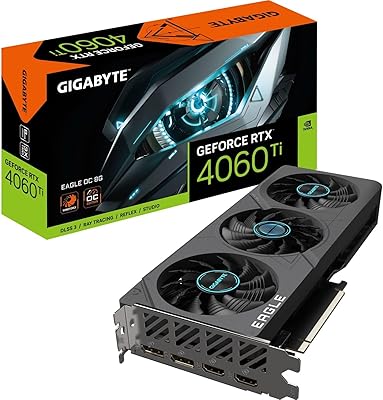
Gigabyte RTX 4060 Ti Eagle OC GPU
82%
83%
Gaming Performance
88%
Thermal Management
84%
Noise Level
86%
DLSS 3 & Frame Generation
61%
VRAM & Memory
More
GIGABYTE GeForce RTX 5070 Ti Gaming OC 16G

86%
91%
4K Gaming Performance
89%
Ray Tracing & DLSS 4
93%
Cooling Efficiency
94%
VRAM & Memory Speed
87%
Acoustic Performance
More
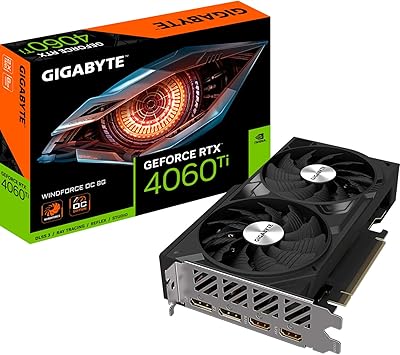
GIGABYTE GeForce RTX 5060 Ti WINDFORCE MAX OC 16G
85%
91%
1440p Gaming Performance
93%
Thermal Management
88%
VRAM Capacity & Usefulness
92%
Noise Levels
84%
Value for Money
More
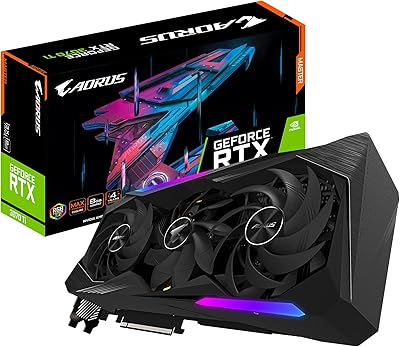
Gigabyte RTX 4060 Ti 8GB Graphics Card
79%
91%
1080p Gaming Performance
74%
1440p Gaming Performance
58%
VRAM Adequacy
88%
Thermal Performance
86%
Acoustic Profile
More
GIGABYTE RTX 3080 Ti Vision OC GPU
79%
91%
Thermal Performance
88%
Noise Level
86%
4K Gaming Performance
83%
Ray Tracing Capability
84%
DLSS Quality
More
GIGABYTE AORUS RTX 3070 Ti 8GB Graphics Card
79%
92%
Thermal Performance
88%
Noise Levels
86%
Gaming Performance
91%
Build Quality
67%
Value for Money
More
GIGABYTE RTX 5070 Gaming OC 12GB GPU
83%
93%
Gaming Performance at 1440p
76%
4K Gaming Capability
91%
Thermal Performance
94%
DLSS 4 and Multi Frame Generation
89%
Build Quality and Construction
More
GIGABYTE GeForce RTX 3050 Gaming OC 8GB Graphics Card
84%
91%
Value for Money
88%
Gaming Performance (1080p)
89%
Cooling Efficiency
84%
Build Quality
86%
Noise Level
More

FAQ

It depends on your specific case. The AORUS Master 3080 Ti is 12.56 inches long and takes up three expansion slots, so you need to check your case's listed maximum GPU length before ordering. Most standard mid-towers support up to around 12 to 13 inches, but tighter or budget cases may fall short. Measure the space between your front panel intake fans and the PCIe slot area to be sure.

Gigabyte recommends at least an 850W PSU for this card, and that is a reasonable minimum. If your system includes a high-end CPU, multiple storage drives, or significant RGB, bumping to a 1000W unit gives you more comfortable headroom. Make sure your PSU also has enough PCIe power connectors — this card needs multiple 8-pin or 12-pin feeds depending on your adapter setup.

Honestly, it depends on your setup. In an open-frame build or a case with a tempered glass side panel, the live readout of GPU temps and clock speeds is genuinely handy — you can glance at thermals without opening monitoring software. In a closed, opaque case where you never see the card's edge, it adds zero practical value. You can also load custom graphics onto it, which appeals to builders who care about aesthetics.

It works very well for both. The 12GB GDDR6X VRAM is a real advantage in GPU-accelerated workflows — DaVinci Resolve, Blender, and similar applications benefit directly from higher VRAM capacity, especially when working with 4K or 8K footage or complex 3D scenes. The Tensor Cores also contribute to AI-accelerated features in some creative applications. It is a capable workstation-adjacent card, not just a gaming one.

User feedback consistently points to noise as one of the AORUS Master 3080 Ti's genuine strengths. The WINDFORCE STACK cooling system moves enough air through the large fin array that fan speeds stay relatively low even under sustained load, keeping acoustics noticeably subdued for a card of this performance tier. It is not silent, but it is quiet enough that most people will not find it distracting during long gaming sessions.

The card includes HDMI output, which supports high-resolution and high-refresh-rate displays. For the most up-to-date connector version details, check Gigabyte's official product page for the GV-N308TAORUS M-12GD, as connector specifications can vary by board revision and are best confirmed directly from the manufacturer's documentation.

Yes, and it is worth addressing before you finish your build. At 4.16 pounds, this card will droop noticeably over time without support, which puts sustained stress on the PCIe slot. A GPU support bracket — either one that came with your case or an aftermarket brace — is not optional here; it is a sensible precaution for long-term peace of mind.

You can, and the WINDFORCE STACK cooler gives you enough thermal headroom to push the core clock meaningfully beyond the 1770 MHz factory setting. Gigabyte's AORUS Engine software makes the process straightforward. That said, gains at this performance tier are incremental — you might see a few extra frames per second in GPU-bound scenarios, but you are not unlocking a hidden tier of performance. If you enjoy tinkering, go for it; if not, the factory tune is solid.

The card offers HDMI and DisplayPort outputs, and yes, you can run multiple monitors simultaneously. The exact number of active display outputs supported concurrently depends on the specific connector configuration on this board revision, so check the rear I/O layout for the GV-N308TAORUS M-12GD on Gigabyte's site to confirm how many ports are active at once for your specific use case.

That depends heavily on your budget and what you are coming from. The AORUS Master 3080 Ti still delivers strong 4K gaming performance and handles modern titles well, but newer GPU generations have launched since its 2021 release, offering better efficiency and in some cases better performance per dollar. If you find this card at a significantly reduced price on the secondary market, it can still represent solid value — but at close to its original launch price, it is worth comparing carefully against current-generation options before committing.

Where to Buy