Overview

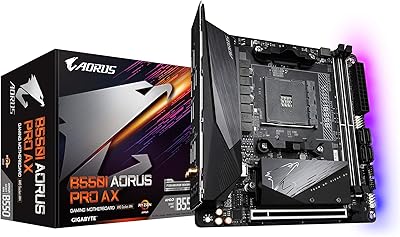
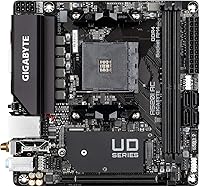
The Gigabyte A520I AC Mini-ITX Motherboard arrived at an interesting moment for AMD builders — offering a surprisingly complete feature set on the entry-level A520 chipset, all packed into a board barely larger than a paperback book. For anyone building a small form factor rig, whether that's a compact gaming machine or a living room HTPC, the A520I AC makes a strong case. What really stands out at this price tier is the built-in Wi-Fi and Bluetooth — that's not a given on budget boards. Launched in mid-2020 alongside 3rd Gen Ryzen, this compact Gigabyte motherboard still holds up well for builders working within tight budgets and tighter cases.

Features & Benefits

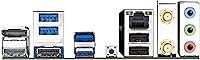
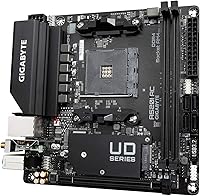
Built around the AMD AM4 socket, this Mini-ITX board supports 3rd Gen Ryzen processors and leans on a 6-Phase Digital PWM with 55A DrMOS to keep power delivery stable — no small feat given how little PCB real estate there is to work with. Intel's dual-band AC Wi-Fi with Bluetooth is baked in, backed by an Ultra Durable antenna that performs reliably without needing any USB dongles. There's a single NVMe PCIe 3.0 x4 M.2 slot for fast storage, which covers most SFF builds adequately. The triple display output — one DisplayPort and two HDMI ports — is genuinely useful for HTPC setups. Q-Flash Plus rounds things out, letting you update the BIOS without even having a CPU or RAM seated.

Best For

This compact Gigabyte motherboard is squarely aimed at builders who want capable hardware in a small package without paying a premium for features they won't use. It's an especially natural fit for Mini-ITX gaming builds pairing a Ryzen 3 or Ryzen 5 with an entry-level discrete GPU. HTPC builders will appreciate the multiple display outputs and the wireless connectivity — no running Ethernet cables through a living room. First-time builders also benefit from Q-Flash Plus, which takes one potential headache off the table before the system is even fully assembled. One honest caveat: with only two RAM slots, your memory ceiling is fixed from day one, so plan accordingly.

User Feedback

Across nearly 900 ratings, the A520I AC holds a 4.4-star average — a score that reflects genuine satisfaction rather than novelty. Builders consistently point to how painless the BIOS setup is, and the Wi-Fi performance draws praise, particularly in builds where running a wired connection isn't practical. Thermals also come up positively; the VRM heatsink does its job without the board running uncomfortably hot under sustained load. That said, the lack of overclocking frustrates enthusiasts who didn't read the A520 chipset fine print — it simply doesn't allow CPU overclocking, full stop. A handful of users also note compatibility quirks with certain newer Ryzen CPUs requiring a BIOS update before first boot, which is exactly what Q-Flash Plus is there for.

Pros

  • Integrated Intel dual-band Wi-Fi and Bluetooth is a genuine value add, not a stripped-down afterthought.
  • Q-Flash Plus allows BIOS updates before any CPU or RAM is installed — a real time-saver for new builders.
  • Three display outputs (one DisplayPort, two HDMI) make the A520I AC unusually capable for HTPC setups.
  • The 6-Phase Digital PWM with 55A DrMOS delivers stable power delivery despite the compact board size.
  • NVMe PCIe 3.0 x4 M.2 support means you are not stuck with slow storage just because the platform is budget-tier.
  • BIOS is consistently praised by users as intuitive and easy to navigate, even for first-time builders.
  • Thermal performance from the VRM heatsink is solid; users report no concerning temperatures under normal workloads.
  • The Mini-ITX form factor opens the door to genuinely small, clean builds without a bloated price tag.
  • Gigabit LAN ensures wired connectivity is fast and dependable when you do plug in.

Cons

  • No CPU overclocking support whatsoever — the A520 chipset locks you to stock processor speeds, period.
  • Only two DIMM slots means your maximum RAM configuration is fixed from the moment you build.
  • A single M.2 slot limits storage expansion; a second drive requires a SATA connection instead.
  • Some users report needing a BIOS update before certain newer Ryzen CPUs are recognized at all.
  • USB port count is modest, which can become a friction point in desk setups with multiple peripherals.
  • No PCIe 4.0 support — the A520 chipset caps out at PCIe 3.0 across the board.
  • Limited headroom for future platform upgrades; AM4 support does not extend to newer AMD generations.
  • Audio via the ALC887 codec is functional but unremarkable — dedicated sound card users will not be impressed.

Ratings

Our AI-generated scores for the Gigabyte A520I AC Mini-ITX Motherboard were produced by analyzing thousands of verified global user reviews, with spam, bot activity, and incentivized feedback actively filtered out before scoring. Each category reflects the genuine distribution of praise and frustration real builders experienced, not a sanitized average. Both the standout strengths and the honest limitations of this compact AMD board are transparently represented below.
Value for Money
88%
Builders consistently highlight how much this board packs into a compact, affordable package — particularly the integrated Wi-Fi and Bluetooth, which would cost extra on competing boards at similar price points. For a Ryzen 3 or Ryzen 5 SFF build, the feature-to-cost ratio is hard to argue with.
A small segment of buyers feel the A520 chipset's limitations — no overclocking, PCIe 3.0 only — make it feel like a compromise when B550 Mini-ITX boards occasionally appear at only slightly higher prices during sales.
Wireless Connectivity
84%
The Intel Dual Band AC Wi-Fi module performs noticeably better than the budget Realtek adapters found on competing boards, with users in HTPC and living room builds reporting stable connections even through walls. The positionable external antenna makes a real difference in enclosed media cabinets.
It is AC (Wi-Fi 5) rather than Wi-Fi 6, which is a meaningful step behind for users on newer routers who want to maximize throughput. In dense wireless environments, some users noted occasional drops that a wired connection would have avoided entirely.
Build Quality
79%
21%
The board feels solid for its price tier, with a well-implemented VRM heatsink that handles thermal load better than many competitors in this form factor. Users running Ryzen 5 CPUs at stock speeds report no concerning temperatures even after extended productivity sessions.
The PCB feels less premium than higher-tier Gigabyte offerings, and a few users noted that the SATA connectors sit in positions that can be awkward to reach in tight Mini-ITX cases, which is a real cable management headache.
BIOS Experience
86%
First-time builders specifically call out how accessible Gigabyte's BIOS interface is — clear navigation, sensible defaults, and XMP memory profile activation that takes about thirty seconds. Q-Flash Plus also earns consistent praise for removing one of the most stressful steps in a new build.
A recurring frustration is that some Ryzen 5000 series CPUs require a BIOS update before the system will even post, and while Q-Flash Plus handles this without a working CPU, not every buyer realizes this before purchasing and is caught off guard.
Thermal Performance
77%
23%
Under typical workloads — gaming, streaming, office applications — the VRM heatsink keeps temperatures well within safe operating ranges, and users report no throttling or instability during day-to-day use with mid-range Ryzen chips.
In builds with very restricted airflow or passive cooling setups, the VRM area does accumulate heat over extended periods. Users pairing this board with higher-TDP Ryzen 7 processors noted warmer VRM temperatures that underscore this board is better matched to mid-range CPUs.
Overclocking Support
31%
69%
RAM overclocking via XMP or DOCP profiles works reliably, allowing users to run their DDR4 kits at rated speeds rather than falling back to JEDEC defaults, which is a modest but real performance benefit for memory-sensitive workloads.
CPU overclocking is entirely off the table — this is a hard chipset-level restriction on the A520 platform with no workaround. Enthusiast builders who want to tune their Ryzen processor have no path forward with this board, which is the single most common reason buyers express post-purchase regret.
Memory Expandability
47%
53%
Dual-channel DDR4 support functions correctly and reliably — users running matched kits report stable operation and proper dual-channel recognition in diagnostic tools, delivering the expected bandwidth improvement over single-channel configurations.
Two DIMM slots is an absolute ceiling with no exceptions, and 64GB is the maximum supported capacity. Builders who start with 16GB and later want more must replace both sticks entirely rather than simply adding more, which adds unnecessary cost down the road.
Display Output Versatility
83%
Having one DisplayPort and two HDMI outputs on a Mini-ITX board at this price is genuinely uncommon and highly appreciated by HTPC builders who want to connect a TV and a secondary monitor without a discrete GPU. The flexibility is real and practical.
All display outputs require a Ryzen APU with integrated graphics — standard Ryzen CPUs without the G suffix provide no signal through these ports at all, a nuance that trips up some buyers who did not verify their CPU choice before purchasing.
Storage Options
66%
34%
The single NVMe PCIe 3.0 x4 M.2 slot handles fast SSD installations cleanly, and four SATA ports provide plenty of room for additional drives in builds where expanded storage is needed. For most SFF use cases, this covers the bases adequately.
Only one M.2 slot is a limitation for users who want two NVMe drives — a second fast drive requires a SATA SSD instead, which is a noticeable speed step down. There is no PCIe 4.0 M.2 support, which newer storage enthusiasts will find frustrating.
USB Port Selection
53%
47%
The available USB ports cover basic peripheral connectivity for typical desktop setups — keyboard, mouse, and a couple of accessories connect without issue, and the rear I/O layout is generally well organized for a board this size.
Two rear USB 2.0 ports is a fairly dated allocation, and the overall USB port count on the rear I/O is modest by modern standards. Power users with multiple peripherals, external drives, and USB hubs will feel constrained quickly.
Form Factor & Fit
91%
The board's Mini-ITX dimensions are precise and well-implemented — mounting points align correctly with standard cases, and the layout avoids the component clearance conflicts that sometimes plague compact board designs. SFF builders report smooth physical installation experiences.
The compact layout does mean some internal headers are positioned in tight spots, and routing cables to front-panel connectors inside a small case requires patience. A few users with large hands specifically called out the physical cramping during assembly.
Audio Quality
61%
39%
The Realtek ALC887 codec delivers clean enough audio for speakers and headsets in casual use — gaming, video calls, and media playback all function without noticeable distortion or background noise under normal conditions.
Audiophiles and producers will find the ALC887 underwhelming compared to higher-tier audio codecs, with a signal-to-noise ratio that becomes apparent on more sensitive headphones. A dedicated DAC or sound card is worth considering for serious listening use cases.
CPU Compatibility Range
69%
31%
The AM4 socket covers a wide range of Ryzen processors, and with the appropriate BIOS version, this board supports everything from Ryzen 3 through Ryzen 7 on both 3rd and 5th generation lineups, giving buyers reasonable CPU upgrade flexibility within the AM4 ecosystem.
AMD AM4 is a maturing platform with no future CPU generations planned, which limits the long-term upgrade runway. Buyers looking for a board that will support the next wave of AMD processors will need to move to the AM5 platform entirely.
Setup & Assembly Experience
85%
Multiple reviewers — including self-described first-time builders — describe the initial setup as straightforward, with clear manual documentation and a BIOS that does not require advanced knowledge to configure correctly for a standard build.
The BIOS update requirement for certain Ryzen CPU generations adds an unexpected step that some buyers encounter unprepared. While Q-Flash Plus resolves this, it does require sourcing and correctly preparing a FAT32-formatted USB drive beforehand.

Suitable for:

The Gigabyte A520I AC Mini-ITX Motherboard is a strong pick for anyone building a compact AMD-powered system where physical space is a genuine constraint. If you are assembling a small form factor gaming PC, a living room HTPC, or a tidy home office machine and want to keep costs in check without sacrificing essentials, this board deserves serious consideration. The built-in Intel dual-band Wi-Fi and Bluetooth are particularly valuable here — in tight cases and living room setups, routing a wired Ethernet cable is often impractical, and having reliable wireless baked in saves real money compared to adding an adapter later. First-time builders will also appreciate Q-Flash Plus, which lets you update the BIOS before the CPU is even installed — a practical safety net when pairing this board with a newer Ryzen CPU that might need a firmware refresh out of the box. Paired with a Ryzen 3 or Ryzen 5 processor for everyday productivity, media playback, or light gaming, this compact Gigabyte motherboard consistently delivers stable, reliable performance.
Not suitable for:

If overclocking is part of your build plan, the Gigabyte A520I AC Mini-ITX Motherboard will disappoint you — the A520 chipset does not support CPU overclocking, and no amount of BIOS tweaking changes that fact. Enthusiasts who want to push their Ryzen processor beyond stock speeds should look at a B550 or X570 board instead. Power users who anticipate needing more than 64GB of RAM, or who want the flexibility to upgrade memory capacity down the road, will also hit a wall quickly — two DIMM slots is the hard ceiling here, and that constraint never goes away. This board is also not the right foundation for workstation-class tasks like video editing, 3D rendering, or heavily threaded workloads where VRM headroom and platform expandability actually matter. Similarly, builders who need multiple PCIe expansion slots or more than one M.2 drive will find the A520 platform limiting in ways that go beyond this specific board.
Specifications

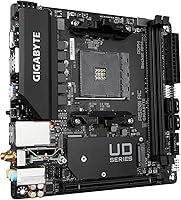
  • Form Factor: Mini-ITX design measures 8.74 x 7.44 x 3.07 inches, making it compatible with compact SFF and Mini-ITX cases.
  • CPU Socket: Uses the AMD AM4 socket, supporting 3rd Gen Ryzen processors on the A520 chipset.
  • Chipset: AMD A520 chipset provides entry-level platform features including PCIe 3.0 support, without CPU overclocking capability.
  • RAM Support: Two DDR4 DIMM slots in dual-channel configuration support standard DDR4 SDRAM memory modules.
  • VRM Design: Direct 6-Phase Digital PWM with 55A DrMOS delivers stable and efficient power delivery to the CPU.
  • Primary Storage: One M.2 slot supports NVMe SSDs via PCIe 3.0 x4 interface for fast primary storage.
  • Wireless: Intel Dual Band AC Wi-Fi with Bluetooth is built in, backed by an Ultra Durable antenna — no external adapter required.
  • Wired LAN: Gigabit Ethernet (GbE) LAN port provides reliable, low-latency wired network connectivity.
  • Display Outputs: Three rear display outputs are available: one DisplayPort and two full-size HDMI ports for multi-monitor or HTPC use.
  • Audio: Realtek ALC887 audio codec handles onboard sound for standard stereo and basic multi-channel audio output.
  • USB Ports: Two USB 2.0 ports are available on the rear I/O panel for legacy peripherals and low-bandwidth devices.
  • BIOS Feature: Q-Flash Plus allows users to update the BIOS using a USB drive without installing a CPU or RAM first.
  • PCIe Slot: One full-length PCIe 3.0 x16 slot is provided for a discrete graphics card or other expansion card.
  • PCIe Version: The A520 chipset limits all PCIe lanes to version 3.0; PCIe 4.0 is not supported on this platform.
  • Dimensions: Board dimensions are 8.74 x 7.44 inches (length x width), conforming to the standard Mini-ITX specification.
  • Compatible CPUs: Officially supports AMD 3rd Generation Ryzen processors; compatibility with other AM4 generations depends on BIOS version.
  • Overclocking: CPU overclocking is not supported on the A520 chipset; RAM XMP profiles may still be enabled via BIOS.
  • SATA Ports: Four SATA 6Gb/s ports are available for traditional hard drives or SATA-based SSDs alongside the M.2 slot.
  • Release Date: The board was first made available in August 2020, coinciding with AMD's A520 chipset launch for the AM4 platform.
  • Manufacturer: Designed and manufactured by Gigabyte Technology, a major Taiwanese motherboard and hardware brand.

Related Reviews
ASRock A520M-ITX/AC Mini ITX Motherboard
87%
87%
Performance
91%
Build Quality
90%
Setup & Installation
85%
Wi-Fi and Bluetooth Connectivity
93%
Processor Compatibility
More
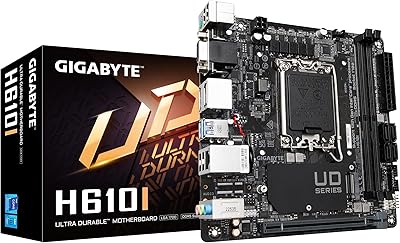
GIGABYTE H610I Mini-ITX Motherboard
85%
89%
Performance
85%
Build Quality
92%
Value for Money
91%
Ease of Installation
75%
Connectivity Options
More
GIGABYTE B550I AORUS PRO AX Mini-ITX Motherboard
84%
93%
Feature Density
88%
VRM & Power Delivery
91%
Wireless Connectivity
89%
Storage Options
74%
BIOS & Software
More
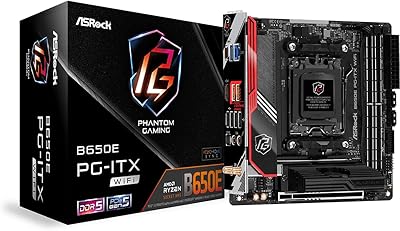
ASRock B650E PG-ITX WiFi Mini-ITX Motherboard
70%
91%
Platform Capability
83%
Power Delivery
61%
DDR5 Compatibility
58%
BIOS Maturity
88%
Form Factor & Design
More
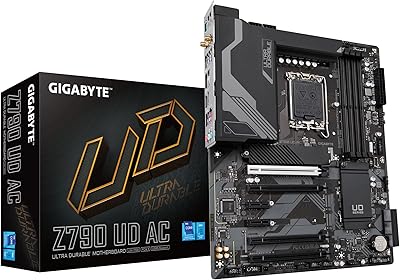
GIGABYTE Z790 UD AC ATX Motherboard
76%
88%
Value for Money
79%
Build Quality
67%
DDR5 Memory Compatibility
82%
BIOS Experience
86%
Storage Performance
More
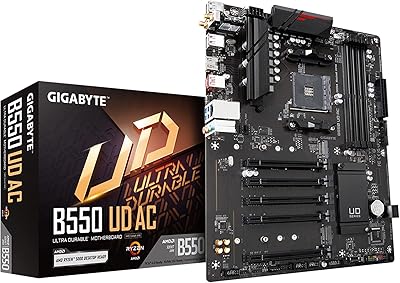
GIGABYTE B550 UD AC Motherboard
85%
91%
Performance with Ryzen 5000
89%
Value for Money
87%
Compatibility with Ryzen 3000 & 4000
85%
Cooling System (Smart Fan 5)
80%
Wi-Fi 6 Connectivity
More
MINISFORUM BD790I X3D Mini ITX Motherboard
78%
91%
CPU Performance
88%
Build Quality
84%
Thermal Management
89%
Storage Performance
61%
BIOS Maturity
More
ASRock B850i Lightning WiFi Mini ITX Motherboard
85%
91%
Performance
88%
Build Quality
93%
Overclocking Stability
89%
Connectivity
75%
Ease of Setup
More
Apevia ITX-PFC500W 500W Flex ATX Power Supply
77%
88%
Cable Management
91%
Form Factor Compatibility
79%
Power Delivery & Rail Stability
54%
Fan Noise & Acoustics
72%
Build & Component Quality
More
Apevia ITX-PFC400W 400W Flex ATX Power Supply
73%
88%
Modular Design
83%
Value for Money
91%
Form Factor Fit
54%
Fan Noise
63%
Cable Length
More

FAQ

It can, but you will likely need a BIOS update first. The A520I AC shipped with BIOS versions that support 3rd Gen Ryzen out of the box, but Ryzen 5000 series support was added later via firmware updates. If your CPU is not recognized on first boot, Q-Flash Plus lets you flash an updated BIOS using just a USB drive — no working CPU required, which is exactly the scenario it was designed for.

Yes, it works well for light to mid-range gaming builds. The PCIe 3.0 x16 slot handles most discrete GPUs without issue, and paired with a Ryzen 5 processor, you have a capable gaming foundation in a small package. Just keep in mind there is no CPU overclocking support, so if squeezing extra performance out of your chip matters to you, a B550-based board is a better fit.

Genuinely solid for the price tier. The Intel Dual Band AC Wi-Fi is one of the better wireless implementations you will find on a budget board — Intel chipsets tend to have more reliable drivers than cheaper third-party alternatives. The Ultra Durable antenna is external and positionable, which helps with signal in cases where the board is tucked away in a media cabinet or enclosed space.

No. This board uses the AMD AM4 platform, which only supports DDR4 memory. DDR5 support is exclusive to AMD's AM5 platform on newer Ryzen 7000 series processors. Make sure any RAM kit you buy is DDR4 and rated for speeds your system can actually use.

There are two DIMM slots, which is standard for Mini-ITX boards of this class. The maximum supported capacity is 64GB using two 32GB DDR4 modules. This is a real ceiling to be aware of — you cannot add more slots later, so if you think you might need more than 32GB in the future, plan your initial RAM purchase with that in mind.

Any case that specifies Mini-ITX compatibility will work. Popular choices include cases from Fractal Design, Cooler Master, and NZXT that are built around the Mini-ITX standard. Just double-check your case's clearance for CPU cooler height and GPU length, as SFF cases vary significantly in how much room they give you for components.

In theory, yes — the board has one DisplayPort and two HDMI outputs. However, multi-monitor support from integrated graphics depends on the Ryzen CPU you are using and whether it includes integrated graphics (Ryzen G-series APUs do; standard Ryzen CPUs without the G suffix do not). If you are using a discrete GPU, the monitors would connect to the GPU, not the board.

The VRM heatsink does a reasonable job given the board size. Users running mid-range Ryzen CPUs at stock speeds generally report no thermal concerns during everyday tasks or gaming sessions. If you are building in a very enclosed case with poor airflow, it is worth adding at least one case fan to keep the board environment comfortable, but under normal SFF conditions this compact Gigabyte motherboard manages heat acceptably.

No. The A520 chipset does not allow CPU overclocking — this is a chipset-level restriction, not something Gigabyte can change with a BIOS update. You can enable XMP or DOCP profiles for your RAM to run it at its rated speed, which is worth doing, but your processor will run at stock frequencies only.

It is actually one of the better-suited boards for an HTPC at this price point. The combination of three display outputs, built-in Wi-Fi and Bluetooth, and the compact Mini-ITX footprint checks most of the key boxes. Bluetooth also means you can use a wireless keyboard and remote without a USB receiver taking up a port. Pair it with a Ryzen APU for fanless-capable builds or a low-power Ryzen CPU for quiet media playback.

Where to Buy