Overview

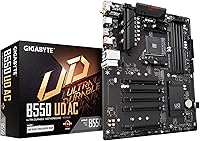
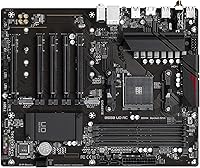
The GIGABYTE B550 UD AC ATX Motherboard sits in a practical sweet spot for anyone building a Ryzen 5000 system without overspending. The AMD B550 chipset brings PCIe 4.0 support to a price point where compromises are common, and the full ATX form factor leaves plenty of room for expansion inside a standard mid-tower. One standout detail at this tier: built-in Intel Wi-Fi (802.11ac) is included, saving the cost and hassle of a separate adapter. Just be clear-eyed going in — this is a well-rounded daily driver board, not something engineered for pushing a 12-core CPU to its absolute limits.
Features & Benefits

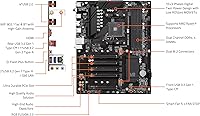
The dual M.2 slots are where this B550 board punches above expectations — one runs at PCIe 4.0 speeds, making it a natural home for a high-performance NVMe drive without any bottlenecking. The 10+3 phase power design keeps voltage delivery stable under sustained loads, which matters when running a Ryzen 7 5800X through long rendering sessions. Q-Flash Plus is genuinely useful: you can flash the BIOS with a USB stick alone, no CPU or memory required. Smart Fan 5 rounds things out with multi-sensor fan control, letting you dial in quieter operation without sacrificing thermal headroom.

Best For

This mid-range AM4 motherboard is an easy recommendation for anyone pairing a Ryzen 5 or 7 processor with a mid-range graphics card for gaming or everyday productivity. If your desk lacks a nearby Ethernet port, the onboard Wi-Fi removes a common headache entirely. First-time builders will appreciate Q-Flash Plus — updating firmware before any other component is seated reduces one of the more stressful parts of a first build. It also handles ECC memory, making it a quiet fit for light workstation use where data reliability matters and the budget still needs to stay reasonable.

User Feedback

With over 2,300 ratings averaging 4.4 stars, this B550 board has earned a broadly positive reputation among real builders. Most praise centers on easy installation and a BIOS that does not fight you — clear layout, straightforward XMP profiles, and reliable first boots. Longer-term owners report stable operation after a year or more of daily use, which is the kind of feedback that actually means something. The honest criticisms: overclocking headroom is noticeably narrower than pricier siblings like the Aorus Elite, and a handful of users noted that Wi-Fi antenna placement can limit signal strength in larger rooms. No dealbreakers, but worth knowing.

Pros

  • Built-in Intel Wi-Fi 5 is a rare convenience at this price tier, removing the need for a separate wireless adapter.
  • Q-Flash Plus lets you update the BIOS before any other component is installed, which greatly simplifies the initial build process.
  • Dual M.2 slots with PCIe 4.0 support on the primary connector keep fast NVMe storage fully accessible without bottlenecking.
  • The B550 chipset delivers PCIe 4.0 compatibility for both GPU and primary storage at a genuinely budget-friendly price.
  • Four DIMM slots supporting up to 128GB DDR4, including ECC unbuffered, add real versatility for light workstation use.
  • Smart Fan 5 with multi-sensor control keeps the system quiet during everyday workloads without requiring manual configuration.
  • The BIOS layout is clean and approachable, and owners consistently report reliable first-boot behavior straight out of the box.
  • Long-term stability is a recurring theme in user feedback, with many reporting trouble-free operation well past the 12-month mark.
  • ATX form factor makes component installation and cable routing straightforward in any standard full-size mid-tower case.
  • RGB Fusion 2.0 supports both addressable and standard LED strips, giving builders flexible lighting options without extra controllers.

Cons

  • VRM headroom is limited under sustained loads, making this B550 board a poor fit for high-TDP Ryzen 9 processors.
  • Overclocking support is basic at best — enthusiasts looking to push CPU or memory clocks will hit a ceiling early.
  • Rear USB connectivity is modest, with limited high-speed port options that may frustrate users with many peripherals.
  • Several lower-star reviewers cite Wi-Fi antenna placement as a real issue, with signal range suffering in larger or multi-floor spaces.
  • No front-panel USB-C header means cases with USB-C on the front panel are left without that connection entirely.
  • Wi-Fi 5 (802.11ac) is functional but noticeably behind the Wi-Fi 6 standard now appearing on competing boards at similar prices.
  • The onboard audio solution is entry-level and may disappoint users who depend on it for music production or content creation.
  • No onboard power or reset buttons make bench-testing outside of a case more cumbersome than it needs to be.
  • Fan header count is lower than higher-end B550 options, which can become a real constraint in builds with complex cooling setups.
  • The secondary M.2 slot drops to PCIe 3.0, which may limit storage upgrade paths for users planning a high-speed dual-NVMe configuration.

Ratings

Our AI-generated scores for the GIGABYTE B550 UD AC ATX Motherboard were produced by processing thousands of verified global buyer reviews, with automated filtering applied to remove spam, bot activity, and incentivized submissions before any scoring was calculated. The result reflects what real builders across the world consistently said — both what impressed them and what let them down. Strengths and friction points are weighted equally; nothing is glossed over.
Value for Money
88%
At this price tier, landing PCIe 4.0 support, dual M.2 slots, and onboard Wi-Fi in a single board is genuinely difficult to match. Builders who cross-shopped similar-spec competing boards consistently noted that this B550 board delivers features normally associated with slightly pricier options, making it a compelling pick for budget-first Ryzen 5000 builds.
Users targeting the best workstation value sometimes felt the modest audio solution and limited USB variety quietly eroded the overall proposition. A few buyers also noted that competing boards occasionally dip to comparable prices during sales, which can make the decision feel less decisive than it otherwise would.
BIOS Experience
86%
The BIOS layout on this B550 board is consistently praised for being approachable without feeling stripped down — first-time builders found XMP and DOCP memory profiles easy to enable, while experienced users appreciated the depth tucked inside the advanced tabs. Reliable POST behavior with no mysterious boot loops was a frequently mentioned highlight across hundreds of reviews.
Enthusiast users wanting to fine-tune voltage offsets or aggressively dial in memory subtimings found the options comparatively shallow versus the Aorus Elite or MSI Tomahawk. Fan curve granularity within the BIOS, while functional enough for most setups, falls short of what complex multi-fan cooling configurations really benefit from.
VRM & Power Delivery
74%
26%
For Ryzen 5 and Ryzen 7 processors, the 10+3 phase power delivery handles daily gaming and sustained productivity workloads without issue. Users running a 5600X or 5700X through prolonged rendering sessions and hours-long gaming reported stable voltages and no thermal throttling events traced back to the VRM area.
Pair this mid-range AM4 motherboard with a Ryzen 9 5900X under sustained all-core stress and VRM temperatures climb to ranges that invite concern, as several users documented in extended benchmark runs. This is not a board engineered for high-TDP workloads, and treating it like one introduces long-term component stress that negates the value equation.
Installation & Setup
91%
Q-Flash Plus was singled out by dozens of first-time builders as the feature that removed the single most stressful part of a new build — flashing the BIOS before any other component is seated is a real usability win. The manual is clear, standoff positioning is standard ATX, and the board seated into tested mid-tower cases without fitment surprises.
A subset of users encountered an initial boot situation where an outdated BIOS prevented Ryzen 5000 CPU recognition, which is confusing without a spare older processor on hand if Q-Flash Plus goes unused. The bundled Wi-Fi antenna cables are also notably short, limiting antenna placement options on deeper full-tower cases.
Long-term Reliability
87%
Longevity feedback on this B550 board stands out as one of its most consistently cited strengths — a significant share of reviewers specifically noted using it without incident for well over a year under daily workloads. Stable POST behavior and an absence of creeping system instability over time point to component sourcing that holds up beyond the initial burn-in period.
A small but visible cluster of lower-star reviews described early failures within the first few weeks of use, suggesting some batch-level quality control variation exists. These appear to be outliers rather than a systemic pattern, but buyers without a generous return window should factor this possibility into their decision.
Storage Expandability
84%
Two M.2 slots alongside multiple SATA ports give this board a flexible and practical storage layout for almost any mainstream build configuration. Running a PCIe 4.0 NVMe boot drive in the primary slot alongside a secondary SATA SSD or large-capacity HDD is a natural fit, and the board handles that combination without any slot-sharing penalties.
The secondary M.2 slot tops out at PCIe 3.0 x4 bandwidth, which is a quiet limitation for users planning a dual Gen 4 NVMe configuration down the line. Builders stacking several large hard drives may also find the SATA port count a constraint depending on how ambitious their storage plans are.
Memory Compatibility
82%
18%
DDR4-3600 — the performance sweet spot for Ryzen 5000 — loads cleanly via XMP and DOCP on reputable kits, and the four-slot layout gives builders real flexibility to start with two sticks and expand without module replacement later. ECC support adds a layer of versatility that competing boards at this price rarely include.
A subset of users reported that certain budget memory kits required manual timing intervention to run stably at their advertised speeds, particularly toward the upper DDR4 frequency range. Verifying ECC kit compatibility specifically requires cross-referencing GIGABYTE's QVL list, since not all ECC modules behave predictably on this platform.
Thermal Management
79%
21%
Smart Fan 5's multi-sensor approach results in more nuanced fan behavior than simpler single-point implementations — the board monitors multiple zones rather than just CPU temperature, which translates to quieter operation during mixed workloads. Users with multi-fan setups appreciated the ability to link curves to specific thermal zones from within the BIOS.
The BIOS fan control, while functional, lacks the per-step precision that enthusiast cooling builds benefit from. Heatsinks on both the VRM and chipset also run warmer than expected under prolonged heavy loads, which becomes more relevant in cases with limited front-to-rear airflow.
Wireless Performance
71%
29%
The onboard Intel 802.11ac performs reliably for streaming, general browsing, and casual online gaming when the router is within a reasonable distance in the same or adjacent room. Users in apartments and single-floor homes consistently reported stable connections with low dropout rates throughout everyday use.
Signal degradation through multiple walls or across floors was a recurring theme in lower-star reviews, and the stock antennas do not compensate well for challenging physical layouts. Wi-Fi 5 also shows its age as Wi-Fi 6 boards appear with increasing frequency at directly competing price points.
Rear I/O Connectivity
67%
33%
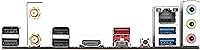
The rear panel covers the daily essentials cleanly — Gigabit Ethernet, Wi-Fi output, and a functional spread of USB Type-A ports handle the standard peripheral load without port conflicts. Builders running a keyboard, mouse, headset, and external drive simultaneously reported no practical bottlenecks during normal use.
The absence of a rear USB-C port and the reliance on USB 2.0 for four of the rear connections is a noticeable gap compared to competing boards in the same price bracket. Power users with USB 3.2 Gen 2 devices or cases featuring front-panel USB-C will feel this limitation almost immediately.
Overclocking Potential
52%
48%
Basic memory overclocking via XMP and DOCP profiles works reliably, delivering a meaningful real-world performance lift over stock DDR4 speeds without any manual intervention. AMD Precision Boost operates cleanly within BIOS defaults, allowing the CPU to hit its rated boost clocks consistently.
Manual CPU overclocking headroom is narrow compared to enthusiast B550 alternatives, and the VRM configuration places a firm ceiling on how far even a mid-range Ryzen 7 can be pushed before instability surfaces. Users arriving from more capable platforms were notably pointed in their criticism of how quickly the limits are reached.
Aesthetic & RGB
76%
24%
RGB Fusion 2.0 with support for both addressable and standard LED strips gives builders enough control to coordinate lighting across a mid-range build without a separate controller. The board's restrained PCB design avoids looking cheap while still offering enough visual presence for glass-panel case builds.
Onboard RGB zones are limited in number, and the software can behave inconsistently when attempting to sync with third-party components from other brands. Users who invest meaningfully in lighting customization will find the RGB Fusion 2.0 ecosystem less polished than Asus Aura Sync or MSI Mystic Light on comparable boards.
Software & Utilities
73%
27%
GIGABYTE's App Center covers the functional essentials — fan control, RGB management, and system monitoring — without demanding deep technical knowledge to operate. Users who preferred managing fan behavior through a Windows interface rather than diving into the BIOS found the Smart Fan tools accessible and adequately responsive.
The utility suite carries a dated visual design and occasional instability on fresh Windows installs was reported by a meaningful subset of users, sometimes requiring clean reinstalls of individual components. The RGB Fusion 2.0 application drew consistent criticism for unreliable cross-brand sync and falling behind competitors on update cadence.
Audio Quality
61%
39%
Onboard audio clears the functional bar for voice chat, video calls, and general media playback without perceptible noise at typical listening volumes when using mid-range headsets. For the core audience building a mainstream gaming or everyday productivity machine, it is sufficient to defer a dedicated audio investment.
Users depending on onboard audio for music production or high-fidelity listening encountered noticeable limitations in dynamic range and susceptibility to EMI from nearby board components. At this price point, anyone with elevated audio standards should budget for a USB DAC or discrete sound card rather than relying on the integrated solution.
Build & Layout Quality
83%
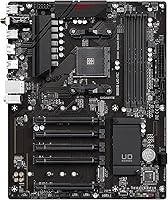
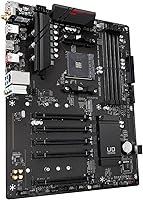
The board feels well-constructed in hand, with a reinforced PCIe slot and sensible component placement that builders navigating their first full ATX build found intuitive. Key connectors — the 24-pin power header, fan ports, and front-panel pins — sit in familiar positions that reduce the time spent hunting through the manual.
A number of users noted the plastic I/O shield fit loosely against certain case cutouts, requiring minor adjustment to seat cleanly. Heatsink coverage over the VRM area looks visually modest compared to similarly priced boards from competing brands, which can create an impression of corner-cutting even when thermals remain acceptable.

Suitable for:

The GIGABYTE B550 UD AC ATX Motherboard is a strong match for builders who want a capable, no-nonsense foundation for a Ryzen 5000 gaming or productivity PC without stepping into premium price territory. If you are pairing a Ryzen 5 5600X or Ryzen 7 5700X with a mid-range GPU, this board covers the essentials — PCIe 4.0 slot, dual M.2 support, and stable power delivery — without charging you for features a mainstream build will never use. People working in rooms without convenient Ethernet access will find the onboard Intel Wi-Fi 5 a genuine convenience rather than a token inclusion. First-time builders benefit particularly from Q-Flash Plus, which removes one of the more anxiety-inducing steps of a new build by letting you update the BIOS before the CPU is even installed. It also fits home office or small-business workstation builds well, since ECC memory support adds a layer of data reliability that is hard to find at this price point.
Not suitable for:

The GIGABYTE B550 UD AC ATX Motherboard is not the right pick if your build centers on extracting maximum performance from a high-TDP processor like a Ryzen 9 5900X or 5950X. The 10+3 phase power design handles mainstream CPUs well but does not offer the thermal headroom or tuning depth that enthusiast-tier boards such as the GIGABYTE Aorus Elite or MSI B550 Tomahawk provide. Serious overclockers will find both the VRM configuration and the BIOS tuning options comparatively shallow when pushing clocks hard. Builders who need strong rear USB connectivity — particularly USB 3.2 Gen 2 or front-panel USB-C support — will find the I/O offering noticeably sparse. Anyone planning to take advantage of Wi-Fi 6 speeds should also look elsewhere, since the onboard 802.11ac standard is a step behind what many competing boards now ship with as standard.
Specifications

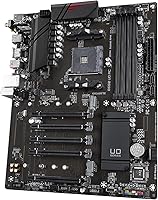
  • CPU Socket: AMD AM4 socket with official support for Ryzen 3000, 4000G, 5000, and 5000G series processors.
  • Chipset: AMD B550 chipset allocates PCIe 4.0 lanes to the primary GPU slot and the first M.2 connector.
  • Form Factor: Standard ATX layout designed to fit full-size mid-tower and full-tower cases that support ATX motherboards.
  • Memory Slots: Four DDR4 DIMM slots arranged in a dual-channel configuration, supporting a maximum of 128GB total capacity.
  • Memory Type: Compatible with both ECC Unbuffered and Non-ECC Unbuffered DDR4 modules, extending suitability to workstation-lite builds.
  • Primary PCIe: One PCIe 4.0 x16 slot provides full-bandwidth discrete GPU support when paired with a Ryzen 5000 series processor.
  • M.2 Storage: Two M.2 slots are included: the primary runs PCIe 4.0 x4 NVMe and the secondary runs PCIe 3.0 x4 NVMe.
  • SATA Ports: Multiple SATA 6Gb/s ports support conventional hard drives and SATA-based solid-state drives alongside M.2 devices.
  • Wireless: Intel 802.11a/b/g/n/ac (Wi-Fi 5) integrated adapter delivers dual-band wireless connectivity without requiring an add-in card.
  • Wired LAN: Realtek Gigabit Ethernet controller provides stable 1Gb/s wired network performance through the rear I/O panel.
  • USB 2.0 Ports: Four USB 2.0 Type-A ports on the rear panel serve keyboards, mice, and other low-bandwidth peripherals reliably.
  • Power Design: A 10+3 phase digital twin power design with low RDS(on) MOSFETs maintains stable CPU voltage delivery under sustained load.
  • BIOS Update: Q-Flash Plus allows BIOS firmware updates via a USB drive without requiring any CPU, memory, or GPU to be installed.
  • Fan Control: Smart Fan 5 uses multiple onboard temperature sensors to dynamically regulate fan speeds for quieter, more efficient thermal management.
  • RGB Lighting: RGB Fusion 2.0 supports both 5V addressable RGB and 12V standard RGB LED strip headers for per-zone lighting control.
  • Dimensions: Product package measures 13.18 x 10.62 x 3.14 inches, consistent with a standard full-size ATX board and its included accessories.
  • Weight: The board weighs 2.72 pounds, typical for a fully featured ATX platform equipped with integrated wireless and multi-phase power delivery.

Related Reviews

GIGABYTE Z790 UD AC ATX Motherboard
76%
88%
Value for Money
79%
Build Quality
67%
DDR5 Memory Compatibility
82%
BIOS Experience
86%
Storage Performance
More
Gigabyte A520I AC Mini-ITX Motherboard
71%
88%
Value for Money
84%
Wireless Connectivity
79%
Build Quality
86%
BIOS Experience
77%
Thermal Performance
More
GIGABYTE Z390 UD ATX Intel Motherboard
72%
92%
PCIe Expansion
88%
Value for Money
86%
Long-term Reliability
83%
Build Quality
74%
VRM & Power Delivery
More
GIGABYTE X570 UD Motherboard
86%
87%
Performance
91%
Value for Money
88%
Build Quality
90%
Power Delivery
83%
Cooling Efficiency
More
Gigabyte B550 Gaming X V2 Motherboard
78%
91%
Value for Money
83%
Build Quality
88%
BIOS Experience
89%
Storage Flexibility
78%
CPU Compatibility
More
GIGABYTE B650 UD AX ATX Motherboard
79%
84%
Value for Money
81%
Build Quality
78%
BIOS Experience
72%
DDR5 Compatibility
67%
VRM Performance
More
ASRock B550 Phantom Gaming 4 ATX Motherboard
79%
93%
Value for Money
91%
CPU Compatibility
84%
Storage Flexibility
89%
BIOS Experience
78%
Power Delivery
More
Gigabyte B450 AORUS M Micro ATX Motherboard
84%
91%
Value for Money
88%
Performance with Ryzen Processors
84%
RGB Lighting Customization
87%
Ease of Setup
82%
Display Options
More
GIGABYTE B650 Eagle AX
86%
91%
Value for Money
94%
Storage Performance
88%
Thermal Management
87%
Wireless Connectivity
83%
BIOS and Software
More
ASUS Prime B550-PLUS AC-HES ATX Motherboard
79%
91%
Value for Money
88%
Build Quality
93%
BIOS & UEFI Experience
86%
CPU Power Delivery
84%
Memory Compatibility & Stability
More

FAQ

It depends on the manufacturing batch. The GIGABYTE B550 UD AC ATX Motherboard may ship with an older BIOS that does not yet include Ryzen 5000 support, so check the revision sticker on the box before assuming it is ready. The good news is that Q-Flash Plus makes updating straightforward — download the correct file to a USB drive, plug it into the dedicated rear port, and the board handles the rest without needing a CPU installed at all.
Yes, the B550 chipset and AM4 socket are fully compatible with third-generation Ryzen 3000 processors. This is actually a smart upgrade path — you can use your existing CPU now and swap in a Ryzen 5 5600X or 5700X later without touching the board or memory.

For most gaming scenarios, the onboard Intel Wi-Fi 5 performs well on a 5GHz connection, especially if your router is in the same room or the next one over. That said, wired Ethernet is always the better choice for competitive play where consistent, low latency matters. If running a cable is not practical, Wi-Fi works fine for casual and even most online gaming, but do not expect miracles through thick walls or across multiple floors.

No CPU, RAM, or GPU is required at all — that is the whole point. Download the correct BIOS file from GIGABYTE's support site, rename it as instructed, copy it to a USB 2.0 flash drive, insert it into the labeled Q-Flash Plus port on the rear I/O panel, and press the Q-Flash Plus button. The board draws just enough power from the PSU to complete the update on its own.

It will boot and run, but you should go in with realistic expectations. The GIGABYTE B550 UD AC is designed around mainstream Ryzen 5 and 7 CPUs, and a Ryzen 9 5900X draws considerably more power under sustained all-core workloads. VRM temperatures can climb during prolonged rendering or compute tasks. For light to moderate use the board will manage, but if you plan to push a 5900X hard for extended periods, a board with a heavier power delivery solution is the smarter investment.

Only the primary M.2 slot operates at PCIe 4.0 x4 speeds — that is where your fastest NVMe drive belongs. The second slot is limited to PCIe 3.0 x4, which is still plenty quick for a secondary drive used for games or general storage. For most builds with one high-performance boot drive and one secondary drive, this split is a complete non-issue.

No — this mid-range AM4 motherboard is a single-GPU platform. There is one PCIe 4.0 x16 slot, and multi-GPU setups like CrossFire are not supported. Realistically, this is not a limitation worth worrying about since both AMD and NVIDIA have largely walked away from multi-GPU gaming support in driver updates and modern titles.

In most cases, yes — DDR4-3600 is actually the ideal speed for Ryzen 5000 CPUs because it aligns cleanly with the Infinity Fabric clock, and this B550 board supports it via XMP or DOCP profiles in the BIOS. Whether your specific kit cooperates depends on the ICs used, so checking GIGABYTE's memory QVL list for your kit is worth the few minutes it takes before purchasing.

Any case with ATX support will work — most mid-towers and all full-towers qualify. Micro-ATX and Mini-ITX cases are too small, so avoid those. Mainstream ATX cases from brands like Fractal Design, Corsair, NZXT, and Be Quiet all fit without issue, and you will not have trouble finding compatible options across a wide range of budgets.

The antennas are included in the box. You will find a pair of external Wi-Fi antennas that screw or snap into the antenna connectors on the rear I/O panel. They are functional for everyday use, though if you are far from your router or dealing with heavy signal interference, a third-party higher-gain antenna can make a noticeable difference.

Where to Buy