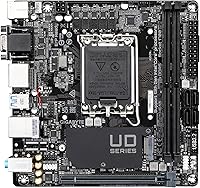
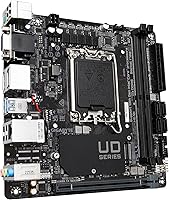

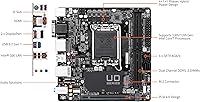
Overview

The GIGABYTE H610I Mini-ITX DDR5 Motherboard is one of the more sensible ways to put together a compact Intel system without leaving modern memory standards behind. This Mini-ITX board fits into the tightest chassis on the market while supporting both 12th and 13th Gen Intel Core processors on the LGA 1700 socket. The Intel H610 chipset is deliberately entry-level — no overclocking support, no unnecessary complexity — and that restraint is actually what makes it interesting. For builders who want a foothold in the DDR5 era without committing to a full-size ATX build, the H610I makes a clear, focused case for itself.

Features & Benefits

DDR5 support is the headline here. The H610I accommodates two DIMMs in dual-channel configuration, scaling up to 64GB — plenty for productivity, media, or a capable HTPC setup. The 4+1+1 hybrid VRM is adequate for non-K Intel processors; just don't expect it to handle a power-hungry Core i9 under sustained load. Storage comes via a single M.2 slot running PCIe 3.0 x4, which covers most NVMe drives but rules this compact motherboard out for anyone juggling multiple fast SSDs. On the connectivity side, you get a PCIe 4.0 x16 slot for a discrete GPU, Intel Gigabit Ethernet, and audio circuitry with a dedicated noise guard — solid fundamentals, even if the USB options stop at 3.2 Gen1.

Best For

This Mini-ITX board makes the most sense for a specific kind of builder. HTPC enthusiasts who want a quiet, compact living room PC will appreciate the small footprint and Intel integrated graphics support. Office users pairing a 12th or 13th Gen non-K Core processor with basic storage will find it more than capable. It also works well for light workstation or NAS-adjacent builds where space is the constraint. What it isn't suited for: heavy gaming rigs needing multiple fast drives, anyone wanting USB4 or Thunderbolt, or overclockers. If expandability and raw throughput matter to you, this compact motherboard will feel limiting fairly quickly.

User Feedback

With around 54 ratings and a 4.0 out of 5 average, reception for the H610I is broadly positive but not without caveats. Most reviewers cite ease of installation and stable day-to-day performance in basic builds as genuine strengths. The compact design draws consistent praise too. However, a recurring frustration is the single M.2 slot, which feels restrictive to users who planned on expanding storage down the road. A few builders also note that pairing this board with 13th Gen processors sometimes requires a BIOS update before the system posts — worth knowing before you start. Overall, it delivers reliably on its modest promises.

Pros

  • Mini-ITX form factor fits even the most space-constrained chassis without compromise.
  • DDR5 support keeps the memory platform relevant for years of future use.
  • Compatible with both 12th and 13th Gen Intel Core CPUs on the LGA 1700 socket.
  • PCIe 4.0 x16 slot handles current-gen discrete GPUs without bottlenecking.
  • Intel Gigabit Ethernet delivers reliable, stable wired networking out of the box.
  • Audio noise guard circuitry reduces interference for cleaner onboard sound.
  • Supports up to 64GB of dual-channel DDR5 RAM — generous for a budget H610 board.
  • Most builders report a straightforward installation process with minimal compatibility headaches.
  • Compact design makes it ideal for HTPC and living room PC builds where aesthetics matter.
  • Solid value entry point into DDR5 without requiring a premium chipset.

Cons

  • Only one M.2 slot running at PCIe 3.0 x4 — no upgrade path for additional NVMe storage.
  • No overclocking support whatsoever; the H610 chipset locks all multipliers.
  • Rear I/O tops out at USB 3.2 Gen1 — no Gen2, USB4, or Thunderbolt in sight.
  • The 4+1+1 VRM design isn't suited to sustained workloads on higher-end non-K processors.
  • 13th Gen CPU compatibility may require a BIOS update before the system will post.
  • Four USB 2.0 ports feel dated for a board launched in the DDR5 era.
  • No Wi-Fi or Bluetooth onboard — wireless connectivity requires an additional card or adapter.
  • Limited to a single PCIe slot, so adding a GPU leaves no room for other expansion cards.
  • With a relatively small number of user ratings, long-term reliability data is still thin.
  • Builders who outgrow the single-drive setup will need to replace the board entirely, not just upgrade it.

Ratings

The GIGABYTE H610I Mini-ITX DDR5 Motherboard has been evaluated by our AI rating system after analyzing verified buyer reviews globally, with spam, bot-submitted, and incentivized feedback actively filtered out. Based on approximately 54 confirmed ratings, the scores below reflect an honest composite of real-world experience — covering both what this compact board genuinely does well and where it falls short for certain builders.

Value for Money
78%
22%
For builders trying to get into DDR5 without paying Z-series prices, the H610I hits a sweet spot. Most users feel they received a capable, reliable foundation for a compact build at a reasonable outlay, especially when pairing it with a mid-range non-K Intel processor.
A handful of buyers feel the single M.2 slot and basic USB options make the asking price harder to justify when slightly pricier boards offer meaningfully better connectivity. The value proposition weakens for anyone who quickly runs into its storage or port limitations.
Build Quality
81%
19%
The board feels solid in hand and installs cleanly into standard Mini-ITX chassis. Component placement is well-considered for a tight form factor, and most builders report no issues with PCIe or DIMM slot fit over time.
A few users noted that the rear I/O shield feels lightweight compared to higher-tier GIGABYTE boards. Nothing structurally concerning, but it does reinforce the impression that some cost-cutting was applied to non-essential areas.
Ease of Installation
86%
This is one of the most consistently praised aspects across reviews. Builders of various experience levels found the layout logical, the labels clear, and the physical installation straightforward even inside cramped SFF cases.
Users planning to use a 13th Gen processor sometimes encountered a system that would not post without a prior BIOS update — a frustrating experience if no compatible 12th Gen chip is available for the update process.
CPU Compatibility
74%
26%
Broad support across both Alder Lake and Raptor Lake lineups gives buyers genuine flexibility. A Core i3 all the way through a non-K Core i7 runs stably at stock speeds, which covers the vast majority of compact build scenarios.
The H610 chipset imposes a hard ceiling: no overclocking of any kind, and the VRM design is not built to sustain the sustained power draw of higher-end chips like a Core i9 under prolonged load. That limits the ceiling noticeably.
DDR5 Memory Support
76%
24%
Getting DDR5 on an H610 board is a genuine plus for future-minded builders. Dual-channel support up to 64GB is more than adequate for office work, media playback, and light creative tasks for several years ahead.
Because H610 does not support XMP profiles, fast DDR5 kits rated above 4800 MHz will typically fall back to a lower JEDEC speed. Buyers who invest in high-frequency RAM expecting full performance will be disappointed by this chipset limitation.
Storage Options
53%
47%
For a single-drive setup, the NVMe M.2 slot performs as expected and is more than sufficient for a lean OS-plus-apps configuration. Combined with the two onboard SATA ports, basic storage needs are covered.
One M.2 slot running at PCIe 3.0 x4 is the most recurring complaint across reviews. Anyone needing a second fast drive — for game libraries, project files, or a separate OS drive — hits a hard wall, and there is simply no upgrade path on this board.
Connectivity & Ports
49%
51%
The Intel GbE LAN chip delivers consistent, stable wired networking, which matters for HTPC and office builds where a reliable connection is more important than wireless flexibility.
USB options are a weak point that multiple reviewers flag. Topping out at USB 3.2 Gen1 on a board launched in the DDR5 era feels dated, and the absence of Wi-Fi, USB4, or Thunderbolt leaves users scrambling for adapters in builds where those are expected features.
Audio Performance
71%
29%
The dedicated audio noise guard circuitry makes a tangible difference for users who rely on onboard audio for media consumption or casual gaming. Background electrical hum is noticeably reduced compared to boards without noise isolation.
Serious audiophiles or content creators are unlikely to be satisfied with onboard audio regardless of the noise guard. The improvement is real but still places the H610I firmly in the good-enough-for-most category rather than anything approaching enthusiast-grade.
Thermal & VRM Performance
61%
39%
For the non-K processors this board is designed around — a Core i5-12400 or i5-13500, for example — the 4+1+1 VRM handles everyday workloads without thermal complaints. Temperatures stay reasonable in well-ventilated Mini-ITX chassis.
Push it with a higher-TDP non-K chip under sustained rendering or compilation workloads and some users report throttling over time. The VRM is not a disaster, but it is clearly sized to meet a budget target rather than headroom requirements.
BIOS & Software
67%
33%
GIGABYTE's BIOS interface is clean and navigable for experienced builders. Basic settings for fan curves, memory configuration, and boot options are accessible without unnecessary complexity.
Several users note that BIOS updates are sometimes required before 13th Gen CPUs are recognized, and the update process requires either a working system or a USB flash method that first-time builders may find intimidating.
Form Factor & Design
83%
The compact footprint is executed cleanly. Component placement respects the spatial constraints of Mini-ITX well, and the board slots into standard ITX cases without fit issues. For HTPC and living room builds, it looks appropriate and understated.
The aesthetic is purely functional — there are no RGB headers or visual flourishes for builders who care about that. While this suits most compact productivity builds perfectly, it may disappoint anyone building a glass-panel showcase system.
Wireless Capability
32%
68%
There is little to praise here by design. The board is focused on wired connectivity, and for users in a fixed desk or entertainment cabinet setup with ethernet access, the omission of wireless may be a non-issue.
No Wi-Fi, no Bluetooth — period. In a Mini-ITX build where the single PCIe slot is occupied by a GPU, adding wireless means using a USB adapter, which is an inelegant solution in a build type where clean cable management is usually a priority.
Long-Term Reliability
72%
28%
Most users who have run the H610I through several months of daily use report stable operation with no unexpected crashes or component failures. GIGABYTE's track record in the motherboard segment provides reasonable confidence here.
With only around 54 ratings, the reliability data is still thin. There is not yet enough long-term feedback to draw firm conclusions about multi-year durability, which is something prospective buyers should factor into their expectations.

Suitable for:

The GIGABYTE H610I Mini-ITX DDR5 Motherboard is a strong fit for builders whose primary constraint is physical space rather than raw expandability. If you're putting together a living room HTPC, a compact office workstation, or a quiet productivity machine, this board checks the right boxes without overcomplicating the build. It pairs naturally with 12th or 13th Gen non-K Intel Core processors — think a Core i5 or i7 running at stock speeds alongside integrated graphics or a single mid-range GPU. DDR5 support means your memory platform has some longevity, which matters if you're building something you plan to use for several years. Budget-conscious SFF enthusiasts who want to step into DDR5 without paying a premium for a Z-series board will find the H610I a reasonable starting point.

Not suitable for:

If you're planning a storage-intensive or performance-focused build, the H610I will show its limits pretty quickly. The single M.2 slot running at PCIe 3.0 x4 speeds means you're capped at one NVMe drive with no room to expand — a real problem for video editors, photographers, or anyone running multiple fast drives. Overclockers should look elsewhere entirely; the Intel H610 chipset does not support CPU or memory overclocking, and the 4+1+1 VRM isn't built to sustain high-power processors under prolonged loads anyway. Content creators and power users who rely on USB4, Thunderbolt, or even faster USB 3.2 Gen2 ports will find the rear I/O frustratingly basic. Essentially, if expandability, throughput, or headroom are anywhere on your priority list, the H610I is the wrong foundation.

Specifications

  • Form Factor: Mini-ITX design measuring 8.74 x 7.09 x 2.56 inches, built for compact and small form factor chassis.
  • Weight: The board weighs 1.3 pounds, keeping the overall system weight low in space-constrained builds.
  • CPU Socket: LGA 1700 socket supports 12th Gen (Alder Lake) and 13th Gen (Raptor Lake) Intel Core processors.
  • Chipset: Intel H610 chipset provides a stable, entry-level platform suited for non-overclocking builds.
  • Memory Type: Supports DDR5 Non-ECC Unbuffered RAM in dual-channel configuration across 2 DIMM slots.
  • Max Memory: Total system memory can be configured up to 64GB across both DDR5 slots.
  • Memory Speed: Native memory speed starts at 2133 MHz; actual supported XMP profiles depend on specific kit compatibility.
  • M.2 Storage: One M.2 slot running at PCIe 3.0 x4 bandwidth supports NVMe SSDs for the primary system drive.
  • PCIe Slot: A single PCIe 4.0 x16 slot accommodates a discrete GPU compatible with current-generation graphics cards.
  • USB Ports: Rear I/O includes USB 3.2 Gen1 connectivity alongside four USB 2.0 ports for standard peripherals.
  • Networking: Intel Gigabit Ethernet LAN chip delivers dependable, low-latency wired network performance.
  • Audio: Onboard audio uses high-quality capacitors paired with a dedicated noise guard to reduce electrical interference.
  • VRM Design: A 4+1+1 Hybrid Digital VRM configuration handles power delivery for non-K Intel processors at stock speeds.
  • Wireless: No onboard Wi-Fi or Bluetooth is included; wireless connectivity requires a separate PCIe or USB adapter.
  • OS Support: The board is officially supported on Windows 10 and Windows 11 platforms.
  • User Rating: Currently holds a 4.0 out of 5 star average based on approximately 54 user ratings.

Related Reviews
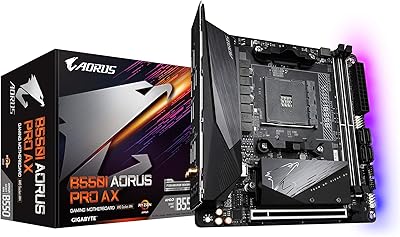
GIGABYTE B550I AORUS PRO AX Mini-ITX Motherboard
84%
93%
Feature Density
88%
VRM & Power Delivery
91%
Wireless Connectivity
89%
Storage Options
74%
BIOS & Software
More
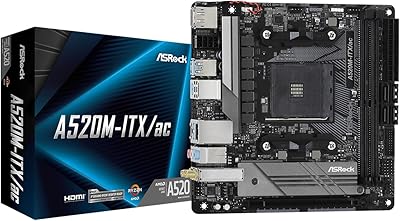
ASRock A520M-ITX/AC Mini ITX Motherboard
87%
87%
Performance
91%
Build Quality
90%
Setup & Installation
85%
Wi-Fi and Bluetooth Connectivity
93%
Processor Compatibility
More
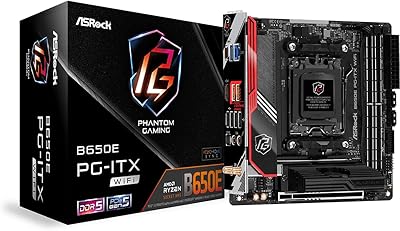
ASRock B650E PG-ITX WiFi Mini-ITX Motherboard
70%
91%
Platform Capability
83%
Power Delivery
61%
DDR5 Compatibility
58%
BIOS Maturity
88%
Form Factor & Design
More
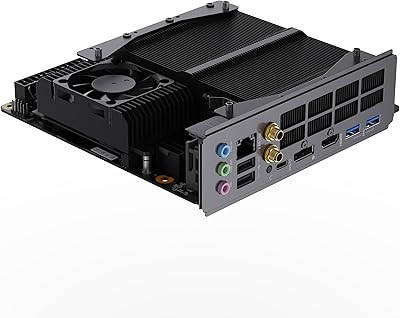
MINISFORUM BD790I X3D Mini ITX Motherboard
78%
91%
CPU Performance
88%
Build Quality
84%
Thermal Management
89%
Storage Performance
61%
BIOS Maturity
More
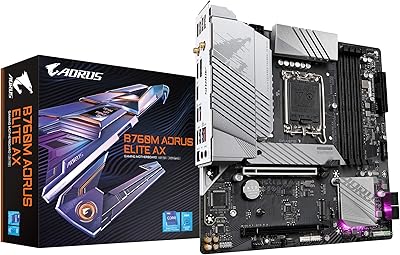
Gigabyte B760M Aorus Elite AX DDR5 Motherboard
87%
89%
Overall Performance
92%
Value for Money
85%
Build Quality
91%
Stability and Reliability
90%
Connectivity Options
More
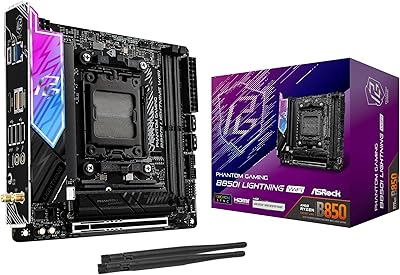
ASRock B850I Lightning WiFi Mini-ITX Motherboard
72%
88%
Feature Density
54%
BIOS Maturity
57%
DDR5 Compatibility
76%
VRM & Power Delivery
81%
Build Quality
More
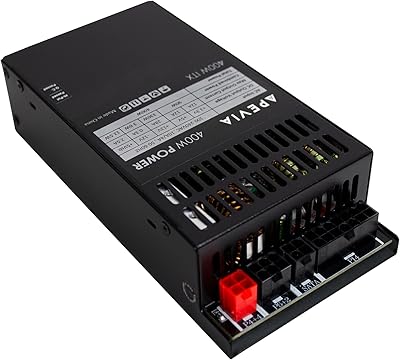
Apevia ITX-PFC400W 400W Flex ATX Power Supply
73%
88%
Modular Design
83%
Value for Money
91%
Form Factor Fit
54%
Fan Noise
63%
Cable Length
More
Apevia ITX-PFC500W 500W Flex ATX Power Supply
77%
88%
Cable Management
91%
Form Factor Compatibility
79%
Power Delivery & Rail Stability
54%
Fan Noise & Acoustics
72%
Build & Component Quality
More
GIGABYTE B550M Motherboard
87%
89%
Performance
91%
Ease of Installation
85%
Build Quality
92%
Storage Performance (PCIe 4.0 & M.2 Slots)
87%
Compatibility with Ryzen Processors
More
Gigabyte B550M DS3H Motherboard
85%
91%
Value for Money
87%
Performance in Gaming
90%
Stability and Reliability
89%
Power Delivery (VRM)
94%
LAN Connectivity (Speed & Stability)
More

FAQ

It depends on the BIOS version installed on the unit you receive. Some early stock units shipped with a BIOS that only officially recognized 12th Gen CPUs, meaning a 13th Gen processor might not post without an update first. If possible, check with the seller about the BIOS revision, or plan to have a 12th Gen chip on hand to perform the update before swapping in a 13th Gen processor.

No, and that is worth being clear about before you buy. The Intel H610 chipset does not support CPU overclocking, and memory speeds are locked to JEDEC standard profiles. If overclocking is on your agenda, you will need a Z690 or Z790 board instead.

For most users building an HTPC, office PC, or light workstation, one NVMe drive is genuinely enough. Where it becomes a pain point is if you need fast secondary storage for video editing, game libraries, or large file work. In those cases, you would need to rely on SATA drives connected externally or via the motherboard's SATA ports, which adds cable clutter in an already tight chassis.

No, there is no onboard wireless of any kind. If your build needs Wi-Fi or Bluetooth, you will need to add a separate adapter — either a PCIe card or a USB dongle. Just keep in mind the board only has one PCIe slot, so using it for a wireless card means giving up your GPU slot.

The H610 chipset natively runs DDR5 at 2133 MHz base, though it can typically run memory at the kit's rated JEDEC speed. Because H610 does not support XMP overclocking profiles the way Z-series boards do, high-speed DDR5 kits rated at 5600 MHz or above will likely default down to a lower JEDEC speed. For a budget or office build, this rarely matters, but enthusiasts expecting to exploit fast RAM should be aware.

That depends more on your chassis than the board itself. The H610I follows the standard Mini-ITX layout, so any LGA 1700-compatible cooler that fits within your case's height clearance should work. For a compact SFF build, low-profile coolers or small tower coolers are the practical choice — just check your case specifications before ordering.

It can work reasonably well for that purpose. A low-power 12th Gen Celeron or Pentium chip paired with this compact motherboard gives you a quiet, energy-efficient base. The single M.2 slot and limited SATA connectivity may restrict how many drives you can attach, so it works best as a lightweight NAS rather than a serious storage server.

The board includes two SATA III ports, which allows for basic storage expansion beyond the single M.2 slot. That is enough for adding a 2.5-inch SSD or a small hard drive, though it rules out larger multi-drive storage arrays.

Yes, if your processor includes integrated Intel graphics — which most non-F suffix 12th and 13th Gen Core CPUs do — the H610I can drive displays through its rear I/O video outputs. This makes it a practical choice for office builds or HTPCs that do not need a discrete GPU.

Most builders, including those who have not worked with Mini-ITX before, report that the H610I is straightforward to assemble. The layout is clean and clearly labeled, and GIGABYTE's included documentation covers the basics. The main challenge with any Mini-ITX build is cable management inside a compact case, but that is a chassis problem, not a board problem.