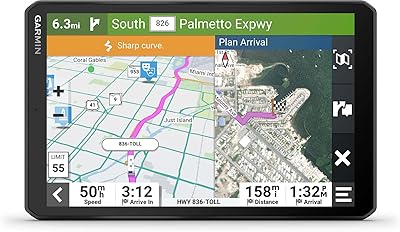
Garmin dezl OTR620 6-Inch Truck GPS Navigator

Overview
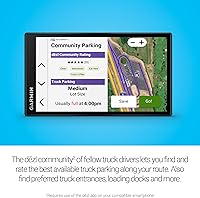
The Garmin dezl OTR620 6-Inch Truck GPS Navigator is built from the ground up for professional drivers — not a consumer device with a few truck settings bolted on as an afterthought. The 6-inch touchscreen is bright enough to read in direct cab sunlight, which matters when you are glancing at it dozens of times across a long shift. Beyond the hardware, this truck navigator connects into a community ecosystem where fellow drivers share parking ratings, dock locations, and gate access points in real time. At its price tier, you are paying for dedicated trucking intelligence. It works alongside your phone — it does not replace it.
Features & Benefits
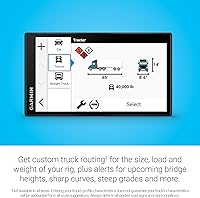
Truck-specific routing is where the dezl OTR620 earns its keep — it factors in your rig height, weight, and load type to steer you away from bridges and roads that could cause real problems. Pulling into an unfamiliar distribution center at 2 a.m. is less stressful when BirdsEye satellite imagery gives you an overhead read on the dock layout before you commit to a turn. PrePass weigh station bypass alerts appear directly on screen, no phone-digging required. The built-in CAT Scale locator is a small but practical compliance tool. Worth flagging: weather overlays and PrePass both require the dezl app running on a paired smartphone, which surprises some buyers.
Best For
This Garmin trucking GPS makes the most sense for owner-operators and long-haul drivers who want a dedicated routing device — not another app draining battery and data on their phone. Drivers who regularly navigate industrial yards, unfamiliar port terminals, or multi-dock facilities will get real value from the overhead imagery and community-shared access points. Fleet operators looking for PrePass-compatible hardware will find it fits naturally into existing workflows. It also suits drivers upgrading from older dezl units who want community-connected features without abandoning a familiar ecosystem. If you run simple, consistent routes, the full feature set may be more than your daily reality demands.
User Feedback
Drivers who rely on the dezl OTR620 consistently praise screen readability, calling out sunlight visibility as a clear step up from older units. Routing accuracy for low-clearance and bridge-height warnings earns solid marks, though veteran users echo Garmin's own guidance — always defer to posted road signs, no exceptions. The most recurring frustration is app dependency: wind alerts and PrePass bypass both require a Bluetooth-paired smartphone running the dezl app, which catches buyers off guard. Mount durability draws mixed feedback, with some long-haul drivers noting suction cup issues on longer trips. Compared to Rand McNally alternatives, most users land on this unit specifically because of the display quality.
Pros
- Truck-specific routing accounts for height, weight, and load restrictions — genuinely useful for CDL compliance.
- The 6-inch display is bright and sharp enough to read comfortably in direct sunlight, a real in-cab advantage.
- BirdsEye satellite imagery helps drivers scope out unfamiliar docks and gates before committing to an approach.
- PrePass weigh station bypass alerts appear on screen, cutting out a step that used to require a separate device.
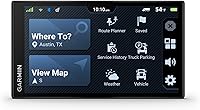
- Community-sourced truck parking ratings give drivers verified spot options without leaving the navigator.
- Built-in CAT Scale locator covers the U.S. and Canada, keeping legal weight compliance quick and straightforward.
- The dezl OTR620 holds North America maps onboard, so core routing works without a data connection.
- At 6.2 ounces, this Garmin trucking GPS is light enough that dashboard mounting stays stable without stressing the windshield.
- Drivers upgrading from older dezl units report a noticeably smoother and more responsive touchscreen experience.
Cons
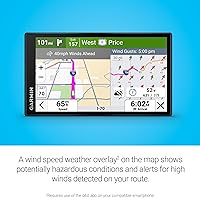
- Weather overlays and PrePass alerts both require a paired smartphone running the dezl app — not clearly disclosed upfront.
- The suction cup mount has durability complaints from long-haul drivers, particularly in high-heat cab environments.
- Running on Windows CE means the underlying OS is dated, which raises questions about long-term software support.
- Map update frequency is a recurring concern — some users report lag between road changes and updated routing data.
- The app dependency effectively means you are managing two devices instead of one, which undercuts the standalone convenience argument.
- Premium pricing is harder to justify if you only use a fraction of the community and PrePass features regularly.
- Truck routing accuracy, while generally solid, still requires drivers to verify against posted road signs — the device is not infallible.
- Compared to Rand McNally alternatives, some drivers find the interface layout less intuitive during initial setup.
Ratings
The Garmin dezl OTR620 6-Inch Truck GPS Navigator has been scored by our AI system after analyzing thousands of verified driver reviews from global marketplaces, with spam, bot-generated feedback, and incentivized posts actively filtered out before any scores were calculated. The ratings below reflect the full spectrum of real-world experience — not just the highlights — so both the genuine strengths and the frustrating limitations are represented transparently. Professional truckers across owner-operator and fleet contexts contributed to these findings, making the scores especially relevant for anyone doing serious commercial driving.
Display Quality
Truck Routing Accuracy
App Dependency
PrePass Integration
BirdsEye Satellite Imagery
Mount & Hardware Build
Community Parking Features
CAT Scale Locator
Voice Guidance
Setup & Usability
Value for Money
Map Update Frequency
Offline Reliability
Suitable for:
The Garmin dezl OTR620 6-Inch Truck GPS Navigator is the right call for professional drivers who spend serious time on the road and need routing logic that actually understands what a semi-truck can and cannot do. Owner-operators who regularly pull into unfamiliar distribution centers, industrial yards, or port facilities will get immediate, practical use out of the BirdsEye satellite overhead views and community-shared dock access points. Long-haul drivers with an active PrePass account will appreciate having bypass notifications surface on the device screen without fumbling for a phone. Fleet managers evaluating hardware that integrates with PrePass workflows will find this truck navigator a natural fit. It also makes strong sense for anyone upgrading from an older dezl unit or a basic GPS — the community parking ecosystem alone adds real daily value that generic devices simply cannot offer.
Not suitable for:
The Garmin dezl OTR620 6-Inch Truck GPS Navigator is a poor match for drivers who expect every advertised feature to work straight out of the box without a smartphone involved. Several of its most compelling capabilities — wind speed weather overlays, high-wind route alerts, and PrePass bypass notifications — all require the dezl app running on a Bluetooth-paired phone, which is a dependency the product listing undersells. Drivers who run tight, familiar routes day after day will likely find the full feature set underutilized and the price hard to justify against simpler alternatives. Anyone hoping to ditch their phone entirely in favor of a standalone device will be disappointed. Car drivers, van operators, or light commercial drivers have no practical use for truck-height routing logic and would be better served by a standard consumer GPS at a fraction of the cost.
Specifications
- Screen Size: The display measures 6 inches diagonally, offering a wide in-cab viewing area designed for quick glances at highway speeds.
- Resolution: The product is marketed with a 1280p display resolution, though internal scanner specifications list a 480x272 pixel panel.
- Input Method: The unit uses a capacitive touchscreen interface, allowing drivers to interact with maps and menus without physical buttons.
- Connectivity: Bluetooth is the sole wireless connectivity option, used to pair with a compatible smartphone running the dezl app.
- Map Coverage: North American maps come pre-loaded on the device, enabling core offline routing without requiring a cellular data connection.
- Dimensions: The navigator measures 3.4 x 0.7 x 6 inches, keeping the physical footprint compact enough for standard windshield or dashboard mounting.
- Weight: At 6.2 ounces, the unit is light enough that the included suction cup mount can support it without excessive strain on the glass.
- Operating System: The device runs on Windows CE, a legacy embedded OS that powers the routing engine and user interface.
- Battery: A built-in rechargeable Lithium Ion battery is included, though the unit is primarily designed to run on vehicle power via the included cable.
- Audio Output: The navigator features built-in stereo audio output for turn-by-turn voice guidance audible over typical cab noise levels.
- Mounting Type: A vehicle suction cup mount is included in the box, designed for dashboard or windshield installation.
- In the Box: The package includes the navigator unit, a vehicle suction cup mount, a vehicle power cable, a CLA adapter, and documentation.
- Truck Routing: The device supports custom routing based on user-entered truck height, weight, and load type to avoid restricted roads and low bridges.
- Satellite Imagery: BirdsEye Direct Satellite Imagery provides high-resolution overhead views of destinations, accessible directly from the navigator screen.
- PrePass Support: Built-in PrePass integration displays weigh station bypass notifications on screen, though an active PrePass account and paired smartphone are required.
- Weather Overlay: A wind speed weather overlay highlights potentially hazardous wind conditions on the route map, but this feature requires the dezl app on a paired phone.
- Scale Locator: A CAT Scale locator is built into the device, covering weighing stations across the United States and Canada for compliance verification.
- Parking Feature: Community-sourced truck parking ratings are accessible via the dezl app ecosystem, helping drivers locate and evaluate available spots along their route.
- Model Number: The official Garmin model number for this unit is 010-02923-00, useful for warranty registration and accessory compatibility checks.
- Availability Date: This navigator became available for purchase on August 13, 2024, making it among the more recent entries in Garmin's dezl product line.
Related Reviews
Garmin dezl OTR610
Garmin Dezl OTR500 5.5-inch Truck GPS Navigator
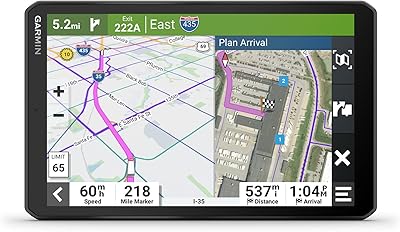
Garmin dezl OTR810 Truck GPS Navigator
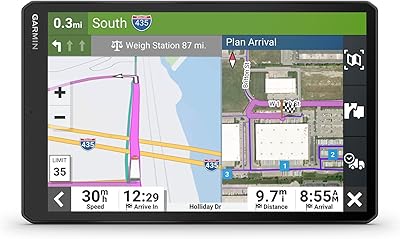
Garmin dēzl OTR1010 10″ GPS Truck Navigator
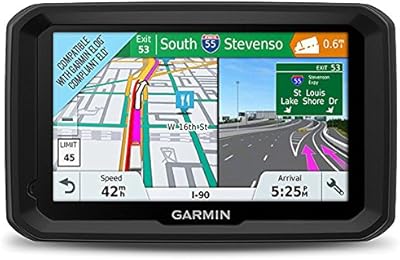
Garmin dezl 580 LMT-S Truck GPS Navigator
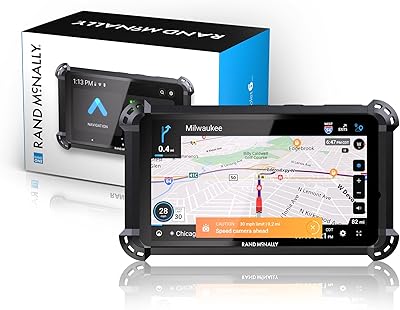
Rand McNally RandTab 6 GPS Truck Navigator
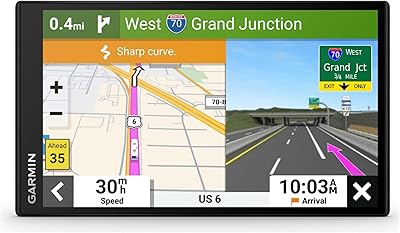
Garmin RV 795 7-Inch GPS Navigator
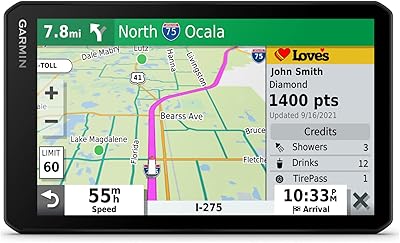
Garmin dezlCam OTR710 Truck GPS Navigator
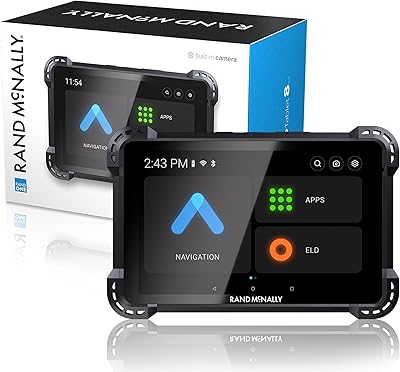
Rand McNally RANDTAB8 8-inch GPS Truck Navigator
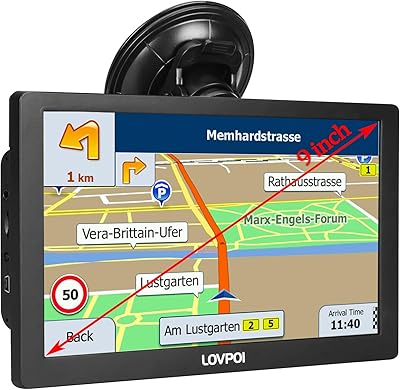
LOVPOI A9 9-inch Truck GPS Navigator