Overview

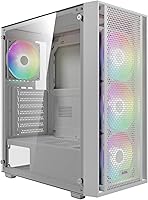
The GAMDIAS AURA GC2 Elite Mid Tower Case enters a crowded budget segment with a clear pitch: a clean white exterior, a full-length tempered glass side panel, and four ARGB fans already in the box. GAMDIAS isn't a household name alongside some of the bigger chassis brands, but they've been quietly building a following among budget-conscious builders who want visual impact without a hefty price tag. This is not a precision-engineered workstation enclosure — the materials reflect the price point — but for someone putting together their first gaming rig or refreshing a mid-range build, the out-of-box value is genuinely hard to argue with.
Features & Benefits

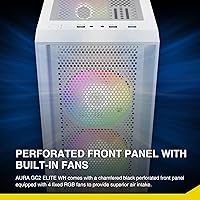
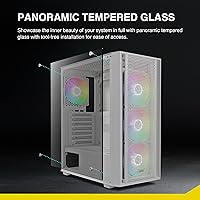
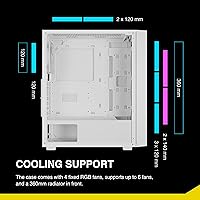
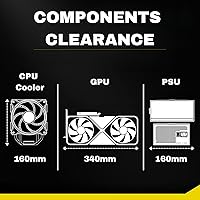
The mesh front panel is one of the more practical choices here — it's perforated rather than solid, which means the preinstalled ARGB fans are actually pulling in fresh air rather than just spinning behind a decorative shroud. The full-length tempered glass removes without tools, a small but real convenience when swapping components or routing cables. Cooling headroom is solid: the chassis supports up to six 120mm fans and a 360mm radiator, so an AIO upgrade is a realistic option down the road. GPU clearance reaches 340mm, covering most mainstream cards, and the 160mm CPU cooler limit accommodates the majority of popular tower coolers without issue.

Best For

This mid-tower case makes the most sense for builders who care about desk presence as much as pure thermals. If your build is going on display — side panel facing out, RGB fans lit up — and you're working with a mid-range CPU and GPU combo, the AURA GC2 Elite has everything you need without paying for features you won't use. It's also a smart pick for anyone doing their first build who wants fans pre-installed and a chassis that supports ATX, Micro-ATX, and Mini-ITX boards without fuss. Builders chasing extreme overclocking headroom or a truly premium assembly experience would be better served looking elsewhere.

User Feedback

With over 650 ratings and a strong overall score, this GAMDIAS chassis has clearly landed well with its target audience. Buyers consistently highlight how straightforward the assembly process is and how good the lighting looks once the system is running — the white finish photographs well, which matters to builders sharing rigs online. That said, a recurring complaint involves tight cable management space behind the motherboard tray; it's workable but unforgiving with thicker cables. Some buyers also note the plastic panels feel lighter than expected given the case's footprint. Overall, though, most feel the value-to-price ratio holds up solidly for what this chassis delivers.

Pros

  • Four ARGB fans come preinstalled, saving meaningful money compared to buying them separately.
  • The perforated mesh front panel allows genuine airflow intake rather than restricting it behind a decorative cover.
  • Full-length tempered glass side panel removes without tools, making component swaps quick and painless.
  • Supports a 360mm radiator, giving this mid-tower real AIO upgrade potential for future builds.
  • The all-white finish and ARGB lighting combine for a desk setup that looks polished and well-planned.
  • ATX, Micro-ATX, and Mini-ITX compatibility makes the AURA GC2 Elite versatile across different build sizes.
  • GPU clearance up to 340mm comfortably fits most popular mid-range and high-end graphics cards.
  • Seven PCIe slots offer more expansion flexibility than many competing cases in this price range.
  • Buyers broadly agree the value-to-price ratio holds up well once the build is complete and running.
  • Tool-free panel access and clear interior layout make this a forgiving first build experience.

Cons

  • Cable management space behind the motherboard tray is tight and unforgiving with thicker or non-modular PSU cables.
  • The included fans become noticeably loud at full speed, which frustrates noise-sensitive users.
  • ABS plastic front and side accents feel lightweight and hollow compared to metal-forward chassis at slightly higher prices.
  • Only a single USB 3.0 port on the front I/O panel feels limiting for a modern gaming build.
  • ARGB lighting cannot be synced with motherboard software without verifying header compatibility first.
  • A small but consistent number of buyers report minor cosmetic damage or loose parts upon arrival.
  • The HDD cage placement can interfere with cable routing depending on PSU length and modular harness thickness.
  • No GPU support bracket is included, and sag is visible with heavier graphics cards over time.
  • Brand support and replacement part availability are significantly weaker than established chassis manufacturers.
  • Fitting a 360mm AIO alongside a large GPU requires careful pre-planning and leaves little room for routing errors.

Ratings

The GAMDIAS AURA GC2 Elite Mid Tower Case scores below are generated by AI after analyzing verified buyer reviews from global markets, with spam, bot submissions, and incentivized feedback actively filtered out. What remains reflects real builder experiences across first-time builds, mid-range gaming rigs, and ARGB showcase setups. Both the genuine strengths and the recurring frustrations are represented transparently in every category.
Value for Money
91%
Buyers consistently feel they get more than expected for the price, largely because four ARGB fans arrive preinstalled and ready to run. For builders trying to keep their total build cost in check, not having to budget separately for fans is a meaningful saving that real users notice and mention repeatedly.
A handful of reviewers feel the value equation shifts once they encounter the cable management constraints or realize they need to replace the included fans for quieter operation, which adds unexpected cost and partially erodes the initial savings.
Aesthetics & Visual Design
88%
The all-white exterior paired with the full-length tempered glass side panel photographs exceptionally well, and builders who display their rigs on a desk consistently praise how the finished system looks once lit up. The ARGB fans visible through the front mesh add a layered lighting effect that buyers say looks far more expensive than the price suggests.
A few users note that the white finish on the ABS plastic panels picks up fingerprints and smudges more visibly than a darker case would, requiring regular wiping to maintain that clean look. Some also feel the overall design lacks the refined detailing found on pricier white chassis options.
Build Quality & Materials
67%
33%
The metal chassis provides a reasonably solid structural foundation, and the tempered glass panel feels secure once installed. For a case in this price range, the overall rigidity during the build process is adequate enough that most first-time builders report no structural issues during assembly.
The ABS plastic components — particularly the front panel and some interior brackets — feel noticeably lightweight and hollow when handled directly. Builders upgrading from a more expensive case will immediately register the material difference, and a few reviewers mention plastic clips that feel fragile during panel removal.
Airflow Performance
74%
26%
The perforated mesh front panel is a genuine functional advantage over solid-front designs at this price, allowing the preinstalled fans to pull in fresh air without significant restriction. Builders running mid-range CPUs and GPUs report component temperatures that are entirely respectable for a chassis in this category.
Airflow performance is adequate rather than impressive, and users running hotter components note that fan curve tuning matters a lot here. The top and rear exhaust options are limited, and without deliberate cable management to clear airflow paths, thermal results can be inconsistent.
Cable Management
58%
42%
There are enough routing holes and anchor points to achieve a reasonably tidy build, and experienced builders who plan their cable runs carefully report workable results. The storage tray area behind the motherboard tray offers some space for bundling and hiding excess cable length.
This is one of the most frequently cited complaints across reviews. The gap behind the motherboard tray is tight, and builders using modular PSUs with thicker cables often struggle to close the side cover cleanly. First-timers with no prior cable management experience find this aspect genuinely frustrating.
Fan Quality & Noise
63%
37%
The included 120mm ARGB fans produce a visually appealing lighting effect and perform adequately at low-to-mid speeds during everyday gaming sessions. For builders who primarily care about looks and use the system at moderate workloads, the fans are perfectly functional straight out of the box.
At full speed, the fans are noticeably loud, and some reviewers describe the sound profile as whiny rather than the low rumble you get from premium fan options. Users who are noise-sensitive or who push their systems hard regularly often end up replacing the included fans within a few months.
Ease of Assembly
84%
Multiple reviewers specifically call out how straightforward the build process feels, with clear standoff placement, accessible screw positions, and a tool-free tempered glass panel that simplifies repeated access. First-time builders in particular appreciate that nothing about the physical layout creates unnecessary confusion during assembly.
The limited cable management clearance complicates what would otherwise be a very smooth build experience, and a few users note that the PSU shroud area can feel cramped when routing power cables to the motherboard. The instructions included in the box are minimal and occasionally unclear on fan header routing.
Cooling Expandability
82%
18%
Supporting a 360mm radiator in a case at this price point is a real advantage for builders who plan to upgrade to AIO liquid cooling down the road without changing their chassis. The six-fan total capacity also gives builders meaningful headroom to add exhaust fans as their thermal needs grow.
While the specs look good on paper, some users find that fitting a full 360mm AIO alongside cable runs and a large GPU requires careful planning and leaves little room for error. Radiator mounting documentation is sparse, which has caused confusion for a small but notable number of reviewers.
GPU & Component Compatibility
86%
The 340mm GPU clearance handles the vast majority of mainstream graphics cards without any fitment issues, and buyers building around popular mid-range options report clean, hassle-free installation. The seven PCIe slots also add flexibility for multi-card or riser configurations that go beyond a basic gaming setup.
Builders fitting very long triple-fan GPUs near the upper clearance limit report that cable routing in the GPU area becomes constrained. A small number of users also note that GPU sag is more noticeable without a support bracket, which the case does not include.
Storage Options
77%
23%
The dual 3.5-inch HDD bays and two dedicated 2.5-inch SSD trays cover the storage needs of most gaming builds comfortably. Builders who want to run both a mechanical drive for mass storage and an SSD for boot will find the configuration accommodates that setup without any adapters.
The HDD cage occupies space that can interfere with long PSU installations or cable routing in some configurations, and a few reviewers note that drive installation requires more effort than tool-free systems found in higher-end cases. The 2.5-inch trays feel less robust than the metal bays.
Front I/O Usability
72%
28%
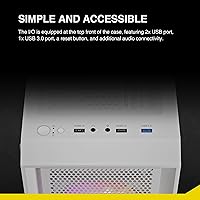
Having a USB 3.0 port on the front panel alongside two USB 2.0 ports covers day-to-day peripheral needs like connecting a headset or transferring files without reaching around the back of a desk-mounted build. The dedicated LED control button is a genuinely useful addition for cycling lighting modes quickly.
Only a single USB 3.0 port is included, which feels limiting compared to competing cases at similar price points that offer two. Buyers who frequently plug in USB 3.0 devices — external drives, high-speed peripherals — notice the single-port bottleneck fairly quickly in daily use.
Packaging & Shipping Protection
69%
31%
Most buyers report that the product arrives in acceptable condition, with the tempered glass panel protected adequately for standard shipping. The majority of reviews do not raise packaging as a concern, which suggests the standard boxing handles typical transit conditions reasonably well.
A recurring minority of reviewers mention receiving units with minor cosmetic scratches on the exterior panels or loose components inside the box, pointing to inconsistent packaging quality control. Damage to the plastic front panel during shipping appears to be the most commonly cited specific issue.
ARGB Lighting Quality
83%
The four preinstalled ARGB fans produce a vibrant, consistent lighting effect that buyers frequently highlight as exceeding their expectations for a budget build. The dedicated LED control button on the front I/O lets users cycle through color modes without needing software, which most reviewers appreciate for its simplicity.
The ARGB implementation lacks the fine-grained software control that enthusiasts accustomed to ecosystem-integrated lighting will expect. Users who want to sync lighting with their motherboard's ARGB header need to verify connector compatibility beforehand, and a few report that the default lighting modes cycle faster than they would prefer.
Brand Reputation & Support
61%
39%
GAMDIAS has been building a steady track record in the budget peripheral and chassis space, and the volume of positive reviews on this specific model suggests the product has earned reasonable trust within its target audience. Buyers who research the brand beforehand seem to set appropriate expectations and report higher satisfaction.
GAMDIAS does not carry the name recognition or the customer service infrastructure of established chassis brands, and buyers who encounter issues report difficulty getting timely responses. Replacement parts are not readily available through standard retail channels, which is a real consideration for long-term ownership.

Suitable for:

The GAMDIAS AURA GC2 Elite Mid Tower Case is a strong fit for first-time PC builders who want their rig to look great on a desk without stretching their budget into premium territory. If you're putting together a mid-range gaming system around a mainstream CPU and GPU pairing, this chassis covers all the practical bases while delivering a visually impressive result once the ARGB fans are running. Builders planning an all-white aesthetic build will appreciate that the exterior finish, tempered glass panel, and included fans create a cohesive look from day one without sourcing additional components. It's also a sensible choice for anyone who wants future upgrade flexibility — the 360mm radiator support and six-fan capacity mean the case won't become a bottleneck if you decide to move to AIO liquid cooling later. Students, younger builders, and hobbyists working with a tight overall build budget will consistently get more out of this chassis than its price tag implies.
Not suitable for:

The GAMDIAS AURA GC2 Elite Mid Tower Case is not the right call for builders who prioritize premium build materials and a refined assembly experience above all else. If you've worked inside a Lian Li, Fractal Design, or Corsair iCUE case before, the ABS plastic panels and tighter tolerances here will feel like a noticeable step down in tactile quality — and that gap matters if you're spending time inside the case regularly. Enthusiasts running high-TDP components who need aggressive airflow, generous cable management clearance, and near-silent fan operation will find this chassis limiting in all three areas. Anyone who wants deep ARGB software ecosystem integration with per-fan lighting control will also be disappointed, as the included fans rely on a basic front-panel button rather than motherboard software sync. And if long-term parts availability or manufacturer support is important to you, GAMDIAS does not yet have the service infrastructure that the major chassis brands can offer.
Specifications

  • Form Factor: ATX Mid Tower chassis designed to fit standard ATX, Micro-ATX, and Mini-ITX motherboards.
  • Dimensions: The case measures 15.55 x 7.67 x 17.71 inches (L x W x H), providing a compact mid-tower footprint suitable for most desk setups.
  • Weight: The unit weighs 10.8 pounds unloaded, reflecting a combined metal frame and ABS plastic panel construction.
  • Materials: Built with a steel chassis frame, ABS plastic front and accent panels, and a full-length tempered glass side panel.
  • Included Fans: Four 120mm ARGB fans come preinstalled at the factory, with three positioned at the front intake and one at the rear exhaust.
  • Fan Support: The case supports a maximum of six 120mm fans in total across the front, rear, and top mounting positions.
  • Radiator Support: Accommodates radiators up to 360mm in the front position, supporting both 240mm and 280mm configurations as well.
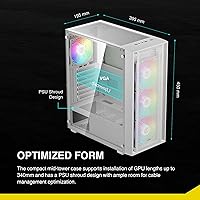
  • GPU Clearance: Maximum graphics card length is 340mm, covering the vast majority of dual-fan and triple-fan consumer GPU designs.
  • CPU Cooler Height: Supports CPU air coolers up to 160mm tall, which includes most popular tower coolers in the mainstream segment.
  • PSU Mount: Power supply mounts at the bottom of the chassis behind a shroud, compatible with standard ATX PSU form factors.
  • Storage Bays: Offers two 3.5″ HDD bays (or one 3.5″ plus one 2.5″ in the HDD cage) and two dedicated 2.5″ SSD trays.
  • Front I/O Ports: Front panel includes one USB 3.0 port, two USB 2.0 ports, one HD audio combo jack, and one LED control button.
  • Expansion Slots: Seven PCIe expansion slots are available, supporting full-size ATX motherboard configurations and multi-card setups.
  • Side Panel: The full-length tempered glass side panel is tool-free and hinged for easy removal without requiring a screwdriver.
  • Front Panel: The front panel features a chamfered white perforated mesh design that allows direct airflow into the preinstalled front fans.
  • ARGB Lighting: All four included fans feature addressable RGB lighting controllable via the front-panel LED button, with motherboard header sync requiring compatibility verification.
  • Color: Available in White, with the exterior panels, fan frames, and interior accents sharing a consistent white finish.

Related Reviews
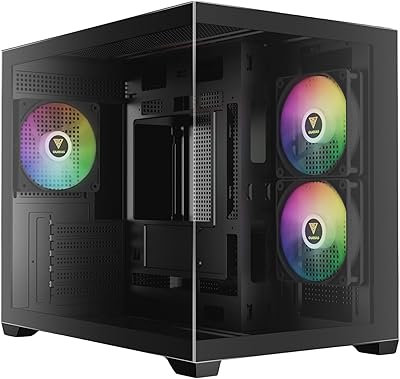
GAMDIAS AURA GC10M ARGB mATX PC Case
78%
91%
Value for Money
72%
Build Quality
78%
Airflow Performance
87%
ARGB Lighting
61%
Cable Management
More
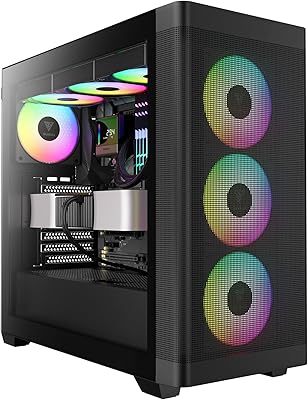
GAMDIAS ATHENA M3 Mid Tower PC Case
81%
91%
Value for Money
93%
Cooling Capability
74%
Build Quality
92%
Interior Space & Layout
67%
Cable Management
More
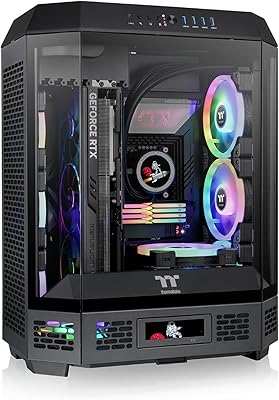
Thermaltake Tower 600 Mid-Tower ATX Case
79%
91%
Build Quality
93%
Aesthetic Design
88%
Cable Management
94%
Cooling Capacity
71%
Installation Experience
More
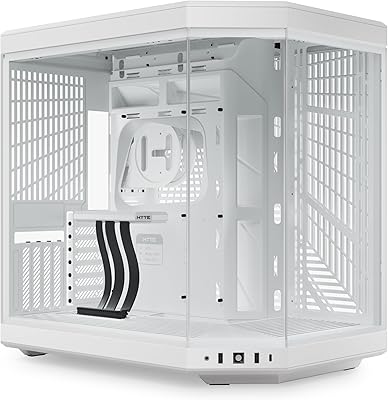
HYTE Y70 Mid-Tower ATX Gaming Case
80%
93%
Build Quality
96%
Aesthetic Design
78%
Cooling Potential
91%
Vertical GPU Mounting
88%
Cable Management
More
HYTE Y40 Mid-Tower ATX Gaming Case
76%
94%
Aesthetics & Design
88%
Build Quality
62%
Cooling Performance
83%
Value for Money
81%
Cable Management
More
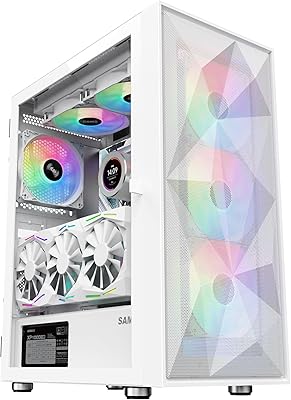
SAMA V60 Mid Tower PC Case
80%
93%
Out-of-Box Cooling Value
78%
Airflow Performance
91%
AIO & Radiator Flexibility
88%
Tempered Glass & Aesthetics
71%
Build Quality & Materials
More
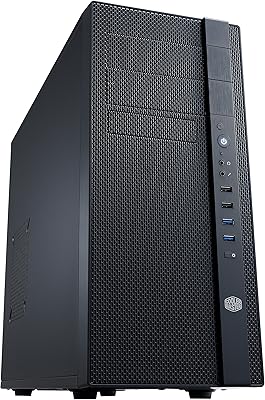
Cooler Master N400 Mid Tower PC Case
76%
88%
Airflow Performance
74%
Build Quality
86%
Value for Money
91%
Ease of Assembly
79%
Cooling Compatibility
More
SAMA 3509 ATX Mid Tower PC Case
74%
88%
Value for Money
74%
Build Quality
81%
Airflow & Cooling Performance
67%
Pre-installed Fan Quality
86%
Tempered Glass Panel
More
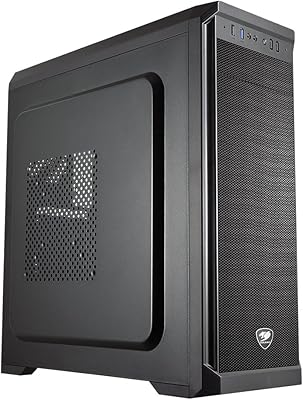
Cougar MX330-X Mid Tower PC Case
78%
88%
Value for Money
71%
Build Quality
84%
Interior Layout
79%
Cable Management
66%
Airflow & Cooling
More
KEDIERS P6 Mid Tower ATX PC Case

75%
88%
Aesthetic Design
71%
Build Quality
84%
Included Fans & Lighting
78%
Airflow & Thermal Performance
81%
Radiator & Cooling Support
More

FAQ

It fully supports standard ATX motherboards, so you do not need to size down. Micro-ATX and Mini-ITX boards fit just as well if you prefer a smaller form factor inside the same chassis. The internal layout is sized around ATX as the primary target.

A 360mm radiator does physically fit in the front of the GAMDIAS AURA GC2 Elite Mid Tower Case, but you will want to plan your build carefully. If you are pairing it with a long triple-fan GPU, measure clearances beforehand since both components compete for front and bottom space. A 240mm or 280mm AIO is a more straightforward fit for most mid-range builds.

Yes, both of those cards fall well within the 340mm GPU length limit and should install without any fitment problems. Most mainstream dual-fan and triple-fan cards in the current generation are under that threshold. Just make sure to check your specific card's listed length from the manufacturer to be certain.

The complaints are legitimate and worth taking seriously. The gap behind the motherboard tray is on the tighter side, which makes routing a full set of cables — especially from a non-modular PSU — noticeably challenging. A fully modular power supply makes a real difference here, and pre-planning your cable runs before installing the motherboard will save you a lot of frustration. Experienced builders will manage fine, but first-timers should budget extra time for this step.

The included fans use a standard 3-pin 5V ARGB connector, which is compatible with most modern ASUS Aura Sync, MSI Mystic Light, and Gigabyte RGB Fusion headers. That said, always double-check your specific motherboard's header type before assuming direct plug-in compatibility. If your board does not have an ARGB header, you can still control the fans using the front-panel LED button.

At low to medium speeds during typical gaming, the fans are quiet enough that most users do not find them distracting. The issue comes when they ramp up under sustained load — at full speed they produce a noticeable whine that is audible in a quiet room. If fan noise is a priority for you, the included fans work fine for moderate builds but may eventually be worth swapping out for quieter aftermarket options.

It genuinely removes without tools. The panel is hinged and secured with a straightforward latch mechanism that most users find quick and easy to operate. It is one of the more practical features of this chassis and works as described in day-to-day use.

There is a noticeable difference, and it is worth being upfront about that. The steel frame itself is solid, but the ABS plastic front panel and accent pieces feel lighter and less refined than what you get from premium European chassis brands. For the price, the quality is competitive within the budget segment, but builders stepping down from a higher-end case will feel that difference when handling the panels.

The Noctua NH-D15 stands around 165mm tall, which slightly exceeds the 160mm CPU cooler clearance limit for this chassis. It is right on the boundary, and fitting it would likely not be possible without physical modification. Most other popular tower coolers like the DeepCool AK620, be quiet! Dark Rock 4, or Thermalright Peerless Assassin 120 fall within the 160mm limit and fit cleanly.

Yes, the storage layout is flexible enough for a typical gaming build. You can run two 3.5″ hard drives, or replace one of those bays with a 2.5″ SSD, and you also get two dedicated 2.5″ SSD trays separate from the HDD cage. Most builders running a boot SSD and a secondary storage drive will find the configuration more than adequate.