Overview
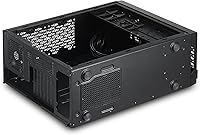
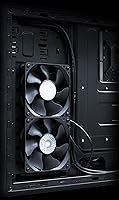
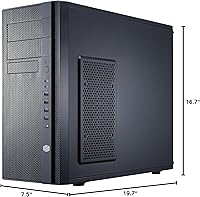
The Cooler Master N400 Mid Tower PC Case has been around since 2013, and for a case that old, it holds up surprisingly well in the value segment. The defining feature is its fully meshed front panel, which prioritizes airflow from the moment you look at it — no decorative shrouds, no gimmicks. At 19.7 x 7.5 x 16.7 inches, the N400 fits comfortably in most desk setups without dominating the space. Two 120mm XtraFlo fans come included, so you can power on and run a system without buying additional cooling on day one. Don't expect a showpiece — this Cooler Master enclosure is built for function over form.
Features & Benefits
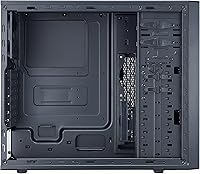
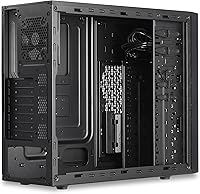
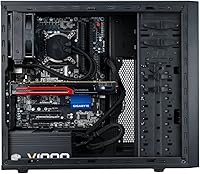
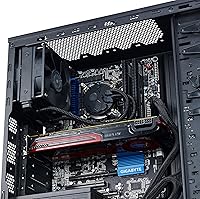
The meshed front intake is genuinely effective at pulling cool air through the system, though it does mean dust accumulates faster in dirtier environments — thankfully, the three included dust filters on the top, right side panel, and PSU area stay manageable with a quick pull-and-rinse routine. The N400 accommodates a 240mm radiator on the side or top and a 120mm unit at the rear, making it viable for entry-level AIO coolers without bracket modifications. Storage is handled sensibly too — tool-less SSD brackets on the 2.5-inch mount speed up installation, with additional HDD cage space underneath. Up to 8 fans can be fitted total, leaving real headroom to expand airflow as your build grows.
Best For
This mid tower case is an easy recommendation for first-time PC builders who want a no-fuss assembly experience — the layout is logical, cable management channels are accessible, and nothing requires specialized tools to get started. It also suits anyone building a practical home-office or business machine that will live under a desk, where looks aren't a priority but reliable thermals are. If you're running a mid-range air cooler or picking up an entry-level AIO, the N400 gives you everything you need without paying for features you won't use. It's a particularly good fit for those reusing older ATX hardware in a cleaner enclosure, extending the life of components that still have years of work left in them.
User Feedback
Across nearly 740 ratings, this Cooler Master enclosure sits at 4.2 stars — a score that reflects genuine satisfaction rather than inflated enthusiasm. Builders consistently praise the solid steel construction and the airflow results relative to what you spend, with cable management drawing particular appreciation from those on their first build. That said, criticism does surface around the side panel, which some owners find noticeably thin and prone to flex. The front I/O also gets flagged as limited by modern standards — two USB ports feels tight when current builds often demand more. Long-term owners report that drive brackets and hinges hold up well over time, though filter upkeep becomes more important in dusty rooms. Many reviewers are returning Cooler Master customers, which speaks to consistent brand reliability.
Pros
- The fully meshed front panel delivers noticeably better airflow than solid-front cases in the same price range.
- Two 120mm fans are included out of the box, so your build is ready to run without extra purchases.
- Tool-less 2.5-inch SSD brackets make storage installation fast and genuinely painless.
- Supports up to 8 fans total, giving builders meaningful room to expand cooling over time.
- Three dust filters on the top, side panel, and PSU area are easy to remove and clean regularly.
- Entry-level AIO coolers fit without modification, supporting 240mm radiators on the side or top.
- The steel construction feels solid and holds up well even after years of use, based on long-term owner reports.
- Cable management channels are accessible and practical, which builders consistently highlight as a genuine time-saver.
- At its price point, the N400 ranks among the top-selling cases in its category, reflecting strong real-world value.
Cons
- The steel side panel flexes under moderate pressure — it feels noticeably thin compared to more current competition.
- Only two front USB ports; builders with modern peripherals or USB-heavy desks will feel the limitation quickly.
- No USB-C port on the front I/O, which is a real gap for anyone buying new peripherals today.
- No side window means you cannot see your components, so internal aesthetics are entirely wasted here.
- The case design dates back to 2013, and interior clearances can feel tight with larger modern CPU coolers.
- No RGB or lighting support of any kind — not even a header — for builders who want any visual customization.
- Dust accumulates faster through the open mesh front compared to filtered-front cases, requiring more frequent cleaning.
- Limited documentation and community troubleshooting resources compared to newer, more actively supported enclosures.
Ratings
The scores below reflect our AI-driven analysis of verified global buyer reviews for the Cooler Master N400 Mid Tower PC Case, with spam, incentivized, and bot-generated feedback actively filtered out before scoring. Each category is weighted against real builder experiences — from first-time assemblers to seasoned hobbyists repurposing older hardware — so both the strengths and the genuine frustrations are represented honestly.
Airflow Performance
Build Quality
Value for Money
Ease of Assembly
Cooling Compatibility
Dust Filtration
Storage Flexibility
Front I/O Usability
Aesthetics & Design
Fan Expansion Headroom
Long-Term Durability
Cable Management
Noise Levels
Suitable for:
The Cooler Master N400 Mid Tower PC Case is a natural fit for budget-conscious builders who want reliable airflow and a no-nonsense assembly experience without spending heavily on features they'll never use. First-time builders in particular will appreciate the straightforward interior layout — nothing is hidden behind proprietary tooling or awkward bracket systems. It works well as a home-office or business workstation that lives under a desk, where thermal performance matters far more than aesthetics. Anyone pairing a standard ATX motherboard with a mid-range air cooler or a basic 240mm AIO will find the case accommodates their setup without any workarounds. It's also a practical choice for experienced builders repurposing older components into a cleaner enclosure, giving aging hardware a second life without committing to a premium chassis.
Not suitable for:
Builders who care about how their system looks — whether that means tempered glass panels, RGB lighting, or a clean showpiece aesthetic — will find the Cooler Master N400 Mid Tower PC Case falls well short of their expectations. The side panel is solid steel with no window, so there is simply nothing to see inside. Enthusiast-level liquid cooling setups with large custom loop radiators or dual 360mm configurations are out of scope here; the case was not designed for that level of thermal hardware. If you regularly plug in multiple USB devices at the front, the two-port I/O will start to feel like a daily friction point, especially on a desk build where cable reach matters. Power users building a high-end workstation or gaming rig in the mid-to-upper price tier should look at more recent cases that offer better cable management space, USB-C support, and sturdier panel construction.
Specifications
- Form Factor: Mid Tower design compatible with standard ATX motherboards and smaller form factors.
- Dimensions: The case measures 19.7 x 7.5 x 16.7 inches (L x W x H), making it manageable for most desk or floor placements.
- Weight: Fully assembled empty chassis weighs 12.4 pounds, reflecting its all-steel construction.
- Material: Built primarily from steel, providing a sturdy and durable frame without the premium cost of aluminum.
- Included Fans: Comes with two Cooler Master XtraFlo 120mm fans (non-LED) pre-installed for immediate out-of-box airflow.
- Max Fan Support: The chassis supports up to 8 fans in total across all available mounting positions.
- Radiator Support: Accommodates a 240mm radiator on the right side or top, and a single 120mm radiator at the rear.
- SSD Support: Fits up to three SSDs: two on tool-less 2.5″ brackets and one at the base of the HDD cage.
- Dust Filters: Three removable dust filters are included, covering the top panel, right side panel, and power supply intake.
- Front I/O Ports: Front panel includes two USB 3.0 SuperSpeed ports and one combined audio-out jack.
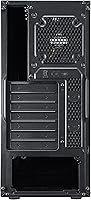
- PSU Mounting: Supports rear or bottom power supply mounting positions to suit different build configurations.
- Motherboard Fit: Officially supports ATX motherboards; also compatible with Micro-ATX and Mini-ITX with appropriate hardware.
- Cooling Method: Primarily air-cooled, but the layout is designed to accommodate entry-level liquid cooling solutions as well.
- Front Panel: Fully meshed front panel design maximizes passive and active airflow into the chassis with no obstruction.
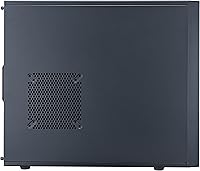
- Side Panel: Solid steel side panel with no window, offering no view of internal components.
- Fan Size: All fan mounting positions are sized for standard 120mm fans across the case.
- First Available: This model was first made available in July 2013 and remains in active production as of the latest listing data.
- BSR Ranking: Holds a Best Sellers Rank of number 35 in the Computer Cases category on Amazon based on available data.
Related Reviews
Cooler Master TD500 Mesh V2 ATX Mid-Tower Case

SAMA V60 Mid Tower PC Case
Cooler Master N200 Mini Tower Computer Case

Zalman S3 ATX Mid-Tower PC Case
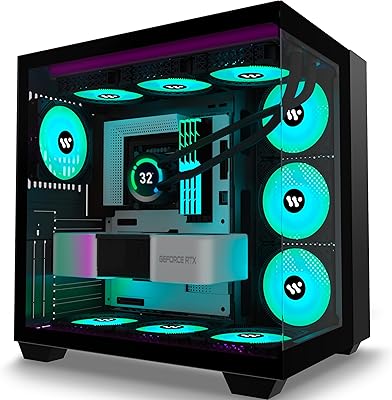
AMANSON H9 Mid-Tower ATX Gaming PC Case

Zalman S4 Mid-Tower ATX PC Case

SAMA S40 Mid Tower ATX PC Case
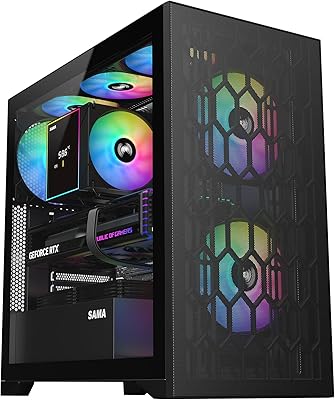
SAMA V Mesh Mid Tower PC Case
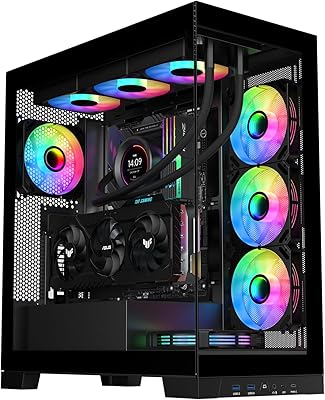
SAMA NEVIEW 4503 Mid Tower PC Case