
Overview

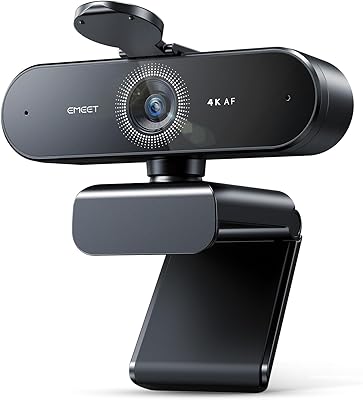
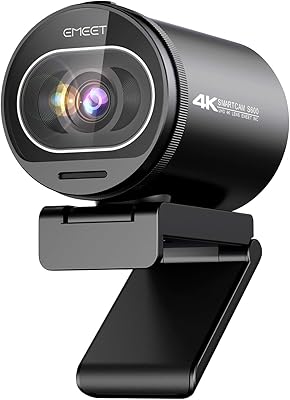
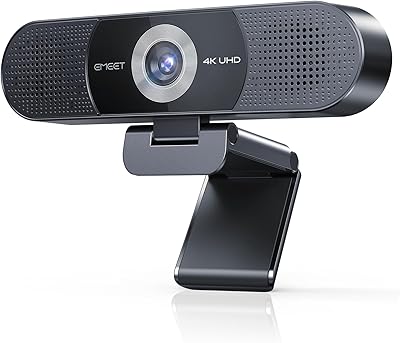
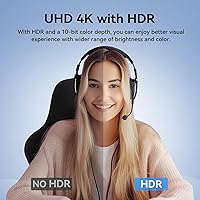
The EMEET SmartCam S800 4K Webcam with Tripod sits in an interesting spot — aimed squarely at streamers and content creators who want genuinely good image quality without assembling a full camera rig. The real differentiator here is the Sony 1/2″ sensor, which is noticeably larger than what you find in most webcams at this price level. Pair that with a dual autofocus system combining phase detection and time-of-flight technology, and you have a camera that handles movement and focus shifts far better than single-AF alternatives. One thing worth knowing upfront: features like HDR are not automatic — they require the EMEETLINK app, so factor that into your setup plan before buying.

Features & Benefits

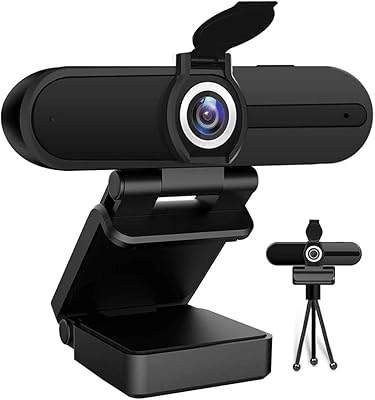
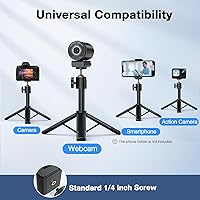
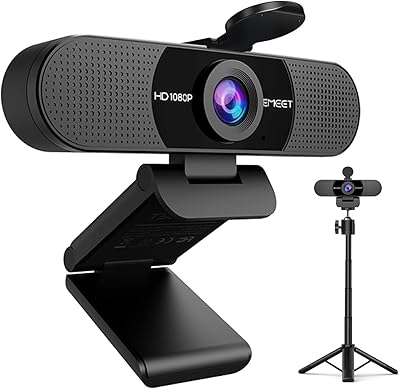
The built-in tripod is genuinely one of this streaming webcam's most practical assets. It adjusts from roughly desk-level for tight face shots up to near standing height for full-body framing, with no separate stand required. The 360° swivel head makes repositioning fast, and the universal 1/4-inch mount means you can transfer it to a third-party tripod if your setup demands it. Video output gives you 4K at 30fps for crisp, detailed footage or 1080p at 60fps when smoother motion matters more. The F/1.8 aperture pulls in noticeably more light in dim rooms compared to a typical webcam lens. Built-in mics handle casual calls reliably, though they are a convenience feature rather than a substitute for a dedicated microphone.

Best For

This tripod webcam makes the most sense for solo streamers and YouTubers who want flexible framing without managing a pile of extra accessories. If you're doing talking-head content from a desk, standing streams, or anything requiring a quick angle shift mid-session, the adjustable stand earns its place. Remote workers who have outgrown their laptop camera but do not want to invest in a mirrorless setup will find the image quality jump noticeable and worthwhile. It also suits creators working in inconsistent lighting who can take advantage of HDR once EMEETLINK is configured. Those upgrading from a budget webcam will likely be impressed; experienced videographers accustomed to dedicated cameras may find the overall package less compelling.

User Feedback

Buyers tend to be satisfied with the S800, and the most common praise points to image sharpness and the convenience of having the tripod integrated rather than sold separately. Autofocus performance draws specific callouts from streamers who move around — it locks on quickly and does not hunt the way cheaper single-AF webcams often do. A recurring surprise for new users is discovering that HDR is not active out of the box; it needs a manual toggle inside EMEETLINK, which some find unintuitive. The built-in mic earns measured responses — fine for a work call, not something most would rely on for a polished stream. A handful of reviewers mention the tripod feels slightly less rigid at full extension. Minor complaints overall, most tied to software rather than hardware.

Pros

  • Large Sony 1/2″ sensor delivers noticeably sharper, more detailed images than most webcams in this category.
  • Dual PDAF and TOF autofocus locks on quickly and stays accurate even when you move around during a stream.
  • The built-in tripod adjusts from close-up desk height to near full-body standing height without any extra accessories.
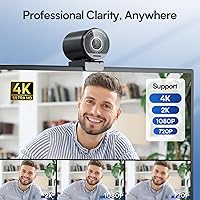
  • 4K at 30fps and 1080p at 60fps give you practical flexibility depending on whether resolution or motion smoothness matters more.
  • F/1.8 aperture handles low-light rooms far better than webcams with smaller or slower lenses.
  • 360° swivel head makes repositioning fast and intuitive during live sessions.
  • Universal 1/4-inch tripod mount allows the camera head to be moved to a third-party stand if needed.
  • Built-in dual mics are solid enough for work calls and casual streaming without a separate microphone.
  • EMEETLINK app enables HDR, multiple metering modes, and firmware updates for ongoing improvement.
  • Strong overall user satisfaction, with most complaints being minor and software-related rather than hardware defects.

Cons

  • HDR is not active by default and requires manual setup inside the EMEETLINK app, which can catch buyers off guard.
  • Reliance on companion software means some key features are unavailable if the app is unsupported on your OS or setup.
  • Built-in microphones are a convenience option only — serious streamers will still need a dedicated mic.
  • The tripod can feel slightly less stable at full maximum extension, which may affect confidence in demanding setups.
  • No included smartphone holder despite the tripod having a universal mount, which limits out-of-box versatility.
  • 4K output is capped at 30fps, so users who prioritize ultra-smooth motion at high resolution will hit a ceiling.
  • The physical footprint of the tripod-plus-camera combo is larger than a simple clip-on webcam, which matters in tight spaces.
  • Windows and Mac software ecosystems may differ in feature parity; worth verifying EMEETLINK compatibility before purchasing.

Ratings

The scores below for the EMEET SmartCam S800 4K Webcam with Tripod were generated by AI after analyzing thousands of verified global buyer reviews, with spam, bot-submitted, and incentivized feedback actively filtered out. The result is an honest, data-driven snapshot that reflects both what real users love about this streaming webcam and where it genuinely falls short. Nothing has been softened — strong categories and pain points are represented equally.

Image Quality
91%
Users consistently call out the sharpness and color accuracy as a clear step above typical webcam output, particularly for talking-head content and streaming. The Sony sensor punches noticeably above its weight in mixed and artificial lighting conditions, producing footage that looks polished without heavy post-processing.
At 4K the output is impressive, but a small number of users note occasional color fringing at high-contrast edges under harsh backlighting. Results can also vary depending on how well EMEETLINK image settings have been configured, meaning out-of-the-box quality and optimized quality are not always the same thing.
Low-Light Performance
88%
The F/1.8 aperture and larger Sony sensor combine to handle dimly lit rooms far better than webcams with smaller or slower optics. Streamers working in home setups with just a desk lamp or ambient room lighting report clean, usable footage without excessive grain or muddy shadows.
In very dark conditions, some noise does creep in, and HDR — which helps balance tricky lighting — has to be manually enabled through EMEETLINK rather than kicking in automatically. Users who do not configure the app properly may not get the full low-light benefit the hardware is capable of delivering.
Autofocus Performance
89%
The dual PDAF and TOF system is one of the most frequently praised aspects across buyer reviews, especially among streamers who move around or gesture frequently during sessions. Focus transitions are quick and confident, and the camera recovers from sudden depth changes — like standing up from a chair — without the extended hunting blur common in single-AF webcams.
A small subset of users report occasional inconsistency in challenging scenes with busy or low-contrast backgrounds, where the system can briefly lose its lock. It is not a frequent complaint, but it does suggest the dual autofocus, while strong, is not entirely infallible in every environment.
Tripod Design & Flexibility
86%
The integrated tripod is a genuine convenience win — being able to go from a tight desk-level close-up to a near-standing full-body angle in seconds, without any additional accessories, is something buyers consistently flag as a real-world differentiator. The 360° swivel head adds further flexibility for portrait and landscape switching.
At full maximum extension, a noticeable number of reviewers describe the tripod as feeling less rigid than at lower heights, which can introduce slight wobble if the desk surface is not perfectly stable. The design is well-suited to controlled desktop environments but may feel less confidence-inspiring in setups where accidental bumps are a risk.
Ease of Setup
78%
22%
Basic plug-and-play functionality works reliably out of the box — connect via USB and the camera is immediately recognized by Windows and Mac without needing to hunt for drivers. For users who just want to jump into a video call or stream without configuring anything, the core experience is straightforward.
The EMEETLINK app is required to unlock meaningful features like HDR, metering modes, and firmware updates, and buyers who skip it are getting a noticeably limited version of what the hardware can do. Several reviewers expressed frustration at discovering this after purchase, particularly those who expected HDR to be active by default.
Software (EMEETLINK)
67%
33%
When EMEETLINK works as intended, it provides useful granular control over image parameters — brightness, contrast, saturation, metering modes, and HDR toggling — that most webcam software does not offer at this level. Firmware update delivery through the app also means the camera can improve over time.
User feedback on the software itself is more mixed than feedback on the hardware, with some citing a less-than-intuitive interface and occasional stability hiccups on certain system configurations. The fact that core features like HDR are gated behind a companion app rather than being hardware-level defaults is a legitimate usability complaint that comes up repeatedly.
Built-in Microphone Quality
71%
29%
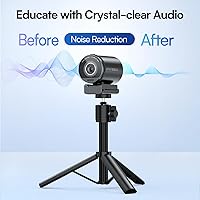
For remote work calls and casual video meetings, the dual noise-canceling mics perform well — voices come through clearly at typical desk distances, and background noise suppression handles moderate ambient noise like keyboard clicks or HVAC hum without too much trouble.
Serious streamers and content creators who care about audio quality will quickly outgrow the built-in mics, as they lack the warmth, presence, and dynamic range of even a mid-range dedicated USB microphone. It is a convenience feature that satisfies a specific audience but should not be mistaken for a complete audio solution.
Build Quality
82%
18%
The camera unit itself feels solid and well-assembled for its weight class, and the materials give an impression of durability that holds up under regular repositioning and desk use. The swivel mechanism has a satisfying resistance to it that prevents the head from drifting out of position once set.
The tripod legs, while functional, are made of lighter materials that do not inspire the same confidence as the camera body, especially at maximum extension. A few buyers who use it daily in mobile or multi-location setups have noted signs of wear at the leg joints over time.
Value for Money
84%
Given the Sony sensor, dual autofocus system, and integrated adjustable tripod, the S800 offers a package that would cost meaningfully more if you sourced comparable components separately. Buyers upgrading from budget webcams tend to rate value highly because the perceived quality jump is immediate and obvious.
For buyers who already own a good tripod and a separate microphone, some of the bundled value proposition is less compelling, and the price starts to feel like it is partly paying for hardware redundancy. Those comparing it purely on camera performance against competitors at a similar price point may find the field more contested.
Compatibility
83%
Standard USB connectivity and UVC compliance mean the S800 works natively with OBS, Streamlabs, Zoom, Teams, Google Meet, and virtually every major streaming or conferencing platform without additional configuration. Both Windows and Mac are supported at the hardware and software level.
A small number of users on less common Linux distributions or older operating systems report inconsistent behavior, and EMEETLINK app feature parity between Windows and Mac is worth verifying before assuming both platforms get identical functionality. Compatibility with some video conferencing platforms in 4K mode depends on the platform itself, not just the camera.
Portability
79%
21%
At just 1.1 pounds, the S800 is light enough to toss in a bag and use in different locations — hotel rooms, offices, or client sites — without much friction. The folding tripod legs keep the profile reasonably compact for travel.
The integrated tripod-plus-camera form factor is inherently bulkier than a clip-on webcam, which matters if minimal packing space is a priority. Users who want the absolute smallest possible footprint in a carry bag may find the combined unit slightly awkward compared to more compact alternatives.
Framing & FOV Control
81%
19%
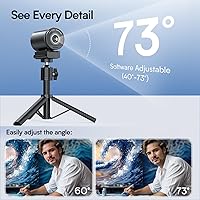
The adjustable 40° to 73° field of view gives users genuine control over how much of the scene is captured, which is useful whether you are doing a tight interview-style shot or trying to include a co-host or background setup. The swivel head adds another layer of quick angle adjustment without touching the tripod.
FOV adjustment is handled through software rather than a physical control, which means changing it mid-stream requires navigating EMEETLINK rather than turning a ring or pressing a button. Some users find this workflow slightly disruptive compared to hardware-level controls found on higher-end dedicated cameras.
Streaming Performance
87%
Real-world streaming performance at 1080p/60fps is smooth and consistent, and the dual autofocus keeps up well with typical streaming behaviors like leaning in, moving around, or switching between seated and standing. The overall output looks noticeably more professional than entry-level alternatives in comparable streaming scenarios.
4K streaming is capped at 30fps, which is a ceiling some high-frame-rate streaming enthusiasts will notice. USB bandwidth requirements at 4K can also cause issues on older systems or congested USB hubs, so users on aging hardware should verify their setup before assuming 4K output will be stable.

Suitable for:

The EMEET SmartCam S800 4K Webcam with Tripod is a strong fit for solo streamers, YouTubers, and Twitch creators who want genuinely good image quality without building out a full camera and accessory setup from scratch. The integrated adjustable tripod means you can go from a tight desk-level face shot to a standing full-body frame in seconds, which is particularly useful for fitness creators, cooking streamers, or anyone whose content requires varied angles. Remote professionals who spend significant time on video calls and are tired of looking washed out or blurry on a basic laptop camera will notice an immediate and meaningful improvement. Content creators dealing with tricky lighting conditions — dimly lit home offices, rooms with mixed light sources — benefit from the wider aperture sensor and the HDR capability available through the EMEETLINK app. It also makes practical sense for anyone upgrading from a budget webcam who wants noticeably better autofocus and low-light handling without committing to a mirrorless camera and capture card setup.

Not suitable for:

If you are expecting a truly plug-and-play experience where every feature works the moment you connect the USB cable, the S800 may frustrate you — HDR and several image customization options live inside the EMEETLINK companion app, which requires a separate download and some configuration time. Experienced videographers or professional broadcasters who are already working with a DSLR or mirrorless camera paired with a dedicated capture card are unlikely to find this streaming webcam a compelling upgrade; it is built for the consumer and prosumer market, not studio-grade production. Anyone who needs polished, broadcast-quality audio should factor in the cost of a dedicated USB or XLR microphone, as the built-in mics handle casual calls but are not up to the standards most serious content creators would accept. Users who need an extremely rigid, heavy-duty tripod for demanding physical setups may also find the integrated stand somewhat limiting at maximum extension. And if portability and minimal desk footprint are top priorities, the combined webcam-plus-tripod form factor takes up more space than a standard clip-on webcam.

Specifications

  • Video Resolution: Supports 4K at 30fps for maximum detail and 1080p at 60fps for smoother motion, giving users practical flexibility depending on their streaming or recording priorities.
  • Image Sensor: Uses a Sony 1/2″ CMOS sensor, which is notably larger than the sensors found in most consumer webcams and contributes directly to better low-light performance and image clarity.
  • Aperture: F/1.8 maximum aperture allows more light into the sensor, improving image quality in dimly lit environments without requiring additional lighting equipment.
  • Focal Length: Fixed focal length of 4.71mm, optimized for typical webcam working distances ranging from close face shots to wider group or full-body framing.
  • Autofocus System: Dual autofocus combining Phase Detection Autofocus (PDAF) and Time of Flight (TOF) technology for faster, more accurate focus tracking compared to single-mechanism systems.
  • Field of View: Adjustable FOV ranging from 40° to 73°, allowing users to switch between a tight single-person frame and a wider angle suitable for group shots or room context.
  • HDR: HDR is supported but must be manually enabled through the EMEETLINK companion app; it is not active by default upon connecting the camera.
  • Tripod Height: Integrated tripod adjusts from 6.7 inches (close desk-level framing) up to 18.5 inches (near standing full-body height), with no additional stand required.
  • Swivel Head: The camera head rotates 360° horizontally, supporting both portrait and landscape orientations and allowing precise angle adjustments without repositioning the tripod base.
  • Microphones: Dual built-in noise-canceling microphones with an effective pickup range of approximately 10 feet, suitable for calls and casual streaming in relatively quiet environments.
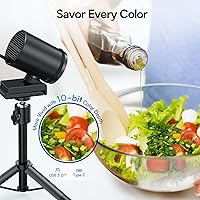
  • Connectivity: Connects via USB; no drivers are required for basic operation, though the EMEETLINK app is needed to access advanced image controls and firmware updates.
  • Tripod Mount: Standard 1/4-inch screw mount on both the camera and the tripod base ensures compatibility with a wide range of third-party camera accessories and stands.
  • Viewing Angles: Offers a 44.5° horizontal adjustment angle and a 45° vertical forward tilt, providing flexibility for different desk heights and shooting scenarios.
  • Dimensions: Camera unit measures 2.81 x 2.05 x 2.8 inches, making it compact enough for most desk setups even when mounted on the included tripod.
  • Weight: Complete unit weighs 1.1 pounds, light enough for portability while still providing a stable base during stationary streaming or video call use.
  • Companion App: EMEETLINK software (available for Windows and Mac) unlocks HDR, metering mode selection, image parameter adjustments, and firmware update functionality.
  • Audio Formats: Supports AAC, MP3, and PCM audio capture formats when recording locally through compatible software on a connected PC or Mac.
  • Video Format: Records video in MP4 format when used with compatible recording software; actual format support may vary depending on the host application used.

Related Reviews
EMEET S600 4K Webcam
83%
88%
Image Quality
91%
Autofocus Performance
79%
Low-Light Performance
71%
Microphone Quality
93%
Setup & Ease of Use
More
EMEET C960 Webcam with Tripod
85%
87%
Video Quality
82%
Audio Performance
78%
Build Quality
93%
Ease of Setup
80%
Privacy Features
More
EMEET Piko 4K Webcam
82%
88%
Video Clarity
84%
Autofocus Performance
74%
Low-Light Handling
81%
Audio Quality
91%
Design & Build
More
EMEET Nova 4K Webcam
77%
83%
Video Clarity
78%
Autofocus Performance
69%
Microphone Quality
76%
Low-Light & Auto Exposure
86%
Build Quality & Design
More
EMEET C950 4K Webcam
78%
83%
Video Clarity
88%
Autofocus Performance
71%
Microphone Quality
62%
Low-Light Performance
93%
Privacy Features
More
EMEET C980 Pro
EMEET C980 Pro
77%
88%
Video Clarity
83%
Audio Capture
67%
Built-In Speaker Quality
91%
Setup & Ease of Use
79%
Wide-Angle Flexibility
More
HDZIYU 4K Webcam with Microphone and Tripod

69%
68%
Video Quality
43%
4K Performance
72%
Low-Light Performance
63%
Audio Quality
53%
Microphone Noise Rejection
More
Lumina LX011 4K Webcam
81%
91%
Image Quality
87%
Low-Light Performance
83%
AI Auto-Framing
93%
Build Quality
78%
Microphone Quality
More
Diccik 4K HD Webcam
Diccik 4K HD Webcam
72%
81%
Value for Money
69%
Video Quality
93%
Ease of Setup
76%
Light Correction
57%
Microphone Quality
More
PixelForge 4K Webcam
86%
94%
Video Quality
88%
Audio Performance (Microphone)
91%
Ease of Setup
89%
Lighting Effectiveness
86%
Privacy Features
More

FAQ

No, it does not. HDR needs to be manually switched on inside the EMEETLINK app after you install it on your PC or Mac. If you connect the S800 and skip the app entirely, you will be getting a solid image but not the HDR-enhanced version. It only takes a minute to set up once the app is installed, but it is worth knowing before you buy.

Yes, the camera works as a standard UVC device, so it is recognized by OBS, Streamlabs, XSplit, and most other major broadcasting software without needing special drivers. You just select it as your video source and you are good to go. The EMEETLINK app runs separately in the background if you want to keep your custom image settings active during a stream.

The camera is not permanently fixed to the tripod. It uses a standard 1/4-inch screw mount, which means you can detach it and attach it to any compatible tripod, monitor mount, or camera arm you already own. The included tripod is genuinely useful, but you are not locked into it.

The dual PDAF and TOF system handles sudden movement noticeably better than webcams with a single autofocus mechanism. Phase detection locks on fast, while the time-of-flight sensor helps it understand depth changes, so standing up or stepping back tends to resolve cleanly rather than causing a prolonged hunting blur. It is not instantaneous in every scenario, but it is among the better autofocus performers in this category.

For work calls and casual use, the built-in mics are perfectly adequate — background noise suppression is decent and voices come through clearly within about 10 feet. For serious streaming or content creation where audio quality matters to your audience, most creators would still want a dedicated USB or XLR microphone. Think of the built-in mics as a solid backup or a convenience option, not a primary audio solution.

It works on both platforms. Basic plug-and-play functionality operates on Mac and Windows without drivers. The EMEETLINK app also has Mac support, so you can access the full feature set including HDR and image customization on either operating system.

Yes, the 360° swivel head lets you rotate the camera into portrait orientation, which is useful for vertical content platforms or smartphone-style streams. Just rotate the head, adjust your streaming software's canvas to vertical, and you are set.

At the full 18.5-inch extension, there is a slight reduction in rigidity compared to lower positions — a handful of users have mentioned this. For typical desk use or standing streams in a controlled environment it holds up fine, but if you are in a setting where the tripod might get bumped or jostled, keeping it at a mid-range height is safer. It is not flimsy, just slightly less locked-in at the top of its range.

The adjustable FOV ranges from 40° on the narrower end up to 73° at its widest. At 73° you can comfortably fit two people seated side by side, and at maximum tripod height the wider angle can capture a decent portion of a room. For group calls with three or more people spread across a table, it starts to get tight, but for pairs or a solo presenter with some background context it works well.

The camera itself works entirely locally — no internet connection is needed for video capture, streaming through your chosen software, or basic operation. The EMEETLINK app communicates with your camera over USB. The only time an internet connection would be relevant is if you are downloading app updates or firmware upgrades through EMEETLINK, which is an occasional rather than ongoing requirement.