Overview

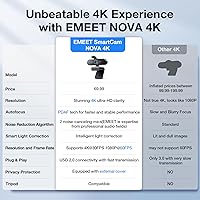
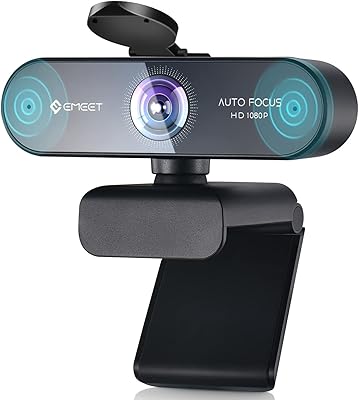
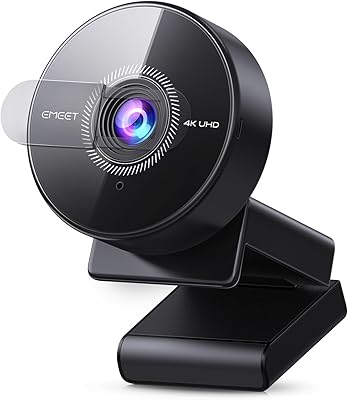
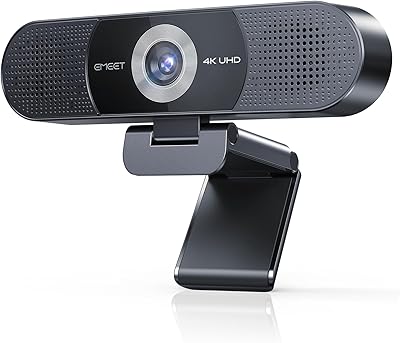
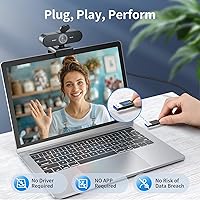
The EMEET Nova 4K Webcam arrived in April 2024 and quickly climbed to a top-five spot in the webcams category — a decent signal that it's hitting a real need. This desk camera targets professionals and remote workers who've outgrown their laptop's built-in lens but aren't ready to spend serious money on broadcast-grade gear. Setup is genuinely painless: plug it into any USB-A port and it's recognized instantly, no drivers, no fuss. One thing worth knowing upfront: 4K isn't on by default. You'll need to activate it manually through OBS, PotPlayer, or EMEET's own software. It's a minor step, not a flaw, but worth knowing before your first call.
Features & Benefits

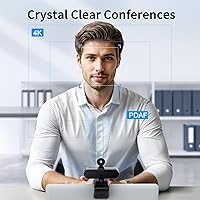
The NOVA 4K's PDAF autofocus is one of its stronger practical advantages — it locks on quickly when you lean forward or shift in your seat, which makes a real difference during long video calls. The fixed 73° field of view works well for a solo presenter at a desk, though it won't fit a second person sitting beside you. Auto light correction handles typical backlit window situations reasonably well, and the EMEETLINK app lets you push brightness and contrast further if needed. The dual built-in microphones hold up in quiet home offices, capturing clean audio up to about eight feet away — but don't expect them to replace a dedicated mic in a louder room.

Best For

This webcam makes the most sense for solo remote workers, freelancers, and small business owners who spend a meaningful chunk of their day on video calls and want noticeably sharper video without a complicated setup. It's also a solid pick for solo content creators — educators recording tutorials, coaches running one-on-one sessions — where fixed framing is rarely a constraint. Users in industries where privacy matters, such as legal, finance, or medical, will appreciate the physical lens cover, which offers a level of assurance no software setting can match. If you need facial tracking or plan to share the frame with a colleague, the fixed FOV will be a genuine limitation.

User Feedback

Most buyers agree on two things: the image quality improvement over a built-in laptop camera is immediately noticeable, and setup takes under a minute. Build quality earns praise too — the camera feels more solid than the price suggests. On the downside, the default 1080p output catches people off guard; several users expected 4K right away and didn't realize a software switch was required. Microphone performance gets decent marks in quiet home offices, but users in open-plan or noisy environments find it falls short. The fixed cable is a recurring gripe for those with cluttered desks. EMEETLINK software divides opinion — some find it genuinely useful for image tweaks, others never bother opening it.

Pros

  • Plug-and-play setup works instantly on Windows and macOS — no driver downloads, no configuration headaches.
  • PDAF autofocus responds quickly to natural movement without the jarring refocus lag common in cheaper webcams.
  • Physical lens cover provides real privacy assurance that no software setting can replicate.
  • Auto light correction handles backlit window situations better than most webcams in this price range.
  • Build quality feels noticeably more solid and substantial than the price would suggest.
  • The NOVA 4K is compatible with Zoom, Teams, and Google Meet right out of the box with zero setup friction.
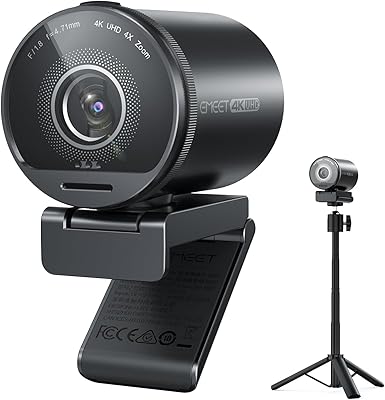
  • Tripod mount support and a flexible universal joint make it easy to position for unconventional desk setups.
  • Dual microphones hold up well in quiet home offices, reducing the need for a separate mic in controlled environments.
  • Compact and lightweight enough to pack without a second thought for work travel or hot-desking situations.

Cons

  • 4K resolution is not enabled by default — activating it requires a manual step through an app, which surprises many buyers.
  • The 1.5-meter cable is fixed and non-detachable, limiting desk placement flexibility and complicating cable management.
  • Autofocus cannot be manually locked or disabled, which causes distracting refocusing during static long-format calls.
  • Microphone performance drops off noticeably in open-plan or noisy environments, well below its rated range in practice.
  • The fixed 73-degree FOV cannot be widened, zoomed, or adjusted — a hard limit with no software workaround.
  • EMEETLINK software feels unpolished and unintuitive, with low adoption among users who install it reluctantly for 4K access.
  • No on-device mute button means cutting audio requires going through platform software controls every time.
  • Narrow 15-degree vertical tilt range can be limiting when mounting on low-profile monitors or laptop screens.

Ratings

The EMEET Nova 4K Webcam scores below are generated by AI after analyzing thousands of verified buyer reviews from global markets, with spam, bot-submitted, and incentivized feedback actively filtered out. This webcam has accumulated meaningful real-world data across home offices, remote classrooms, and small business settings since its April 2024 launch. Both its genuine strengths and recurring frustrations are reflected transparently in every score.

Video Clarity
83%
Users consistently report a striking improvement over built-in laptop cameras, particularly for facial detail and sharpness during video calls. At close to medium desk distances, the image holds up well and gives presenters a noticeably more professional appearance on calls.
The 4K capability requires manual activation through third-party apps or EMEET's own software, which trips up buyers expecting it to work out of the box. Several reviewers felt slightly misled when their first call defaulted to 1080p without any warning.
Autofocus Performance
78%
22%
PDAF autofocus earns solid marks for locking on quickly when users shift position during presentations or stretch mid-call. For a desk-based setup within roughly ten feet, it handles movement without the jarring lag that plagues cheaper autofocus systems.
Some users report the autofocus hunting — subtly refocusing repeatedly — during extended static calls, which creates a distracting soft-then-sharp cycle on the receiving end. It also cannot be manually disabled, which frustrates users who prefer a fixed focus lock.
Microphone Quality
69%
31%
In a quiet home office, the dual mics perform above expectations for a built-in solution, capturing clean, natural-sounding voice without requiring a separate USB microphone. Short solo calls with minimal background noise are where this desk camera genuinely holds its own.
Place it in an open-plan office or a room with HVAC noise and the limitations become clear fast. Noise cancellation helps at the margins, but it struggles to isolate voice cleanly beyond a few feet in any environment that isn't reasonably controlled.
Low-Light & Auto Exposure
76%
24%
Auto light correction handles the classic backlit-window scenario better than many webcams in this price range, recovering detail in the face without blowing out the background entirely. Users in dimly lit home offices report that the image stays usable without any manual adjustment.
In very dark or unevenly lit rooms, the auto exposure tends to introduce visible noise and a slightly washed-out look that the EMEETLINK software only partially corrects. Competing webcams with wider apertures handle challenging lighting more gracefully.
Build Quality & Design
86%
The camera feels noticeably more solid than buyers expect at this price point — the hinge mechanism and swivel joint have a reassuring resistance that cheap webcams lack. Several reviewers specifically called out the sturdy connection between the lens housing and the stand clip.
The fixed 1.5-meter cable is the main build-related complaint; users with monitors farther from their PC or tidier cable management setups find it constraining. There is no detachable cable option, so desk positioning is partly dictated by cable reach.
Setup & Compatibility
93%
Plug-and-play genuinely works here — Windows 10 and 11 recognize this webcam instantly, and macOS users report equally friction-free installs. It also works with Android TV, which is a niche but appreciated compatibility bonus for users running unconventional setups.
The only real setup frustration is the 4K activation step, which requires downloading either EMEETLINK or a third-party app like OBS. For users who just want to plug in and call, that extra configuration step feels like an unnecessary hurdle.
Field of View
62%
38%
The fixed 73-degree FOV frames a single person at a standard desk distance cleanly, with enough peripheral room that minor chair shifts don't cause awkward reframing. For solo calls and individual streaming setups, it does the job without distortion at the edges.
There is no way to adjust the FOV — no digital zoom out, no wide-angle option. Users who occasionally need to fit two people in frame or show a whiteboard behind them hit a hard wall, and the lack of facial tracking means the camera won't follow you if you move.
Privacy Features
91%
The physical lens cover is a genuine practical feature, not a gimmick. Users in sensitive professional roles — legal consultants, therapists, financial advisors — specifically cite it as a deciding factor, since a physical cover cannot be bypassed by software or remote access.
Beyond the lens cover, privacy features are minimal. There is no indicator light override, and some users would appreciate a microphone mute button on the unit itself rather than relying on the software or platform controls to cut audio.
Mounting & Positioning Flexibility
81%
19%
The universal joint with 360-degree horizontal rotation and 15-degree vertical tilt covers most practical desk and monitor scenarios. The standard quarter-inch tripod mount is a thoughtful addition for users who want to position the camera off their monitor entirely.
The vertical tilt range is narrow at just 15 degrees, which can be limiting for users mounting the camera on a very low monitor or a laptop screen. The stand clip grip works well on thin monitors but can feel less secure on thicker bezels.
Software (EMEETLINK)
57%
43%
For users willing to spend ten minutes exploring it, EMEETLINK does provide useful image controls — brightness, contrast, and saturation adjustments that can genuinely improve the picture in tricky lighting. Backlight compensation in particular gets positive mentions.
Adoption is low because the software feels unpolished and many users simply skip it after a single session. Reviewers describe it as functional but unintuitive, and the fact that 4K requires it for activation means some users install it grudgingly rather than willingly.
Value for Money
84%
At its price point, this desk camera sits in a narrow but competitive window where the jump in video quality over entry-level webcams is genuinely meaningful. Remote workers upgrading from a built-in laptop camera consistently feel the purchase is justified within the first week.
The value proposition weakens slightly when buyers realize 4K requires an extra step and the mic has real-world limits. Against a handful of competing webcams at similar prices, the NOVA 4K doesn't dominate on every dimension — it's competitive, not a clear winner.
Audio-Video Sync
79%
21%
Under normal desktop workloads, audio and video stay reliably in sync across Zoom, Teams, and Google Meet. Users running standard call software report no noticeable latency drift even in longer sessions, which is a baseline expectation this webcam meets consistently.
A small subset of users running resource-heavy backgrounds or recording software report occasional micro-lag in video relative to audio. This appears to be tied more to host machine performance than the webcam itself, but it's worth noting for users on older hardware.
Streaming Suitability
71%
29%
For solo content creators and educators streaming at 1080p or activating 4K through OBS, the image quality and reliable autofocus provide a credible broadcast look without requiring a capture card or dedicated camera. It covers the basics for entry-level streaming competently.
Serious streamers will bump into the fixed FOV, the lack of facial tracking, and the 30fps ceiling fairly quickly. Those who want more control over depth of field, wider shots, or higher frame rates will outgrow this webcam faster than the price might suggest.
Durability & Long-Term Reliability
74%
26%
Early reliability data looks reasonable — most users report no hardware issues after several months of daily use. The robust swivel joint and internal rubber grip materials appear to hold up under the repetitive adjustments that come with daily monitor mounting and removal.
The fixed cable is the most cited long-term concern; stress points near the USB connector are a failure risk with frequent repositioning. The product is still relatively new to market, so long-term durability beyond a year remains an open question in the data.

Suitable for:

The EMEET Nova 4K Webcam is a strong fit for remote professionals who spend a significant portion of their workday on video calls and want to look meaningfully better on screen without investing in a full camera and lighting rig. Solo home office workers — consultants, coaches, educators, therapists — will get the most out of it, particularly those currently relying on a built-in laptop camera that flatters no one. Freelancers and small business owners who need a plug-and-play solution with zero IT overhead will appreciate that it simply works the moment it's connected. Educators recording tutorial content or conducting one-on-one remote sessions will find the autofocus and improved clarity make a real difference in how polished their output looks. Anyone working in a field where privacy is a genuine professional concern — legal, financial, healthcare — will find the physical lens cover a practical and meaningful feature rather than a novelty.
Not suitable for:

The EMEET Nova 4K Webcam is not the right call for buyers expecting a true out-of-the-box 4K experience, since the camera defaults to 1080p and requires third-party software or EMEET's own app to unlock its headline resolution — a step that will frustrate less technical users. People who share screen space with a colleague during calls, or who need to capture a whiteboard or wider room context, will hit the fixed 73-degree FOV as a hard constraint with no workaround. Content creators or streamers who care about frame rates above 30fps, adjustable depth of field, or facial tracking will outgrow this desk camera quickly. Open-plan office workers or anyone in a consistently noisy environment should not expect the built-in mics to handle the job reliably — a separate microphone will still be necessary. Finally, users with desks farther from their PC tower, or those who prefer clean cable management, may find the fixed 1.5-meter non-detachable cable more of a daily annoyance than it sounds on paper.

Specifications

  • Resolution: Captures video at 4K UHD (3840×2160) at 30fps, though the default output is 1080p until 4K is manually activated via compatible software.
  • Autofocus: Uses Phase Detection Autofocus (PDAF) with an operational range of 7.9 to 118 inches; manual focus and autofocus disable are not supported.
  • Field of View: Fixed 73-degree horizontal field of view, optimized for single-person desk use; the FOV cannot be adjusted digitally or physically.
  • Sensor: Equipped with a CMOS image sensor and a maximum aperture of f/3.3 for capturing detail in varied lighting conditions.
  • Microphones: Dual built-in microphones with noise-cancellation technology, rated for clear audio pickup up to 8 feet in quiet to moderately quiet environments.
  • Connectivity: Connects via USB-A (USB 2.0) with true plug-and-play support — no drivers or software installation required to begin using the camera.
  • Cable: Features a fixed, non-detachable 1.5-meter USB cable integrated directly into the camera body.
  • Rotation & Tilt: Universal joint allows 360-degree horizontal rotation and 15-degree vertical tilt adjustment for flexible desk and monitor positioning.
  • Mount Options: Includes a 180-degree adjustable monitor clip stand and a standard 1/4-inch threaded nut for tripod or arm mounting.
  • Compatibility: Fully compatible with Windows 10 and 11, macOS 10.14 and later, and Android TV 7.0 and above, as well as Zoom, Teams, and Google Meet.
  • Privacy Cover: Includes a physical sliding lens cover that mechanically blocks the camera lens without requiring any software interaction or system permissions.
  • Software: Optional EMEETLINK desktop software enables manual control over brightness, contrast, saturation, and backlight compensation settings.
  • Dimensions: Measures 3.94 × 2.36 × 2.36 inches, making it compact enough for most monitor tops without obstructing screen visibility.
  • Weight: Weighs 4.6 ounces including the stand, keeping the overall footprint light and easy to reposition on any monitor or desk setup.
  • Light Correction: Automatic light correction is built in to handle backlit and uneven ambient lighting, with additional fine-tuning available through EMEETLINK software.
  • Video Format: Records and streams in MP4 format, with supported audio formats including MP3, WAV, AAC, FLAC, and OPUS for broad platform compatibility.
  • Storage: Requires no onboard flash memory or cloud storage — all video data is handled locally by the connected PC or Mac.
  • Focal Length: Maximum focal length of 3000mm equivalent; the fixed autofocus range means the camera is not suited for subjects closer than 7.9 inches.

Related Reviews

EMEET Piko 4K Webcam
82%
88%
Video Clarity
84%
Autofocus Performance
74%
Low-Light Handling
81%
Audio Quality
91%
Design & Build
More
EMEET C950 4K Webcam
78%
83%
Video Clarity
88%
Autofocus Performance
71%
Microphone Quality
62%
Low-Light Performance
93%
Privacy Features
More
eMeet Nova 1080P Webcam
85%
92%
Value for Money
88%
Video Quality
83%
Audio Quality
95%
Ease of Setup
86%
Low-Light Performance
More
EMEET S600 4K Webcam
83%
88%
Image Quality
91%
Autofocus Performance
79%
Low-Light Performance
71%
Microphone Quality
93%
Setup & Ease of Use
More
EMEET SmartCam S800 4K Webcam
87%
91%
Video Quality
85%
Autofocus Performance
94%
Ease of Setup
88%
Audio Clarity
92%
Flexibility and Positioning
More
EMEET C980 Pro
EMEET C980 Pro
77%
88%
Video Clarity
83%
Audio Capture
67%
Built-In Speaker Quality
91%
Setup & Ease of Use
79%
Wide-Angle Flexibility
More
Lumina LX011 4K Webcam
81%
91%
Image Quality
87%
Low-Light Performance
83%
AI Auto-Framing
93%
Build Quality
78%
Microphone Quality
More
Lusinx 4K Webcam
Lusinx 4K Webcam
86%
91%
Video Quality
88%
Noise Cancellation Performance
87%
Low-Light Performance
94%
Setup & Installation
75%
Microphone Clarity
More
PEATOP 4K-C80CCMD Webcam
75%
74%
Video Quality
68%
Autofocus Performance
61%
Low-Light Performance
63%
Microphone Quality
93%
Setup & Compatibility
More
Combess 4K Webcam
Combess 4K Webcam
85%
91%
Video Quality
88%
Audio Performance
95%
Ease of Setup
70%
Field of View
93%
Privacy Features
More

FAQ

It genuinely captures 4K video, but there is an important catch: it defaults to 1080p out of the box. To get 4K output, you need to switch it on manually inside an app like OBS, PotPlayer, or EMEET's own EMEETLINK software. Once you do that, the 4K quality is real and noticeably sharp — it just does not happen automatically.

No drivers needed at all. The EMEET Nova 4K Webcam is recognized instantly on Windows 10, Windows 11, and macOS 10.14 or later the moment you plug it into a USB-A port. Zoom, Teams, and Google Meet all detect it without any extra steps.
Unfortunately, no. The autofocus runs continuously and cannot be disabled or overridden with a manual focus setting. For most desk setups this is fine, but if you need a fixed focal point — for example, focusing on a product rather than yourself — this webcam will not give you that level of control.

In a quiet home office, they are genuinely solid and capable enough that many users skip a separate desk microphone entirely. The rated pickup range is about 8 feet, which is realistic in a calm environment. That said, if you work in an open-plan office or a room with noticeable background noise, the mics will struggle — noise cancellation helps at the margins, but it is not a substitute for a proper standalone microphone in loud spaces.

The cable is fixed and non-detachable at 1.5 meters, which is roughly five feet. For most monitor-to-tower setups that is adequate, but if your PC sits farther away or you have a specific cable management setup, it can be limiting. There is no version with a longer or removable cable available.

Realistically, no. The field of view is fixed at 73 degrees, which is designed for one person sitting at a normal desk distance from their screen. Two adults seated side by side would likely be partially cut off. There is also no facial tracking or zoom-out option to compensate.

It is a genuine physical cover that slides over the lens and blocks it completely — not a software toggle, not an LED indicator. When it is closed, there is simply no optical path to the sensor. For professionals in sensitive roles who worry about unauthorized camera access, that physical certainty is worth more than any software-based privacy feature.

You can absolutely skip it if you are happy with the camera at its default 1080p output and the automatic exposure settings. The software becomes necessary only if you want to activate 4K or fine-tune brightness, contrast, and saturation. Many users install it once to enable 4K and then rarely open it again.

It works well with OBS and similar streaming software. In fact, OBS is one of the recommended ways to unlock 4K output. For solo streaming setups — tutorials, live presentations, talking-head content — this desk camera handles the job cleanly. Streamers who need facial tracking, a wider frame, or frame rates above 30fps will find it limiting over time.

Yes, there is a standard 1/4-inch threaded mount on the base, so any regular camera tripod or monitor arm with a 1/4-inch fitting will work. It is a practical option if you want to position the camera off your monitor entirely or at a different height and angle than a clip allows.