Overview

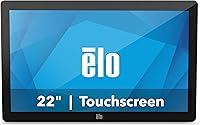
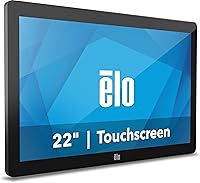
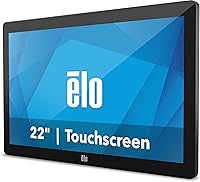
The Elo 2202L 22″ Touchscreen Monitor is not the kind of display you pick up because it appeared in a consumer roundup — it is purpose-built hardware aimed squarely at businesses that need reliable, integrated touch input through a full working day. Elo has long been a fixture in point-of-sale and interactive display markets, and that institutional credibility is evident in how this unit is engineered. No stand is included, and that is intentional: this display is designed to be VESA-mounted into a kiosk, embedded in a counter, or fixed to a wall. If you need a plug-and-play desktop monitor, you are looking at the wrong product.
Features & Benefits

At the core of this commercial touchscreen is Elo's TouchPro PCAP technology, which supports up to 10 simultaneous touch points with consistent accuracy — not just in pristine office conditions, but in the busier, sometimes gloved interactions common across retail and hospitality. The 21.5-inch panel runs at 1920x1080 with a rated brightness of 856.5 nits, which holds up well on lit sales floors and restaurant counters. At just 1.7 inches deep, tight enclosure installations are genuinely practical. Two USB ports handle basic peripheral needs, while the Elo Edge Connect system supports add-ons like barcode scanners, MSRs, and fingerprint readers — though each accessory is sold separately and should be factored into your budget from the start.

Best For

This 22-inch business display makes the most sense for buyers who already know exactly where it will be installed. Retail POS terminals, restaurant kiosks, and hospitality check-in counters are the environments it was built around. Government and enterprise IT teams will appreciate Elo's procurement track record and the certified peripheral ecosystem. AV integrators constructing custom kiosks or enclosures benefit directly from the VESA mount and the slim profile. Rental and staging companies needing a modular, accessory-ready touchscreen for temporary setups will find the form factor well-suited to the task. It is simply not the right fit for anyone expecting a standalone desktop monitor ready to use out of the box.

User Feedback

Buyers who have deployed this commercial touchscreen in high-traffic settings consistently highlight touch responsiveness and build durability as genuine strengths — especially in 24/7 retail or kiosk environments where the display runs without interruption. The high brightness rating earns consistent praise from users operating in well-lit commercial spaces. On the other side, the missing stand catches smaller-business buyers off guard, particularly those unfamiliar with commercial display conventions. Driver setup on non-Windows systems can require extra legwork, and a number of users note the glossy panel becomes a liability when facing direct light sources. For anyone assembling a full POS station, peripheral costs can accumulate faster than initially anticipated.

Pros

  • Touch accuracy is consistent and holds up well under sustained daily use in busy commercial environments.
  • At 856.5 nits, the panel brightness is genuinely practical for retail floors and other well-lit spaces.
  • The 1.7-inch depth makes this commercial touchscreen easy to integrate into tight counter or kiosk enclosures.
  • VESA mount compatibility gives integrators flexibility without requiring proprietary brackets or adapters.
  • Up to 10 simultaneous touch points support interactive applications that go beyond basic single-finger input.
  • Elo’s Edge Connect system provides a structured, certified path for adding MSRs, scanners, and other peripherals.
  • Build quality consistently earns praise from buyers running the display in 24/7 commercial deployments.
  • FHD 1080p resolution is more than adequate for POS software, menu boards, and customer-facing interfaces.
  • Elo’s established presence in commercial display markets means driver support and documentation are accessible.

Cons

  • No stand is included, which adds cost and planning overhead for buyers without an existing mount or enclosure.
  • Edge Connect peripherals are all sold separately, and assembling a full POS setup can push total costs significantly higher.
  • The glossy screen surface picks up glare badly when positioned near windows or under direct overhead lighting.
  • Driver setup on Linux or other non-Windows systems can require extra research and is not straightforward out of the box.
  • Smaller businesses unfamiliar with commercial display ecosystems may find the onboarding curve steeper than expected.
  • No audio output or built-in speakers, which limits use cases that require customer-facing sound without added hardware.
  • At over 10 pounds, repositioning or adjusting the display after installation takes more effort than lighter consumer monitors.
  • The peripheral ecosystem, while broad, locks buyers into Elo’s accessory pricing with limited third-party alternatives.

Ratings

The scores below for the Elo 2202L 22″ Touchscreen Monitor were generated by our AI system after analyzing verified buyer reviews from commercial deployments worldwide, with spam, incentivized submissions, and bot activity actively filtered out. This commercial touchscreen attracts a specific type of buyer — integrators, retail operators, and enterprise IT teams — and the ratings reflect how it performs against that audience’s real expectations. Both the hardware strengths and the practical frustrations that surface in long-term deployments are transparently reflected in every category.
Touch Accuracy
88%
In retail POS and restaurant kiosk environments, users consistently report that touch registration is reliable and correctly positioned even during rapid successive inputs. The PCAP technology handles normal finger contact well, and cashiers or customers using the display for the first time rarely experience misfires during typical transaction flows.
A small segment of users noted occasional calibration drift after extended continuous use, particularly in high-humidity environments. Touch accuracy with gloves — common in food service or medical settings — can be inconsistent depending on glove thickness and material.
Display Brightness
91%
At 856.5 nits, this 22-inch business display outperforms most consumer-grade monitors in brightly lit commercial spaces. Retail operators specifically praise the ability to maintain readable screen content without adjusting brightness settings throughout the day as ambient lighting shifts.
The high brightness rating is a hardware ceiling, not a guarantee of uniform output across all units, and some buyers reported slight variance between panels. In dimly lit environments like intimate restaurant settings, the screen can appear overly bright without adequate software-level dimming controls.
Build Quality
86%
The enclosure feels solid and purpose-built rather than adapted from a consumer product, which matters when a display is being handled daily by staff or customers in a high-traffic environment. Users running the display in 24/7 retail deployments over multiple years report no significant structural degradation.
The glossy bezel around the screen is a fingerprint magnet in customer-facing installations and requires regular cleaning to maintain a professional appearance. A handful of users noted that the plastic housing, while sturdy, does not feel as premium as the price point might suggest when compared to ruggedized industrial displays.
Ease of Integration
79%
21%
Professional AV integrators and system builders highlight VESA compatibility and the slim 1.7-inch depth as genuine time-savers during custom enclosure builds. The standardized mounting pattern eliminates the need for adapter plates in most installations, and the clean cable routing keeps finished builds looking tidy.
For buyers without prior experience integrating commercial displays, the lack of a stand and the assumption of pre-existing mounting infrastructure creates an unexpected barrier to deployment. Small business owners who did not budget for a mounting solution report that the total installation cost exceeded their initial estimate.
Driver & OS Compatibility
67%
33%
On Windows 10 and Windows 11 systems, the display is widely reported to function well after installing Elo’s drivers from their support portal. For IT teams managing standardized Windows-based POS fleets, the setup process is predictable and documented.
Linux users report a notably inconsistent experience, with touch functionality requiring manual kernel-level configuration that is not officially supported or documented by Elo. Non-Windows deployments are a real friction point, and buyers running Android or custom embedded OS environments should confirm compatibility with Elo directly before purchasing.
Multi-Touch Performance
83%
The 10-point touch capability performs well in interactive applications that rely on simultaneous inputs, such as multi-user signing kiosks or collaborative ordering interfaces. Restaurant operators using multi-touch menu applications note that the display keeps up with overlapping finger contacts without input dropping.
For standard single-touch POS applications, the multi-touch capability goes largely unused, making it a specification that justifies cost only in specific deployment contexts. A few users noted that edge-of-screen touch registration is slightly less consistent than inputs made toward the center of the panel.
Peripheral Expandability
74%
26%
The Elo Edge Connect ecosystem gives system builders a structured path to add certified MSRs, barcode scanners, and fingerprint readers directly to the display, keeping the overall installation footprint compact. Integrators building multi-function POS stations appreciate having peripherals attach to the monitor rather than cascading cables back to a separate hub.
Every Edge Connect accessory is sold separately, and assembling a fully equipped POS station can push the total system cost substantially beyond the display price alone. Buyers who assumed peripherals were included — or that third-party accessories would be directly compatible — have expressed frustration at the discovery mid-project.
Image Clarity
81%
19%
FHD 1080p resolution at 21.5 inches produces a pixel density that renders POS interfaces, digital signage, and customer-facing menus with sharp, legible text at typical viewing distances. Color reproduction on the glossy panel is well-regarded for a commercial display in this category.
The glossy surface, while beneficial for color vibrancy, introduces reflections that can undermine image clarity in environments where the light source is positioned directly behind the viewer. For signage applications viewed from an angle, uniformity at the panel edges is average rather than strong.
Glare & Reflection Control
53%
47%
In controlled lighting environments — such as enclosed kiosk bays or counters where light sources are behind the display — the glossy panel causes minimal disruption and the high brightness helps maintain readability. Some hospitality operators in dim dining environments report no practical glare issues at all.
In open retail environments with overhead fluorescent lighting or storefront windows, glare on the glossy screen is a recurring complaint that no brightness adjustment fully resolves. Buyers who needed an anti-glare surface discovered this limitation only after installation, making it one of the more consequential specification details to evaluate before purchasing.
Value for Money
72%
28%
For professional integrators and enterprise buyers who understand exactly what they are purchasing, the pricing reflects the commercial-grade build, certified peripheral ecosystem, and Elo’s institutional support infrastructure. Long-term durability in 24/7 deployments helps justify the investment over a multi-year operational horizon.
Buyers who discover the stand is not included and that peripherals are priced separately often feel the total cost of ownership was understated at the point of purchase. Compared to consumer-grade touchscreen monitors at lower price points, the value proposition only holds if the commercial features are actively being used.
Setup Experience
68%
32%
For experienced integrators, the physical installation is straightforward — VESA mount, cable connections, driver download, and the display is operational. Elo’s support documentation covers Windows-based deployment in sufficient detail for most commercial IT environments.
First-time buyers and small business owners without dedicated IT support consistently describe the initial setup as more involved than expected, particularly around driver installation and touch calibration. The absence of any quickstart guidance tailored to non-technical installers is a missed opportunity for a product at this price tier.
Long-Term Durability
84%
Users who have run the Elo 2202L in continuous commercial operation for one to three years report that the display holds its performance without significant degradation in touch accuracy or panel brightness. The hardware feels engineered for operational longevity rather than planned obsolescence.
A small number of long-term users reported backlight dimming sooner than expected in units running at maximum brightness continuously. Warranty terms and post-warranty repair options are worth reviewing before deployment, as servicing commercial displays outside a support agreement can be costly.
Footprint & Form Factor
87%
At just 1.7 inches deep, this commercial touchscreen fits into enclosure designs where most consumer monitors simply would not clear the depth constraints. The overall dimensions are well-proportioned for a 22-inch class display, and the weight is manageable for wall-mount and counter-mount installations with standard hardware.
Without a stand, the display cannot be placed on a flat surface for evaluation or temporary use without an improvised support solution. Buyers who need to demo the unit before committing to a permanent mount configuration find this inconvenient.

Suitable for:

The Elo 2202L 22″ Touchscreen Monitor is a strong match for businesses and integrators who know exactly what they are building before they order. Retail operators deploying point-of-sale terminals will find the 10-point PCAP touch reliable enough for fast-paced transaction environments, while the high-brightness panel holds up in well-lit store settings without washed-out visuals. Restaurant and hospitality teams building kiosk or check-in stations benefit directly from the slim 1.7-inch depth and VESA-compatible design, which keeps custom enclosure work straightforward. Enterprise IT departments and government procurement teams will appreciate Elo's established track record in commercial hardware, along with the Edge Connect ecosystem that allows certified peripherals to be added as operational needs evolve. AV integrators and system builders working in rental, staging, or fixed-installation environments will find this 22-inch business display unusually easy to work with at the hardware level.
Not suitable for:

Anyone expecting a ready-to-use desktop monitor should look elsewhere — the Elo 2202L 22″ Touchscreen Monitor ships without a stand, and that is not an oversight buyers should plan to work around with a cheap third-party bracket. Home office users, content creators, or general consumers considering this display based on screen size alone will find the price hard to justify given how little of the feature set applies to their daily use. The glossy panel surface, while good for color richness, becomes a real problem in environments with windows or overhead lighting directly facing the screen. Buyers on non-Windows systems should be prepared for additional driver research, as compatibility outside of Windows is not guaranteed and can require meaningful setup time. Small business owners who do not already have a mounting solution or enclosure plan in place will face added costs and complexity that make the total investment significantly higher than the sticker price suggests.
Specifications

  • Screen Size: The active display area measures 21.5 inches diagonally, providing a practical footprint for customer-facing kiosk and POS installations.
  • Resolution: Native resolution is 1920 x 1080 pixels (FHD 1080p), delivering sharp text and clear graphics for business interface applications.
  • Aspect Ratio: The panel uses a standard 16:9 widescreen aspect ratio, compatible with the vast majority of commercial software and media layouts.
  • Touch Technology: TouchPro PCAP (Projected Capacitive) technology enables precise, reliable touch detection across the full screen surface.
  • Touch Points: Up to 10 simultaneous touch inputs are supported, allowing multi-finger gestures and multi-user interaction on a single display.
  • Brightness: Panel brightness is rated at 856.5 nits, which is well above typical consumer monitors and suited for operation in brightly lit commercial spaces.
  • Screen Surface: The display features a glossy screen surface that enhances color depth and contrast, though it can increase glare in high-ambient-light environments.
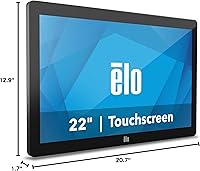
  • Dimensions: Overall unit dimensions are 1.7 x 20.7 x 12.9 inches (depth x width x height), enabling installation in shallow enclosures and tight counter setups.
  • Weight: The display weighs 10.47 pounds without a stand, which should be accounted for when specifying mounting hardware load ratings.
  • Mount Compatibility: The unit is VESA-compatible, allowing integration with standard third-party arms, wall mounts, kiosk brackets, and custom enclosure hardware.
  • Stand: No stand is included in the box; the display is designed for VESA-based mounting rather than freestanding desktop use.
  • USB Ports: Two USB ports are provided onboard for connecting peripherals directly to the display without routing cables back to a host system.
  • Peripheral Ecosystem: Elo Edge Connect ports support a range of certified add-on accessories including magnetic stripe readers, barcode scanners, and fingerprint readers, all sold separately.
  • Model Number: The official Elo model number for this unit is E126096, which should be referenced when ordering compatible accessories or requesting support.
  • Color: The display housing is finished in black, consistent with standard commercial and POS installation aesthetics.
  • Manufacturer: This display is designed and manufactured by Elo Touch Solutions, Inc., a company with an established history in commercial interactive display hardware.
  • Availability: The display was first made available in March 2020 and has not been discontinued by the manufacturer as of the most recent product listing data.

Related Reviews
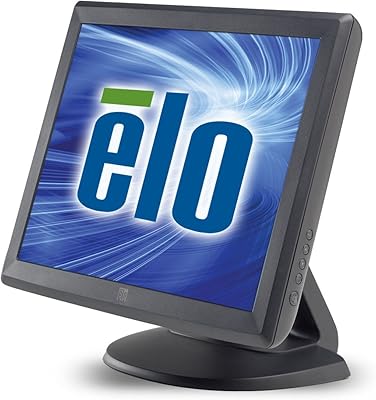
Elo 1515L 15″ Touchscreen Monitor
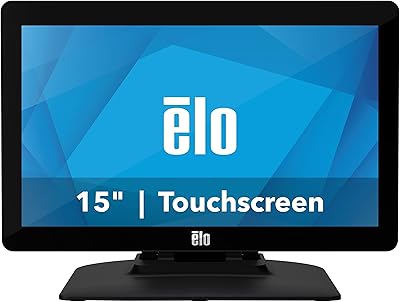
86%
94%
Touch Responsiveness
91%
Build Quality
88%
Installation Flexibility
92%
Durability Against Liquids/Dust
76%
Visual Clarity
More
Elo 1502L 15″ Touchscreen Monitor
84%
94%
Touchscreen Responsiveness
89%
Build Quality and Durability
85%
Image Clarity and Visuals
91%
Ease of Setup
80%
Compatibility with Devices
More
ViewSonic TD2220 22-Inch Touchscreen Monitor
68%
83%
Touch Responsiveness
81%
Build Quality
76%
Screen Clarity
87%
Scratch Resistance
58%
Connectivity
More
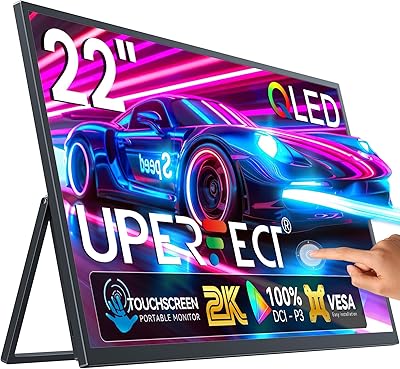
UPERFECT 22″ 2K QLED Portable Touchscreen Monitor
73%
93%
Display Quality
91%
Color Accuracy
58%
Portability
67%
Touchscreen Performance
86%
Build Quality
More
Prechen HD-24 24-Inch Touchscreen Monitor
67%
83%
Touch Responsiveness
78%
Display Quality
81%
Value for Money
71%
Setup Experience
62%
Build Quality
More
Eyoyo EM101T 10-inch Touchscreen Monitor
75%
83%
Touch Responsiveness
78%
Image Quality
91%
Ease of Setup
76%
Build Quality
87%
Input Versatility
More
Samsung S30GD 22″ FHD Monitor
74%
88%
Value for Money
83%
Image Quality
86%
Eye Comfort
41%
Stand & Ergonomics
77%
Build Quality
More
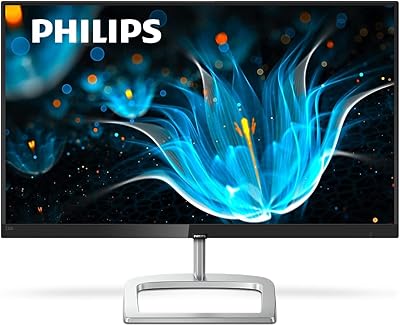
Philips 226E9QDSB 22″ IPS Monitor
78%
91%
Value for Money
83%
Image Quality
88%
Viewing Angles
76%
Build Quality
89%
Bezel Design
More
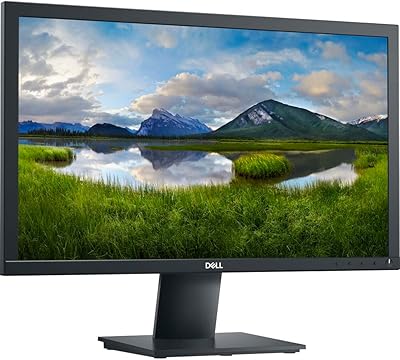
Dell E2220H 22″ LCD Monitor
82%
86%
Display Quality
92%
Value for Money
88%
Ease of Setup
82%
Ergonomics and Comfort
79%
Build Quality
More
Xiaomi A22i 22-Inch FHD Monitor
70%
78%
Value for Money
71%
Image Quality
84%
Design & Build
52%
Stand & Ergonomics
81%
Eye Comfort
More

FAQ

No stand is included, and that is by design. The Elo 2202L 22″ Touchscreen Monitor is built for VESA-mount integration into kiosks, counters, or wall installations. If you need a freestanding setup, you will need to source a compatible VESA stand separately — just confirm the mount pattern matches before purchasing.

In most cases, yes. The display is well-tested on Windows environments, and Elo provides driver support through their website. Most modern Windows POS platforms recognize it without much friction. That said, it is worth downloading the latest Elo drivers before deployment rather than relying solely on the plug-and-play detection.

It is possible, but plan for some extra setup work. Linux support depends heavily on the kernel version and distribution you are running, and touch functionality may require manual driver configuration. Android compatibility varies by device and is not officially guaranteed. Windows remains the most straightforward operating environment for this commercial touchscreen.

Elo’s Edge Connect ecosystem supports accessories like magnetic stripe readers, barcode scanners, and fingerprint readers. These attach directly to the display rather than running separate cables to your host PC, which keeps installations clean. Keep in mind that every accessory is sold separately, and using certified Elo peripherals is recommended to ensure compatibility.

Yes, this is exactly the environment it is built for. The PCAP touch technology registers inputs reliably with normal finger contact, and the 10-point multi-touch capability means it handles rapid sequential taps without missing inputs. Users running it in high-volume retail and restaurant settings report consistent performance through full business days.

It depends entirely on your lighting setup. The 22-inch business display has a high-brightness panel that compensates reasonably well, but if you have windows or overhead lights positioned directly in front of the screen, glare will be noticeable. For environments where light sources are controlled or behind the customer, it is rarely an issue in practice.

Many commercial buyers deploy it in exactly that way. The hardware is rated for commercial use, and user reports from 24/7 deployments in retail and hospitality settings are generally positive about long-term reliability. That said, confirm your specific operational requirements with Elo’s official product documentation and warranty terms before committing to a round-the-clock installation.

The 02-Series Elo displays in this family typically support HDMI and VGA inputs, though you should verify the exact I/O configuration against the official Elo datasheet for model E126096 before ordering. Input options are a critical compatibility check for any POS or kiosk integration project.

Elo generally recommends using a soft, damp cloth for routine cleaning and advises checking their official cleaning guidelines before using chemical-based products. Harsh solvents can damage the screen coating over time. In healthcare or high-sanitation environments, Elo does offer specific models and coating options designed for more aggressive cleaning protocols, so it is worth verifying this unit meets your hygiene requirements.

It depends on how prepared you are for the integration work involved. The display itself is well-engineered, but without a stand, and with peripherals sold separately, the total cost and setup complexity can catch first-time buyers off guard. If you have a clear mounting plan and a compatible POS system ready to go, it is a solid choice. If you are starting from scratch, budget time and money for the surrounding hardware before you commit.

Where to Buy