Overview

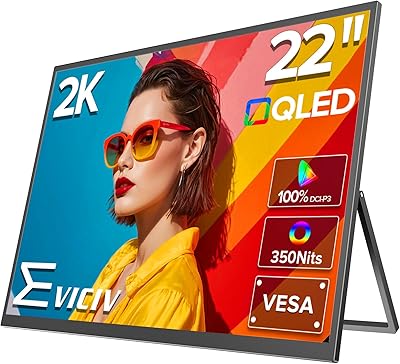
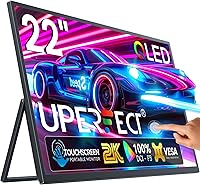
The UPERFECT 22″ 2K QLED Portable Touchscreen Monitor occupies a genuinely uncommon position in the portable display market — at 22 inches, it is considerably larger than the 15- and 16-inch screens most portable monitors offer. That extra screen real estate is noticeable the moment you set it up. This is a mid-to-premium purchase, and the investment goes toward a QLED panel at 2K QHD resolution rather than the standard IPS displays found at lower price points. The audience is fairly specific: mobile professionals who want a near-desktop second screen on the road, and gamers who want larger, richer visuals without being tethered to a fixed setup.
Features & Benefits

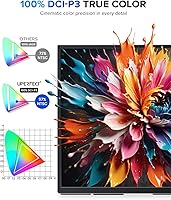
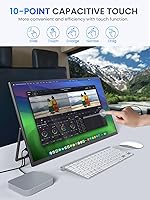
DCI-P3 color coverage at 100% is where this portable monitor genuinely stands apart from cheaper options — colors look rich and accurate rather than washed out, which matters whether you are editing photos or just watching a film after a long work day. The 10-point touchscreen works well on Windows, but Apple users should know upfront: iOS and iPadOS get no touch support at all, and macOS is capped at two-touch input. Connectivity is solid, with dual USB-C 3.1 ports and a mini HDMI covering most device combinations. The 180-degree kickstand and VESA mount give real flexibility for desk or travel setups. AMD FreeSync helps with gaming smoothness, though at 60Hz this stays in casual gaming territory.

Best For

The UPERFECT 22-inch QLED display makes the most sense for remote workers and freelancers who regularly work from hotels or co-working spaces and want a proper second screen rather than squinting at a single laptop display. Color-sensitive professionals — photo editors, graphic designers — will appreciate the DCI-P3 accuracy more than most. It also works well for gamers who travel with a console or gaming laptop and need a bigger, sharper screen than their built-in panel can offer. That said, if you need to pack light or you are primarily an iPad or iPhone user expecting touch functionality, this is not the right fit. At 8.27 lbs, it is not a casual carry.

User Feedback

Buyers generally rate this travel-friendly second screen at 4.5 stars, and the consistent praise lands on display quality and color vibrancy — many reviewers note it looks closer to a desktop monitor than anything portable they have used before. Build quality also gets strong marks, and the kickstand earns respect for holding steady at various angles. The complaints are worth knowing: the glossy panel creates real glare in bright environments, the weight catches buyers off guard, and Apple users who expected full touch on their iPad come away disappointed. On the positive side, most Windows laptop users report that single-cable USB-C setup works without any fuss.

Pros

  • The QLED panel with 100% DCI-P3 coverage produces colors that look rich and accurate straight out of the box.
  • At 22 inches, this portable monitor offers significantly more screen real estate than most competitors in its category.
  • 2K QHD resolution keeps text sharp and images detailed, making extended work sessions noticeably more comfortable.
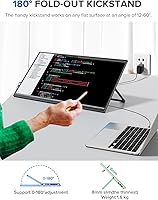
  • The 180-degree adjustable kickstand holds firm at a wide range of angles and feels more stable than typical fold-out stands.
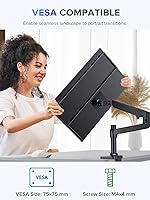
  • VESA mount support adds long-term versatility for users who want a semi-permanent desk setup between trips.
  • Single-cable USB-C connectivity works reliably with most modern Windows laptops, keeping your desk setup clean.
  • AMD FreeSync reduces screen tearing during gaming and video playback without requiring any manual configuration.
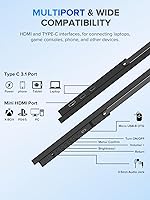
  • The dual USB-C 3.1 ports plus mini HDMI cover an unusually broad range of devices, from laptops to consoles.
  • Build quality feels solid and intentional, not flimsy, which buyers consistently note as a positive surprise.
  • HDR support adds visible depth to compatible content, particularly in darker scenes during streaming or gaming.

Cons

  • At 8.27 lbs, this travel-friendly second screen is heavy enough to noticeably affect what you can comfortably carry.
  • iOS and iPadOS users get zero touch support, making the touchscreen feature irrelevant for that entire device ecosystem.
  • The glossy screen surface creates real glare problems in bright indoor and outdoor environments.
  • 60Hz refresh rate limits appeal for competitive gamers who rely on higher frame rates for performance.
  • macOS touch support is capped at two fingers, which falls well short of the advertised 10-point touch experience.
  • 300 nits brightness is adequate indoors but struggles in high-ambient-light environments where visibility matters.
  • The mini HDMI port requires a separate adapter or cable for users whose devices only carry full-size HDMI.
  • No included carrying case means buyers need to source their own protective solution for travel, adding extra cost.
  • The larger footprint requires more bag space than typical portable monitors, limiting pack-and-go convenience.
  • At this price point, buyers expecting a power delivery passthrough for charging a laptop simultaneously may be disappointed.

Ratings

Our AI rating engine analyzed verified global buyer reviews for the UPERFECT 22″ 2K QLED Portable Touchscreen Monitor, actively filtering out incentivized, duplicate, and bot-generated submissions to surface genuine user sentiment. The scores below reflect both what buyers consistently celebrate and the real frustrations that surface after extended daily use. Nothing is glossed over — the highs and the pain points are weighted equally.

Display Quality
93%
Buyers regularly describe the QLED panel as the biggest reason they chose this monitor over cheaper alternatives, noting that colors look rich and accurate from the moment it powers on. Photo editors and designers in particular report that skin tones and gradients hold up in ways that budget IPS portable panels simply do not.
A small but consistent group of reviewers notes that the panel's glossy finish can create visible color shifts at extreme viewing angles, and HDR performance, while present, does not dramatically transform the image the way it does on higher-brightness displays.
Color Accuracy
91%
The 100% DCI-P3 coverage earns genuine praise from creative professionals who use this travel-friendly second screen for color grading and retouching on location. Multiple buyers specifically mention that calibration out of the box requires minimal adjustment compared to similarly priced portable monitors.
A few professional users note that without a hardware colorimeter to verify factory calibration, trusting the DCI-P3 claim for mission-critical print work requires a leap of faith. The glossy surface can also introduce perceived color shifts under strong ambient light.
Portability
58%
42%
The slim 0.79-inch profile and relatively compact footprint for a 22-inch screen make it manageable in larger laptop bags and backpacks when desk space or hotel room setups are the destination. Buyers who drive to client sites or check luggage regularly find the size-to-quality trade-off worthwhile.
At 8.27 lbs, this portable monitor is genuinely heavy by category standards — most competing portable displays land well under 4 lbs, and buyers who underestimated the weight report real regret after carrying it through airports or on public transit for a full day.
Touchscreen Performance
67%
33%
On Windows laptops, the 10-point touch response is quick and accurate enough for everyday navigation, annotation tasks, and casual creative work. Buyers using it as a Windows secondary screen for note-taking or stylus-adjacent work describe the touch layer as a natural addition to their workflow.
The complete absence of touch support on iOS and iPadOS is a frequent and sharp complaint from Apple device users who purchased this monitor expecting full functionality. Even macOS users face a two-touch cap, which makes the touchscreen feel like a limited bonus rather than a core feature for that audience.
Build Quality
86%
The chassis feels solid and deliberate rather than hollow or plasticky, which buyers frequently contrast against cheaper portable monitors they have previously owned. The kickstand mechanism in particular draws consistent praise for holding its chosen angle without creeping or wobbling during normal desk use.
A handful of reviewers report minor cosmetic quality inconsistencies around the port area and edges, and a few note that the glossy back panel shows fingerprints heavily, which becomes noticeable in professional settings or when the monitor is handled frequently.
Stand & Ergonomics
82%
18%
The 180-degree adjustable kickstand gives buyers meaningful flexibility, whether they are propping it nearly flat for touch interaction or standing it fully upright as a productivity display. VESA compatibility adds genuine long-term value for users who later move it to a monitor arm at a home office.
On soft surfaces like beds or upholstered chairs, the stand's stability decreases noticeably with the monitor's heavier weight, and several buyers caution that steeper downward angles create a real tipping risk. UPERFECT includes a warning about this in the product itself.
Connectivity
84%
The dual USB-C 3.1 ports cover the majority of modern laptop setups, and the added mini HDMI means gaming console users and older laptops are not left out. Most Windows buyers report that single-cable USB-C just works without installing drivers or adjusting settings.
The mini HDMI format requires a dedicated cable or adapter that does not come universally included, which catches some buyers off guard. A small subset of users also reports inconsistent behavior with certain USB-C hubs or docks, requiring them to connect directly to the laptop rather than through a hub.
Gaming Performance
63%
37%
AMD FreeSync noticeably reduces screen tearing during casual gaming on a laptop or console, and the larger 22-inch QLED screen makes games look significantly more immersive than a built-in laptop display ever could. For RPGs, open-world titles, and cinematic games, the visual quality holds up well.
At 60Hz and 300 nits brightness, this is not a display that competitive or fast-paced gamers should lean on — response time and refresh rate limitations become obvious in shooters or fighting games where every frame matters. This is a casual gaming screen, not a performance one.
Brightness
66%
34%
In controlled indoor environments — hotel rooms, dim offices, home setups — 300 nits delivers a clean, comfortable image that does not cause eye fatigue during long work sessions. The QLED panel makes the most of available brightness, so content looks punchier than the nit rating alone might suggest.
In naturally lit spaces or near windows, 300 nits starts to feel limiting, and the glossy surface compounds the problem by adding reflections on top of the reduced visibility. Buyers who frequently work in cafes or bright conference rooms find this a recurring frustration.
Glare & Reflections
52%
48%
In low-light and artificially lit environments, the glossy surface enhances perceived color depth and contrast, which is part of why the display looks so vibrant in controlled conditions. Buyers who primarily use it in hotel rooms or home offices rarely flag glare as a meaningful issue.
Outdoors or near sunlit windows, the glossy screen becomes a genuine usability problem, with reflections strong enough to obscure content entirely in some lighting conditions. This is the single most common environmental complaint from buyers who work in varied or unpredictable light settings.
Setup Experience
81%
19%
For Windows users, the out-of-box setup experience is genuinely smooth — plug in a USB-C cable and the display is recognized within seconds, with touch functionality activating automatically. Buyers consistently describe it as one of the less frustrating peripheral setups they have experienced.
macOS users occasionally encounter resolution detection issues requiring manual configuration in display preferences, and the mini HDMI path requires sourcing the right cable before setup can even begin. A brief but clear setup guide in the box would reduce first-time friction.
Value for Money
74%
26%
Buyers who compare this portable monitor against equivalently specced desktop monitors are generally impressed by what the price delivers — a QLED panel, 2K resolution, and 100% DCI-P3 in a portable format is genuinely difficult to find at this tier. For color professionals who travel regularly, the value calculation is clear.
For buyers who do not need color accuracy or a large portable screen, the price is harder to justify when lighter, cheaper 1080p portable monitors handle basic productivity just as well. Apple users who discover the touch limitations post-purchase often feel the premium price was not fully earned for their use case.
macOS Compatibility
61%
39%
The UPERFECT 22-inch QLED display does function as a secondary display on macOS without issues — resolution is correctly detected in most cases and the image quality holds up well with MacBooks. For pure display extension use without touch, Mac users generally report a positive experience.
The two-touch cap on macOS is a significant limitation that undermines the monitor's identity as a touchscreen device for that platform, and some buyers note occasional handshake delays when waking a MacBook from sleep while connected. iOS and iPadOS users should consider this display touch-incompatible entirely.
Packaging & Accessories
69%
31%
The monitor arrives well-protected, and buyers generally report no damage on arrival even after longer shipping routes. Included cables cover the basic USB-C setup, which means most buyers can get running immediately without a separate accessory purchase.
No carrying case or sleeve is included despite the premium price positioning, which feels like an oversight for a monitor marketed as a travel companion. Buyers who want protection in transit need to budget for a separate case, which adds cost and inconvenience.

Suitable for:

The UPERFECT 22″ 2K QLED Portable Touchscreen Monitor is genuinely well-suited for remote workers and freelancers who spend significant time working from hotels, co-working spaces, or client offices and want a second screen that actually feels like a proper display rather than a compromise. If your work involves color-sensitive tasks — photo editing, graphic design, video review — the 100% DCI-P3 QLED panel delivers the kind of accuracy that most portable monitors at this size simply cannot match. Windows laptop users in particular will get the full experience, including the 10-point touch functionality over a single USB-C cable, which keeps desk setups clean and adaptable. Gamers who travel with a console or gaming laptop and want a noticeably larger, sharper screen than their built-in panel will also find this a credible option for casual and mid-level gaming. The VESA mount compatibility adds long-term flexibility for anyone who wants to use it as a semi-permanent desktop display when not on the road.

Not suitable for:

Buyers who prioritize ultralight, minimalist travel setups should think carefully before purchasing this portable monitor — at 8.27 lbs, it is substantially heavier than the typical portable display and will be felt in a backpack over a long travel day. Apple users expecting full touch interaction should be aware of a significant limitation: iOS and iPadOS receive no touch support whatsoever, and macOS is restricted to just two-touch input, which undermines a core selling point for that audience. Competitive gamers will also find this display falls short of their needs — 60Hz and 300 nits brightness are perfectly adequate for casual use but do not meet the demands of fast-paced gaming where high refresh rates and peak brightness matter. Anyone working frequently in bright, sunny environments — outdoor cafes, well-lit conference rooms — may find the glossy screen surface creates persistent glare that becomes genuinely distracting. If your primary goal is a lightweight, budget-friendly secondary display for basic productivity, this price tier buys more than you may need.

Specifications

  • Screen Size: The display measures 22 inches diagonally, making it one of the larger portable monitors available in this category.
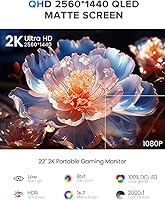
  • Resolution: Native resolution is 2560×1440 pixels (QHD 2K), delivering noticeably sharper text and images than a standard 1080p portable panel.
  • Panel Type: Uses a QLED panel, which produces richer saturation and deeper contrast compared to typical IPS panels found in most portable monitors.
  • Color Coverage: Covers 100% of the DCI-P3 color space, making it suitable for color-accurate work such as photo editing and graphic design.
  • Brightness: Rated at 300 nits, which is adequate for indoor use but may show limitations in high-ambient-light environments.
  • Contrast Ratio: Specified contrast ratio is 1000:1, providing reasonable depth between dark and light areas of the image.
  • Refresh Rate: Operates at a fixed 60Hz refresh rate, appropriate for productivity and casual gaming but not suited for competitive or high-frame-rate gaming.
  • Adaptive Sync: Supports AMD FreeSync, which reduces screen tearing during gaming and video playback without requiring manual setup.
  • HDR Support: HDR is supported, adding visible depth and detail to compatible content in darker and high-contrast scenes.
  • Touch Input: Supports 10-point touch on Windows; macOS is limited to 2-touch input; iOS and iPadOS receive no touch support.
  • Ports: Equipped with two USB-C 3.1 ports and one mini HDMI port, covering connections to laptops, PCs, and gaming consoles.
  • Aspect Ratio: Standard 16:9 widescreen aspect ratio, consistent with most laptop displays and desktop monitors.
  • Screen Surface: Glossy screen surface enhances color vibrancy but can produce noticeable glare in brightly lit environments.
  • Stand: Features a patented 180-degree adjustable kickstand that allows a wide range of viewing angles from nearly flat to fully upright.
  • VESA Mount: VESA mount compatibility is included, allowing the monitor to be attached to standard monitor arms or wall mounts.
  • Dimensions: Physical dimensions measure 19.29 × 11.02 × 0.79 inches, giving it a slim profile despite its large screen size.
  • Weight: Weighs 8.27 lbs, which is heavier than the majority of portable monitors currently on the market.
  • Model Number: The official model number is 245T02, manufactured by UPERFECT.

Related Reviews

EVICIV 22-inch QLED 2K Portable Monitor
81%
91%
Color Accuracy
93%
Screen Size & Workspace
67%
Portability & Weight
72%
Kickstand & Ergonomics
88%
Image Sharpness
More
UPERFECT 18″ 2K 144Hz Portable Monitor
87%
94%
Display Quality
89%
Gaming Performance
93%
Portability & Size
88%
Ease of Setup
85%
Build Quality
More
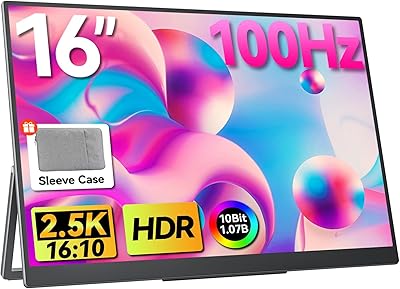
UPERFECT 1602K 16″ 2K Portable Gaming Monitor
79%
91%
Display Clarity
88%
Gaming Performance
93%
Portability & Form Factor
84%
Connectivity
67%
Stand & Cover
More
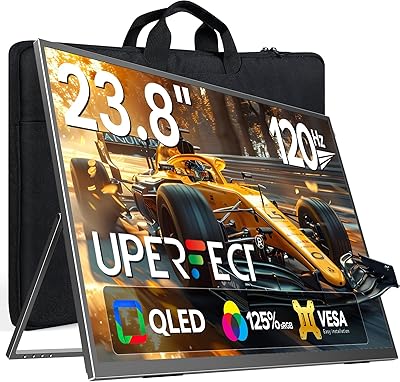
UPERFECT 24″ QLED 120Hz Portable Monitor
89%
94%
Display Quality
90%
Portability
88%
Ease of Setup
92%
Color Accuracy
89%
Refresh Rate Performance
More
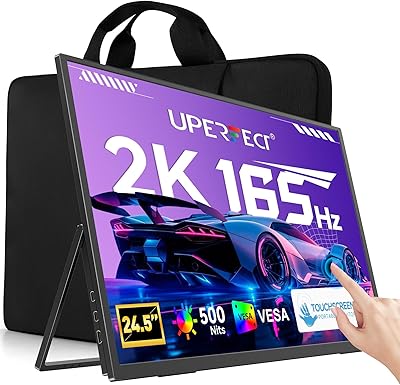
UPERFECT 24.5″ 2K Touchscreen Monitor MT05
89%
95%
Display Clarity
92%
Color Accuracy
90%
Touch Responsiveness
93%
Gaming Performance
88%
Build Quality
More
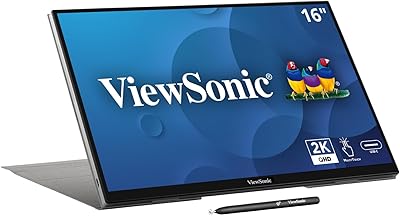
ViewSonic TD1656-2K 16-inch Touchscreen Portable Monitor
80%
93%
Display Sharpness
74%
Touch Responsiveness
91%
USB-C Connectivity
88%
Portability
86%
Build Quality
More
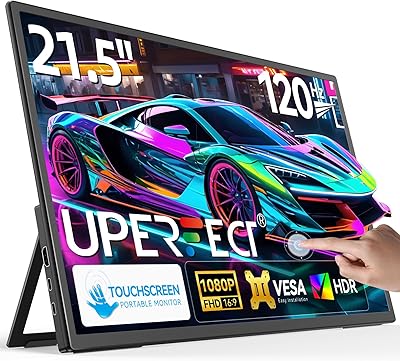
UPERFECT 21.5-inch 120Hz Touchscreen Portable Monitor
75%
88%
Screen Size Impact
84%
Refresh Rate Performance
71%
Touchscreen Responsiveness
46%
Portability & Weight
79%
Image & Color Quality
More
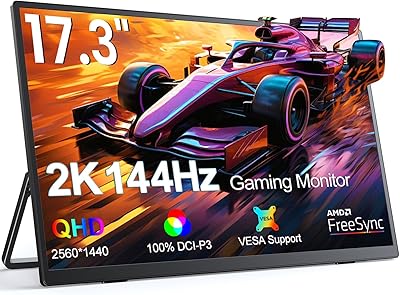
UPERFECT 17.3-inch 2K 144Hz Portable Gaming Monitor
86%
91%
Display Quality
95%
Portability
90%
Gaming Performance
88%
Ease of Setup
83%
Build Quality
More
Eyoyo EM12-2K 12-inch 2K Portable Monitor
75%
88%
Image Sharpness
79%
Color Accuracy
83%
Build Quality
91%
Portability
67%
Stand & Mounting Versatility
More
Elo 2202L 22″ Touchscreen Monitor
83%
91%
Touchscreen Performance
88%
Display Quality
84%
Build Durability
87%
Mounting Flexibility
89%
Ease of Setup
More

FAQ

For most modern Windows laptops with a USB-C port that supports DisplayPort Alt Mode and power delivery, a single cable handles both video signal and power simultaneously. That said, the experience can vary by laptop brand and port capability, so it is worth checking your laptop specs before assuming one-cable setup will work for you.

Unfortunately, no. The UPERFECT 22″ 2K QLED Portable Touchscreen Monitor does not support touch input on iOS or iPadOS at all — this is a platform-level limitation, not a defect. You can still use it as a secondary display via a compatible adapter, but touch functionality will be completely inactive.
The glossy finish does create real glare in bright environments. Near a sunlit window or under strong overhead lighting, reflections can become genuinely distracting. If your typical workspace is well-controlled in terms of lighting, it is manageable, but if you work outdoors or in a very bright room, a matte-screen portable monitor would serve you better.

By portable monitor standards, yes — 8.27 lbs is meaningfully heavier than most competitors in this category, which typically land between 2 and 4 lbs. If you are packing a laptop, charger, and other gear, this monitor will add significant bag weight. It is best thought of as a travel monitor for checked baggage or car travel rather than an everyday carry in a shoulder bag.

Yes, the mini HDMI port makes connecting a gaming console straightforward. For Switch, you can use it in docked mode via the mini HDMI cable. Just keep in mind that you will need a mini HDMI cable or a standard HDMI to mini HDMI adapter, as the port size differs from full-size HDMI.

On a compatible Windows machine, 10-point touch is responsive and works well for basic touch navigation, annotation, and casual drawing. It is not a replacement for a dedicated drawing tablet if you need fine stylus input, but for everyday touch interaction it performs reliably over a single USB-C connection.

The 180-degree adjustable kickstand is sturdy on hard, flat surfaces and gets strong marks from buyers for stability on desks. On soft or uneven surfaces like beds or cushions, the wider footprint of a 22-inch screen combined with the heavier weight means it can feel less secure — UPERFECT themselves recommend keeping it near eye level and avoiding steep downward angles to prevent tipping.

Absolutely, and many buyers do exactly that. The VESA mount compatibility means you can attach it to a standard monitor arm for a clean desk setup. The resolution and color accuracy make it a capable everyday display, and the kickstand works well if you prefer not to use a mount.

It draws power through the USB-C connection, so in most single-cable setups no separate power brick is needed. However, if you connect via mini HDMI for video, you will need to supply power separately through one of the USB-C ports using a compatible charger or power bank.

The QLED panel with 100% DCI-P3 coverage holds up surprisingly well against budget desktop monitors, and several buyers explicitly make that comparison in reviews. At 2K QHD resolution on a 22-inch screen the pixel density is sharp and text is clean. Where it falls short of dedicated desktop displays is brightness — 300 nits is fine indoors but desktop monitors often go significantly higher — and the 60Hz refresh rate, which limits gaming performance.