Overview

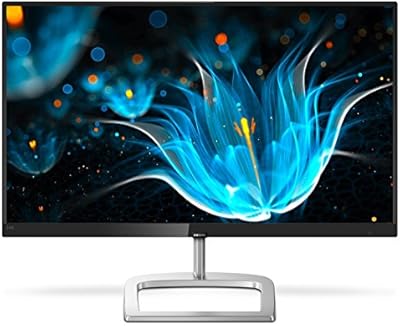
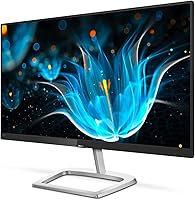
The Philips 226E9QDSB 22″ IPS Monitor has been a quiet staple in the budget display market since its 2018 launch, and its staying power says something. This 22-inch frameless display isn't trying to compete with color-grading workhorses or high-refresh gaming panels — it's built for people who need a dependable, good-looking screen for everyday work. What makes it stand out at this price tier isn't just the slim bezels; it's the 4-year advance replacement warranty, which is genuinely rare among monitors in this range. Go in with the right expectations and it rarely disappoints.

Features & Benefits

The IPS panel is the core reason to choose this 22-inch frameless display over a similarly priced TN alternative. Colors stay consistent whether you're sitting directly in front of it or glancing from an angle — a real plus in shared office spaces or side-by-side dual-monitor setups. The ultra-narrow bezels make those arrangements look genuinely clean. At 1920x1080 on a 22-inch screen, pixel density is comfortable for text, spreadsheets, and browser work. AMD FreeSync at 75Hz adds a light smoothness boost for casual gaming, but don't mistake it for a high-refresh panel. The matte screen surface and VESA compatibility round out a practical, well-considered feature set.

Best For

This Philips IPS monitor makes the most sense for home office users who want a reliable primary or secondary screen without overspending. Students building a dual-monitor desk on a tight budget will appreciate the slim bezel design — two of these side by side look far more polished than you'd expect. Small business owners will find the four-year warranty particularly valuable; replacing failed monitors across a team is a real operational headache, and that coverage takes the edge off. Casual gamers can enjoy the FreeSync smoothness for lighter titles. That said, if you need photo-accurate color, a 144Hz panel, or height adjustment, look elsewhere.

User Feedback

With over 5,000 ratings averaging 4.6 stars, the 226E9QDSB has clearly earned its audience. Buyers consistently mention how good the image looks straight out of the box — colors that don't need much tweaking — and appreciate how quick the setup is. The slim bezels get regular compliments, especially from people running dual-monitor rigs. The most common complaint, and it comes up often enough to take seriously, is the stand's limited adjustability. Tilt is your only option; no height or pivot, which frustrates ergonomics-conscious users. A few wish the refresh rate went higher, though most find 75Hz perfectly adequate for everyday tasks.

Pros

  • IPS panel delivers noticeably better color consistency than TN displays at a comparable price.
  • Ultra-narrow bezels make this 22-inch frameless display an excellent candidate for clean dual-monitor arrangements.
  • The 4-year advance replacement warranty is genuinely uncommon in this price tier and adds real peace of mind.
  • Full HD resolution on a 22-inch screen hits a comfortable pixel density for text-heavy work and browsing.
  • Matte screen coating cuts down glare effectively in brighter office and home environments.
  • AMD FreeSync at 75Hz adds a welcome smoothness for casual gaming without requiring a premium investment.
  • VESA compatibility gives users flexibility to mount it on an arm or wall if the included stand is limiting.
  • Setup is consistently reported as quick and straightforward — out of the box and ready in minutes.
  • Image quality out of the box is well-regarded, with colors that need little to no manual calibration for everyday use.
  • Proven market longevity since 2018, with over 5,000 ratings, suggests reliable build quality and consistent performance.

Cons

  • The stand only tilts — no height adjustment, swivel, or pivot, which limits ergonomic flexibility considerably.
  • 75Hz refresh rate feels adequate for everyday tasks but is a real ceiling for anyone who games more than casually.
  • No built-in speakers, so users need external audio for any media or video call setup.
  • 250 cd/m² brightness is on the modest side and may struggle in very bright or sunlit rooms.
  • Port selection is basic, which can be a friction point for users juggling multiple devices or newer hardware.
  • At 22 inches, the screen real estate is tight for multitasking workflows that benefit from more desktop space.
  • The 226E9QDSB offers no USB hub functionality, an omission increasingly common on rival monitors in this class.
  • Contrast performance is typical for IPS panels — blacks appear grayish in dark rooms compared to VA alternatives.

Ratings

The scores below reflect AI-driven analysis of thousands of verified global user reviews for the Philips 226E9QDSB 22″ IPS Monitor, with spam, bot-generated, and incentivized submissions actively filtered out. Each category is scored independently to give you a transparent, honest picture of where this display genuinely excels and where real buyers have run into frustration. Both the standout strengths and the recurring pain points are represented without softening either side.

Value for Money
91%
Buyers consistently feel they got more than they paid for, particularly when factoring in the IPS panel quality and the four-year advance replacement warranty — a combination that is hard to find at this price tier. For home office workers and students on a budget, the cost-to-capability ratio is a recurring highlight in reviews.
A small segment of buyers feel the value calculation shifts if you need a monitor arm to compensate for the stand's limitations, since that adds to the real-world cost. Those comparing it against newer budget competitors with USB-C or better ergonomics sometimes feel the price advantage is narrower than it appears.
Image Quality
83%
The IPS panel delivers noticeably accurate, well-balanced colors that hold up across a wide range of everyday tasks — from spreadsheets to streaming video. Most users report the display looks excellent straight out of the box, with minimal need for manual calibration in typical lighting conditions.
Contrast performance is limited in the way typical of IPS technology — blacks look noticeably gray in dark room conditions, which some users find distracting during evening viewing. Brightness peaks at 250 cd/m², which can feel insufficient in particularly bright or sunlit workspaces.
Viewing Angles
88%
The 178-degree horizontal and vertical viewing angles are one of this display's most practical advantages, especially for users sharing a screen with a colleague or setting up a monitor off to the side of their primary workspace. Colors and brightness remain consistent well beyond the point where a TN panel would start to shift and wash out.
While the viewing angles are genuinely strong for the category, some users notice a slight color shift at extreme angles that is more noticeable on dark or heavily saturated content. This is largely a characteristic of IPS panels in general rather than a specific flaw of this model.
Build Quality
76%
24%
The overall construction feels solid for its weight class, and the slim profile gives it a cleaner, more expensive appearance than many competing displays in the same price bracket. The panel itself shows little flex, and the chassis holds alignment well over extended use.
The plastic materials used in the stand and rear housing feel noticeably budget-grade up close, and a number of users have noted the stand connection point feels less rigid than ideal. It is not fragile, but buyers accustomed to premium build quality will feel the difference.
Bezel Design
89%
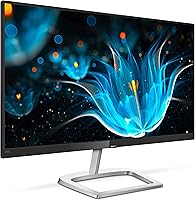
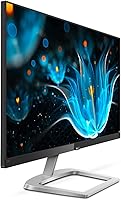
The ultra-narrow frameless bezels are frequently cited as one of the most satisfying aspects of this display, particularly by users running dual-monitor setups where a thick border between panels would be visually disruptive. The clean, minimal aesthetic looks noticeably more modern than what most competing displays at this price offer.
The slim bezel is a genuine visual plus, but it does mean there is less structural material around the screen edges, which some users feel contributes to minor flex when pressing near the corners. The bottom chin is slightly thicker than the other three sides, which is a minor cosmetic inconsistency.
Ergonomics & Stand
44%
56%
The included stand is stable and keeps the monitor firmly in place on a desk without any wobble during normal use. For users whose desk setup naturally places the monitor at the right height, the tilt adjustment is sufficient to fine-tune the viewing angle without any additional accessories.
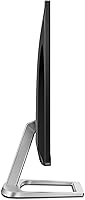
This is the most consistently criticized aspect of the 226E9QDSB — the stand only tilts, with no height adjustment, swivel, or pivot whatsoever. Users who sit tall, use the monitor as a secondary display at an offset position, or have ergonomic requirements will almost certainly need to purchase a separate monitor arm to make this display comfortable for extended use.
Gaming Performance
67%
33%
AMD FreeSync at 75Hz provides a tangible improvement over a standard 60Hz display — motion feels smoother during casual gameplay, and screen tearing is noticeably reduced when paired with a compatible AMD graphics card. For users who play relaxed genres like strategy, RPGs, or simulation titles, the performance is genuinely adequate.
Anyone who plays fast-paced competitive titles will quickly feel the ceiling of a 75Hz panel, especially compared to the 144Hz or higher refresh rates now available at similar price points. Input lag is acceptable but not exceptional, and the response time falls short of what dedicated gaming monitors offer.
Screen Glare & Coating
82%
18%
The matte anti-glare coating handles reflections effectively in typical indoor environments, and users working near windows or under overhead lighting report far fewer distracting reflections than they experienced on glossy displays. This is a practical daily benefit that many buyers explicitly call out in positive reviews.
The matte coating does slightly soften fine image detail and can make colors appear a touch less vibrant compared to glossy IPS panels. In very dark or controlled lighting environments, some users feel the coating adds an unwanted grainy quality to solid color gradients.
Connectivity
61%
39%
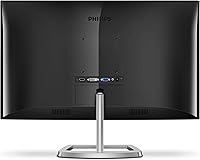
The inclusion of HDMI, DVI-D, and VGA covers the most common connection scenarios for desktop users and older hardware, making it straightforward to connect to a wide range of computers without adapters. Most home and office setups will find at least one of the available ports usable out of the box.
There is no DisplayPort, no USB-C, and no USB hub — omissions that are increasingly noticeable as newer laptops and workstations move away from legacy ports. Users with modern hardware or those who want to route peripherals through the monitor will likely need adapters or workarounds, which adds friction to an otherwise simple setup.
Setup & Ease of Use
93%
Setup is one of this display's clearest strengths — stand assembly is minimal, cable connections are straightforward, and the on-screen menu is simple enough that most users never consult the manual. Reviewers frequently mention being up and running in under ten minutes, which matters for business deployments and first-time monitor buyers alike.
The on-screen display menu, while functional, uses a joystick-style button arrangement on the rear of the panel that some users find slightly awkward to navigate by feel. Brightness and input switching adjustments are not immediately intuitive until you spend a few minutes with the controls.
Warranty & Support
94%
The four-year advance replacement warranty is the single most compelling differentiator this display has over its direct competition — Philips ships a replacement before the defective unit is returned, which dramatically reduces downtime. Users who have gone through the replacement process report that Philips honored the warranty without significant friction.
Warranty coverage is limited to the United States, which means international buyers do not benefit from the same terms and should verify local support options before purchasing. A small number of users report longer-than-expected wait times for replacement units during peak periods, though this appears to be the exception rather than the rule.
Multi-Monitor Suitability
86%
The narrow bezels and consistent IPS color reproduction make this one of the more practical budget options for side-by-side dual-monitor arrangements, where matching color temperature and minimizing the visual gap between panels both matter. Users setting up productivity workstations with two units report a clean, cohesive look.
The stand's lack of height and swivel adjustment makes it harder to align two of these monitors precisely without a monitor arm, which adds cost and complexity to what should be a simple dual-screen setup. Users who want their monitors tilted inward at slight angles will have no native way to achieve that with the included hardware.
Color Accuracy
72%
28%
For everyday productivity work — documents, web browsing, video calls, and casual media consumption — the color output is accurate enough that most users will not feel the need to run a calibration profile. The IPS advantage over TN is immediately apparent to anyone who has used both panel types.
This is not a display for color-critical work. Photographers, video editors, and graphic designers will find the color gamut and factory calibration insufficient for any professional output. There is no hardware calibration support, and wide color gamut coverage is not a feature this panel is designed to offer.
Brightness & Visibility
68%
32%
At 250 cd/m², the display is comfortable for typical indoor office and home use, particularly in controlled lighting environments where the matte coating further reduces the need for maximum brightness. Most users working in standard rooms find the brightness ceiling completely adequate.
In bright or naturally lit rooms, the 250 cd/m² peak can feel limiting — sunlight from a window behind or beside the user can wash out the image in ways that a higher-brightness panel would handle more gracefully. Users who frequently work in variable or high-ambient-light environments may find themselves pushing the brightness slider to its limit more often than they would like.

Suitable for:

The Philips 226E9QDSB 22″ IPS Monitor is a strong fit for anyone who needs a dependable everyday display without paying a premium for features they'll rarely use. Home office workers will appreciate the IPS panel's consistent color rendering across wide angles — particularly useful when sharing a screen with a colleague or positioning the monitor off to the side. Students building out a budget dual-monitor setup will find the ultra-narrow bezels make side-by-side arrangements look genuinely tidy at a price that doesn't sting. Small business owners outfitting multiple workstations will find the four-year advance replacement warranty especially valuable, since it removes a real operational burden when something fails. Anyone coming from an older TN panel will notice an immediate improvement in color accuracy and off-axis viewing.

Not suitable for:

The Philips 226E9QDSB 22″ IPS Monitor is not the right call if ergonomics are a priority — the stand only tilts, with no height adjustment, swivel, or pivot, which can be a genuine problem for people who spend long hours at a desk and care about proper posture. Serious gamers chasing smooth, responsive visuals should look elsewhere; 75Hz is adequate for light play but falls noticeably short compared to the 144Hz or 165Hz panels that competitive gaming demands. Creative professionals who need accurate, calibrated color reproduction — photographers, video editors, graphic designers — will find this display insufficient for any color-critical work. If you're buying primarily for cinematic content or media consumption and want richer contrast, a VA panel in the same price range would likely serve you better.

Specifications

  • Screen Size: The viewable screen area measures 21.5″ within a 22-inch class panel housing.
  • Panel Type: Uses an IPS (In-Plane Switching) panel for consistent color and wide viewing angles.
  • Resolution: Native resolution is 1920x1080 Full HD, delivering a pixel density suited to everyday computing tasks.
  • Refresh Rate: Supports a maximum refresh rate of 75Hz, with AMD FreeSync active within that range.
  • Adaptive Sync: AMD FreeSync technology reduces screen tearing and stuttering when paired with a compatible AMD GPU.
  • Viewing Angle: IPS panel provides 178° horizontal and 178° vertical viewing angles, measured at a contrast ratio of 10:1.
  • Brightness: Typical brightness output is rated at 250 cd/m², adequate for indoor office and home environments.
  • Screen Surface: Matte anti-glare coating reduces reflections from ambient light sources in typical workspace conditions.
  • Aspect Ratio: Standard 16:9 widescreen aspect ratio compatible with Full HD content and most productivity software layouts.
  • Bezel Design: Ultra-narrow frameless bezels on three sides support clean multi-monitor arrangements with minimal visual gaps.
  • Stand Adjustment: Included stand supports tilt adjustment only; height, swivel, and pivot adjustments are not available.
  • VESA Mount: VESA 100x100mm mounting pattern allows compatibility with third-party monitor arms and wall mounts.
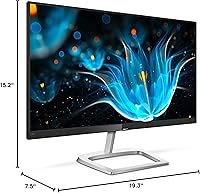
  • Dimensions: Overall unit measures 19.3″ wide, 15.2″ tall, and 7.5″ deep with the stand attached.
  • Weight: Complete unit including stand weighs 5.57 pounds, making it straightforward to reposition on a desk.
  • Color: Available in a Black and Silver finish that suits most neutral desk and office environments.
  • Warranty: Backed by a 4-year advance replacement warranty in the United States, with Philips shipping a replacement unit before the defective one is returned.
  • Manufacturer: Designed by Philips and manufactured by Envision Peripherals, Inc., a licensed Philips display partner.
  • Release Date: First made available in July 2018, giving this monitor a well-established track record in the market.

Related Reviews
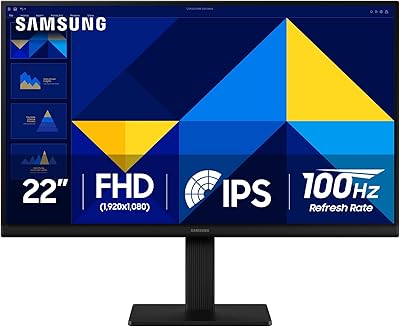
Samsung S22R350FHN 22-inch IPS Monitor
76%
84%
Image Clarity
71%
Color Accuracy
88%
Viewing Angles
74%
Refresh Rate & Smoothness
86%
Eye Comfort
More
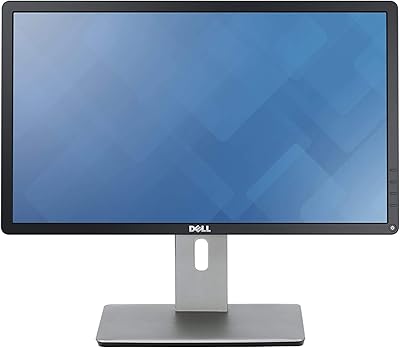
Dell P2214H 22-Inch IPS Monitor
78%
88%
Image Clarity
79%
Color Accuracy
54%
Glare & Reflections
91%
Ergonomics
86%
Build Quality
More
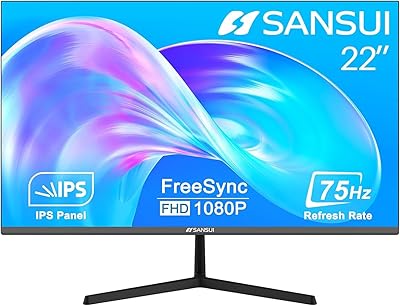
Philips 221V8LB3 22-Inch Full HD Monitor
82%
88%
Performance
92%
Display Quality
87%
Value for Money
81%
Ease of Setup
85%
Gaming Performance
More
ViewSonic VX2276-SMHD 22-Inch 1080p IPS Monitor
83%
92%
Value for Money
88%
Display Quality
85%
Design & Build Quality
90%
Ease of Setup
84%
Eye Care Features
More
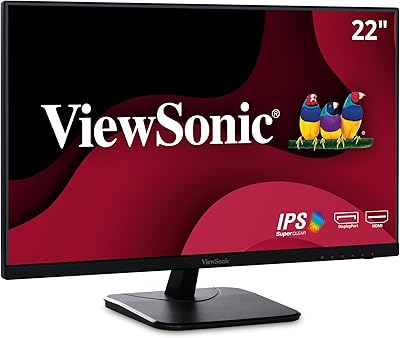
SANSUI ES-22X3 22-inch IPS Monitor
77%
88%
Value for Money
83%
Image Quality
74%
Refresh Rate & Gaming
81%
Eye Comfort
76%
Build Quality
More
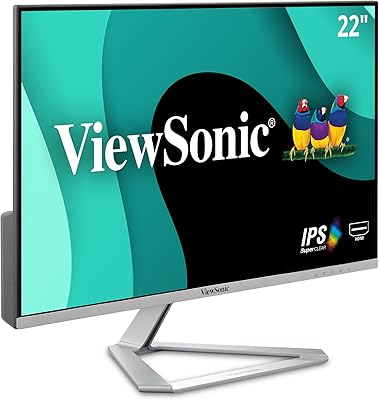
ViewSonic VA2256-MHD 22-inch IPS 1080p Monitor
85%
89%
Value for Money
93%
Display Quality
88%
Ease of Setup
91%
Eye Comfort
85%
Connectivity Options
More
Gigastone LM-27FF51 27-Inch IPS Monitor
74%
82%
Image Clarity
54%
Brightness & Glare
76%
Color Accuracy
78%
Refresh Rate & Motion
71%
Build Quality
More
Philips 322E1C 32″ Curved Monitor
75%
88%
Value for Money
74%
Picture Quality
51%
Ergonomics & Stand
63%
Gaming Performance
78%
Build Quality
More
Xiaomi A22i 22-Inch FHD Monitor
70%
78%
Value for Money
71%
Image Quality
84%
Design & Build
52%
Stand & Ergonomics
81%
Eye Comfort
More
Philips 246E9QDSB 24″ Frameless Monitor
85%
89%
Display Quality
92%
Value for Money
84%
Color Accuracy
80%
Build Quality
90%
Ease of Setup
More

FAQ

No, this 22-inch frameless display does not include built-in speakers. You will need external speakers or headphones for audio output. If your source device supports HDMI audio, a small desktop speaker set is an easy solution.

The 226E9QDSB includes VGA, DVI-D, and HDMI inputs, covering most standard desktop and laptop connections. It does not have DisplayPort or USB-C, so users with newer ultrabooks may need an adapter.

Yes, the back of the panel includes a standard VESA 100x100mm mounting pattern, so it is fully compatible with most third-party monitor arms and wall mounts. Removing the included stand is straightforward and only requires a screwdriver.

Unfortunately, no. The included stand only supports tilt adjustment, which is the most common complaint from buyers of this display. If you need height or pivot control, a VESA-compatible monitor arm is a practical and relatively affordable fix.

Philips offers what they call an advance replacement program, meaning they ship a replacement unit to you before you send back the defective one — which reduces downtime considerably. Users who have gone through the process generally report it works as advertised. For a display in this price range, having four years of that kind of coverage is genuinely uncommon.

It handles casual and everyday gaming reasonably well — the 75Hz refresh rate with AMD FreeSync does reduce tearing and gives motion a noticeably smoother feel compared to a standard 60Hz display. That said, if you play fast-paced competitive titles and care about response time and refresh rate, you will want to look at panels in the 144Hz range or higher. Think of this as a fine option for light gaming, not a dedicated gaming monitor.

Matte coatings do slightly reduce peak color vibrancy compared to glossy panels, but the trade-off in glare reduction is worth it for most office and home environments. In practice, most users do not notice a significant dullness, and the IPS panel's inherent color accuracy compensates reasonably well.

It is a solid choice for dual-monitor configurations specifically because of the ultra-narrow bezels, which keep the visual gap between two screens minimal. The consistent IPS color also means both panels will look similar from wider seating angles, which matters when screens are side by side.

At 22 inches, 1080p hits a comfortable pixel density — text is sharp, images look clean, and you are unlikely to notice individual pixels at normal viewing distances. Where 1080p starts to feel limiting is on larger 27-inch panels; at this screen size, Full HD is a practical and sensible choice.

Setup is notably simple — the stand attaches with a couple of screws, and the included cables mean most users are up and running in under ten minutes. Multiple buyers specifically call out the quick, hassle-free setup as one of the things they appreciated most about this display.

Where to Buy