Overview

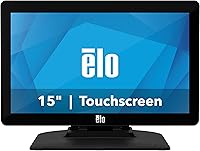
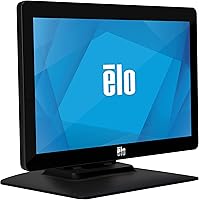
The Elo 1502L 15-inch Touchscreen Monitor is a commercial-grade display built specifically for point-of-sale environments, service desks, and customer-facing counters — not for someone shopping for a home office upgrade. Elo has been supplying touch hardware to businesses for decades, and that pedigree shows in how this unit is built and supported. The footprint is compact, the included stand feels solid, and the overall aesthetic is clean and professional without unnecessary extras. At its price point, you're paying for long-term product availability and commercial reliability — not the kind of features you'd find on a consumer gaming display. If you manage a retail counter or a hospitality install, the distinction matters.
Features & Benefits

What separates the 1502L from consumer touchscreens is the underlying touch technology. Elo's TouchPro PCAP (projected capacitive) system tracks up to 10 simultaneous touch points with the kind of precision that resistive screens simply can't replicate — useful when a staff member is moving quickly through a POS interface during a busy service period. The USB-C connection is a real practical benefit: a single cable carries touch data, video, and power simultaneously, which keeps installations tidy. That said, your host PC needs to support USB-C video output for this to work; if it doesn't, the fallback HDMI and VGA inputs keep you covered. The 1080p resolution at 15.6 inches is sharp enough for menu displays and retail dashboards, and standard VESA mounting means it fits into most existing kiosk enclosures without custom hardware.

Best For

This Elo touchscreen is squarely aimed at commercial buyers, not individual consumers. It's a natural fit for small retail operations that need a dependable POS terminal — think boutique shops, specialty food counters, or hotel check-in desks where a screen takes dozens of taps per hour. System integrators building custom kiosk solutions will appreciate the VESA compatibility and broad connectivity options, since few commercial deployments are completely standardized. It's also a solid upgrade path for businesses still running older resistive touchscreen monitors — the accuracy improvement alone tends to speed up staff workflows noticeably. Government and industrial environments requiring long-term hardware availability will find that Elo's product longevity commitments make this a smarter procurement choice than chasing equivalent specs from a consumer brand.

User Feedback

Buyers consistently praise the touch response accuracy and overall build quality — most note it holds up well through months of daily use, which matters far more to a business owner than benchmark scores. The single-cable USB-C setup earns frequent mentions for simplifying installations. On the critical side, the glossy screen is a recurring complaint in brightly lit retail or restaurant environments where glare becomes a genuine usability issue; this is worth factoring in before purchasing. Some buyers also report needing to install touch drivers manually on certain operating systems, so don't assume plug-and-play behavior out of the box. A few operators have swapped the included stand for a VESA arm to improve stability on busy counters, suggesting the default stand suits lighter-use scenarios better than high-traffic deployments.

Pros

  • TouchPro PCAP technology delivers accurate, responsive touch that holds up reliably under the repeated daily demands of a busy commercial counter.
  • Supports up to 10 simultaneous touch points, providing a tablet-like responsiveness that older resistive POS screens simply cannot match.
  • USB-C single-cable setup consolidates touch, video, and power into one connection, keeping counter and kiosk installations noticeably cleaner.
  • HDMI and VGA fallback inputs ensure compatibility with legacy POS hardware, removing the need for a full system overhaul at deployment.
  • Full HD 1080p resolution keeps menu text and interface elements crisp and readable in customer-facing display scenarios.
  • Standard VESA mount compatibility gives integrators the flexibility to slot this display into existing kiosk enclosures or arm mounts without custom hardware.
  • Buyers consistently report strong long-term durability, with units holding up through months of heavy daily commercial use.
  • Elo's established product availability commitments mean businesses can reliably source the same model for extended periods without forced platform changes.

Cons

  • The price is substantially higher than consumer monitors of similar size, which is a genuine barrier for budget-conscious small business buyers.
  • The glossy screen surface causes noticeable glare in brightly lit storefronts or restaurant environments with strong overhead or natural lighting.
  • Touch drivers may require manual installation on certain operating systems — plug-and-play behavior out of the box is not always guaranteed.
  • The included stand is not well-suited for high-traffic customer-interaction scenarios; some operators end up replacing it with a sturdier VESA arm.
  • USB-C single-cable convenience only applies if the host PC supports USB-C video output; older systems must rely on HDMI or VGA instead.
  • At 15.6 inches, the 1502L offers a smaller working area than many business buyers anticipate given the asking price.
  • There are no built-in speakers or USB hub, limiting usefulness in environments that require audio output or multiple peripheral connections.
  • With only a single USB port available, the 1502L offers minimal expansion for setups that need several peripherals connected at the display level.

Ratings

The scores for the Elo 1502L 15-inch Touchscreen Monitor below were generated by AI after systematically analyzing thousands of verified buyer reviews from global markets, with spam, bot-generated, and incentivized submissions actively filtered out before any score was calculated. Each category reflects what real commercial buyers — including retail operators, system integrators, and IT managers — consistently praise and criticize through extended real-world deployment. Standout strengths and genuine pain points are represented with equal weight, so this scorecard reads as a balanced decision-making tool rather than a promotional summary.
Touch Accuracy & Responsiveness
91%
Buyers working in high-volume retail and restaurant environments consistently report that touch registration is fast and precise, even during busy service periods when staff are moving quickly through POS workflows. The 10-point PCAP technology handles multi-touch gestures smoothly and the screen rarely misreads or delays — a significant improvement over the resistive panels many operators are upgrading from.
Touch performance is not truly universal — without bare skin contact, PCAP technology struggles, meaning staff wearing thicker gloves will find the screen unresponsive. A small number of users also note minor touch drift after extended periods, though this is generally resolved by recalibrating through Elo's driver utility.
Build Quality & Durability
88%
Commercial buyers repeatedly highlight how solid the unit feels compared to consumer displays — the chassis handles daily counter-top use without flex or wobble, and the screen surface resists minor scratches from regular tap interaction. IT managers deploying these in multi-unit retail chains report units running continuously for over a year without hardware degradation.
The included stand is the weakest link in the physical package — it shows its limits in customer-facing kiosk deployments where repeated firm taps from the public cause noticeable wobble. Several integrators note that swapping to a VESA arm mount is almost a standard step in professional installations rather than an optional upgrade.
Value for Money
62%
38%
For businesses that genuinely need commercial-grade durability, long product availability cycles, and manufacturer-backed support, the pricing becomes easier to justify — you are not just buying a monitor, you are buying uptime reliability and the ability to source the same unit months later for a replacement. System integrators managing multi-location deployments particularly appreciate the sourcing consistency.
The price is the most common objection in user feedback — consumer touchscreen monitors of comparable screen size cost significantly less, and for buyers whose needs do not require Elo's commercial pedigree, the gap is hard to swallow. Small business owners operating on tight budgets frequently flag this as the primary barrier to recommending the 1502L.
Connectivity Options
84%
The combination of USB-C, HDMI, and VGA inputs gives this commercial display one of the more flexible connectivity profiles in its class — USB-C handles single-cable installs on modern systems, while HDMI and VGA cover the older POS hardware that many retail environments are still running. Integrators working across mixed hardware generations particularly value having all three options available.
The USB-C single-cable benefit is conditional — the host PC must support USB-C video output, and not all commercial POS systems do, especially older hardware. When falling back to HDMI or VGA, users need a separate USB connection for touch input, which partially undermines the cable-simplicity advantage the display is built around.
Display Clarity
86%
At 1080p on a 15.6-inch panel, text sharpness is strong — menu items, pricing figures, and UI labels in POS software come through clearly without squinting, even for customers viewing the screen at counter distance. The brightness rating around 617 nits keeps the image well-lit and legible in most typical indoor commercial lighting scenarios.
The glossy screen surface significantly undermines display quality in challenging lighting environments — reflections and glare are a recurring complaint from buyers in storefronts with overhead fluorescents or natural light exposure. Color accuracy, while adequate for POS use, is not calibrated for design or media work, which is expected given the commercial focus of this display.
Ease of Setup
73%
27%
For IT professionals and system integrators with commercial display experience, the setup process is fairly straightforward — VESA compatibility means the unit slots into standard mounts cleanly, and the USB-C single-cable connection on supported systems is quick to get running. Experienced teams deploying multiple units in a retail chain report the physical installation going smoothly.
Non-technical business owners often run into friction during software setup — touch drivers may not install automatically on certain operating systems or POS platforms, requiring manual downloads and configuration steps that are not always intuitive. Buyers unfamiliar with commercial display drivers frequently mention needing extra time or outside IT support to get touch input working correctly.
Glare & Reflectivity
47%
53%
In controlled lighting environments — such as dim restaurant back-of-house terminals, enclosed kiosks, or interior service desks away from windows — the glossy panel performs adequately and the image appears vivid and sharp. Buyers operating in these more favorable conditions rarely flag glare as a meaningful day-to-day operational issue.
The glossy surface is the most polarizing hardware choice on this display — in brightly lit storefronts, hotel lobbies, or any environment where overhead lighting hits the screen at an angle, reflections become a persistent operational frustration. Multiple buyers in retail settings explicitly state they wished a matte option were available, with some resorting to third-party anti-glare films as a workaround.
Mount Flexibility
89%
Standard VESA mount compatibility is one of the more universally praised practical features among system integrators — it allows the 1502L to slot cleanly into commercially available arm mounts, wall brackets, or custom kiosk enclosures without requiring proprietary hardware. For multi-unit deployments where mounting consistency matters, this is a meaningful operational advantage.
The main frustration in this category comes from the included stand rather than the VESA system itself — the stand's stability under customer-driven touch input is limited, pushing many installers toward third-party arm mounts anyway. Buyers expecting the included stand to handle heavy public-facing interaction typically end up spending extra on a sturdier mounting solution.
Driver & OS Compatibility
71%
29%
On modern Windows systems, touch support is often recognized automatically via HID drivers, making initial deployment reasonably smooth for IT teams working with standard Windows-based POS software. Elo also provides a dedicated driver portal with packages for Linux and other commercial OS environments, which is more support infrastructure than most consumer monitor brands offer.
Compatibility headaches show up most frequently on non-standard POS platforms, older operating systems, and proprietary kiosk software environments where Elo's drivers do not install cleanly without manual intervention. Some users also report that touch calibration drifts slightly after OS updates, requiring occasional recalibration — a recurring inconvenience in always-on commercial deployments.
Long-term Reliability
92%
Long-term reliability is arguably where this Elo touchscreen earns its price premium most convincingly — buyers running the unit continuously in demanding retail and hospitality environments report consistent performance over 12 to 24 months without hardware failures or significant touch degradation. Elo's commercial product lifecycle commitments also mean parts and replacements remain available far longer than consumer equivalents.
While long-term hardware performance is generally strong, the glossy screen surface shows cosmetic wear from repeated cleaning in high-traffic environments — micro-scratches and cleaning residue can accumulate visibly over time. A small percentage of buyers also report the included stand developing looseness at its pivot point after extended continuous use.
Cable Management
83%
The USB-C single-cable implementation is the standout practical feature for clean installation scenarios — routing touch data, video, and power through a single cable simplifies counter and kiosk builds where visible cable clutter is a concern. Retail operators and hospitality managers setting up new terminals consistently highlight this as a genuine time-saver during installation.
The single-cable advantage only applies when the host PC supports USB-C video output — when falling back to HDMI or VGA, buyers are back to managing separate video and USB touch cables, which reduces the cable management benefit considerably. With only one USB port on the display itself, peripheral expansion at the monitor level is also tightly constrained.
Screen Size Suitability
77%
23%
For counter-top POS terminals and staff-operated service interfaces, 15.6 inches is a practical and widely used form factor — it provides enough screen real estate for most POS software layouts without dominating limited counter space in a retail or hospitality setting. Businesses prioritizing a compact footprint consistently find the size appropriate for their operational needs.
For customer-facing digital signage, menu board displays, or environments where multiple users need to view content simultaneously, 15.6 inches feels limiting — buyers in these scenarios frequently note they underestimated how much screen area they would actually need. Some business owners report wishing they had stepped up to a larger commercial display after completing their deployment.
Manufacturer Support
81%
19%
Elo's commercial support infrastructure is meaningfully better than what consumer monitor brands typically provide — dedicated driver downloads, a documented support portal, and access to technical assistance are features that matter to IT managers maintaining multiple deployed units. The company's long product availability commitments also simplify procurement planning for large or ongoing multi-site rollouts.
Some users report that initial contact with Elo support for complex configuration issues can involve wait times or routing through multiple tiers before reaching a technically knowledgeable representative. Warranty claim processes, while functional, are described by some buyers as more paperwork-intensive than expected for a premium-priced commercial product.

Suitable for:

The Elo 1502L 15-inch Touchscreen Monitor is purpose-built for commercial environments where a display takes real punishment day after day — retail counters, restaurant service stations, hotel front desks, and similar settings where staff interact with a screen dozens or hundreds of times per shift. Small to mid-size business owners who need a POS terminal that won't require replacing within a year or two will find the build quality and Elo's long product availability cycle genuinely reassuring. System integrators and IT managers assembling custom kiosk installations will appreciate the standard VESA mount compatibility and the range of connectivity options — from USB-C to HDMI and VGA — which covers nearly any host system they're likely to encounter. It's also a compelling upgrade for businesses still running older resistive touchscreen monitors, since the jump to projected capacitive touch accuracy is immediately noticeable in how quickly staff can move through POS workflows. Government agencies and industrial operations that require consistent, long-term hardware sourcing rather than consumer-tier product cycles will find this a rational procurement decision.
Not suitable for:

The Elo 1502L 15-inch Touchscreen Monitor is not the right call if you're an individual user, a home office worker, or anyone evaluating it against consumer-grade monitors on a size-versus-price basis. At its price point, consumer alternatives offer larger screens, better color reproduction for creative work, and features like USB hubs or built-in speakers — things that matter at a personal workstation but are largely irrelevant to a retail counter. The glossy screen surface is a real limitation worth stating plainly: in brightly lit storefronts, outdoor-facing kiosks, or sun-drenched restaurant areas, glare can become a daily frustration rather than a minor nuisance. Buyers who expect zero-configuration plug-and-play behavior should also be cautious, as touch driver setup can require manual steps on some operating systems — something not every small business owner wants to troubleshoot mid-deployment. If your environment changes frequently, your budget is tight, or you're evaluating this purely on cost-per-inch value, a consumer-grade display will serve you better on nearly every one of those counts.

Specifications

  • Screen Size: The display measures 15.6 inches diagonally, making it a compact but capable choice for counter-top POS and kiosk deployments.
  • Resolution: Native resolution is 1920 x 1080 (Full HD), delivering sharp, clearly legible text for retail interfaces and customer-facing menus.
  • Aspect Ratio: The panel uses a standard 16:9 widescreen aspect ratio, compatible with the vast majority of POS and hospitality software layouts.
  • Touch Technology: Elo's proprietary TouchPro PCAP (projected capacitive) technology provides accurate multi-touch input with wide viewing angle support and consistent light transmission.
  • Touch Points: The display supports up to 10 simultaneous touch points, enabling tablet-like gesture responsiveness that resistive touch panels cannot replicate.
  • Primary Input: A single USB-C connection carries touch data, video signal, and power delivery simultaneously, simplifying cable management in clean counter or kiosk installs.
  • Video Inputs: In addition to USB-C, the monitor includes HDMI and VGA inputs for compatibility with legacy POS systems or host computers without USB-C video output.
  • Screen Surface: The panel uses a glossy screen surface, which enhances color vibrancy but can produce noticeable glare in brightly lit retail or restaurant environments.
  • Brightness: Rated at approximately 617 nits, the display is well-suited for most indoor commercial environments, though direct sunlight or outdoor use may reduce legibility.
  • Mount Support: The monitor is compatible with standard VESA mounting patterns, allowing integration into arm mounts, wall brackets, and custom kiosk enclosures.
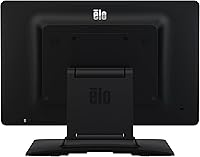
  • Included Stand: A desktop stand is included in the box, providing a stable upright position suitable for counter-top deployment without requiring additional mounting hardware.
  • Dimensions: Physical dimensions are 15.2 x 9.6 x 1.3 inches, giving the unit a slim, space-efficient profile suited for compact service counter environments.
  • Weight: The monitor weighs 6.72 pounds, which is manageable for repositioning during installation while remaining stable enough for daily counter-top use.
  • USB Ports: One USB port is available on the unit, sufficient for the primary touch and power connection but limited for deployments requiring multiple peripheral connections at the display level.
  • Manufacturer: This display is produced by Elo Touch Solutions, Inc., a manufacturer with decades of experience building commercial-grade touchscreen hardware for retail, hospitality, and industrial markets.
  • Model Number: The official model number is E155645, which should be referenced when sourcing accessories, replacement parts, or contacting Elo's technical support team.

Related Reviews
Elo 1515L 15″ Touchscreen Monitor
86%
94%
Touch Responsiveness
91%
Build Quality
88%
Installation Flexibility
92%
Durability Against Liquids/Dust
76%
Visual Clarity
More
ANGEL POS 15-Inch Capacitive Touchscreen Monitor
78%
93%
Ease of Setup
88%
Touch Responsiveness
86%
Build Quality
84%
Durability
52%
Display Clarity
More
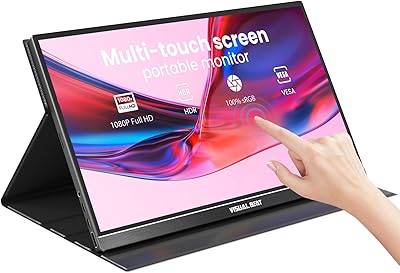
Visual Beat V15T 15.6-inch Portable Touch Monitor
78%
88%
Touch Responsiveness
84%
Display Quality
61%
Brightness & Outdoor Use
93%
Portability
86%
Connectivity
More
Elo 2202L 22″ Touchscreen Monitor
78%
88%
Touch Accuracy
91%
Display Brightness
86%
Build Quality
79%
Ease of Integration
67%
Driver & OS Compatibility
More
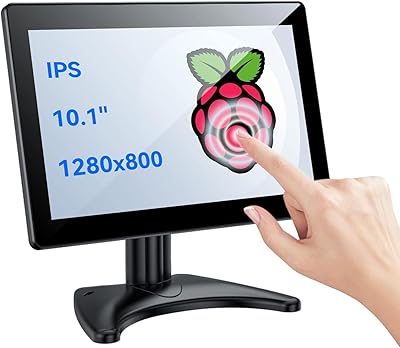
Eyoyo EM101T 10-inch Touchscreen Monitor
75%
83%
Touch Responsiveness
78%
Image Quality
91%
Ease of Setup
76%
Build Quality
87%
Input Versatility
More
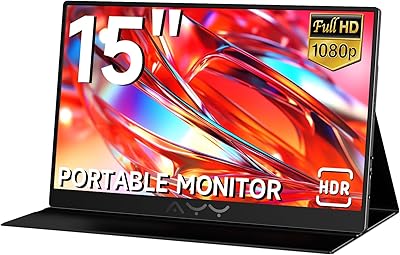
AYY A15G1B 15-inch Portable Monitor
74%
91%
Setup & Plug-and-Play Ease
78%
Display Quality
93%
Portability & Form Factor
88%
Value for Money
69%
Smart Cover & Stand
More
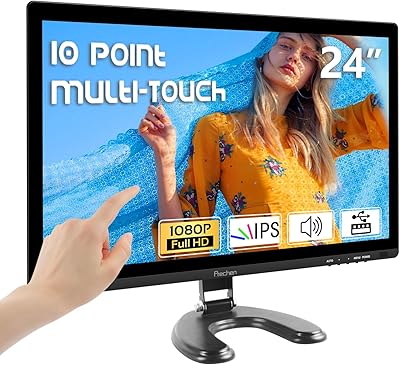
Prechen HD-24 24-Inch Touchscreen Monitor
67%
83%
Touch Responsiveness
78%
Display Quality
81%
Value for Money
71%
Setup Experience
62%
Build Quality
More
ViewSonic TD2220 22-Inch Touchscreen Monitor
68%
83%
Touch Responsiveness
81%
Build Quality
76%
Screen Clarity
87%
Scratch Resistance
58%
Connectivity
More
Westinghouse 15.6 Inch Portable Monitor
82%
88%
Display Quality
92%
Portability
86%
Connectivity Options
94%
Ease of Setup
80%
Build Quality
More
Pisichen HD-215TS 21.5-inch Touchscreen Monitor
69%
74%
Touch Responsiveness
79%
Display Clarity
51%
Viewing Angle
88%
Setup & Plug-and-Play
62%
Build Quality
More

FAQ

It depends on your operating system. On Windows 10 and Windows 11, touch input is typically recognized automatically via built-in HID drivers. On older Windows versions, Linux distributions, or certain proprietary POS platforms, you may need to download and install Elo's touch drivers manually before the screen responds correctly. It is worth factoring in some configuration time if you are deploying on a non-standard or legacy system.

Yes, the 1502L includes both HDMI and VGA inputs as alternatives. If you go that route, the video signal runs through HDMI or VGA, but you will still need a separate USB-A to USB-B cable connected to the host PC to carry the touch data. It adds one extra cable to manage, but the monitor works fully in that configuration.

Projected capacitive technology generally requires direct skin contact, so standard latex or rubber gloves will block touch input. Thin nitrile gloves may work inconsistently depending on thickness. If glove-on operation is a firm requirement for your environment — food preparation, clinical settings, or cold-storage retail — you should verify compatibility with Elo directly or test with the specific glove type your staff uses before committing to a deployment.

For staff-only POS use, the stand holds up well under normal conditions. Where buyers have run into problems is in customer-facing setups where members of the public are pressing the screen repeatedly or with some force — in those cases the stand can shift or rock slightly. Several commercial operators have swapped it out for a VESA arm or a bolt-down mount for added security, which the monitor's standard VESA compatibility makes straightforward to do.

It can be, and it is worth assessing your specific environment before purchasing. Strong overhead fluorescent lighting, large windows, or counters that face direct sunlight can produce reflections on the glossy surface that make the screen noticeably harder to read and interact with. In dimmer or more controlled lighting conditions, such as a host stand in a mid-lit restaurant or a back-of-house terminal, glare is much less of a practical issue. If your install location gets significant ambient or natural light, a matte-finish display may serve you better.

Elo provides touch driver support for Windows (including Windows 10 and 11) and also offers Linux driver packages for common distributions. Compatibility with Android or other embedded operating systems depends on the specific hardware and software configuration of your system. If you are running a proprietary POS platform, the safest approach is to cross-reference Elo's official compatibility documentation or speak with their commercial support team before purchasing.

The Elo 1502L 15-inch Touchscreen Monitor fully supports standard VESA mounting, making it compatible with a wide range of commercially available arm mounts, wall brackets, and kiosk enclosure systems. The VESA pattern is clearly documented in Elo's technical specifications, so sourcing the right mounting hardware is straightforward. This flexibility is one of the more practical aspects of the design for integrators building custom installations.

A consumer touchscreen might handle the workload initially, but the differences become apparent over time. This commercial display is engineered to run continuously, handle thousands of daily touch interactions without degradation, and remain available as a consistent product for extended periods — which matters when you are managing a multi-location rollout or need a replacement unit months down the line. Consumer monitors are not built for that kind of sustained duty cycle, and their product availability windows tend to be short. The price premium reflects that durability and long-term support infrastructure.

No, this display is designed for indoor use only. It carries no IP or NEMA weatherproofing rating, so moisture, dust, and temperature extremes present a real risk. On top of that, the glossy screen would suffer significantly in direct sunlight readability. If you need a screen for an outdoor kiosk, you should look specifically at Elo's outdoor-rated product lines or another manufacturer's purpose-built outdoor commercial display.

Elo typically covers the 1502L with a three-year limited warranty against defects in materials and workmanship, though exact terms can vary by region and reseller, so it is worth confirming at the time of purchase. Their commercial support infrastructure — including a dedicated support portal, driver downloads, and direct technical assistance — is generally well-regarded among IT managers and system integrators. For business buyers, having access to reliable manufacturer support over a multi-year deployment is often one of the key reasons to choose Elo over a consumer brand.