Elgato Stream Deck Mini
Overview
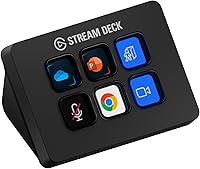
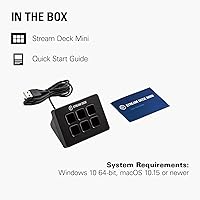
The Elgato Stream Deck Mini is a compact 6-key macro pad built around a simple idea: stop memorizing shortcuts and start pressing the right button on the first try. Originally a favorite among streamers, it has quietly become a go-to tool for remote workers, office professionals, and anyone who spends their day bouncing between Zoom calls, spreadsheets, and presentation software. It connects via a built-in USB cable — no drivers to hunt down, no adapters needed — and its small physical footprint makes it easy to fit on a crowded desk without rearranging everything. At an accessible price point, this mini macro pad is not just for content creators anymore.
Features & Benefits
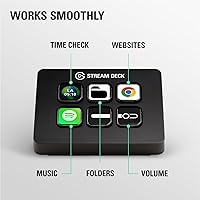
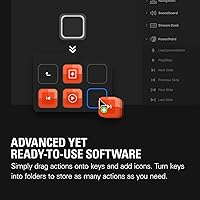
Each of the six LCD keys shows a custom icon or label, so you always know at a glance exactly what you are pressing — no guessing, no hunting across a keyboard. That visibility makes a genuine difference when you are mid-meeting. What pushes this compact key controller beyond a simple shortcut pad is the multi-action support: one key can trigger a timed sequence of commands, so muting your mic, switching your camera off, and opening a notes app can all happen in a single press. The configuration software is drag-and-drop, and most people have it running within an hour. Compatible with both Windows 11 and macOS 14.2 or later.
Best For
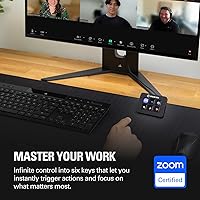
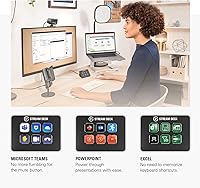
This mini macro pad suits a particular kind of user: someone who switches between multiple apps all day and has grown frustrated hunting down the right keyboard shortcut each time. Remote workers and professionals on frequent Zoom or Teams calls will notice the payoff almost immediately — muting, toggling the camera, sharing a screen, all on dedicated keys. Graphic designers who need quick access to Photoshop or Adobe tool shortcuts get real efficiency gains as well. If desk space is tight or you are not ready to commit to a larger controller, this compact key controller is a practical starting point that often leads to wanting more.
User Feedback
With a 4.8-star average across more than 7,000 ratings, long-term satisfaction with this mini macro pad is hard to dispute. Buyers consistently call out the build quality as better than expected for the size, and the setup software earns its share of praise for being genuinely easy to use — most people are operational within minutes, not hours. The most recurring criticism is honest and predictable: six keys starts to feel limiting once you have built a few solid profiles and want more. A smaller portion of users mention occasional software disconnects, though nearly all report a simple restart clears it. For most buyers, the complaints land closer to upgrade motivation than actual frustration.
Pros
- LCD keys display custom icons so you always know exactly what you are pressing — no guesswork mid-call.
- Multi-action support lets you trigger entire sequences of commands with a single press, saving real time.
- The drag-and-drop software gets most users up and running within 30 minutes, even without technical experience.
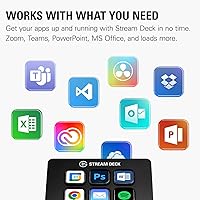
- Deep out-of-the-box integrations with Zoom, Teams, Office, and Adobe apps cover most professional daily workflows.
- The built-in 150 cm USB cable removes the need to source a separate accessory just to get started.
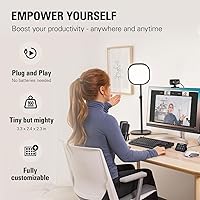
- At 84 x 60 mm, this mini macro pad fits on even the most crowded desk without claiming meaningful space.
- Build quality consistently exceeds buyer expectations for the price, with keys that still feel solid after years of use.
- Profile and page switching within the software effectively multiplies the number of available actions beyond just six.
- Works on both Windows 11 and macOS 14.2, covering most professional environments without platform-specific purchases.
- A 4.8-star average across more than 7,000 ratings reflects durable satisfaction, not just first-week enthusiasm.
Cons
- Six physical keys becomes a real constraint once you start building out more than one or two workflows.
- Many users end up upgrading to a larger model within a year, meaning the Mini can feel like paying twice.
- Occasional software disconnects after system sleep require a manual app restart — disruptive during live sessions.
- macOS users face extra setup steps involving system permissions that Windows users do not encounter.
- Advanced multi-step macro timing requires trial and error; getting sequences reliable takes more effort than expected.
- The integrated cable cannot be swapped out, so any cable damage means replacing the entire device.
- Custom icons appear slightly pixelated at the small key size, which bothers detail-oriented users.
- Niche or enterprise software often lacks native plugin support, requiring manual shortcut mapping instead.
- The plastic housing picks up fingerprints noticeably and shows surface wear on heavily used keys over time.
- Users in locked-down corporate IT environments may face additional hurdles getting the Stream Deck software approved and installed.
Ratings
The Elgato Stream Deck Mini has been put through its paces by thousands of verified buyers worldwide, and the scores below reflect what those real users actually experienced — filtered for spam, bot activity, and incentivized reviews. Our AI analyzed patterns across global feedback to surface both the genuine strengths and the honest frustrations, so you can make a clear-eyed decision before buying. The result is a transparent picture of where this compact key controller earns its reputation and where it still leaves room to grow.
Ease of Setup
Build Quality
Key Customization
Multi-Action & Macro Depth
App Integration Breadth
Key Count & Expandability
Software Stability
Cable & Connectivity
Desk Footprint
Value for Money
Reliability in Live Use
Learning Curve
Cross-Platform Consistency
Overall Satisfaction
Suitable for:
The Elgato Stream Deck Mini is a genuinely smart buy for remote workers and office professionals who spend their day cycling through Zoom calls, Teams meetings, PowerPoint presentations, and Office applications — and who are tired of fumbling for the right keyboard shortcut every time. If you have ever fumbled to find the mute button mid-sentence on a video call, or lost your place hunting through menus during a live presentation, this compact key controller addresses exactly that friction. Creative professionals who use Photoshop or other Adobe tools daily will also find real value in mapping their most-used commands to physical, labeled keys they can hit without breaking focus. It is equally well-suited to desk-space-conscious users who want macro functionality without committing to a larger device — the small footprint means it fits comfortably even on a minimal workstation. First-time macro pad buyers will appreciate that the setup software is genuinely accessible, not just marketed as such, making this a practical entry point for anyone who has always been curious about hardware shortcuts but assumed the learning curve would be steep.
Not suitable for:
Buyers who anticipate needing more than six dedicated shortcuts on a single profile will likely find themselves frustrated with the Elgato Stream Deck Mini sooner than expected — and that frustration tends to arrive faster than most people predict once they start building out their workflow. Power users with complex, multi-app setups who need 15 or more actions readily accessible at once should consider stepping up to a larger Stream Deck model from the outset rather than treating this as a budget-friendly substitute. Users who rely on niche enterprise software or highly specialized creative tools may also find that native plugin support is limited, pushing them into manual shortcut mapping that undermines the convenience factor. Anyone who works across macOS exclusively and is running older system versions should be aware that software compatibility requirements have tightened, and the setup experience on Mac involves a few more permission steps than on Windows. Finally, if you need a device that works reliably in a completely offline or locked-down corporate IT environment, the dependency on the Stream Deck software ecosystem introduces a variable that IT-managed machines do not always accommodate without additional configuration.
Specifications
- Keys: Features 6 customizable LCD keys arranged in a 3x2 grid, each capable of displaying a custom icon or label.
- Dimensions: The unit measures 84 x 60 x 58 mm (3.3 x 2.4 x 2.3 in), making it one of the most compact hardware macro pads available.
- Weight: Weighs 160 g (approximately 5.6 oz), light enough to reposition easily but substantial enough to stay put on a desk.
- Key Type: Each key uses an LCD display panel that renders custom icons, text labels, or dynamic content assigned through the Stream Deck software.
- Interface: Connects via a fixed, integrated USB 2.0 cable measuring 150 cm (59.1 in) in length — no separate cable or adapter required.
- Multi-Action: Supports sequential and timed multi-action macros, allowing a single key press to trigger multiple commands in a defined order with optional delays.
- Compatibility: Officially supported on Windows 11 and macOS 14.2 or later; earlier OS versions are not guaranteed to receive full software support.
- App Integrations: Includes native plugin support for Zoom, Microsoft Teams, the full Office suite, Adobe Creative apps, Spotify, and dozens of additional applications.
- Material: Housing is constructed from black plastic with a matte finish, designed to minimize bulk while keeping the overall weight low.
- Color: Available in black only; no alternative colorways are currently offered for this model.
- Software: Configured entirely through the free Elgato Stream Deck desktop application, which uses a drag-and-drop interface requiring no coding or scripting knowledge.
- Profiles: Supports multiple switchable profiles and key pages within the software, allowing users to access far more than six total actions across different contexts.
- Model Number: Official model designation is 10GAI9901, sold under the Stream Deck Mini product line by Elgato.
- Brand: Manufactured by Elgato, a brand owned by Corsair that specializes in streaming and content creation peripherals.
- Power Source: Draws power directly through its USB 2.0 connection — no external power supply, batteries, or charging is required.
- Display Type: Each key contains an individual LCD panel capable of rendering full-color icons and dynamic visual feedback.
- USB Ports: The device itself provides no downstream USB passthrough ports; it occupies one USB port on the host computer.
- User Rating: Holds a 4.8-star average rating based on over 7,371 verified global reviews, reflecting consistently high long-term satisfaction.
Related Reviews
Elgato Stream Deck Neo Macro Keypad
Blackmagic Design ATEM Mini Pro

Beelink Mini S12 Pro (N100, 16GB, 500GB)

Beelink Mini S12 Mini PC

ACEMAGICIAN Kron Mini K1 Mini PC
Elgato Prompter
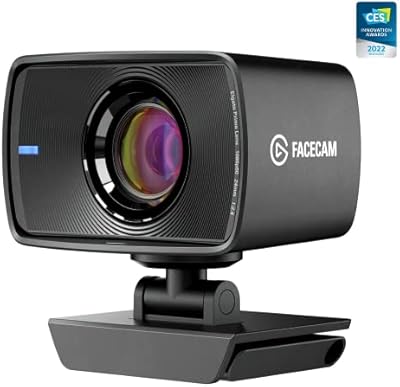
Elgato Facecam 1080p60 Webcam
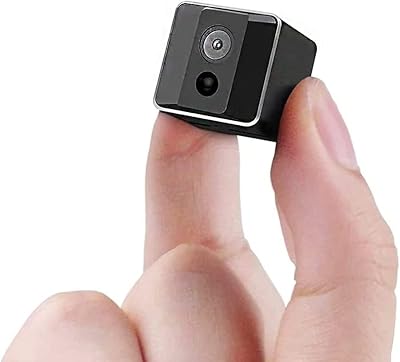
ehomful Mini 1080P Hidden Spy Camera
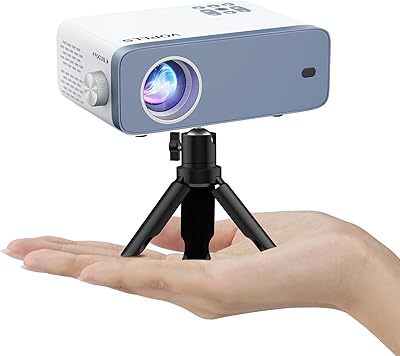
VOPLLS N3 Mini Portable Projector