Elgato Prompter




Overview
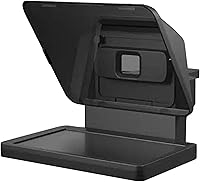
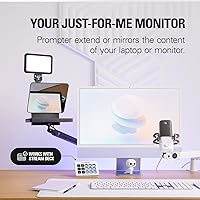
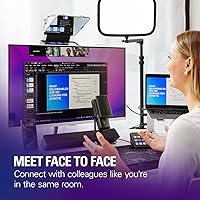
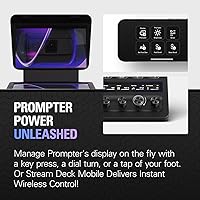
The Elgato Prompter is a teleprompter that takes a notably different approach from most competitors by building the display directly into the unit — no tablet clamped on, no phone mirroring required. That built-in 9″ screen is what genuinely sets it apart in a crowded category. You plug it in, drag your script window onto it like any secondary monitor, and you're reading. It appeals equally to YouTube creators who want to look confident on camera and to remote professionals who've grown tired of the slightly-off-eye-contact that plagues most video calls. Holding the top spot in its category on Amazon, and priced accordingly, it's built for people who want a complete, no-compromise setup.
Features & Benefits
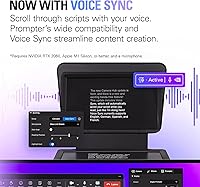
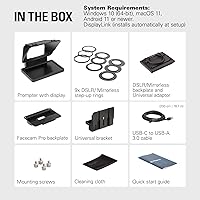
The drag-and-drop monitor functionality is where this streaming accessory earns its price. Windows treats it as a standard secondary display, so you drag any app — a script doc, Twitch chat, meeting notes — directly onto the 9″ 1024×600 panel. Physically, the unit ships with step-up rings covering 49mm to 82mm, which means it fits almost any lens you'd reasonably attach to a camera. Setup on Windows is genuinely quick: one USB-C cable and you're done. Mac users need to install the free DisplayLink software, which adds a step but isn't complicated. The Camera Hub app lets you tweak font size and scrolling speed, and Stream Deck users can control the prompter entirely from their keypad.
Best For
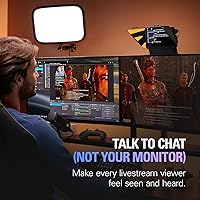
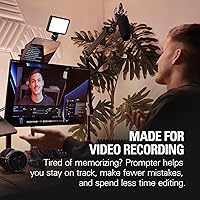
This teleprompter makes the most sense for YouTube and Twitch creators who regularly produce scripted or semi-scripted content and want to stay locked on the lens while doing it. Podcasters and educators recording talking-head videos will find the same benefit. It's also a genuinely useful tool for remote professionals — account managers, consultants, recruiters — who are on video calls most of the day and want to come across as more present and engaged. If you're already running a Stream Deck in your setup, the integration adds real convenience. One honest caveat: the unit has a substantial physical footprint, so a cramped or shallow desk may not accommodate it comfortably.
User Feedback
Across its reviews, the Elgato prompter unit earns consistent praise for Windows plug-and-play performance and for how convincing the eye contact looks on video — people who've used it on calls report that colleagues actually notice the difference. The display quality gets positive mentions too, though some buyers wish the resolution were a step up for reading tightly-formatted scripts from a slight distance. Mac users occasionally express frustration with the DisplayLink installation requirement, even though the software is free. The desk footprint catches a few buyers off guard — it's noticeably larger than it looks in product photos. With a 4.3-star average across over 860 ratings, most complaints land in nuisance territory rather than deal-breaker territory.
Pros
- Built-in display eliminates the need to mount, mirror, or manage a separate phone or tablet.
- On Windows, setup takes only minutes — one cable and the screen registers as a secondary monitor instantly.
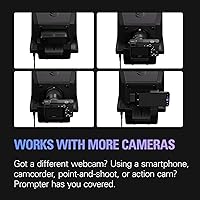
- Includes step-up rings from 49mm to 82mm, covering the vast majority of DSLR, webcam, and smartphone lens sizes.
- Eye contact improvement on camera is consistently the most praised outcome across hundreds of verified reviews.
- Stream Deck users can control scrolling speed and content without interrupting a recording session.
- The Camera Hub app lets you adjust font size and text appearance without leaving your desk or touching the unit.
- Works equally well for scripted YouTube content and for maintaining presence during professional video meetings.
- Single USB-C cable keeps the recording desk clean and avoids the cable sprawl of multi-device alternatives.
- Broad camera compatibility means most creators won't need any additional adapters or mounts beyond what's included.
Cons
- The physical footprint is significantly larger than product photos suggest — a genuine issue for compact or shared desks.
- Mac users must install DisplayLink software before the display functions, which is an unexpected friction point at setup.
- Display resolution of 1024×600 px makes reading dense or small-font text noticeably harder from even a slight distance.
- No carry case is included, and transporting the disassembled unit between locations is genuinely inconvenient.
- The Camera Hub app has received criticism for occasional instability, including crashes during live streaming sessions.
- Requires a USB 3.0 Type-A port, which means laptop users with only USB-C ports need an additional hub or adapter.
- The plastic components, while structurally sound, feel less refined than the premium price point might lead buyers to expect.
- Without a Stream Deck, the native scrolling controls feel functional but noticeably less polished to use mid-recording.
Ratings
The Elgato Prompter scores below are generated by AI after analyzing thousands of verified global buyer reviews, with spam, bot-submitted, and incentivized feedback actively filtered out. The result is an honest look at where this teleprompter genuinely excels and where real users have run into friction — covering everything from daily setup experience to long-term desk ergonomics.
Setup & Installation
Display Quality
Camera Compatibility
Eye Contact Quality on Camera
Build Quality & Materials
Desk Footprint & Ergonomics
Stream Deck Integration
Software & App Experience
Value for Money
Compatibility with Remote Work Tools
Portability & Storage
Instruction Clarity & Documentation
Twitch Chat & Live Content Display
Suitable for:
The Elgato Prompter is built for people who are on camera regularly and have grown frustrated with the compromises of improvised setups. YouTube creators and streamers who script their content will get the most immediate value — being able to read while staying locked on the lens makes a visible difference in how confident and natural the final footage looks. Twitch streamers who want to monitor live chat without the obvious side-eye dart to a separate monitor will find the setup genuinely practical. Remote professionals — consultants, recruiters, account managers, educators — who spend hours each week on Zoom or Teams calls will also benefit, since the eye contact improvement is noticeable enough that colleagues tend to comment on it unprompted. The unit fits best in a dedicated recording space or a well-sized desk where the physical dimensions won't be a problem, and it rewards users who are already comfortable managing a multi-monitor workflow on their PC or Mac.
Not suitable for:
Buyers who are just starting out with video content and aren't yet sure they'll stick with it should think carefully before committing at this price tier — the investment only makes sense if on-camera work is already a regular part of their routine or job. The Elgato Prompter also isn't the right fit for anyone working from a compact desk, a laptop tray, or a shared workspace where a unit of this physical size simply won't sit comfortably or practically. Mac users who prefer a truly plug-and-play experience should know upfront that the DisplayLink software requirement adds a setup step that Windows users don't face, and while it's not a dealbreaker, it's worth factoring in. Anyone prioritizing display sharpness for reading dense, small-font scripts from a distance may find the 1024×600 resolution limiting compared to higher-resolution alternatives. Finally, creators who frequently move between locations or need to pack their gear into a bag will find this teleprompter frustrating — it has no carry case, disassembles into multiple parts, and is not designed with portability in mind.
Specifications
- Display Size: The unit features a built-in 9″ beam-splitter display positioned in front of the camera lens.
- Resolution: The integrated screen runs at 1024×600 px, suitable for reading scripts and chat at standard font sizes.
- Connectivity: The unit connects to a host computer via a single USB-C cable, which handles both power and display signal.
- Host Interface: A USB 3.0 Type-A port is required on the host machine for full display functionality.
- Dimensions: With the universal bracket attached, the unit measures 224mm wide × 219mm tall × 282mm deep (8.88 × 8.62 × 11.10 inches).
- Weight: The unit weighs 690 g (1.52 lb) without accessories or mounting hardware attached.
- Step-Up Rings: Nine step-up rings are included, covering thread sizes of 49, 52, 55, 58, 62, 67, 72, 77, and 82mm.
- Camera Support: Compatible with DSLRs, mirrorless cameras, webcams, and smartphones using the included step-up ring system.
- Windows Support: Requires Windows 10 (64-bit) or newer running on an Intel or AMD CPU with no additional display drivers needed.
- macOS Support: Requires macOS 11 or newer on Intel or Apple Silicon, plus the free DisplayLink software to enable the built-in display.
- Android Support: Android devices require the free DisplayLink Presenter app to use the unit as a display output.
- Companion App: The Elgato Camera Hub app allows users to customize text size, scrolling speed, and chat appearance from their desktop.
- Stream Deck Support: Fully compatible with Elgato Stream Deck, enabling hardware-button control of scrolling and content without touching a keyboard.
- Color: The unit ships in black with a matte finish across the main housing and bracket components.
- Manufacturer: Designed and sold by Elgato, a brand owned and operated by Corsair.
- Display Function: The built-in screen operates as a standard drag-and-drop secondary monitor — no mirroring app or mobile device required.
- Power Source: The unit is bus-powered entirely through the USB-C connection, requiring no separate power adapter.
- Model Number: The official model number is 20WAD9901, released on March 15, 2024.
Related Reviews
Elgato Facecam 1080p60 Webcam
Elgato HD60 X
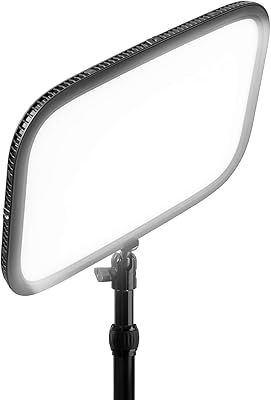
Elgato Key Light
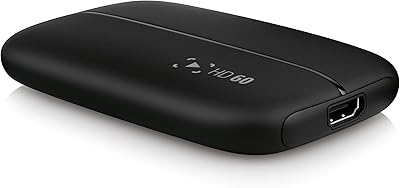
Elgato HD60 Game Capture Card
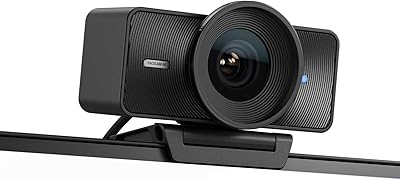
Elgato Facecam 4K 60fps
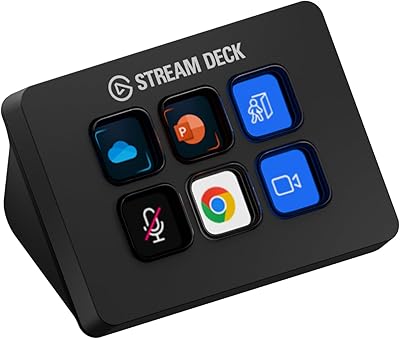
Elgato Stream Deck Mini
Elgato Stream Deck Neo Macro Keypad
Elgato Key Light Neo LED Panel Light
Elgato 4K X Game Capture Card