
Overview

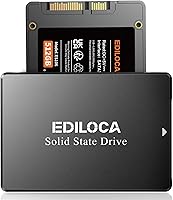
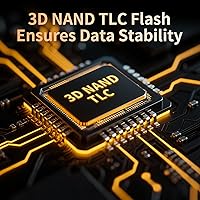
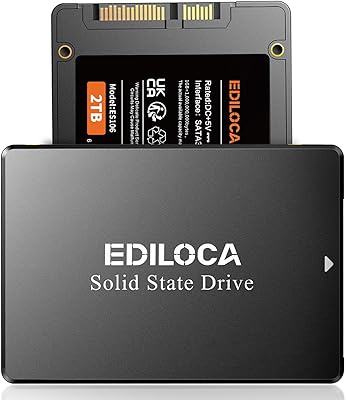
The Ediloca ES106 512GB 2.5″ SATA SSD is a no-frills, budget-conscious storage upgrade aimed squarely at users still running aging laptops or desktops on spinning hard drives. Ediloca isn't a brand you'll find at every tech retailer, but they've quietly built a global user base. Since launching in mid-2022, this budget solid-state drive has climbed to #209 in Internal SSDs on Amazon, backed by nearly 2,000 ratings averaging 4.5 stars. It uses 3D TLC NAND flash, which is the standard choice at this price point — not the fastest technology available, but entirely appropriate for everyday computing tasks.

Features & Benefits

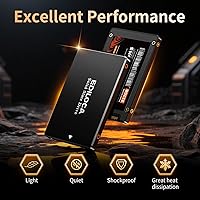
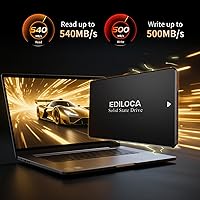
Pull speeds of 540MB/s read and 500MB/s write put this SATA SSD well ahead of conventional hard drives in practical terms — boot times shrink noticeably, and everyday file operations feel genuinely responsive. The SATA III interface runs at 6Gb/s but stays backward compatible with older SATA II systems, which matters when you're reviving a decade-old machine. No moving parts means the drive runs completely silent and produces very little heat. The casing holds up against accidental knocks, a real advantage for portable laptop use. One important heads-up: the drive ships unformatted, so you'll need to initialize it in Disk Management before Windows or macOS will recognize it.

Best For

This budget solid-state drive is most at home in a first-time upgrade scenario — specifically, replacing the painfully slow spinning drive in an older laptop or desktop that still has plenty of life left otherwise. Students handling everyday tasks like browsing, document editing, or light software will notice a real difference without spending much. Budget PC builders also find value here as a secondary game or media storage drive where raw NVMe speed isn't a priority. It fits neatly into NAS setups accepting standard 2.5-inch SATA drives too. If your system already has an NVMe slot, the Ediloca ES106 probably isn't the right pick — but for SATA-bound hardware, it covers the bases well.

User Feedback

With close to 2,000 ratings and a 4.5-star average, buyer sentiment is notably positive for a lesser-known brand. Most praise centers on how straightforward installation is and how much faster machines felt afterward, especially at boot. Some buyers initially hesitated over the unfamiliar brand name, and a few noted there's no bundled cloning software — migrating an existing OS requires a separate third-party tool. There's also a reasonable question around long-term TLC endurance under heavy, sustained writes, though for typical home or office workloads it rarely becomes a real-world issue. The 3-year warranty and factory stress testing go a long way toward building confidence here.

Pros

  • Speeds of 540MB/s read and 500MB/s write represent a dramatic upgrade over any mechanical hard drive.
  • Nearly 2,000 Amazon ratings with a 4.5-star average signals consistent real-world satisfaction.
  • SATA III interface is backward compatible with older SATA II systems, covering a wide range of aging hardware.
  • Silent operation with zero moving parts reduces both heat buildup and ambient noise noticeably.
  • The 2.5-inch form factor fits virtually every laptop and desktop that accepts a standard SATA drive.
  • A 3-year limited warranty provides meaningful peace of mind for a budget-tier purchase.
  • Each unit undergoes 72-hour factory stress testing before shipping, which is above average for this price range.
  • Shock-resistant construction makes this SATA SSD a reasonable choice for laptops that travel regularly.
  • Compatible with Windows, macOS, Linux, and NAS systems, covering most common setups without extra configuration.
  • Lightweight at just over 2 ounces, adding negligible weight to any laptop build.

Cons

  • No cloning software is included, so migrating an existing OS requires sourcing a separate third-party tool.
  • Ediloca is not a well-established brand, which may raise trust concerns for buyers unfamiliar with it.
  • Real-world sustained write speeds can fall below the advertised 500MB/s figure under continuous heavy loads.
  • 3D TLC NAND has lower write endurance than MLC or SLC alternatives, which matters for write-intensive workloads.
  • The drive ships completely blank and requires manual formatting before use — an unexpected friction point for first-timers.
  • No included mounting bracket or adapter, which can be an issue in desktop cases designed for 3.5-inch bays.
  • SATA bandwidth is capped well below what NVMe drives offer, making this a poor choice for performance-focused builds.
  • 512GB fills up faster than expected once an OS, applications, and media are installed — consider your storage needs carefully.

Ratings

The scores below reflect an AI-driven analysis of verified global buyer reviews for the Ediloca ES106 512GB 2.5″ SATA SSD, with spam, bot-generated, and incentivized feedback actively filtered out before scoring. Each category is rated based on recurring themes across thousands of real purchase experiences, capturing both what users genuinely appreciated and where frustrations emerged. Nothing is glossed over — the numbers reflect the full picture.

Value for Money
91%
Buyers consistently call this one of the best-value storage upgrades available for aging hardware. For the price, getting 512GB of solid-state performance that dramatically outpaces any mechanical drive is a deal that resonates strongly with budget-conscious users and first-time upgraders alike.
A small number of reviewers noted that slightly pricier alternatives from more established brands offer better-documented endurance ratings, making the value calculation less clear-cut for users planning heavy long-term workloads rather than light daily use.
Read & Write Performance
84%
In real-world testing by everyday users, boot times dropped dramatically after replacing spinning drives — many reported going from over a minute to under 20 seconds. Application launches and file transfers also felt noticeably snappier, which is exactly what this SATA SSD promises.
Sustained write speeds under continuous heavy loads occasionally dipped below the advertised 500MB/s figure, a limitation that surfaces when copying large batches of files. This is a known characteristic of TLC NAND under thermal or cache pressure, not a defect, but worth knowing upfront.
Installation Ease
78%
22%
Most buyers found the physical installation quick and painless — swapping out a 2.5-inch SATA drive requires only a screwdriver and a few minutes. The drive slots in cleanly, and users with even basic hardware confidence completed the job without issues.
The drive ships completely unformatted, which tripped up a notable portion of first-time buyers who expected it to be immediately recognized by their system. The formatting step in Disk Management is simple once you know it exists, but the lack of clear in-box guidance caused unnecessary confusion.
Compatibility
89%
Broad OS support covering Windows, macOS, Linux, and NAS systems meant that buyers across very different setups reported successful installs without driver headaches. The SATA II backward compatibility was particularly appreciated by users reviving older laptops from the mid-2000s era.
Users with newer laptops that have already transitioned to M.2 NVMe slots found this drive irrelevant to their upgrade path, and a handful of buyers made the purchase without confirming their system's interface type first, leading to returns that had nothing to do with the drive's quality.
Build & Durability
76%
24%
The shock-resistant casing held up well for users who carry laptops in bags daily or work in environments where minor drops and bumps are a reality. Several reviewers specifically mentioned peace of mind after accidental knocks that would have damaged a spinning hard drive.
The drive uses a plastic-composite rather than an all-metal enclosure, which some buyers found underwhelming for a component that handles critical data. While functional, the casing feels less premium compared to drives from brands like Samsung or Crucial at a similar price point.
Brand Reliability
67%
33%
The 3-year limited warranty and 72-hour factory stress testing gave hesitant buyers enough reassurance to commit, and the vast majority reported no reliability issues within the first year of use. A growing base of over two million users globally adds credibility to an otherwise unfamiliar name.
Ediloca remains a lesser-known brand with limited independent third-party review coverage, which made some buyers uneasy. A few users expressed concern about long-term warranty claim support given the brand's relatively short track record compared to established storage manufacturers.
Noise & Heat
93%
Buyers who switched from loud, heat-generating HDDs were consistently impressed by how silent and cool this SATA SSD runs under normal use. Several users noted that their laptops ran noticeably cooler overall after the upgrade, which also seemed to improve fan behavior on older machines.
There is little to criticize here for the target use case, though users pushing sustained workloads on systems with poor airflow noted slightly warmer idle temperatures than expected — a very minor point that affected very few reviewers.
TLC NAND Endurance
63%
37%
For the daily workloads this drive is designed for — browsing, documents, media, casual gaming — 3D TLC NAND provides adequate write endurance that most home users will never exhaust within a realistic ownership window of three to five years.
Power users writing large volumes of data daily, such as video editors or developers running frequent large builds, will hit TLC endurance limits faster than MLC-based alternatives. This is not a flaw specific to the Ediloca ES106, but TLC at budget pricing does carry a real ceiling for write-heavy environments.
Setup Documentation
54%
46%
The included documentation does cover the basic formatting requirement, and Ediloca's 24/7 support team received positive mentions from buyers who reached out with setup questions during the initialization process.
Multiple reviewers flagged that the in-box instructions were brief and not beginner-friendly enough for first-time SSD buyers. The lack of a guided setup tool or even a QR code linking to a setup video was a missed opportunity for a brand targeting the entry-level upgrade market.
Software Bundle
41%
59%
The drive itself performs its core function without needing additional software for users doing a clean install, and the absence of bloatware means there is nothing to uninstall or manage after setup.
No cloning software is included, which is a genuine gap for buyers who want to migrate an existing OS without starting fresh. Competing drives at similar price points often bundle at least a basic cloning utility, making this omission a recurring point of frustration in user reviews.
Physical Footprint
88%
At just over 2 ounces and standard 2.5-inch dimensions, the drive fits neatly into virtually every compatible laptop and desktop without any modification. Buyers who used it in slim ultrabooks and compact NAS enclosures reported a clean, rattle-free fit.
Desktop users with only 3.5-inch drive bays need a separate mounting adapter bracket, which is not included in the box. It is a minor inconvenience and adapters are cheap, but for buyers expecting a truly complete package, it is a small but real omission.
Gaming Performance
71%
29%
Gamers switching from HDDs reported noticeably faster load screens and quicker level transitions on older game libraries. For casual gaming on systems that don't support NVMe, this budget solid-state drive delivers a meaningful and perceptible improvement.
Buyers expecting NVMe-level load times for modern titles will be let down — SATA throughput has a hard ceiling that no drive in this category can overcome. This is an inherent limitation of the SATA interface itself, but a few buyers seemed unaware of the distinction before purchasing.
OS Boot Speed
86%
Boot time improvement was one of the most consistently praised outcomes across user reviews. Users running Windows 10 and 11 on formerly sluggish laptops reported cold-boot times dropping dramatically, with several describing the experience as transforming an otherwise obsolete machine.
Boot improvements are naturally capped by other system components like RAM and CPU, and a small number of buyers on very old hardware found the gains less dramatic than expected. The drive is not a universal cure for aging system performance beyond the storage bottleneck specifically.

Suitable for:

The Ediloca ES106 512GB 2.5″ SATA SSD is purpose-built for one specific job: breathing new life into older hardware that's being held back by a slow spinning hard drive. If you have a laptop or desktop that's five to ten years old, still running well mechanically but crawling at startup, this SATA SSD is a practical and affordable fix. Students managing everyday coursework, light creative work, or general browsing will find the performance jump genuinely worthwhile without needing to spend heavily. Budget PC builders who need a reliable secondary drive for storing games, media files, or backups will also find this SATA SSD a sensible fit. It's equally at home in a NAS enclosure, where its standard 2.5-inch form factor and SATA compatibility make installation straightforward. For anyone who simply needs dependable daily storage at a fair price, the value here is hard to argue with.

Not suitable for:

The Ediloca ES106 512GB 2.5″ SATA SSD is not the right pick for users who need top-tier storage performance. If your system has an available M.2 NVMe slot, you'll get significantly faster speeds from a similarly priced NVMe drive — SATA has a hard ceiling that this drive, like all SATA drives, cannot exceed. Power users running video editing software, large database workloads, or sustained high-write tasks may also find that TLC NAND endurance becomes a concern over time with heavy daily use. Gamers expecting NVMe-level load times will be disappointed, since SATA throughput simply can't match what modern PCIe-based drives deliver. Those who want a plug-and-play experience without any setup steps should also be aware that this budget solid-state drive ships completely blank and requires manual formatting before the OS will recognize it — skipping that step is one of the most common sources of early frustration reported by buyers.

Specifications

  • Capacity: This drive offers 512GB of usable flash storage, suitable for an operating system, applications, and a moderate media library.
  • Form Factor: It uses the standard 2.5-inch form factor, compatible with the vast majority of laptops and desktops that accept SATA-based drives.
  • Interface: The drive connects via SATA III running at 6Gb/s and is backward compatible with older SATA II ports at reduced throughput.
  • Read Speed: Sequential read speed reaches up to 540MB/s under optimal conditions, which is roughly three times faster than a typical mechanical hard drive.
  • Write Speed: Sequential write speed is rated at up to 500MB/s, though sustained heavy writes may see modest real-world variation below this figure.
  • NAND Type: Storage is built on 3D TLC (Triple-Level Cell) NAND flash, a widely used technology that balances cost, density, and adequate endurance for everyday workloads.
  • Dimensions: The drive measures 7.2 x 3.43 x 0.55 inches, fitting standard 2.5-inch drive bays without modification.
  • Weight: At 2.11 ounces, this internal SSD adds negligible weight to any laptop or desktop build.
  • OS Support: Compatible operating systems include Windows 10 and 11, macOS 10.4 and later, Linux kernel 2.6.33 and above, and most NAS platforms.
  • Device Compatibility: Supported devices include laptops, desktop PCs, and gaming consoles that use a standard 2.5-inch SATA internal drive slot.
  • Installation Type: This is an internal drive requiring physical installation inside the host device; no external enclosure is included or required for standard use.
  • Durability: The casing is designed to be shock-resistant and drop-proof, providing added protection against accidental impacts during normal laptop use.
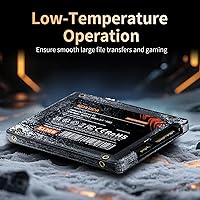
  • Noise & Heat: With no moving parts, the drive operates in complete silence and generates significantly less heat than a comparable mechanical hard drive.
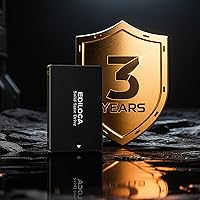
  • Warranty: Ediloca backs this drive with a 3-year limited warranty and 24/7 technical support for the duration of the coverage period.
  • Quality Testing: Each unit undergoes 72 hours of factory stress testing before shipment to verify stability and data integrity under load.
  • Color: The drive ships in a black casing, which is the only available color option for this model.
  • Model Series: This drive belongs to Ediloca's ES106 series, with the model identifier ES106 printed on the unit.
  • Initial Setup: The drive ships completely unformatted and must be initialized and partitioned via Disk Management on Windows or Disk Utility on macOS before use.

Related Reviews
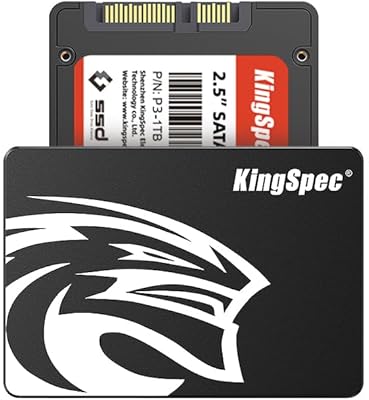
KingSpec 512GB 2.5-inch SATA SSD

77%
88%
Value for Money
83%
Read & Write Speed
86%
Installation Ease
61%
Long-term Reliability
63%
Thermal Performance
More
Vantec NexStar JX 3.5″ HDD Enclosure
76%
93%
Ease of Setup
78%
Transfer Speed — USB
86%
Transfer Speed — eSATA
74%
Thermal Management
67%
Build Quality
More
Cenmate 5-Bay Hybrid HDD/NVMe Enclosure
73%
83%
Build Quality
78%
Thermal Management
71%
Transfer Speed
69%
RAID Functionality
76%
Drive Compatibility
More
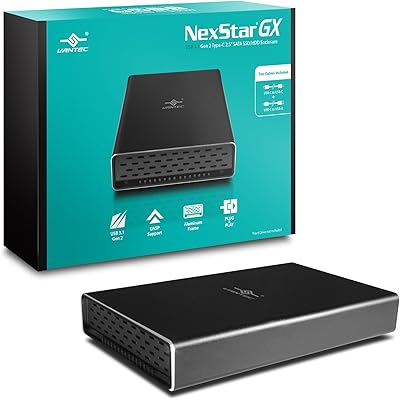
Vantec NexStar Gx USB 3.1 Gen 2 Type-C 2.5” SATA SSD/HDD Enclosure
88%
91%
Data Transfer Speed
95%
Ease of Setup
87%
Build Quality & Durability
88%
Compatibility with Devices
85%
Heat Dissipation
More
ICY DOCK ToughArmor MB998SP-B 8-Bay 2.5” SATA/SAS HDD/SSD Mobile Rack Enclosure for 5.25″ Bay
87%
91%
Performance
88%
Cooling Efficiency
89%
Build Quality
93%
Ease of Installation
72%
Noise Level
More
Ediloca ES106 2TB Internal SSD
77%
83%
Read/Write Performance
88%
Value for Money
79%
Installation Experience
76%
Build & Durability
67%
Long-Term Reliability
More
ChenYang MSATA & M.2 NGFF SATA to 2.5″ SATA JBOD Enclosure Adapter
83%
93%
Ease of Installation
85%
Build Quality
88%
Performance and Speed
74%
Compatibility
89%
Value for Money
More
Ediloca EN206 1TB M.2 SATA SSD
84%
87%
Performance
92%
Value for Money
90%
Ease of Installation
88%
Compatibility with Devices
84%
Build Quality
More
GiGimundo G500 1TB 2.5″ SATA SSD
84%
92%
Performance (Speed)
89%
Ease of Installation
85%
Build Quality (Durability)
91%
Value for Money
87%
Compatibility
More
iDsonix X20 2TB 2.5″ SATA SSD
80%
88%
Performance
92%
Value for Money
85%
Reliability
65%
Installation Process
90%
Durability/Build Quality
More

FAQ

Yes, it does. The drive uses a SATA III interface but is fully backward compatible with SATA II connections. You'll get slightly lower peak speeds than the rated maximum, but it will still outperform any mechanical hard drive you replace.

Yes, and this catches a lot of first-time buyers off guard. The drive ships completely blank with no pre-existing partitions. On Windows, open Disk Management, locate the new drive, initialize it, and create a volume. On macOS, use Disk Utility to erase and format it. Once that's done, your system will recognize it normally.

It depends on your MacBook model. Older MacBook Pro and MacBook models from roughly 2009 to 2012 used standard 2.5-inch SATA drives and are compatible. Newer MacBooks use proprietary or M.2 NVMe storage and will not accept this drive. Check your specific model's storage interface before purchasing.

It handles game loading reasonably well, and you'll notice a clear improvement over an HDD. That said, this is a SATA drive, so it won't match the load times you'd see from a PCIe NVMe drive. For casual gaming or older game libraries, it's perfectly adequate. For the fastest possible load times on modern titles, NVMe is the better choice.

For typical home or office use — browsing, documents, media playback, and occasional large file transfers — the drive should comfortably last several years. TLC NAND has lower write endurance than MLC or SLC, but the write volumes most everyday users generate are well within what 3D TLC handles reliably. Heavy daily writes, like running a high-traffic server, would be more of a concern.

No, cloning software is not bundled with this drive. If you want to migrate your existing OS rather than doing a fresh install, you'll need a third-party tool. Macrium Reflect Free and Clonezilla are two commonly used free options that work well for this purpose.

The drive itself is 2.5-inch, so it won't fill a 3.5-inch bay without an adapter bracket. These adapters are inexpensive and widely available, but one is not included in the box, so you'll need to source it separately if your case only has 3.5-inch mounting points.

Yes, as long as your NAS supports 2.5-inch SATA drives, this budget solid-state drive is compatible. It works well as a low-power, silent alternative to spinning NAS drives for lighter workloads or personal home server setups.

Ediloca covers the drive with a 3-year limited warranty and offers 24/7 technical support. If you experience a failure within that window, you'd contact their support team to initiate a replacement or resolution. As with any drive, keeping a backup of important data is strongly recommended regardless of warranty coverage.

The difference is immediately noticeable. Boot times that used to take a minute or more on an HDD typically drop to under 20 seconds. Applications open faster, file transfers move quicker, and the system feels more responsive overall. For anyone still on a mechanical drive, the Ediloca ES106 represents a worthwhile and tangible improvement in daily usability.