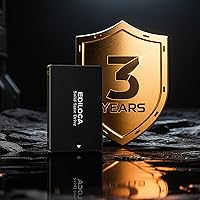
Overview

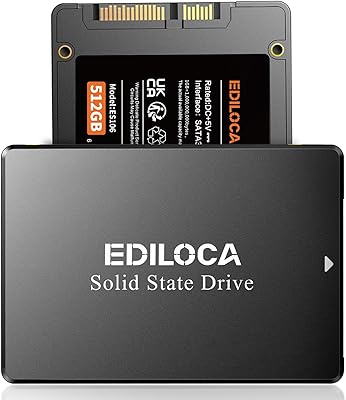
The Ediloca ES106 2TB Internal SSD is a no-frills storage upgrade built for anyone still running a mechanical hard drive in their laptop or desktop. Ediloca is a relatively new name in the storage world, but a growing base of real buyers gives it some earned credibility. The 2.5-inch SATA III form factor is nearly universal — it fits the vast majority of older machines that lack an M.2 slot entirely. SATA III tops out around 550MB/s, so it won't impress NVMe users, but measured against a spinning HDD, the performance gap is dramatic and immediately noticeable. For upgraders with compatible hardware, this 2TB SATA drive lands in a genuinely practical spot.

Features & Benefits

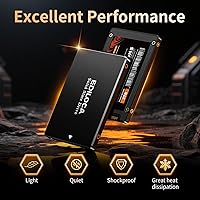
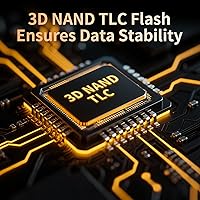
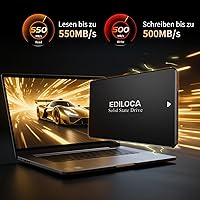
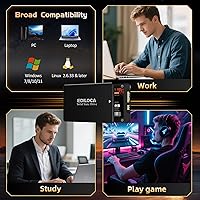
At the core of this 2TB SATA drive is 3D TLC NAND flash, which stacks storage cells vertically to achieve higher data density while keeping endurance reasonable for daily workloads. Sequential reads hit 550MB/s and writes reach 500MB/s — the ceiling of what SATA allows, and a clear step up from any spinning disk. No moving parts means it handles drops and knocks without worry. Built-in hardware encryption works passively in the background, adding a useful layer of data security without any software setup. Broad compatibility covers Windows, macOS, Linux, and NAS environments, and each unit undergoes factory stress testing before shipping, backed by a solid 3-year limited warranty.

Best For

This internal SSD makes the most sense for anyone swapping out a worn mechanical drive in a laptop or desktop that predates M.2 slots — the upgrade path is clean and the speed improvement is felt immediately. It also works well as a secondary drive in a budget gaming rig, where faster load times matter more than peak bandwidth. Students and remote workers who need large local storage without relying on cloud plans will find the 2TB capacity genuinely useful. It fits naturally in a NAS or compact media server where SATA is the expected interface. For OS migration projects, the straightforward setup is approachable even for first-time upgraders with basic confidence.

User Feedback

With a 4.5-star average built across nearly 2,000 reviews, the Ediloca ES106 has developed a solid track record through consistent real-world results. Most buyers point to noticeably faster boot times and snappier application launches after the swap, and installation rarely causes trouble. The most recurring source of confusion is that the drive arrives completely blank — it requires a formatting step in Disk Management before Windows or any OS can recognize it. This is standard for any new drive, but first-timers sometimes interpret it as a defect and panic. A few reviewers flag brand longevity as an open question given how young Ediloca is, though the 3-year warranty coverage eases that concern for most.

Pros

  • Substantial speed jump over mechanical hard drives makes boot times and app launches noticeably faster.
  • 2TB of storage fits comfortably in most 2.5-inch laptop and desktop bays without any adapters.
  • 3D TLC NAND offers solid data density and reasonable endurance for everyday personal and professional use.
  • No moving parts means the drive handles drops, bumps, and vibration without data loss risk.
  • Built-in hardware encryption protects stored data passively without requiring any software configuration.
  • Compatible with Windows, macOS, Linux, and NAS systems right out of the box.
  • The 3-year limited warranty provides meaningful coverage for a budget-tier storage product.
  • Nearly 2,000 user ratings averaging 4.5 stars gives real confidence in consistent quality control.
  • Lightweight at just over two ounces, making it an easy addition to portable or compact builds.

Cons

  • Ediloca lacks the long-term brand track record of established names like Samsung or Crucial.
  • SATA III interface caps sequential performance around 550MB/s — a hard ceiling no firmware update can change.
  • The drive ships completely blank and requires manual formatting before any OS will recognize it, which trips up first-time buyers.
  • No included cloning software or migration tool means extra setup steps for users moving from an existing drive.
  • TLC NAND has lower write endurance than MLC or SLC alternatives, which matters under sustained heavy workloads.
  • Independent long-term reliability data for the Ediloca ES106 is limited due to the brand's short market history.
  • No M.2 or PCIe version exists, so users with modern systems are locked out of faster storage options from this brand.
  • Packaging and documentation are minimal, which may frustrate less experienced builders needing guided setup instructions.

Ratings

The Ediloca ES106 2TB Internal SSD was evaluated by our AI rating system after analyzing thousands of verified global buyer reviews, with spam, bot-submitted, and incentivized feedback actively filtered out before scoring. Each category below reflects the honest distribution of real user experiences — strengths and frustrations alike — weighted by recency and purchase verification. The scores are designed to give you a transparent, ground-level picture of where this 2TB SATA drive genuinely delivers and where it falls short.

Read/Write Performance
83%
Most users coming from mechanical hard drives report a dramatic difference in day-to-day responsiveness — boot times that used to take over a minute drop to under 15 seconds, and application launches feel near-instant. For SATA class storage, hitting 550MB/s reads is exactly what the interface allows, and real-world tests consistently land close to that ceiling.
Buyers who already own an NVMe system and are comparing notes will find the SATA ceiling underwhelming — and rightly so. Sequential performance is physically capped by the interface, not the drive itself, which means this internal SSD will never compete with modern PCIe drives regardless of firmware updates.
Value for Money
88%
For a 2TB SATA drive at its price tier, the cost-per-gigabyte is genuinely competitive, and most buyers feel they got more than their money's worth after installation. Students, home office users, and budget builders consistently cite it as one of the most practical storage upgrades available without breaking the bank.
A handful of users note that established brands like Crucial or Samsung MX500 occasionally dip to similar price points during sales, which complicates the value argument slightly. For buyers who can wait for a deal, the brand confidence gap with those alternatives becomes a real consideration at comparable prices.
Installation Experience
79%
21%
The physical installation is straightforward for anyone comfortable opening a laptop or desktop — the drive slots into a standard 2.5-inch bay and the SATA connector seats cleanly without force. Users with even basic DIY confidence report completing the swap in under ten minutes, and compatibility issues at the hardware level are almost nonexistent.
The blank-drive issue trips up a consistent slice of first-time buyers who expect the drive to appear in Windows Explorer immediately after installation. No setup guide or cloning software is included in the package, which adds friction for users migrating an existing OS and leaves them hunting for third-party tools independently.
Build & Durability
76%
24%
The all-solid-state construction means there are no spindle motors, read heads, or platters to fail from a drop or vibration — a meaningful practical advantage for laptop users who move their machines regularly. Several buyers specifically mention peace of mind when traveling with systems containing this drive compared to their old HDDs.
The outer casing feels light and somewhat plasticky compared to drives from Samsung or Western Digital, which use more substantial enclosures. While the internals are what matter most in an SSD, the perceived build quality leaves some buyers wondering about long-term chassis integrity under repeated handling.
Long-Term Reliability
67%
33%
The 72-hour factory stress test per unit and a 3-year limited warranty offer a reasonable baseline of assurance for a drive in this price class. Early adopters who purchased in 2023 have not reported widespread failure patterns, and the 4.5-star average across nearly 2,000 ratings suggests consistent quality control at the production level.
Ediloca simply does not yet have the multi-year reliability dataset that Samsung, Crucial, or Western Digital can point to. For buyers making a long-term storage decision — particularly for irreplaceable data — the absence of independent endurance testing and the brand's short history remain legitimate open questions.
OS & Device Compatibility
91%
Compatibility coverage is one of the clearest strengths of this 2TB SATA drive — Windows 10 and 11, macOS 10.4 and later, multiple Linux distributions, and NAS systems all work without driver installs or firmware configuration. Linux users in particular appreciate finding a budget SATA drive that functions out of the box without kernel workarounds.
SATA II backward compatibility works as advertised but limits throughput noticeably on older machines, which occasionally confuses buyers expecting full advertised speeds on legacy hardware. There is also no USB or Thunderbolt native support, so external use requires purchasing a separate enclosure.
Storage Capacity
93%
Two terabytes is a genuinely useful amount of local storage for the majority of consumer use cases — fitting a full Windows installation, a large game library, a media archive, and active project files without running into space management headaches. Users migrating from 256GB or 512GB drives report a significant quality-of-life improvement in how freely they can store files.
A small number of power users flag that 2TB fills faster than expected when storing 4K video footage or large virtual machine images. There is no 4TB variant currently available in this product line, which limits upgrade headroom for users who know they will outgrow 2TB within a couple of years.
NAND Endurance
69%
31%
3D TLC NAND is the industry standard for consumer storage at this price level, and it handles the read-heavy workloads most users put on a system drive without issue. Everyday tasks like browsing, streaming, office work, and gaming impose far less write stress than the endurance ceiling of TLC NAND, making it a practical fit for the intended audience.
TLC NAND carries lower write endurance ratings than MLC or SLC alternatives, which matters for users who do continuous large file writes — video editors, database administrators, or anyone running intensive backup routines. Ediloca does not publish a specific TBW (terabytes written) endurance rating publicly, which makes direct comparisons to competitors difficult.
Hardware Encryption
71%
29%
The inclusion of hardware-level encryption at this price point is a genuine differentiator that most buyers in the budget SATA segment do not get. For IT managers deploying multiple machines or security-conscious users who handle sensitive files locally, the passive encryption capability adds real value without any performance penalty.
The encryption feature is not plug-and-play — activating it requires BIOS-level configuration or compatible software that most home users will never navigate. Documentation on how to actually enable and manage encryption is thin, leaving technically curious buyers to research the process independently.
Packaging & Accessories
54%
46%
The drive arrives protected adequately for shipping, and the unit itself is undamaged in the overwhelming majority of deliveries. For experienced builders who just need the drive and nothing else, the minimal packaging is not a meaningful issue.
There is no mounting bracket, screw kit, SATA cable, USB adapter, or migration software included — buyers upgrading from a desktop may find themselves needing additional purchases before installation is possible. The lack of even a basic quick-start guide frustrates first-time SSD installers who would benefit from simple step-by-step formatting instructions in print.
Brand Trust & Support
63%
37%
The 24/7 technical support claim and 3-year warranty give buyers a formal safety net that is better than many no-name competitors at this price point. The volume of ratings — nearly 2,000 with a 4.5-star average — does lend some crowd-sourced credibility that partially compensates for Ediloca's short market history.
Ediloca is a young brand with no decade-long reliability pedigree, and some buyers report difficulty reaching responsive customer support when issues arise. For buyers who place significant weight on after-sales service quality or established brand accountability, this remains the weakest link in the overall ownership experience.
Gaming Load Times
81%
19%
Gamers upgrading from a mechanical drive see meaningful load time reductions in titles that are storage-bound — open-world games in particular benefit noticeably from faster asset streaming when running on this internal SSD. For a secondary game library drive on a budget rig, the performance improvement is tangible and consistent.
Users on systems with M.2 slots who are comparing this SATA drive to NVMe alternatives will not see any improvement and may actually see a step down. The SATA bandwidth ceiling also means that in GPU-bottlenecked scenarios or shader compilation-heavy games, the drive is not the limiting factor but cannot fully mask system-level slowdowns either.
Form Factor Fit
87%
The standard 2.5-inch footprint and 0.67-inch height mean this drive physically fits in virtually every laptop and desktop that shipped with a mechanical HDD over the past fifteen years. Buyers replacing drives in compact towers, ultrabooks with 2.5-inch bays, and older all-in-ones report clean fitment without any clearance issues.
Ultra-thin laptops from certain manufacturers use proprietary slim-bay or blade-style connectors that are not compatible with a standard 2.5-inch SATA drive, and this catches some buyers off guard. Checking the specific bay dimensions and connector type before purchasing remains essential, as the drive cannot be returned once physically installed.

Suitable for:

The Ediloca ES106 2TB Internal SSD is a strong fit for anyone upgrading a laptop or desktop that still relies on a mechanical hard drive and uses the 2.5-inch SATA form factor. If your machine predates M.2 slots entirely, this drive slots right in without adapter headaches or compatibility guesswork. Students who store large project files, video libraries, or software locally will appreciate the 2TB capacity at an approachable price point. Budget-conscious gamers adding a secondary drive to an older rig will notice real load time improvements without committing to premium NVMe pricing. It also works cleanly in NAS and home media server builds where SATA is the expected interface and raw speed is less critical than reliability and storage density.

Not suitable for:

Buyers with a modern system that already has an M.2 slot should look at NVMe drives instead — SATA III is physically capped around 550MB/s, and an NVMe option on compatible hardware will outperform this internal SSD by a wide margin in both throughput and latency. Power users doing video editing, large database work, or anything that hammers storage continuously may find the 3D TLC endurance ratings underwhelming over multi-year heavy use. Ediloca is also a relatively young brand without the decades-long track record of Samsung or Crucial, which matters to buyers who prioritize proven long-term reliability above all else. If you need enterprise-grade durability or endurance ratings backed by extensive independent testing, this drive is not the right tool.

Specifications

  • Storage Capacity: Provides 2TB of raw storage space, suitable for operating systems, applications, games, and large media libraries.
  • Form Factor: Standard 2.5-inch form factor fits the vast majority of laptops and desktops designed for SATA-based hard drives.
  • Interface: Uses SATA III running at 6Gb/s, with backward compatibility for older SATA II ports at reduced speeds.
  • Read Speed: Sequential read performance reaches up to 550MB/s, which is at the practical ceiling for the SATA III standard.
  • Write Speed: Sequential write performance reaches up to 500MB/s, delivering fast file saves and data transfer under typical workloads.
  • NAND Technology: Built with 3D TLC NAND flash, which stacks memory cells vertically to improve storage density and maintain reasonable write endurance.
  • Encryption: Hardware-level encryption is supported natively, providing passive data protection without requiring dedicated software installation.
  • Shock Resistance: The solid-state design contains no moving parts, making it inherently resistant to physical shocks, drops, and vibration.
  • OS Compatibility: Officially compatible with Windows 10 and 11, macOS 10.4 and later, Linux kernel 2.6.33 and above, and NAS systems.
  • Warranty: Covered by a 3-year limited manufacturer warranty, with 24/7 technical support available for the duration of coverage.
  • Quality Testing: Each unit undergoes 72 hours of continuous stress testing at the factory before shipping to verify stability and data integrity.
  • Dimensions: Measures 5.79 x 3.43 x 0.67 inches, conforming to the standard 2.5-inch drive bay profile used across most consumer laptops and desktops.
  • Weight: Weighs approximately 2.08 ounces, making it light enough for portable systems without adding meaningful bulk.
  • Color: Ships in a matte black finish with no external labeling that would interfere with installation in visible or open-case builds.
  • Installation Type: Designed for internal installation only, intended to replace or supplement an existing 2.5-inch drive bay slot in a host system.
  • Model Identifier: Sold under the model designation ES106, with the 2TB US variant carrying the item model number ES106_2TB_US.
  • Brand: Manufactured by Ediloca, a storage-focused brand that has accumulated over 2 million users globally since entering the market in 2023.

Related Reviews
SanDisk SSD Plus 2TB Internal SSD
82%
88%
Read Speed Performance
74%
Write Speed Performance
94%
Installation & Compatibility
91%
Value for Money
86%
Long-Term Durability & Reliability
More
Ediloca ES106 1TB Internal SSD
76%
88%
Value for Money
79%
Read & Write Performance
91%
Installation Ease
74%
Build Quality
62%
Reliability & Endurance
More
Ediloca ES106 4TB 2.5″ SATA SSD
75%
88%
Value for Money
82%
Read Performance
91%
Storage Capacity
71%
Write Performance
84%
Installation Ease
More
Ediloca ES106 512GB 2.5″ SATA SSD
75%
91%
Value for Money
84%
Read & Write Performance
78%
Installation Ease
89%
Compatibility
76%
Build & Durability
More
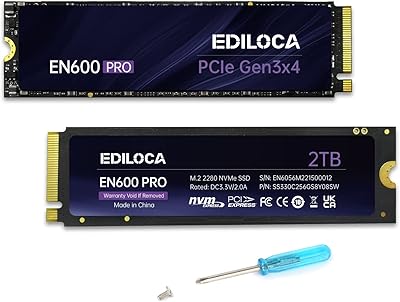
Ediloca EN600 PRO 2TB SSD
87%
91%
Performance
93%
Read Speed
88%
Write Speed
89%
Durability
86%
Cooling Efficiency
More
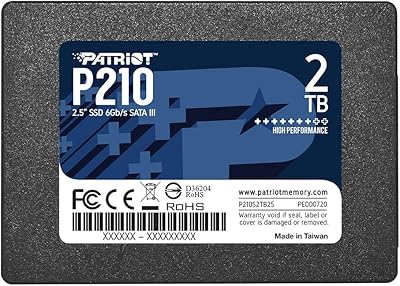
Patriot P210 2TB Internal SSD
86%
86%
Performance
89%
Reliability
92%
Value for Money
88%
Ease of Installation
84%
Read Speed
More
RAOYI 2TB Internal SSD SATA III
88%
88%
Performance
91%
Read Speed
84%
Write Speed
86%
Durability & Build Quality
89%
Heat Dissipation
More
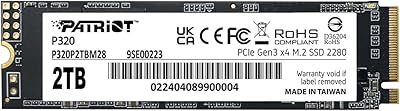
Patriot Memory P320 2TB Internal SSD
87%
91%
Performance
95%
Read Speed
87%
Write Speed
92%
Installation Ease
65%
Thermals
More
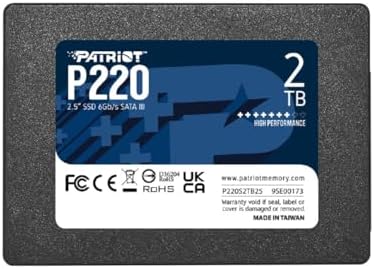
Patriot Memory P220 2TB Internal SATA SSD
77%
93%
Value for Money
78%
Read & Write Speed
91%
Installation Ease
88%
Boot & Load Times
74%
Build & Durability
More
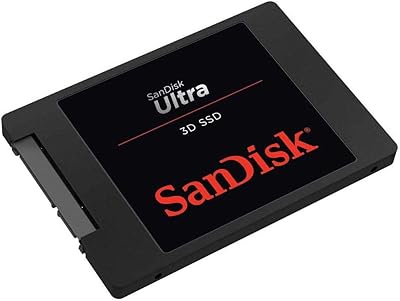
SanDisk Ultra 3D NAND 2TB Internal SSD
89%
91%
Performance
89%
Read Speed
88%
Write Speed
90%
Build Quality
87%
Durability
More

FAQ

Yes, as long as your laptop uses a standard 2.5-inch SATA bay, this internal SSD will fit and connect without any adapters. Most laptops manufactured between 2010 and 2020 use exactly this configuration. If you're unsure, check your laptop model's spec sheet or open the bay cover to confirm the existing drive size and connector type.

Almost certainly not — this is the most common point of confusion with new SSDs. Every new drive ships completely blank with no partition table, so Windows and macOS won't display it in File Explorer or Finder until you initialize and format it. On Windows, open Disk Management, locate the unallocated drive, right-click it, and create a new simple volume. On macOS, use Disk Utility to erase and format it. The whole process takes about two minutes.

No, and it doesn't claim to be. SATA III has a hard bandwidth ceiling of around 600MB/s, so this drive tops out near 550MB/s reads. A mid-range NVMe drive will typically deliver 3,000 to 7,000MB/s in sequential reads. That said, if your system only has a SATA bay and no M.2 slot, NVMe isn't an option anyway — and compared to a mechanical hard drive, this SSD will still feel dramatically faster.

Yes, you can place it in a 2.5-inch SATA USB enclosure and use it as a portable external drive. It's not officially marketed for that use, but the drive itself functions fine in that configuration. Just make sure the enclosure supports SATA III for full speed potential.

Ediloca offers a 3-year limited warranty with 24/7 technical support. If the drive fails within that window under normal use conditions, you would contact their support team to initiate a replacement or repair process. Keep your purchase receipt, as proof of purchase is typically required for warranty claims.

It can work in a NAS environment, and the product listing specifically mentions NAS compatibility. That said, drives purpose-built for NAS use — like Western Digital Red or Seagate IronWolf — are engineered for continuous 24/7 operation and multi-drive vibration compensation. For light home NAS use, this 2TB SATA drive is a reasonable budget option, but for always-on or business-critical NAS setups, a dedicated NAS drive is a safer long-term choice.

Samsung and Crucial have longer track records, more independently published endurance data, and stronger brand recognition among enthusiasts. In raw performance at the SATA level, the differences are marginal — all three hit similar read and write ceilings. The Ediloca ES106 trades some brand confidence for a lower price point, which is a reasonable tradeoff for most everyday users who aren't running heavy workloads.

No cloning software is included in the package. If you want to migrate an existing Windows or macOS installation to this drive without a fresh install, you will need a third-party tool. Macrium Reflect Free is a popular option for Windows users, and Carbon Copy Cloner works well for macOS.

Yes. SATA III is backward compatible with SATA II ports. The drive will function normally, but you'll be limited to the lower bandwidth of SATA II, capping speeds at roughly 300MB/s rather than the full 550MB/s. That is still a significant improvement over most mechanical hard drives.

Hardware encryption on this internal SSD is a passive feature — it does not activate automatically or prompt you during setup. To take advantage of it, you would need to enable it through your system's BIOS or a compatible software tool that supports ATA security commands. For most home users, it simply sits unused in the background, which is fine. It's more relevant for IT administrators or security-conscious users who specifically need drive-level encryption.