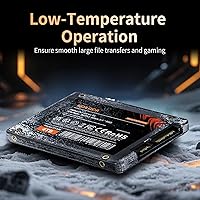

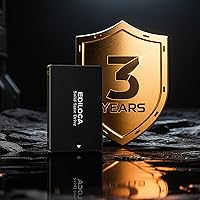
Overview

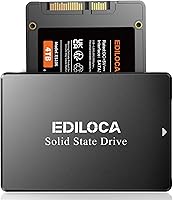
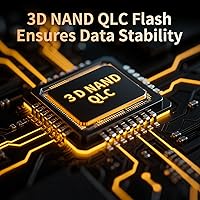
The Ediloca ES106 4TB 2.5″ SATA SSD sits in an interesting spot — it's not a flagship drive from a household name, but it targets a real gap in the market: users who need serious storage capacity without spending serious money. Ediloca is a value-tier brand with a focus on high-density drives, and this 4TB offering reflects that philosophy clearly. It holds a top-250 ranking in Internal SSDs on Amazon, which signals genuine purchase volume, not just curiosity clicks. Worth knowing upfront: it uses 3D QLC NAND, which makes that 4TB capacity economically possible but does carry some write-endurance trade-offs compared to TLC-based drives — a real consideration for heavy users.

Features & Benefits

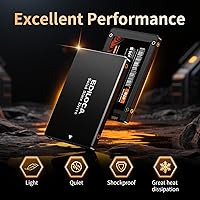
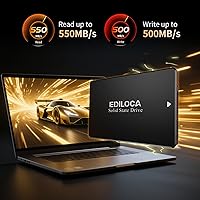
At its core, this 4TB SATA drive delivers 550MB/s sequential reads and 500MB/s writes — not NVMe territory, but roughly three times faster than a mechanical hard drive, which is the relevant comparison for most upgraders. The SATA III interface is backward compatible with older SATA II ports, so it drops cleanly into aging hardware without adapter fuss. OS compatibility is genuinely broad: Windows, macOS, Linux, and NAS environments are all supported out of the box. The chassis is slim and rated shock-resistant, which matters if the drive lives in a laptop that gets tossed around regularly. A 3-year warranty and 72-hour factory stress testing provide a reasonable baseline of quality assurance for a value-priced drive.

Best For

This high-capacity SSD makes the most practical sense for a specific kind of buyer. If you're keeping an older laptop alive and need a meaningful storage bump, swapping out the original HDD for a 4TB SATA upgrade is one of the smartest cost-per-gigabyte moves available right now. Content creators and hobbyists managing large local photo or video archives will also find it genuinely useful. Budget-conscious NAS builders should take a close look at the capacity-per-dollar ratio here. Gamers wanting a secondary game library drive where raw NVMe throughput isn't required will get solid value. One first-timer heads-up: the drive ships blank, so you'll need to initialize and format it in Disk Management before your system recognizes it.

User Feedback

With over 1,900 ratings averaging 4.5 stars, this high-capacity SSD has clearly found its audience. The most consistent praise surrounds easy installation and the immediate, tangible speed improvement over old mechanical drives — buyers who made the switch from HDDs tend to walk away satisfied. Where opinions diverge is on long-term durability. Technically minded reviewers correctly flag that QLC NAND has lower write endurance than TLC, making this a questionable pick for anyone pushing heavy daily writes. A handful of NAS users have noted compatibility quirks worth investigating for specific units. Post-format capacity is generally reported as expected. It's an honest value-tier drive — capable for the right use case, but not without trade-offs worth understanding first.

Pros

  • Exceptional capacity-per-dollar ratio makes 4TB storage genuinely accessible for everyday budgets.
  • Real-world read speeds around 550MB/s represent a dramatic improvement over any spinning hard drive.
  • Fits any standard 2.5-inch bay, making it a true drop-in replacement for aging laptop HDDs.
  • Broad OS compatibility covers Windows, macOS, Linux, and NAS environments without extra configuration.
  • SATA III backward compatibility means it works cleanly in older SATA II systems without adapters.
  • Shock-resistant and drop-proof design adds practical durability for laptop users on the move.
  • 3-year limited warranty provides reasonable coverage for a value-priced internal drive.
  • 72-hour factory stress testing suggests a baseline quality-control process before units ship.
  • Over 1,900 Amazon ratings averaging 4.5 stars reflects a large, broadly satisfied customer base.
  • Slim 2.11-ounce form factor adds virtually no weight to portable builds.

Cons

  • QLC NAND write endurance is lower than TLC alternatives — a real concern for write-heavy workloads.
  • Ediloca lacks the long-term reliability track record of established storage brands.
  • SATA III interface is a hard throughput ceiling; NVMe drives at similar prices offer far higher speeds.
  • Drive ships completely blank — first-time users must manually initialize it in Disk Management before use.
  • No published TBW (terabytes written) endurance rating makes long-term durability harder to evaluate objectively.
  • Some NAS users have reported compatibility quirks with specific enclosures, requiring extra research before buying.
  • QLC NAND performance can degrade noticeably once the drive's SLC cache buffer is exhausted during large transfers.
  • Limited brand recognition may complicate warranty claims or support interactions compared to tier-one manufacturers.

Ratings

Our AI-generated scores for the Ediloca ES106 4TB 2.5″ SATA SSD were produced by systematically analyzing verified global buyer reviews, actively filtering out incentivized, bot-generated, and duplicate feedback to surface what real users actually experienced. Ratings reflect both the genuine strengths that earned this drive its large following and the honest pain points that informed buyers should weigh before purchasing. Nothing has been smoothed over — the scores are calibrated to reflect the full picture.

Value for Money
88%
For buyers who simply need maximum storage at minimum cost, the capacity-per-dollar ratio here is difficult to argue with. Most users upgrading from a mechanical hard drive — or paying premium prices for smaller SSDs — walk away feeling they made a smart financial decision.
Savvy shoppers who compare closely will find that the QLC NAND trade-offs mean the drive is not quite as cost-efficient as it first appears when long-term endurance is factored in. For high-write workloads, the effective cost over the drive's lifetime looks less favorable.
Read Performance
82%
18%
Users replacing 5400 RPM laptop hard drives report a transformative difference in everyday responsiveness — boot times, application launches, and large file reads all improve sharply. The 550MB/s ceiling is consistently approached under real-world sequential workloads.
The SATA III interface is a hard architectural cap, and anyone coming from a modern NVMe system will find the throughput unimpressive by comparison. Burst read speeds during SLC cache exhaustion can also drop noticeably during very large sequential transfers.
Storage Capacity
91%
Four terabytes in a 2.5-inch form factor remains genuinely rare at this price tier, and buyers consistently cite it as the primary reason for choosing this drive over smaller alternatives. Media collectors, game library builders, and NAS users all benefit from the headroom.
Post-format usable capacity lands around 3.6TB due to standard file system overhead, which surprises some first-time buyers expecting the full labeled figure. This is an industry-wide convention, not a unique issue, but it still generates occasional frustration in user feedback.
Write Performance
71%
29%
For light-to-moderate daily use — writing documents, downloading files, installing software — the 500MB/s rated write speed handles tasks cleanly and without perceptible lag. Casual users and media consumers rarely push the drive hard enough to encounter any bottlenecks.
QLC NAND write endurance is the most significant technical concern flagged by informed reviewers. Once the drive's SLC write cache buffer is saturated during large sustained transfers, write speeds can drop substantially, and cumulative write limits are lower than comparable TLC drives.
Installation Ease
84%
The physical installation process earns consistent praise — the drive slots directly into any standard 2.5-inch SATA bay without adapters or complications, and most users report the hardware side of the upgrade taking under fifteen minutes. Broad OS compatibility reduces setup friction further.
The drive ships completely blank, with no partition or file system, and a recurring pain point in user reviews is discovering that Windows does not recognize it until it is initialized in Disk Management. First-time upgraders in particular find this step confusing and poorly communicated.
Build Quality
74%
26%
The slim chassis feels solid enough for a drive that will live inside a laptop or desktop permanently, and the shock-resistant rating provides reasonable confidence for mobile use cases. Weight is negligible at just over two ounces, which suits portable system upgrades well.
The enclosure does not carry the premium tactile quality of drives from established brands, and a minority of reviewers describe it as feeling plasticky at close inspection. There is no published drop-test specification to back up the shock-resistant claim with measurable data.
Long-Term Reliability
58%
42%
The majority of buyers report stable, trouble-free operation during the first year of ownership, and the 72-hour factory stress testing does appear to catch obvious defects before units ship. The 3-year warranty provides a meaningful safety net for most typical use scenarios.
The absence of a published TBW (terabytes written) endurance rating makes it genuinely difficult to assess long-term durability with confidence, and some early reviews flag unit failures after moderate usage periods. QLC NAND's inherently lower write cycle tolerance remains a legitimate concern for reliability-focused buyers.
NAS Compatibility
67%
33%
A meaningful portion of buyers specifically deploy this 4TB SATA drive in home NAS enclosures for media servers and local backups, and many report it working reliably in Synology and similar units for read-heavy media streaming workloads.
NAS compatibility is not universal, and several users report detection issues with specific enclosure models or firmware versions. Unlike drives purpose-built for NAS environments, this high-capacity SSD lacks vibration compensation features and is not officially validated by major NAS manufacturers.
OS Compatibility
86%
Support for Windows 10/11, macOS 10.4 and later, and Linux 2.6.33 and later is broad enough to cover the overwhelming majority of real-world setups without any special drivers or configuration. Users across all three platforms consistently report clean recognition after initial formatting.
macOS users need to format the drive using Disk Utility before use — it does not auto-prompt as clearly as on Windows — and a small number of Linux users on older kernel versions report needing manual mount configuration. These are minor issues but worth noting for non-Windows buyers.
Thermal Performance
72%
28%
In everyday computing tasks — web browsing, document editing, media playback — the drive runs cool and never introduces any heat-related throttling that users would notice. The solid-state design naturally produces far less heat than any mechanical alternative.
Under sustained sequential write loads, some users report warmth building up in the chassis, particularly in tight laptop enclosures with limited airflow. No thermal throttling data has been officially published, which makes it harder to assess how the drive behaves in fanless or thermally constrained systems over extended sessions.
Packaging & First Impressions
69%
31%
The drive arrives in protective packaging adequate to prevent transit damage, and most buyers report units arriving in perfect physical condition. The compact box takes up minimal storage space, which is a minor but appreciated detail for online buyers.
Packaging presentation does not match the premium feel buyers associate with top-tier storage brands — there are no accessories, no cloning software codes, and no adapter hardware included. Buyers hoping for an all-in-one upgrade kit will need to source a SATA-to-USB adapter and cloning software separately.
Brand Trust
61%
39%
Ediloca has accumulated over 1,900 ratings and holds a top-250 BSR position in Internal SSDs, suggesting genuine purchase volume and a reasonably satisfied customer base for a relatively young brand. The 24/7 support claim also adds some reassurance for buyers who hit setup issues.
Ediloca does not carry the decades-long reliability reputation of established storage brands, and long-term data on drive failure rates across large sample sizes simply does not exist yet for this label. Buyers for whom brand credibility and support infrastructure are critical decision factors will likely find more comfort elsewhere.
Warranty & Support
66%
34%
A 3-year limited warranty is a competitive offering at this price tier, and Ediloca's stated 24/7 technical support availability means buyers theoretically have a channel for help at any hour. Most setup-related support questions can also be resolved quickly through online resources.
Real-world warranty claim experiences with value-tier brands can be inconsistent, and there is limited independent data on how smoothly Ediloca processes RMA requests or handles shipping costs in different regions. Buyers outside major markets may find the support process slower or less straightforward than expected.

Suitable for:

The Ediloca ES106 4TB 2.5″ SATA SSD is a strong fit for anyone looking to breathe new life into an older laptop or desktop without replacing the entire machine. If your current system still runs a spinning hard drive, swapping it out for this 4TB SATA drive will produce a noticeable, immediate improvement in boot times and everyday responsiveness. Budget-conscious content creators and hobbyists who store large photo libraries, video projects, or media collections locally will appreciate the rare combination of high capacity at a value price point. Home NAS builders looking to maximize storage per dollar — rather than chasing peak sequential speeds — should also consider it a serious option. Gamers who want a secondary drive to house a large game library, where raw NVMe throughput is simply not necessary, will find this high-capacity SSD a practical and cost-effective solution.

Not suitable for:

The Ediloca ES106 4TB 2.5″ SATA SSD is not the right choice for every buyer, and it's worth being direct about where it falls short. The 3D QLC NAND technology used to achieve that 4TB density carries a meaningful endurance trade-off: QLC cells wear faster under sustained, heavy write workloads compared to TLC-based alternatives, making this a poor fit for video editors, database administrators, or anyone constantly writing large volumes of data to the drive. Users building performance-first systems should also look elsewhere — the SATA III interface is a hard ceiling on throughput, and modern NVMe SSDs at the same price tier will outrun it significantly on sequential speeds. If brand trust and long-term reliability data are top priorities for you, established names like Samsung, Crucial, or Western Digital come with deeper track records than a newer value-tier brand can currently offer. Finally, buyers expecting a ready-to-use drive out of the box should know upfront that the drive ships blank and requires manual initialization in Disk Management before the system will recognize it — a small but real friction point for first-timers.

Specifications

  • Capacity: This drive offers 4TB of raw storage, with slightly less available after formatting due to standard file system overhead.
  • Form Factor: Built in the 2.5-inch form factor, it fits any standard laptop or desktop bay designed for 2.5-inch drives.
  • Interface: Uses a SATA III 6Gb/s interface (SATA Rev. 3.0) and is backward compatible with SATA Rev. 2.0 systems.
  • Read Speed: Rated sequential read speed reaches up to 550MB/s under optimal conditions.
  • Write Speed: Rated sequential write speed reaches up to 500MB/s under optimal conditions.
  • NAND Type: Engineered with 3D QLC (Quad-Level Cell) NAND flash memory to achieve high storage density in a compact form.
  • Dimensions: Measures 5.83 x 3.43 x 0.67 inches, conforming to the standard 2.5-inch drive footprint.
  • Weight: Weighs 2.11 ounces, adding negligible mass to laptops or portable systems.
  • OS Support: Compatible with Windows 10/11, macOS 10.4 and later, Linux kernel 2.6.33 and later, and NAS environments.
  • Installation Type: Designed for internal installation and ships as a blank drive requiring user formatting before first use.
  • Durability: The chassis is rated shock-resistant and drop-proof, providing protection against incidental physical impact during normal use.
  • Quality Testing: Each unit undergoes 72-hour continuous stress testing at the factory before shipment.
  • Warranty: Covered by a 3-year limited warranty backed by 24/7 technical support from Ediloca.
  • Color: Available in black with a slim, low-profile exterior finish.
  • Series: Part of the Ediloca ES106 product line, model number ES106_4TB_US.

Related Reviews

Vantec NexStar JX 3.5″ HDD Enclosure

76%
93%
Ease of Setup
78%
Transfer Speed — USB
86%
Transfer Speed — eSATA
74%
Thermal Management
67%
Build Quality
More
Cenmate 5-Bay Hybrid HDD/NVMe Enclosure
73%
83%
Build Quality
78%
Thermal Management
71%
Transfer Speed
69%
RAID Functionality
76%
Drive Compatibility
More
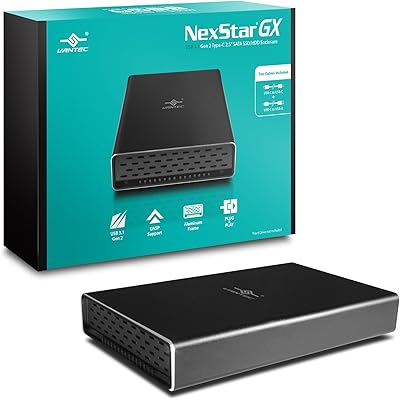
Vantec NexStar Gx USB 3.1 Gen 2 Type-C 2.5” SATA SSD/HDD Enclosure
88%
91%
Data Transfer Speed
95%
Ease of Setup
87%
Build Quality & Durability
88%
Compatibility with Devices
85%
Heat Dissipation
More
ICY DOCK ToughArmor MB998SP-B 8-Bay 2.5” SATA/SAS HDD/SSD Mobile Rack Enclosure for 5.25″ Bay
87%
91%
Performance
88%
Cooling Efficiency
89%
Build Quality
93%
Ease of Installation
72%
Noise Level
More
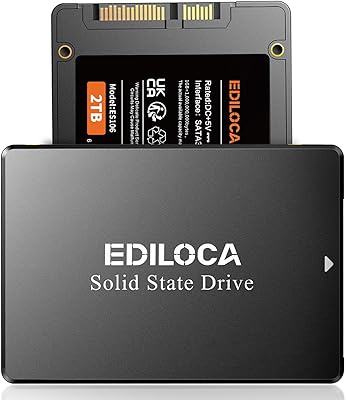
Ediloca ES106 2TB Internal SSD
77%
83%
Read/Write Performance
88%
Value for Money
79%
Installation Experience
76%
Build & Durability
67%
Long-Term Reliability
More
ChenYang MSATA & M.2 NGFF SATA to 2.5″ SATA JBOD Enclosure Adapter
83%
93%
Ease of Installation
85%
Build Quality
88%
Performance and Speed
74%
Compatibility
89%
Value for Money
More
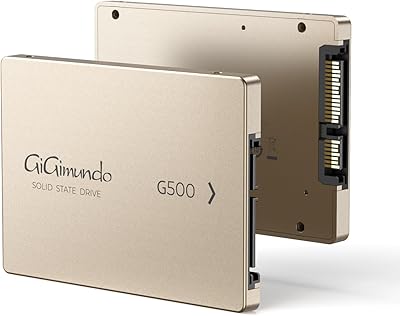
GiGimundo G500 1TB 2.5″ SATA SSD
84%
92%
Performance (Speed)
89%
Ease of Installation
85%
Build Quality (Durability)
91%
Value for Money
87%
Compatibility
More
KingSpec 512GB 2.5-inch SATA SSD
77%
88%
Value for Money
83%
Read & Write Speed
86%
Installation Ease
61%
Long-term Reliability
63%
Thermal Performance
More
iDsonix X20 2TB 2.5″ SATA SSD
80%
88%
Performance
92%
Value for Money
85%
Reliability
65%
Installation Process
90%
Durability/Build Quality
More
Ediloca EN206 2TB M.2 SATA SSD
85%
88%
Performance
85%
Reliability
91%
Value for Money
80%
Build Quality
88%
Ease of Installation
More

FAQ

In most cases, yes. If your laptop has a 2.5-inch SATA bay — which the vast majority of older laptops do — this 4TB SATA drive will fit and connect without any adapters. Just check your laptop specs to confirm the bay size before ordering.

That is completely normal and not a defect. Drive manufacturers measure 1TB as 1 trillion bytes, while Windows reports storage in binary units (gibibytes), which produces a slightly smaller number. You are getting the full 4TB of physical storage — the displayed figure is just a unit conversion difference.

Nothing is wrong with the drive — it ships completely blank with no partition or file system, so Windows will not display it in File Explorer until you initialize it. Open Disk Management (right-click the Start menu), locate the unallocated drive, create a new volume, and format it. After that, it will appear and work normally.

It is listed as NAS-compatible, and many buyers do use it in home NAS enclosures successfully. That said, NAS compatibility can be specific to the enclosure brand and firmware, so it is worth checking your NAS manufacturer's compatibility list before committing — especially for Synology or QNAP units that maintain official drive approval lists.

QLC NAND stores four bits per cell, which is what makes 4TB affordable in a 2.5-inch form factor, but it does wear faster than TLC (three bits per cell) under sustained heavy writes. For typical everyday use — storing media files, running an OS, or gaming — most users will never stress it enough to notice. If you are writing hundreds of gigabytes daily, a TLC-based drive would be a more durable long-term choice.

Yes, you can install Windows 11 on this drive and use it as your primary system drive. Boot times will be noticeably faster than a mechanical hard drive. Just make sure your system meets Windows 11 requirements separately — the drive itself is not the limiting factor there.

It works with macOS 10.4 and later. You will need to format it using Disk Utility on your Mac before use — choose APFS for modern macOS versions or Mac OS Extended (Journaled) if you need compatibility with older systems. The process takes just a few minutes.

The difference is substantial. A typical 5400 RPM laptop hard drive tops out around 100 to 120MB/s for sequential reads. This drive is rated at 550MB/s — roughly four to five times faster. In practice, that means noticeably quicker boot times, faster application launches, and much snappier large file transfers.

Ediloca advertises 24/7 support and a 3-year limited warranty, which is a reasonable coverage period for a value-tier drive. As with any smaller brand, the support experience may not be as streamlined as what you would get from a company like Samsung or Western Digital, so it is worth keeping your purchase receipt and documenting any issues with photos if a claim becomes necessary.

It works in desktop PCs too. Most modern desktop cases have 2.5-inch drive bays, or you can use an inexpensive 2.5-inch to 3.5-inch adapter bracket to mount it in a standard 3.5-inch bay. Once physically connected via SATA cable and powered, the setup process is the same as any other installation.