Overview

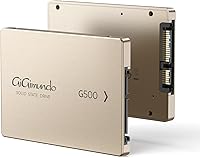
The GiGimundo G500 1TB 2.5-inch SATA SSD is a late-2024 entry from a brand most buyers won't recognize, aimed squarely at people who want to breathe new life into aging hardware without spending much. It slots into the increasingly crowded budget SSD space, pitching itself as a straightforward HDD replacement for older laptops, desktops, and even consoles. What sets it apart visually is the rose gold aluminum housing — an unusual choice in a category dominated by plain black plastic slabs. With 446 Amazon ratings averaging 4.4 stars and a #252 rank in Internal SSDs, the numbers are respectable for a newcomer, though brand credibility still deserves scrutiny.

Features & Benefits

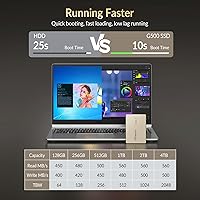
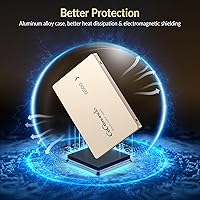
Running on a SATA 3.0 interface, this budget SATA SSD reaches up to 560 MB/s sequential read and 500 MB/s sequential write — solid numbers for this interface tier, though not groundbreaking compared to NVMe. The aluminum alloy shell does more than look good; it passively dissipates heat and adds a degree of shock tolerance a bare PCB simply wouldn't offer. With no spinning platters, the drive runs quietly and sips power, which matters on older laptops with already-strained batteries. One spec worth understanding is SMR recording technology: it handles everyday reads and light writes without issue, but sustained large file transfers can slow noticeably as the drive catches up internally. TRIM support helps prevent gradual performance degradation over time.

Best For

The G500 drive makes the most sense as an HDD replacement in laptops or desktops still limping along on spinning drives — even a modest SSD upgrade makes boot times and app launches feel noticeably faster. Console users can install it in a PS4 or PS3 Slim for extra storage, though load time gains will be real but modest, not dramatic. It also works well as a secondary drive inside an external enclosure, where the rose gold finish actually gets to shine. Where it struggles: as a primary OS drive in systems handling heavy video editing, large database writes, or sustained write-heavy workloads that expose SMR's limitations.

User Feedback

Most verified buyers report a clear speed improvement when swapping out an old HDD, especially in boot times and responsiveness. The aluminum build draws consistent praise — several reviewers specifically mention using this 1TB upgrade drive in a transparent enclosure because it genuinely looks good. On the critical side, a handful of users note write speed dips during large file transfers, which lines up with typical SMR behavior and is not unique to this drive. The bigger hesitation among skeptics is long-term reliability: no published TBW endurance rating and an unfamiliar brand leave some buyers cautious about using it as a primary drive. Installation, at least, draws near-universal approval across experience levels.

Pros

  • Swapping out an old HDD produces a clear, immediate improvement in boot times and app launches.
  • SATA 3.0 speeds of up to 560 MB/s read and 500 MB/s write are competitive for the interface.
  • The aluminum alloy housing adds passive heat dissipation and light drop resistance most budget drives skip.
  • At just 1.41 oz, the G500 drive is light enough to forget it is even installed.
  • TRIM support helps maintain performance over time and reduces gradual write degradation.
  • Rose gold finish genuinely stands out in external enclosures compared to generic black plastic competitors.
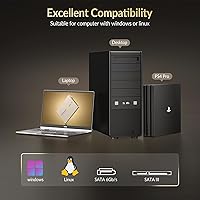
  • Compatible with PS4, PS3 Slim, laptops, and desktops — one drive covers a wide range of older hardware.
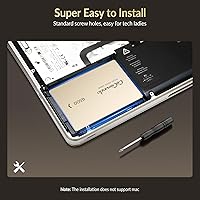
  • Installation is straightforward enough that first-time upgraders report completing it without any real friction.
  • Available in multiple capacities from 128GB to 4TB, so buyers can right-size their purchase.

Cons

  • No published TBW endurance rating makes it difficult to assess how long the drive will reliably last.
  • SMR technology causes write speed slowdowns during large or sustained file transfers — a real limitation for heavy users.
  • GiGimundo is an unknown brand with no established track record, which makes warranty claims an open question.
  • SATA 3.0 is a mature, limited interface — this drive is not appropriate for any NVMe-capable modern system.
  • Console load time improvements are modest at best; buyers expecting dramatic gains will likely be disappointed.
  • No third-party benchmarks or independent endurance testing exist for this drive at the time of writing.
  • SMR architecture performs poorly compared to TLC or MLC NAND in write-heavy professional workloads.
  • The rose gold color, while distinctive, may not suit buyers installing the drive internally where it will never be seen.

Ratings

The GiGimundo G500 1TB 2.5-inch SATA SSD scores below are generated by AI after analyzing hundreds of verified buyer reviews worldwide, with spam, bot-submitted, and incentivized feedback actively filtered out. The ratings reflect a balanced picture — where this budget drive genuinely delivers and where it falls short — so you can make a well-informed decision before buying.

Value for Money
83%
For buyers upgrading a laptop still limping along on a spinning hard drive, the price-to-performance ratio lands well. Getting 1TB of SATA SSD storage at this tier means the outlay is often recovered in sheer day-to-day time savings within the first week of use.
The value calculation gets murkier when you factor in the absence of an endurance rating and an unproven brand. Paying a modest premium for a drive from Samsung or Crucial buys documented longevity, which arguably makes the G500 drive a less obvious bargain over a multi-year horizon.
Read/Write Performance
74%
26%
Sequential read speeds of up to 560 MB/s are at the practical ceiling of the SATA 3.0 interface, and users upgrading from HDDs consistently report the improvement as dramatic for everyday tasks like booting Windows or launching Chrome with dozens of tabs.
The SMR recording technology used in this 1TB upgrade drive introduces a real-world write speed ceiling that benchmarks alone do not capture. During sustained large file transfers — moving a movie library or doing a system backup — the drive slows noticeably as it pauses to reorganize data internally.
Build Quality
78%
22%
The aluminum alloy housing feels noticeably more substantial than the bare plastic shells common on budget drives at this price point. Several buyers specifically noted it held up well after being handled frequently during installation and in external enclosure builds.
While the enclosure feels solid, there is no independent drop-test or vibration-resistance certification to back up the durability claims. For a drive going into a portable external enclosure that travels regularly, the lack of any rated shock tolerance is a mild but real concern.
Reliability & Longevity
58%
42%
In the short term — the first several months of use — the majority of buyers report no issues, and the TRIM support does help prevent the gradual write degradation that affects SSDs without it. For low-write, read-heavy workloads, the drive appears stable.
The absence of a published TBW endurance rating is the single biggest reliability concern with this budget SATA SSD. Without that number, there is no manufacturer-backed way to know when to expect the drive to approach its write limit, which is a significant gap for anyone using it as a primary drive.
Ease of Installation
91%
Installation feedback is overwhelmingly positive, with first-time upgraders frequently mentioning they completed the swap in under 30 minutes using only a YouTube tutorial. The standard 2.5-inch form factor means no adapters or surprises — it drops straight into any compatible SATA bay.
The included documentation is minimal, and users who wanted to clone their existing drive rather than do a clean install had to source their own cloning software. A bundled software recommendation or QR code guide would have made the out-of-box experience more complete.
Design & Aesthetics
82%
18%
The rose gold aluminum finish is genuinely distinctive in a product category where virtually everything ships in matte black. Buyers using it in windowed or transparent 2.5-inch enclosures repeatedly call it out as an unexpected visual bonus that makes the build feel more personal.
For internal installations where the drive is never seen, the aesthetic is irrelevant — which means most buyers are paying for a finish they will never look at. The color also skews toward a particular taste, and some buyers noted they would have preferred a neutral option.
Compatibility
77%
23%
The standard SATA interface means this drive works across a genuinely wide range of hardware without modification — older ThinkPads, budget desktops, PS4 storage bays, and 2.5-inch USB enclosures all accept it without issue. Buyers with multiple older devices appreciate that one drive type covers all of them.
The listing overstates Xbox Series X compatibility — that console uses a proprietary NVMe expansion slot, not a standard SATA bay, so compatibility there is limited to unofficial external setups. Buyers specifically targeting console upgrades should verify their exact model before purchasing.
Thermal Management
71%
29%
Under everyday read-heavy workloads, the aluminum housing keeps temperatures comfortably low and the drive runs without any reported thermal throttling in typical laptop or desktop use. The passive dissipation approach is adequate for the performance level the SATA interface permits.
During extended write-intensive tasks, a small number of users noted the enclosure becoming warm to the touch faster than expected. Without active cooling and with SMR write patterns adding processing overhead, thermal behavior under sustained load is less predictable than on TLC-based competitors.
Power Efficiency
79%
21%
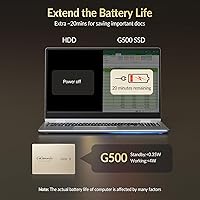
Replacing an HDD with this budget SATA SSD reduces power draw meaningfully, and users in older laptops with degraded batteries noticed a small but real improvement in how long the machine stays on before needing a charge. Every extra minute matters when your laptop is already aging.
The claimed 20-minute battery life extension is optimistic and likely applies only in best-case scenarios on specific hardware. Real-world gains vary considerably depending on the age and condition of the battery, the CPU, and how the machine is being used.
Brand Credibility
47%
53%
The 4.4-star average across 446 Amazon ratings is a reasonable signal that the drive works as advertised for most buyers in the short term. For a brand launched in late 2024, the volume of feedback is higher than many comparable new entrants, which provides at least some community-sourced reassurance.
GiGimundo has no established track record, no widely available independent lab testing, and no visible presence in storage enthusiast communities. For buyers who have lost data to a failed drive before, the lack of brand heritage and a missing endurance rating are genuinely difficult to overlook.
Noise & Vibration
94%
With no moving parts whatsoever, the drive is completely silent during operation — buyers who previously dealt with the clicking or humming of an aging HDD consistently describe the silence as one of the most immediately satisfying parts of the upgrade experience.
This is essentially a category-wide trait of all SSDs rather than a specific strength of this drive, so it is worth tempering expectations around it as a differentiator. Any SSD at any price tier will deliver the same silent operation.
Sustained Write Speeds
53%
47%
For light write tasks — saving documents, downloading apps, writing smaller files — the drive performs adequately and users doing typical office or student workloads rarely encounter the SMR bottleneck in practice.
Moving large media libraries, writing disk images, or performing full system backups exposes the SMR architecture clearly, with speeds dropping well below the rated 500 MB/s as the drive cache fills. Users expecting consistent write performance for creative or professional workloads will likely be frustrated.
Packaging & Unboxing
66%
34%
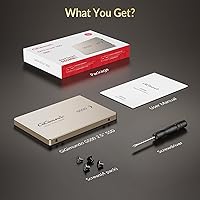
The drive arrives adequately protected, and several buyers noted the presentation felt cleaner than expected for a budget product — the rose gold aesthetic carries through to the packaging in a way that feels intentional rather than an afterthought.
Accessories are minimal: no mounting screws, no SATA cable, and no cloning software included or recommended. Buyers who are genuinely new to drive upgrades may find themselves needing to source additional items before completing the installation.

Suitable for:

The GiGimundo G500 1TB 2.5-inch SATA SSD is a strong fit for anyone trying to squeeze more useful life out of older hardware without a significant financial commitment. If your laptop or desktop is still running a spinning hard drive, swapping it for this budget SATA SSD will produce a genuinely noticeable improvement in boot times and everyday responsiveness — you do not need a premium drive to feel that difference. Console owners with a PS4 or PS3 Slim looking to add storage for a growing game library will find it compatible and easy to install, though expectations on load time gains should stay realistic. It also works well as a secondary storage drive inside an external 2.5-inch enclosure, and the rose gold aluminum finish makes it a surprisingly attractive choice for that use case. Students, casual home users, and anyone doing light daily computing — browsing, documents, media playback — will get solid value here without overpaying for performance they would never use.

Not suitable for:

Buyers who need a dependable primary drive for a production machine or a high-stakes work system should think carefully before relying on the G500 drive, primarily because GiGimundo is an unfamiliar brand with no published TBW endurance rating to anchor long-term reliability expectations. The SMR recording technology used in this 1TB upgrade drive is a meaningful limitation for anyone regularly moving large batches of files, editing video, or running write-intensive applications — under sustained load, SMR drives throttle noticeably as they reorganize data internally, which TLC or MLC-based drives do not do to the same degree. Power users or professionals who would naturally compare this against established names like Samsung, Crucial, or Western Digital will find those options offer better-documented endurance and more consistent sustained write performance. Anyone building or upgrading a NVMe-capable system is simply looking at the wrong interface category here — SATA 3.0 has a ceiling, and this drive sits at it. If long-term peace of mind and warranty confidence matter as much as the upfront cost, the absence of clear endurance specs is a real gap.

Specifications

  • Capacity: The drive offers 1TB of digital storage for operating systems, applications, photos, videos, and general files.
  • Form Factor: Standard 2.5-inch form factor fits the vast majority of laptops, desktops, and compatible gaming consoles.
  • Interface: Uses a SATA 3.0 (6 Gbps) interface, backward compatible with SATA 2.0 and SATA 1.0 systems at reduced speeds.
  • Sequential Read: Rated sequential read speed reaches up to 560 MB/s under optimal conditions.
  • Sequential Write: Rated sequential write speed reaches up to 500 MB/s under optimal conditions.
  • Recording Tech: Uses SMR (Shingled Magnetic Recording) technology, which performs well for reads but can throttle under sustained sequential writes.
  • TRIM Support: TRIM is supported, which helps the drive maintain performance over time by managing unused data blocks efficiently.
  • Housing Material: The enclosure is constructed from aluminum alloy, providing passive heat dissipation and light resistance to physical shock.
  • Dimensions: Measures 3.94 x 2.76 x 0.28 inches, conforming to the standard 2.5-inch internal drive footprint.
  • Weight: The drive weighs 1.41 oz, making it one of the lighter options in its form factor class.
  • Color / Finish: Available in a rose gold finish, which is visually distinctive compared to the typical matte black found on competing budget drives.
  • Installation Type: Designed as an internal drive, installed directly into a device's SATA bay or via a 2.5-inch SATA enclosure.
  • Compatible Devices: Listed as compatible with laptops, desktops, PS3 Slim, PS4, and Xbox Series X with a SATA storage bay.
  • Power Consumption: Consumes significantly less power than a traditional spinning hard drive, which can marginally extend battery runtime on older laptops.
  • TBW Endurance: No official TBW (Terabytes Written) endurance rating has been published by the manufacturer for this drive.
  • Availability Date: First made available on Amazon in October 2024, making it a relatively recent market entry at the time of this review.
  • Warranty: Warranty terms are not prominently disclosed in the product listing; buyers should confirm directly with GiGimundo before purchasing.
  • Moving Parts: The drive contains no moving mechanical parts, which eliminates the vibration and noise associated with traditional hard disk drives.

Related Reviews
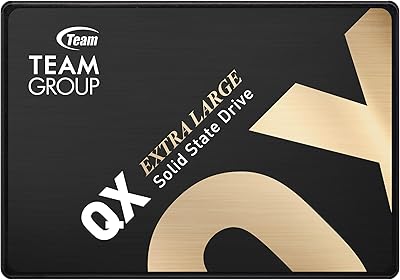
TEAMGROUP QX 1TB 2.5 Inch SATA III SSD
84%
90%
Read/Write Speed
87%
Installation Ease
85%
Reliability
71%
Durability (QLC NAND)
92%
Price-to-Performance Ratio
More
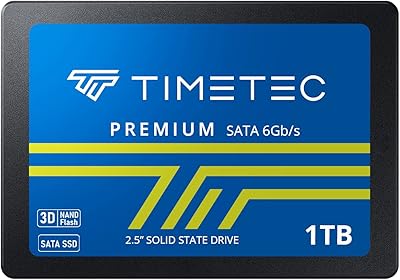
Timetec 1TB 2.5-inch SATA III Internal SSD
80%
91%
Value for Money
86%
Read Speed Performance
73%
Write Speed Performance
93%
Installation Ease
77%
Long-term Reliability
More
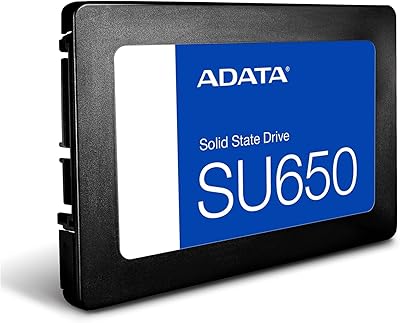
ADATA SU650 1TB 3D-NAND SATA 2.5 inch Internal SSD
86%
88%
Performance
92%
Value for Money
85%
Installation Ease
87%
Speed (Read/Write)
78%
Software Experience
More
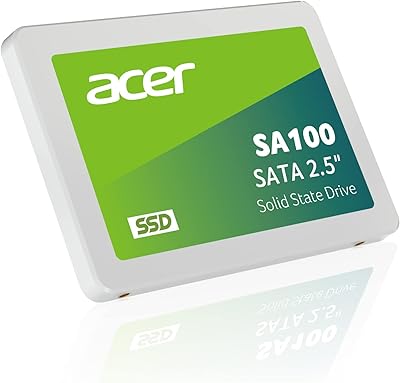
Acer SA100 960GB 2.5-inch SATA SSD
86%
91%
Value for Money
87%
Performance (Read Speed)
75%
Performance (Write Speed)
88%
Durability and Build Quality
90%
Compatibility
More
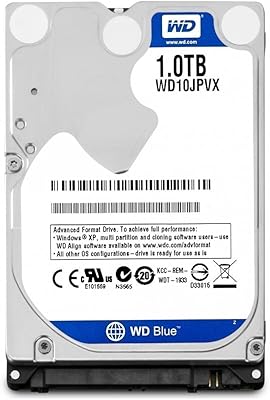
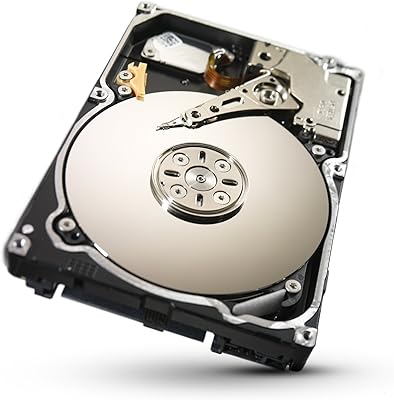
WD Blue 1TB 2.5-inch Internal Hard Drive
79%
88%
Value for Money
91%
Storage Capacity
54%
Read & Write Speed
93%
Installation Ease
82%
Noise Level
More
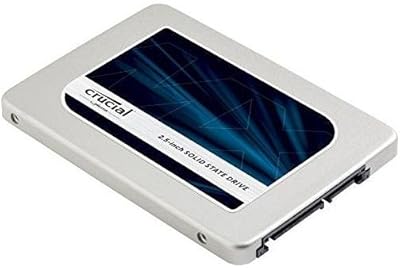
Crucial MX300 2TB Internal SSD
79%
78%
Read & Write Speed
91%
Storage Capacity
88%
Reliability & Longevity
63%
Value for Money
86%
Installation & Setup
More
TEAMGROUP AX2 256GB 2.5 Inch SATA III SSD
86%
87%
Performance
92%
Value for Money
89%
Installation Ease
85%
Read/Write Speeds
83%
Durability
More
Seagate ST91000640NS 1TB Enterprise HDD
79%
88%
Long-Term Reliability
91%
Storage Density Value
86%
Vibration Stability in Multi-Drive Arrays
74%
Sequential Read/Write Performance
83%
Noise and Thermal Profile
More
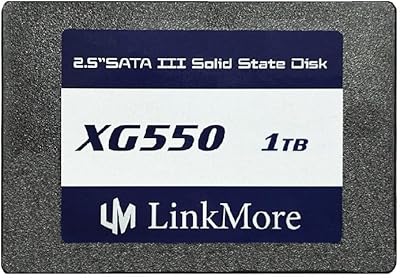
LinkMore XG550 1TB Internal SSD
78%
88%
Value for Money
93%
Installation Ease
87%
Boot Time Improvement
74%
Read/Write Performance
61%
Reliability & Longevity
More
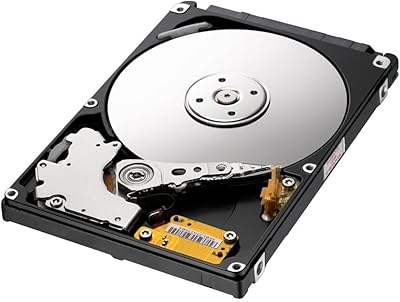
Samsung SpinPoint M8 1TB 2.5-Inch Hard Drive
78%
88%
Value for Money
91%
Storage Capacity
89%
Installation Ease
54%
Read & Write Speed
86%
Noise Level
More

FAQ

Yes, in most cases quite noticeably. If your laptop currently runs on a spinning hard drive, swapping it for any SATA SSD will cut boot times significantly and make apps open much faster. The improvement feels dramatic on older machines precisely because HDDs are the biggest bottleneck in that hardware generation.

SMR stands for Shingled Magnetic Recording, and for most everyday users it is not a problem. Where it shows its limits is during large, sustained file transfers — think copying hundreds of gigabytes at once — where the drive can slow down noticeably as it reorganizes data internally. For web browsing, documents, and typical laptop use, you are unlikely to notice it at all.

You can, and many users do, but it comes with caveats. The G500 drive has no published endurance rating, so there is no manufacturer-backed guidance on how many write cycles it can handle over its lifetime. For a light-use secondary PC or a machine you are just trying to keep running a bit longer, the risk is probably acceptable. For a primary work machine you depend on daily, you may want a drive from a brand with more documented reliability data.

Yes, the 2.5-inch SATA form factor is compatible with the PS4's internal bay. That said, keep your expectations grounded — switching from the PS4's stock HDD to this budget SATA SSD will reduce game load times somewhat, but the console's interface bottleneck means the gains are real but not dramatic. It is a solid upgrade for the cost, not a revolution.

Most users describe it as straightforward, even those who had never opened a laptop or desktop before. The standard process involves removing the old drive, seating the new one in the same SATA bay, and reinstalling your operating system or restoring from a backup. Plenty of free guides and video walkthroughs exist for nearly every laptop model online.

Established brands like Samsung and Crucial publish detailed endurance ratings, have longer track records, and typically back their drives with more transparent warranties. This 1TB upgrade drive competes on price, not on documented reliability credentials. If peace of mind and proven longevity matter as much as the upfront cost, the established names have a clear edge.

Absolutely — it fits any standard 2.5-inch SATA enclosure. The rose gold aluminum finish actually makes it a popular choice for this use case specifically, since many enclosures have a transparent or windowed design where the drive is visible. It functions just like any other 2.5-inch SATA drive in that context.

Yes. As a standard SATA SSD, it is operating system agnostic. Windows, macOS, and Linux all recognize SATA drives natively. You will just need to format it to the appropriate file system for your OS before use — NTFS for Windows, APFS or HFS+ for macOS, and your preferred format for Linux.

For most everyday users — web browsing, office work, streaming, and a moderate photo or music library — 1TB is generous. Where it can feel limited is if you store large video files, have a large Steam game library, or work with high-resolution media regularly. In those cases, it might be worth considering the 2TB variant if budget allows.

Under typical workloads, it stays cool. The aluminum alloy housing helps dissipate heat passively, and SATA SSDs in general run at low temperatures compared to high-performance NVMe drives under load. Sustained heavy writes may cause some warmth, but nothing approaching problematic levels in normal desktop or laptop use.