Overview

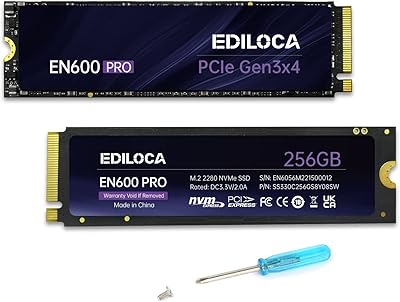
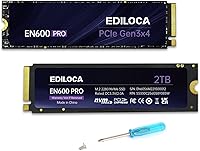
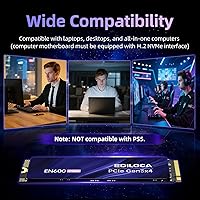
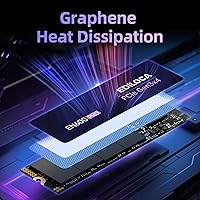
The Ediloca EN600 Pro 2TB NVMe M.2 SSD enters a crowded budget storage market where established names like Kingston, Crucial, and WD dominate the conversation. Ediloca is a smaller Chinese OEM, and that context matters — you are trading brand recognition for a lower price point and a generous 2TB capacity in the standard M.2 2280 form factor. One thing worth flagging upfront: this Ediloca NVMe drive is not PS5 compatible, so console upgraders should look elsewhere. The included graphene cooling sticker is a distinguishing physical touch, though its real-world thermal impact is modest rather than transformative.

Features & Benefits

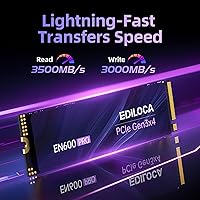
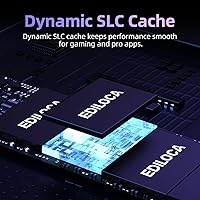
On paper, the EN600 Pro posts competitive numbers for its generation — sequential reads up to 3500 MB/s and writes reaching 3000 MB/s over PCIe 3.0 x4. In practice, the dynamic SLC cache helps maintain those speeds during shorter, bursty tasks like installing software or moving moderate-sized files. Push it with a very large continuous write — think copying hundreds of gigabytes at once — and speeds will taper once the cache is exhausted. That is expected behavior for TLC-based drives at this tier, not a flaw unique to this 2TB M.2 SSD. OS compatibility spans Windows 7 through 11 and macOS 10.9 onward, and the box includes screws and a screwdriver, a genuinely practical inclusion.

Best For

The EN600 Pro makes the most sense for HDD-to-SSD upgraders who want a dramatic speed improvement without heavy spending — boot times and application load speeds improve noticeably when coming from a spinning drive. Gamers on PCIe Gen3 platforms will find 2TB of fast NVMe storage practical for keeping a large game library without constant file juggling. Students and home-office users building or refreshing a budget Windows PC also fit the profile well. Where it is less compelling: anyone chasing PCIe Gen4 performance, workloads involving sustained heavy writes like 4K video editing, or PS5 console storage. Know your use case and this Ediloca NVMe drive delivers solid returns.

User Feedback

With over 4,000 ratings and a 4.6-star average, buyer satisfaction leans positive for a budget-tier drive. The most consistent praise centers on straightforward installation and noticeably faster boot times compared to older HDDs — exactly what most buyers are after. On the critical side, some users raise questions about long-term durability beyond the first year, and a handful report that real-world sustained transfer speeds fall short of the advertised peaks. Warranty support experiences appear mixed, as is common with smaller OEM brands — the 3-year limited warranty exists, but how smoothly claims are handled seems to vary. For everyday computing, feedback is encouraging; for mission-critical storage, opinions are more divided.

Pros

  • 2TB of NVMe storage at a budget price point is genuinely hard to argue with for casual and everyday users.
  • Sequential read speeds up to 3500 MB/s make boot times and application launches feel snappy compared to any HDD.
  • The M.2 2280 form factor fits the vast majority of modern laptops and desktops with no adapter needed.
  • Broad OS compatibility covers Windows 7 through 11 and macOS 10.9 and later, covering most users without extra setup.
  • The box includes screws and a screwdriver — a small but thoughtful touch that speeds up installation for first-timers.
  • Over 4,000 buyer ratings with a 4.6-star average suggests this is not a fluke product; satisfaction is broadly consistent.
  • No moving parts means better resistance to drops and vibration compared to a traditional spinning hard drive.
  • The included graphene sticker provides at least baseline thermal management without requiring the user to buy anything extra.
  • 3-year limited warranty offers a reasonable coverage window for a drive in this price category.

Cons

  • Ediloca is a lesser-known OEM brand, and long-term reliability data beyond the first year or two is limited.
  • Sustained write speeds drop once the SLC cache fills — a real concern for large continuous file transfers.
  • Real-world speeds frequently fall short of the advertised peak figures, which can feel misleading if you benchmark it.
  • Warranty claim experiences appear inconsistent based on user reports, which adds risk if something goes wrong post-purchase.
  • Not compatible with PS5, which is an easy mistake to make given how common console SSD upgrades have become.
  • TLC NAND with dynamic SLC cache is a common cost-cutting approach that limits endurance under heavy write workloads.
  • The graphene cooling sticker provides only modest thermal benefit and is not a substitute for a proper heatsink in hot systems.
  • Brand support and firmware update history are difficult to verify, which matters for long-term drive health monitoring.
  • Buyers seeking PCIe Gen4 speeds will find this 2TB M.2 SSD noticeably behind in peak throughput benchmarks.

Ratings

The scores below reflect an AI-driven analysis of thousands of verified global buyer reviews for the Ediloca EN600 Pro 2TB NVMe M.2 SSD, with spam, incentivized, and bot-generated feedback actively filtered out before scoring. Each category captures what real users consistently praised and where frustrations surfaced — nothing is glossed over. Both the strengths that make this drive a compelling budget pick and the trade-offs that matter for more demanding buyers are represented transparently.

Value for Money
91%
For users replacing an aging HDD or adding bulk NVMe storage on a tight budget, the cost-per-gigabyte on this 2TB M.2 SSD is one of the most compelling arguments in its favor. Buyers consistently note that getting this much fast storage at this price point would have been unthinkable just a couple of years ago.
A handful of buyers feel the value equation shifts if you compare total cost of ownership over several years against more established brands with better-documented reliability. The savings upfront can feel less impressive if a warranty claim turns into a drawn-out process.
Read Speed Performance
83%
Boot times and application launch speeds draw consistent praise, with many users reporting that switching from a hard drive to the EN600 Pro made their PC feel like a completely different machine. For day-to-day computing, game loading, and opening large files, the real-world read performance lands solidly where most buyers expect it.
Benchmark results frequently come in a few hundred MB/s below the advertised 3500 MB/s ceiling, which disappoints technically minded buyers who run CrystalDiskMark immediately after installation. The gap between marketed peak speeds and actual figures is a recurring point of frustration in user reviews.
Sustained Write Performance
61%
39%
For typical write workloads — saving project files, installing games, or copying moderate-sized folders — the SLC cache keeps things feeling fast and responsive in short bursts. Users doing standard productivity tasks rarely encounter any noticeable slowdown during normal use.
Buyers who regularly move large volumes of data, such as video editors transferring raw footage or backup users writing hundreds of gigabytes at once, consistently report that speeds drop sharply once the SLC cache saturates. This is a structural limitation of TLC NAND at this price tier, not specific to this drive, but it is a real constraint worth understanding before buying.
Installation Experience
88%
The inclusion of a screwdriver and mounting screw in the box is a small but genuinely appreciated touch, especially for first-time builders who might not have a toolkit handy. Reviewers across skill levels describe the physical installation as quick and intuitive, with the M.2 2280 form factor fitting virtually every compatible slot without any adapter fuss.
A small number of users report minor confusion about verifying NVMe versus SATA M.2 compatibility on their specific motherboard before purchasing, which is a pre-install research step Ediloca could address more clearly in the product documentation. No cloning software is bundled, so migrating an existing OS requires a third-party tool.
Thermal Management
67%
33%
The graphene heat dissipation sticker keeps temperatures manageable during everyday tasks like web browsing, office applications, and light gaming sessions. Users in well-ventilated cases report that the drive stays within acceptable temperature ranges without requiring any additional cooling accessories.
Under sustained, heavy workloads — long sequential writes, extended gaming sessions in hot environments — some users note that temperatures climb more than they would like without a proper aluminum heatsink. The graphene sticker is better understood as a baseline precaution than a serious thermal solution for demanding builds.
Long-Term Reliability
63%
37%
The majority of buyers who have used this Ediloca NVMe drive for 12 months or less report zero issues, with drives functioning normally under everyday workloads. The 3D NAND construction and lack of moving parts give it a physical resilience advantage over traditional spinning hard drives.
The honest concern is the limited publicly available data on multi-year failure rates for Ediloca drives compared to Samsung, WD, or Crucial. Some users report unexplained slowdowns or detection issues after extended use, and the pattern of mixed long-term feedback introduces uncertainty for buyers planning to use this as a primary drive for many years.
Warranty & Support
58%
42%
The 3-year limited warranty is a reasonable coverage window for a budget NVMe drive, and Ediloca does have a stated technical support channel that some buyers have used successfully for troubleshooting questions. Having a multi-year warranty at this price tier is better than the 1-year coverage some competing budget brands offer.
User experiences with actually exercising warranty claims are notably inconsistent — some report smooth resolutions while others describe slow or confusing support interactions. For a lesser-known OEM, the warranty is only as strong as the support team backing it, and that remains an open question based on available user data.
Compatibility
79%
21%
Windows 7 through 11 and macOS 10.9 and later are all supported, meaning the vast majority of PC and Mac users can drop this drive in without any OS-level headaches. The M.2 2280 dimensions cover the most common slot configuration found in consumer hardware from the past several years.
The explicit PS5 incompatibility catches some buyers off guard who assumed any M.2 NVMe would work in Sony's console — it does not. Users with older motherboards that only support SATA on their M.2 slot also find this drive non-functional, a hardware mismatch that requires careful pre-purchase verification.
Packaging & Unboxing
74%
26%
The retail packaging is compact and adequately protective, and the inclusion of installation hardware gives the unboxing experience a thoughtful, complete feel compared to bare-drive-only competitors at similar prices. First-time builders in particular appreciate not needing to source a screwdriver separately.
The instruction booklet is minimal and may not be sufficient for buyers who are new to M.2 installation and need step-by-step guidance for their specific system. There is no cloning software included or referenced, which is an omission for users migrating from an existing boot drive.
Brand Confidence
54%
46%
With over 4,000 ratings and a 4.6-star average on Amazon, there is enough real-world purchase data to suggest this is not a fly-by-night product — buyers are largely satisfied enough to leave positive feedback. The EN600 Pro has carved out a niche as a recognizable model within Ediloca's lineup.
Ediloca remains a relatively obscure name outside of budget storage circles, with far less community documentation, firmware update history, and third-party testing than WD, Samsung, or Crucial. Buyers who prioritize brand trust and established support infrastructure will feel the difference compared to more prominent manufacturers.
Noise & Vibration
93%
As a solid-state drive with no mechanical components, this 2TB M.2 SSD operates in complete silence under all conditions — a genuine upgrade for anyone coming from a spinning HDD that clicked, hummed, or vibrated under load. Users in quiet home office setups specifically mention this as an underrated benefit.
This is a category where all SSDs perform similarly, so there is little meaningful differentiation here. The only minor note is that under very heavy sustained workloads, some users with sensitive monitoring equipment detect faint coil whine from the controller, though this is rare and situation-specific.
Physical Build Quality
72%
28%
The drive feels solid in hand, with the PCB and NAND packaging appearing consistent with what buyers expect from a mid-tier budget NVMe product. The pre-applied graphene sticker is neatly fitted and does not interfere with installation into tight M.2 slots.
Some buyers note the overall construction feels slightly less refined compared to premium-tier drives from established brands, with the label and sticker presentation looking a touch utilitarian. This is unlikely to affect performance but matters to builders who care about aesthetics in glass-panel cases.

Suitable for:

The Ediloca EN600 Pro 2TB NVMe M.2 SSD is a strong fit for everyday PC users who are tired of waiting on a sluggish hard drive and want a meaningful upgrade without spending a lot. Students building their first desktop, home office workers who need reliable storage for documents and applications, and casual gamers on older PCIe Gen3 platforms will all find it punches well above its price tag for typical daily workloads. The 2TB capacity is genuinely generous at this tier, making it practical for anyone who stores large game libraries, video projects, or media collections and hates constantly managing free space. It also works well as a secondary drive in a more powerful system — ideal for offloading game installs or bulk media while a faster Gen4 drive handles the OS. Anyone whose priority is cost-per-gigabyte over bleeding-edge performance will feel right at home with the EN600 Pro.

Not suitable for:

The Ediloca EN600 Pro 2TB NVMe M.2 SSD is not the right call for buyers who need sustained, heavy write performance — video editors rendering large files continuously or data professionals moving massive datasets will hit the limits of its TLC cache architecture and see speeds drop noticeably. PS5 owners should stop here: Ediloca explicitly states this drive is not compatible with Sony's console, so do not buy it expecting a console storage expansion. Those building high-end workstations or chasing peak throughput should look at PCIe Gen4 options from Samsung, WD Black, or Seagate, which offer meaningfully faster real-world performance for demanding tasks. Buyers who place heavy weight on brand longevity, established warranty support, and proven multi-year reliability track records may also feel uneasy with a lesser-known OEM label, and that hesitation is not unreasonable. If long-term peace of mind matters more than upfront savings, a drive from a more established manufacturer is the safer bet.

Specifications

  • Storage Capacity: This drive offers 2TB of usable flash storage, suitable for operating systems, game libraries, and large media collections.
  • Interface: It connects via PCIe 3.0 x4 using the NVMe 1.3 protocol, delivering significantly faster data throughput than SATA-based SSDs.
  • Form Factor: The M.2 2280 form factor measures 22mm wide and 80mm long, fitting the most common M.2 slot found in modern desktops and laptops.
  • Sequential Read: Peak sequential read speed is rated at up to 3500 MB/s under ideal, cache-assisted conditions.
  • Sequential Write: Peak sequential write speed reaches up to 3000 MB/s, though sustained performance may taper once the SLC cache is exhausted.
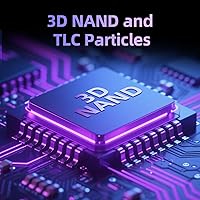
  • Flash Type: Storage is built on 3D NAND TLC (Triple-Level Cell) flash, a cost-efficient technology that balances capacity and acceptable write endurance for everyday use.
  • Cache Architecture: A dynamic SLC cache layer accelerates burst read and write operations, helping maintain responsiveness during typical workloads.
  • Thermal Solution: A graphene heat dissipation sticker is pre-applied to the drive to assist with passive thermal management during operation.
  • Weight: The drive weighs approximately 1.06 ounces, making it light enough to install in both portable laptops and full-size desktop builds.
  • OS Compatibility: Compatible operating systems include Windows 7, 8, 10, and 11, as well as macOS 10.9 and all later versions.
  • Device Compatibility: Designed for use in desktops, laptops, and all-in-one computers equipped with an M.2 NVMe slot; not compatible with PS5 consoles.
  • Installation Type: This is an internal solid-state drive requiring physical installation into a compatible M.2 slot on the host motherboard.
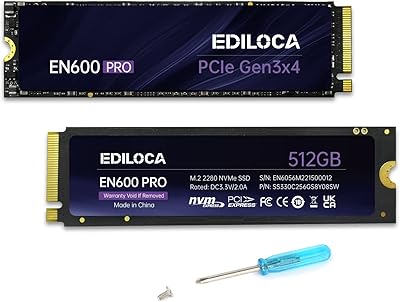
  • Package Contents: The retail package includes the SSD, mounting screws, a small screwdriver, and a printed instruction sheet.
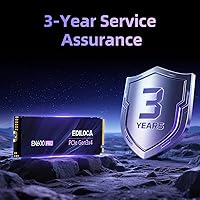
  • Warranty: Ediloca offers a 3-year limited warranty covering manufacturing defects, along with stated access to technical support.
  • Shock Resistance: The absence of mechanical moving parts provides inherent resistance to vibration and minor physical shocks compared to traditional hard drives.
  • Brand Origin: Ediloca is a smaller OEM manufacturer producing storage devices primarily for the global value-oriented PC component market.
  • Model Series: This drive belongs to the EN600 Pro series, which represents Ediloca's higher-performance tier within their consumer SSD lineup.

Related Reviews
Ediloca EN600 Pro 256GB NVMe M.2 SSD
77%
93%
Value for Money
94%
Installation Experience
83%
Read Performance
57%
Sustained Write Speed
87%
Compatibility
More
Ediloca EN600 Pro 512GB NVMe SSD
78%
88%
Value for Money
84%
Read Performance
67%
Write Performance
91%
Installation Ease
83%
Compatibility
More
Ediloca EN870 2TB NVMe M.2 SSD
78%
88%
Sequential Read Speed
79%
Sequential Write Speed
91%
Value for Money
93%
PS5 Compatibility
86%
Installation Ease
More
Ediloca EN760 2TB M.2 NVMe SSD
80%
88%
Read Speed Performance
74%
Write Speed Performance
93%
PS5 Compatibility
82%
Heatsink Quality
86%
Value for Money
More
HP FX900 Pro 2TB NVMe SSD
77%
88%
Sequential Read Performance
71%
Sustained Write Consistency
84%
Value for Money
82%
Thermal Management
91%
Installation Experience
More
Samsung 960 PRO 2TB NVMe M.2 SSD
81%
91%
Raw Read Performance
83%
Write Performance
93%
Long-Term Reliability
58%
Value for Money
62%
Thermal Management
More
Corsair MP600 PRO NH 2TB NVMe SSD

82%
93%
Sequential Read Speed
89%
Sequential Write Speed
58%
Thermal Management
94%
Installation Experience
79%
Value for Money
More
SanDisk 2TB SSD Plus M.2 NVMe SSD

86%
89%
Performance
92%
Ease of Installation
88%
Reliability
91%
Value for Money
90%
Capacity
More
GAMERKING 2TB M.2 NVMe Internal SSD
75%
78%
Read/Write Performance
82%
Value for Money
91%
Installation Experience
67%
Thermal Management
63%
Long-Term Reliability
More
Vansuny 2TB NVMe M.2 Internal SSD
78%
88%
Value for Money
79%
Read/Write Speed
91%
PS5 Compatibility
74%
Thermal Management
93%
Installation Experience
More

FAQ

It works in both. As long as your laptop has an M.2 slot that supports NVMe (PCIe), the EN600 Pro will fit and function correctly. The M.2 2280 size is the most widely used, so compatibility is broad. Just double-check your laptop manual to confirm it has an NVMe-capable M.2 slot rather than a SATA-only one.

No, unfortunately. Ediloca explicitly states this drive is not compatible with the PS5. Sony's console requires a PCIe Gen4 NVMe SSD with specific size and performance requirements, and the EN600 Pro does not meet those criteria. Look for a Gen4-certified drive if console storage expansion is your goal.

The graphene sticker acts as a passive heat spreader, drawing warmth away from the controller and NAND chips and dispersing it slightly more evenly. It does help in light-to-moderate workloads, but it is not a substitute for a proper aluminum heatsink if your system runs hot or your motherboard slot lacks its own thermal cover. For most everyday users, the sticker is adequate.

The drive uses a portion of its TLC flash as a faster SLC cache to handle quick bursts of data — think installing a game, booting Windows, or copying a folder. Under those typical tasks, speeds feel fast and responsive. If you try to move a very large amount of data continuously, like transferring hundreds of gigabytes in one go, the cache will fill and speeds will drop to the drive's native TLC write rate. For most users, this never becomes an issue day-to-day.

Not really — the package already includes a small screwdriver and the mounting screw you need. As long as you can access your motherboard or laptop drive bay, installation is straightforward. Most M.2 installs take under five minutes and only require that one screw to secure the drive at its notch.

For gaming on a PCIe Gen3 platform, yes — it is a solid practical choice. Load times are fast, 2TB gives you room for a large game library, and the cost per gigabyte is competitive. If you have a Gen4-capable motherboard and want the absolute fastest load times, you could step up to a Gen4 drive, but for Gen3 systems or budget builds, the EN600 Pro does the job well.

Kingston and Crucial have longer track records and broader service networks, which matters if long-term support is a priority for you. On raw specs and day-to-day performance, the EN600 Pro is competitive at its price point. The tradeoff is brand confidence — established names carry more community data on failure rates and warranty resolution. If peace of mind outweighs savings, the familiar brands are worth the modest price difference.

Yes, it is fully compatible with Windows 11 as a primary boot drive. You can either do a fresh install or clone your existing drive using free tools like Macrium Reflect. Just make sure your BIOS is set to boot from the NVMe drive after installation.

No additional drivers are needed. Modern versions of Windows and macOS recognize NVMe SSDs natively. You can optionally use third-party disk health tools like CrystalDiskInfo to monitor drive status over time, but that is entirely optional and not required for normal use.

The advertised 3500 MB/s read figure reflects the best-case, cache-assisted benchmark result. In real-world use, you will likely see sequential reads in the 2800 to 3200 MB/s range depending on your system and the workload. That is still very fast for everyday tasks. The main caveat is sustained large writes, where speeds can settle lower once the cache fills. For typical computing — browsing, gaming, productivity — you will not notice the difference from peak spec.