Overview

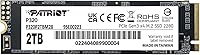
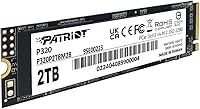
The Patriot Memory P320 2TB NVMe M.2 SSD is Patriot's straightforward answer to a common question: how much real storage speed can you get without overspending? Patriot has been a credible name in consumer memory and storage for years, and this Patriot NVMe drive sits firmly in the value tier — not competing with high-end Gen 4 hardware, but delivering genuine NVMe performance in the M.2 2280 form factor that fits nearly every modern motherboard. With a 4.6-star rating from close to 1,000 buyers, it has accumulated enough real-world validation to take seriously as a practical everyday storage upgrade.
Features & Benefits

At 3000 MB/s sequential read and up to 2200 MB/s write, the P320 2TB handles OS boots, app launches, and file transfers with a responsiveness that makes upgrading from a SATA drive feel immediately worthwhile. Running NVMe 1.3 over PCIe Gen 3x4 keeps latency meaningfully lower than anything SATA can offer. The M.2 2280 form factor means installation is as simple as seating the drive and tightening one screw — no cables, no brackets in most cases. It is also backward compatible with Gen 3 platforms, so owners of slightly older desktops are not locked out. No moving parts means silent operation throughout.

Best For

This M.2 SSD makes the most sense for budget PC builders and upgraders who want a real speed improvement without committing to a Gen 4 or Gen 5 platform. Gamers with large Steam or Epic libraries will appreciate having 2TB of quick storage without constantly uninstalling titles to free up space. It also works well as a secondary drive in a newer build — bulk media archives, creative project storage, or a dedicated game library drive all fit naturally. Students and home office users replacing a sluggish hard drive will feel the upgrade right away, and Gen 3 motherboard compatibility concerns are essentially nonexistent.

User Feedback

Buyers most often call out value for money and painless installation as the clearest wins — a number of reviewers describe it as their first NVMe upgrade and report zero complications. Satisfaction holds up whether people use it as a primary OS drive or a secondary storage volume, with no obvious divide between those two camps. On the cautious side, some users report that sustained write speeds can slow down during prolonged large file transfers, which is typical behavior at this price point and not unique to this drive. Long-term endurance draws occasional questions, though documented failures are rare. Against competitors like the Kingston NV3, most buyers consider the P320 2TB a competitive choice on price-to-performance terms.

Pros

  • Genuine NVMe speeds make a noticeable real-world difference over SATA drives, especially on OS boot times.
  • 2TB capacity is enough to store a large game library and still have room for media and documents.
  • M.2 2280 form factor installs in minutes with no cables or complicated mounting in most builds.
  • Backward compatibility with Gen 3 platforms means no second-guessing whether it will work in your system.
  • Nearly 1,000 buyer ratings and a 4.6-star average reflect consistent satisfaction across a broad range of users.
  • Silent operation with no moving parts removes one more potential noise or failure source from a build.
  • Works reliably as both a primary OS drive and a secondary storage volume, giving it flexible use cases.
  • The price-to-capacity ratio makes this Patriot NVMe drive one of the more practical options in the budget NVMe segment.

Cons

  • Sustained write speeds can slow noticeably during prolonged large file transfers, which matters for heavy workloads.
  • No official endurance or TBW rating is prominently disclosed, making long-term reliability harder to evaluate upfront.
  • Buyers on Gen 4 or Gen 5 platforms will not get anywhere near their system's storage bandwidth potential.
  • No included heatsink or thermal pad, which could be a consideration in cases with limited airflow around the M.2 slot.
  • The brand does not carry the same name recognition or proven track record as Samsung or WD in the enthusiast community.
  • Limited OS support — officially listed for Windows only, which may concern Linux users without independent confirmation.
  • No hardware encryption support mentioned, which matters for users with data security or compliance requirements.
  • Customer service experiences from some buyers suggest post-purchase support can be inconsistent.
  • Packaging and documentation are minimal, which may frustrate first-time builders expecting more guidance.

Ratings

The Patriot Memory P320 2TB NVMe M.2 SSD scores here reflect AI-driven analysis of verified global buyer reviews, with spam, bot-submitted, and incentivized feedback actively filtered out before scoring. Each category is weighted against real usage patterns reported by everyday users — from first-time upgraders to experienced builders — so both the genuine strengths and recurring frustrations are represented transparently.

Value for Money
91%
Buyers consistently flag the price-to-capacity ratio as the standout reason they chose this drive over competitors. Getting 2TB of genuine NVMe storage without paying a premium is a tangible win for users who are building or upgrading on a tight budget, and most report feeling they got more than they paid for.
A handful of buyers note that some competing drives in the same tier occasionally dip to similar prices during sales, making the value advantage feel less consistent. Users who needed faster sustained write performance for professional tasks felt the trade-off was less favorable at any price.
Read & Write Performance
78%
22%
For everyday tasks — booting Windows, launching applications, loading game levels — users report snappy, responsive performance that clearly outpaces any SATA drive they replaced. The real-world speed improvement is immediately noticeable for the target audience of home users and casual gamers.
Sustained write performance is the recurring weak point: users copying large video files or doing bulk backups noticed speed drops once the write cache was exhausted. This is a known limitation of the drive's tier, but it disappoints buyers who assumed peak advertised speeds would hold under all conditions.
Installation Ease
93%
First-time builders and upgraders repeatedly describe installation as one of the smoothest parts of their build. No cables, no adapters, and a standard M.2 2280 footprint mean the drive just slides in and works — many users had their system up and running within minutes of opening the box.
A small number of laptop users ran into compatibility surprises when their device only supported M.2 SATA, not NVMe — something the product listing could make clearer. There is also no bundled migration software, which added a step for users trying to clone an existing drive.
Compatibility
88%
The M.2 2280 form factor and backward compatibility with PCIe Gen 3 give this drive an unusually wide reach across motherboard generations. Users with systems ranging from older B450 boards to current mid-range platforms all report plug-and-play recognition without needing BIOS updates.
Official OS support is limited to Windows, which left some Linux users uncertain about compatibility without independent research. Buyers with Gen 4 or Gen 5 systems also flagged that the drive does not leverage the bandwidth their platform offers, which feels like a missed opportunity.
Build & Reliability
74%
26%
The majority of buyers report no failures or errors after months of daily use, whether as a primary OS drive or a secondary storage volume. The lack of moving parts gives users confidence about shock resistance, and most find the drive operates at acceptable temperatures in well-ventilated cases.
The absence of a publicly documented TBW endurance rating makes it harder to assess long-term reliability with confidence. A minority of buyers raised concerns about heat under sustained workloads in tight cases, and the limited warranty transparency leaves some users less reassured than they would prefer.
Sustained Write Speed
58%
42%
For typical desktop tasks — saving documents, installing games, writing application data — the write speeds hold up well and the SLC cache does its job without the user ever noticing a slowdown. Buyers who never push the drive with large continuous transfers report zero complaints.
Users who move large media files or run extended backup operations notice a significant speed drop once the cache is saturated, falling back to much slower native write rates. This is the most consistently mentioned technical frustration, and it is a real limitation for any workflow involving frequent bulk data writes.
Thermal Management
67%
33%
In open mid-tower cases with decent airflow, temperatures stay within acceptable ranges under normal workloads. Buyers in well-ventilated builds report the drive running quietly and without throttling during typical desktop use throughout the day.
Users in compact cases or mini-ITX builds with restricted airflow noticed higher idle and load temperatures. No heatsink is included in the box, and while many motherboards provide one, buyers who needed to source their own thermal solution considered it an added inconvenience.
Capacity Practicality
89%
Two terabytes hits the right spot for a wide range of users — enough for a full Windows installation, a large library of installed games, and a collection of media files without constantly managing space. Gamers in particular praised having room for 20 or more large titles simultaneously installed.
Power users with very large media or video production libraries may find 2TB fills up faster than expected, especially if this is their only drive. There is no higher-capacity variant in the same P320 lineup for those who need to step up without switching products.
Brand Confidence
72%
28%
Patriot Memory has enough of a track record in consumer storage that most buyers felt comfortable purchasing without hesitation. The near-1,000-review count and high aggregate rating on the product page gave first-time Patriot buyers a reasonable level of reassurance before committing.
Patriot does not carry the same enthusiast-community reputation as Samsung or Western Digital, and some buyers admitted they had hesitations about post-purchase support. A few users who encountered issues reported that warranty claim processes were slower or less straightforward than they expected.
Cold Boot Speed
86%
Users who upgraded from a hard drive or SATA SSD specifically called out boot times as one of the most immediately satisfying improvements. Windows reaching the desktop in under fifteen seconds made the upgrade feel worthwhile from day one, which is a practical win for everyday home users.
While boot performance is strong for the Gen 3 tier, buyers who have used Gen 4 drives side by side note the gap is real in synthetic benchmarks, even if it is harder to perceive in daily use. Those who expected top-tier cold boot speeds may have slightly inflated expectations.
Game Load Times
82%
18%
Gamers report noticeably faster in-game load screens compared to SATA drives, and the 2TB capacity means a large library can stay fully installed and ready without rotation. For the typical PC gamer, the combination of speed and capacity makes this a genuinely practical storage solution.
The gap between this drive and faster NVMe options becomes slightly more apparent in open-world games with heavy streaming assets, where sequential read speed matters continuously rather than just at load screens. Competitive players benchmarking every millisecond may want to invest in a faster tier.
Packaging & Unboxing
63%
37%
The drive arrives safely and in working condition in all but rare cases — buyers do not report damage in transit as a recurring problem, and the compact retail packaging is straightforward enough for most people to identify what they are getting.
The packaging and included documentation are minimal, which can leave first-time upgraders without enough guidance on installation steps, BIOS configuration, or OS setup. No accessories such as a mounting screw are included, which is an oversight that catches some builders off guard.
Noise & Vibration
97%
As a solid-state drive with no spinning platters or moving actuators, it operates in complete silence under all conditions. Users who switched from mechanical hard drives specifically mention the absence of drive noise as a quality-of-life improvement they did not fully anticipate before upgrading.
There is genuinely nothing to criticize here from a noise standpoint — the only minor caveat is that users with very sensitive thermal monitoring software may notice the drive generating some heat signatures under load, though this produces no audible output whatsoever.
Software & Extras
44%
56%
The drive works immediately with standard Windows NVMe drivers without requiring any proprietary software installation. For buyers who simply want a drive that works out of the box without managing additional utilities, the absence of mandatory software is not a problem.
Patriot does not include or readily direct buyers to a dedicated SSD management tool for monitoring drive health, firmware updates, or diagnostics. Competitors like Samsung and WD offer polished companion software, and the absence of any equivalent here is a genuine gap for users who want visibility into drive status over time.

Suitable for:

The Patriot Memory P320 2TB NVMe M.2 SSD is a strong match for anyone who wants a meaningful speed upgrade without paying a premium for the latest generation of NVMe technology. It fits naturally into Gen 3 desktop builds — whether that is a mid-range system from a few years ago or a budget new build where the motherboard tops out at PCIe Gen 3. Gamers who have run out of room for their growing library of titles will find 2TB of NVMe storage a practical solution that eliminates the constant juggling of installs and uninstalls. Students and home office users replacing an old spinning hard drive or a sluggish SATA SSD will notice an immediate difference in how quickly their system boots and responds. It also works well as a dedicated secondary drive for media archives, creative project files, or anything that benefits from fast access without requiring the absolute peak speeds of a premium drive.
Not suitable for:

The Patriot Memory P320 2TB NVMe M.2 SSD is not the right pick for builders putting together a PCIe Gen 4 or Gen 5 platform who want to take full advantage of what their motherboard can offer — this drive will work, but it will operate at Gen 3 speeds and leave real bandwidth on the table. Content creators or professionals who routinely move very large files, such as RAW video footage or multi-gigabyte project archives, may find that sustained write performance drops off under heavy continuous loads, which is a known characteristic of drives at this price tier. Anyone running demanding workstation tasks, virtualization environments, or database applications that depend on consistent high-throughput I/O should look at higher-endurance NVMe options with better thermal management and larger cache buffers. Laptop users should also confirm that their specific device supports an M.2 2280 slot before purchasing, since compatibility with notebooks can be more variable than with desktops.
Specifications

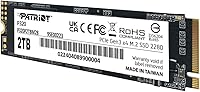
  • Storage Capacity: The drive provides 2TB of usable NAND flash storage, suitable for large game libraries, media collections, and creative project files.
  • Interface: It connects via PCIe Gen 3x4, delivering substantially higher bandwidth than any SATA-based SSD connection.
  • Protocol: The drive uses the NVMe 1.3 protocol, which reduces command overhead and latency compared to older AHCI-based storage.
  • Form Factor: The M.2 2280 form factor measures 22mm wide and 80mm long, fitting the standard slot found on the vast majority of consumer motherboards.
  • Sequential Read: Peak sequential read speed reaches up to 3000 MB/s under optimal conditions using CrystalDiskMark methodology.
  • Sequential Write: Peak sequential write speed reaches up to 2200 MB/s, adequate for most everyday file transfer and application workloads.
  • Drive Type: The drive uses NAND flash memory with no moving parts, providing silent operation and resistance to physical shock compared to hard drives.
  • OS Support: Officially supported on Windows operating systems; Linux compatibility is not formally documented by the manufacturer.
  • Installation Type: Designed for internal installation only, seated directly into an M.2 slot on a compatible desktop or laptop motherboard.
  • Backward Compatibility: The drive is backward compatible with PCIe Gen 3 platforms, ensuring it functions correctly in systems that do not support newer PCIe generations.
  • Dimensions: Physical dimensions are approximately 1.97 x 1.57 x 0.79 inches, consistent with the standard M.2 2280 specification.
  • Color: The drive has a black PCB finish, which blends unobtrusively into most motherboard aesthetics.
  • Compatible Devices: Primarily designed for desktop systems with an available M.2 2280 slot; compatibility with specific laptops should be verified before purchase.
  • Controller: The drive uses a PCIe Gen 3 controller, which manages read and write operations and directly influences sustained performance behavior.
  • Brand: Manufactured by Patriot Memory, a company with an established history in consumer DRAM and storage products.

Related Reviews
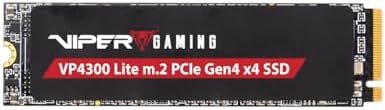
Patriot Memory Viper VP4300 Lite 2TB M.2 PCIe Gen4 x4 SSD
86%
94%
Performance (Speed)
89%
Ease of Installation
78%
Thermal Management
91%
Compatibility with PS5
88%
Compatibility with PCs
More
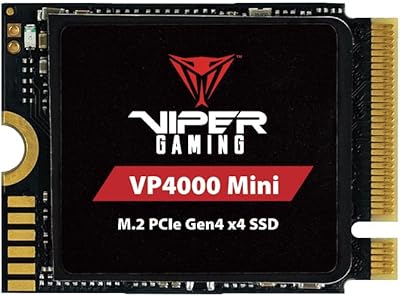
Patriot Memory Viper VP4000 Mini 2TB M.2 2230 SSD

80%
88%
Read Speed Performance
81%
Write Speed Performance
94%
Form Factor Fit
91%
Installation Experience
89%
Compatibility
More
SanDisk 2TB SSD Plus M.2 NVMe SSD
86%
89%
Performance
92%
Ease of Installation
88%
Reliability
91%
Value for Money
90%
Capacity
More
Vansuny 2TB NVMe M.2 Internal SSD

78%
88%
Value for Money
79%
Read/Write Speed
91%
PS5 Compatibility
74%
Thermal Management
93%
Installation Experience
More
GAMERKING 2TB M.2 NVMe Internal SSD
75%
78%
Read/Write Performance
82%
Value for Money
91%
Installation Experience
67%
Thermal Management
63%
Long-Term Reliability
More
Patriot Memory P320 256GB M.2 NVMe SSD
76%
92%
Value for Money
88%
Boot & Launch Speed
83%
Sequential Read Performance
57%
Sustained Write Performance
94%
Installation Experience
More
PNY CS1030 2TB M.2 NVMe SSD
77%
91%
Value for Money
83%
Read Speed Performance
72%
Write Speed Performance
88%
Boot & Load Times
94%
Installation Ease
More
fanxiang S770 2TB NVMe M.2 SSD
79%
88%
Sequential Read Speed
91%
PS5 Compatibility
86%
Value for Money
83%
Thermal Management
74%
Build Quality
More
Fikwot FX991 2TB NVMe SSD
78%
88%
Sequential Read Performance
61%
Sustained Write Speed
93%
PS5 Compatibility
91%
Value for Money
82%
Thermal Management
More
Fikwot FX910 2TB M.2 NVMe SSD
80%
88%
Read/Write Performance
91%
Thermal Management
93%
Installation Ease
84%
PS5 Compatibility
87%
Value for Money
More

FAQ

It can work in laptops, but the official compatibility listing covers desktops. Before buying, confirm that your laptop has an M.2 2280 slot and supports PCIe NVMe — some older laptops only support M.2 SATA. A quick check of your laptop's service manual or manufacturer spec page will tell you what you need to know.

Yes, it will physically fit and function in a Gen 4 slot. The drive will simply run at Gen 3 speeds rather than Gen 4, since it is limited by its own controller. You will not damage anything, but you also will not get Gen 4 performance out of it.

It is one of the easier hardware upgrades you can do. You slide the drive into the M.2 slot at a slight angle, press it flat, and secure it with a single small screw. No cables are involved. If your motherboard came with a heatsink cover for the M.2 slot, you may need to remove that first, but the whole process typically takes under five minutes.

Patriot does not bundle cloning software in the box. If you want to migrate your existing OS rather than do a fresh install, you will need a third-party tool — Macrium Reflect Free is a popular option, and some motherboard manufacturers include migration utilities as well.

Like most drives at this price point, the P320 2TB uses a portion of flash storage as a write cache. Once that cache fills up during a sustained transfer, speeds will drop to the drive's native write rate, which is noticeably slower than the peak figure. For typical everyday tasks this is rarely an issue, but if you regularly move very large files you should keep it in mind.

It does not come with one, and for most standard desktop use it is not strictly necessary. That said, if your case has limited airflow near the M.2 slot or you plan to run sustained heavy workloads, a basic aftermarket M.2 heatsink is an inexpensive addition that can help keep temperatures stable. Many modern motherboards include a heatsink cover for their M.2 slots, which works fine.

Yes, and that is one of the most common ways buyers use it. Booting Windows from this M.2 SSD is noticeably faster than booting from a traditional hard drive or even a SATA SSD. Just make sure your BIOS is set to recognize NVMe drives as a boot option, which is standard on any modern motherboard.

All three sit in the same budget-oriented Gen 3 or value NVMe tier. The differences in day-to-day use are minor for most people. The Kingston NV3 and WD Blue SN580 are also well-regarded in this segment, so the decision often comes down to price at the time of purchase. None of them are workstation-grade drives, but all are solid upgrades over SATA or HDD storage.

Patriot typically covers their SSD products with a limited warranty, though the specific term should be confirmed on Patriot's official website for your region, as terms can vary. Customer support experiences reported by buyers are mixed — most straightforward cases are handled without issue, but it is worth registering the product if Patriot offers that option to streamline any future claims.

You will see slightly less than 2000GB displayed in Windows, which is normal. Drive manufacturers measure capacity in decimal gigabytes while Windows reports in binary gibibytes, so a 2TB drive typically shows as around 1.81 to 1.86TB in File Explorer. This is standard across all storage brands and is not a defect.

Where to Buy