Overview

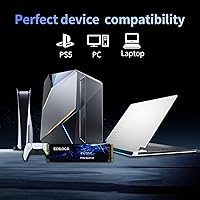
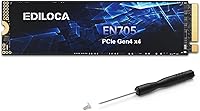
The Ediloca EN705 4TB NVMe M.2 SSD enters a crowded Gen4 market with a straightforward pitch: serious storage capacity at a price that does not force you to choose between space and speed. Ediloca is not a household name yet, but that is no reason to overlook it. The drive runs on a PCIe Gen4 x4 interface in the standard M.2 2280 form factor, meaning it slots into virtually any modern desktop, laptop, or PS5 without adapters or extra hardware. At 4TB, the capacity is genuinely practical — modern game installs routinely exceed 100GB, and 4K video projects consume storage just as fast.
Features & Benefits

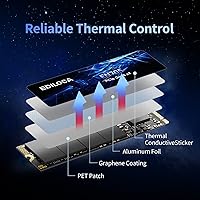
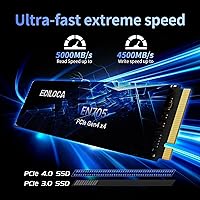
The EN705 reaches sequential read speeds of up to 5000MB/s, fast enough that large game files and video projects load in seconds rather than minutes. Day-to-day performance is where the drive holds its own comfortably. That said, it uses 3D QLC NAND without a dedicated DRAM cache, and that has a real implication: once the dynamic SLC cache fills during a very large sustained write — think moving an entire game library in one shot — speeds will drop noticeably. For most typical workloads that never becomes a problem, but it is worth knowing upfront. A built-in heat-dissipation patch helps manage temperatures; just do not expect an included heatsink.

Best For

This 4TB Gen4 drive makes the most sense as a PS5 storage upgrade for console players tired of constantly juggling installs, or as a secondary drive in a gaming PC where you want a fast, spacious home for your entire library. Content creators working with 4K footage will appreciate the cost-per-terabyte ratio — a lot of fast storage for a reasonable outlay. It also works well replacing an aging SATA or Gen3 NVMe drive where the speed difference will be immediately noticeable. Where it is less compelling: write-heavy workflows, enterprise or NAS environments, and any setup where consistent random I/O under sustained load is a hard requirement.

User Feedback

With over 4,100 ratings and a 4.6-star average, the reception here is genuinely difficult to dismiss. Buyers consistently highlight the straightforward installation process, and PS5 users specifically report the drive fits and performs exactly as expected in the console M.2 slot. The cost per gigabyte draws consistent praise. On the critical side, a portion of reviewers doing large bulk transfers report the expected QLC write slowdown once the SLC cache runs out — this is a known characteristic of the NAND type, not a flaw unique to this drive. A smaller group flags uncertainty around long-term brand reliability, which is a fair concern given Ediloca's still-developing reputation in a market dominated by established names.

Pros

  • 4TB of Gen4 NVMe storage at a cost-per-terabyte that undercuts most established brand alternatives by a noticeable margin.
  • Sequential read speeds up to 5000MB/s make large file loads and game installs genuinely fast in everyday use.
  • Validated PS5 compatibility means console players can expand storage without guessing about slot support.
  • The standard M.2 2280 form factor ensures plug-in compatibility across a wide range of desktops, laptops, and workstations.
  • Dynamic SLC cache keeps burst performance strong for the typical mixed workloads most users actually encounter.
  • A 5-year warranty provides reasonable long-term coverage for a consumer-grade drive at this price point.
  • 2800TBW endurance rating is solid for a QLC-based drive and should outlast the useful life of most consumer systems.
  • The package includes a mounting screw and screwdriver, which is a small but genuinely useful touch for first-time builders.
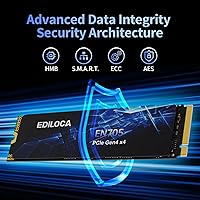
  • S.M.A.R.T. monitoring and LDPC error correction are present, offering basic health visibility and data integrity support.
  • Over 4,100 buyer ratings averaging 4.6 stars suggests consistent real-world satisfaction across a wide user base.

Cons

  • No DRAM cache limits random I/O performance under sustained multitasking loads compared to pricier DRAM-equipped drives.
  • QLC NAND write speeds can drop significantly once the SLC cache is saturated during large continuous transfers.
  • No heatsink is included, which may matter in thermally constrained builds or sustained high-throughput workloads.
  • Ediloca has a limited long-term track record, making it harder to gauge how warranty claims are handled over time.
  • Buyers doing bulk data migrations in a single session may hit cache exhaustion faster than expected on a fully populated drive.
  • Random read latency in demanding, multi-threaded workloads will not match what a DRAM-equipped or TLC-based rival offers.
  • The brand has minimal independent third-party benchmark coverage, so real-world sustained performance data is harder to verify than for established names.
  • QLC NAND typically has a shorter write endurance per cell than TLC, which is a long-term consideration for write-intensive users.

Ratings

The Ediloca EN705 4TB NVMe M.2 SSD scores below were generated by AI after analyzing thousands of verified global buyer reviews, with spam, bot-generated, and incentivized feedback actively filtered out before scoring. The ratings reflect both what real users consistently praise and where genuine frustrations surface, giving you a transparent and balanced picture of this drive across the use cases that matter most.
Sequential Read Speed
88%
Buyers routinely report that large game installs and file loads feel noticeably faster compared to Gen3 or SATA drives they replaced. The 5000MB/s ceiling translates to real time savings when loading open-world games or importing large video files, and most users confirm the drive performs close to its rated speeds in everyday sequential tasks.
A small subset of users running benchmarks on older Gen3 motherboards found the drive operates below its peak potential since it cannot leverage the full Gen4 bandwidth. Real-world speeds in mixed workloads are always somewhat lower than the headline figure, which some buyers found surprising when they first ran their own speed tests.
Sequential Write Speed
82%
18%
For typical file copy operations — moving a batch of game updates, saving 4K project exports, or transferring a folder of raw photos — the write performance is genuinely quick and the SLC cache absorbs the burst without issue. Users doing moderately sized transfers report consistent satisfaction with how fast data lands on the drive.
When transfers stretch into the hundreds of gigabytes in a single session, the SLC cache exhausts and write speeds drop to native QLC levels, which can feel jarring if you are used to TLC-based drives. This is a known characteristic of all QLC drives at this density, but it caught some buyers off guard when migrating full game libraries.
Sustained Write Consistency
57%
43%
For the majority of daily write operations — saving files, installing games, routine system data — the SLC cache absorbs the load efficiently and speeds stay impressively high. Casual and moderate users who are not moving massive archives in one session typically never hit the cache wall, and feedback from this group is largely positive.
Buyers who regularly transfer large amounts of data in single sessions — full game library migrations, bulk 4K footage imports, or large backup jobs — consistently flag speed drops once the SLC cache runs out. This is inherent QLC NAND behavior and not a defect, but some reviewers specifically caution against this drive for sustained write-heavy workflows.
Random I/O Performance
61%
39%
For general desktop tasks — web browsing, launching applications, casual multitasking — the random performance is perfectly adequate and most mainstream users will not notice a bottleneck. The dynamic SLC cache helps absorb random write bursts that occur naturally during normal system operation, keeping the experience smooth in light-to-moderate scenarios.
Without a dedicated DRAM cache, the drive struggles under sustained random I/O pressure — tasks like running virtual machines, handling database queries, or heavy simultaneous app launches expose a latency gap versus DRAM-equipped competitors. Power users who multitask intensively have noted occasional sluggishness that a mid-range TLC drive with DRAM handles more cleanly.
Value for Money
93%
Among all themes in buyer feedback, value is the most consistently celebrated aspect. Getting 4TB of Gen4 NVMe storage at this price point puts the cost-per-gigabyte well below what name-brand alternatives charge, and reviewers from PC builders and PS5 owners alike repeatedly describe the purchase as one of the smarter storage decisions they made.
The value proposition weakens slightly for buyers who specifically need DRAM-assisted random I/O or TLC-level write endurance, since those capabilities cost more regardless of brand. A small number of reviewers also note that after spotting a discounted Samsung or Crucial drive during a sale, the price gap narrowed enough to reconsider the decision.
PS5 Compatibility
87%
PS5 users make up a substantial portion of the buyer base and the feedback is largely positive — the drive fits, the console recognizes it immediately, and the extra storage lets players keep far more titles installed without constantly shuffling games. Several reviewers specifically mention that PS5-exclusive titles load at full native speeds from this drive.
A recurring note among PS5 buyers is that no heatsink is included, and Sony recommends using one — meaning an extra purchase is essentially required to complete the installation properly. A handful of users also report mild confusion during the initial console formatting process, though this is a PS5 firmware step rather than a drive-specific issue.
Installation Experience
91%
Ease of installation is one of the most praised aspects across all buyer segments. The included screwdriver and mounting hardware remove the need to hunt for tools, and first-time builders consistently report the physical installation took under five minutes. The multilingual illustrated guide helps less experienced users navigate the process without relying on outside tutorials.
A few buyers who purchased for laptop upgrades ran into compatibility surprises unrelated to the drive itself — specifically, discovering their laptop used a shorter M.2 slot than the 2280 length. The guide, while helpful, is illustrated rather than text-detailed, which a small number of reviewers found insufficient for more complex motherboard configurations.
Thermal Management
74%
26%
Under everyday workloads — gaming sessions, standard file transfers, and background system tasks — temperatures stay within a comfortable range and thermal throttling is not a commonly reported issue. The built-in heat-dissipation patch does meaningful work in systems with decent case airflow, and the majority of desktop users have not flagged heat as a concern.
In tight or poorly ventilated builds — particularly compact ITX cases or laptop chassis — some buyers have reported higher-than-expected temperatures during extended use. PS5 users are the most vocal about this, since Sony recommends a heatsink and the drive ships without one, making the thermal solution feel incomplete out of the box for console buyers.
Build Quality
78%
22%
The physical build is clean and compact, consistent with what you expect from a modern M.2 2280 module, and there are no widespread reports of DOA units or early failures in the review pool. The majority of buyers who have been using the EN705 for several months report it has held up without issue under regular workloads.
Long-term reliability data is naturally limited given the brand's relatively short track record, and a subset of buyers express hesitation about committing to a lesser-known manufacturer for primary storage. There are isolated reports of units arriving with firmware needing an update, though this appears to be a minority experience rather than a systemic quality control problem.
Endurance & Warranty
83%
A 2800TBW endurance rating is genuinely competitive for a QLC NAND drive at this capacity — most consumers writing even 30 to 50GB per day would take decades to approach that limit. Pairing that with a 5-year warranty brings a level of coverage that is otherwise rare in the budget-to-mid price tier for high-capacity drives.
The warranty is only as reliable as the brand backing it, and Ediloca does not yet have the established RMA track record of companies like Samsung, Western Digital, or Seagate. A few reviewers mention uncertainty about support responsiveness, noting that reaching the company for follow-up questions was less straightforward than they expected.
OS & Platform Support
89%
Coverage is broad: Windows 7 through 11, mainstream Linux distributions, and macOS 10.9 and above are all officially supported, covering virtually every common buyer scenario. Users across operating systems report the drive is recognized immediately without needing extra drivers, making cross-platform builds and dual-boot setups straightforward to configure.
While OS compatibility itself is wide, the full Gen4 performance ceiling is only reachable on systems with PCIe Gen4 slots — something a portion of buyers discovered only after purchase. Users on Gen3 platforms still get good speeds, but not the headline figures, and this distinction is not prominently communicated upfront in the product listing.
Package Contents
83%
Including a mounting screw and screwdriver is a thoughtful touch that separates this drive from many competitors that ship the bare module and nothing else. New builders especially appreciate not having to source hardware separately, and the multilingual illustrated guide is a genuinely practical addition for first-time installers who need a visual reference.
The absence of a heatsink is the most obvious omission, particularly for PS5 buyers who need to order one separately as an additional out-of-pocket cost. There is also no companion software included for health monitoring or firmware management, which buyers stepping down from brands that offer polished SSD utility tools will likely notice.
Brand Trust & Support
66%
34%
Ediloca's US-based support channel and 5-year warranty signal a genuine investment in after-sale accountability, and the brand's growing review volume suggests it is not a transient operation. Buyers who have contacted support for installation questions report that responses were helpful and reasonably timely in most documented cases.
The brand simply lacks the years of demonstrated reliability data that buyers can lean on when storing important or irreplaceable data. Some reviewers explicitly state they would feel more confident in a Samsung, Crucial, or WD drive for the same role, and limited independent third-party testing of Ediloca products makes that hesitation understandable.
Overall User Satisfaction
86%
A 4.6-star average across more than 4,100 verified ratings is a strong signal that the drive delivers on its core promises for the majority of buyers. The most satisfied users are those who purchased primarily for gaming storage, PS5 expansion, or replacing a slower SATA drive — exactly the use cases this 4TB Gen4 drive was designed around.
Satisfaction scores dip noticeably among buyers who pushed the drive into workloads it was not designed for — intensive random I/O, sustained bulk writes, or high-endurance professional use. A visible subset of critical reviews note that unmet expectations stem from choosing this drive based on headline specs alone without fully understanding QLC trade-offs.

Suitable for:

The Ediloca EN705 4TB NVMe M.2 SSD is a strong fit for anyone who needs a large, fast internal drive without stretching their budget to cover a premium brand name. PS5 owners are probably the most obvious beneficiary — the drive is validated for console storage expansion and installs cleanly into the M.2 slot, giving players a meaningful library capacity boost at a sensible cost. PC gamers building out a secondary storage drive will also find it practical, since 4TB comfortably houses a large game collection with room to spare. Content creators working on 4K video projects can use this NVMe SSD as a capable working drive where bulk capacity and sequential throughput matter more than ultra-low random latency. And if you are still running a SATA or older Gen3 NVMe drive, the jump to PCIe Gen4 speeds here is genuinely noticeable in day-to-day use.
Not suitable for:

The Ediloca EN705 4TB NVMe M.2 SSD is not the right tool for every job, and it is worth being clear about where its design choices become real limitations. The absence of a DRAM cache means random read and write performance under heavy, simultaneous workloads — think database queries, intensive virtualization, or high-frequency small-file access — will trail behind DRAM-equipped competitors. The 3D QLC NAND also means write speeds can drop significantly once the dynamic SLC cache fills, which will matter to anyone regularly transferring very large data sets in a single session. NAS builds are out of the question, as this is strictly an internal M.2 drive designed for single-system use. Enterprise or high-endurance write-heavy environments should also look elsewhere — 2800TBW is respectable for a consumer QLC drive, but it is not built for the punishment of professional write-intensive workflows. Finally, buyers who prioritize brand pedigree and an established support track record may feel more comfortable with a longer-tenured manufacturer, since Ediloca is still building its reputation in a competitive field.
Specifications

  • Capacity: The drive offers 4TB of usable flash storage, making it one of the higher-capacity options available in the consumer M.2 NVMe segment.
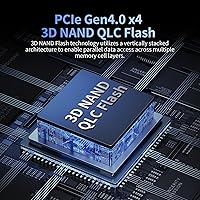
  • Interface: It connects via PCIe Gen4 x4 using the NVMe 1.4 protocol, which enables significantly higher throughput than older PCIe Gen3 or SATA interfaces.
  • Form Factor: The drive follows the M.2 2280 standard, measuring 22mm wide and 80mm long — the most common M.2 size found in modern desktops, laptops, and the PS5.
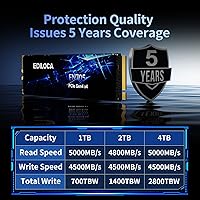
  • Sequential Read: Rated sequential read speed reaches up to 5000MB/s under optimal conditions using PCIe Gen4 bandwidth.
  • Sequential Write: Rated sequential write speed reaches up to 4500MB/s, though sustained performance during large transfers may vary due to QLC NAND behavior.
  • NAND Type: Storage cells use 3D QLC (Quad-Level Cell) NAND flash, which allows high density and lower cost per gigabyte compared to TLC or MLC alternatives.
  • DRAM Cache: No dedicated DRAM cache is present, which can affect random I/O performance under heavy multitasking or latency-sensitive workloads.
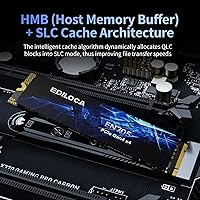
  • SLC Cache: A dynamic SLC (Single-Level Cell) cache layer accelerates burst write performance for typical workloads before falling back to native QLC speeds on large transfers.
  • Endurance Rating: The drive is rated for 2800TBW (terabytes written), which is a reasonable endurance figure for a consumer-grade QLC drive of this capacity.
  • Warranty: Ediloca backs the drive with a 5-year limited warranty and US-based technical support, which is in line with standard consumer SSD coverage.
  • PS5 Support: The drive has been validated for use as an internal PS5 storage expansion and can be installed directly in the console's M.2 expansion slot.
  • Heatsink: No heatsink is included in the package; buyers with thermally constrained builds or PS5 installations may want to source one separately.
  • Error Correction: LDPC (Low-Density Parity-Check) error correction is implemented to help maintain data integrity over the drive's lifespan.
  • Drive Monitoring: The drive supports S.M.A.R.T. health monitoring and the TRIM command, allowing the operating system to maintain performance and track drive health over time.
  • OS Compatibility: Compatible operating systems include Windows 7, 8, 10, and 11, major Linux distributions, and macOS 10.9 and later.
  • Weight: The drive weighs 1.41 ounces, consistent with a bare M.2 module without an attached heatsink.
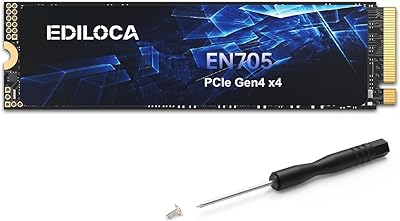
  • Package Contents: The retail package includes the drive itself, one mounting screw, an installation screwdriver, and an illustrated multilingual installation guide.

Related Reviews

Ediloca EN705 1TB NVMe M.2 SSD
81%
88%
Sequential Read Performance
61%
Sustained Write Speed
93%
PS5 Compatibility
91%
Installation Experience
86%
Value for Money
More
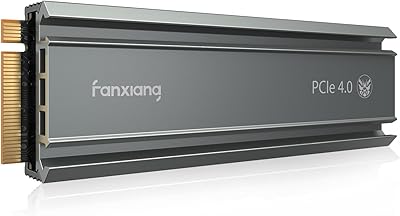
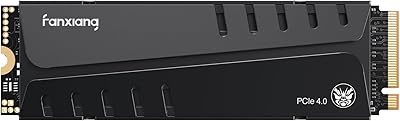
fanxiang S770 4TB NVMe M.2 SSD
84%
88%
Read Speed Performance
82%
Write Speed Consistency
93%
PS5 Compatibility
86%
Thermal Management
84%
Value for Money
More
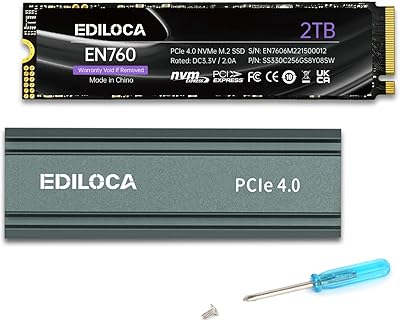
Ediloca EN760 2TB M.2 NVMe SSD
80%
88%
Read Speed Performance
74%
Write Speed Performance
93%
PS5 Compatibility
82%
Heatsink Quality
86%
Value for Money
More
ORICO TCM2 M.2 NVMe SSD Enclosure
78%
83%
Transfer Speed
61%
Thermal Management
74%
Build Quality
91%
Ease of Installation
86%
Cable Bundle Quality
More
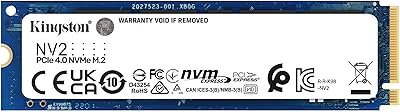
Kingston NV2 4TB M.2 NVMe SSD
83%
93%
Value for Money
82%
Read Performance
61%
Sustained Write Speed
96%
Installation Ease
89%
Compatibility
More
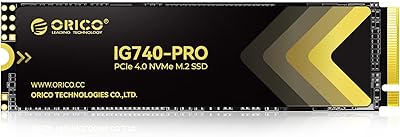
ORICO IG740PRO 4TB M.2 NVMe SSD
79%
91%
Sequential Read Performance
88%
Endurance & Longevity
84%
Thermal Management
79%
Value for Money
74%
PS5 Compatibility
More
fanxiang S660 4TB NVMe M.2 SSD
88%
92%
Performance
89%
Cooling Efficiency
91%
Ease of Installation
96%
Compatibility with PS5
87%
Build Quality
More
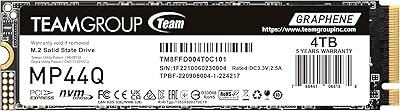
TEAMGROUP MP44Q 4TB NVMe SSD
80%
92%
Sequential Read Speed
78%
Sequential Write Speed
91%
Value for Money
74%
Thermal Management
81%
Compatibility
More
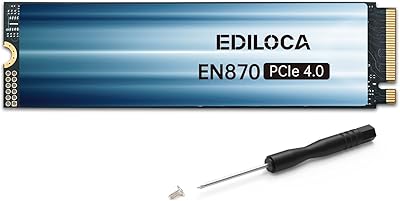
Ediloca EN870 2TB NVMe M.2 SSD
78%
88%
Sequential Read Speed
79%
Sequential Write Speed
91%
Value for Money
93%
PS5 Compatibility
86%
Installation Ease
More
Ediloca EN600 Pro 512GB NVMe SSD
78%
88%
Value for Money
84%
Read Performance
67%
Write Performance
91%
Installation Ease
83%
Compatibility
More

FAQ

The Ediloca EN705 4TB NVMe M.2 SSD has been validated for PS5 internal storage expansion. You install it in the console's M.2 slot, and the PS5 formats it automatically on first boot. Sony recommends using a heatsink for drives installed in the PS5, and since one is not included in the box, it is worth picking up a low-profile M.2 heatsink separately before you install it.
For gaming specifically, it rarely makes a noticeable difference in practice. DRAM cache primarily benefits random I/O workloads like databases or heavily multitasked environments. Game loading is mostly sequential reads, which is where this drive performs well. The absence of DRAM is more of a concern if you are running a workstation with many simultaneous processes reading and writing small files at once.

When you are copying a very large amount of data in one session — think hundreds of gigabytes at once — the drive exhausts its dynamic SLC cache and falls back to writing directly to the QLC NAND. At that point, write speeds can drop considerably, sometimes to a fraction of the rated speed. For most users copying game installers or moderate batches of video files, this cache fills slowly enough that it is not a daily issue, but if you regularly move large archives in a single session, you will notice it.

Yes, it works perfectly well as a primary OS drive. Boot times and application launches will be fast, and Windows will handle TRIM automatically to keep the drive in good shape over time. Just make sure your motherboard has an M.2 slot that supports PCIe Gen4 to get the full benefit; it will also work in a Gen3 slot at reduced speeds.

If your laptop has an M.2 2280 slot with PCIe Gen3 or Gen4 support, it will fit and work. The 2280 size is the most common M.2 length, though some ultrabooks use shorter slots like 2242 or 2260, so it is worth checking your laptop's manual or manufacturer specs before purchasing.

It handles 4K editing well as a project or scratch drive, particularly for sequential reads and writes that video editing tools rely on. The high sequential throughput keeps timelines responsive and export times reasonable. Where it is less ideal is as a primary NVMe drive for a heavily loaded editing workstation with constant multi-stream random access — a DRAM-equipped TLC drive would be better in that scenario.

It is straightforward. The package includes a mounting screw and screwdriver, and the multilingual guide covers the physical installation step by step. For a PC, you simply seat the drive in the M.2 slot at an angle, press it down flat, and secure the screw. For PS5, Sony has a clear official tutorial on their website. Once installed, the PS5 formats it automatically, and Windows will detect it immediately in Disk Management.

Ediloca offers a 5-year limited warranty with US-based support, which on paper matches what you get from more established names. The honest caveat is that the brand is newer, so there is less community data on how smoothly warranty claims are handled compared to a company like Samsung or Western Digital. The warranty is a reasonable safety net, but if long-term brand accountability is a priority for you, that is a fair consideration to weigh.

For a home user — gaming, media storage, general computing — 2800TBW is more than sufficient and will comfortably outlast most system lifecycles. Even a fairly active user writing 50GB per day would take over 150 years to reach that limit. It is only in professional write-intensive environments where QLC endurance becomes a real planning concern.

Under light to moderate use, temperatures stay manageable. During sustained high-throughput tasks — large transfers, extended game sessions — the built-in heat-dissipation patch helps, but it is not a substitute for a proper heatsink in a warm chassis. If your PC case has good airflow, thermal throttling is unlikely to be an issue in typical use. In tight or poorly ventilated builds, adding an aftermarket M.2 heatsink is a sensible precaution.