Overview

The Ediloca EN870 2TB NVMe M.2 SSD sits in an interesting spot — fast enough to genuinely impress, priced low enough to raise an eyebrow or two. Ediloca isn't a household name like WD or Samsung, but that's partly the point; this is a drive built for buyers who want PCIe Gen4 performance without the brand tax. It doubles as a validated PS5 expansion drive, which broadens its appeal considerably. Two terabytes gives you room for a serious game library or a working folder full of 4K project files. That said, go in knowing there's no DRAM cache and no heatsink in the box — both matter depending on how you plan to use it.
Features & Benefits

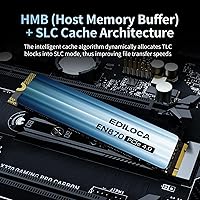
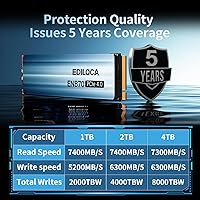
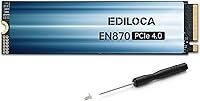
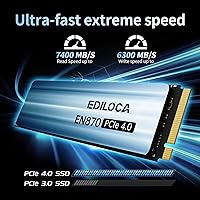
On paper, 7400 MB/s sequential reads sound extraordinary, and for burst workloads — loading a game level, opening a large Premiere Pro project — this Ediloca Gen4 SSD absolutely delivers. In practice, the dynamic SLC cache handles those short, intensive tasks well. The reality check comes with sustained large writes: once the cache fills, speeds can drop noticeably, which is typical for drives without dedicated DRAM. The 3D TLC NAND backed by LDPC error correction keeps long-term data integrity solid, and S.M.A.R.T. monitoring support means you can track drive health proactively. A 4000 TBW endurance rating and a five-year warranty are genuinely strong numbers for this price tier.

Best For

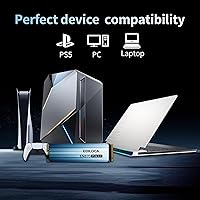
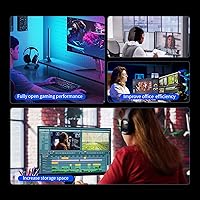
The EN870 drive makes the most sense for a few specific buyers. PS5 owners who want extra storage without hunting for a pricier branded option will find it works exactly as advertised. Secondary game storage on a desktop PC is another sweet spot — it frees up a faster primary drive for the OS while still loading games well ahead of SATA. Laptop upgraders get a clean plug-and-play fit with the standard M.2 2280 form factor. Video editors working on 4K projects will appreciate the sequential throughput for scrubbing timelines, though anyone doing heavy continuous recording should be aware of the cache limitations mentioned above.

User Feedback

With over 4,100 ratings averaging 4.6 stars, the reception for this 2TB NVMe upgrade is hard to dismiss. Buyers consistently praise how straightforward the installation is — even first-timers report no issues — and the speed jump from an older SATA drive clearly surprises people in a good way. PS5 compatibility comes up repeatedly as a reliable highlight. On the critical side, some users note that real-world write speeds fall short of the headline figures during sustained transfers, which aligns with the cache behavior described above. A handful mention the drive running warm in compact laptop builds. Feedback on Ediloca's support is mostly positive, though the brand's relative newness means the long-term track record is still being established.

Pros

  • Gen4 sequential speeds make a real, perceptible difference over SATA drives for game loading and large file transfers.
  • Validated PS5 compatibility removes the guesswork — install it and the console recognizes it without fuss.
  • Two terabytes is enough headroom to hold a large game library without constantly uninstalling titles.
  • The 5-year limited warranty is genuinely competitive for a drive at this price point.
  • LDPC error correction and S.M.A.R.T. monitoring provide solid long-term data integrity safeguards.
  • Standard M.2 2280 form factor means plug-and-play installation in desktops, laptops, and workstations with no adapter needed.
  • A 4000 TBW endurance rating holds up well against mid-range options from more established brands.
  • Box includes a screwdriver, mounting screw, and illustrated guide — a thoughtful touch for first-time installers.
  • Broad OS compatibility covers Windows 7 through 11, Linux, and macOS 10.9+ right out of the box.
  • Over 4,100 ratings averaging 4.6 stars reflects a broad, consistent pattern of buyer satisfaction rather than a handful of outliers.

Cons

  • No dedicated DRAM cache means sustained write speeds can drop sharply once the SLC buffer fills during large transfers.
  • No heatsink is included, so users in warm or airflow-restricted enclosures may need to budget for one separately.
  • Ediloca is a relatively new brand with limited long-term reliability data compared to WD, Samsung, or Seagate.
  • Real-world write speeds during back-to-back transfers often fall noticeably short of the advertised headline figures.
  • Some laptop users report the drive running warmer than expected inside thermally constrained chassis under load.
  • Not well-suited as a primary OS drive for users who rely on consistent random I/O performance throughout the day.
  • Lower brand recognition could complicate warranty claims or RMA processes for buyers outside the US.
  • Random read and write performance, while adequate for gaming, lags behind DRAM-equipped competitors in workstation-level benchmarks.

Ratings

The Ediloca EN870 2TB NVMe M.2 SSD earns its 4.6-star average across more than 4,100 global ratings through a combination of genuine PCIe Gen4 speed, reliable PS5 compatibility, and a five-year warranty that stands out in the budget storage segment. These scores were generated by AI after analyzing verified purchase reviews worldwide, with systematic filtering applied to exclude spam, bot activity, and incentivized feedback patterns. The result reflects a balanced picture that captures both the drive's real strengths and the recurring pain points — particularly around sustained write performance and thermal management — that buyers consistently raise.
Sequential Read Speed
88%
Burst read performance is where the EN870 drive genuinely impresses — users coming from SATA drives report dramatically faster game load times and near-instant file access. Copying large video files or opening a project in a DAW feels noticeably snappier, and the Gen4 headroom leaves room for increasingly demanding future workloads.
The 7400 MB/s headline figure requires near-ideal conditions — a clean, warm Gen4 slot running a short sequential read — that most real-world use cases do not perfectly replicate. In mixed workloads involving smaller files or fragmented data, observed speeds are considerably more modest, which is normal at this tier but worth calibrating expectations around.
Sequential Write Speed
79%
21%
For tasks involving large sequential writes in bursts — installing games, duplicating project folders, or transferring media from an external drive — the SLC cache kicks in and delivers solid, responsive performance. Users regularly note that common game installs and system updates complete quickly without any perceptible lag.
Once the dynamic SLC cache fills during a prolonged large write — think cloning a drive, migrating a 200GB-plus game library, or running a full system backup — speeds can fall off sharply. This is a structural limitation of the no-DRAM design, and users who do those kinds of transfers regularly will feel it more than casual buyers.
Value for Money
91%
Getting PCIe Gen4 speeds at 2TB for a price that competes with or beats many Gen3 alternatives is genuinely compelling. Buyers consistently flag this as the primary reason they chose the EN870 over more established names, and most report feeling they got more than they expected for what they paid.
The value proposition comes with trade-offs that are easy to miss: no DRAM cache, no included heatsink, and a brand without years of proven reliability behind it. Buyers who factor in the cost of an aftermarket heatsink or the peace of mind of an established warranty program may find the effective price gap narrower than it first appears.
PS5 Compatibility
93%
PS5 users consistently report that this 2TB NVMe upgrade works exactly as the console expects — slot it into the expansion bay, follow Sony's on-screen prompts, and it is ready within minutes. Load times on demanding titles reportedly improve noticeably over relying solely on the PS5's internal storage pool.
The absent bundled heatsink is the main friction point — Sony recommends one for the PS5 M.2 slot, meaning buyers need to source and install it separately before starting. A small number of users also report unexpected formatting prompts during initial setup, though this is standard behavior for any expansion drive and not a hardware fault.
Installation Ease
86%
Buyers with no prior SSD installation experience frequently note how approachable the process was — the included screwdriver and mounting hardware remove a common barrier, and the illustrated guide covers the key steps without overwhelming detail. Desktop and laptop installations typically take under five minutes, with most users reporting zero complications.
PS5 installation adds a layer of complexity — accessing the console's expansion bay requires removing a cover and fan shield, and sourcing a compatible heatsink beforehand is an extra step not everyone anticipates. A portion of reviewers also note that the multilingual guide, while helpful, could be more detailed for console-specific scenarios.
Thermal Management
67%
33%
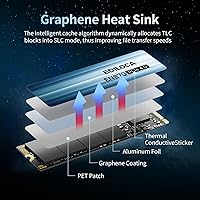
The composite heat-dissipation patch provides adequate baseline thermal protection in well-ventilated desktop builds, where ambient airflow around the M.2 slot naturally helps keep temperatures in check. Users in open-chassis builds or those with active M.2 slot cooling rarely report temperature-related throttling under typical workloads.
In compact laptops, mini-ITX builds, or PS5 installations without an aftermarket heatsink, the drive can run noticeably warm under sustained load — some reviewers report temperatures climbing into ranges that trigger throttling. The lack of a bundled heatsink is a genuine omission that adds friction and cost for buyers in thermally constrained environments.
Sustained Write Performance
58%
42%
For the burst-heavy tasks that define most gaming and media consumption workflows — installing a title, exporting a finished video clip, or pulling files off a USB drive — the SLC cache handles the load capably. Most users who stick to these patterns never encounter the sustained-write ceiling during normal daily use.
Once a prolonged large write exhausts the SLC buffer — which can happen during drive cloning, bulk media ingestion, or migrating a large game library — speeds drop to the drive's native TLC write rate, which is a significant fall. Reviewers doing professional video production or large-scale data transfers flag this as a real and hard-to-ignore limitation.
Endurance & Reliability
82%
18%
A 4000 TBW endurance rating is a meaningful figure for this capacity class — it translates to years of heavy daily use before the drive approaches its write ceiling. LDPC error correction adds a further layer of confidence for long-term data retention, and buyers appreciate having that assurance built into a mid-range purchase.
Because Ediloca is a relatively new brand, the 4000 TBW figure is a manufacturer-stated specification rather than one validated by years of independent field data. Buyers storing genuinely irreplaceable files will reasonably want to pair this drive with a solid backup strategy rather than relying on the endurance rating alone.
Warranty & Support
84%
A 5-year limited warranty at this price point is above average — most budget Gen4 drives cap at three years — and the combination of US-based technical support and a 30-day return window gives buyers a reasonable safety net. Reviewers who contacted Ediloca with pre-sale or post-purchase questions generally report prompt and helpful responses.
As a newer brand, Ediloca's warranty is only as strong as the company's long-term commitment to honoring it — something that cannot be fully assessed with just a few years of market history. Buyers outside the US may also find after-sales support less accessible than with established global brands that have regional service infrastructure.
Build Quality
77%
23%
The drive feels appropriately solid for its size, with the composite heat-dissipation patch giving the PCB a slightly more finished appearance than a bare board. Reviewers rarely mention physical defects on arrival, and the construction holds up to the normal handling involved in a PC build or console installation.
There is nothing distinctive about the physical design — it is a standard bare M.2 stick without a heatsink or any premium finishing touches. The absence of a DRAM chip is apparent in the component layout, a visible reminder that meaningful cost savings come with engineering trade-offs that carry real performance consequences.
OS Compatibility
89%
Supporting Windows 7 through 11, major Linux distributions, and macOS 10.9 and later means the EN870 drive can serve in virtually any modern computing environment without configuration friction. This breadth is particularly appreciated by users who dual-boot, run a home lab, or are upgrading an older but still capable machine.
On macOS, NVMe drives require specific attention to TRIM enablement depending on the system version and enclosure type — not always intuitive for non-technical users. Windows users on older Gen3 platforms should also verify their BIOS is correctly configured to expose the M.2 slot at its full intended bandwidth.
Random I/O Performance
63%
37%
For gaming — where random read patterns dominate and queue depths tend to stay shallow — the drive performs well enough that most players will not notice a difference from a DRAM-equipped alternative. Everyday desktop tasks like launching applications, browsing a file system, and loading assets fall comfortably within the drive's capabilities.
In high-queue-depth workloads — running virtual machines, handling a busy local database, or juggling many simultaneous processes — the lack of DRAM becomes more apparent, and random 4K write IOPS benchmarks reflect a clear gap against DRAM-equipped peers. Power users who depend on consistent low-latency random I/O should consider other options.
Packaging & Accessories
78%
22%
Arriving with a screwdriver, mounting screw, and a multilingual illustrated guide is a thoughtful touch that budget drives at this tier frequently skip. Buyers consistently note that the packaging is tidy and protective, and the drive itself arrives undamaged even when shipped through standard carriers.
The omission of a heatsink is the most frequently cited packaging gap — especially given that Sony recommends one for PS5 installs and many compact PC builds benefit from one. The installation guide, while serviceable, is relatively brief, and some users feel it could cover OS initialization and BIOS configuration steps more thoroughly.
Brand Trust
61%
39%
Over 4,100 verified ratings averaging 4.6 stars provide meaningful social proof that a large number of real buyers have had positive experiences with this Ediloca Gen4 SSD. The brand's inclusion of US-based support contacts and a five-year warranty signals a degree of commitment that helps offset name-recognition concerns for many shoppers.
Ediloca has no meaningful public track record extending beyond the last couple of years, and there is no independent long-term reliability data to consult. Buyers who have experienced the frustration of a failed drive from a brand that quietly exited the market will understandably feel less comfortable committing to a newer entrant for critical or irreplaceable data.

Suitable for:

The Ediloca EN870 2TB NVMe M.2 SSD is a strong fit for anyone who wants a meaningful speed upgrade without paying flagship prices. PS5 owners are perhaps the most natural audience — it clears Sony's compatibility requirements cleanly and delivers load-time improvements that genuinely change how the console feels day-to-day. Budget-conscious PC builders who want a dedicated game storage drive, kept separate from their primary OS SSD, will also find solid value here. Laptop users looking to replace a sluggish factory drive will appreciate the standard M.2 2280 form factor and the fact that no adapter is needed. Content creators who work in bursts — scrubbing 4K timelines, exporting projects, moving large files occasionally — will get real benefit from the sequential throughput without running into the sustained-write limitations. If a long warranty and accessible after-sales support matter more to you than having the latest controller silicon, this drive makes a grounded, practical choice.
Not suitable for:

Buyers with consistently heavy, sustained workloads should think carefully before choosing the Ediloca EN870 2TB NVMe M.2 SSD. Without dedicated DRAM, the drive relies on dynamic SLC caching to hit its headline speeds — once that cache is exhausted during a prolonged large write, throughput can fall off a cliff, which is a genuine problem for long video captures, bulk library migrations, or any workflow that keeps the drive writing continuously for extended periods. Power users who plan to use this as a primary OS and application drive and need dependably fast random I/O all day long will likely find a DRAM-equipped alternative from WD or Samsung worth the extra investment. Anyone building a high-output workstation where the SSD runs under pressure around the clock should look elsewhere. Buyers running systems in thermally tight cases or slim laptops with poor airflow may also struggle, since no heatsink ships in the box. Finally, if you need a drive backed by years of established reliability data for mission-critical storage, a newer brand like Ediloca may not yet offer the track record you need.

Specifications

  • Capacity: Provides 2TB of storage, sufficient for large game libraries, 4K video project folders, and extensive file archives without frequent management.
  • Form Factor: M.2 2280 (22mm x 80mm) is the most widely supported NVMe form factor, fitting the majority of modern desktops, laptops, and the PS5 expansion slot.
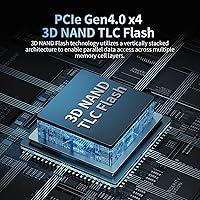
  • Interface: PCIe Gen4 x4 connection delivers roughly twice the peak bandwidth of PCIe Gen3, requiring a host device with a compatible Gen4 M.2 slot for full-speed operation.
  • Protocol: Operates on the NVMe 1.4 protocol, enabling lower command latency and higher queue depths than legacy AHCI-based storage solutions.
  • Sequential Read: Rated for sequential read speeds of up to 7400 MB/s under optimal burst conditions with the SLC cache engaged.
  • Sequential Write: Rated for sequential write speeds of up to 6300 MB/s under optimal burst conditions; sustained speeds will vary once the dynamic cache is exhausted.
  • NAND Type: Uses 3D TLC (Triple-Level Cell) NAND flash, which offers a practical balance of storage density, cost efficiency, and acceptable write endurance for consumer workloads.
  • Cache Design: Employs a dynamic SLC caching scheme with no dedicated DRAM onboard, accelerating burst transfers but subject to speed reduction during prolonged large sequential writes.
  • Endurance: Rated at 4000 TBW (Terabytes Written), which is competitive against similarly priced 2TB Gen4 drives and well above typical home-user write volumes.
  • Warranty: Backed by a 5-year limited warranty with US-based technical support and a 30-day hassle-free return policy.
  • PS5 Support: Validated for PS5 internal storage expansion, installable directly into the console's M.2 expansion bay without any adapter.
  • Heatsink: No heatsink is included in the package; users in thermally constrained enclosures or PS5 installations should source a compatible aftermarket heatsink separately.
  • Weight: The bare drive weighs 1.06 oz (approximately 30g), adding negligible mass to laptop or console upgrades.
  • OS Compatibility: Compatible with Windows 7, 8, 10, and 11, major Linux distributions, and macOS 10.9 and later versions.
  • Error Correction: LDPC (Low-Density Parity-Check) error correction is built in, detecting and correcting data errors at the hardware level to preserve long-term integrity.
  • Health Monitoring: Supports S.M.A.R.T. diagnostics and the TRIM command, enabling users to track drive health and maintain consistent performance over the drive's lifespan.
  • Package Contents: Box includes the drive, a Phillips installation screwdriver, a mounting screw, and an illustrated multilingual installation guide.

Related Reviews
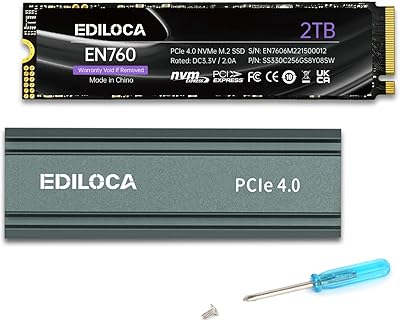
Ediloca EN760 2TB M.2 NVMe SSD

80%
88%
Read Speed Performance
74%
Write Speed Performance
93%
PS5 Compatibility
82%
Heatsink Quality
86%
Value for Money
More
SanDisk 2TB SSD Plus M.2 NVMe SSD
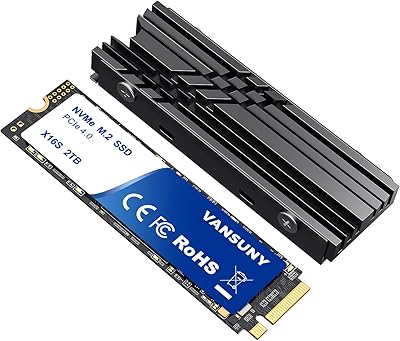
86%
89%
Performance
92%
Ease of Installation
88%
Reliability
91%
Value for Money
90%
Capacity
More
Vansuny 2TB NVMe M.2 Internal SSD

78%
88%
Value for Money
79%
Read/Write Speed
91%
PS5 Compatibility
74%
Thermal Management
93%
Installation Experience
More
GAMERKING 2TB M.2 NVMe Internal SSD
75%
78%
Read/Write Performance
82%
Value for Money
91%
Installation Experience
67%
Thermal Management
63%
Long-Term Reliability
More
fanxiang S770 2TB NVMe M.2 SSD
79%
88%
Sequential Read Speed
91%
PS5 Compatibility
86%
Value for Money
83%
Thermal Management
74%
Build Quality
More
Ediloca EN206 2TB M.2 SATA SSD
74%
88%
Value for Money
71%
Read & Write Speed
93%
Installation Ease
82%
Compatibility
61%
Long-Term Reliability
More
PNY CS1030 2TB M.2 NVMe SSD
77%
91%
Value for Money
83%
Read Speed Performance
72%
Write Speed Performance
88%
Boot & Load Times
94%
Installation Ease
More
Fikwot FX991 2TB NVMe SSD
78%
88%
Sequential Read Performance
61%
Sustained Write Speed
93%
PS5 Compatibility
91%
Value for Money
82%
Thermal Management
More
WD_BLACK SN850P 2TB NVMe SSD

86%
93%
Read Speed Performance
96%
PS5 Compatibility & Licensing
94%
Installation Experience
88%
Heatsink Quality & Thermal Management
71%
Value for Money
More
PNY CS2230 2TB M.2 NVMe Internal SSD
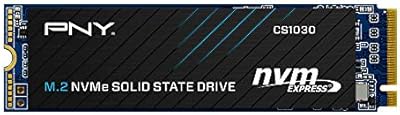
80%
88%
Read/Write Performance
91%
Value for Money
94%
Installation Ease
67%
Thermal Management
89%
Compatibility
More

FAQ

It genuinely works. The EN870 drive meets Sony's speed requirements for PS5 internal storage expansion and installs directly into the console's M.2 bay without any adapter. You may be prompted to format the drive when the PS5 first detects it, which takes only a moment. Buyers consistently confirm the process is straightforward and that the drive is recognized without issues.

Sony officially recommends using a heatsink when adding an M.2 drive to the PS5, and the bay is designed to accommodate one. Since no heatsink comes in the box, you will want to purchase a slim, PS5-compatible heatsink separately before starting the installation — they are widely available and inexpensive. Skipping it entirely is possible, but not advisable for long-term thermal health.

Most people can handle it. The package includes a screwdriver and mounting screw, plus an illustrated guide that walks through the physical steps. On a desktop or laptop, you seat the drive in the M.2 slot at a slight angle, press it down, and secure it with the screw — the whole process usually takes under five minutes. For the PS5, there are a few more steps involved in accessing the bay, but Sony's own on-screen prompts guide you through formatting afterward.

For the tasks most buyers use a drive like this for — loading games, launching applications, moving files in the tens of gigabytes — the absence of dedicated DRAM is rarely noticeable. The dynamic SLC cache handles burst workloads effectively. Where it does show up is during prolonged, continuous large writes, such as copying a 100GB-plus folder or running a long backup: once the SLC buffer fills, speeds can drop significantly until it clears. For gaming and typical creative workflows, this is not a dealbreaker, but it is worth knowing if heavy sustained writes are part of your regular routine.

Yes, PCIe Gen4 drives are backward compatible with Gen3 slots. The drive will simply operate at Gen3 bandwidth rather than Gen4, which still puts it well ahead of any SATA SSD. For everyday laptop tasks — web browsing, document work, casual gaming — that is more than adequate.

Both are DRAM-less PCIe Gen4 drives at the same capacity, and benchmark results are often within striking distance of each other. The WD Black SN770 carries more established brand recognition and a longer public reliability track record. The Ediloca option tends to compete on price and offers a 5-year warranty claim. If brand familiarity is a priority or you need a drive for mission-critical storage, the SN770 is the safer choice. If you are comfortable with a newer brand and want solid specs for the cost, the EN870 holds its ground well.

It is a reasonable specification rather than an inflated one. For a 2TB drive, 4000 TBW works out to roughly 2TB of writes per day sustained over five years — far beyond what most home users will ever generate. Like all manufacturer-stated endurance figures, it is not independently verified, so treat it as a meaningful guideline rather than a hard guarantee. The five-year warranty does provide some practical backstop if the drive fails prematurely under normal use.

It can under sustained load. This 2TB NVMe upgrade has no bundled heatsink, and slim laptops often have limited airflow around their M.2 slots. Light and moderate workloads are generally fine, but prolonged heavy transfers or extended gaming sessions in a particularly tight chassis can push temperatures higher. If your laptop runs warm in general, it is worth monitoring drive temperatures periodically with a utility like CrystalDiskInfo.

That is a reasonable concern to raise. Ediloca is a newer entrant without the decades-long track record of Samsung or WD, which means their long-term support reliability is still being proven. What they do offer concretely is a 5-year limited warranty, US-based technical support, and a 30-day return window. The large volume of verified buyer ratings — and the relatively low rate of reported support complaints within them — is encouraging. Keep your order confirmation and purchase receipt accessible in case you ever need to initiate a claim.

You can use it as a boot drive, and many buyers do so without complaints. For a typical home PC or gaming machine, it performs the role adequately. Where the no-DRAM design shows its limits is in workstation environments that demand consistently fast random I/O all day — things like running virtual machines, compiling large codebases, or juggling many simultaneous application processes. In those scenarios, a DRAM-equipped drive will deliver noticeably snappier responsiveness. For secondary game storage, PS5 expansion, or general-purpose laptop use, this drive is well-suited.