Overview

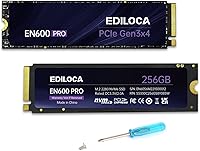
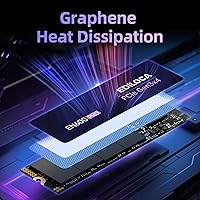
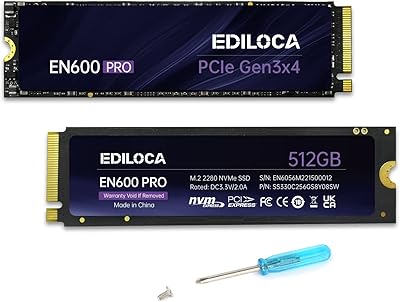
The Ediloca EN600 Pro 256GB NVMe M.2 SSD is a budget-oriented storage upgrade aimed at anyone tired of waiting on a sluggish spinning hard drive. Ediloca isn't a name you'll find on most enthusiast shortlists, but that isn't necessarily a dealbreaker — what matters is whether the hardware holds up. At this price point, the 256GB capacity is best suited for housing your operating system and a handful of applications rather than a full media library. It ships with mounting screws and a screwdriver, a small but genuinely useful touch for first-time installers. The included graphene cooling sticker is an unexpected extra at this price tier.

Features & Benefits

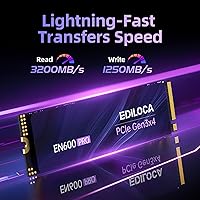
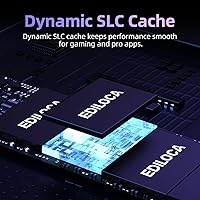
On paper, the EN600 Pro runs on a PCIe 3.0 x4 interface with sequential reads reaching up to 3200 MB/s — fast enough to cut Windows boot times down under 15 seconds on a capable system. Writes top out at 1250 MB/s thanks to dynamic SLC caching, which sustains high speeds during typical burst activity. The catch: once that cache fills during a large sustained transfer, speeds drop to native TLC rates. For everyday tasks like launching apps, saving documents, or browsing with a dozen tabs open, it handles things without complaint. The M.2 2280 form factor fits the vast majority of modern motherboards, and a 3-year limited warranty rounds things out reasonably.

Best For

This budget NVMe SSD makes the most sense as an HDD replacement in an aging laptop or desktop — the kind of swap that genuinely transforms how a machine feels on a daily basis. Students and home office workers who live in a browser, word processor, or spreadsheet will get solid value from it. It also works well as a secondary drive in a desktop build, handling overflow storage alongside a larger primary NVMe. Just keep realistic expectations around the capacity: 256GB fills up faster than you'd expect once you add a few games or a photo library. If your workflow involves sustained heavy writes or video editing scratch space, this M.2 drive is not the right fit.

User Feedback

Across well over four thousand ratings, the EN600 Pro holds a 4.6-star average, and the positive feedback clusters around a few consistent themes: fast boot improvements, painless installation, and genuine appreciation for the included mounting hardware. The graphene sticker also gets a mention from budget builders who weren't expecting any thermal consideration at this price. On the flip side, some buyers who moved large batches of files report a noticeable speed drop mid-transfer once the SLC cache runs out — consistent with standard TLC behavior, but worth knowing going in. A handful of lower-starred reviews flag early drive failures, though these appear to be isolated incidents rather than a widespread reliability concern.

Pros

  • Switching from an HDD to the EN600 Pro delivers an immediately noticeable improvement in boot times and app responsiveness.
  • PCIe 3.0 x4 interface with reads up to 3200 MB/s handles everyday computing tasks without breaking a sweat.
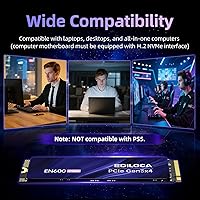
  • The M.2 2280 form factor is compatible with the vast majority of modern laptops and desktop motherboards.
  • Includes mounting screws and a screwdriver in the box — a thoughtful touch that lowers the barrier for first-time installers.
  • The graphene heat dissipation sticker provides passive thermal management without requiring a separate heatsink purchase.
  • 3D NAND TLC flash offers a reasonable balance of cost and durability for light-to-moderate daily workloads.
  • A 3-year limited warranty adds meaningful peace of mind for a drive at this price tier.
  • Thousands of verified buyer reviews back up real-world reliability for typical home and office use cases.
  • Compact and lightweight at just over an ounce, making it ideal for slim laptop upgrades.

Cons

  • Write speeds drop significantly once the SLC cache is exhausted during large or sustained file transfers.
  • 256GB is tight by modern standards — a single game install or photo library can consume a large portion of available space.
  • Ediloca is a lesser-known brand with limited presence in independent benchmarking or enthusiast-community long-term testing.
  • Advertised peak write speeds of 1250 MB/s are only achievable in short burst scenarios, not sustained workloads.
  • No compatibility with PlayStation 5, which rules out a popular use case for budget NVMe buyers.
  • TLC NAND flash has lower endurance than MLC or SLC alternatives, which matters if write-heavy tasks are frequent.
  • No standalone software or firmware update utility is provided, making drive health monitoring less straightforward.
  • Real-world long-term reliability data from independent sources is limited given the brand's low market visibility.

Ratings

Our scores for the Ediloca EN600 Pro 256GB NVMe M.2 SSD were generated by AI analysis of thousands of verified global user reviews, with spam, bot-submitted, and incentivized feedback actively filtered out before any category was scored. Every rating reflects the full range of buyer experience — strengths and frustrations in equal measure — so what you see is an honest picture, not a highlight reel. Whether this budget NVMe SSD is the right call for your setup depends on your workload, and these scores are designed to make that judgment straightforward.

Value for Money
93%
Few storage upgrades at this price tier deliver a more dramatic real-world transformation. Replacing a mechanical hard drive with the EN600 Pro turns a sluggish older machine into something that feels genuinely modern, and the cost of entry is low enough to make the decision almost effortless for light everyday users.
Stretching to a slightly higher budget unlocks reputable-brand 500GB NVMe drives that eliminate the capacity concerns and offer more predictable sustained performance. For buyers who game or handle media, the value equation tips in favor of spending a little more and getting a drive with fewer trade-offs.
Installation Experience
94%
Including a mounting screw and a screwdriver in the box is a small detail that makes a real difference for first-timers. Reviewers consistently highlight how approachable the process feels, with the physical installation on most laptops and desktops taking under ten minutes even without prior PC building experience.
No cloning software is bundled, which means users migrating an existing OS need to find, download, and configure a third-party tool on their own. For complete beginners, that extra step can feel like a barrier that the manufacturer could easily address with a partnered or bundled software solution.
Read Performance
83%
Day-to-day responsiveness is noticeably better than any mechanical drive, with Windows boot times dropping to under 15 seconds and application launches — particularly browsers and office tools — feeling near-instant. Users upgrading from older SATA SSDs also report a tangible improvement in file access speeds during typical desktop sessions.
The 3200 MB/s headline is a burst ceiling rather than a sustained average, and some testers note real-world sequential reads settle closer to 2600 to 2900 MB/s under continuous load. For typical users this difference is imperceptible day-to-day, but buyers expecting benchmark results to match the spec sheet may find the gap mildly disappointing.
Sustained Write Speed
57%
43%
For users who only occasionally write large files — downloading a game update, running an overnight backup, or extracting a large archive — the performance dip occurs infrequently enough to avoid disrupting daily workflows. The SLC cache also refills reasonably quickly once write activity stops, so recovery between shorter tasks is acceptable.
Any workflow demanding continuous high-speed writes — video editing scratch disks, large dataset transfers, or frequent full-drive backups — will expose this M.2 drive's ceiling fast. Once native TLC speeds take over, the drive struggles to keep pace with demanding applications, making it a genuinely poor fit for creators or power users with those specific needs.
Compatibility
87%
The M.2 2280 NVMe form factor is broadly universal across modern hardware, and support for Windows 7 through 11 plus macOS 10.9 onward covers a wide range of machines including older systems. Buyers with entry-level and mid-range laptops from the past several years consistently report driver-free recognition right after installation.
The drive does not work in the PlayStation 5, which rules out a common use case for budget NVMe buyers. Users with older machines that have only SATA M.2 slots — rather than NVMe — will find the drive goes completely unrecognized, a compatibility gap that catches less technically informed buyers off guard at checkout.
Burst Write Performance
74%
26%
Under typical burst conditions — saving documents, extracting moderate-sized archives, or transferring a batch of photos — the SLC cache keeps write operations feeling fast and responsive. Everyday desktop tasks complete without perceptible lag, and most home users will never push the drive hard enough to notice the cache boundary.
The burst window is finite, and its size scales with remaining free space on the drive, meaning a nearly full drive offers a noticeably shorter burst period before speeds fall off. Users who keep the 256GB drive heavily loaded will encounter the write slowdown more frequently than those maintaining ample free space.
Thermal Management
76%
24%
The pre-applied graphene sticker is a thoughtful inclusion, particularly for laptop users where aftermarket heatsinks are not a practical option. Budget desktop builders also appreciate skipping the cost of a separate thermal solution, and the drive maintains stable temperatures during light-to-moderate everyday workloads without any additional intervention.
Under sustained heavy loads, the graphene sticker alone is not sufficient to prevent thermal throttling in compact or poorly ventilated enclosures. Users running continuous large transfers in tight chassis have reported temperature spikes that reduce performance, suggesting the cooling solution is calibrated for light use rather than demanding workloads.
Build Quality
71%
29%
The absence of moving parts provides inherent shock resistance that mechanical drives cannot match, and the majority of buyers report zero hardware issues over the first year of regular daily use. For a drive at this price, that track record across a large review base is genuinely reassuring.
A segment of lower-starred reviews does flag early failures, with some units reportedly dying within the first year of use. Ediloca's limited independent testing history compared to established brands also means there is less long-term reliability data available to confidently assess how the drive holds up across two or three years of ownership.
Capacity Adequacy
62%
38%
For a dedicated OS and productivity drive — housing Windows, a browser, an office suite, and everyday documents — 256GB is workable and keeps the machine feeling fast without the cost of a larger drive. Students and minimalist home users who actively manage their storage tend to find it sufficient for their actual needs.
By current standards, 256GB is tight. A modest game library, a folder of RAW photos, or a few large video files can fill the drive faster than most buyers anticipate, and storage warnings tend to appear sooner than expected. Users who do not consciously and regularly offload files will run into capacity issues within months.
Package Contents
88%
Shipping with both a mounting screw and a screwdriver puts this drive ahead of competitors that deliver the bare hardware in a static bag. It signals genuine consideration for the buyer experience and reduces installation friction in a meaningful way, which multiple reviewers call out as an unexpected positive.
Despite the thoughtful hardware accessories, no software is included — no cloning utility, no health monitoring tool, and no substantive quick-start guidance beyond a basic instruction sheet. Rival brands at comparable prices often bundle at least a data migration tool, and the absence here is noticeable for less technically experienced buyers.
Power Efficiency
81%
19%
Without moving parts and with a relatively conservative power profile during idle and light tasks, this M.2 drive draws little enough energy that laptop users upgrading from HDDs often notice a small but real improvement in battery runtime during typical browsing and office work sessions.
PCIe NVMe drives consume more power than SATA M.2 alternatives, which is worth considering for users with aging battery systems or power-sensitive use cases. During sustained data transfers, power draw rises noticeably, and users already struggling with battery longevity may see a marginal reduction compared to a SATA-based option.
Brand Reputation
59%
41%
The high volume of verified buyer reviews and consistently strong aggregate ratings provide a reasonable foundation of trust for a lesser-known brand. Buyers who prioritize community-validated real-world data over brand prestige tend to feel comfortable with the EN600 Pro once they see the breadth and consistency of positive feedback.
Ediloca lacks the industry presence, long-term track record, and independent benchmark coverage of established names like Samsung, WD, or Crucial. Buyers who prioritize brand-backed confidence, robust warranty infrastructure, or widely available third-party reliability data will find the uncertainty around a lesser-known manufacturer harder to overlook.
Warranty & Support
72%
28%
A 3-year limited warranty is a genuinely positive inclusion for a budget drive, matching or exceeding what some mid-range established brands provide at similar price points. Ediloca's customer support has been described as responsive to technical queries, which adds a practical layer of reassurance for post-purchase concerns.
The warranty is limited in scope, and navigating the claims process through a lesser-known international brand can be less streamlined than dealing with major distributors. Some users report that verifying eligibility and receiving replacement units takes longer than expected, particularly for buyers outside of primary market regions.

Suitable for:

The Ediloca EN600 Pro 256GB NVMe M.2 SSD is a strong fit for anyone who wants to breathe new life into an older machine without spending much. If your laptop or desktop is still crawling along on a mechanical hard drive, swapping in this M.2 drive will make the single biggest performance difference you can buy at this price — boot times, app launches, and general responsiveness all improve dramatically. Students, remote workers, and home users who primarily browse, write documents, manage spreadsheets, or stream media will find 256GB more than adequate for day-to-day use. It also serves well as a secondary drive in a desktop build, ideal for storing a secondary OS, overflow applications, or frequently accessed files alongside a larger primary NVMe. The bundled screws and screwdriver make it accessible even for first-timers who have never installed internal hardware before.

Not suitable for:

Buyers who need serious sustained write performance should look elsewhere before committing to the Ediloca EN600 Pro 256GB NVMe M.2 SSD. Video editors, photographers handling large RAW file batches, and anyone using the drive as a scratch disk or working with continuous large file transfers will hit the limits of TLC-based storage with SLC caching — once the cache is exhausted, write speeds fall off noticeably, making heavy workloads frustrating. Power users or PC enthusiasts who want a reliable daily driver for gaming libraries will also find 256GB uncomfortably tight; modern games routinely exceed 50–100GB each, leaving almost no breathing room. This drive is similarly unsuitable for enterprise or near-line storage, NAS configurations, or any environment demanding high endurance ratings. And if you were hoping to upgrade a PlayStation 5, this M.2 drive is explicitly not compatible with that platform.

Specifications

  • Capacity: The drive provides 256GB of usable storage, well suited for an operating system installation alongside a focused selection of frequently used applications.
  • Interface: It uses a PCIe 3.0 x4 NVMe 1.3 interface, delivering substantially faster transfer rates than older SATA-based M.2 drives.
  • Form Factor: The M.2 2280 form factor measures 22mm wide and 80mm long, which is the most common M.2 size found in modern laptops and desktop motherboards.
  • Sequential Read: Peak sequential read speed reaches up to 3200 MB/s under burst conditions with the dynamic SLC cache actively engaged.
  • Sequential Write: Peak sequential write speed reaches up to 1250 MB/s during burst operation; sustained write speeds will be lower once the SLC cache is fully saturated.
  • Flash Type: The drive uses 3D NAND TLC (Triple-Level Cell) flash, which balances cost-efficiency with adequate endurance for light-to-moderate daily use.
  • Cache: A dynamic SLC cache layer accelerates burst read and write performance, particularly during the short-duration tasks most common in everyday computing.
  • Cooling: A pre-applied graphene heat dissipation sticker provides passive thermal management, helping the drive maintain stable operating temperatures without requiring a separate heatsink.
  • Weight: The drive weighs 1.13 ounces (approximately 32g), making it well suited for use in thin and light laptop designs.
  • OS Support: Compatible operating systems include Windows 7, 8, 10, and 11, as well as macOS 10.9 and all later versions.
  • Warranty: Ediloca provides a 3-year limited warranty covering manufacturing defects, with technical support available directly through the manufacturer.
  • Package Contents: The retail package includes the drive, mounting screws, and a small screwdriver to facilitate installation without requiring additional tools.
  • PS5 Support: This drive is explicitly not compatible with the PlayStation 5 and should not be purchased as a PS5 storage expansion solution.
  • Installation Type: Designed as an internal drive, it installs directly into an available M.2 NVMe slot on a compatible motherboard or laptop chassis.
  • NVMe Version: The drive conforms to the NVMe 1.3 specification, ensuring broad compatibility with systems that support the NVMe protocol over PCIe.

Related Reviews
Ediloca EN600 Pro 512GB NVMe SSD
78%
88%
Value for Money
84%
Read Performance
67%
Write Performance
91%
Installation Ease
83%
Compatibility
More
ORICO J10-2242 256GB M.2 NVMe SSD
78%
88%
Value for Money
83%
Read Performance
67%
Write Performance
93%
Form Factor Compatibility
76%
Thermal Management
More
KOOTION 256GB NVMe M.2 Internal SSD
77%
88%
Value for Money
82%
Sequential Performance
71%
Real-World Speed
93%
Installation Ease
86%
Compatibility
More
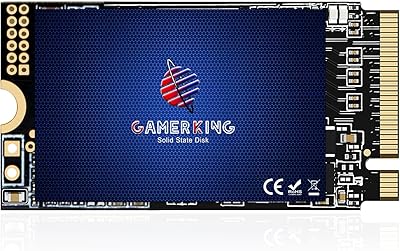
GAMERKING 256GB M.2 2242 NVMe SSD
79%
93%
Form Factor Compatibility
88%
Value for Money
74%
Read/Write Performance
86%
Installation Experience
76%
Warranty & Support
More
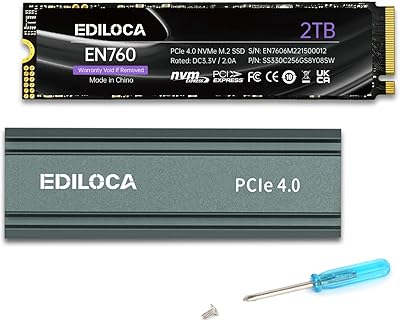
Ediloca EN760 2TB M.2 NVMe SSD
80%
88%
Read Speed Performance
74%
Write Speed Performance
93%
PS5 Compatibility
82%
Heatsink Quality
86%
Value for Money
More
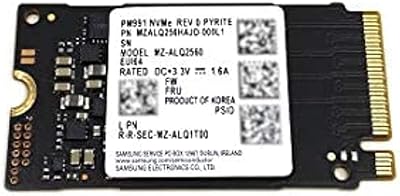
Samsung PM991 256GB M.2 2242 NVMe SSD
78%
94%
Form Factor Fit
78%
Read/Write Performance
88%
Build Reliability
83%
Value for Money
91%
Installation Ease
More
Ediloca EN870 2TB NVMe M.2 SSD
78%
88%
Sequential Read Speed
79%
Sequential Write Speed
91%
Value for Money
93%
PS5 Compatibility
86%
Installation Ease
More
HP FX900 Pro 2TB NVMe SSD
77%
88%
Sequential Read Performance
71%
Sustained Write Consistency
84%
Value for Money
82%
Thermal Management
91%
Installation Experience
More
WD SN740 256GB 2230 NVMe SSD
80%
94%
Form Factor Compatibility
88%
NVMe Read/Write Speed
86%
Value for Money
83%
OEM Hardware Authenticity
89%
Thermal Performance
More
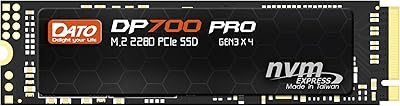
DATO DP700Pro 512GB M.2 NVMe SSD
77%
83%
Read/Write Performance
91%
Value for Money
94%
Installation Ease
61%
Thermal Management
67%
Brand Trust & Reliability
More

FAQ

Most likely yes, but you need to confirm your laptop has an M.2 slot that specifically supports NVMe — not just SATA. The EN600 Pro uses the M.2 2280 size, which is the most common M.2 length. Check your laptop manual or the manufacturer spec page before buying, since some machines only support SATA M.2 drives and a few ultrabooks have their only M.2 slot already occupied by the factory drive.

If you are installing a fresh operating system, the OS installer handles formatting automatically. For use as a secondary storage drive, you will need to initialize and format it through Windows Disk Management or macOS Disk Utility after installation. The drive ships unformatted, which is standard for internal SSDs.

It depends on how you use your machine. Windows 11 itself typically consumes 20 to 30GB, leaving you roughly 200GB for applications and personal files. That is comfortable for a productivity-focused setup, but it fills up fast if you install multiple large programs or store media locally. If gaming is on your agenda, be aware that a single modern title can easily eat 50 to 100GB on its own.

The Ediloca EN600 Pro 256GB NVMe M.2 SSD uses dynamic SLC caching, where a portion of the flash temporarily acts as a faster buffer to achieve those headline write speeds. When you transfer a large volume of data in one continuous operation, that cache fills and the drive falls back to native TLC write speeds, which are noticeably lower. This is expected behavior for TLC-based drives at this price tier — it is not a defect, just something worth understanding before purchase.

It is listed as compatible with macOS 10.9 and later. That said, most modern Macs — particularly those running Apple Silicon — have soldered storage with no available M.2 slot, so this is mainly relevant for older Intel-based Mac desktops or for users planning to use the drive in an external M.2 enclosure. Always verify your specific model has an accessible NVMe slot before ordering.

No. The manufacturer explicitly states this drive is not PS5 compatible. Sony requires NVMe drives that meet specific speed and form factor requirements for the PS5 expansion slot, and this budget M.2 drive does not qualify. If a PS5 upgrade is your goal, you will need to look at drives specifically recommended for that platform.

It is genuinely approachable for beginners. The box includes the mounting screw and a screwdriver, so no extra tools are needed. On a desktop, you slide the drive into the M.2 slot at a shallow angle, press it flat, and secure it with the included screw — the whole process takes under five minutes. Laptops follow a similar routine, though the access panel varies by model. Free step-by-step video guides are widely available for most popular machines.

Ediloca is not a household name like Samsung or Western Digital, and independent long-term reliability data is limited. What the EN600 Pro does have going for it is a large volume of real buyer reviews with a consistently strong rating, which is a reasonable proxy for real-world performance. The 3-year limited warranty also adds a layer of protection. Treat it as what it is — a capable value-tier drive, not a premium flagship — and your expectations will be well calibrated.

It does provide genuine passive cooling benefit. Graphene has excellent thermal conductivity and the sticker helps draw heat away from the controller and NAND chips during sustained use. It will not match a full aluminum heatsink under heavy load, but for typical everyday workloads in a laptop or modest desktop build, it is more than sufficient to keep temperatures in a stable operating range and represents a thoughtful inclusion at this price.

Yes, cloning is entirely possible, but no cloning software is included in the box. You will need a free third-party tool — Macrium Reflect Free is a reliable option for Windows users — along with a USB-to-M.2 NVMe enclosure or adapter to connect this drive externally while your current drive is still running. Once the clone finishes, swap the drives and your system will boot straight into your familiar setup without any reinstallation required.