Overview

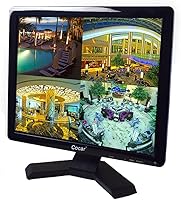
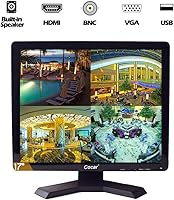
The Cocar CCTVMON19 19-inch Security Monitor is a purpose-built display aimed squarely at analog CCTV and DVR-based surveillance setups — not a general-purpose screen for browsing or office work. Cocar is a niche brand with a narrow focus on surveillance hardware, and that shows in the design decisions. The 4:3 aspect ratio is deliberate: it matches the native output of most legacy analog cameras, avoiding the stretched or letterboxed image you would get on any standard widescreen panel. At its mid-range price point, buyers should expect solid, purpose-fit performance, but not the rugged build quality of professional-grade security display hardware.
Features & Benefits

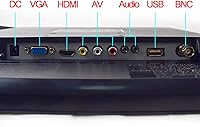
The standout spec for most buyers is the BNC input — BNC is the round twist-lock connector used on virtually every analog security camera and DVR, and finding it on a consumer-priced monitor is genuinely useful. Beyond that, this CCTV screen supports HDMI, VGA, AV, and 3.5mm audio in and out, covering nearly any source you might connect. The 500 cd/m2 brightness keeps footage readable in well-lit rooms, while the 3ms response time handles live camera feeds without noticeable smearing. Built-in dual speakers and a USB media player add everyday convenience, and VESA 75x75mm compatibility makes wall or arm mounting straightforward.

Best For

This security display fits best with anyone running an analog CCTV system that outputs through BNC — particularly home users and small retail or office environments where a dedicated monitor is needed but a full NVR upgrade is not in the budget. The 4:3 panel is a real advantage here: cameras that output in that native ratio will produce a clean, properly proportioned image with no cropping. Security integrators will also find it useful as an affordable secondary rack monitor. If you want built-in audio without sourcing external speakers, that is another practical reason to consider it over bare-bones alternatives.

User Feedback

Across 76 reviews, the Cocar 19-inch monitor lands at 3.8 out of 5 — workable, but the spread reveals a mixed picture. Buyers consistently praise the ease of setup and confirm that the BNC connection performs as advertised straight out of the box; image clarity also draws positive mentions relative to the price. On the downside, the plastic housing draws criticism from buyers who find it feels lightweight for a monitor intended for continuous operation. The OSD menu is considered basic and limiting. Long-term 24/7 reliability remains an open question — the manufacturer claims it, but sustained real-world evidence in the reviews is thin. Warranty responsiveness gets mixed feedback.

Pros

  • BNC input works reliably out of the box with analog DVR systems — no adapters, no configuration headaches.
  • The 4:3 aspect ratio displays legacy camera feeds at native proportions, eliminating letterboxing entirely.
  • Five input types — HDMI, VGA, BNC, AV, and 3.5mm audio — cover nearly every source device in a typical security setup.
  • Built-in dual speakers remove the need for external audio hardware in basic installations.
  • VESA 75x75mm compatibility makes permanent wall or arm mounting quick and adapter-free.
  • NTSC/PAL auto-switching handles mixed camera signal standards without manual intervention.
  • At 500 cd/m2 brightness, this security display stays readable under standard office and retail lighting.
  • 3ms response time keeps live camera feeds looking clean without noticeable motion smearing.
  • The USB media player allows quick on-screen footage review from a flash drive without a separate playback device.
  • Setup experience is consistently rated as straightforward, even for buyers with limited technical confidence.

Cons

  • The ABS plastic housing feels lightweight and hollow — noticeably inconsistent with a product marketed for continuous professional use.
  • OSD navigation is slow, options are limited, and fine-tuning display settings is a genuinely frustrating experience.
  • The included desk stand wobbles when rear panel buttons are pressed, making freestanding use feel unstable.
  • Glossy panel surface creates distracting glare in environments with windows or bright overhead lighting.
  • Long-term 24/7 reliability is unverified — most buyer reviews do not extend beyond six months of continuous operation.
  • Only a single BNC input is available, limiting flexibility when switching between multiple analog sources.
  • Customer support responsiveness is inconsistent, with some buyers reporting slow or unclear warranty claim handling.
  • The built-in speakers lack volume and depth, making them ineffective in noisy retail or warehouse environments.
  • Port labels on the rear panel are small and hard to read during installation in low-light conditions.
  • Buyers using modern IP cameras through an NVR will find the BNC input irrelevant and the 4:3 format a drawback.

Ratings

The Cocar CCTVMON19 19-inch Security Monitor has been evaluated by our AI rating system after analyzing verified buyer feedback from global markets, with spam, bot-generated, and incentivized reviews actively filtered out. Scores reflect the real distribution of user sentiment — including where this CCTV screen genuinely delivers and where it falls short of expectations. Both strengths and recurring pain points are represented transparently across every category below.
BNC Connectivity
88%
For buyers running analog camera setups, the BNC input — a twist-lock connector standard on virtually all legacy CCTV cameras and DVRs — works reliably and connects without adapters or workarounds. Users consistently report it functions exactly as advertised from the first power-on, which is not something to take for granted at this price point.
There is only a single BNC input, which limits flexibility if you want to switch between two analog sources without a splitter. A handful of buyers also noted the BNC socket feels slightly loose after repeated cable insertions over time.
Image Clarity
79%
21%
For dedicated surveillance use, the 1280x1024 resolution produces a sharp, usable picture that holds up well across typical DVR camera feeds. Buyers monitoring retail floor cameras or home entry points report the image is clean and readable even under mixed indoor lighting.
This is not a display you would choose for detail-critical tasks. When fed low-resolution analog camera signals, the image looks average at best. Users hoping for crisp night-vision footage rendering were sometimes disappointed by visible noise at lower input qualities.
Build Quality
58%
42%
The monitor is reasonably solid for basic installation in a fixed location — wall-mounted or set on a desk in a back-office context, it holds up under light daily use. Several users who mounted it and left it running reported no structural issues after several months.
The ABS plastic housing is the most consistent complaint in user reviews. It feels lightweight and somewhat hollow, which strikes buyers as inconsistent with a product marketed for professional, around-the-clock security use. The bezel finish also picks up scratches easily.
Value for Money
72%
28%
When evaluated strictly as a dedicated analog CCTV display with BNC input, the price-to-function ratio holds up reasonably well. Buyers who needed this specific combination of BNC, HDMI, and built-in speakers found it difficult to locate comparable alternatives at a lower cost.
General monitor shoppers comparing it against similarly priced widescreen computer displays will find the value proposition weaker. If your use case does not specifically require BNC connectivity, there are brighter and better-built panels available for similar or less money.
Input & Port Variety
83%
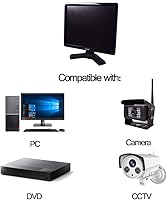
The combination of HDMI, VGA, AV, BNC, and dual 3.5mm audio ports covers a surprisingly wide range of source devices. Users connecting older STB units, DVD players, or rear-view camera modules alongside their DVR appreciated not needing a separate switch box.
Port labeling on the rear panel is small and difficult to read in dimly lit installation environments. A few buyers also noted the VGA port felt slightly misaligned with the housing cutout, making cable insertion a bit awkward.
Brightness & Visibility
74%
26%
At 500 cd/m2, this security display handles typical office and retail lighting conditions without washing out. Users monitoring brightly lit shop floors during the day reported the picture remained visible without needing to push brightness settings to maximum.
In environments with direct sunlight or very bright ambient lighting — a front-facing retail counter near a window, for instance — the glossy panel surface creates noticeable glare. Brightness could also be higher for outdoor-facing installations.
Response Time & Motion Handling
81%
19%
The 3ms response time keeps moving subjects — a person walking through a corridor or a vehicle pulling into a driveway — looking clean on live feeds. Users running real-time surveillance noted a clear absence of the smearing or trailing that slower panels can produce.
In scenes with very fast motion and lower-quality camera inputs, some faint ghosting is still visible. This is partly a camera and DVR limitation, but buyers should know the monitor alone does not fully compensate for weak source signal quality.
Built-in Speakers
63%
37%
Having functional built-in speakers removes the need for an external audio solution in basic setups. Buyers using the monitor with a DVR that outputs audio, or as a display for a security system with verbal alerts, found the built-in sound genuinely useful for a no-fuss installation.
Audio output volume is modest and the sound quality is thin — adequate for hearing alert tones or basic playback, but not satisfying for any extended media use. In noisy environments like warehouses or busy retail spaces, the speakers are simply not loud enough to be practical.
USB Media Player
54%
46%
The USB port and built-in media player work as a basic convenience feature. A few users used it to play back recorded footage from a flash drive directly on the screen without powering up a separate device, which was appreciated in quick-review situations.
Most buyers treating this as a CCTV monitor have little practical use for a media player, and the feature feels like a checkbox addition rather than something designed with real workflows in mind. Supported formats are limited and not well-documented in the included materials.
OSD Menu & Controls
51%
49%
Basic brightness, contrast, and input-switching controls are accessible and functional. For users who set the display up once and leave it running, the limited menu depth is rarely a problem in day-to-day use.
The on-screen display is widely criticized as one of the weakest aspects of this CCTV screen. Navigation is slow, options are sparse, and there is no intuitive labeling for some adjustments. Users trying to fine-tune color temperature or aspect ratio behavior found the experience genuinely frustrating.
Mounting & Installation
77%
23%
VESA 75x75mm compatibility means this monitor fits a wide range of standard wall mounts and monitor arms without any adapter plates. Buyers installing it in a server room, retail back-office, or above a reception desk found the physical setup quick and uncomplicated.
The included stand feels unstable on smooth surfaces and wobbles when the rear panel buttons are pressed. Most buyers doing a permanent installation will want to wall-mount it, but those using it freestanding on a desk may find the stand frustrating to work with.
24/7 Reliability
61%
39%
Cocar markets this display for continuous around-the-clock operation, and a portion of buyers who have run it non-stop for several months report no issues with overheating or screen degradation within that window. The LED backlight specification supports extended duty cycles on paper.
Long-term field data from buyers is thin — most reviews do not extend beyond six months of usage, so claims about multi-year 24/7 reliability remain largely unverified in practice. A small number of buyers did report early backlight inconsistencies after extended continuous use.
Compatibility with Legacy Systems
86%
The NTSC/PAL auto-switching capability and 4:3 aspect ratio make this one of the more plug-and-play options for older analog DVR systems. Users who inherited older security hardware or maintain legacy installations found it connected cleanly without manual signal configuration.
Buyers pairing the monitor with more modern IP camera systems running through an NVR found the BNC input irrelevant, reducing the monitor to a basic HDMI display. In those cases, the 4:3 aspect ratio also becomes a drawback rather than an asset.
Warranty & Customer Support
59%
41%
The stated two-year warranty with a 30-day no-questions return window gives buyers a reasonable safety net on paper, and some users reported straightforward resolutions when their units arrived with defects.
Warranty responsiveness in the reviews is inconsistent. Several buyers described slow or unclear communication when attempting to claim replacements, and response times appeared to vary significantly depending on when and how contact was made with the brand.

Suitable for:

The Cocar CCTVMON19 19-inch Security Monitor is a strong fit for anyone whose surveillance setup revolves around analog cameras and a DVR system — particularly if those cameras use BNC connectors, the round twist-lock cable type standard on virtually all legacy CCTV hardware. Home users who have an existing analog camera system and simply need a reliable dedicated screen will find this an uncomplicated, compatible choice. Small retail stores, convenience shops, and back-office security stations benefit from the 4:3 panel format, which displays legacy camera feeds at their native proportions without stretching or black bars. Security integrators building out low-cost secondary monitoring stations will also appreciate the VESA mount support and broad input selection, which reduces the need for additional adapters or audio hardware. If you want a plug-and-play display that connects directly to a DVR, produces a clear image, and includes built-in sound without any extra purchasing, this CCTV screen covers that ground efficiently.
Not suitable for:

Buyers shopping for a general-purpose desktop monitor or a display for a modern IP camera and NVR system should look elsewhere — the Cocar CCTVMON19 19-inch Security Monitor is purpose-built for analog workflows, and its 4:3 aspect ratio will feel limiting and visually outdated in any other context. If you plan to connect it to a computer as a primary work display, the squarish screen format and lack of any ergonomic tilt or height adjustment will frustrate you quickly. Those running high-resolution IP cameras through an NVR also get no benefit from the BNC input, effectively paying for a connectivity feature they cannot use. Buyers who need confirmed, long-term 24/7 durability with documented field performance should be cautious — the manufacturer claims continuous operation support, but sustained real-world evidence from reviewers beyond six months is sparse. Anyone who values a premium build or frequently adjusts display settings through an on-screen menu will find the lightweight plastic chassis and bare-bones OSD a persistent source of irritation.
Specifications

  • Screen Size: The display measures 19 inches diagonally, using a 4:3 aspect ratio panel suited to analog camera outputs.
  • Resolution: Native resolution is 1280x1024 pixels (SXGA), appropriate for standard-definition DVR camera feeds.
  • Panel Type: LCD panel with LED backlight, designed to support extended operation periods common in surveillance environments.
  • Brightness: Rated at 500 cd/m2, providing sufficient luminance for visibility under typical indoor office or retail lighting conditions.
  • Contrast Ratio: Contrast ratio is specified at 1000:1, helping distinguish between shadowed and lit areas in live camera feeds.
  • Response Time: Panel response time is 3ms, reducing motion blur on active surveillance footage during real-time monitoring.
  • Viewing Angle: Horizontal and vertical viewing angles are both rated at 160 degrees, allowing reasonably clear visibility from off-center positions.
  • Inputs: Connectivity includes HDMI, VGA, BNC, composite AV, and 3.5mm audio input and output ports.
  • Audio Output: Two built-in speakers are integrated into the unit, eliminating the need for a separate external audio device in basic setups.
  • USB Media Player: One USB-A port supports direct media playback from flash drives, enabling on-screen footage review without a connected PC.
  • Signal Standard: Supports both NTSC and PAL signal standards with automatic detection, covering camera systems from different global regions.
  • VESA Mount: Compatible with VESA 75x75mm mounting patterns, fitting the majority of standard wall brackets and monitor arms.
  • Operating Voltage: The unit operates at 12 volts DC, consistent with the low-voltage power supplies common in security hardware installations.
  • Dimensions: Physical dimensions are 19.29 x 18.31 x 4.72 inches, representing the full footprint including the attached stand.
  • Weight: Unit weight is 8.63 pounds, making it manageable for a single person to install on a wall mount or position on a shelf.
  • Housing Material: The outer casing is constructed from ABS plastic, offering basic impact resistance and low-temperature ductility.
  • Warranty: Cocar provides a 2-year replacement warranty and a 30-day money-back or free replacement guarantee for dead-on-arrival units.

Related Reviews
ZOSHING 17-inch Security Monitor
75%
88%
Ease of Setup
91%
Input Compatibility
67%
Image Clarity
61%
Brightness & Visibility
72%
Build Quality
More
YOTETION MT019 19-Inch 1440x900 Monitor
71%
83%
Value for Money
78%
Image Clarity
81%
Eye Comfort
89%
Setup & Plug-and-Play
61%
Build Quality
More
SKitphrati HD-190 19-Inch Monitor
82%
86%
Display Quality
89%
Ease of Setup
91%
Space-Saving Design
84%
Connectivity Options
82%
Tilt Adjustment Range
More
Dell E2020H 19.5-inch Monitor
81%
91%
Value for Money
88%
Display Quality
94%
Energy Efficiency
89%
Ease of Setup
82%
Design and Build Quality
More
TPEKKA 10-inch Security CCTV Monitor
86%
88%
Value for Money
85%
Display Quality
91%
Portability
90%
Setup & Installation
60%
Brightness in Direct Sunlight
More
Dell 1908FP 19-inch UltraSharp Monitor
82%
89%
Ergonomics & Adjustability
85%
Picture Quality for Office Tasks
80%
Build Quality
93%
Ease of Setup
88%
Space Efficiency
More
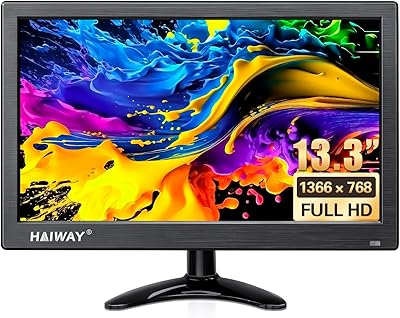
Haiway 13.3-inch Security Monitor
85%
88%
Display Quality
92%
Ease of Setup
85%
Connectivity
79%
Build Quality
90%
Energy Efficiency
More
Haiway SM10.1 10.1-inch Security Monitor
72%
88%
Ease of Setup
91%
Input Connectivity
67%
Display Clarity
49%
Glare & Screen Surface
72%
Build Quality
More
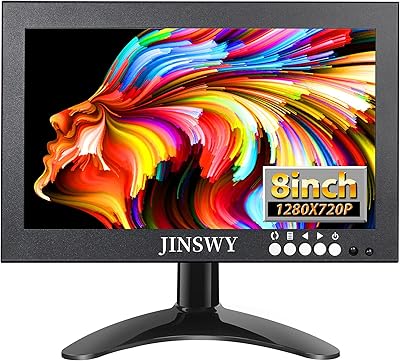
JINSWY JIN-HD82 8″ Mini Security Monitor
75%
83%
Build Quality
78%
Image Clarity
91%
Input Versatility
71%
Brightness & Visibility
86%
Value for Money
More
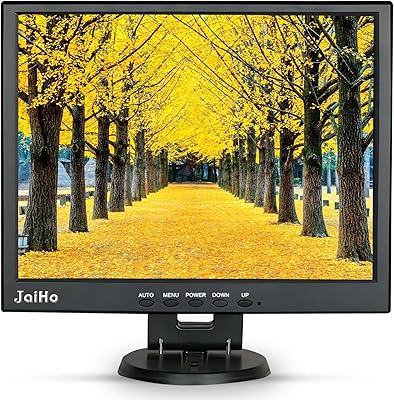
JaiHo 14 Inch LCD Security Monitor
83%
92%
Value for Money
82%
Display Quality
88%
Build Quality
91%
Versatility of Inputs
80%
Audio Performance
More

FAQ

If your cameras output via BNC cable — the round, twist-lock connector type used on virtually all analog CCTV hardware — then yes, this screen connects to them directly. You do not need a DVR in between if you are connecting a single camera, though most setups will route through a DVR first. Just plug the BNC cable in, select the BNC input source from the on-screen menu, and you should have a live picture within seconds.

Technically you can connect a PC via HDMI or VGA, and it will display a desktop image. Practically speaking, though, the 4:3 aspect ratio and 1280x1024 resolution will feel noticeably dated compared to any modern widescreen display. It is usable in a pinch, but this screen was not designed for general computing work and you will likely find the format frustrating for everyday use.

BNC stands for Bayonet Neill-Concelman — it is the round, locking connector that has been the standard cable type for analog security cameras and DVRs for decades. Most consumer monitors only offer HDMI or VGA, which means you would need a converter to connect analog camera cables. Having a native BNC input on this display means you can plug analog camera or DVR outputs in directly, with no extra hardware required.

If your cameras or DVR output a widescreen 16:9 signal, the 4:3 panel will either crop the sides or add black bars depending on your DVR settings — neither looks ideal. This display is specifically designed for analog systems that natively output a 4:3 image. For modern IP cameras running through an NVR with widescreen output, a 16:9 monitor would be a more natural fit.

Cocar markets it for around-the-clock use, and the LED backlight specification does support extended runtime. That said, independent long-term reliability data from real buyers is limited — most reviews reflect only a few months of use. It appears stable for continuous operation over that window, but if you need a display with a proven multi-year 24/7 track record, you would want to factor in that this evidence base is still relatively thin.

This CCTV screen uses a standard VESA 75x75mm hole pattern on the back, which is one of the most common mounting standards available. Any wall bracket or monitor arm that lists VESA 75x75 compatibility will work. The mounting process itself is straightforward — four screws into the VESA holes and you are done. Most users doing a permanent installation prefer wall mounting over the included stand, which is less stable.

Yes, but with some caveats. The built-in media player can read video files from a USB flash drive and play them back on screen, which is handy for quickly reviewing clips without connecting a laptop. However, supported file formats are not exhaustively documented, and compatibility with the proprietary file formats used by some DVR brands is hit or miss. Standard MP4 files tend to work; DVR-specific formats may not.

The speakers are functional but modest — sufficient for hearing audio alerts, notification tones, or basic playback in a quiet room. In a retail environment, a busy back office, or any space with ambient noise, they will not be loud enough to be reliably heard. For those use cases, connecting an external speaker via the 3.5mm audio output is the more practical solution.

The OSD is one of the more consistently criticized aspects of this security display. Users describe the navigation as slow and the available options as sparse — you can adjust brightness, contrast, and switch inputs, but fine-grained control over color temperature or image parameters is limited. If you expect to set the display once and leave it, this is less of an issue; if you plan to tweak settings regularly, it becomes genuinely irritating.

Cocar offers a 30-day return or replacement window for defective units and a 2-year warranty after that. In practice, buyer experiences with the warranty process are mixed — some report quick and smooth resolutions, while others describe slower response times and less clear communication. If you encounter a problem, contacting the seller promptly and through Amazon messaging tends to produce better results than other channels.