
Overview

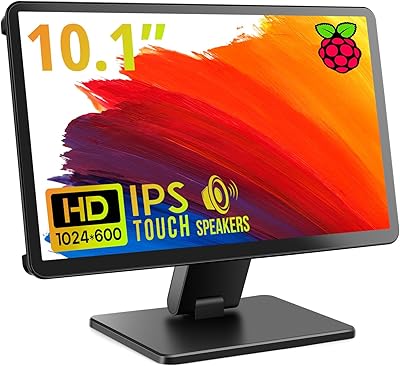
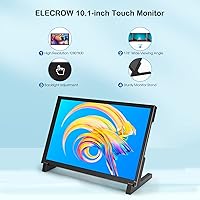
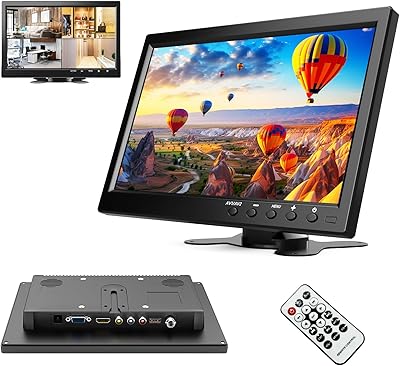
The ELECROW 10.1-inch Touchscreen Monitor is a compact, portable display built squarely for the maker and tinkerer crowd. At this price tier, you get a 1280×800 IPS panel that handles color and viewing angles surprisingly well for its size — not professional-grade, but sharp and clear enough for project work. It connects to Raspberry Pi 4 and 5, Jetson Nano, Banana Pi, and standard PCs without much fuss, and ships with an acrylic case that doubles as a basic stand. Weighing just 521g, this touchscreen monitor is genuinely easy to move around. Just go in with calibrated expectations: this is a solid hobbyist tool, not a studio display.

Features & Benefits

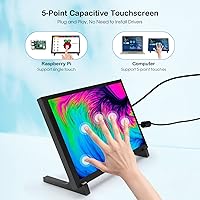
The IPS panel is the star here — colors stay consistent whether you are looking straight on or from a steep angle, which matters when showing a project to someone standing beside you. Touch input works well in practice on Windows, supporting up to five simultaneous contact points. On Linux — Raspbian, Ubuntu, Kali — it drops to single-point touch, which is worth knowing before you buy. Setup is refreshingly straightforward: HDMI for video, USB for power, and you are running in minutes on most systems. Four mounting holes on the back make it easy to bolt onto a custom case or wall. Brightness is adjusted via a physical key switch rather than an on-screen menu.

Best For

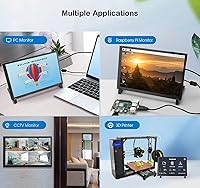
This maker-focused screen hits a sweet spot for anyone building around a Raspberry Pi 4 or 5. It is the kind of display you reach for when putting together a Pi-powered kiosk, a home automation dashboard, or a compact portable workstation. Students and hobbyists running embedded Linux will appreciate how little configuration it takes to get a working touchscreen interface up and running. It also works reasonably well as a lightweight overflow monitor for a laptop when traveling light. If you need a small, wall-mountable panel for a CCTV setup or smart home display, the rear mounting holes make that straightforward. Not the right fit for color-critical or professional work.

User Feedback

Buyers who pick up the Elecrow display for Raspberry Pi work tend to come away satisfied — the most consistent praise centers on how quickly it gets going out of the box with no driver hunting required. Where people get tripped up is the Linux touch limitation: single-point only, which can feel restrictive if you were hoping for a fuller touch experience on Raspbian or Ubuntu. Brightness is adequate for indoor use but struggles near a bright window. The acrylic case draws mixed reactions — protective enough, but it feels lightweight to some. The bundled stand is functional but basic, and a handful of users swap it out for a more adjustable third-party mount.

Pros

  • Genuinely plug-and-play on Raspberry Pi 4 and 5 — HDMI in, USB for power, and you are running within minutes.
  • The IPS panel provides consistent colors and wide viewing angles, which is notably good for this size and price class.
  • At roughly 521g, this maker-focused screen is light enough to carry in a laptop bag without a second thought.
  • Five-point capacitive touch on Windows works responsively and without needing additional drivers.
  • Four rear mounting holes make it easy to integrate into custom enclosures or wall-mount panels.
  • Broad compatibility covers Raspberry Pi 3 through 5, Jetson Nano, Banana Pi, and standard Windows PCs.
  • The 5V MicroUSB power input keeps cabling simple — one power source, no separate adapter required.
  • Physical backlight key switch is straightforward and reliable, even if it lacks on-screen menu finesse.
  • The included acrylic case provides basic screen protection and a usable stand right out of the box.

Cons

  • Touch input is limited to single-point on Linux systems, which significantly narrows interactive use cases on Raspberry Pi OS.
  • Indoor-only brightness — near a window or in direct light, the screen struggles to stay readable.
  • The acrylic enclosure feels lightweight and a bit hollow, which may concern buyers who plan heavy daily use.
  • The bundled stand offers minimal adjustability; many users end up buying a third-party arm or mount instead.
  • No on-screen display menu — brightness control is limited to a basic physical key switch with no fine-grained adjustment.
  • At 1280×800, the resolution is adequate but starts to feel limiting if you want to run multiple windows side by side.
  • MicroUSB power input is functional but feels dated compared to USB-C, especially for a device aimed at modern Pi 5 setups.
  • No built-in speaker or audio output, which matters for any project where sound is part of the interface.

Ratings

The scores below reflect an AI-driven analysis of verified global buyer reviews for the ELECROW 10.1-inch Touchscreen Monitor, with spam, bot activity, and incentivized feedback actively filtered out to ensure accuracy. Every category captures the genuine range of experience reported by real users — from enthusiastic praise to recurring frustrations — so you can make a fully informed decision. Both strengths and meaningful trade-offs are represented transparently across each scorecard.

Ease of Setup
91%
The plug-and-play experience is one of the most consistently praised aspects across buyer reviews. On Raspberry Pi 4 and 5, users report connecting the HDMI and USB cables and having a working display within a few minutes, with no driver hunting or config file editing required. Windows users have an equally smooth experience.
A small number of users running less common Linux distributions report needing to adjust display rotation or resolution settings manually before the output looked correct. These cases are the minority, but worth noting if you are working with a non-standard OS image.
Touch Responsiveness
76%
24%
On Windows, the capacitive touch panel is genuinely responsive and tracks finger input accurately across the full screen surface. Buyers building Windows-based kiosks or interactive panels generally express satisfaction with how the touch layer handles everyday taps and swipes.
The single-point touch limitation on Linux is a recurring and significant complaint. Users who purchased this screen specifically for Raspberry Pi OS expecting multitouch were frequently disappointed — gestures like pinch-to-zoom simply do not function, which limits interactivity for certain project types.
Display Quality
78%
22%
The IPS panel earns consistent praise for its color consistency and the fact that the image does not shift noticeably when viewed from wide angles — a real advantage when showing a project to someone beside you. For a mid-range hobbyist screen, users generally find the picture sharp and clear enough for dashboards, terminals, and media.
Brightness is the most commonly cited limitation. Buyers using this maker-focused screen near a window or in a well-lit workspace note that the glossy surface picks up reflections and the panel lacks the nit output to fight back. It is reliably described as an indoor display and nothing beyond that.
Build Quality
67%
33%
The acrylic case does its primary job — it protects the screen edges and back panel during handling and light transport. Several users who carry the Elecrow display in a bag between workspaces appreciate that it arrives and leaves projects without picking up scratches on the screen itself.
The acrylic material feels hollow and lightweight to a meaningful portion of buyers, and the case can flex under moderate hand pressure. Users coming from metal-chassis monitors describe it as feeling plasticky, and a few note visible panel flex when pressing the touch surface in the corners.
Compatibility
88%
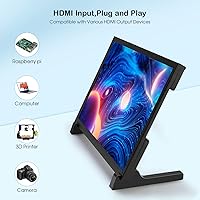
The breadth of compatible hardware is a genuine selling point. Verified buyers confirm working setups across Raspberry Pi 3 through 5, Jetson Nano, Banana Pi, BeagleBone Black, and standard Windows laptops and desktops. This kind of cross-platform reach is unusual at this price tier and is frequently highlighted as a reason users chose this screen.
Compatibility with very recent OS releases occasionally lags. A handful of users on bleeding-edge Raspberry Pi OS builds or custom Kali Linux images report display scaling quirks or touch offset issues that required manual correction. These are edge cases, but they do surface in reviews.
Portability
86%
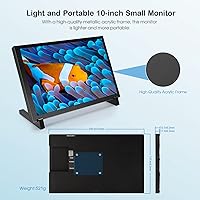
At roughly 521g and a compact 24×15.7 cm footprint, this touchscreen monitor genuinely earns its portable label. Buyers who take it between a home lab and a classroom or makerspace consistently note that it fits easily into a backpack alongside a Pi and accessories without feeling burdensome.
The MicroUSB power connector is the main portability friction point — it feels dated compared to USB-C, and the cable is one more thing to manage in a portable kit. A couple of users also note that the fixed-angle acrylic stand is less useful on uneven surfaces like desks with cable clutter.
Included Stand
58%
42%
The bundled acrylic stand gets the screen upright and at a workable angle for desktop use, which is adequate for casual bench work or a bedside Pi setup. For users who just need something to prop the display up while they run a project, it technically delivers on that basic requirement.
The stand offers no tilt adjustment, height variation, or rotation — what you get is one fixed angle and nothing else. A significant portion of buyers upgrade to a third-party adjustable arm or VESA mount within weeks of purchase, describing the included stand as something they quickly outgrew.
Value for Money
82%
18%
Within the niche of dedicated SBC touchscreen displays, buyers broadly feel this screen delivers fair value. The combination of IPS panel quality, genuine plug-and-play behavior, and wide device compatibility is difficult to find at a comparable price point, and most hobbyist reviewers acknowledge this openly.
Users who later discover the Linux single-point touch limitation feel the value proposition weakens considerably for Pi-centric projects. A few buyers who compared it to similarly priced alternatives with USB-C power and higher brightness feel those trade-offs make the pricing feel less compelling in hindsight.
Brightness & Glare
61%
39%
For indoor use in a controlled environment — a home lab, a study, or a dim server room — the brightness level is described as comfortable and consistent by most buyers. The physical key switch for backlight adjustment is straightforward and reliable, even if the range of adjustment is limited.
The glossy panel surface and modest brightness ceiling are a real pairing problem in bright conditions. Multiple users specifically flag that placing this screen anywhere near ambient daylight results in distracting reflections and a washed-out image, making it impractical as a workshop display if you have windows nearby.
Mounting & Integration
84%
The four rear mounting holes are a thoughtful inclusion that maker-community buyers respond to very positively. Users building custom enclosures, wall-mounted home automation panels, or integrated Pi cases highlight this feature as one of the primary reasons they chose this screen over alternatives that lack physical mounting options.
The mounting hole spacing and thread sizing are not universally documented in the packaging, which causes occasional frustration for buyers who need to order specific hardware before starting their build. A few users also note that the acrylic case must be partially disassembled to access the rear holes cleanly.
Cable Management
63%
37%
Having HDMI for video and a single USB for both power and touch data keeps the connection count manageable. Users running a Pi 4 or Pi 5 appreciate that they are not dealing with a tangle of specialized cables, and standard HDMI cables of any length work without issue.
The MicroUSB power input is a persistent gripe — it is considered outdated by many buyers who are already using USB-C everywhere else in their setup. The cable also exits from an inconvenient position on some mounting orientations, requiring awkward bends that a few users flag as a long-term reliability concern.
Linux OS Experience
62%
38%
Initial display output on Raspberry Pi OS and Ubuntu works reliably for the majority of users, and the screen is detected as a standard HDMI display without any extra configuration. For projects where the display is primarily visual — dashboards, media players, status boards — the Linux experience is smooth enough.
Beyond basic display output, the Linux experience has meaningful gaps. Single-point touch limits interactivity, and some users report that touch calibration drifts slightly after extended use, requiring recalibration. Buyers who need a fully featured Linux touch interface are likely to feel constrained by these limitations fairly quickly.
Documentation & Support
59%
41%
The product ships with basic setup instructions that cover the most common connection scenarios for Raspberry Pi and Windows. Users with straightforward setups typically find the included guidance sufficient to get running without needing to look anything up online.
Documentation for more advanced use cases — custom mounting, Linux driver tweaks, or Jetson Nano-specific configuration — is sparse and inconsistent. Several buyers report having to rely on community forums or trial and error to resolve issues that should ideally be covered in official support materials.

Suitable for:

The ELECROW 10.1-inch Touchscreen Monitor is a strong fit for makers, hobbyists, and students who spend time building projects around single-board computers like the Raspberry Pi 4, Pi 5, or Jetson Nano. If your goal is a dedicated display for a Pi-powered kiosk, a home automation dashboard, or a compact retro gaming cabinet, this screen checks the right boxes without overcomplicate the build. The plug-and-play HDMI setup means you can focus on the project itself rather than wrestling with drivers or configuration scripts. It also suits people who want a lightweight secondary monitor for travel — at just over 500g, it slips into a bag without much protest. DIYers who need a mountable panel for a CCTV feed or a wall-integrated smart home interface will appreciate the four rear mounting holes that make custom installations practical and clean.

Not suitable for:

Buyers expecting a professional-grade display should look elsewhere — the ELECROW 10.1-inch Touchscreen Monitor is a mid-range hobbyist panel, and its brightness and color accuracy reflect that positioning. If you are working in a bright environment, near a window, or outdoors, the screen can wash out enough to become genuinely frustrating to use. Linux users who need multi-point touch will also be disappointed: the hardware caps at single-point on Raspbian, Ubuntu, and similar systems, which rules out certain interactive application designs. Those who want a polished, premium build quality should know the acrylic enclosure feels more functional than refined — it protects the screen but does not feel particularly durable under heavy daily use. Finally, anyone who needs a display larger than 10 inches, or a higher resolution than 1280×800, will quickly outgrow what this screen offers.

Specifications

  • Screen Size: The display measures 10.1 inches diagonally, with an active display area of approximately 216.6×135.4 mm.
  • Panel Type: Uses an IPS (In-Plane Switching) LCD panel, which provides wider viewing angles and more consistent color compared to standard TN panels.
  • Resolution: Native resolution is 1280×800 pixels at a 16:10 aspect ratio, delivering a pixel density suitable for text and UI work at this screen size.
  • Touch Technology: Capacitive touch using a SIS9200 IC, supporting 5-point multitouch on Windows and single-point touch on Linux-based operating systems.
  • Video Input: Connects via a full-size HDMI-compatible port and accepts video signals up to 1080p resolution from the source device.
  • Power Input: Powered through a MicroUSB port at 5V, drawing approximately 5.3W at maximum brightness — compatible with standard USB power supplies or SBC USB ports.
  • Weight: The unit weighs approximately 521g (around 1.15 lbs), making it practical for portable or travel use.
  • Dimensions: The monitor body measures approximately 24×15.7 cm (9.43×6.2 inches) with a depth of roughly 0.48 inches including the acrylic case.
  • Mounting: Four standard mounting holes on the rear panel allow wall mounting or direct integration with Raspberry Pi and other single-board computer enclosures.
  • Backlight Control: Screen brightness is adjusted manually via a physical key switch on the unit; there is no on-screen display menu for fine-grained control.
  • Compatibility: Officially compatible with Raspberry Pi 3, 3B+, 4B, and 5; Jetson Nano; Banana Pi; BeagleBone Black; and Windows 7, 8, 10, and 11 PCs.
  • OS Touch Support: Full 5-point touch is supported on Windows 10 and 11; single-point touch is supported on Raspbian, Ubuntu, Kali Linux, and Windows 10 IoT.
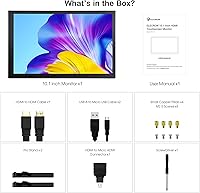
  • Included Accessories: Comes with an acrylic protective case that doubles as a basic desktop stand, plus connection cables for setup.
  • Screen Surface: The panel has a glossy screen surface, which enhances color vibrancy but can produce reflections in brightly lit environments.
  • USB Ports: The monitor provides one USB port, used primarily for touch data transmission and power delivery from the connected device.

Related Reviews
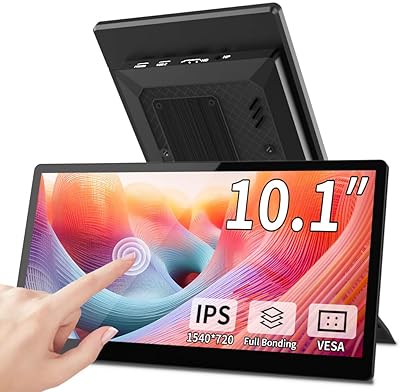
Magedok T101F 10.1-inch Portable Touchscreen Monitor
72%
88%
USB-C Connectivity
63%
Touch Accuracy
79%
Display Quality
84%
Aspect Ratio Fit
76%
Setup Experience
More
Eyoyo EM101T 10-inch Touchscreen Monitor
75%
83%
Touch Responsiveness
78%
Image Quality
91%
Ease of Setup
76%
Build Quality
87%
Input Versatility
More
Haiway SM10.1 10.1-inch Security Monitor
72%
88%
Ease of Setup
91%
Input Connectivity
67%
Display Clarity
49%
Glare & Screen Surface
72%
Build Quality
More
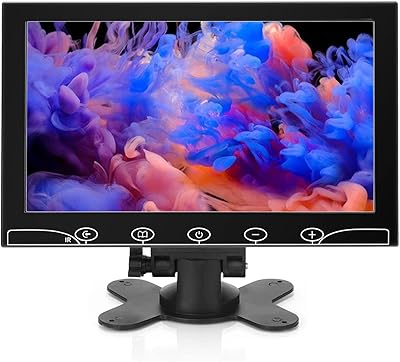
Thinlerain T-101-1200 10.1-Inch Mini Monitor
67%
73%
Value for Money
58%
Display Quality
81%
Input Versatility
52%
Build Quality
54%
Brightness & Visibility
More
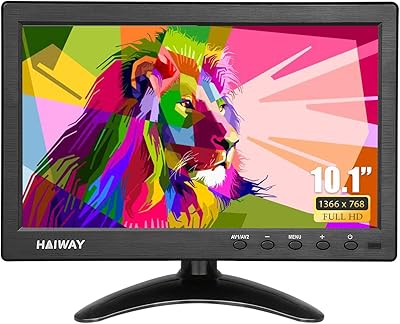
AISHICHEN 10.1-Inch IPS Mini Monitor
70%
78%
Value for Money
86%
Connectivity & Inputs
89%
Raspberry Pi Compatibility
73%
Display Clarity
61%
Build Quality
More
ROADOM 10.1-inch Raspberry Pi Touchscreen Monitor

78%
91%
Ease of Setup
83%
Touch Responsiveness
72%
Display Quality
88%
Build & Enclosure
59%
Speaker Quality
More
RCA Cambio 10.1″ Windows 2-in-1 Tablet

62%
78%
Value for Money
47%
Performance
59%
Keyboard Quality
52%
Build Quality
54%
Battery Life
More
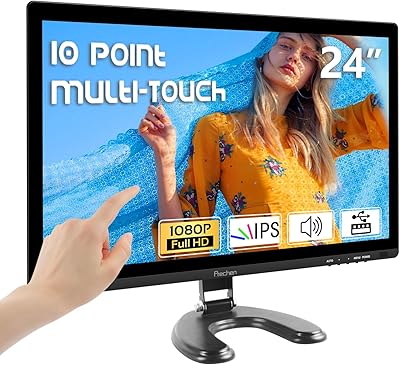
ITMEIPC T-10 10.1-inch Android Tablet
69%
83%
Value for Money
67%
Display Quality
62%
Performance
71%
Battery Life
58%
Build Quality
More
podofo 10.1-inch Portable TFT LCD Monitor
72%
83%
Value for Money
61%
Image Quality
88%
Ease of Setup
91%
Input Versatility
54%
Build Quality
More
Prechen HD-24 24-Inch Touchscreen Monitor
67%
83%
Touch Responsiveness
78%
Display Quality
81%
Value for Money
71%
Setup Experience
62%
Build Quality
More

FAQ

Yes, it does. Connect the HDMI cable for video and a USB cable for touch input, power it on, and the Pi 5 should detect it automatically. Most users report getting a working display within a couple of minutes without touching any configuration files.

Not really. On Raspberry Pi OS (Raspbian) and most other Linux systems, the touch input is limited to a single point of contact at a time. Multitouch gestures like pinch-to-zoom will not work. If multitouch is important to your project, you will need to be running Windows.

It draws power via MicroUSB at 5V and around 5.3W at full brightness, which is within what a powered USB hub or a dedicated 5V supply can handle. Powering it directly from the Pi is possible but not ideal — it can put strain on the Pi's power budget, especially on Pi 4 or 5 under load. A separate USB power adapter is the cleaner choice.

Yes, any device with an HDMI output can use it as a secondary display. On Windows laptops it works well, including touch input. Keep in mind the 1280×800 resolution means it works best for task panels or reference windows rather than full productivity use.

The brightness is adequate for typical indoor use, but this is not a high-nit panel. Near a bright window or in direct sunlight, you will notice significant glare and washout due to the glossy surface. It is best treated as an indoor-only display.

The included acrylic case incorporates a basic stand that props the screen at a fixed angle. It is functional for desk use but offers no tilt or height adjustment. If you want more flexibility, a lot of users swap it out for a standard VESA-compatible arm or a third-party adjustable stand.

No driver installation is needed on Windows 10 or 11. The operating system recognizes it as a standard HID touch device automatically. Just plug in the HDMI and USB cables and you are ready to go.

Yes, and it is actually well set up for that. There are four mounting holes on the back panel that accept standard hardware, making it straightforward to secure into a custom case, wall bracket, or SBC enclosure. It is a popular choice for kiosk and dashboard builds for this reason.

There is a physical key switch on the monitor body that cycles through brightness levels. There is no on-screen menu or software control — just press the button until you reach the level you want. It is simple but limited compared to monitors with full OSD controls.

It provides solid scratch and impact protection for the screen during normal handling and transport. That said, the acrylic does feel lightweight and can flex a little under pressure — it is not designed for rough environments. For a maker workbench or a fixed installation it holds up fine, but it would not survive a hard drop well.