DigitPro VHS to Digital Converter 3.0
Overview
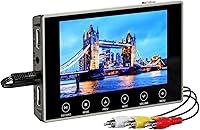
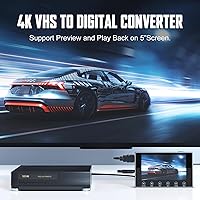
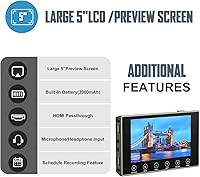
The DigitPro VHS to Digital Converter 3.0 is a standalone digitizer that handles the entire conversion process on its own — no laptop, no software installation, no technical headaches. It targets anyone sitting on a collection of VHS, Hi8, Mini DV, or 8mm tapes that are slowly degrading on a shelf. The built-in 5-inch screen and onboard battery make it genuinely portable, which is unusual at this price tier. It is a relatively new entrant, having appeared on Amazon in late 2024, but it has already carved out a solid rank in the Video Converters category. Think of it less as a capture card and more as a self-contained archive tool.
Features & Benefits
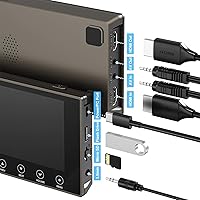
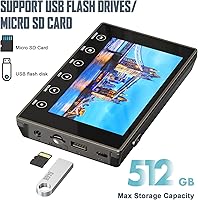
This standalone converter saves captured footage directly as MP4 files onto an included SD card or a USB drive — no proprietary format to decode later. It advertises 4K recording capability, though it is worth being upfront: VHS tape itself maxes out around 240 lines of resolution, so the visual improvement over 1080p is marginal at best. That said, the HDMI output is genuinely useful for connecting to a living-room TV during a family viewing session. A built-in microphone jack lets you record live commentary as you capture, and the separate headphone jack keeps things quiet when others are nearby. Files transfer to Windows or Mac once you are ready to move them.
Best For
This tape digitizer is a natural fit for people who want to preserve old home recordings without touching a computer during the process itself. Non-technical users will appreciate that there is nothing to install — you connect the tape source, press record, and the device handles the rest. It is also a thoughtful gift for older relatives who may own decades of Hi8 or VHS tapes but have no interest in learning editing software. Anyone converting across multiple formats — Mini DV, 8mm, camcorder — without buying separate adapters will find real value in the versatility. The on-device preview screen is especially handy for spot-checking captures before you pack everything up.
User Feedback
Buyers tend to appreciate how straightforward the DigitPro unit is to set up — most report having their first tape captured within minutes of unboxing. The plug-and-play experience earns consistent praise, particularly from users who dreaded a complicated workflow. On the other side, some buyers note that battery life during active recording falls noticeably short of the advertised figure, with real-world sessions often closer to 90 minutes than two hours. Audio sync issues are occasionally flagged as well, which is a known weak point across this product category. A few users also mention SD card compatibility quirks at higher resolutions. Overall sentiment leans positive, but going in with realistic expectations about video clarity makes a real difference.
Pros
- No software or drivers needed — just connect your tape source and hit record.
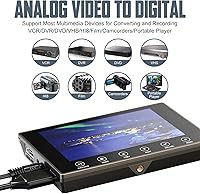
- Covers VHS, Hi8, 8mm, Mini DV, and camcorder formats with a single device.
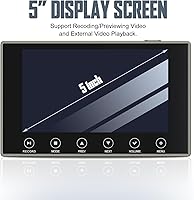
- The 5-inch preview screen lets you verify footage quality before finalizing the capture.
- Saves directly to standard MP4, which plays on virtually any device without conversion.
- HDMI output makes it easy to share footage on a TV during family gatherings.
- The built-in mic jack is a thoughtful touch for adding live narration during capture.
- Lightweight and compact enough to bring to a relative's home for an afternoon digitizing session.
- SD card is included in the box, so you can start capturing immediately after unboxing.
- Supports storage media up to 512GB, giving plenty of headroom for long tape collections.
- Setup is genuinely fast — most users report being ready to record within minutes.
Cons
- Real-world recording battery life often falls closer to 90 minutes, not the advertised two hours.
- The 4K setting adds little visible benefit since VHS source quality has a hard physical ceiling.
- Audio sync problems during playback are an occasional complaint and can be frustrating to troubleshoot.
- Transferring files to a computer still requires a Windows or Mac machine — the workflow is not fully standalone.
- Some users report compatibility issues with certain SD card brands at higher resolution settings.
- As a newer brand with limited long-term track record, warranty support and durability are harder to evaluate.
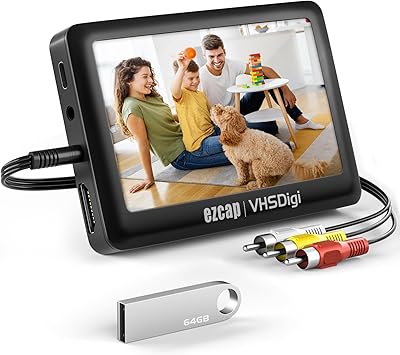
- No USB flash drive is included, so extended-session users will need to supply their own.
- The built-in speakers are adequate for monitoring but thin-sounding for any serious playback experience.
- No Linux support for the PC transfer stage, which will catch some users off guard.
Ratings
The scores below for the DigitPro VHS to Digital Converter 3.0 were generated by our AI engine after analyzing verified purchase reviews from buyers worldwide, with spam, bot-submitted, and incentivized feedback actively filtered out. Each category reflects the honest distribution of real user experiences — strengths are credited where earned, and recurring frustrations are not glossed over. The result is a balanced picture designed to help you decide whether this standalone converter is the right fit for your specific situation.
Ease of Setup
Video Output Quality
Battery Life
Format Compatibility
Audio Quality
Build Quality
Screen Usability
Storage Flexibility
Portability
Value for Money
HDMI Output
Microphone Input
PC Transfer Workflow
Suitable for:
The DigitPro VHS to Digital Converter 3.0 is a strong match for anyone who has a shoebox full of aging tapes and wants to preserve them without learning new software or wrestling with a laptop. It is particularly well-suited to non-technical users — retirees, grandparents, or anyone who simply wants to press a button and get a result — because the entire capture workflow happens on the device itself. Families digitizing home videos for reunions or as keepsakes will appreciate being able to preview footage on the built-in screen before committing it to an SD card. It also makes a genuinely thoughtful gift for older relatives who own Hi8 or camcorder tapes they have never been able to revisit. If your goal is covering multiple tape formats — VHS, Mini DV, 8mm — without buying separate adapters or hardware, this standalone converter handles them all in one compact package.
Not suitable for:
The DigitPro VHS to Digital Converter 3.0 is not the right tool for anyone expecting a meaningful resolution upgrade from their old tapes. VHS physically cannot produce a sharp image regardless of what resolution setting you choose, so selecting 4K here is largely symbolic — the underlying footage still looks like VHS. Users who plan to do any serious video editing, color correction, or archival-grade preservation will find the output quality limiting and may be better served by a professional digitization service. If you need to transfer a large tape library in one sitting, the real-world battery life of roughly 90 minutes per charge will be a genuine obstacle. This standalone converter also requires a Windows or Mac computer to move files off the SD card and into your broader digital library, so it is not entirely computer-free end-to-end. Finally, buyers who are comfortable with capture card software and already own a PC may find comparable results at a lower cost by going that route instead.
Specifications
- Brand: Manufactured and sold under the DigitPro brand.
- Dimensions: The device body measures 145×88×20.5mm, making it roughly the size of a small paperback book.
- Weight: The unit itself weighs approximately 0.51 kg, with packaged shipping weight coming in at 1.12 lbs.
- Display: A built-in 5″ screen allows on-device preview and playback without any external monitor.
- Battery: The internal 2000mAh rechargeable battery provides approximately 2 hours of active recording or up to 3 hours of playback on a full charge.
- Record Format: All captured footage is saved as MP4 files, a widely compatible format that works across virtually all modern devices and editing software.
- Resolution Options: Supports three capture resolution settings: 4K, 1080p, and 720p, selectable before recording begins.
- Storage Support: Accepts SD cards and USB flash drives as recording destinations, with a maximum supported capacity of 512GB.
- Video Inputs: Accepts video input via HDMI and AV (RCA) connectors, covering the most common analog and modern source types.
- Video Output: Includes an HDMI output port for connecting the device to a larger television or external monitor during playback.
- Audio I/O: Equipped with built-in stereo speakers, a 3.5mm headphone jack for private listening, and a separate 3.5mm microphone jack for live commentary recording.
- USB Interface: Connects to a computer via USB 2.0 for file transfer once recording is complete.
- Tape Formats: Compatible with VHS, Hi8, 8mm, Mini DV, standard VCR tapes, and footage from camcorders that output via AV or HDMI.
- PC Requirement: No computer is required for recording or playback; however, transferring saved files to a PC requires a Windows or Mac machine.
- Color: Available in grey only.
- SD Card Included: An SD card is included in the box, so users can begin capturing immediately without purchasing additional storage.
- System Compatibility: File transfer to a computer is supported on both Windows and macOS; Linux is not officially supported.
Related Reviews
READYXIO 3rd Gen VHS to Digital Converter
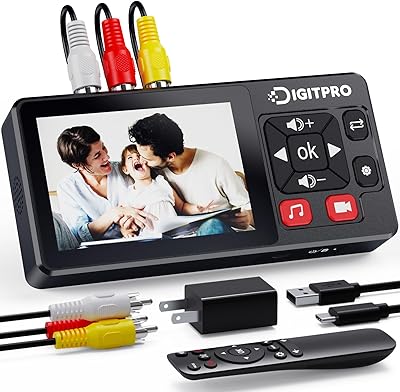
DigitPro V121 VHS to Digital Converter
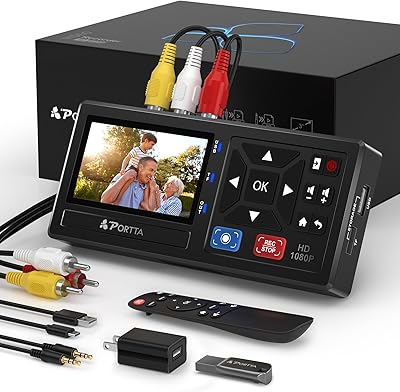
Portta CHR101-U3 VHS to Digital Converter with 128GB USB 3.0
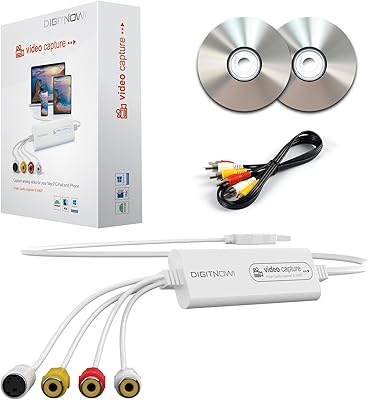
VIXLW VHSDC01 VHS to Digital Converter
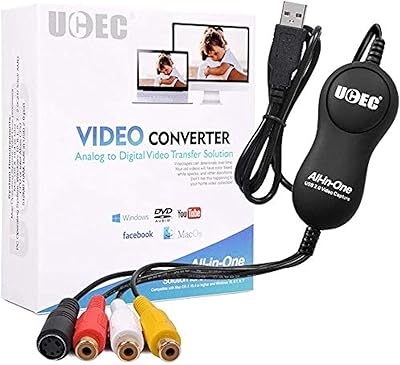
UCEC VHS to Digital Converter Kit
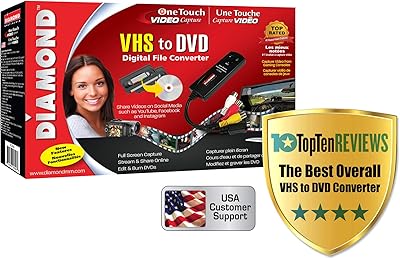
Diamond Multimedia VC500

KCEVE KC-303X Triple Monitor KVM Switch
Western Digital Easystore 14TB External Hard Drive
Western Digital EasyStore 4TB External Hard Drive
