Overview

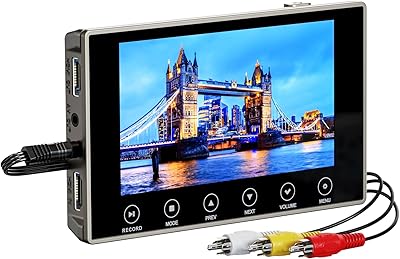
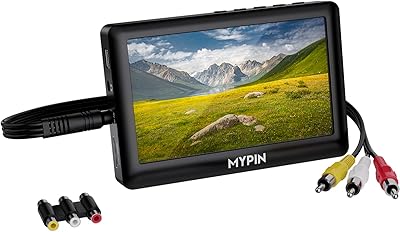
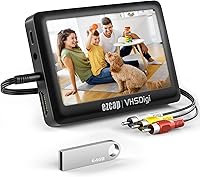
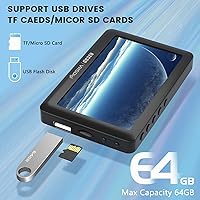
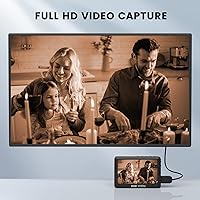
The READYXIO 3rd Gen VHS to Digital Converter is a standalone device built to rescue old analog footage and save it as MP4 files — no laptop, no software, no technical headaches. This is the third generation of READYXIO's capture lineup, launched in mid-2022, and it targets home users who want a portable, all-in-one solution. It handles a wide range of inputs including VHS, Hi8, camcorder tapes, DVD players, and HDMI sources. A 4.3-inch TFT screen lets you monitor footage directly on the unit, and a 64GB USB drive comes included right out of the box.

Features & Benefits

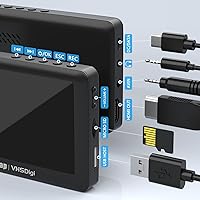
The one-click recording workflow is where this tape digitizer earns its keep for everyday users. You plug in your source, hit record, and the footage goes straight to a USB flash drive or TF card in MP4 format — no drivers, no installation screens, no fussing. The built-in 1500mAh battery supports roughly two hours of use away from an outlet, which is handy if your VCR is tucked in a back room without a nearby power strip. A 3.5mm TRS mic input lets you narrate recordings in real time, and files transfer easily to both Windows and Mac machines afterward.

Best For

This VHS capture device is a natural fit for anyone who finds dedicated digitization software intimidating or just wants to get the job done without spending an afternoon reading manuals. It works especially well for families sitting on a box of old VHS or Hi8 tapes and wanting a simple, button-press solution. The portable battery and on-screen preview also make it practical when working in a room without easy access to a monitor or PC. If you regularly deal with multiple source formats — VCR, DVD, HDMI — and want one device to handle them all, this fits that need cleanly.

User Feedback

With a 3.5-star average across 92 ratings, the READYXIO converter sits in genuinely mixed territory — not a disappointment, but not universally praised either. Users frequently highlight easy setup and the relief of skipping a computer as real wins. On the other side, some buyers report video quality that fell short of expectations, though degraded tape stock will always limit what any digitizer can output. A recurring friction point is the FAT32 formatting requirement for storage media, which catches people off guard. A handful of reviews also raise audio sync inconsistencies and questions about long-term build durability.

Pros

  • No computer or software required — just plug in your source and press record.
  • Supports a wide range of analog and digital inputs including VHS, Hi8, RCA, and HDMI.
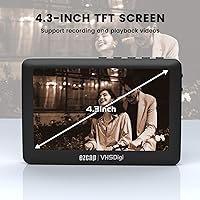
  • The built-in 4.3-inch screen lets you monitor footage without needing a separate TV or monitor.
  • Comes with a 64GB USB drive included, so you can start recording straight out of the box.
  • The 1500mAh battery gives you a real window of portable use without hunting for an outlet.
  • Saved files are standard MP4 format, which opens on virtually any device without conversion.
  • Compatible with both Windows and Mac, so transferring files afterward is straightforward.
  • The mic input is a thoughtful addition for anyone who wants to narrate family recordings in real time.
  • One-click operation genuinely reduces the friction for non-technical users.

Cons

  • Storage media must be formatted to FAT32 or exFAT first — a step that trips up many buyers.
  • Audio sync issues have been flagged by multiple users, which is a problem for keepsake recordings.
  • Output quality is limited by source tape condition, which the device has no ability to correct.
  • The two-hour battery life may not be enough for long digitization sessions without a recharge.
  • Build quality and screen brightness have raised durability concerns in real-world reviews.
  • At a 3.5-star average, the gap between buyer expectations and actual results is meaningful.
  • No fine-grained control over encoding settings, which limits usefulness for more demanding users.
  • Customer documentation around setup requirements like storage formatting is reportedly thin and unclear.

Ratings

The scores below were generated by AI after analyzing verified purchaser reviews for the READYXIO 3rd Gen VHS to Digital Converter worldwide, with spam, bot-submitted, and incentivized feedback actively filtered out. Each category reflects the genuine consensus of real buyers — not a manufacturer's claims — so both the strengths and the frustrations are represented honestly. Where users consistently disagreed, the score lands in the middle; where praise or criticism was near-universal, the score reflects that too.

Ease of Setup
83%
Most users were genuinely relieved by how quickly they could get started. The one-click recording workflow meant that even buyers who had never used a capture device before were up and running within minutes of opening the box, without touching a manual.
The FAT32 or exFAT formatting requirement for storage media is not communicated clearly, and it caught a meaningful number of buyers completely off guard. For users unfamiliar with disk formatting, this single step created enough friction to sour an otherwise smooth setup experience.
Video Output Quality
54%
46%
For the target audience — families rescuing old home movies that would otherwise stay unwatched — the output is serviceable and captures what is on the tape faithfully. Users with well-preserved tapes generally reported results they were happy to share with relatives.
A recurring theme in reviews is disappointment when buyers expected the device to enhance or restore aging footage. Output quality is strictly a function of the source tape's condition, and the converter adds no upscaling or noise reduction. Users with degraded tapes found the digital copies equally degraded.
Audio Sync Reliability
51%
49%
When audio sync works correctly — which it does for a portion of users — playback feels natural and the recorded commentary via the mic jack comes through clearly. Short recordings with healthy tapes tended to produce better sync outcomes than long continuous sessions.
Audio sync drift is one of the most consistently reported complaints across real buyer reviews and it directly undermines the core use case of preserving precious family memories. The problem appears more often in longer recordings and may be aggravated by slow or improperly formatted storage media.
Portability
78%
22%
The built-in battery and compact footprint make it genuinely practical to bring the device to wherever the VCR lives, rather than the other way around. Buyers who had old equipment stored in a basement or guest room appreciated not needing to set up near a computer or wall outlet.
Two hours of battery life is tight when digitizing a full collection of tapes in one sitting. Users who planned longer sessions found themselves waiting for the device to recharge mid-workflow, which interrupted their momentum and added to the overall time investment.
Display Quality
67%
33%
The 4.3″ screen is large enough to confirm that recording has started and that audio levels are registering, which gives users real confidence during the capture process. It eliminates the need to connect a separate monitor just to verify footage is coming through correctly.
Some buyers noted that screen brightness is not particularly high, making it harder to assess footage quality in well-lit rooms. It serves its functional purpose but should not be mistaken for a viewing screen — it is better understood as a monitoring tool.
Input Versatility
81%
19%
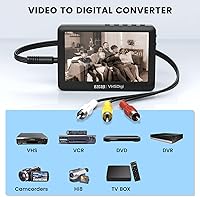
Supporting VHS, Hi8, camcorder, DVD, RCA composite, and HDMI from a single compact device is a genuine convenience for households with mixed analog and digital media. Buyers with several different source formats appreciated consolidating capture into one workflow instead of buying separate hardware for each.
The device lacks component video or S-Video inputs, which limits options for users with higher-quality analog sources like S-VHS or certain professional camcorder formats. For the mainstream buyer this is a non-issue, but for anyone with a more diverse or legacy collection it narrows compatibility.
Build Quality
58%
42%
The device feels adequately solid for light home use and the button layout is straightforward enough that users rarely reported confusion during operation. For occasional digitization sessions spread over a few weeks, most buyers found it durable enough.
Long-term durability concerns showed up in a notable share of reviews, with some users questioning how well the unit would hold up over repeated use. The plastic construction and the feel of the port connections did not inspire confidence in buyers who planned to use the device regularly.
Battery Life
62%
38%
Two hours of untethered recording is enough to cover the average 90-minute VHS tape with some margin, which works well for users who tackle tapes one or two at a time and then transfer files before their next session.
Users who planned to digitize a large archive in one go found the two-hour ceiling frustrating. The battery also cannot be swapped out, so mid-session power loss means stopping entirely until the unit recharges, which slows down batch digitization considerably.
Storage & File Management
74%
26%
The included 64GB USB drive is a welcome addition that means buyers can start immediately without purchasing accessories. MP4 output is universally compatible, and moving files to a Mac or Windows computer afterward requires no additional software or drivers.
The strict FAT32 or exFAT formatting requirement is the main friction point here. Buyers who plug in an NTFS-formatted drive — which is the default for many larger USB drives on Windows — will find the device does not recognize it, and the error messaging reportedly does little to explain why.
Mic & Commentary Feature
69%
31%
The ability to narrate recordings in real time is a thoughtful and uncommon feature at this price tier. Buyers who used it to add context to old family footage — naming people on screen, explaining events — found it added real personal value to the archived videos.
The mic input only supports TRS-standard microphones, not the more common TRRS type found on smartphone headsets with integrated mics. Buyers who grabbed a convenient headset mic from a drawer and found it did not work were understandably frustrated, and the product packaging does not make this distinction obvious.
Value for Money
61%
39%
For a first-time buyer who wants a no-fuss, all-in-one solution with storage included, the mid-range price point feels reasonable on paper. The breadth of input support and the bundled USB drive make the out-of-box experience feel fairly complete.
A 3.5-star average suggests a meaningful gap between what buyers expected and what they received. Users who encountered audio sync issues or video quality disappointments felt the price was harder to justify in hindsight. Buyers who research the limitations before purchasing tend to rate value higher than those who bought on impulse.
Software Independence
88%
The ability to record directly to a USB drive without installing any software is consistently one of the most praised aspects across all buyer segments. For older adults and non-technical users, this alone is often the deciding factor — and it genuinely delivers on that promise.
The trade-off for having no software is having no settings. Users who wanted to adjust resolution, bitrate, or audio levels had no options available to them. The device makes all those decisions automatically, which works for casual users but frustrates anyone who wants a bit more control.
Playback Functionality
71%
29%
Being able to review footage directly on the device without connecting to a computer or TV is a convenience that buyers genuinely used in practice. Scrolling through recorded clips on the built-in screen to verify a capture went smoothly was cited as a small but satisfying feature.
The playback experience is limited by the small screen size and modest speaker output, so it is only really suitable for a quick spot-check rather than a full viewing session. Buyers who expected to watch their digitized tapes comfortably on the device itself came away underwhelmed.

Suitable for:

The READYXIO 3rd Gen VHS to Digital Converter is genuinely well-matched to a specific kind of buyer: someone who has a box of old tapes collecting dust and wants to digitize them without learning new software or buying a separate computer setup. It works best for older adults or non-technical family members who are comfortable pressing a button but not comfortable installing drivers or navigating editing timelines. Families archiving VHS home movies, Hi8 camcorder tapes, or even old DVD recordings will find the all-in-one approach refreshingly straightforward. The bundled 64GB USB drive and built-in screen mean you can start recording almost immediately without hunting down accessories. If you regularly switch between source formats — say, a VCR one day and an HDMI device the next — having a single device that handles all of them at a mid-range price is a practical convenience. The portable battery also makes it easy to work wherever the old VCR actually lives, rather than hauling equipment across the house.

Not suitable for:

The READYXIO 3rd Gen VHS to Digital Converter is not the right tool for anyone who expects professional-grade output or fine control over encoding settings. If your goal is to produce archival-quality video with frame-accurate sync and adjustable bitrates, this device will frustrate you. Enthusiasts who already own capture cards and editing software will likely find the hardware limiting and the workflow too simplified for their needs. Users who skip the setup step of formatting their storage media to FAT32 or exFAT will run into immediate problems — and the documentation does not make this easy to discover on your own. Anyone sensitive to audio sync drift or inconsistent frame capture should also be cautious, as these are recurring complaints in real-world use. Finally, buyers expecting the digitizer to compensate for decades of tape degradation will be disappointed; the output quality is fundamentally capped by the condition of the original tape.

Specifications

  • Brand: Manufactured and sold under the READYXIO brand, model number RXVIDEO-003.
  • Generation: This is the third-generation version of READYXIO's standalone video capture lineup.
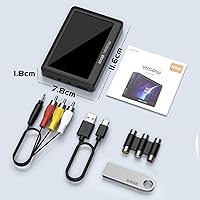
  • Dimensions: The unit measures 5.04 x 5.04 x 2.24 inches, making it compact enough to hold in one hand.
  • Weight: The device weighs 13.1 ounces, light enough for portable use around the home.
  • Display: Features a built-in 4.3″ TFT color screen for real-time video preview and file playback.
  • Battery: Powered by an internal 1500mAh lithium battery rated for approximately two hours of continuous use.
  • Video Inputs: Accepts analog signals via RCA (AV) composite and digital signals via HDMI input.
  • Audio Input: Includes a 3.5mm TRS mic jack for recording live voice commentary alongside captured video.
  • Output Format: Records and saves all video footage in MP4 format for broad device compatibility.
  • Storage Support: Accepts USB flash drives and TF (microSD) cards with a maximum supported capacity of 64GB each.
  • Included Storage: Ships with a 64GB USB flash drive included in the box, ready to use after formatting.
  • Storage Format: USB and TF card storage media must be formatted to FAT32 or exFAT before use.
  • Speaker: Has a built-in stereo speaker for audio monitoring during playback without external equipment.
  • Source Compatibility: Supports capture from VHS, VCR, Hi8, camcorder tapes, DVD players, and HDMI-output devices.
  • PC Compatibility: Recorded MP4 files transfer to both Windows and Mac computers without additional software.
  • Date Available: First made available on Amazon in July 2022.
  • User Rating: Holds an average rating of 3.5 out of 5 stars based on 92 customer ratings.
  • Category Rank: Ranked number 932 in the Video Converters category on Amazon at time of listing.

Related Reviews
VIXLW VHSDC01 VHS to Digital Converter
78%
91%
Ease of Setup
87%
Compatibility
72%
Video Capture Quality
61%
Audio Sync Accuracy
88%
Value for Money
More
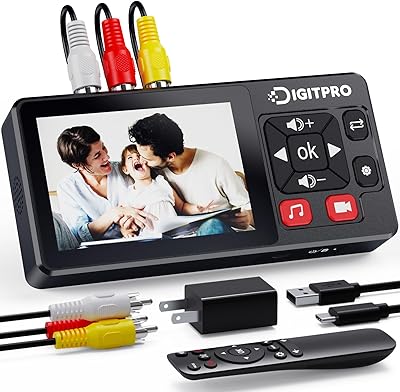
DigitPro V121 VHS to Digital Converter
78%
89%
Ease of Setup
84%
Video Conversion Quality
80%
Audio Capture Performance
77%
Screen and Preview Experience
82%
Feature Completeness
More
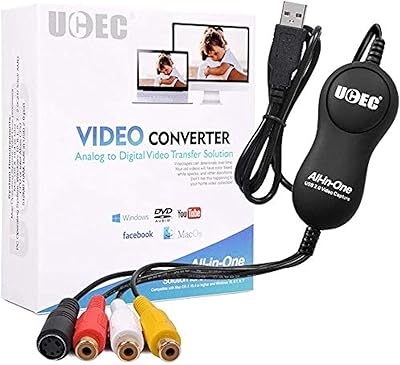
UCEC VHS to Digital Converter Kit
81%
88%
Ease of Use
91%
Value for Money
75%
Video Quality
68%
Software Compatibility
94%
Setup and Installation
More
DigitPro VHS to Digital Converter 3.0
73%
91%
Ease of Setup
63%
Video Output Quality
58%
Battery Life
88%
Format Compatibility
66%
Audio Quality
More
Diamond Multimedia VC500
85%
88%
Ease of Installation
91%
Build Quality
84%
Video Capture Stability
93%
Value for Money
87%
Windows Compatibility
More
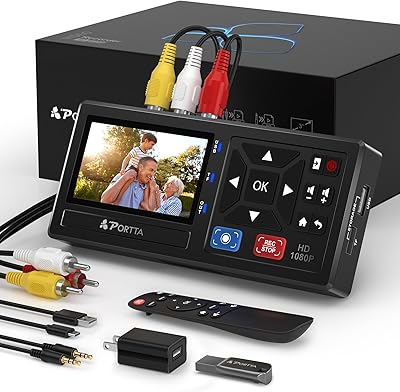
Portta CHR101-U3 VHS to Digital Converter with 128GB USB 3.0
79%
88%
Ease of Setup
74%
Video Capture Quality
69%
Audio Performance
86%
Bundled Accessories & Value
71%
Build Quality & Durability
More
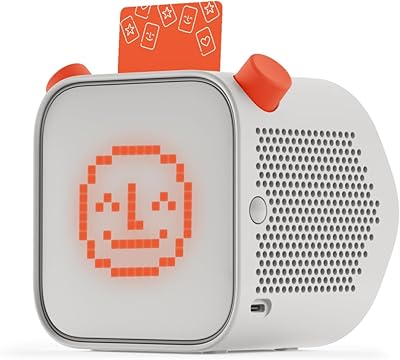
Yoto Player 3rd Gen Kids Audio Player
81%
94%
Ease of Use
97%
Child Safety & Privacy
91%
Battery Life
78%
Content Library & Ecosystem
82%
Audio Quality
More
Focusrite Scarlett Solo 3rd Gen
87%
92%
Build Quality
89%
Ease of Setup
91%
Vocal Clarity (Air Mode)
94%
Portability
93%
Value for Money
More
UNISHEEN UR230A Video to Digital Converter
82%
91%
Value for Money
93%
Ease of Setup
78%
Video Quality
83%
Device Compatibility
88%
Portability
More
MYPIN VG0109 Video to Digital Converter
68%
88%
Ease of Setup
61%
Video Capture Quality
91%
No-Computer Workflow
73%
Preview Screen Usability
58%
Battery Life
More

FAQ

No, and that is genuinely its biggest selling point. You plug your tape source into the device, insert a USB drive or TF card, press record, and it captures the footage on its own. A computer is only needed afterward if you want to edit or back up the files.

Everything saves as MP4, which is about as universal as it gets. You can play the files on a Windows PC, a Mac, most smart TVs, and smartphones without needing to convert anything.

Yes, and skipping this step is the most common reason people run into trouble. Your USB flash drive or TF card needs to be formatted to FAT32 or exFAT before the device will recognize it. You can do this from any Windows or Mac computer in just a few clicks under disk management or Disk Utility.

Yes. The device accepts RCA composite connections, which cover most VHS decks, Hi8 camcorders, and DVD players. It also has an HDMI input for more modern sources. As long as your device has one of those outputs, you should be good to go.

The built-in battery is rated for roughly two hours of use, which is enough for a feature-length tape but may fall short for back-to-back sessions. If you have a lot of tapes to get through, keeping a charging cable nearby is a smart idea.

The converter captures what is on the tape — it does not enhance or restore the footage. If your tapes are 30 years old and showing their age, the digital copy will reflect that faithfully. Expect the output to look like the tape, not like a cleaned-up restoration.

Yes, the device has a 3.5mm TRS mic jack that lets you add live commentary as you record. Just be aware that it only works with TRS-standard microphones, not TRRS (the type with a separate headphone channel), so double-check your mic before you buy one.

Yes, once you have finished recording and want to move files to your computer, the MP4 files work natively on both Mac and Windows without installing any additional software or drivers.

The device supports USB drives and TF cards up to 64GB. A 64GB drive is already included in the box, which gives you a solid amount of space before you need to offload files to a computer.

It does show up in a portion of real user reviews, so it is worth being aware of. It does not affect every user, and source tape quality can play a role. If you notice sync drift, try shorter recording sessions and make sure your storage media is fast enough and formatted correctly, as a slow or improperly formatted drive can sometimes contribute to the problem.