DigitPro V121 VHS to Digital Converter
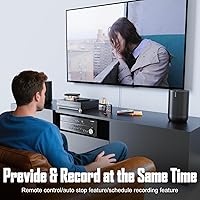
Overview
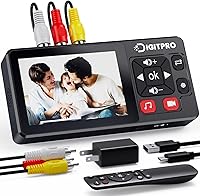
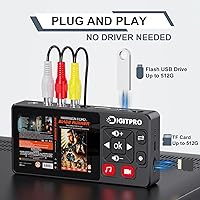
The DigitPro V121 VHS to Digital Converter is a standalone device that lets you digitize old analog tapes without touching a computer or installing a single piece of software. That alone puts it in a different category from the USB dongle-style capture sticks that demand a laptop and a learning curve. Launched in mid-2025, this tape digitizer sits comfortably in the mid-range — not as bare-bones as a basic capture card, but not as complex as a full software suite either. Its built-in 3.5-inch screen is the real differentiator: you can actually watch the tape as it records, right on the device.
Features & Benefits
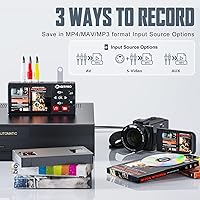
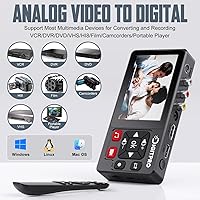
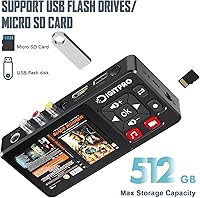
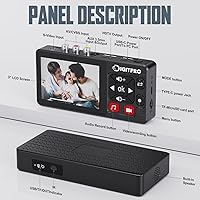
Press one button, and the V121 starts recording directly to a USB drive or TF card in MP4 format — no drivers, no software, no fuss. The 3.5-inch LCD screen with built-in speakers means you can preview footage in real time without hooking up a TV, though an HDMI output is there if you want a bigger picture. It handles both AV/RCA and S-Video inputs, so it works with VHS, Hi8, Mini DV, DVD players, and even older game consoles. A few smart touches round things out: auto-pause when the signal drops, scheduled recording, and a time watermark. Just be clear-eyed about resolution — the actual capture quality is standard definition, because that is what is on the tape.
Best For
This standalone converter is built for people who just want the job done without a tech tutorial. If you have a box of VHS tapes from family holidays or a stack of Hi8 camcorder cassettes slowly degrading in a closet, this tape digitizer is genuinely practical — plug in your old player, insert a USB drive, and press record. It also suits retro gaming fans who want to capture footage from older consoles. What it is not suited for is professional archiving: if you need frame-accurate editing control or broadcast-quality output, a dedicated software workflow will serve you better. For everyday home preservation, though, this hits the mark.
User Feedback
People who buy the V121 consistently mention easy setup as the standout experience — open the box, connect the cables, and you are recording within minutes. The included remote is a small but appreciated detail, letting you hit pause or stop from across the room while the tape plays. On the downside, a few buyers have been surprised to find that long tapes get split into multiple files due to a 4GB file size cap per recording — something worth knowing ahead of time. There is also occasional frustration around the 1080p marketing language; the output is standard definition, since that is the nature of the source material. Customer support, from the reports available, appears responsive.
Pros
- No computer or software required — just plug in, press record, and walk away.
- The built-in 3.5-inch screen lets you monitor recordings without connecting a TV.
- Compatible with a wide range of sources including VHS, Hi8, Mini DV, DVD players, and older game consoles.
- Saves directly to USB drives or TF cards in widely compatible MP4 format.
- The included remote is a small but thoughtful addition for hands-off monitoring.
- Auto-pause on signal loss prevents wasted recording time if a tape stutters or drops out.
- Supports both NTSC and PAL formats, making it useful outside the United States.
- Compact and lightweight enough to move between rooms or use wherever the VCR lives.
- HDMI output allows monitoring on a larger screen during capture.
- Bilingual customer support has been noted as responsive by early buyers.
Cons
- Actual recorded resolution is standard definition 640×480 — the 1080p label applies only to the preview input.
- Long tapes get silently split into multiple files once the 4GB per-file cap is hit.
- Real-time recording means digitizing a two-hour tape takes two full hours, every time.
- The device cannot improve degraded or damaged tape quality — poor source material produces poor digital files.
- No built-in editing or trimming tools; you get the full tape as recorded, nothing more.
- TF and USB storage are not included, adding to the effective out-of-pocket cost.
- The remote requires AAA batteries that are not included in the box.
- Brand is relatively new, so long-term reliability and firmware support are still unproven.
Ratings
The scores below for the DigitPro V121 VHS to Digital Converter were generated by our AI system after analyzing verified global buyer reviews, actively filtering out incentivized, duplicate, and bot-generated feedback to ensure the results reflect genuine user experience. Each category is scored independently, so both the real strengths and the honest frustrations come through without being averaged away. Whether this tape digitizer earns a spot in your home depends on the right use case — and these ratings are designed to help you figure that out quickly.
Ease of Setup
Recorded Video Quality
Compatibility
No-PC Workflow
Built-in Screen
File Management
Remote Control
Smart Recording Features
Build Quality
Audio Recording
Portability
Value for Money
Customer Support
Suitable for:
The DigitPro V121 VHS to Digital Converter is genuinely well-suited for anyone who has a box of old tapes gathering dust and no desire to wrestle with capture software or video editing tools. If you are a parent or grandparent wanting to preserve family holidays, school recitals, or childhood memories recorded on VHS or Hi8 camcorder tapes, this tape digitizer removes almost every technical barrier — plug in your old player, insert a USB drive, and press one button. It also works well for people who do not own a desktop PC or simply prefer a self-contained device that does not depend on a laptop being nearby. Retro gaming fans looking to archive or share gameplay footage from older consoles will find the S-Video and AV input support genuinely useful. For small, personal archiving projects where simplicity matters more than perfection, this standalone converter is a practical and approachable choice.
Not suitable for:
Anyone expecting the DigitPro V121 VHS to Digital Converter to improve the quality of their old tapes will be disappointed — it captures exactly what is on the tape, grain, tracking lines, and all, at a standard-definition 640×480 resolution. The 1080p figure mentioned in the marketing refers to the preview display input, not the actual recorded output, and buyers who do not read the fine print may feel misled. Professional archivists, documentary researchers, or anyone who needs frame-accurate capture, lossless formats, or post-production editing control should look at dedicated software-based capture workflows instead. The 4GB per-file limit is also a practical constraint: a two-hour VHS tape will very likely be split across multiple files automatically, which can be frustrating if you were expecting a single clean recording. Users who need to digitize large tape libraries quickly and efficiently may also find the one-at-a-time, real-time recording process too slow for their needs.
Specifications
- Brand: Manufactured by DigitPro, a consumer digitization accessory brand.
- Model: The device carries the model designation V121.
- Dimensions: The unit measures 144×75×24mm (approximately 5.6×3×0.04 inches).
- Weight: The converter weighs 1.12 pounds, making it easy to move between rooms.
- Display: A built-in 3.5-inch LCD screen provides real-time preview and playback without an external monitor.
- Video Input: Accepts analog video via CVBS composite (AV/RCA) and S-Video input connections.
- Video Output: Provides an HDMI output port for monitoring recordings on a larger external display.
- Audio Output: Features built-in stereo speakers for on-device audio playback during preview.
- Record Format: Saves recordings as MP4 (video), MP3, or WAV (audio-only) files.
- Capture Resolution: Records video at 640×480 pixels (standard definition), with auto-detection for NTSC and PAL source formats.
- Preview Resolution: The input preview signal is displayed at up to 1080p 30Hz on screen or via HDMI output.
- Max File Size: Individual recording files are capped at 4GB, after which a new file begins automatically.
- Storage Support: Compatible with USB drives and TF (microSD) cards up to 512GB in capacity.
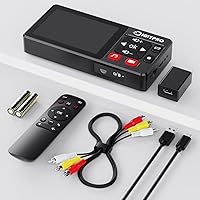
- Power Supply: Powered via a Type-C cable; a Type-C power cable is included in the box.
- Remote Control: A remote control is included and requires 2 AAA batteries, which are not included.
- Compatible Sources: Works with VHS, VCR, DVD players, Hi8, Mini DV, and analog-output retro gaming consoles.
- Smart Features: Includes auto-pause on signal loss, scheduled recording, time watermark overlay, and a long-press screenshot function.
- In the Box: Package includes the converter unit, Type-C power cable, AV cable, adapter, remote control, and a bilingual user manual.
Related Reviews
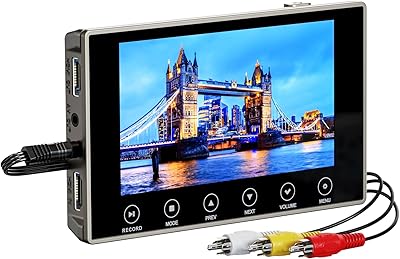
DigitPro VHS to Digital Converter 3.0
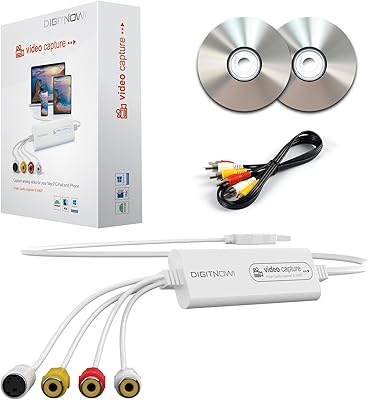
VIXLW VHSDC01 VHS to Digital Converter
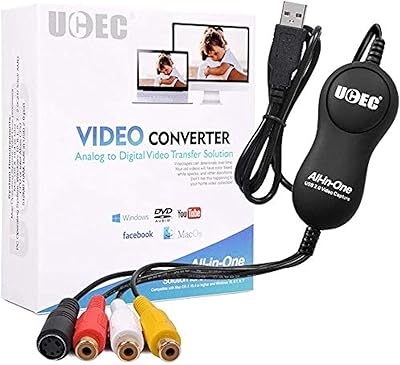
UCEC VHS to Digital Converter Kit
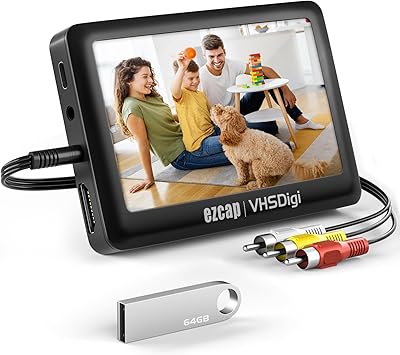
READYXIO 3rd Gen VHS to Digital Converter
Diamond Multimedia VC500
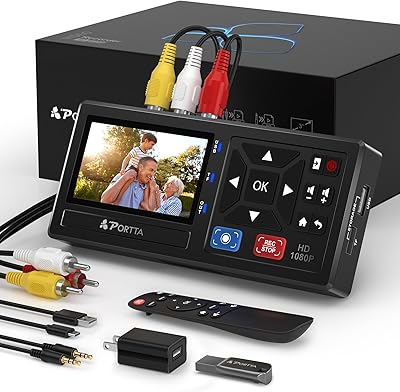
Portta CHR101-U3 VHS to Digital Converter with 128GB USB 3.0
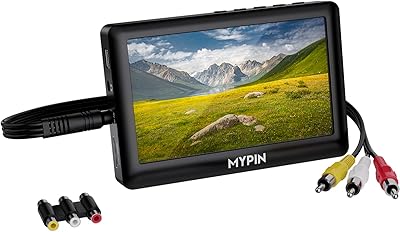
MYPIN VG0109 Video to Digital Converter
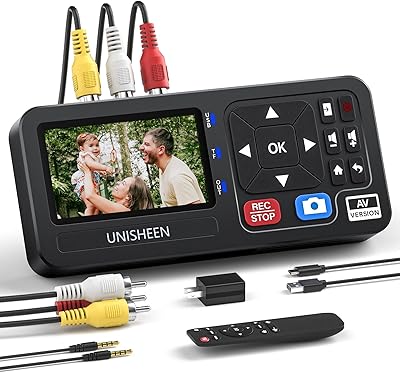
UNISHEEN UR230A Video Capture Converter
Soundavo HP-DAC1 DAC Headphone Amplifier